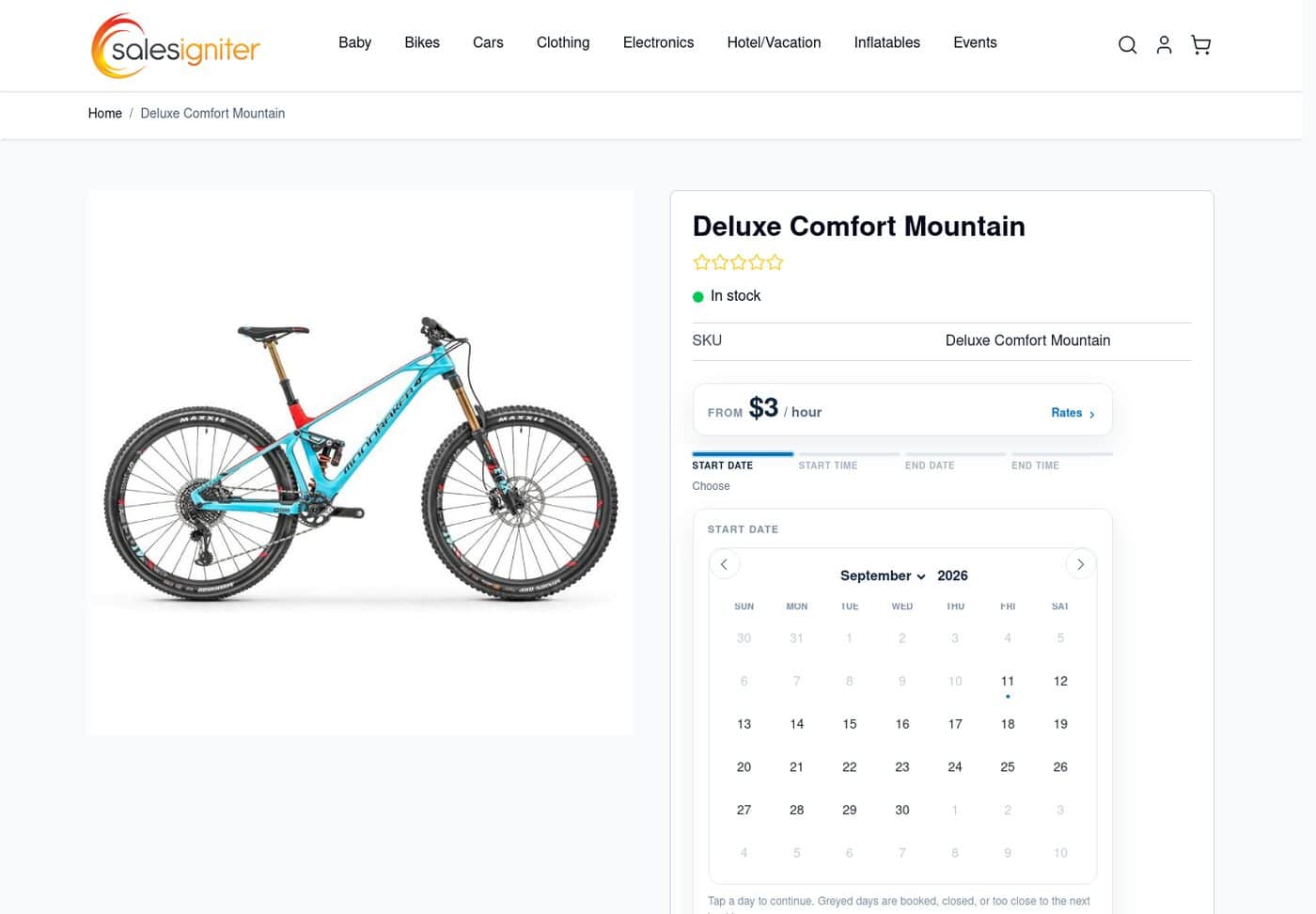
Guided rental date picker on a Magento 2 product page
The guided picker walks the customer through pick-up date, pick-up time, return date and return time, one step at a time, with a progress row above showing each answer so far.
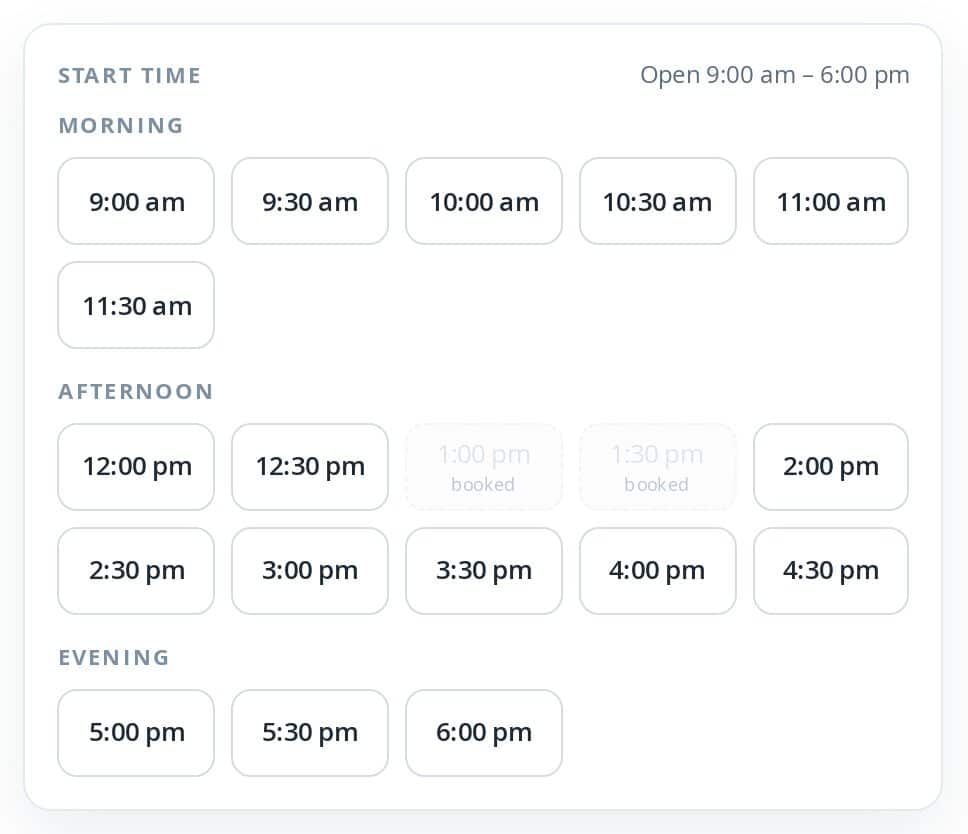
Rental time slots with booked times greyed out
Times that are already taken are greyed out and labelled "booked", so customers cannot overbook and never reach a failed add to cart.
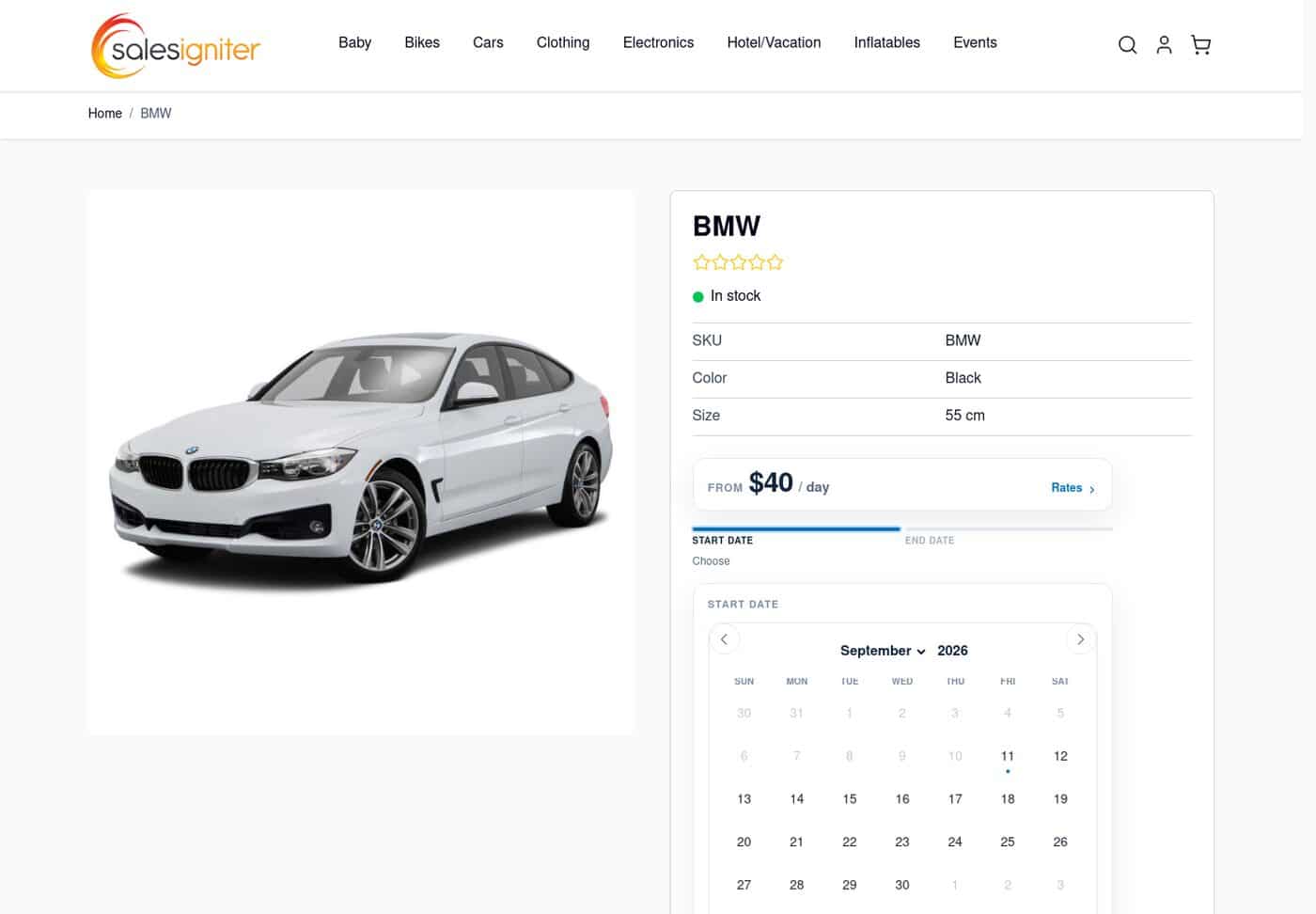
Hyva theme rental product page in Magento 2
A rental product on the Hyva theme: daily rate, live availability and the date picker, on a storefront built for speed and mobile.
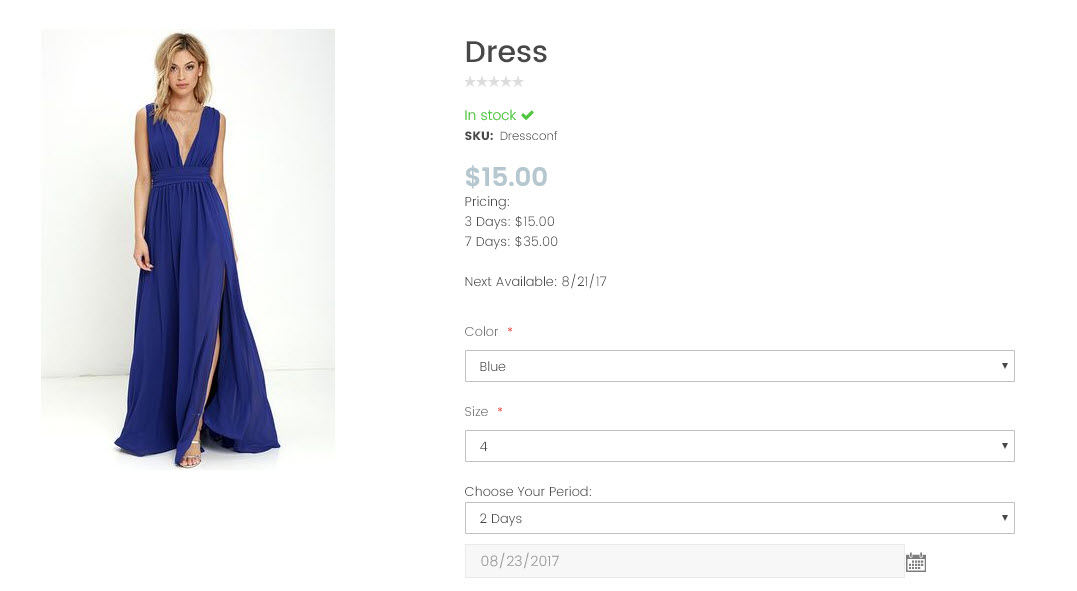
Configurable Product - Different Sizes / Varieties
Here is an example of a configurable product with size and color using our rental calendar
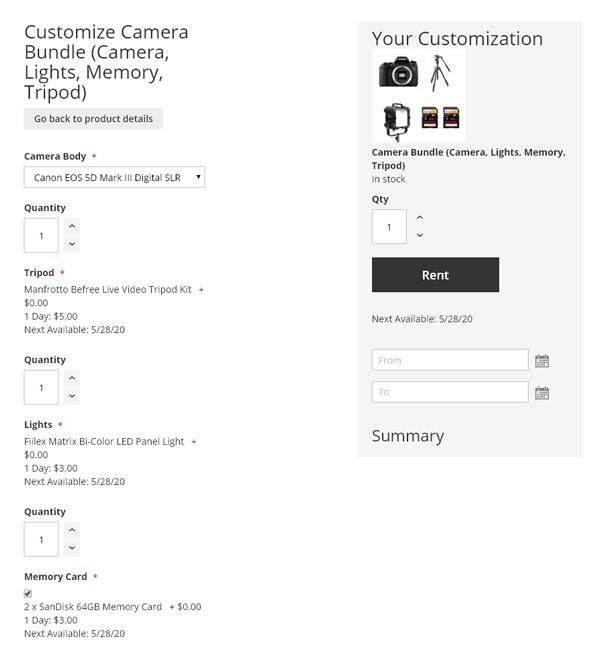
Bundle Products
Allow your customers to rent groups of products together and customize what they want. Example: Camera bundle, Party Rental Combo, etc.
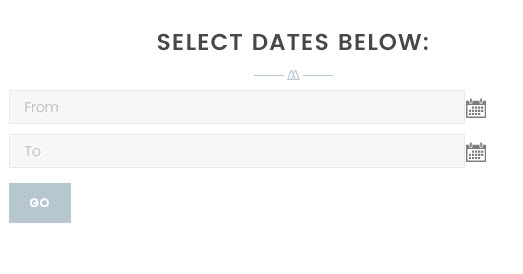
Rental Calendar Widget
This calendar widget can be added to any page of your site such as the homepage to allow people to select rental dates globally
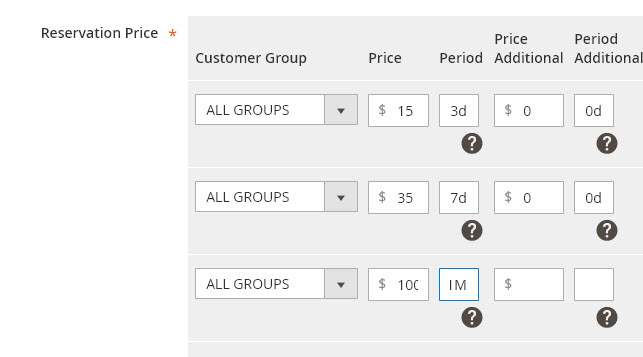
Flexible Reservation Pricing
You can add as many pricing levels as you want using the add / edit / delete pricing grid on the edit product page
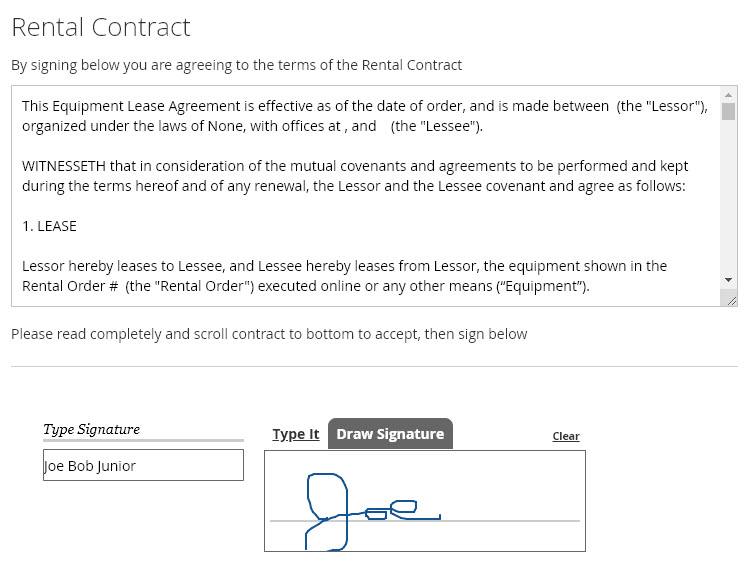
Online Rental Contract Signing
Customers can sign using any device (tablet, phone, desktop) when they checkout or using the admin panel if you allow them.
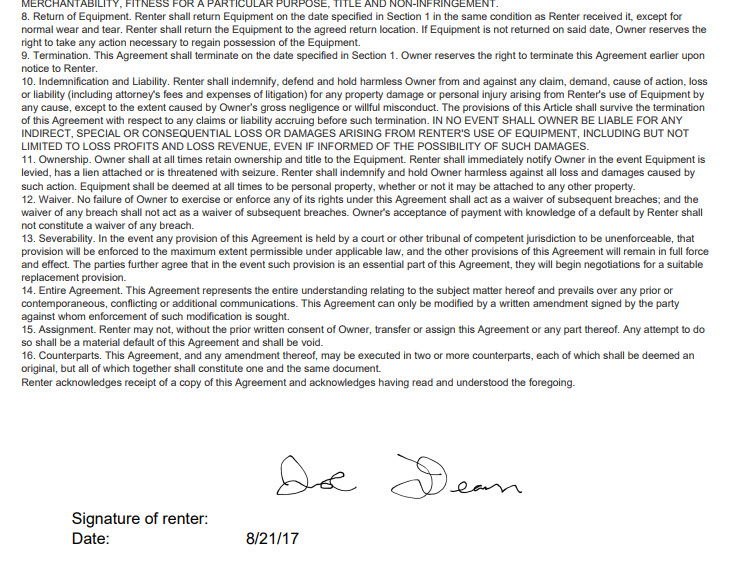
Rental Contract PDF
Sample of part of a rental contract PDF with customer's electronic signature

Email Receipts
Email receipts are automatically generated and sent to your customers after they place an order and also to the store owner
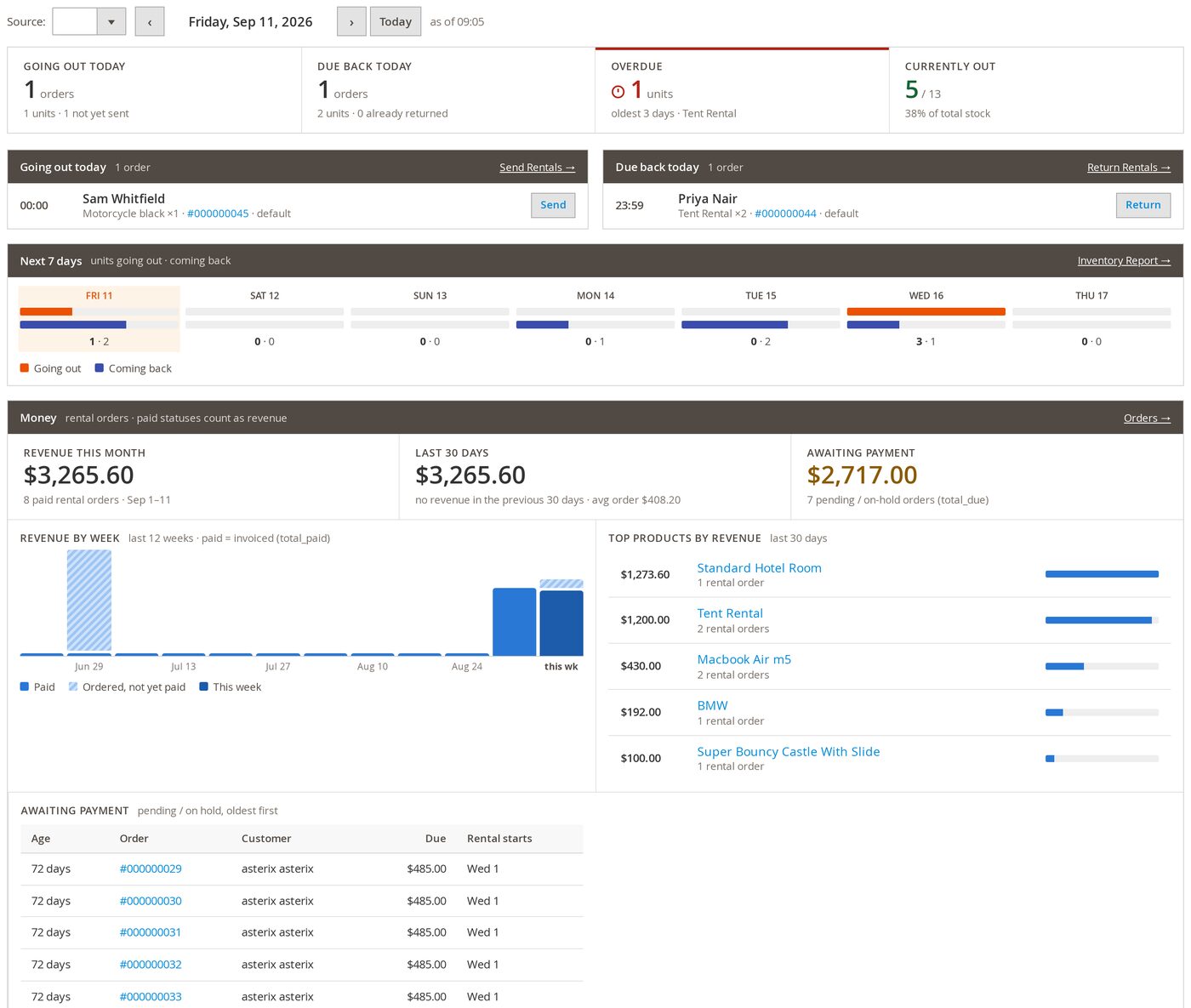
Magento 2 rentals dashboard
One screen for the day: what is going out, what is due back, what is overdue and how many units are currently on hire. Step through any date with the arrows.
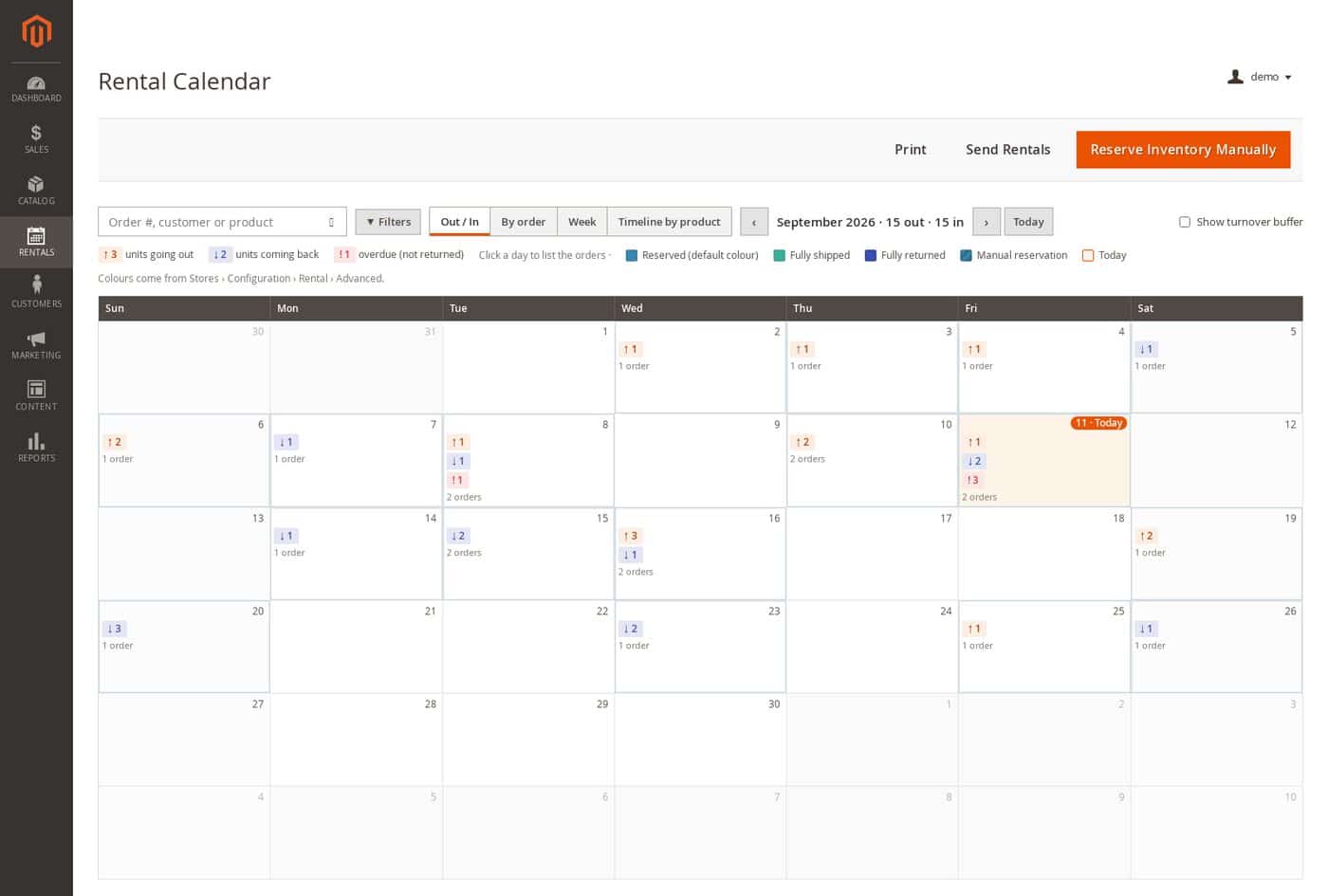
Rental calendar report, out and in day view
The operational view: units going out, units coming back and anything overdue, on every day of the month. Switch to By order, Week or Timeline by product without leaving the page.
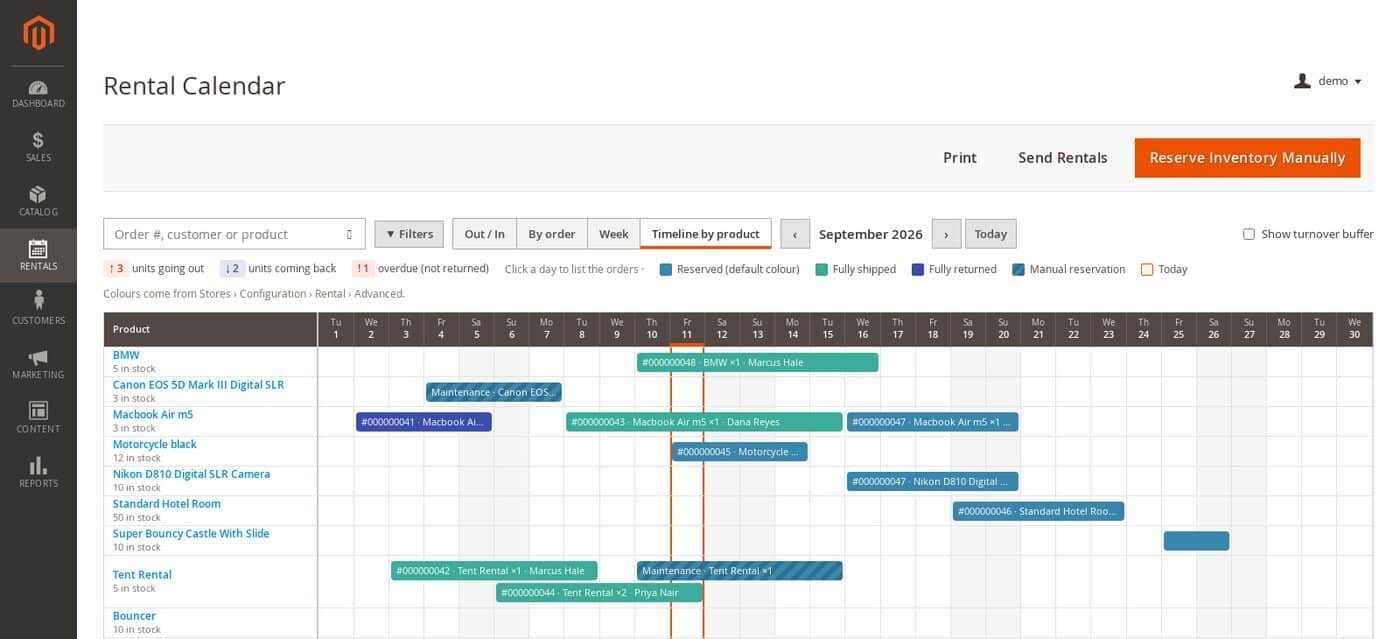
Rental calendar timeline by product
Every product is a row and every booking a bar, so gaps, overlaps and maintenance blocks are obvious at a glance.
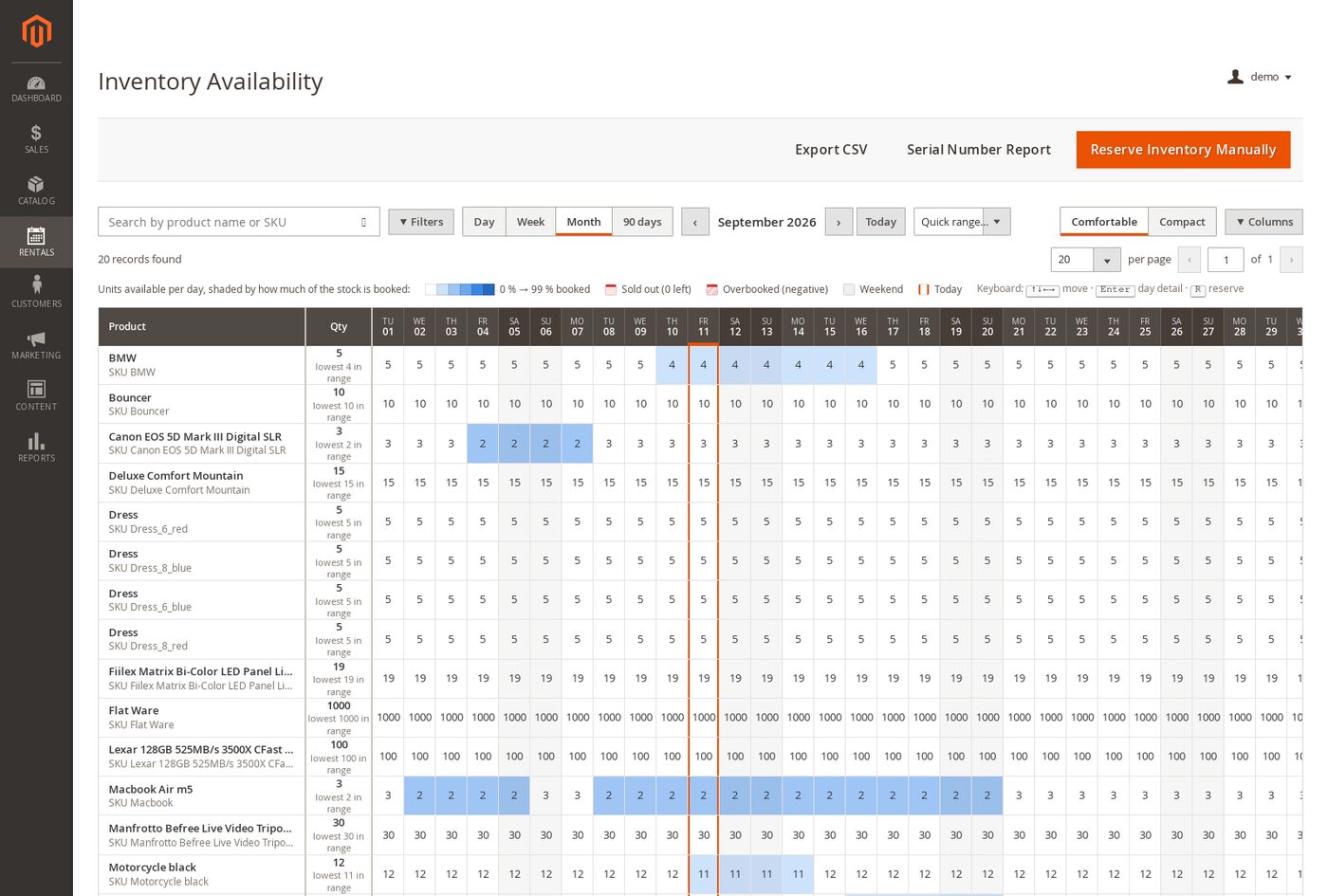
Rental inventory availability report
How many units of every product are free on each day, shaded by how much of the stock is booked. Each day is clickable to see exactly who reserved it.
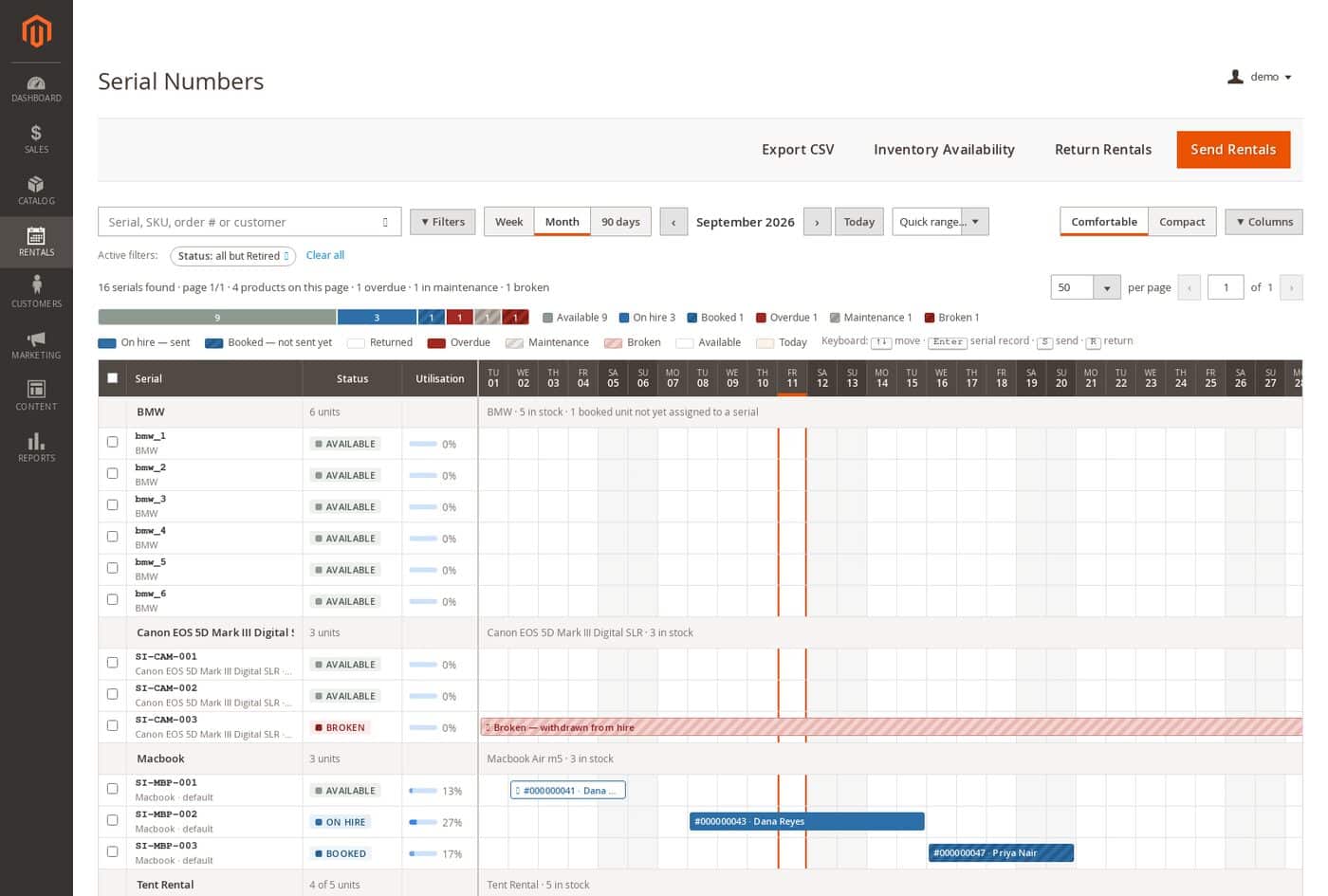
Serial number and barcode tracking report
Track individual units by serial or barcode. The timeline shows each unit day by day, available, on hire, booked, overdue, in maintenance or broken, with utilisation per unit.
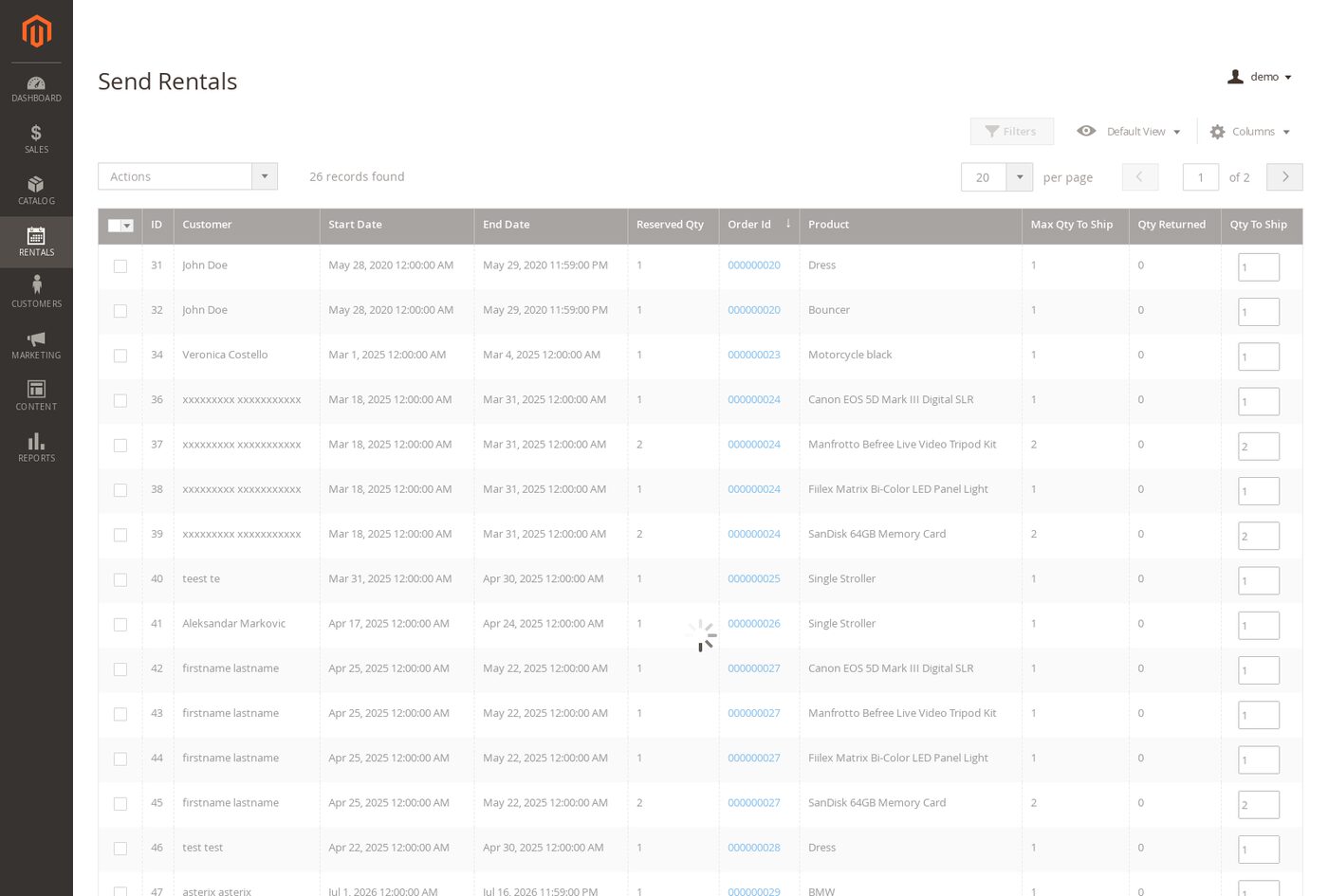
Send rentals screen for checking equipment out
Check equipment out to customers from one screen, scanning serial numbers or barcodes as the units go.
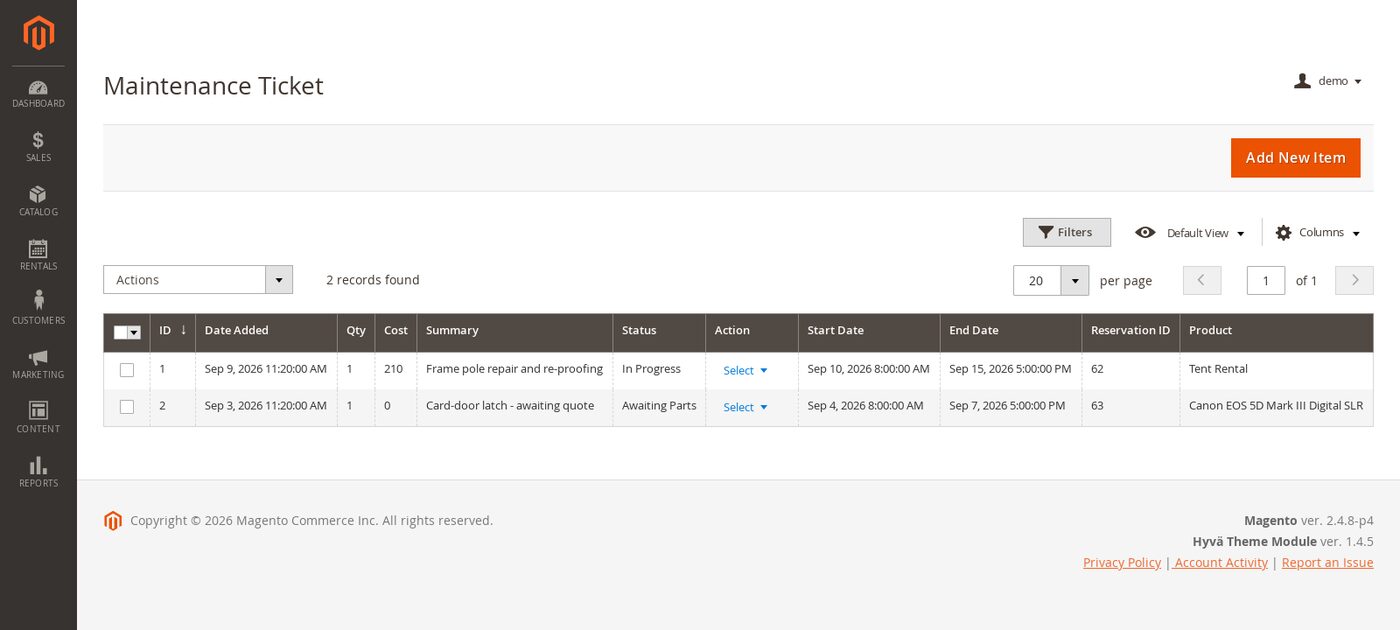
Equipment maintenance tickets
Take a unit out of service, assign a technician and track the repair. Items in maintenance stop being bookable automatically.
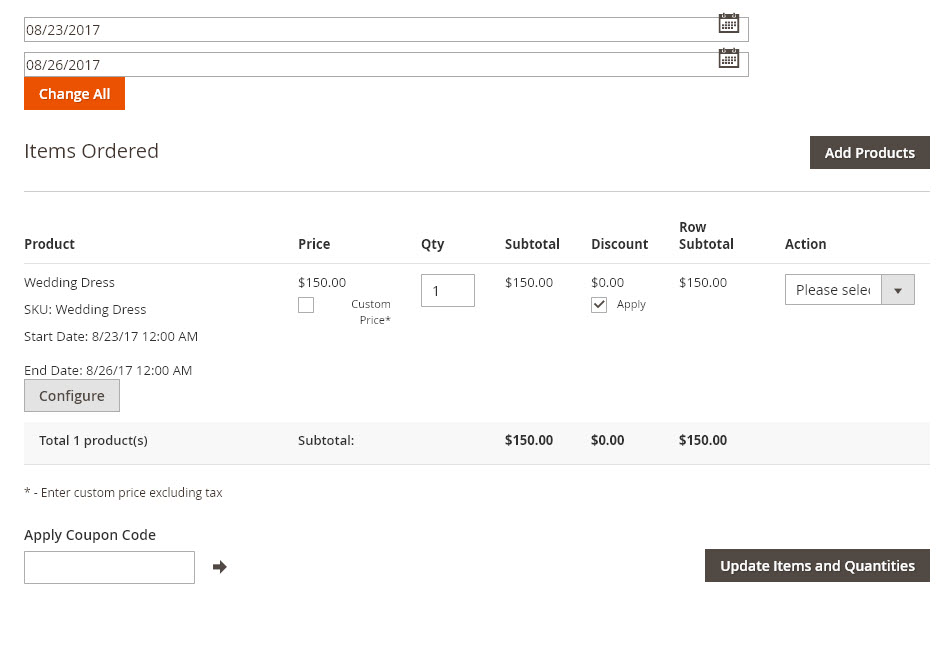
Admin Order Creator
Admin can create orders from the admin panel using a POS like order screen
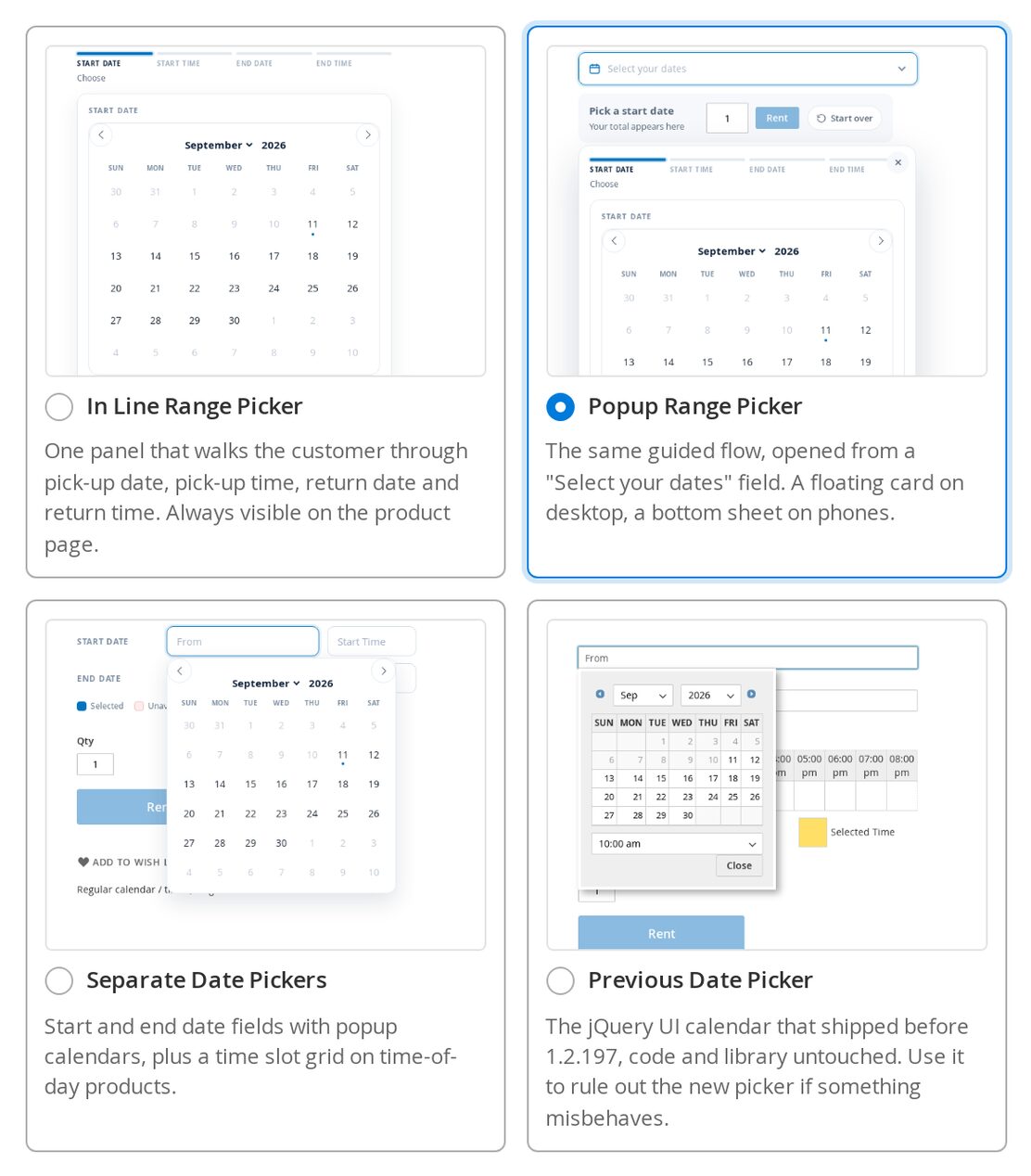
Calendar Styler date picker chooser
Choose your storefront date picker from picture cards rather than a drop-down: In Line, Popup, Separate date fields, or the previous jQuery UI calendar.
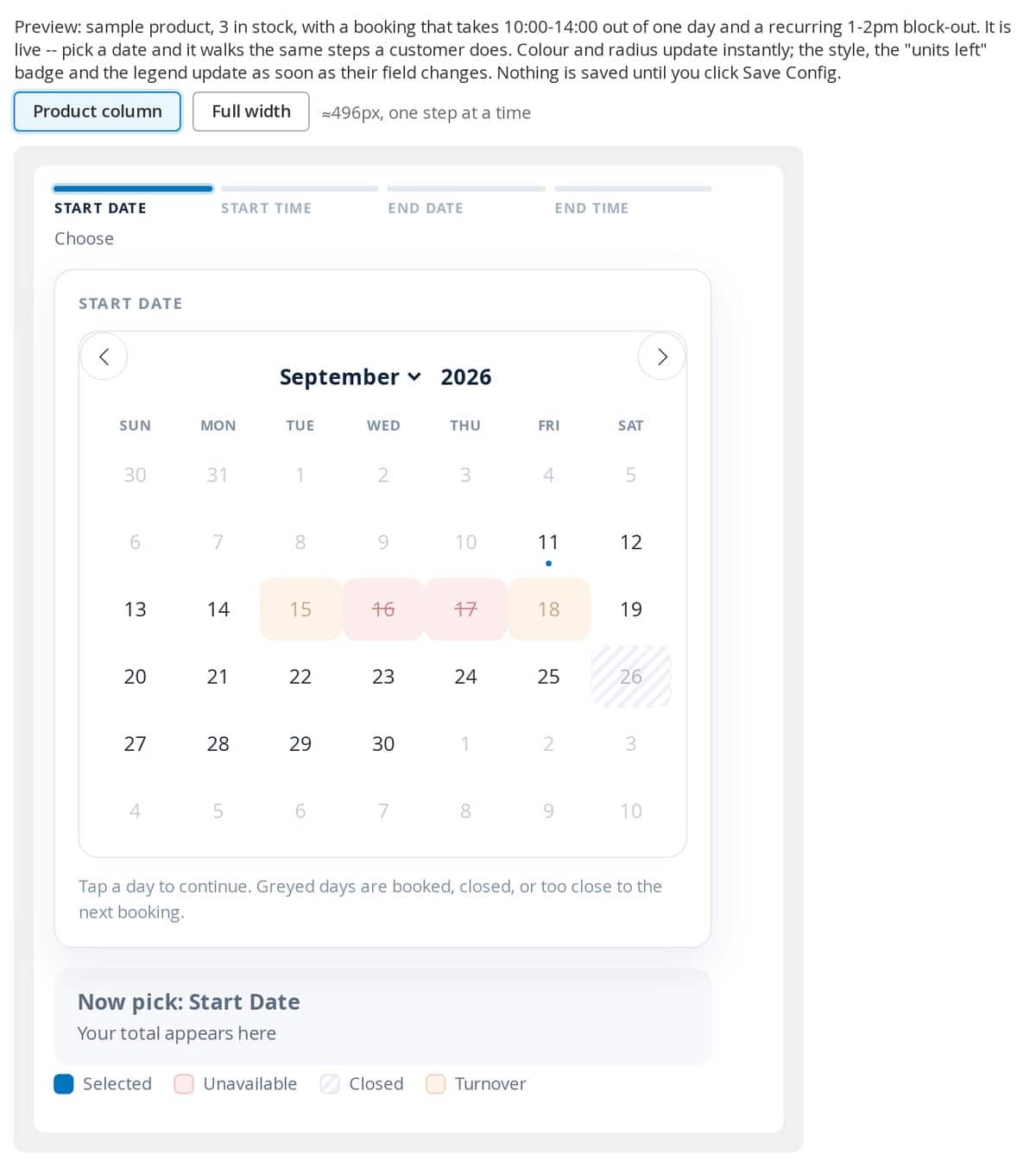
Calendar Styler live preview in the admin
The settings page previews a real, working calendar, booked, closed and turnover days included, so you can see exactly what customers will get before you save.
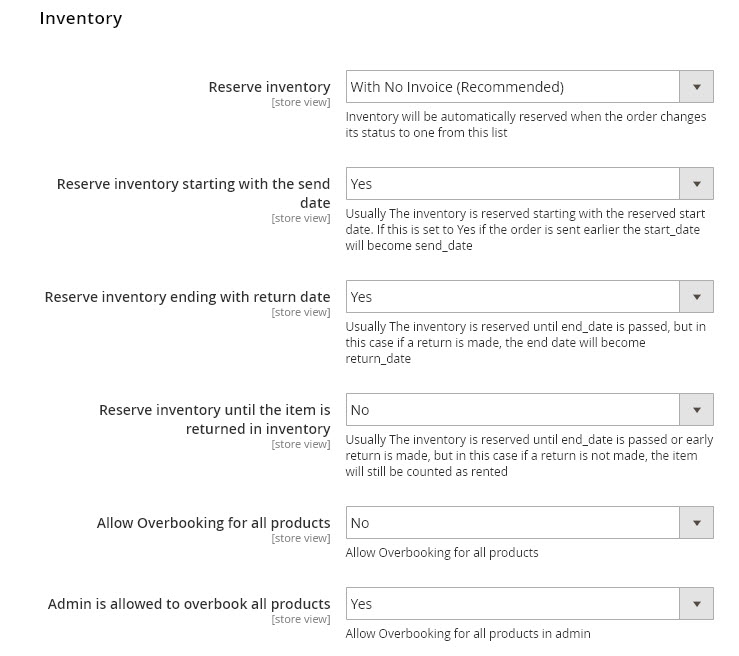
Inventory Settings
Very powerful inventory management settings to decide if inventory is reserved when order is placed, if sending and returning affects inventory, and other adjustments

Exclude Dates or Holidays
Powerful settings to exclude dates from the rental calendar and also exclude certain dates from price calculations or turnover / padding time for rentals
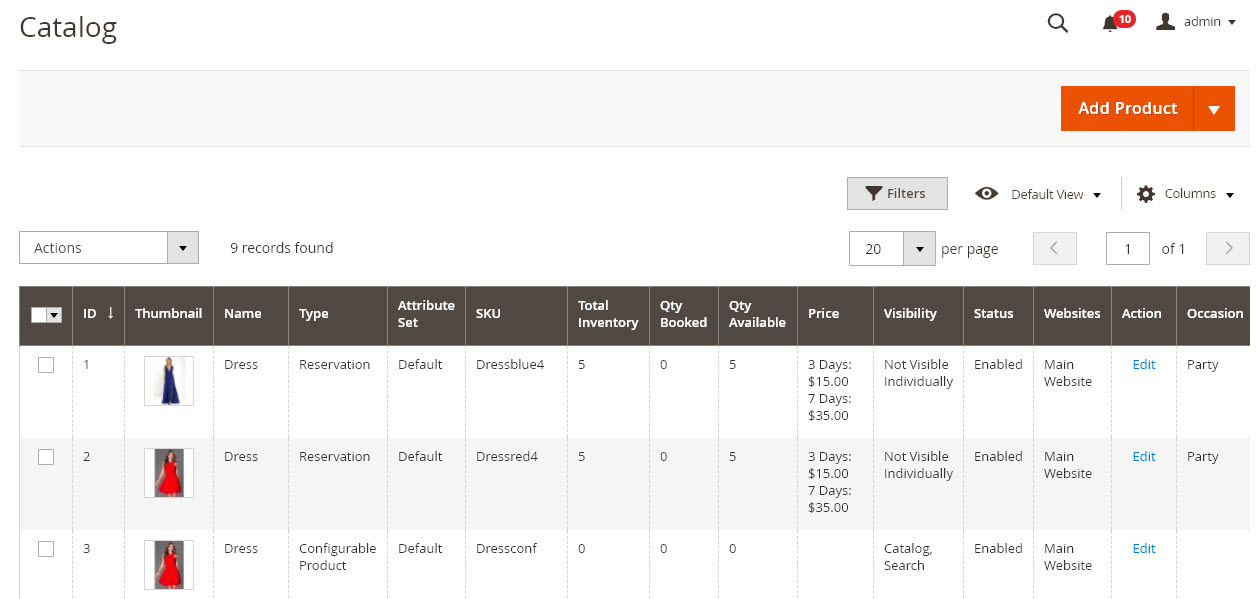
Product Management
Product management from the admin panel you can mass update product attributes as well
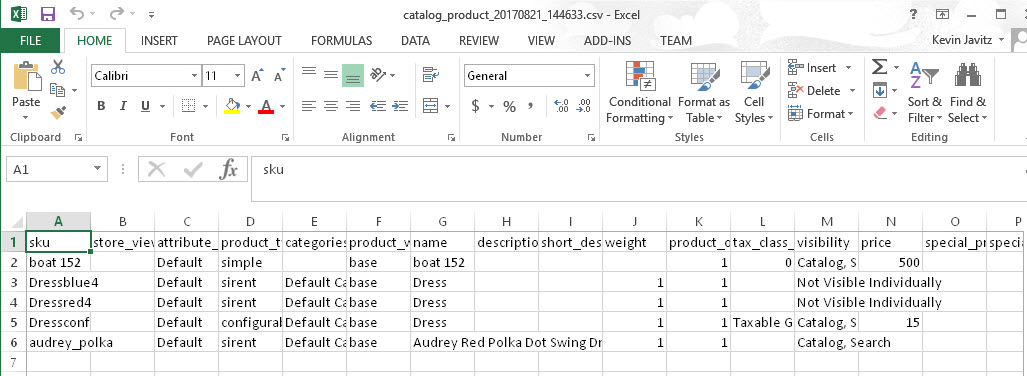
CSV Import / Export
You can manage your products in CSV files if you want to do updates in bulk instead of in the admin panel
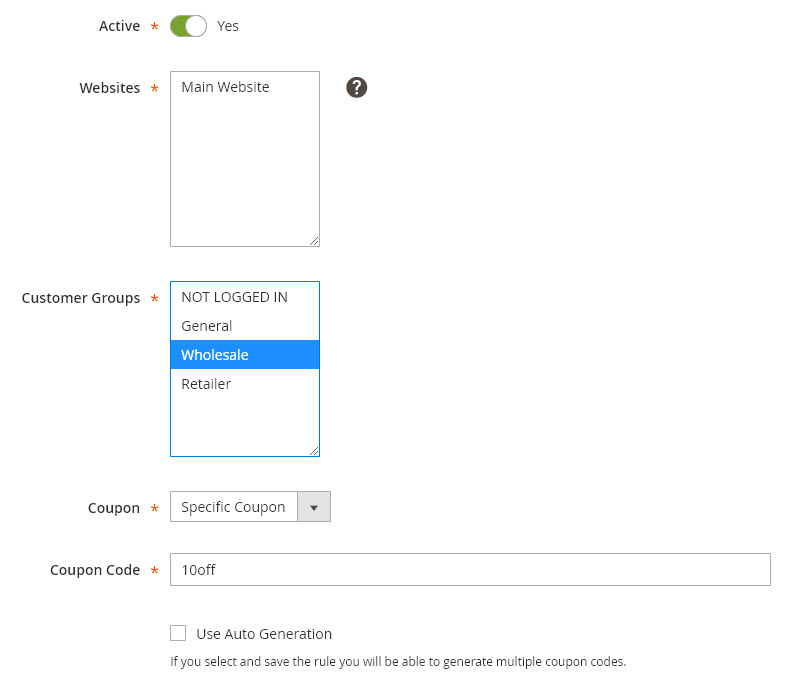
Coupons and Promotions
You can create coupons and promotional discounts from the admin marketing area
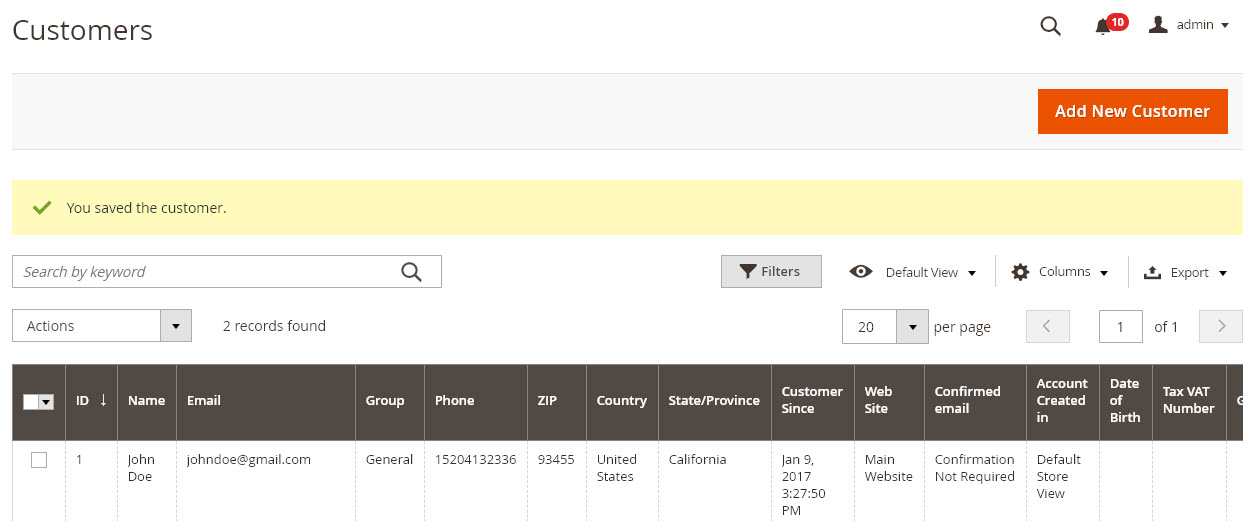
Manage Customers
You can add / edit / delete customers and manage their account info such as addresses

Edit Page Contents
You can add / edit / delete pages on your site for example your home page, about us, or customer service pages.
