
Full disclosure: we make Sales Igniter Rentals & Bookings Lite, one of the seven plugins tested. It is shown first, and we say where the others do better.
You run a rental shop on WordPress and you want a free plugin that can take bookings. Most free booking plugins are built for appointments: one person, one time slot. A rental shop is different. You own three tents, and the fourth customer has to hear no.
So we built one fresh WooCommerce site, set up the same three rental items in seven free plugins, and ran the same rental test on every one. This is the written version of the video above: what the customer sees, what the shop owner gets in the admin, the full scorecard, and which plugin to pick for which kind of business.
The short version. In our test of the free versions, Rentals & Bookings Lite was the only plugin with a tick in all twelve columns of the scorecard. VikRentItems has one of the best admins, but no payments in its free version. BA Book Everything handles tours, rooms and rentals with its own checkout. WP Booking System and Booking Calendar suit one property taking requests. Easy Booking suits one-of-a-kind items, and Booking and Rental Manager is a capable WooCommerce option with a low-priced Pro.
How we tested 7 free WordPress rental plugins
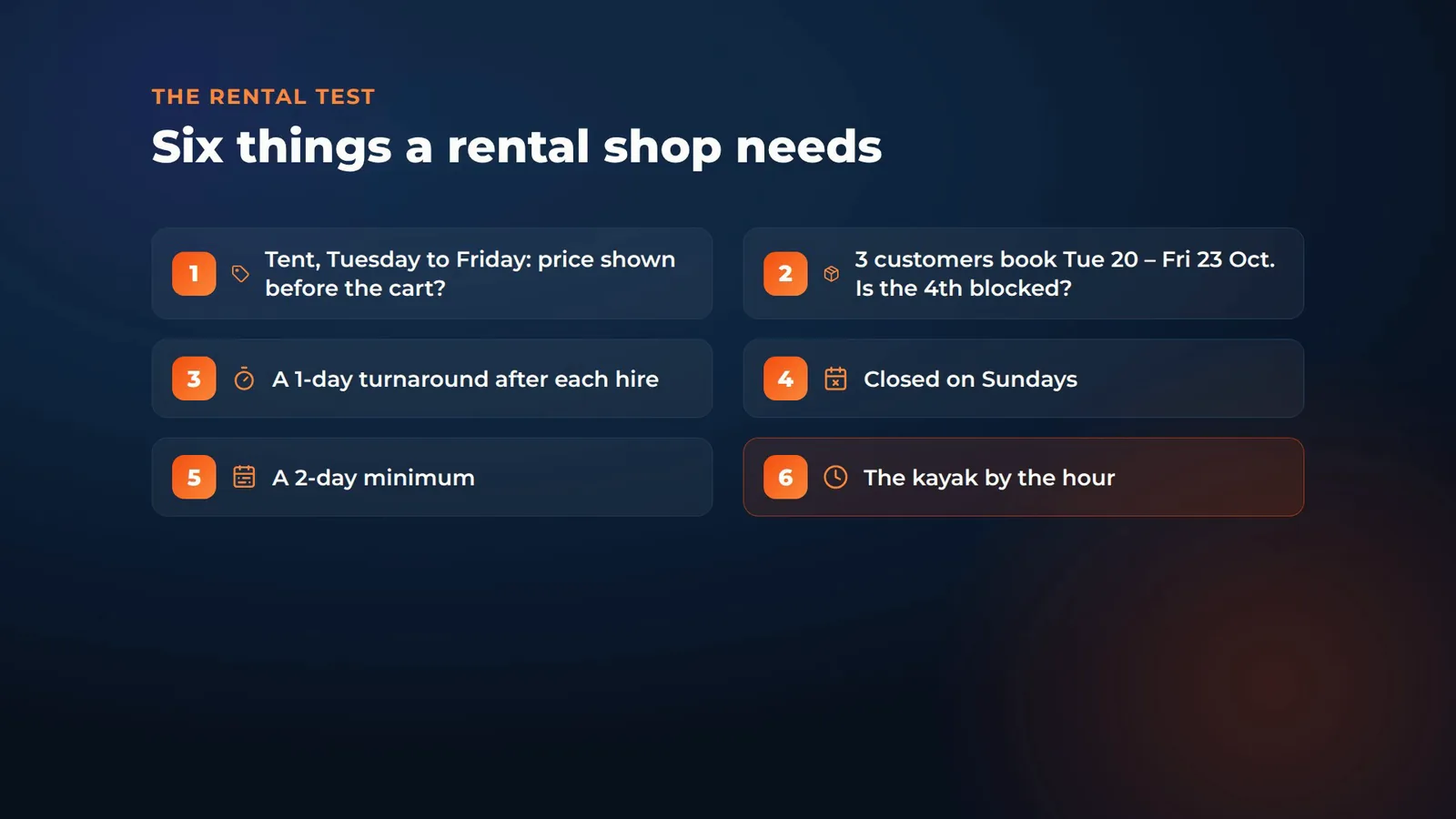
Our test shop rents three things: a 20×40 party tent ($250 a day, three in stock), a touring kayak ($45 a day, or $15 an hour where the plugin offers hourly rates) and a camera kit ($60 a day). Every plugin was installed from WordPress.org and set up with its own settings, with no custom code and one plugin active at a time. Then we ran the same six checks on each one:
- Price before the cart: book the tent from a Tuesday to a Friday. Does the customer see the price before the cart?
- Stock: three customers book the tent for Tuesday the 20th to Friday the 23rd of October. Is the fourth one blocked?
- Turnaround: a one-day turnaround after each hire.
- Closed days: closed on Sundays.
- Minimum length: a two-day minimum.
- Hourly hire: rent the kayak by the hour.
We also looked at the checkout, and at what the shop owner gets in the admin: an inventory report, a calendar report, reminder emails, and whether you can add an order with rental dates, and change the dates on an order that is already placed, from the admin.
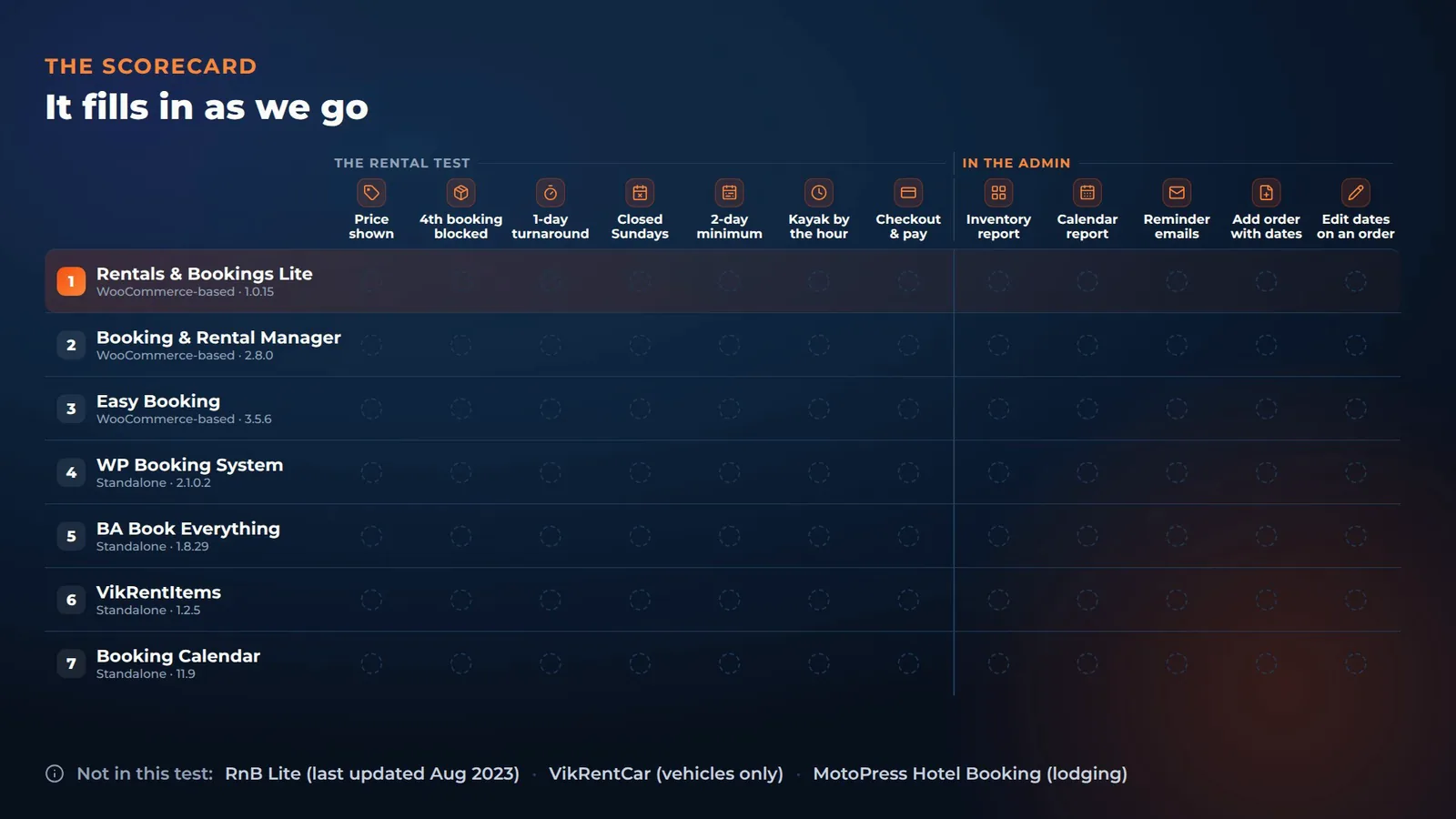
The plugins, all free versions from WordPress.org, tested on 11 October 2026 on WordPress 7.1.3 and WooCommerce 11.2.1 (the admin order checks were added on 12 October): Sales Igniter Rentals & Bookings Lite 1.0.15, Booking and Rental Manager for WooCommerce 2.8.0, Easy Booking 3.5.6, WP Booking System 2.1.0.2, BA Book Everything 1.8.29, VikRentItems 1.2.5 and Booking Calendar 11.9. Prices for the paid versions are from each vendor’s own page on 11 October 2026.
We left out three plugins: RnB Lite, last updated in August 2023; VikRentCar, which is for vehicles only; and MotoPress Hotel Booking, which is for lodging.
1. Sales Igniter Rentals & Bookings Lite (ours)
Number one is ours. Rentals & Bookings Lite turns the WooCommerce store you already have into a rental shop.
Booking a hire: price before the cart
On the product page, a popup calendar walks the customer through it one step at a time: pick-up date, then return date. For a Tuesday to Friday hire, the total shows right away: $750 for three days, before the cart.
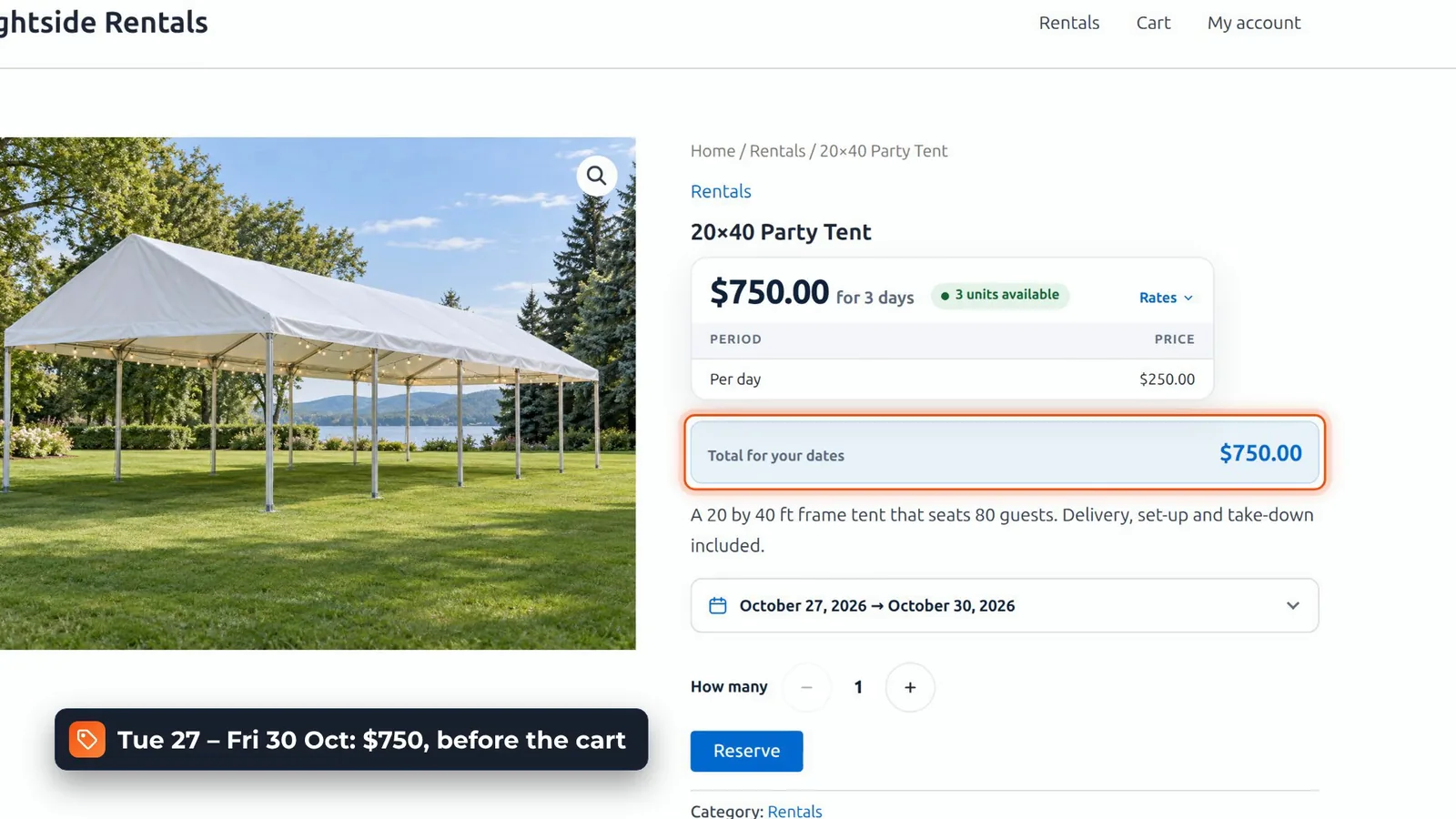
Reserve, and it’s a normal WooCommerce cart and checkout, with your own payment gateways, shipping, tax and customer accounts. The rental dates go on the order and in the emails, like any other line item.
Stock, turnaround, closed days and the minimum
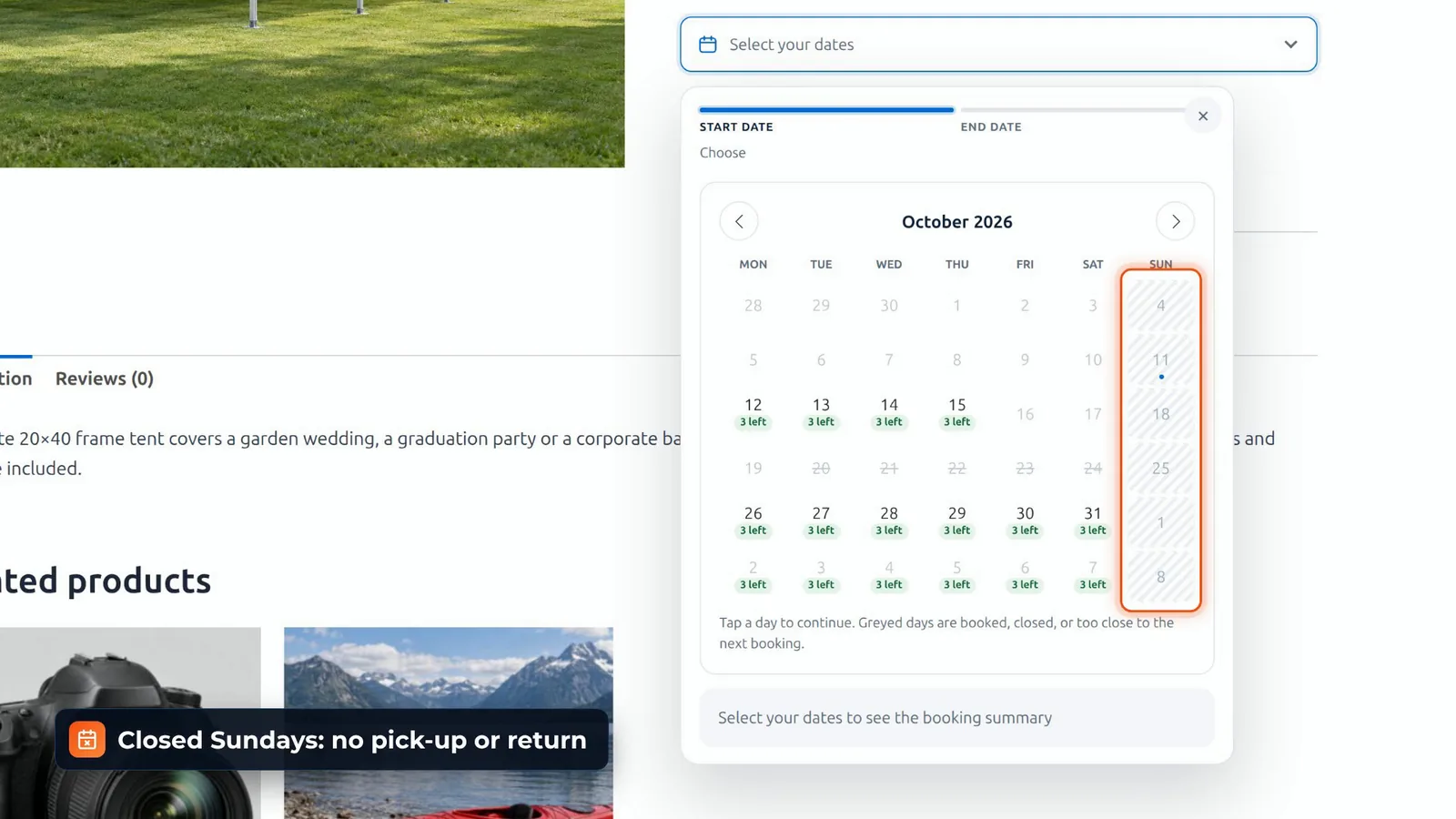
Now the stock test. Sarah, James and Emily each booked the tent for the 20th to the 23rd, through the real checkout. The tent has a stock of three, so for the next customer, those days are struck through. The 24th is struck through as well. That’s the one-day turnaround: a tent that comes back on Friday gets a day to be cleaned before it goes out again.
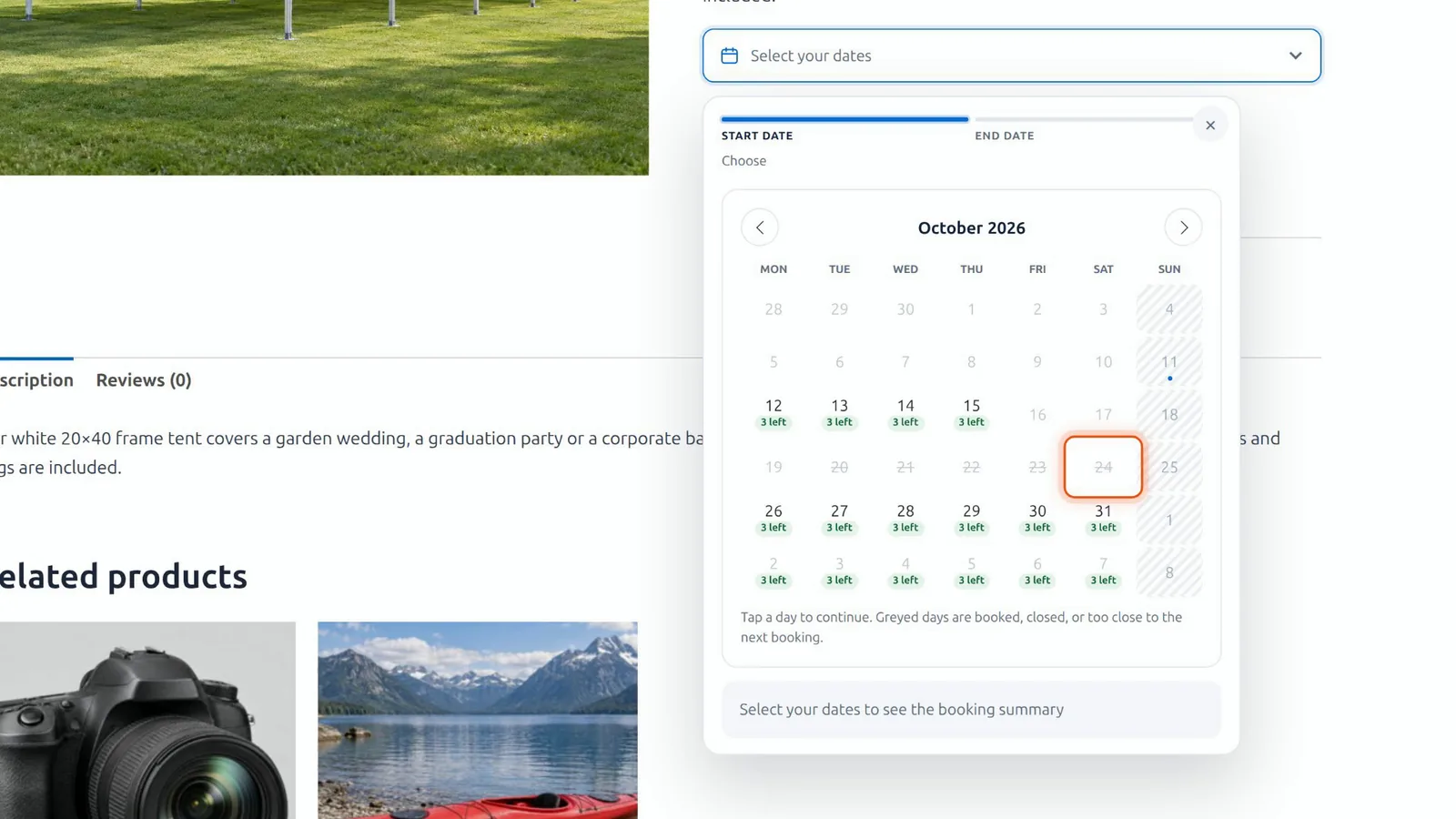
Sundays are hatched. A hire can run through a closed day, it just can’t start or end on one. Pick the 27th, and the 28th greys out: the minimum is two days.
Hourly hire and the Calendar Styler
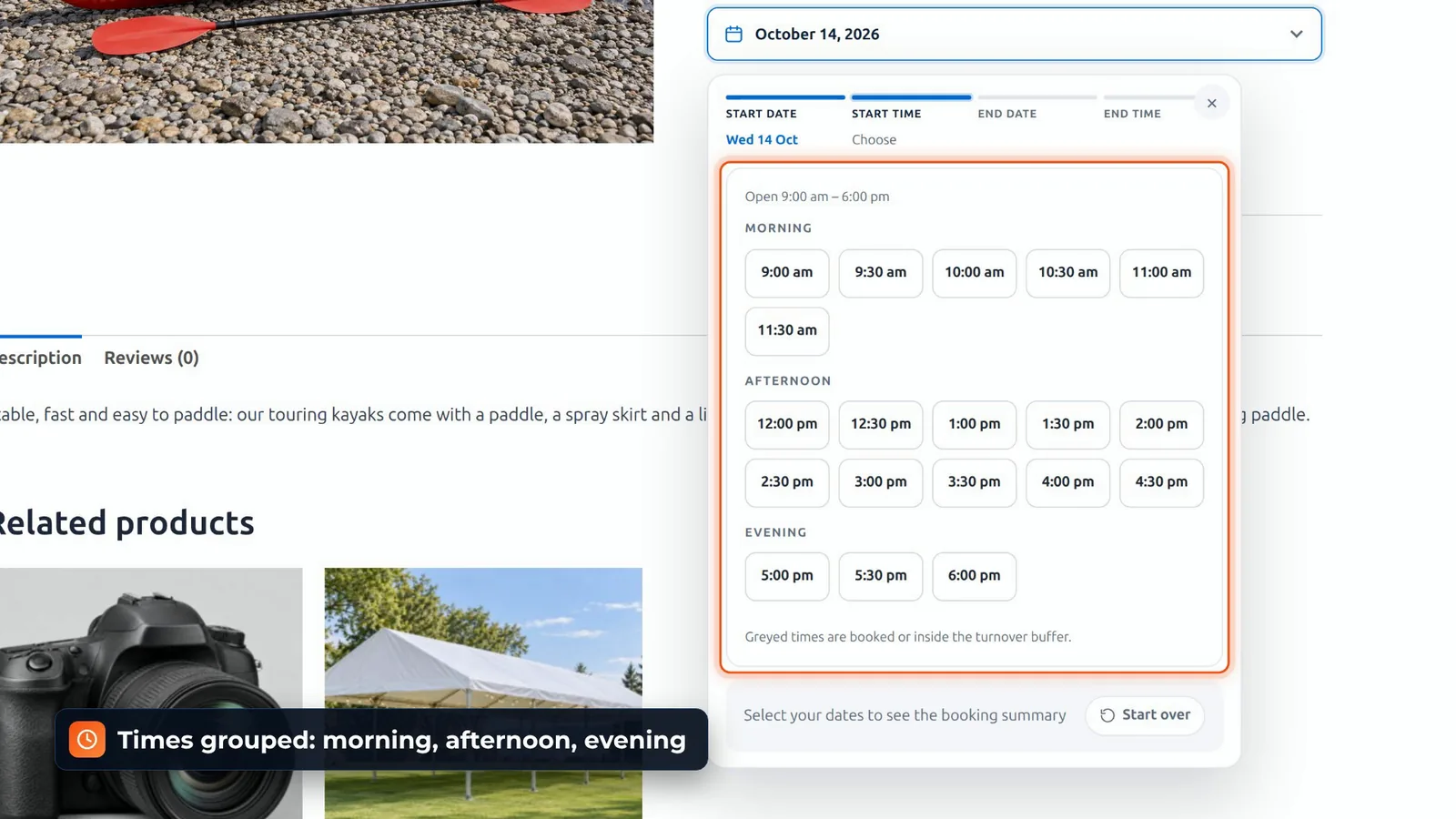
The kayak rents by the hour or by the day. Pick a date, then a pick-up time, grouped by morning, afternoon and evening, then a return time. 10:00 to 12:00 on the 14th: $30.
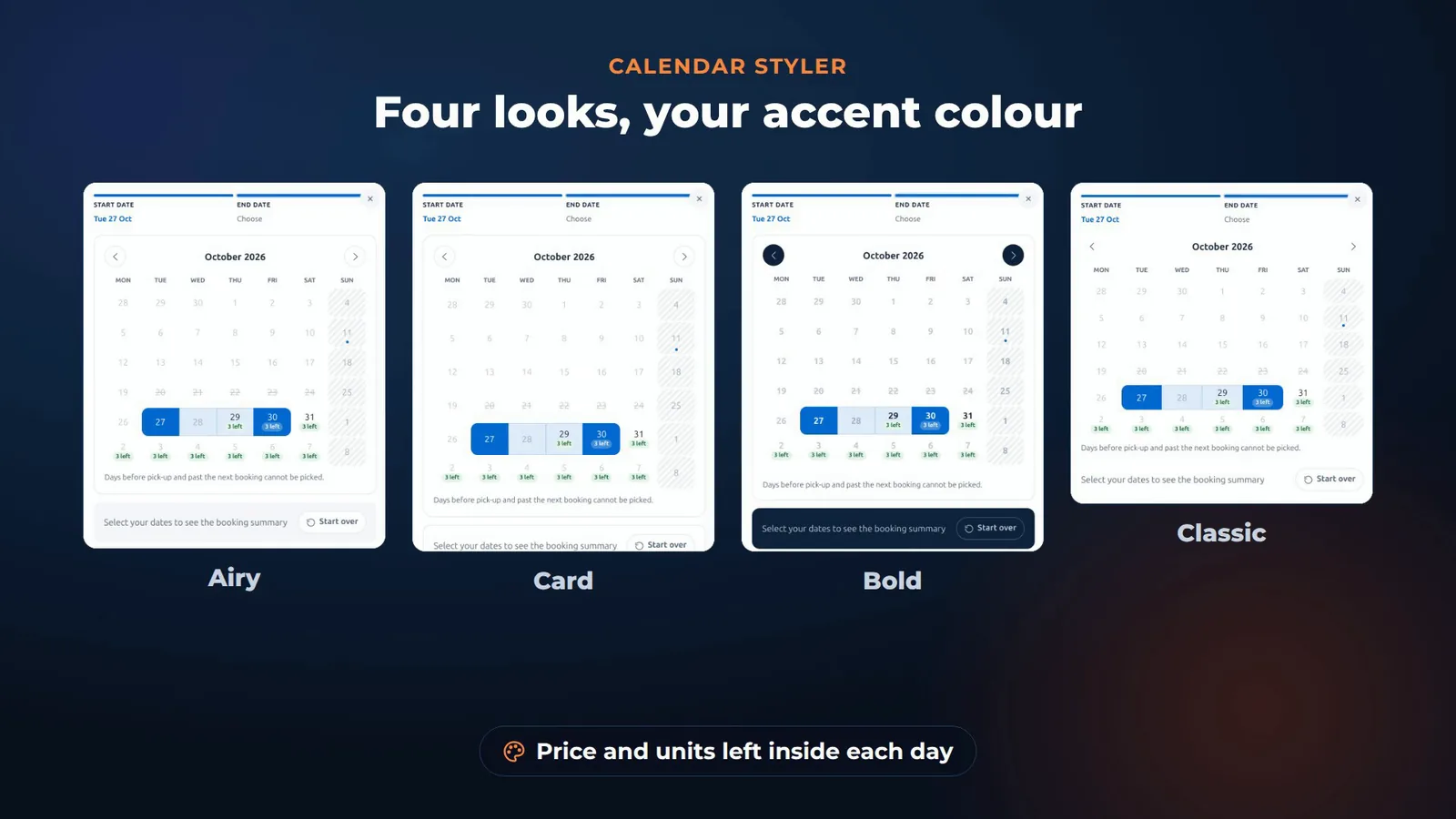
The Calendar Styler gives the picker four looks, Airy, Card, Bold and Classic, with your own accent colour, and it can show the price and the units left inside each day.
Setting up products and store rules
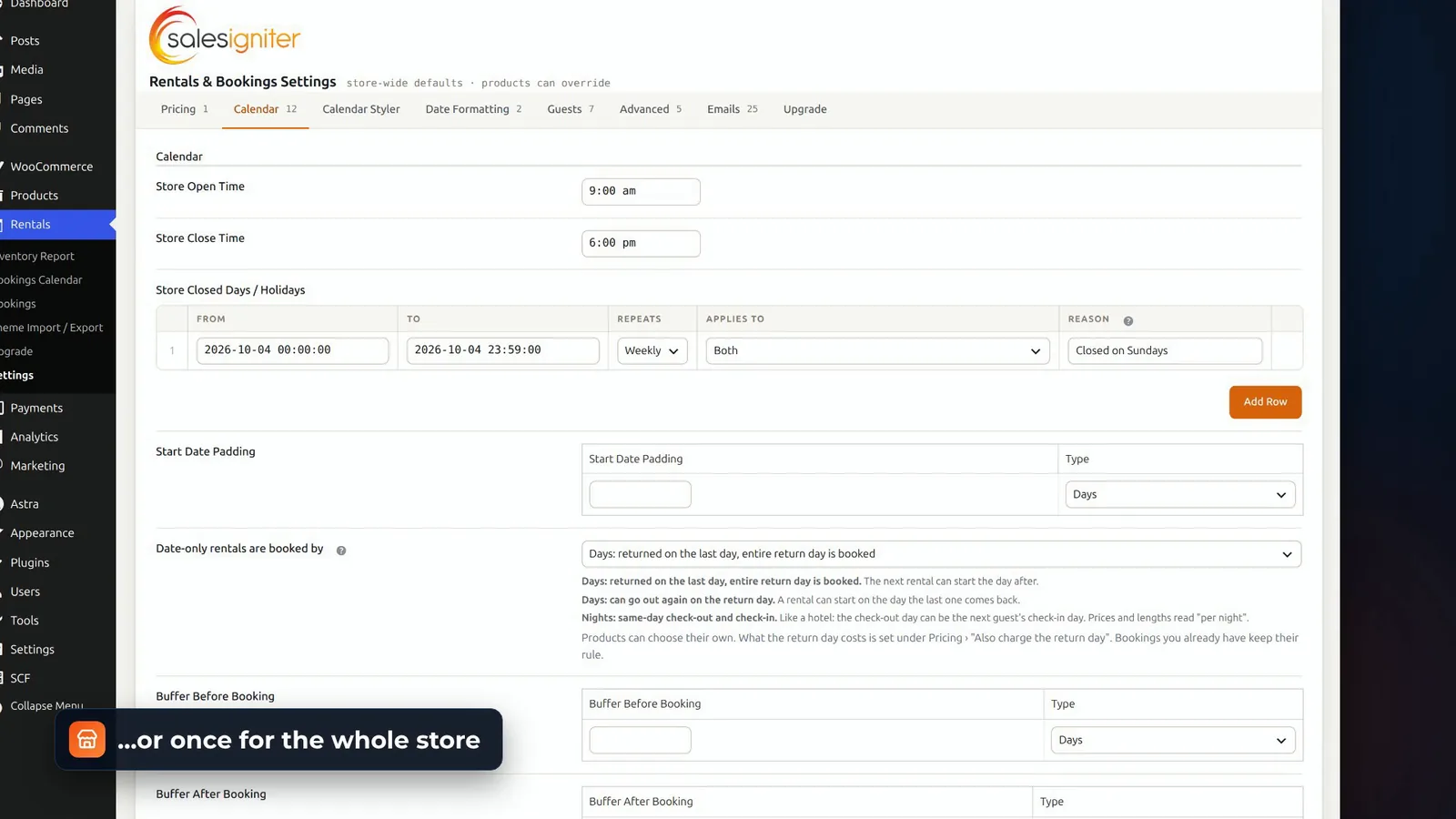
Setting up a product happens on the WooCommerce product screen. Turn rentals on, choose dates, or dates and times, and set fixed, daily or hourly rates. Rules like the minimum length and the turnaround can be set per product, or once for the whole store, along with your opening hours, closed days, and holidays with a reason customers can read.
In the admin: bookings, calendar and inventory report
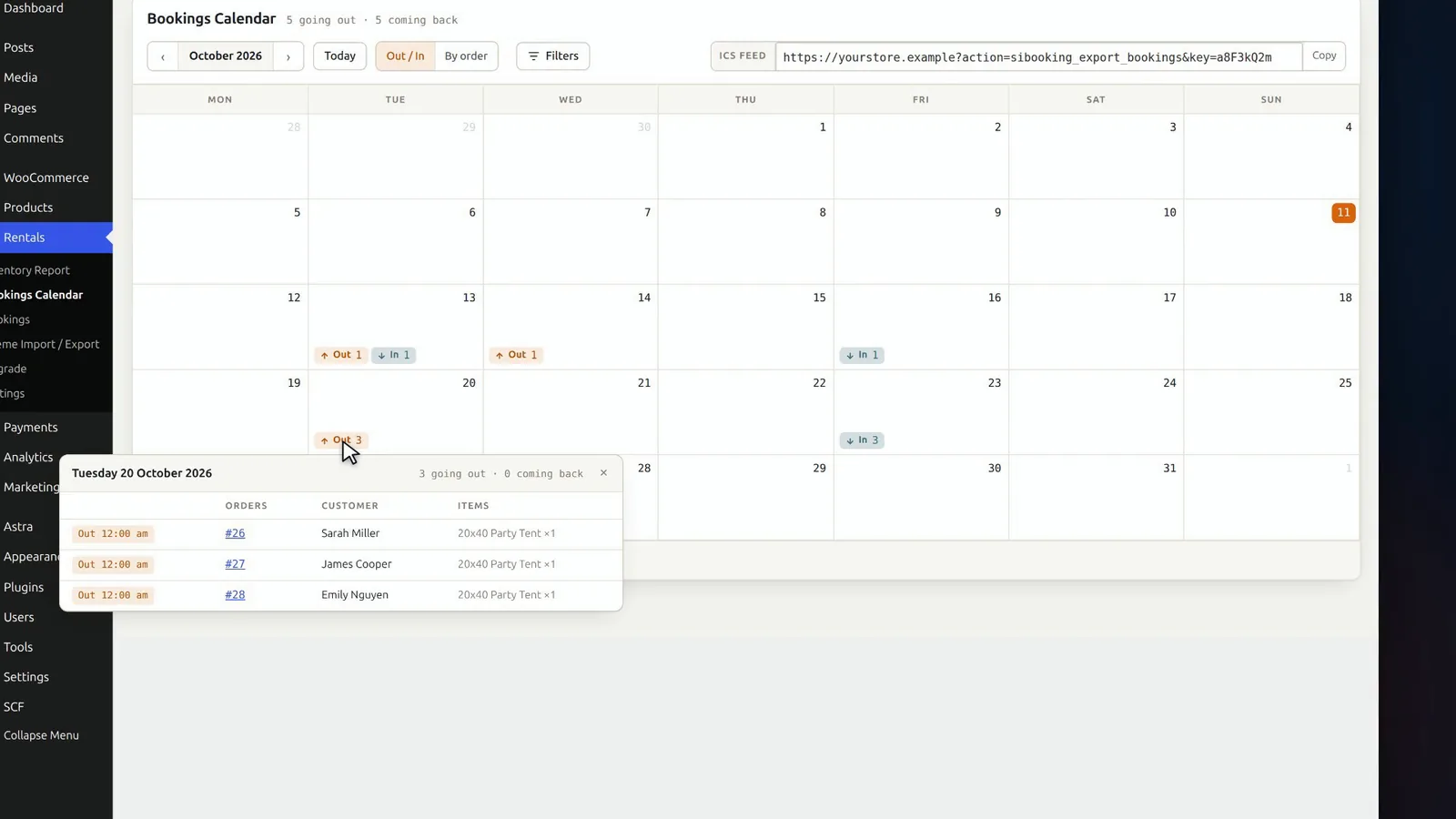
In the admin, you get a Rentals menu. The Bookings list shows what’s upcoming, in progress and past. The Bookings Calendar counts what’s going out and coming back each day; click a day to see who.
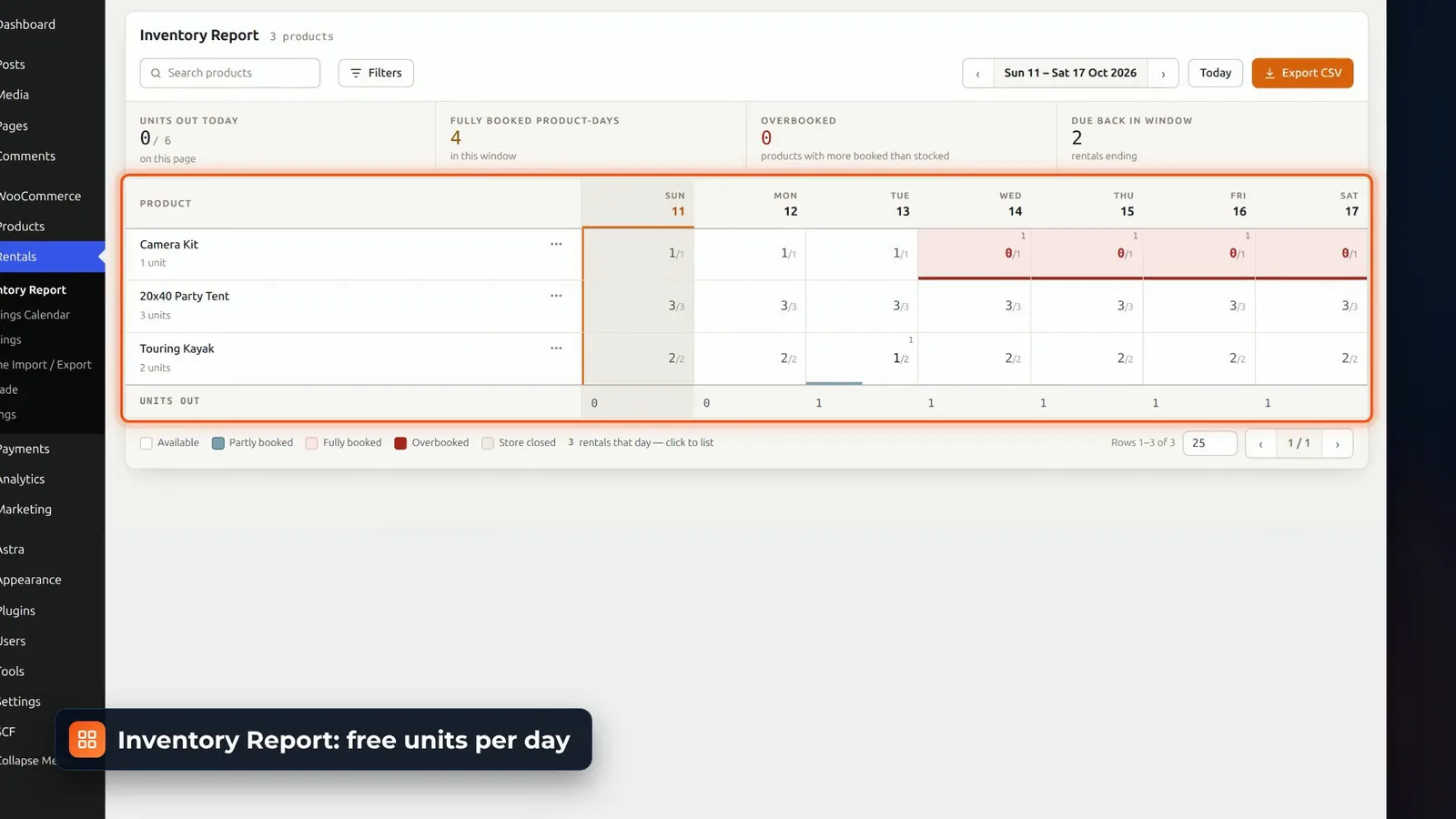
And the Inventory Report shows how many of each item are free on every day of the week ahead.
Phone orders and date changes on the WooCommerce order
For a phone order, go to WooCommerce, Orders, Add order, and add the tent. Set dates opens two calendars, with the sold-out days struck through, and shows the price for the new dates before you apply them: $750.
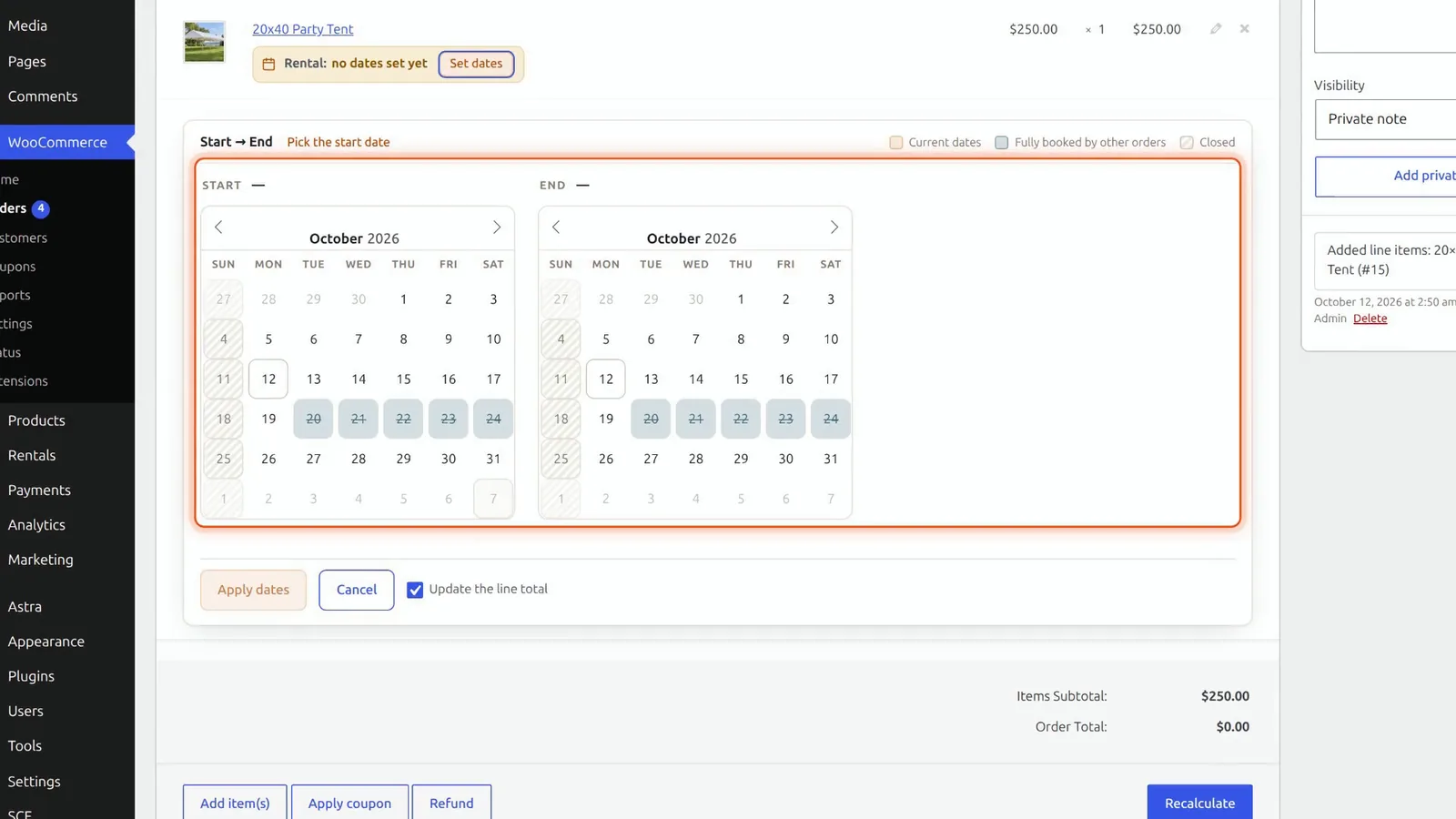
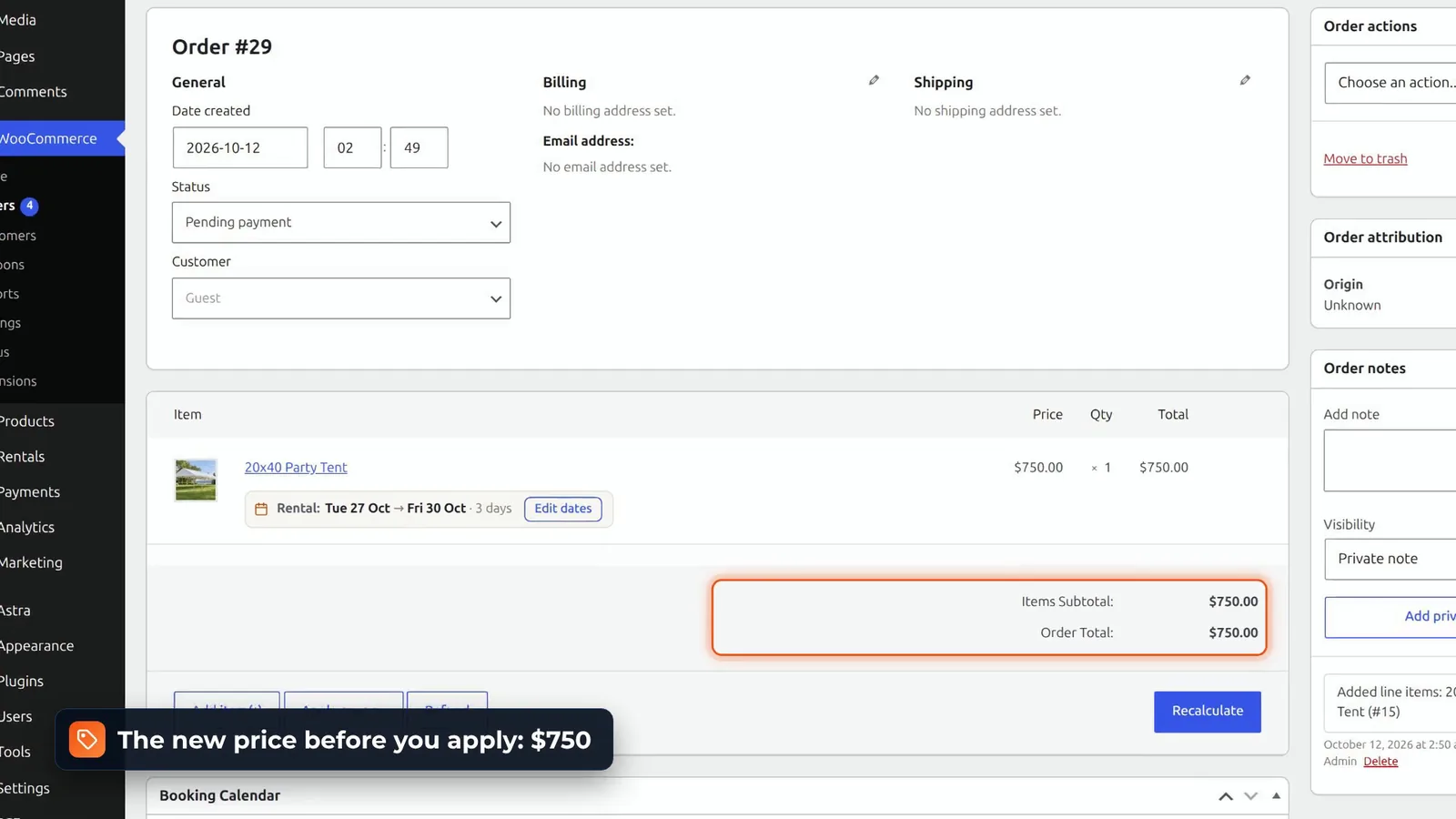
The same editor moves the dates on an order that’s already placed. Pick-up and return reminder emails go out on a schedule you set, and bookings export to CSV, or to an ICS calendar. With Theme Import and Export, you can start from a ready-made rental theme, with products, pages and calendar colours, or export your own shop as one.
The honest part
It’s new on WordPress.org, so there are no reviews yet. And deposits, serial numbers, contracts, iCal sync and text messages are in our paid editions. Everything above is free, with no time limit and no licence key.
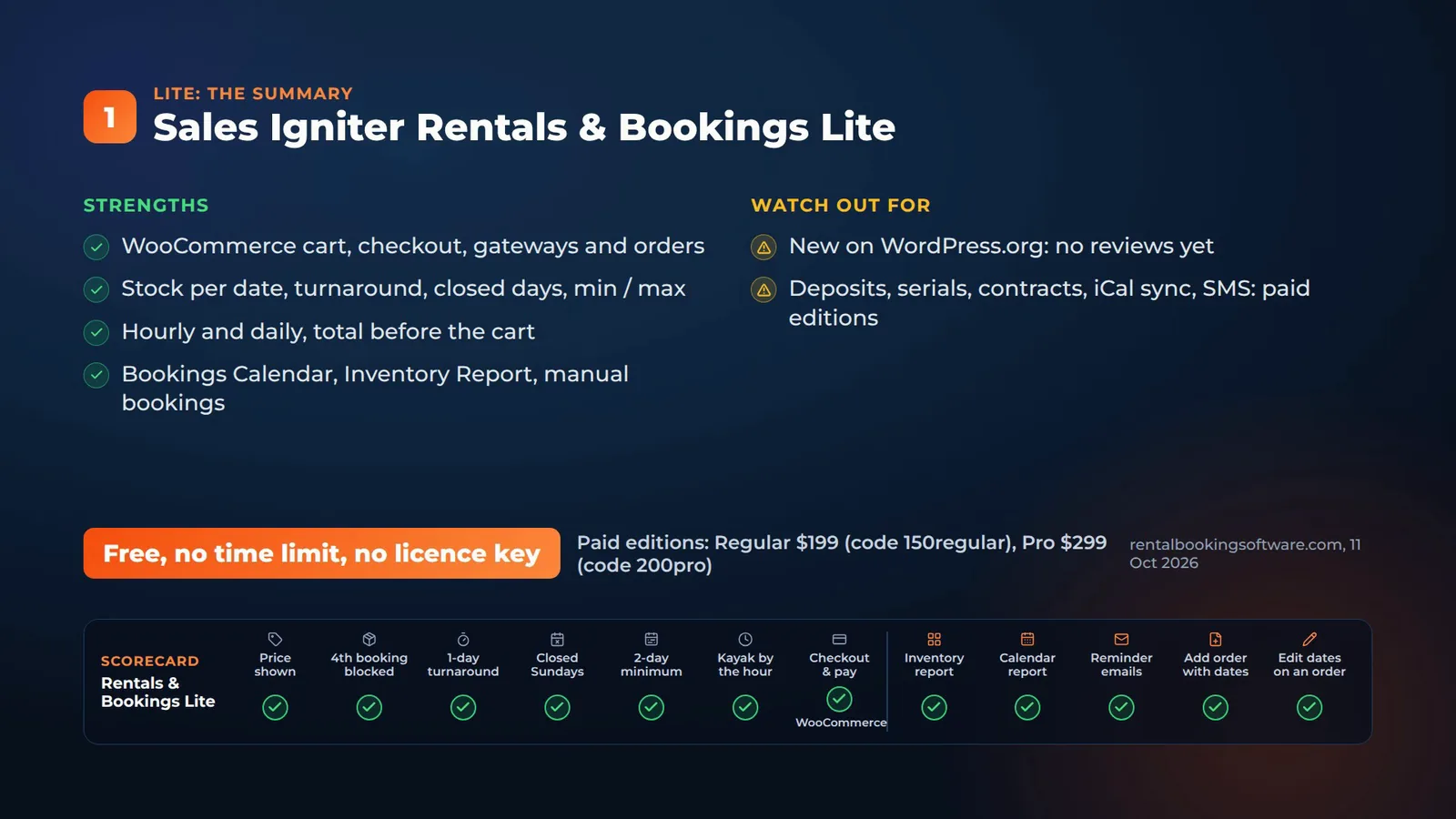
Get it: Rentals & Bookings Lite (free), or straight from WordPress.org.
2. Booking and Rental Manager for WooCommerce
On the item page
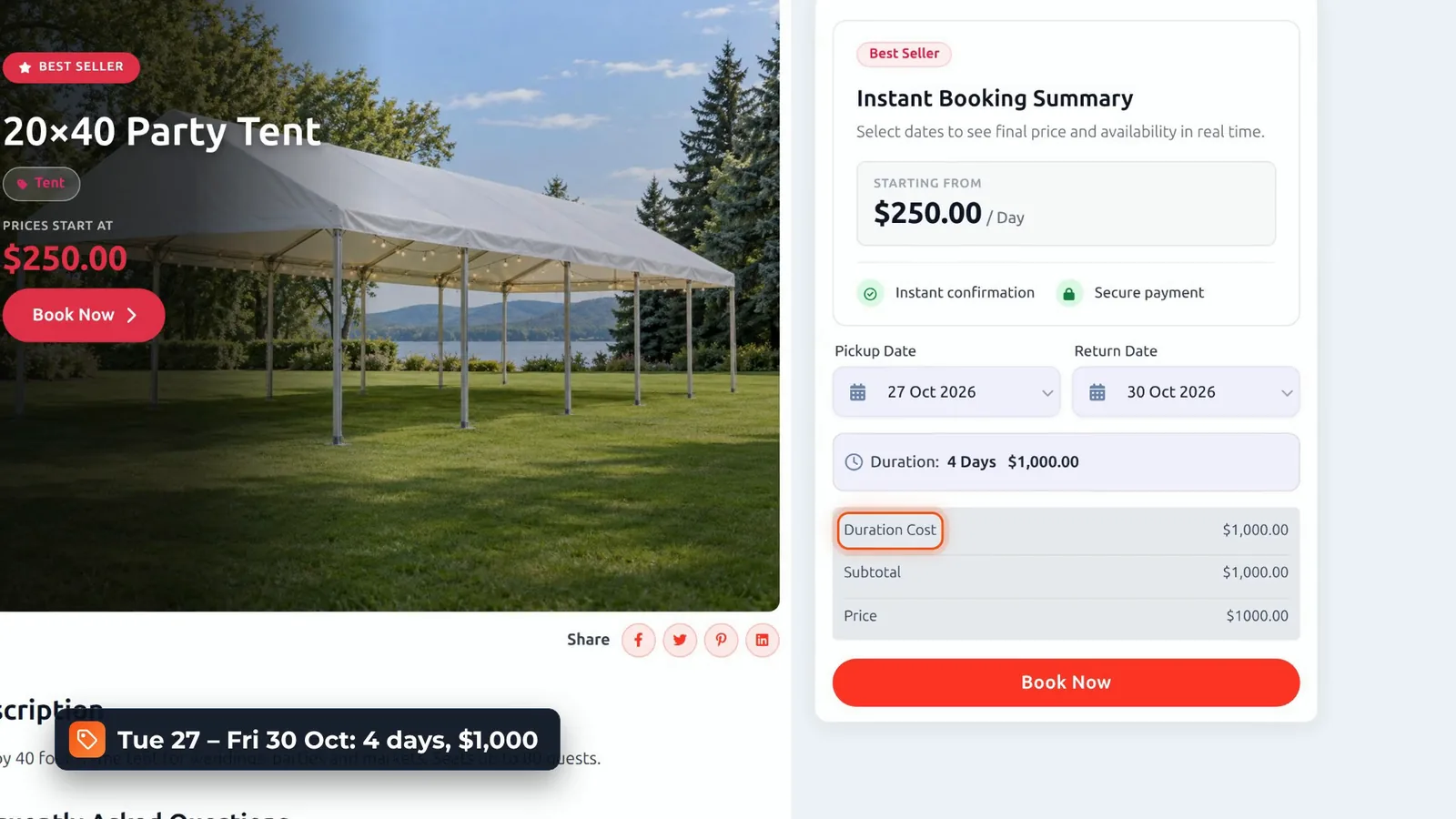
Booking and Rental Manager adds its own rent item type, with a booking summary next to the photo. Pick-up on a Tuesday, return on the Friday, and it shows four days, $1,000. By default, it counts the return day too, and there’s a setting for that. Book Now goes straight to the WooCommerce checkout.
Stock, turnaround and hourly hire
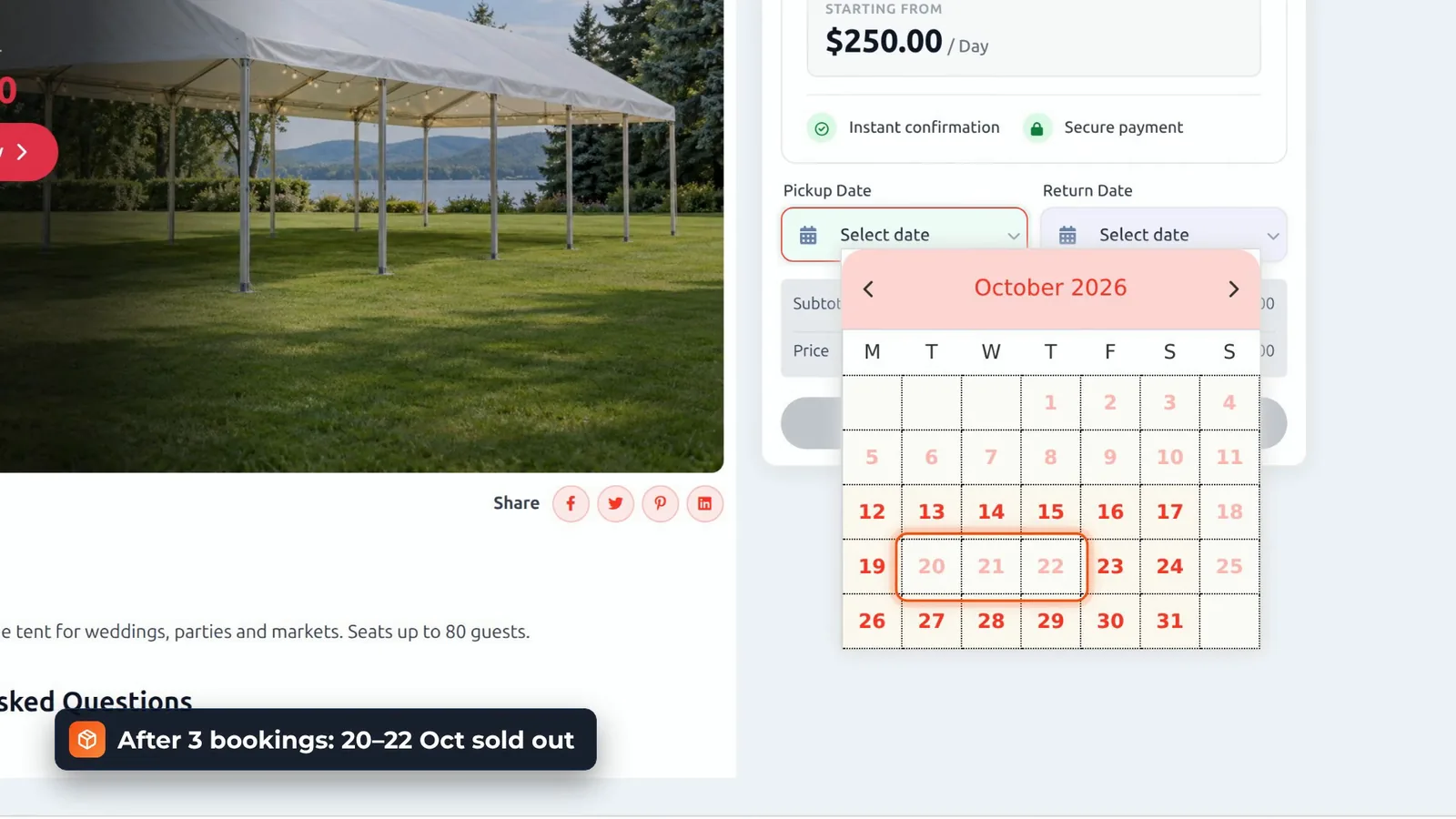
After three bookings, the 20th to the 22nd show as sold out, and the return day is refused.
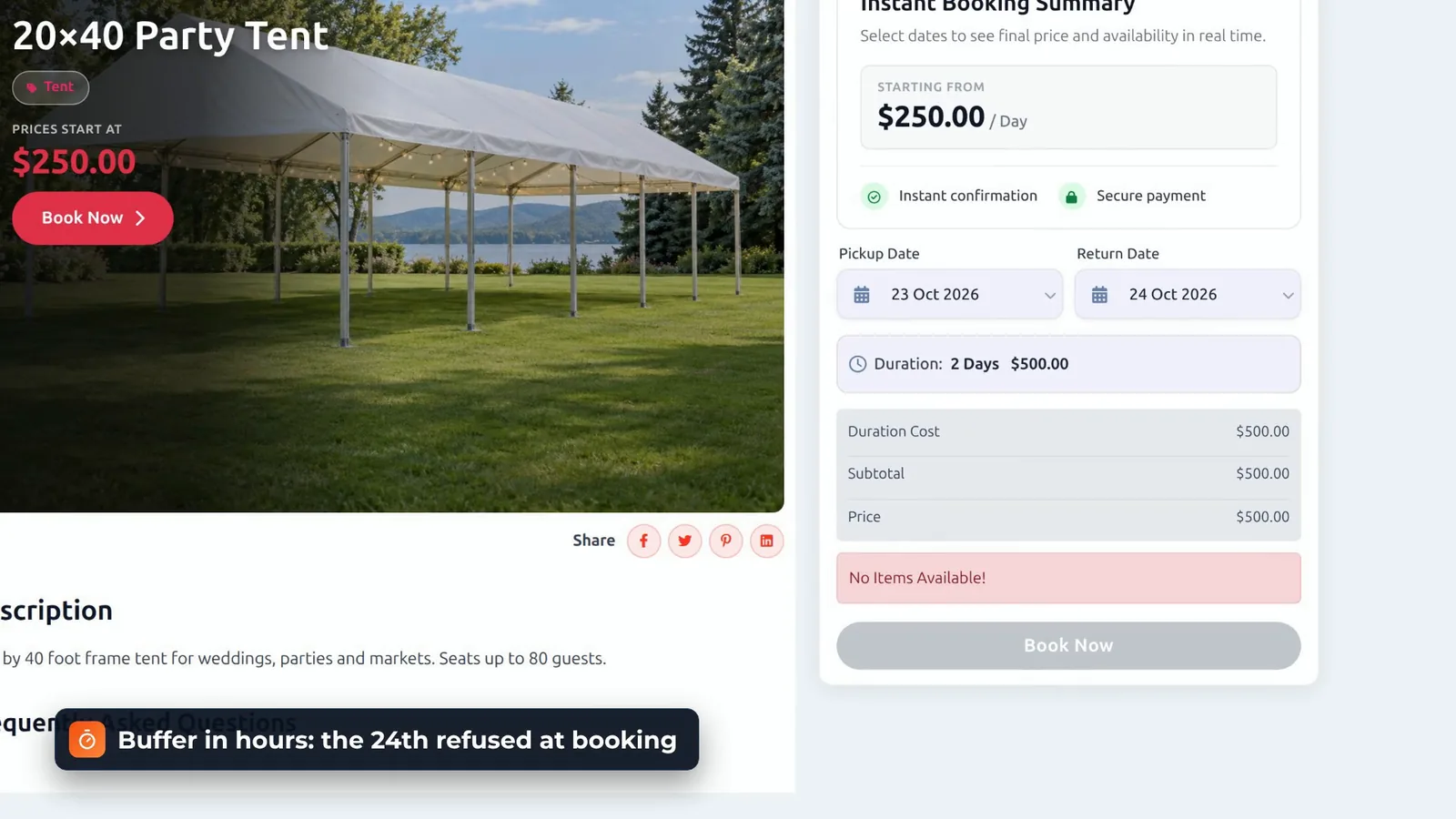
The turnaround is a buffer in hours, so the 24th is refused too, although the date picker still lets you click it. Sundays are off days, set per item. And the kayak by the hour works once you add time slots: $30.
In the admin
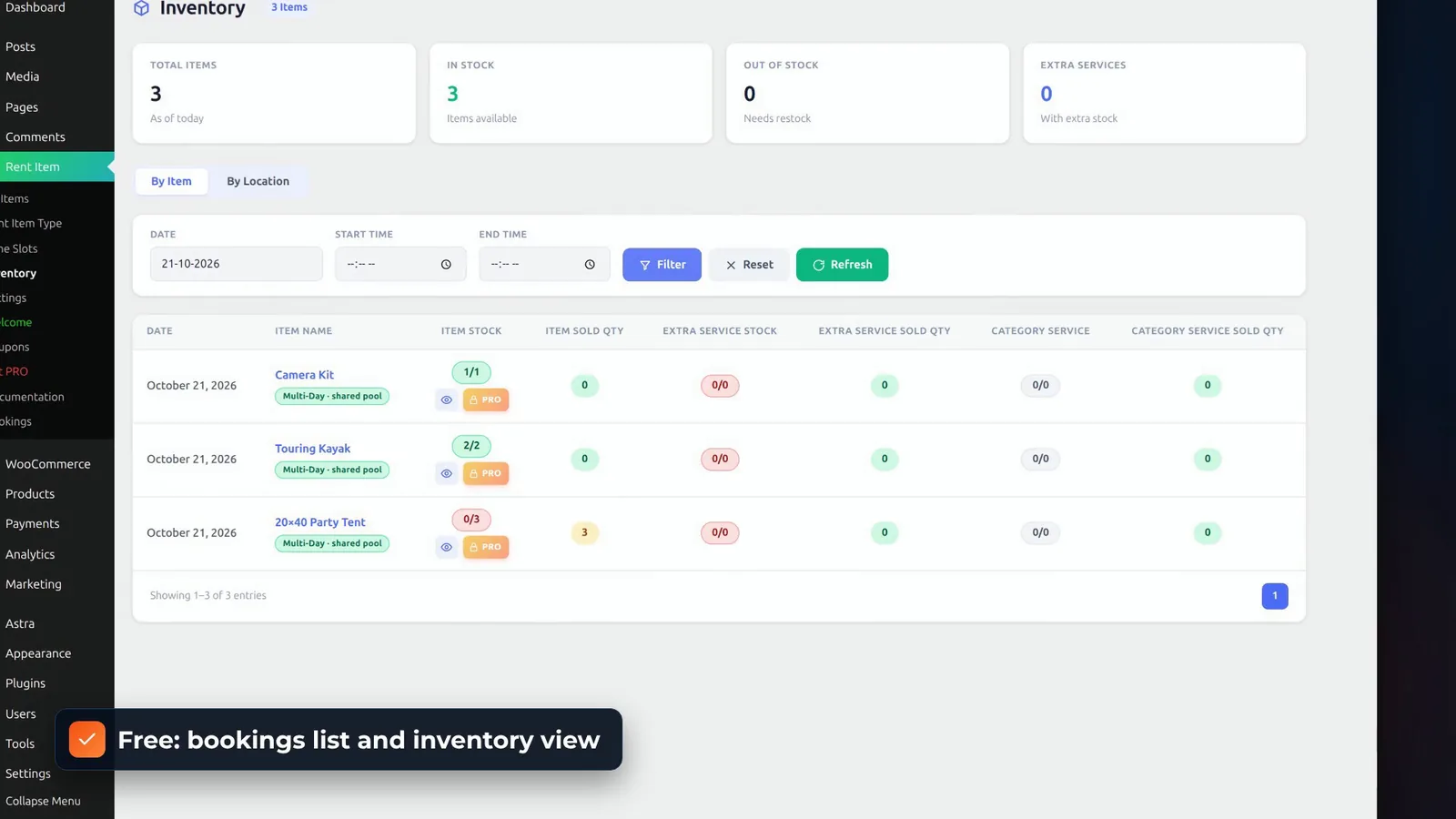
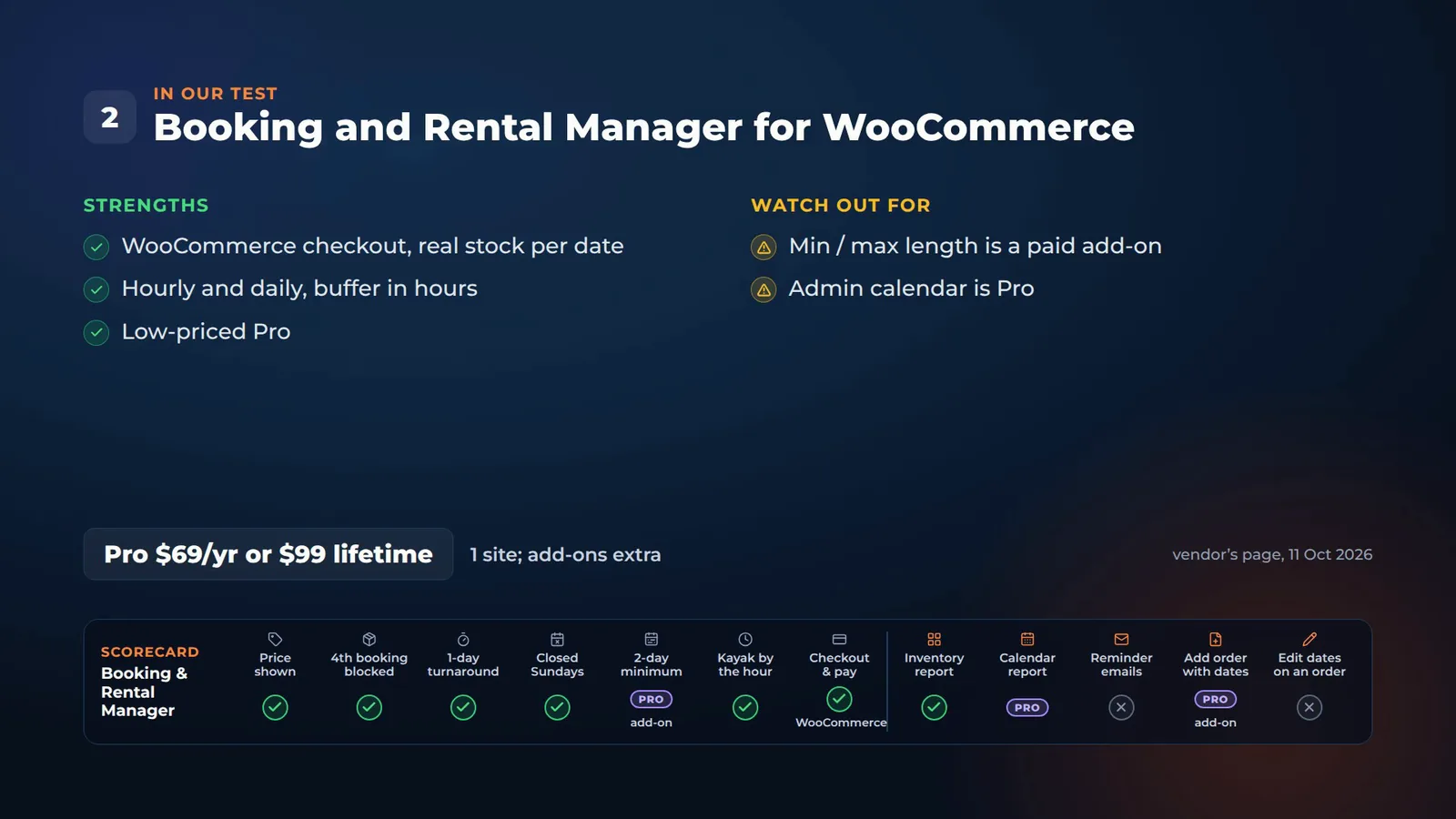
The item editor is a clear, step by step form. The free version has a bookings list, and an inventory view of what’s sold each day. A visual booking calendar, reports, PDF receipts and Google Calendar sync are in Pro, and a minimum or maximum rental length is a paid add-on.
Phone orders
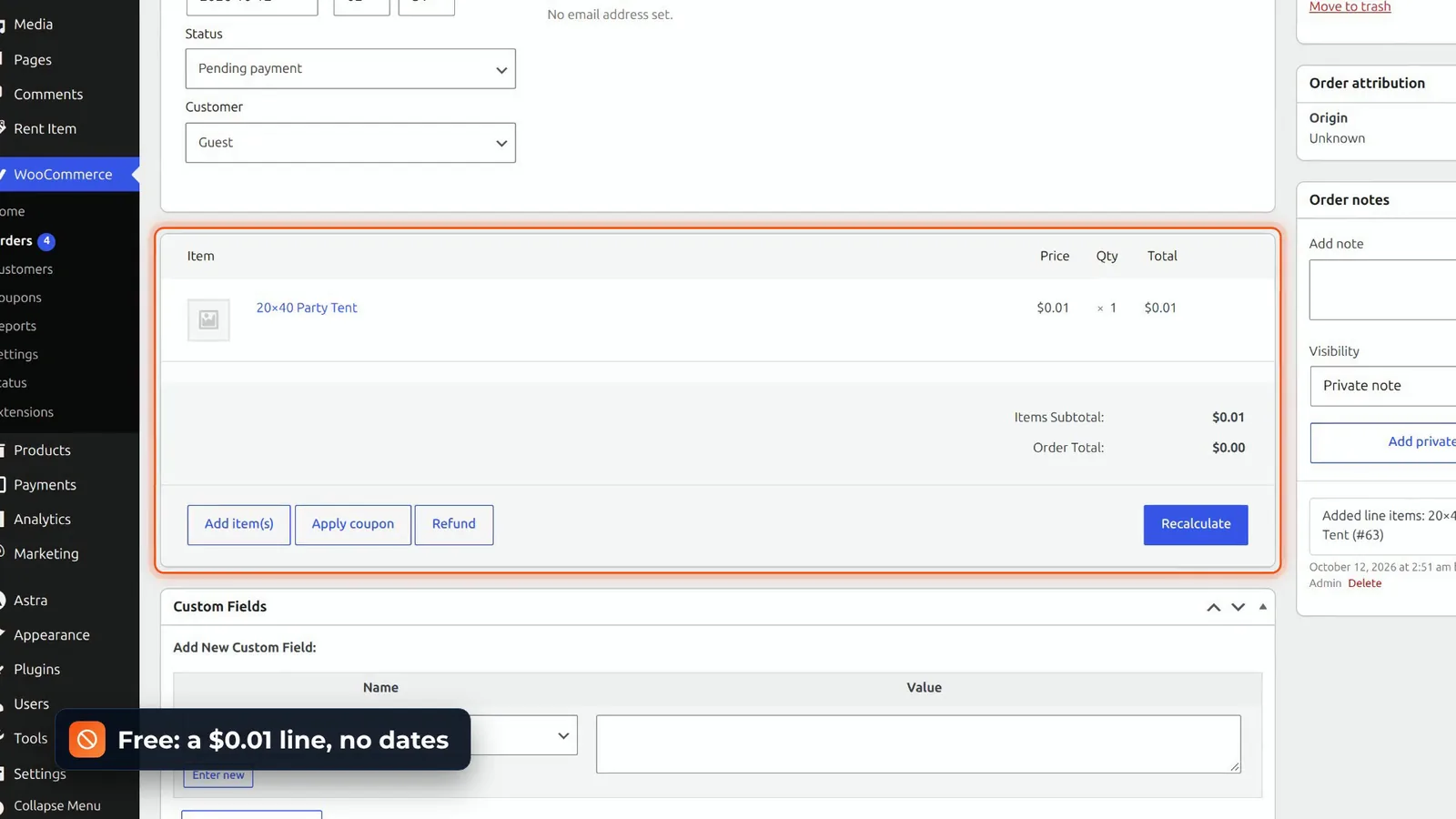
In the free version, adding the tent to a WooCommerce order gives a one-cent line with no dates. Booking from the admin is their Backend Order add-on. And on a placed order, the dates are just text, locked by WooCommerce.
 .01 line with no rental dates” class=”wp-image-41001″/>
Verdict and price
Real stock on WooCommerce, hourly and daily, and a low-priced Pro: $69 a year or $99 lifetime for one site. Just budget for the add-ons you need.
3. Easy Booking
On the product page
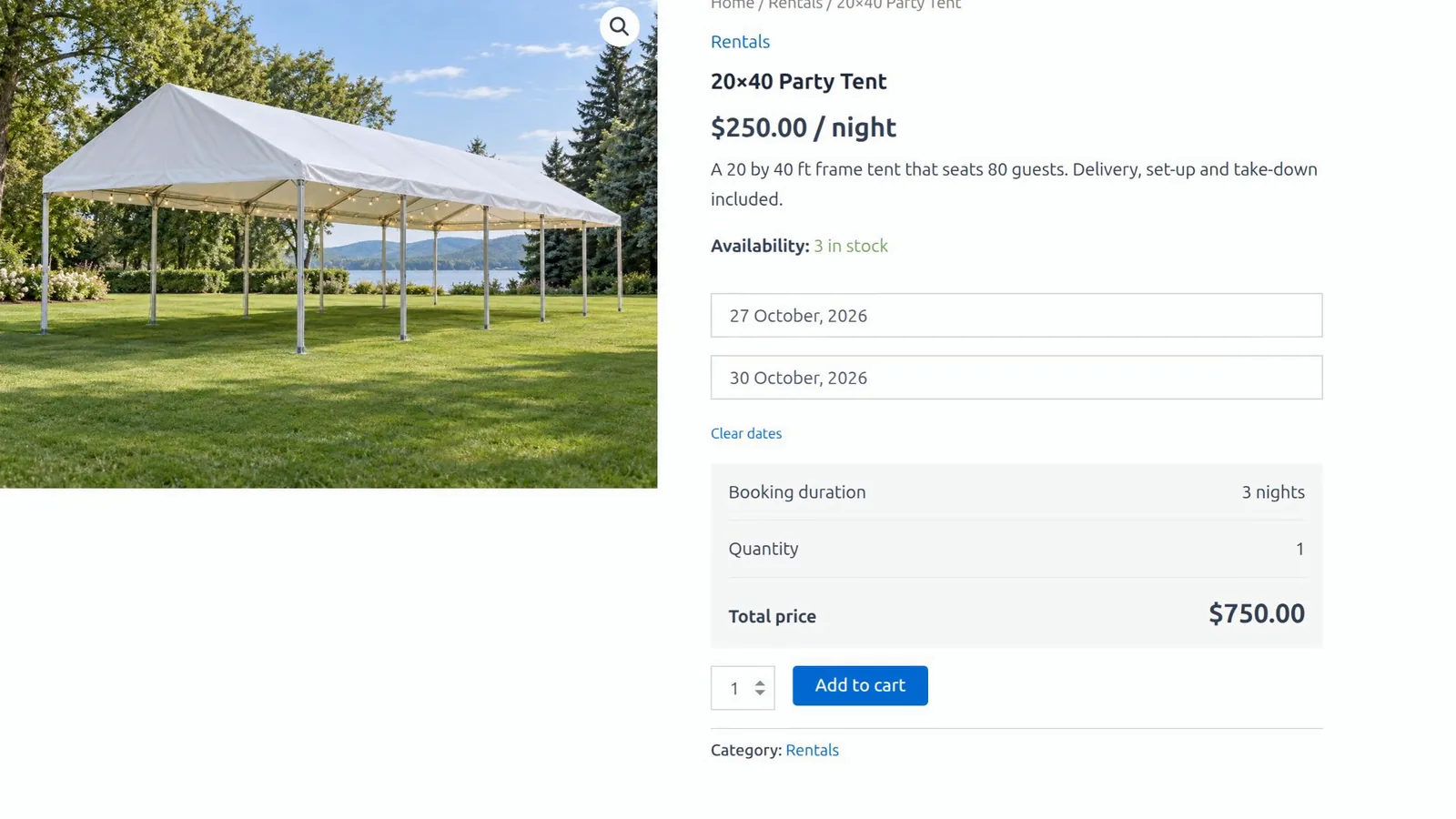
Easy Booking adds start and end dates to a normal WooCommerce product. A Tuesday to Friday: three nights, $750, right under the dates, then the standard WooCommerce cart and checkout. The two-day minimum works too: pick the 27th, and the 28th is greyed out.
No stock per date in the free version
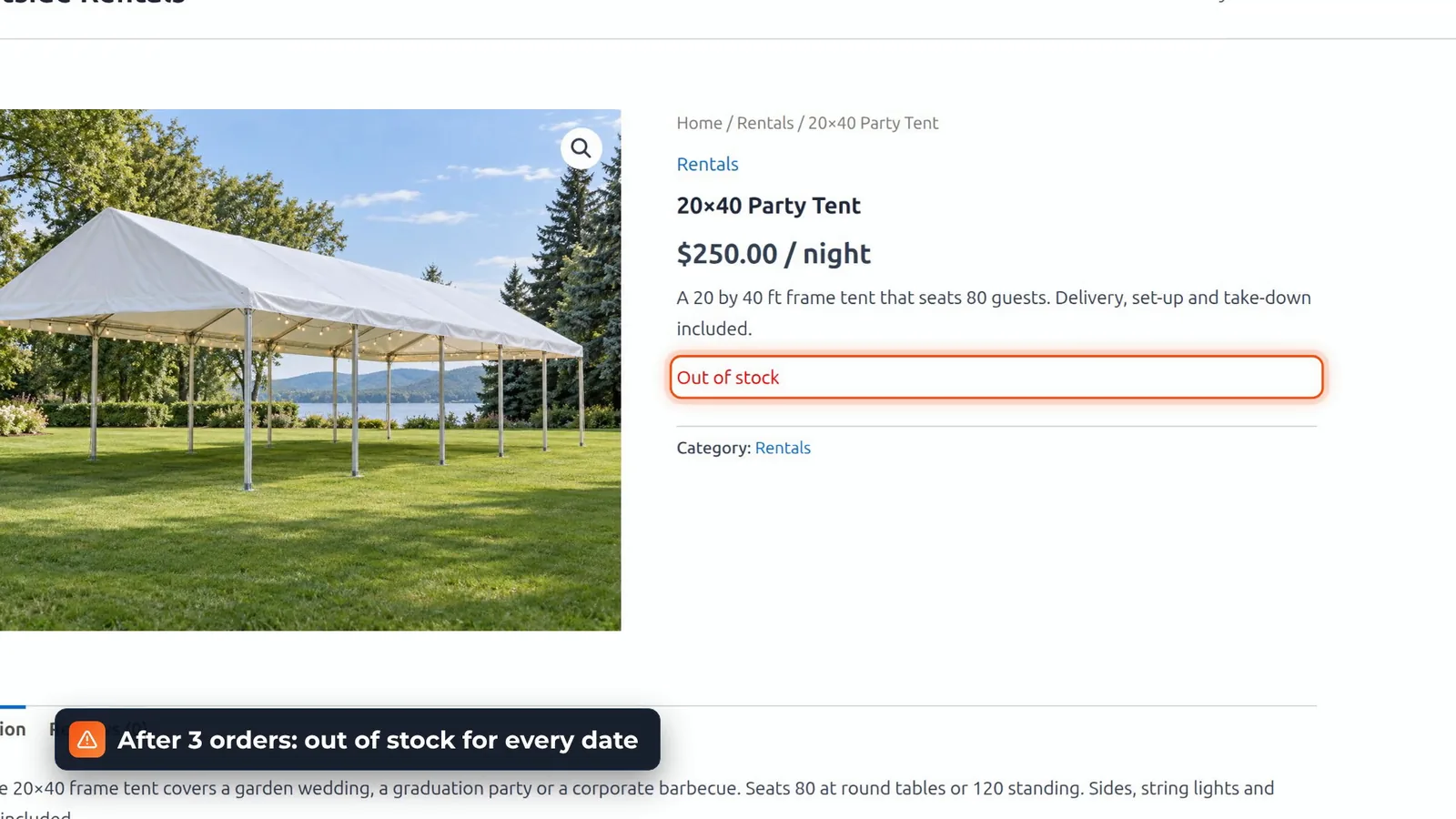
The free version has no stock per date. It uses the normal WooCommerce stock count, so after three orders, the tent showed out of stock for every date, even next month, and the stock didn’t come back by itself. Stock per date and closed days are in Easy Booking Pro, and hourly hire is their separate plugin, Easy Scheduling.
In the admin
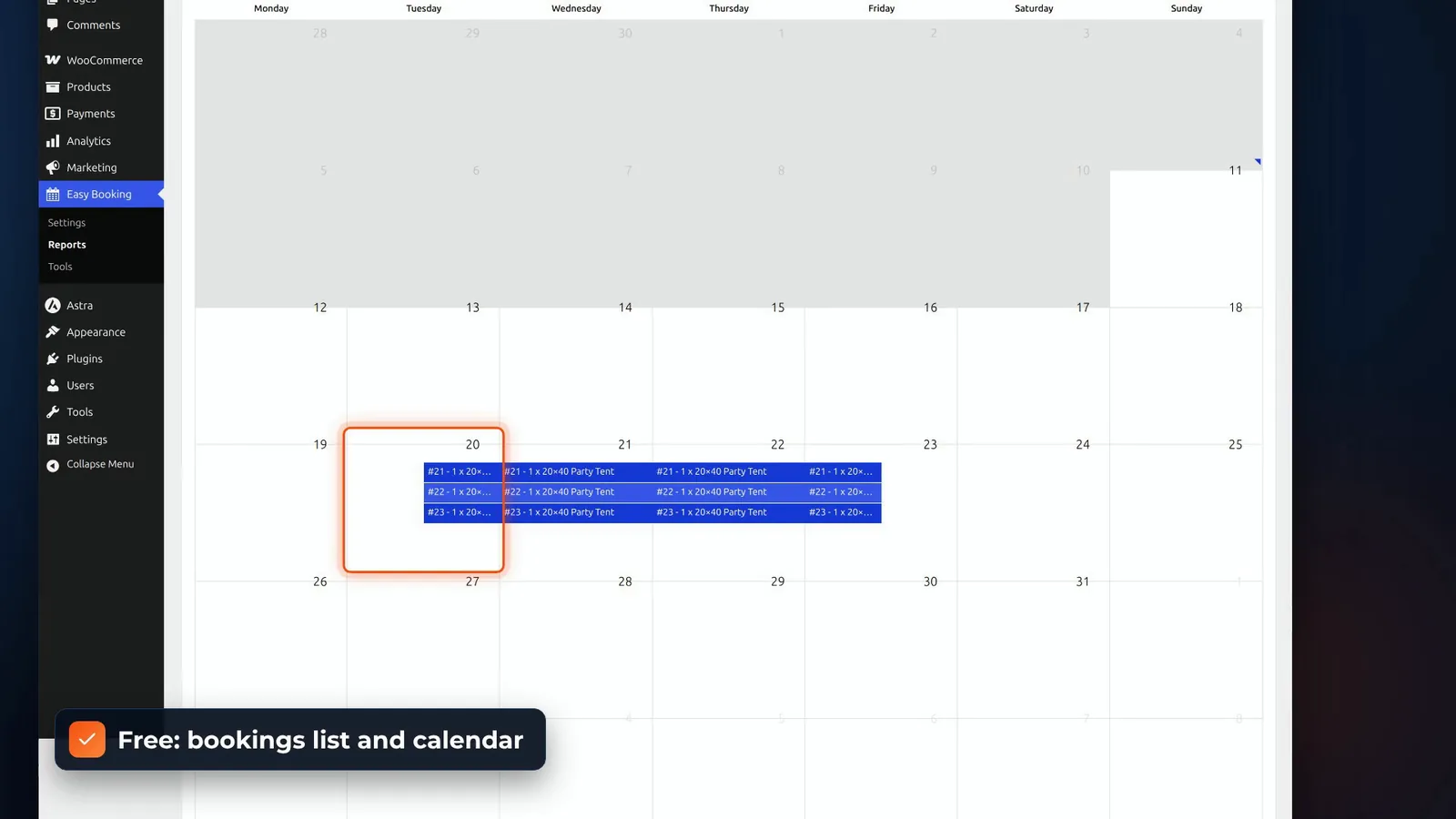
There’s a bookings list with statuses, and a calendar of bookings, both free. The settings are short: nights or days, durations, and the booking window. Manual bookings are Pro. One quirk in our test: the date picker looked unstyled until we saved the appearance settings once.
Phone orders and date changes
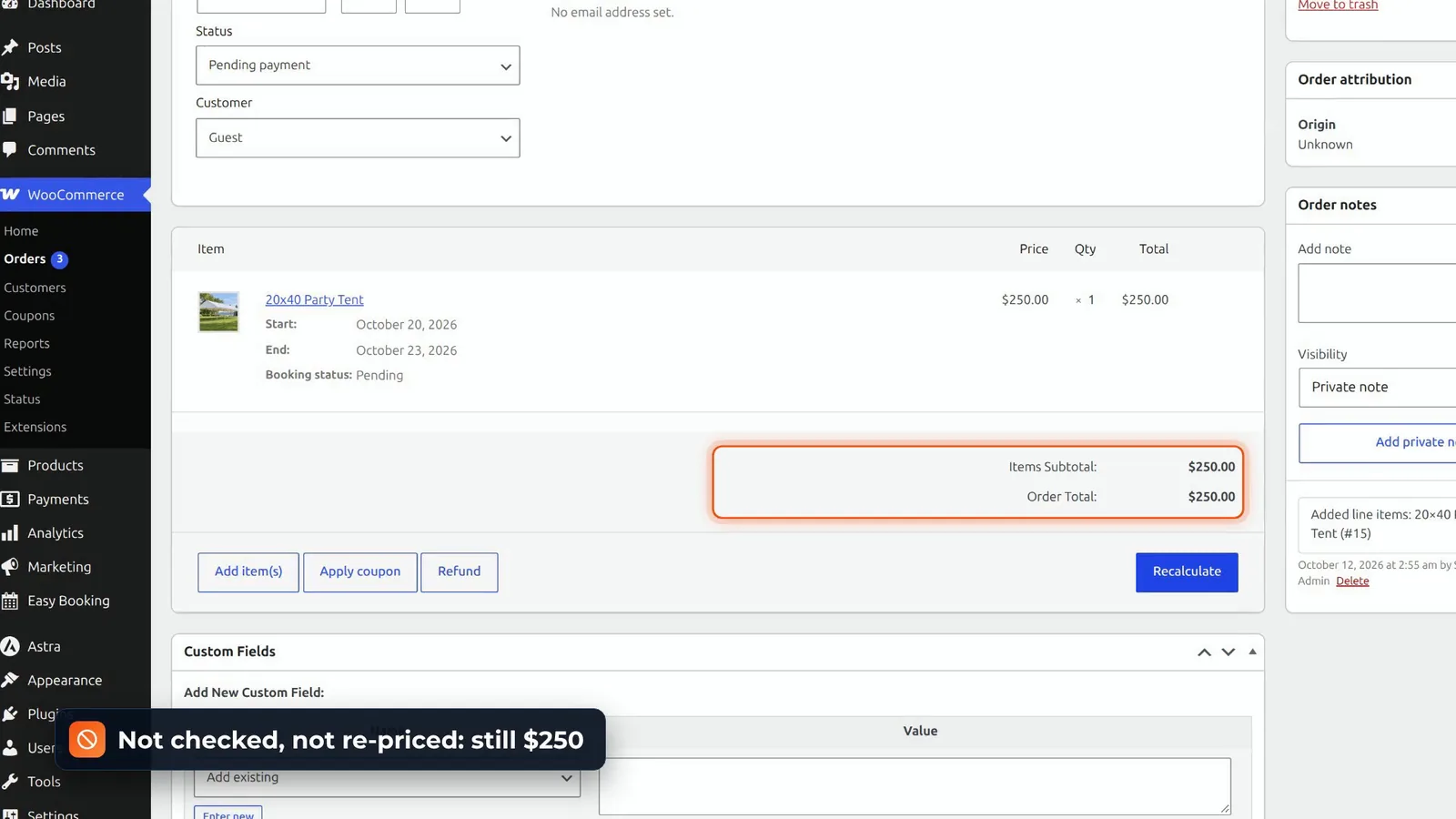
In the admin, you can type start and end dates on an order line, on a new order, or on a placed one once it’s on hold. But nothing is checked or re-priced: the tent stayed at $250 for three days, on dates where all three were already booked.
Verdict and price
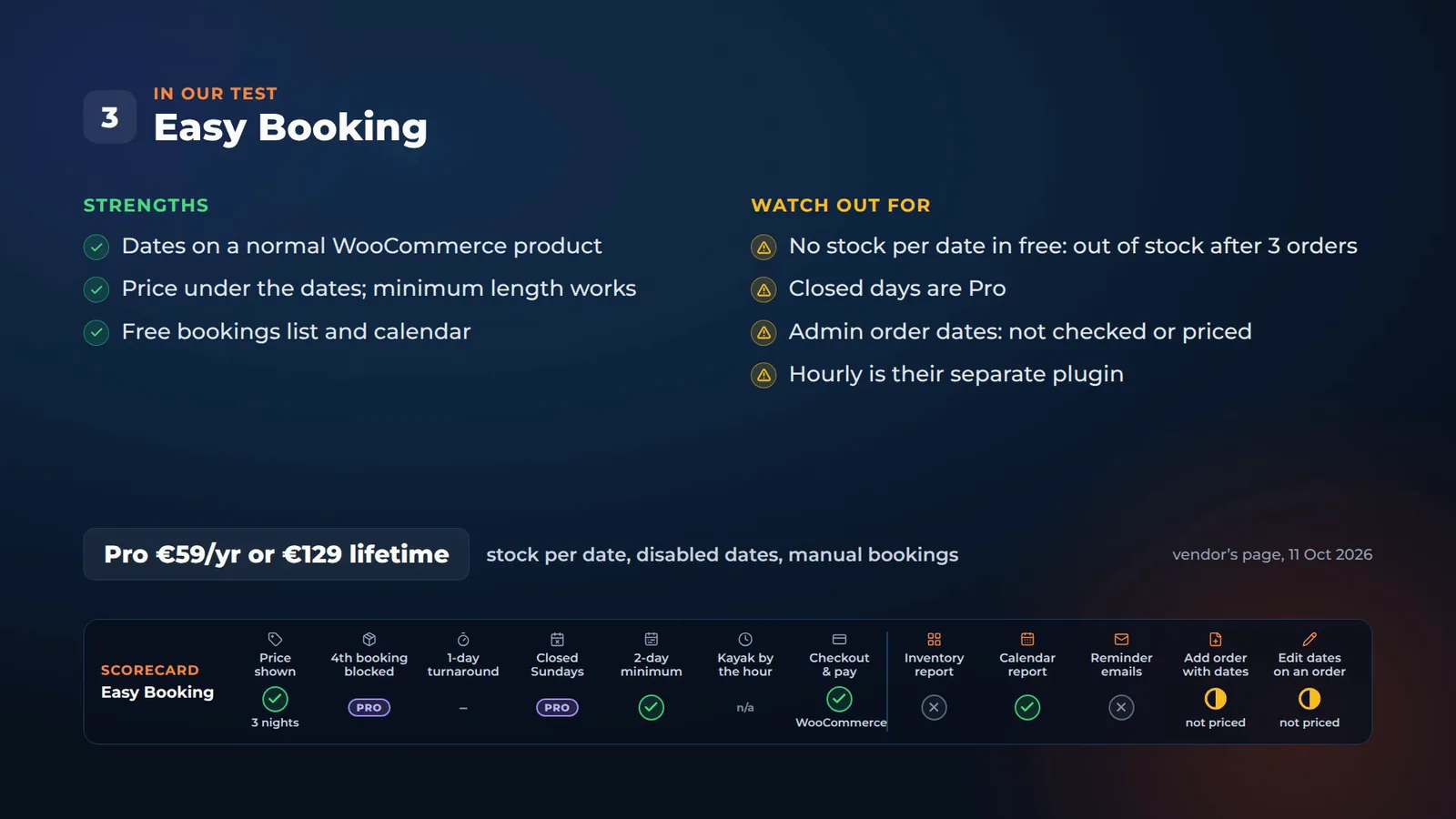
Easy Booking is light and simple, and Pro is €59 a year, or €129 lifetime. For one-of-a-kind items, the free version works. For several of the same thing, you’ll need Pro.
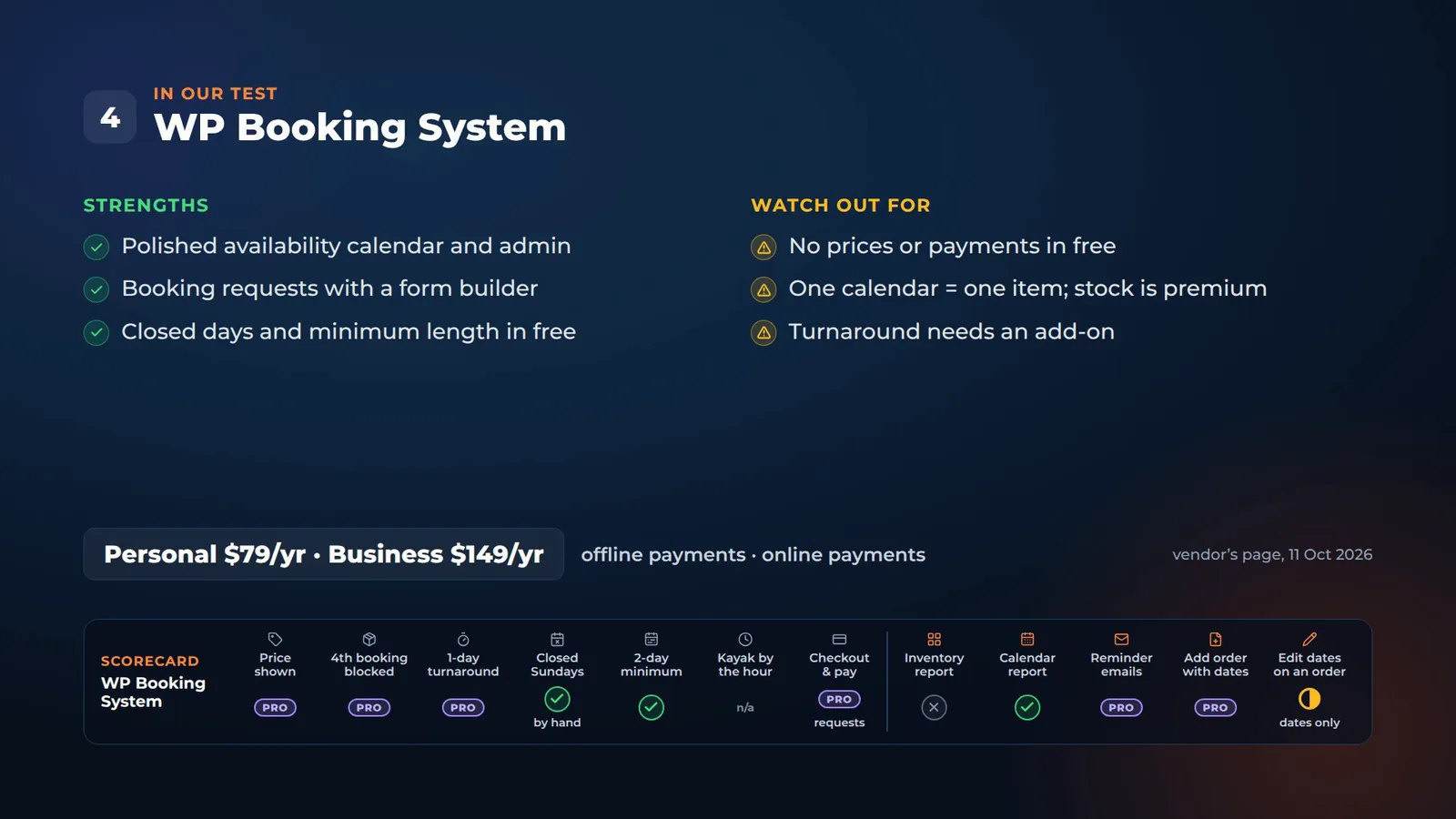
4. WP Booking System
Booking requests, without prices
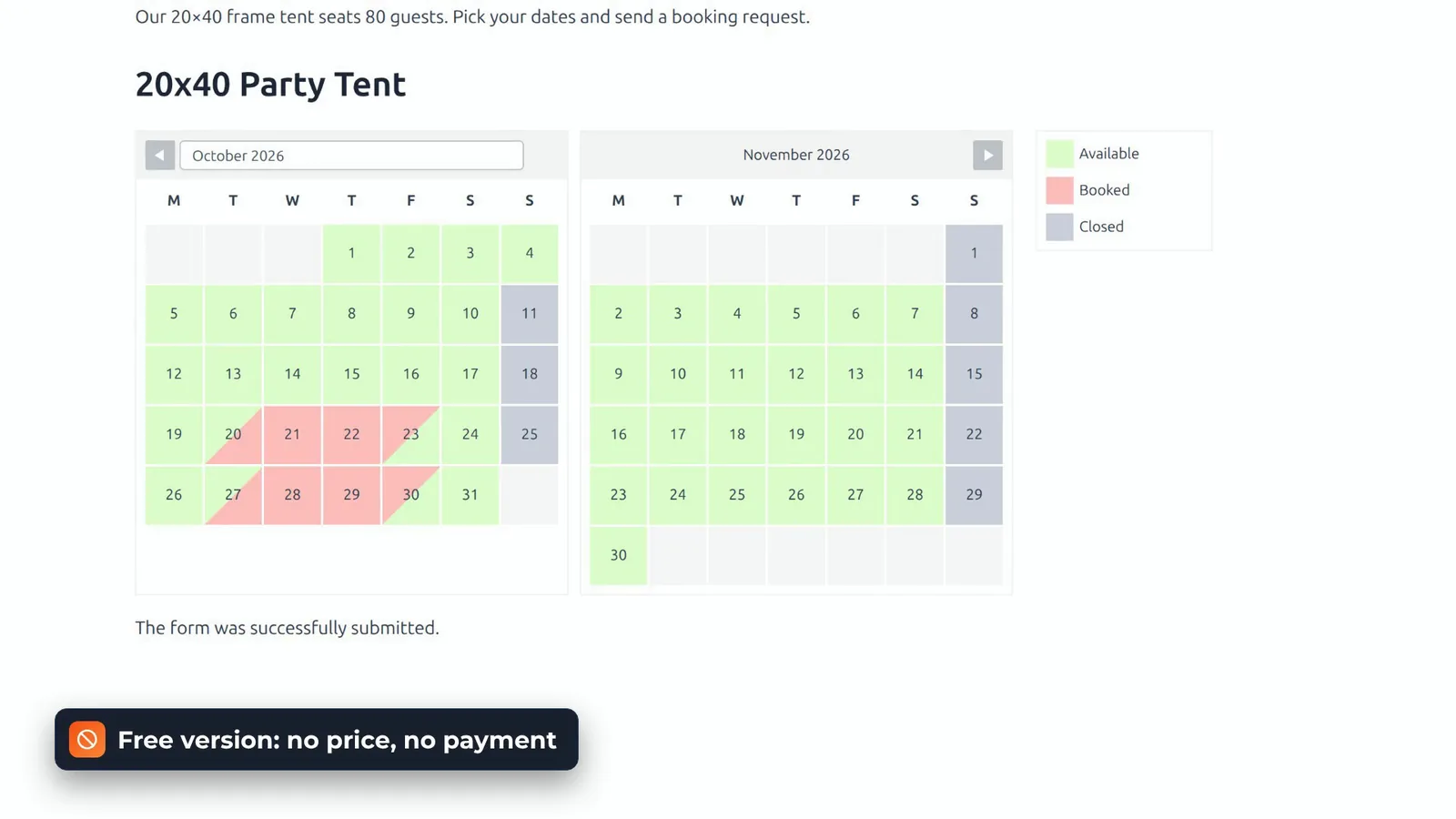
This one isn’t WooCommerce. It’s an availability calendar with a booking form. The customer picks dates on the calendar, fills in the form, and sends a booking request. In the free version, there’s no price on the calendar or the form, and no payment. Prices and payments are premium.
One calendar is one item
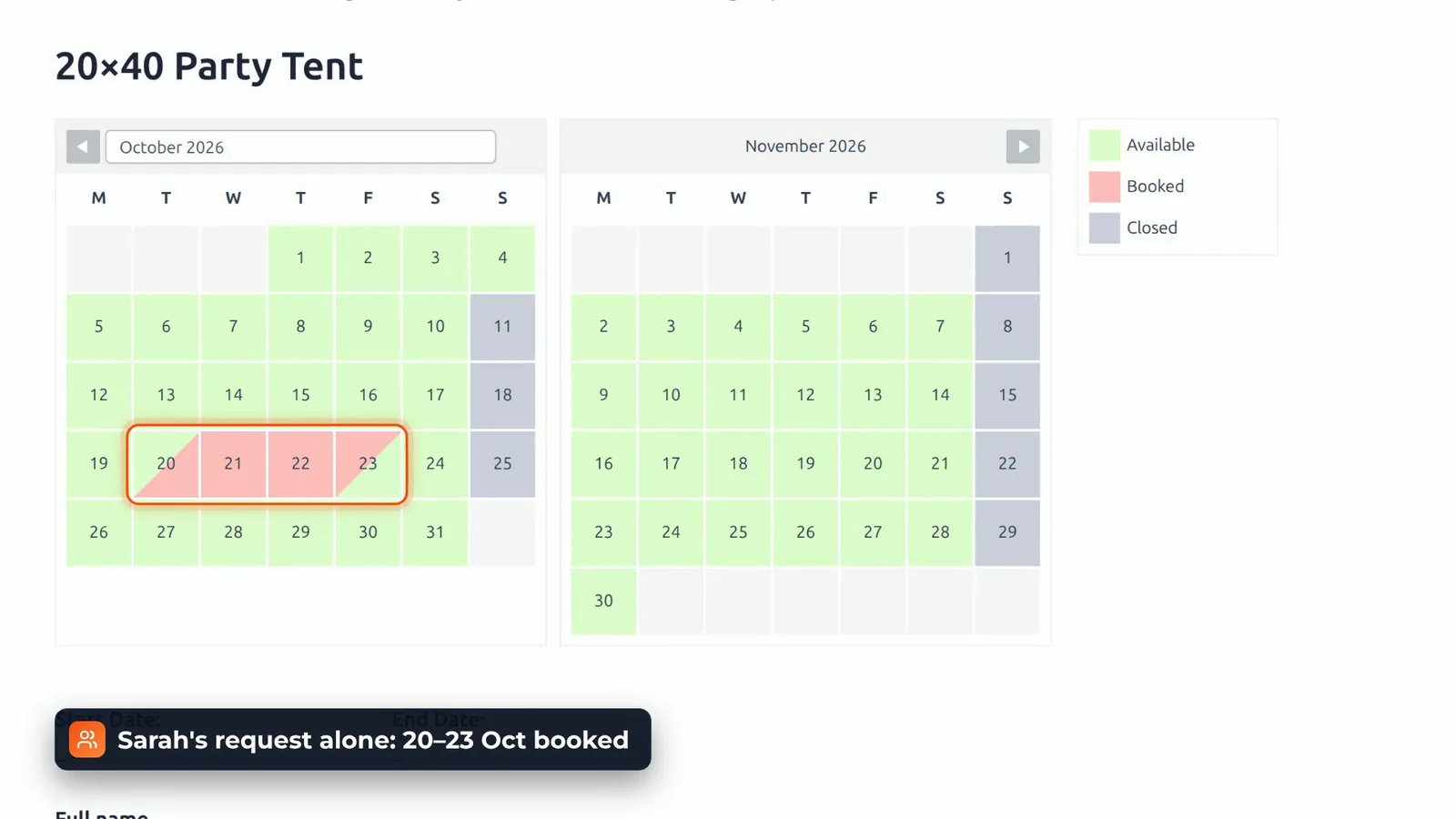
Sarah’s request alone marked the 20th to the 23rd as booked for everyone. So a stock of three needs the premium inventory add-on, and turnaround days need an add-on too. Closed Sundays worked, with our own legend item and a bulk edit, and the two-day minimum shows a clear message.
In the admin
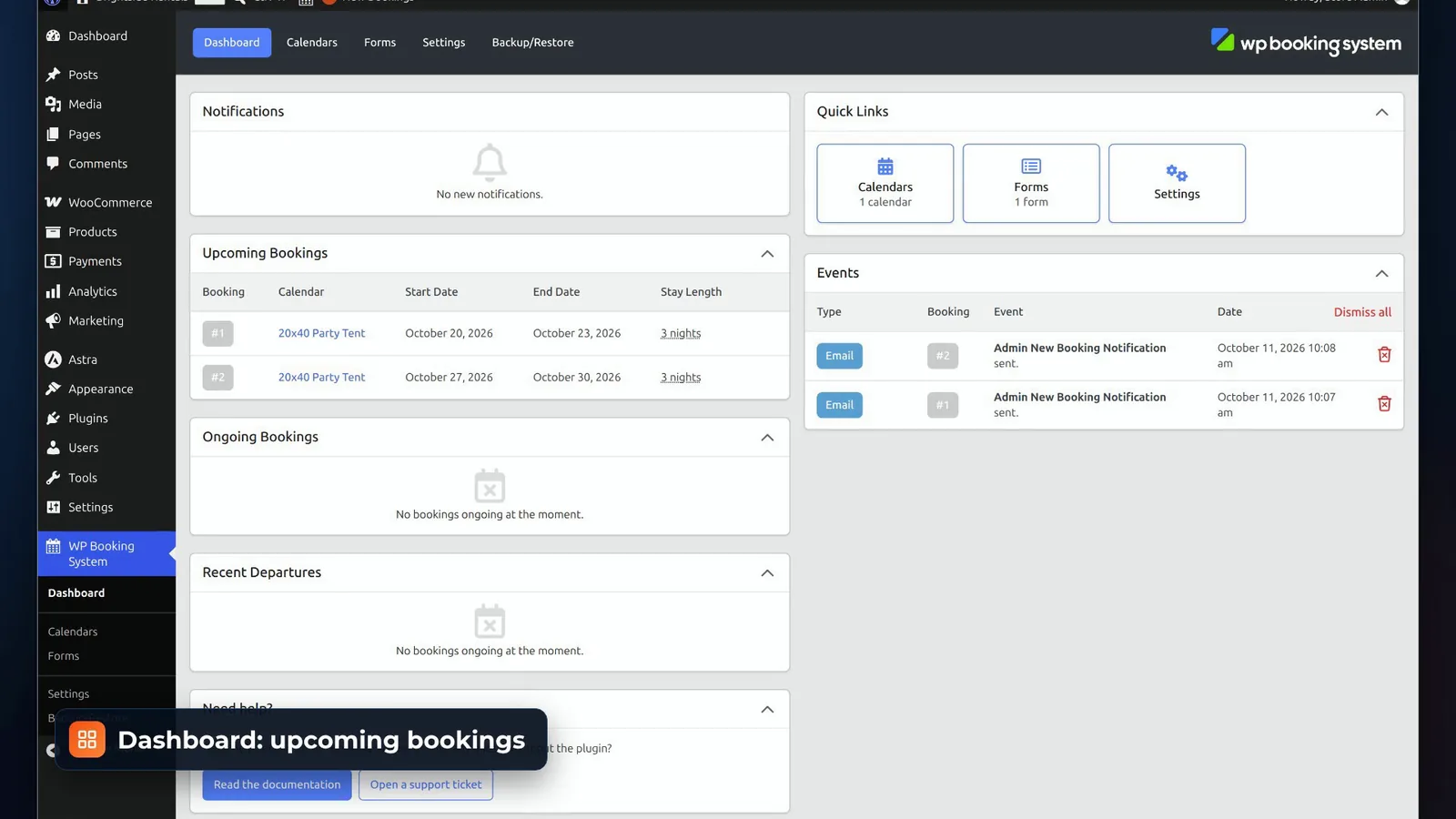
The admin is polished: a dashboard of upcoming bookings, a calendar editor with every date’s status, and a booking window to accept or cancel a request and email the customer. There’s a form builder too.
Phone bookings and date changes
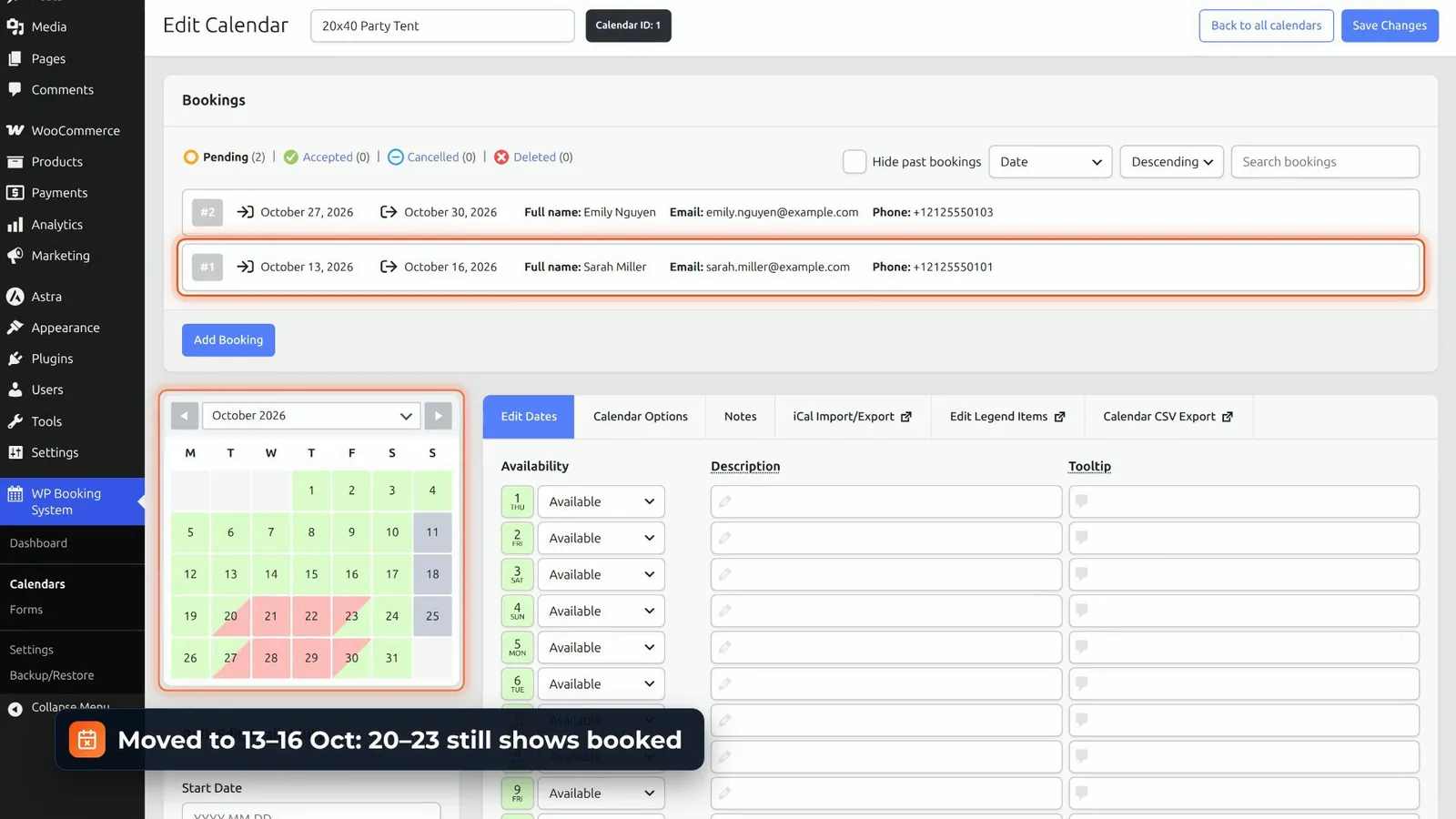
Adding a booking in the admin is premium. You can edit a booking’s dates, but as its own note says, that won’t change the calendar or the price. You adjust those by hand.
Verdict and price
It’s great for one holiday home or one meeting room taking requests. For rental stock, you’re into the premium plans: Personal, $79 a year, with offline payments, or Business, $149 a year, with online payments.
5. BA Book Everything
A price on every day
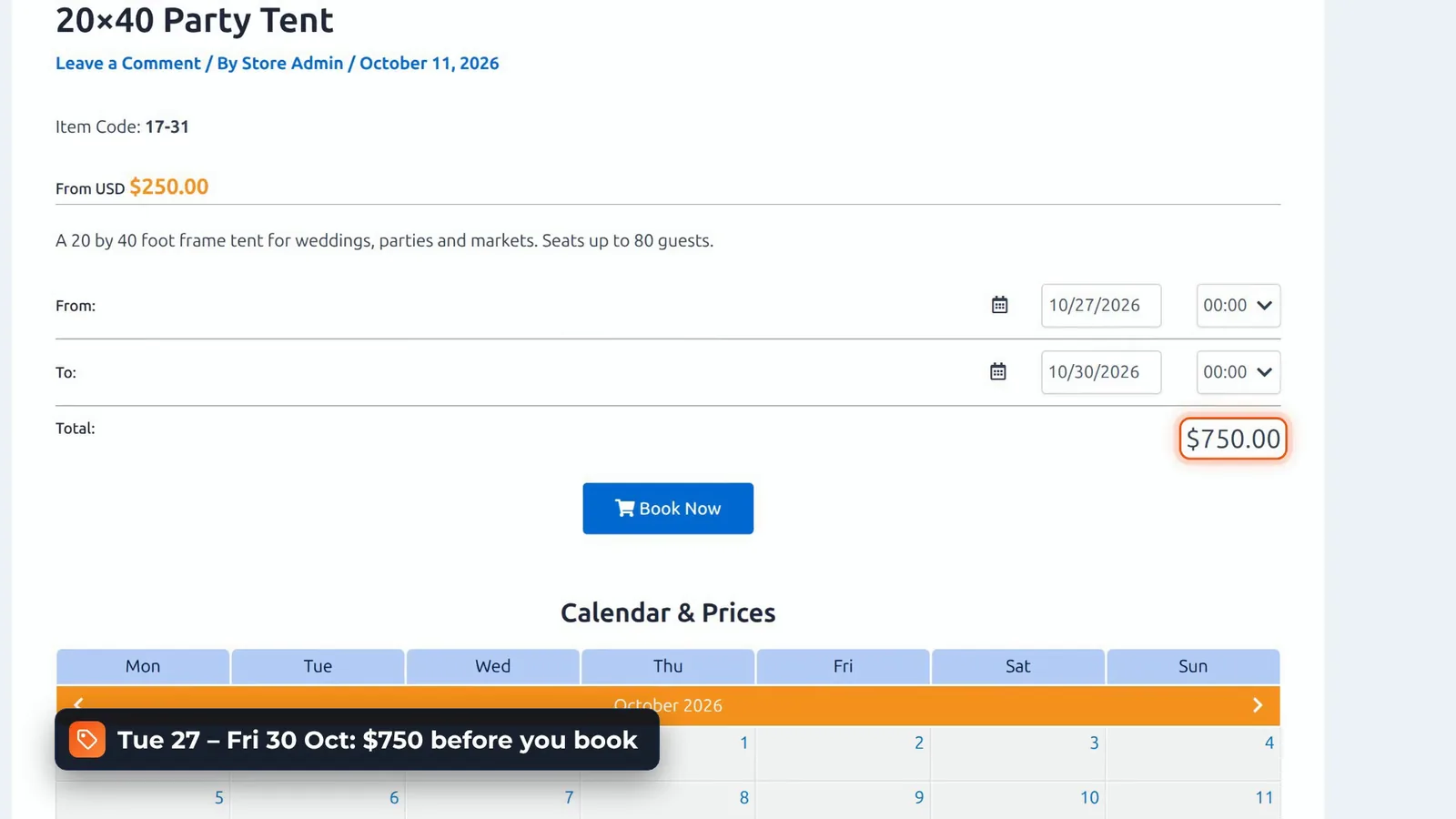
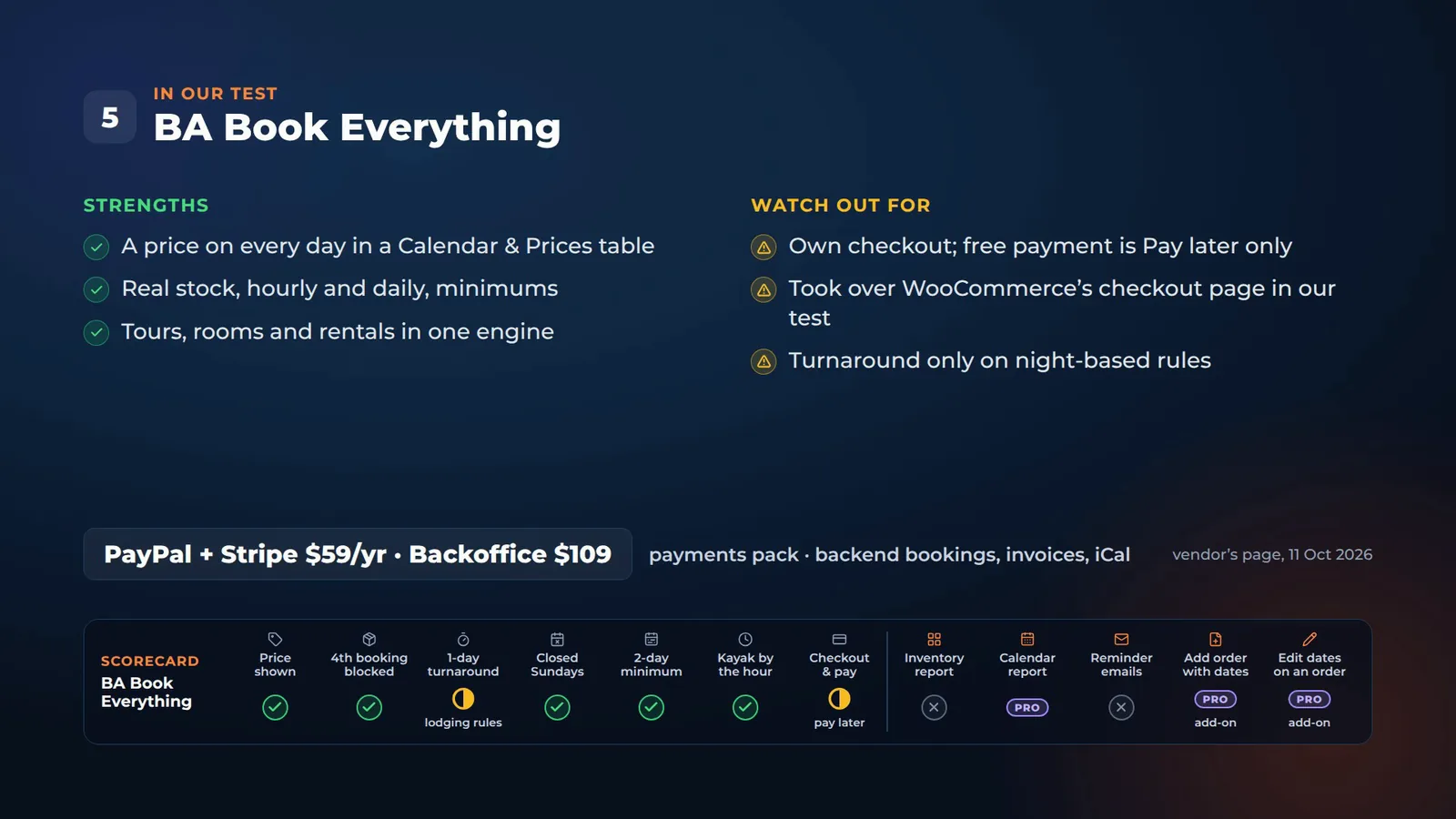
BA Book Everything is a standalone booking engine for tours, rooms and rentals, with its own checkout. The tent page shows a calendar and prices table, with the price on each day. A Tuesday to Friday: $750 before you book.
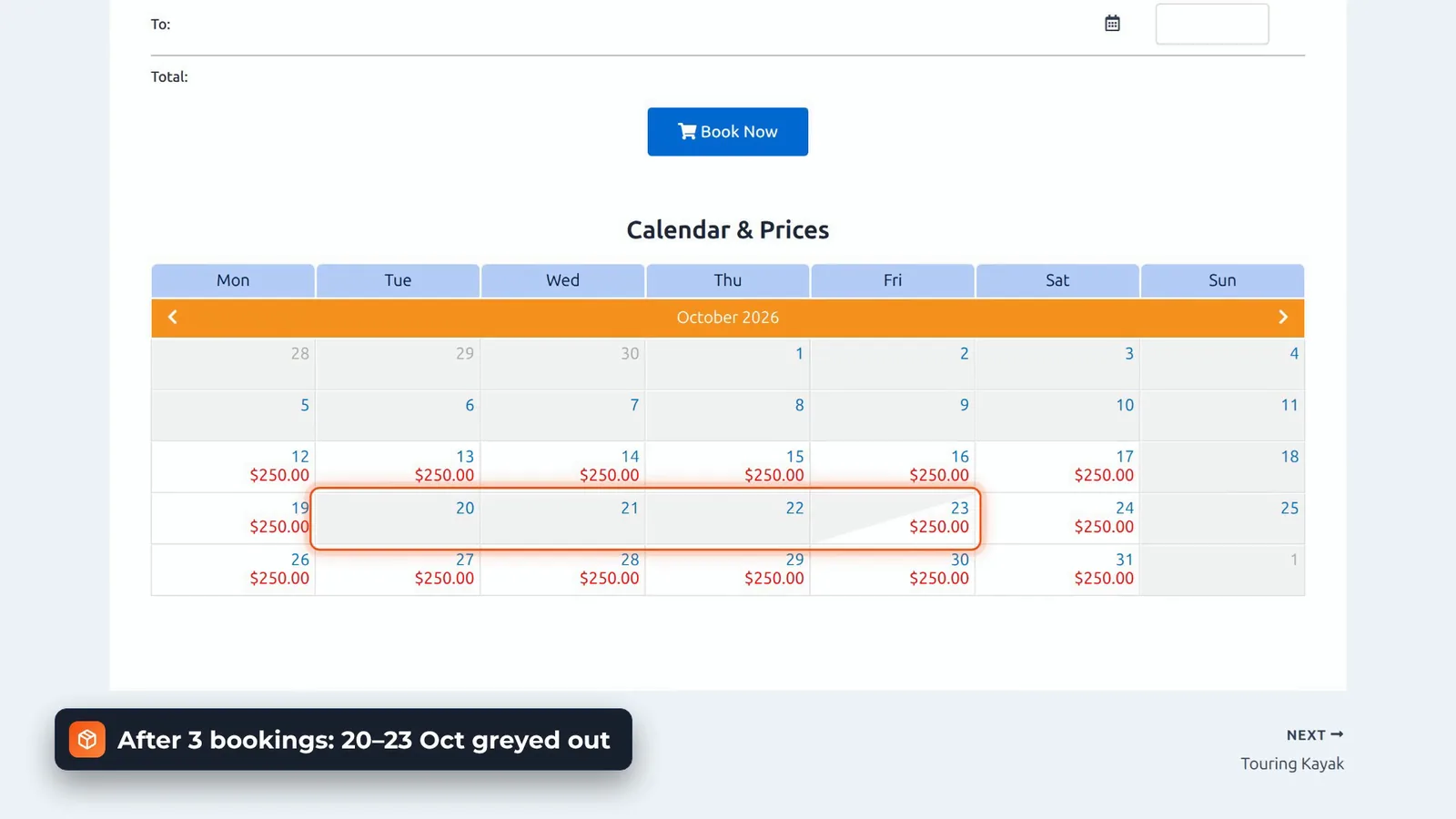
After three bookings on the 20th to the 23rd, those days are greyed out and lose their price.
Closed days, minimums and hourly hire
Sundays are off in the category’s available days, the two-day minimum works, and the kayak can be booked by the hour once you choose the allowed start and end times: $30. A turnaround block exists, but only on night-based rules, the ones built for lodging.
Checkout, payments and the admin
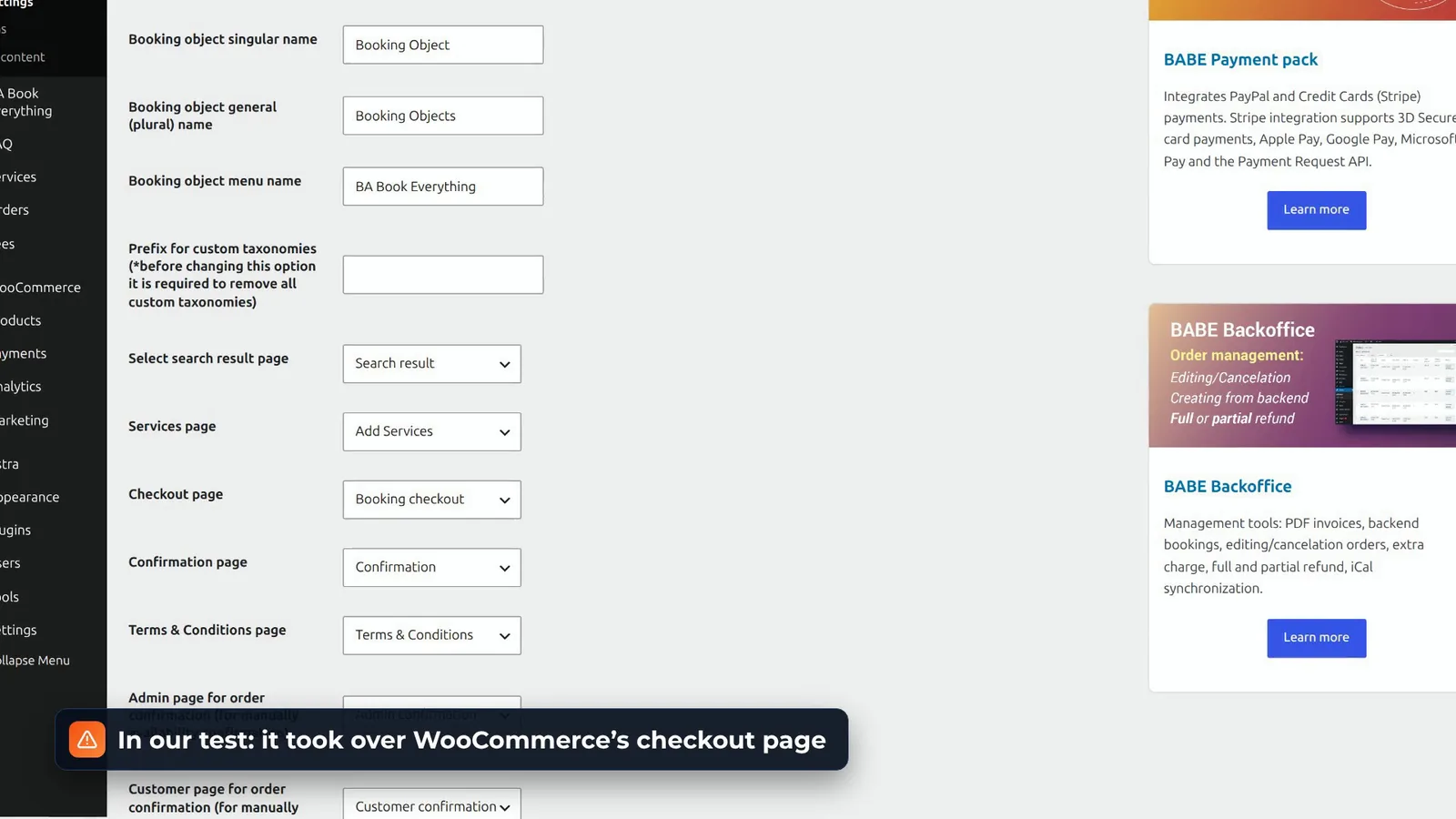
In our test, its installer took over WooCommerce’s checkout page, so Book Now landed on an empty cart until we picked a new checkout page in its settings. Its own checkout offers Pay Later for free. PayPal and Stripe are a paid pack, $59 a year. The admin has orders, booking rules and categories, and backend bookings, invoices and iCal sync are the Backoffice add-on, $109.
Phone orders
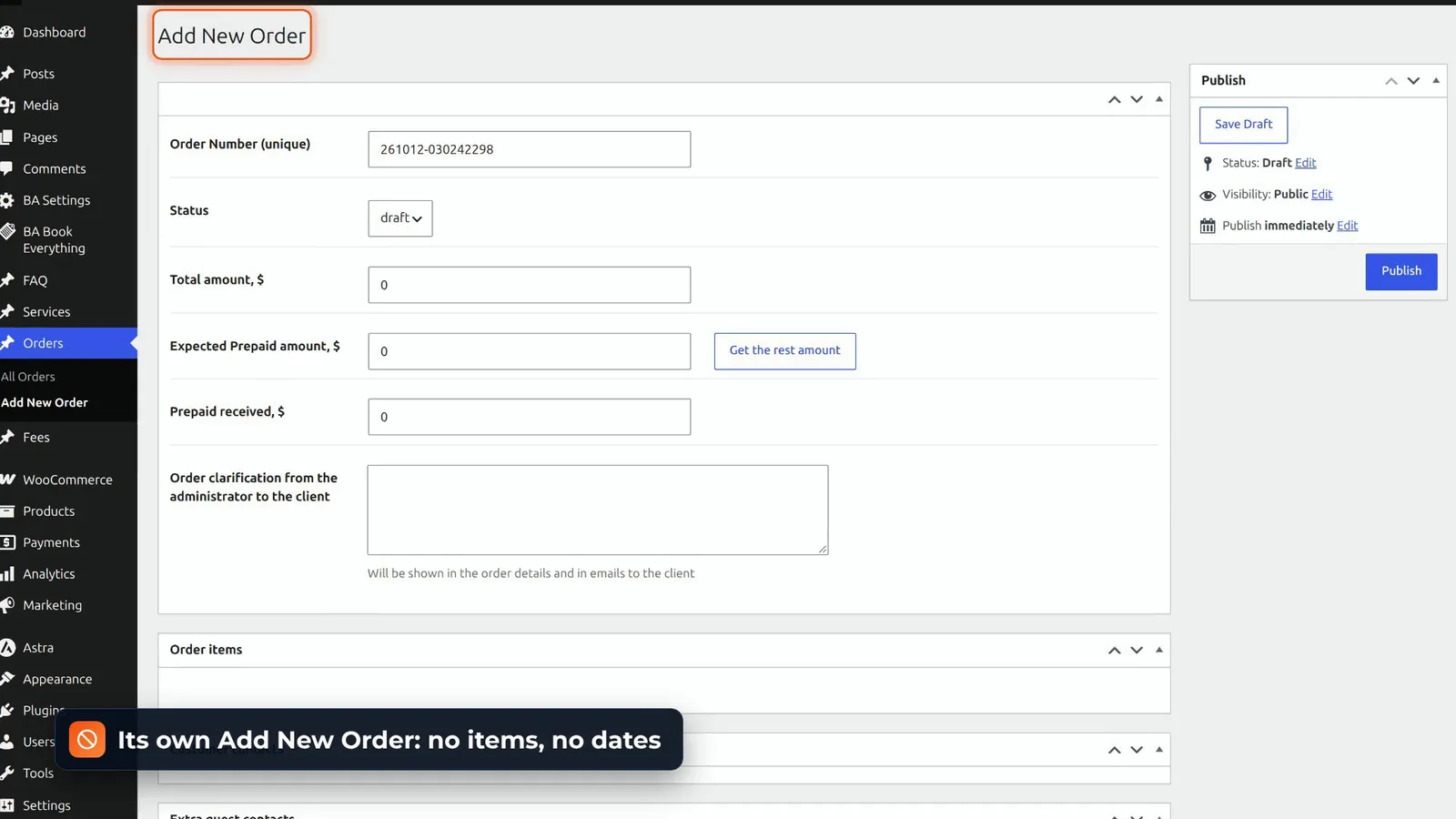
From the admin, Add New Order gives you an empty order, with no way to add the tent or its dates, and a placed order’s dates are read-only. Backend bookings and order editing are the Backoffice add-on.
Verdict and price
If you sell tours, rooms and rentals side by side, it’s very flexible. Just expect some setup, and a checkout that isn’t WooCommerce’s.
6. VikRentItems
Booking a rental
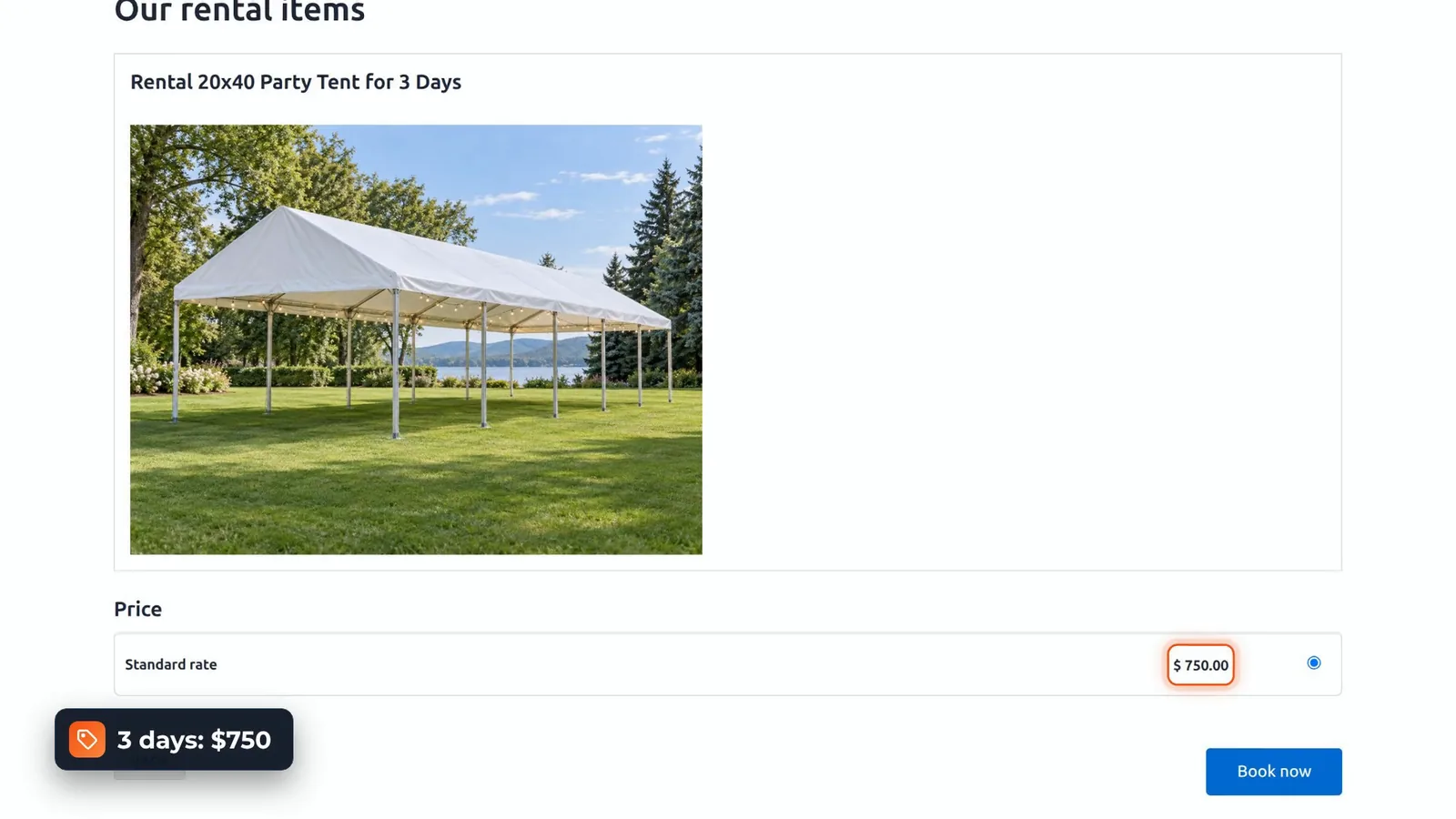
VikRentItems is a standalone rental engine. Customers pick a pick-up and drop-off date and time, see the rental for three days at $750, then an order summary.
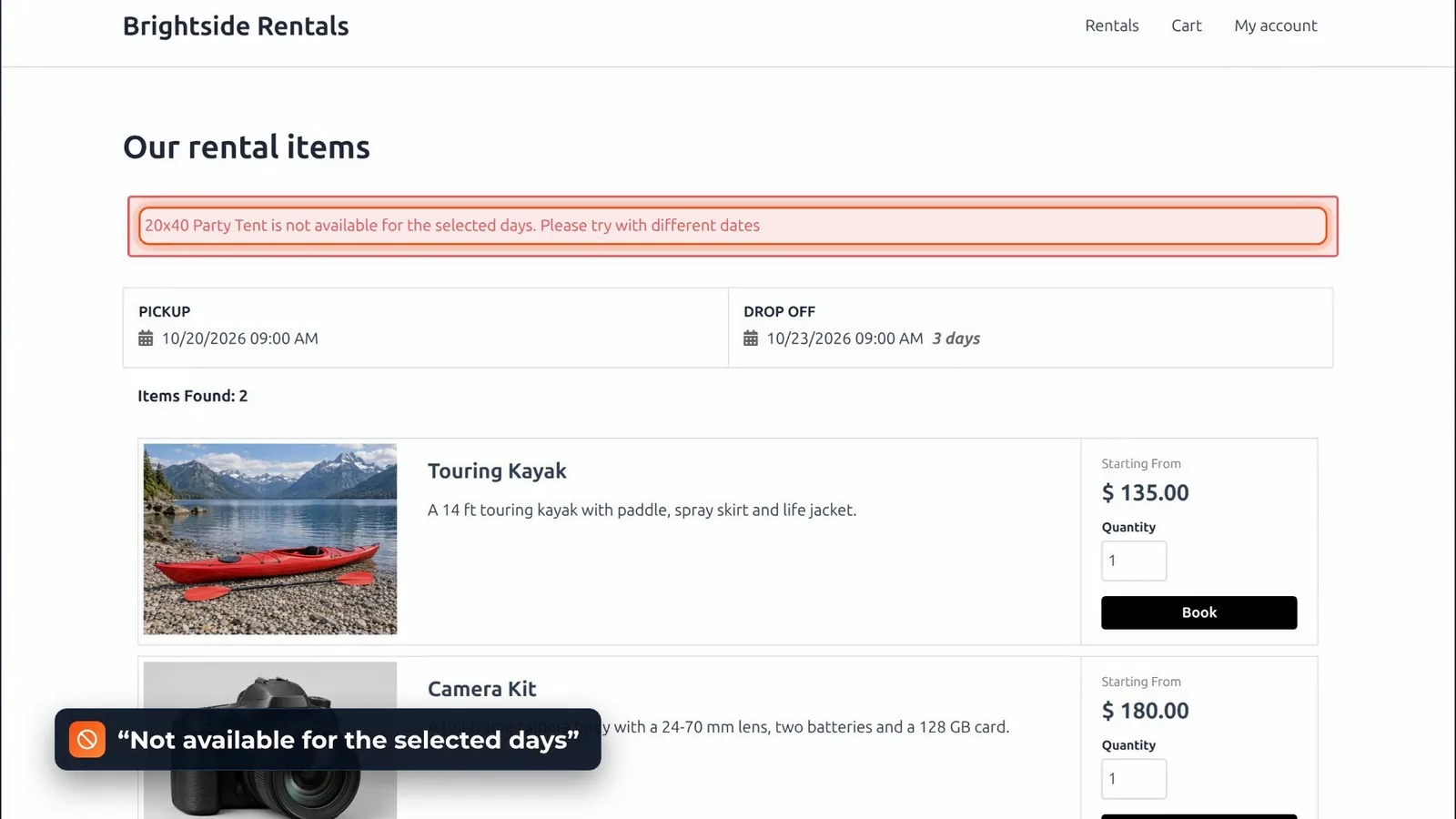
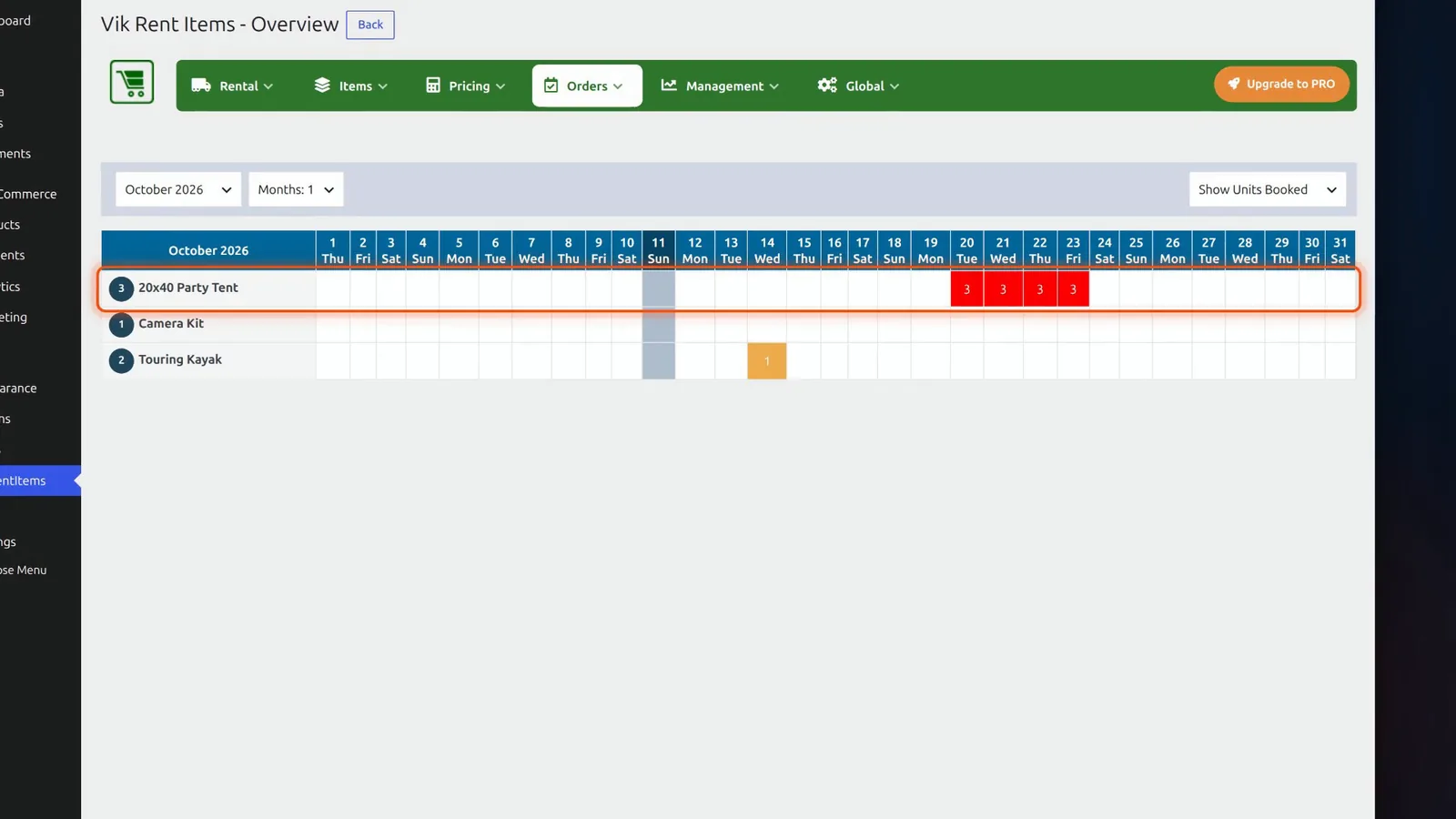
After three orders, the item calendar shows those days in red. The picker still lets you choose them, but Book Now answers: not available for the selected days.
Turnaround, closed days and hourly fares
The turnaround is set in hours, for the whole shop: a tent dropped off on Friday isn’t available for another 24 hours. Sundays are global closing days, and hourly fares work: $30 for the kayak. The minimum length in the free version is one number for the whole shop, so it blocked the two-hour kayak too. Per-item restrictions are Pro.
In the admin
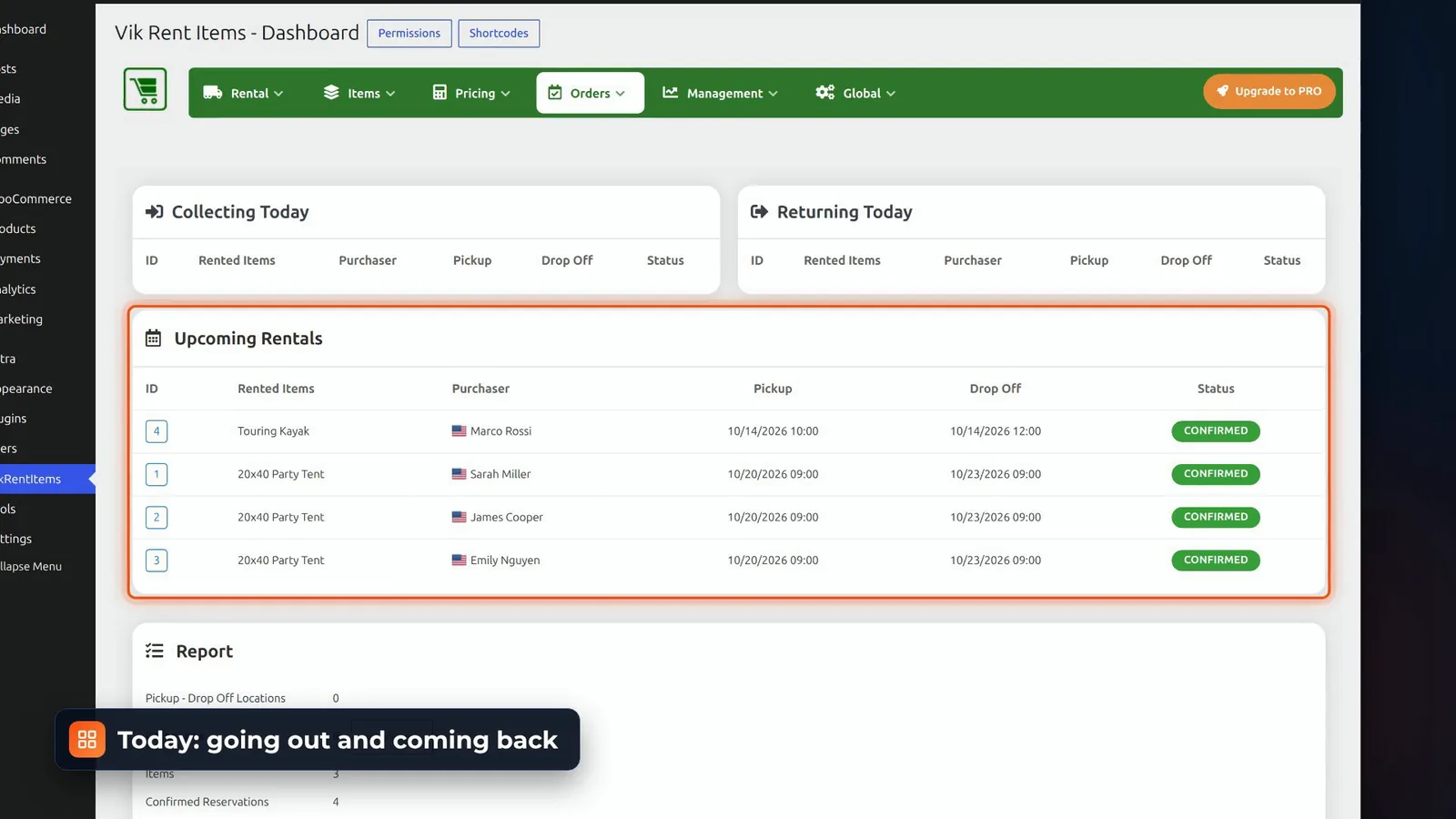
The admin is one of the best in this test: a dashboard of what’s going out and coming back today, an orders list, a booking calendar per item with quick reservations, an overview grid of the units booked each day, and a rates overview.
Phone orders and date changes
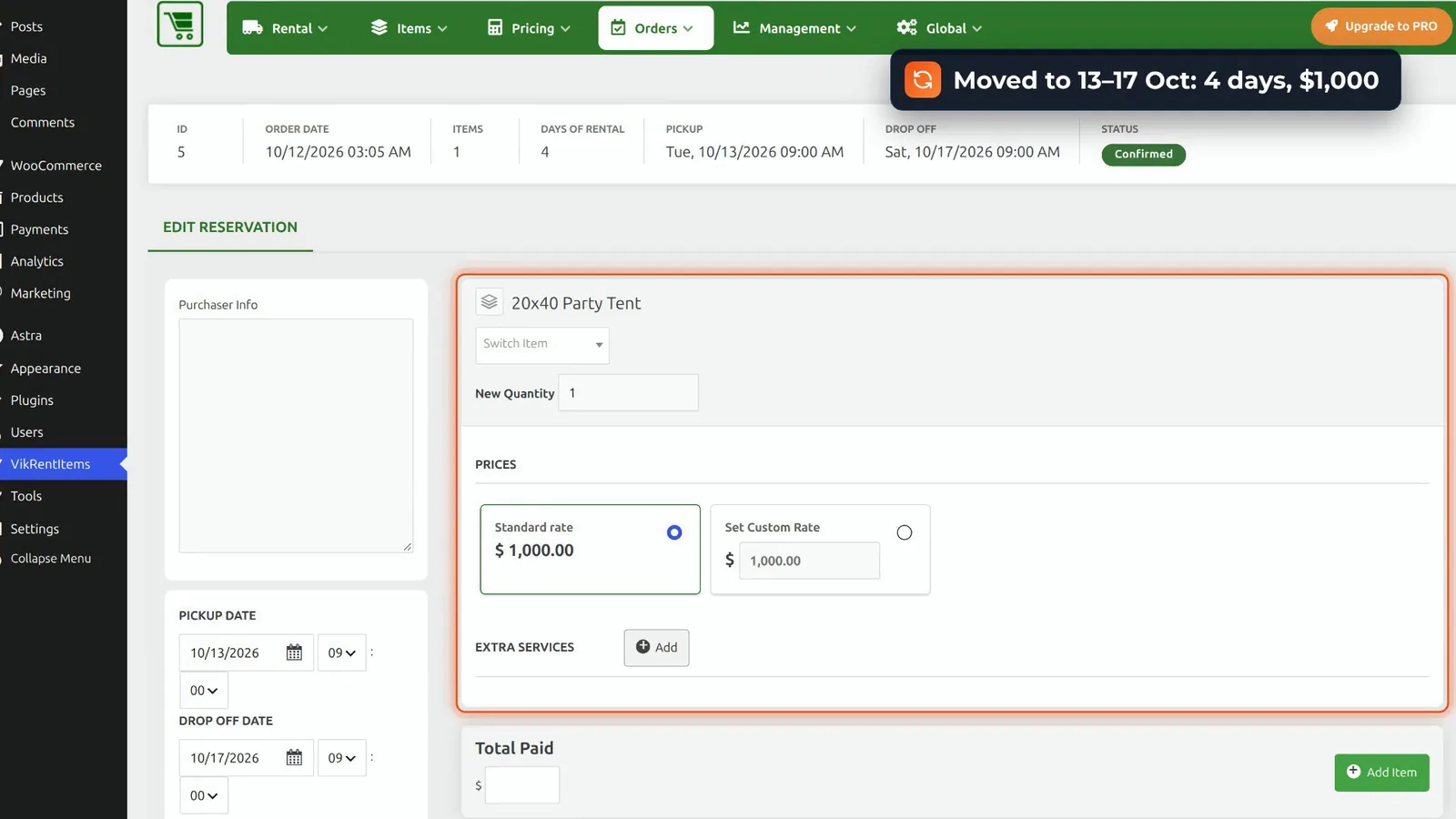
Phone orders are handled well, on its own screens. A quick reservation on sold-out dates is refused, free dates come with the rate, $750, and editing a reservation re-checks the dates and re-prices it: four days, $1,000.
Verdict and price
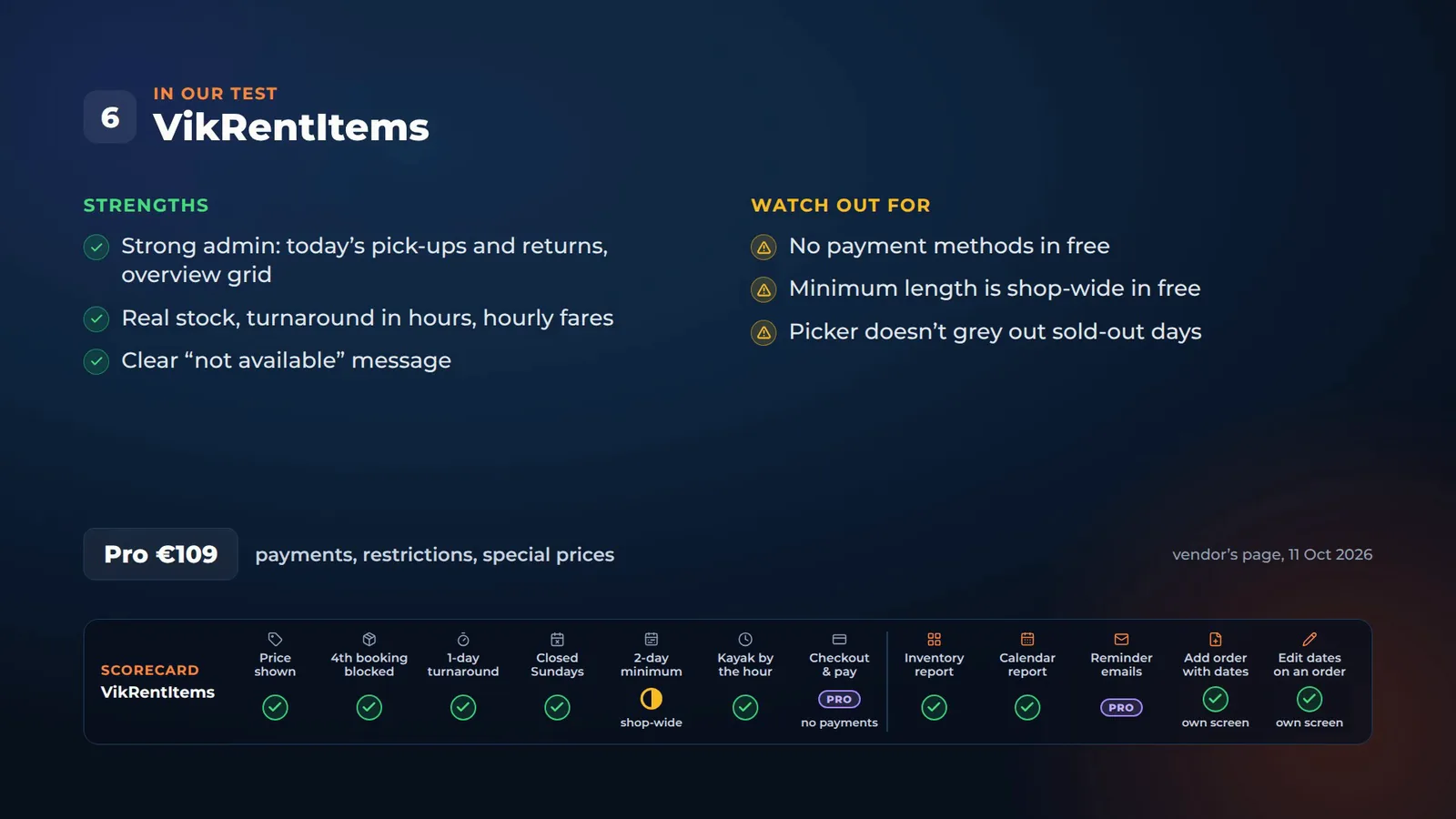
The catch: the free version has no payment methods. Orders arrive confirmed, with nothing paid. Payments, restrictions and special prices are in Pro, €109.
7. Booking Calendar
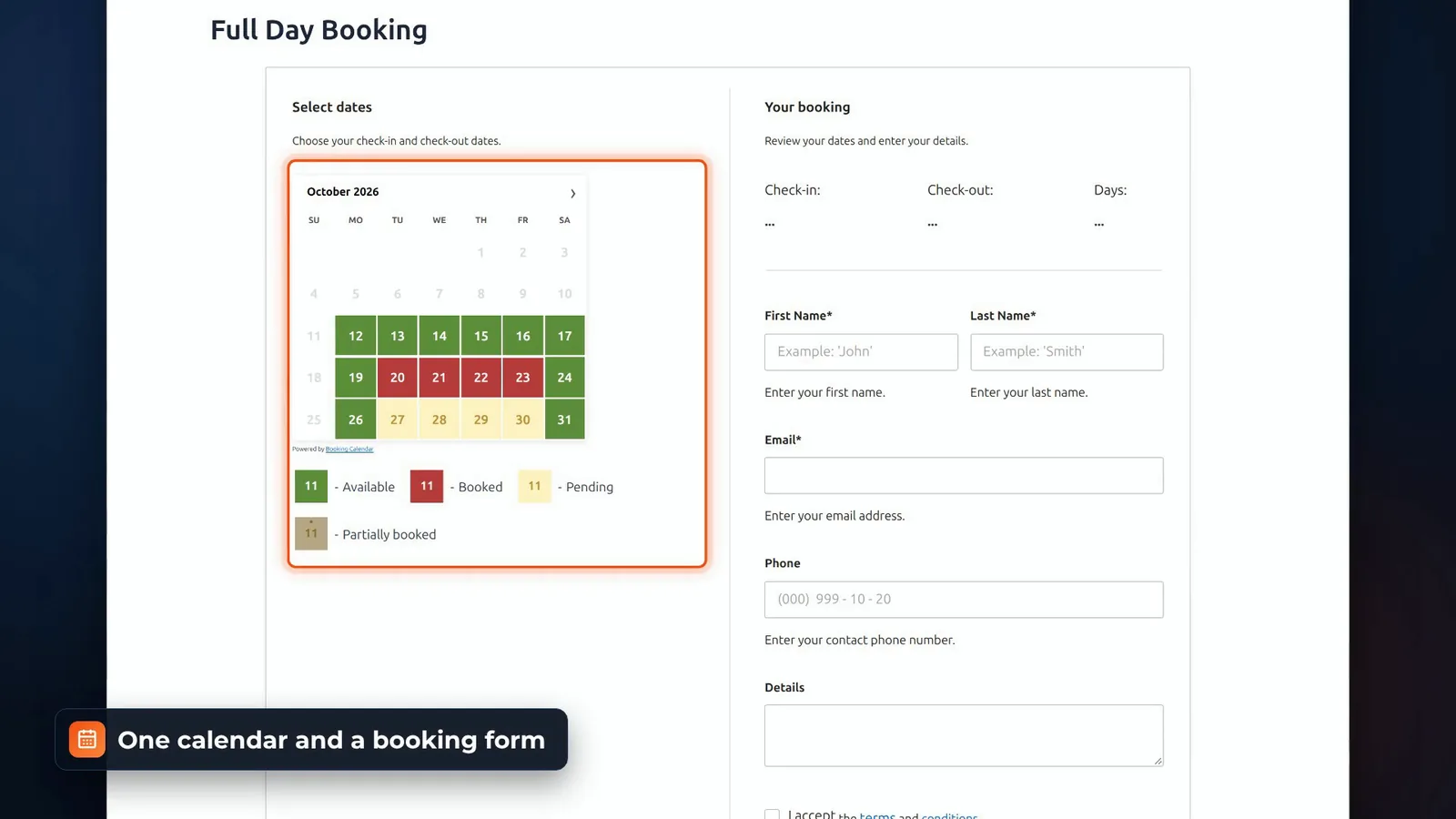
One calendar and a booking form
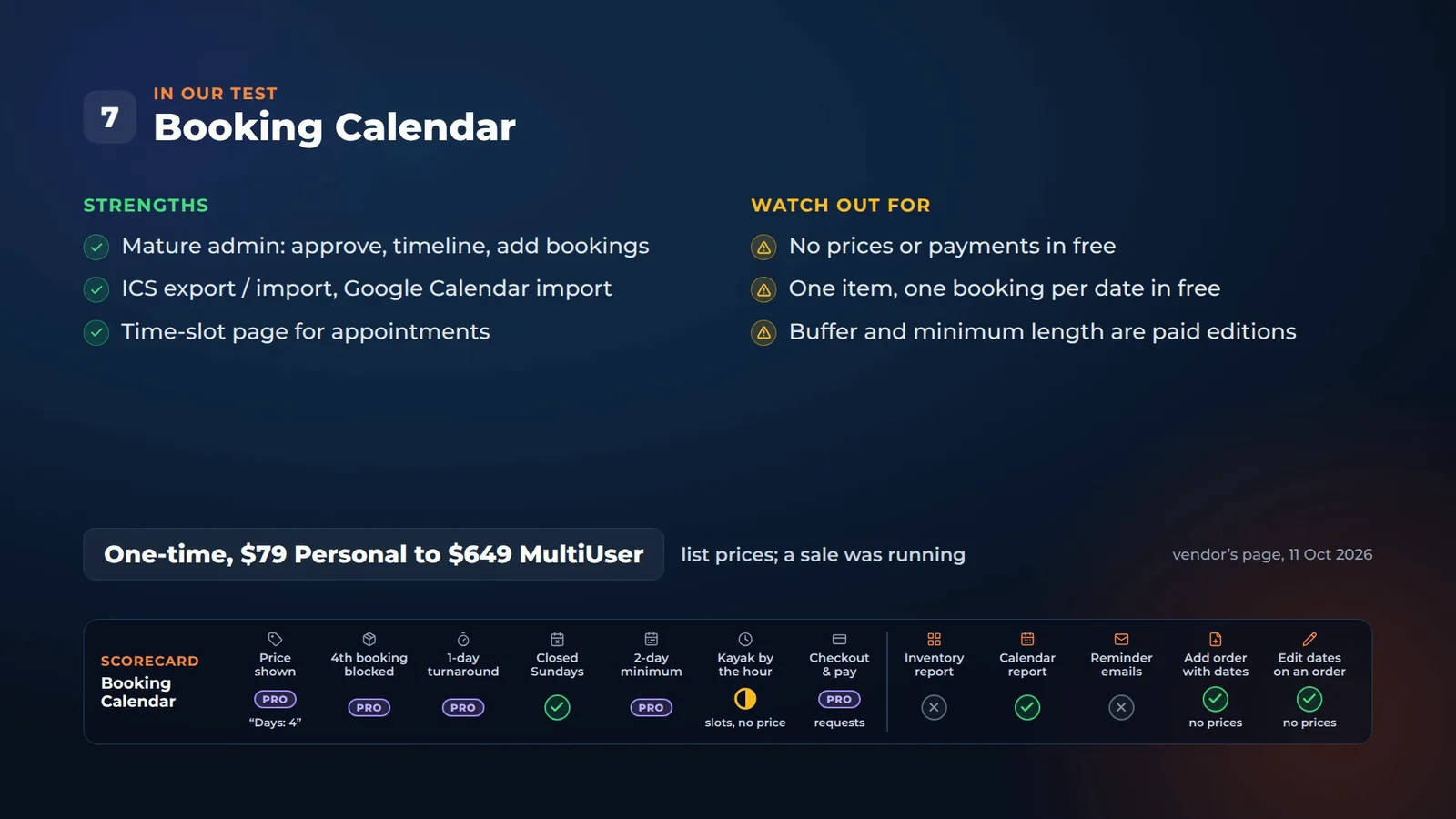
The free version gives you one calendar and a booking form. Pick check-in and check-out, it counts four days, inclusive, and the customer sends a request. There are no prices in the free version. Prices and payment gateways are in the paid editions.
One item, one booking per date
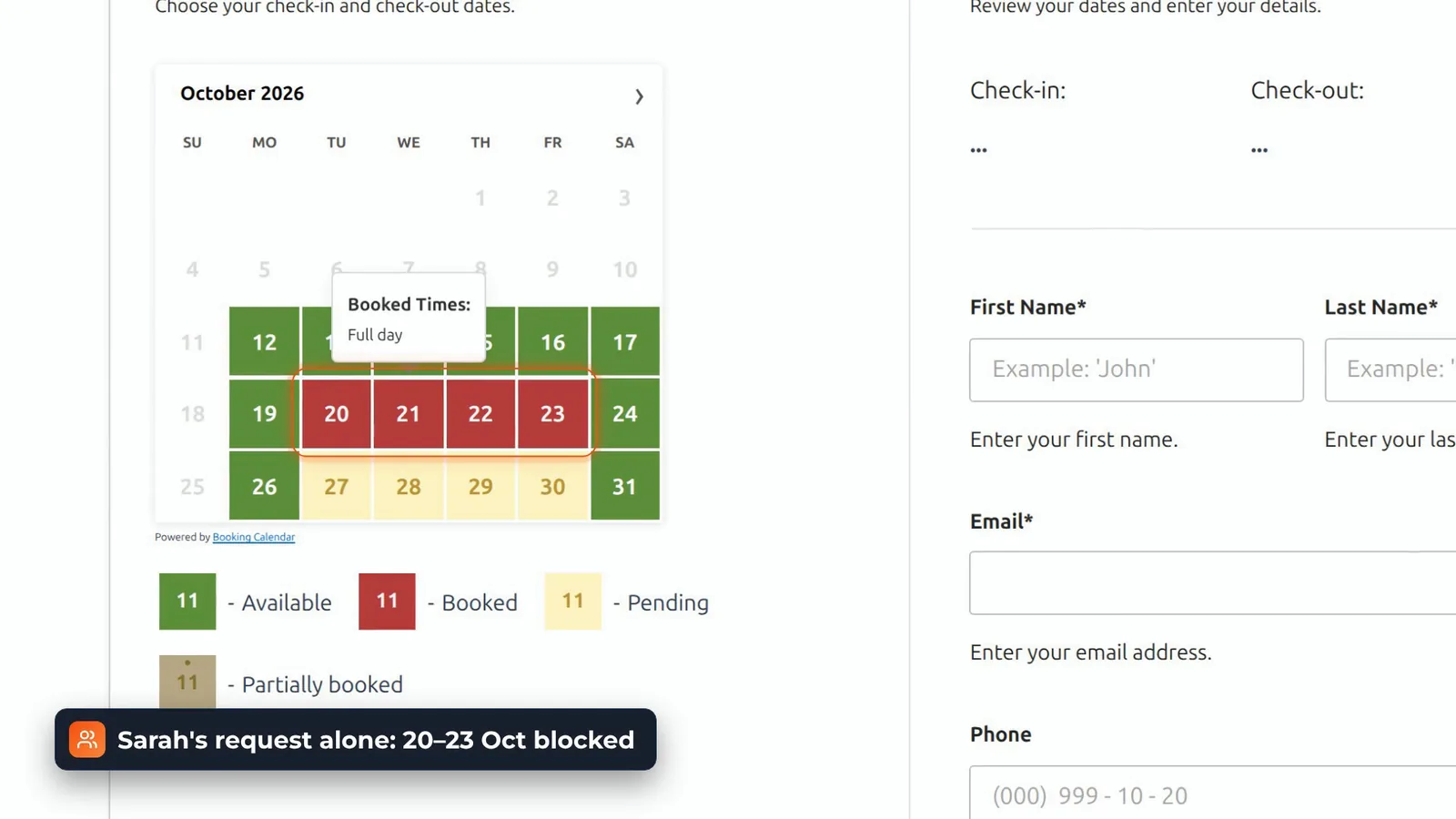
Sarah’s request alone blocked the 20th to the 23rd. Booking quantities need Business Large or MultiUser, a turnaround buffer needs Business Medium, and a minimum length Business Small. Unavailable weekdays are free, so Sundays passed. There’s a time slots page too, on the same calendar, without prices.
In the admin
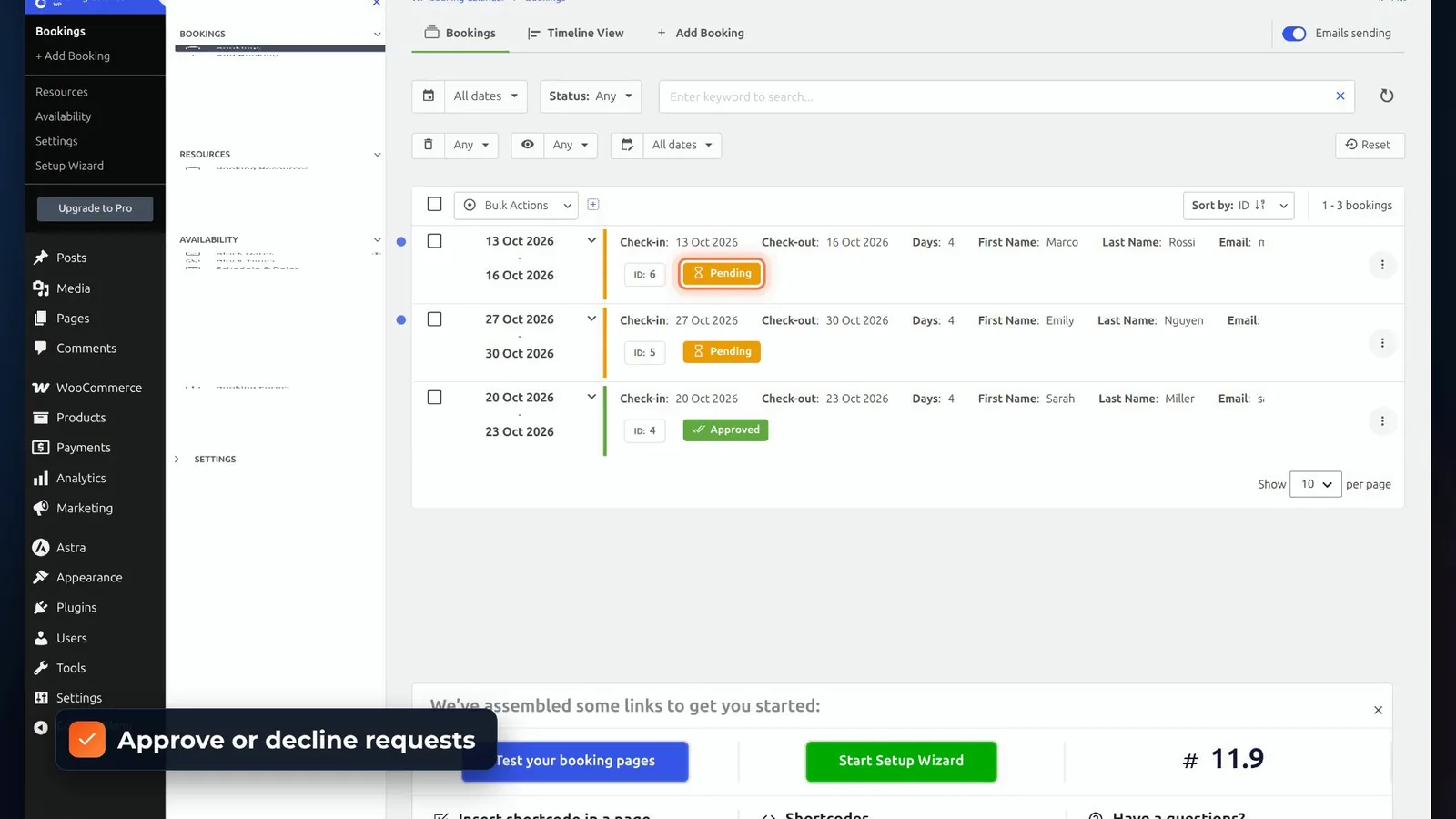
The admin is mature: a bookings list to approve or decline, a timeline view, adding bookings by hand, emails, ICS export and import, and Google Calendar import.
Phone bookings and date changes
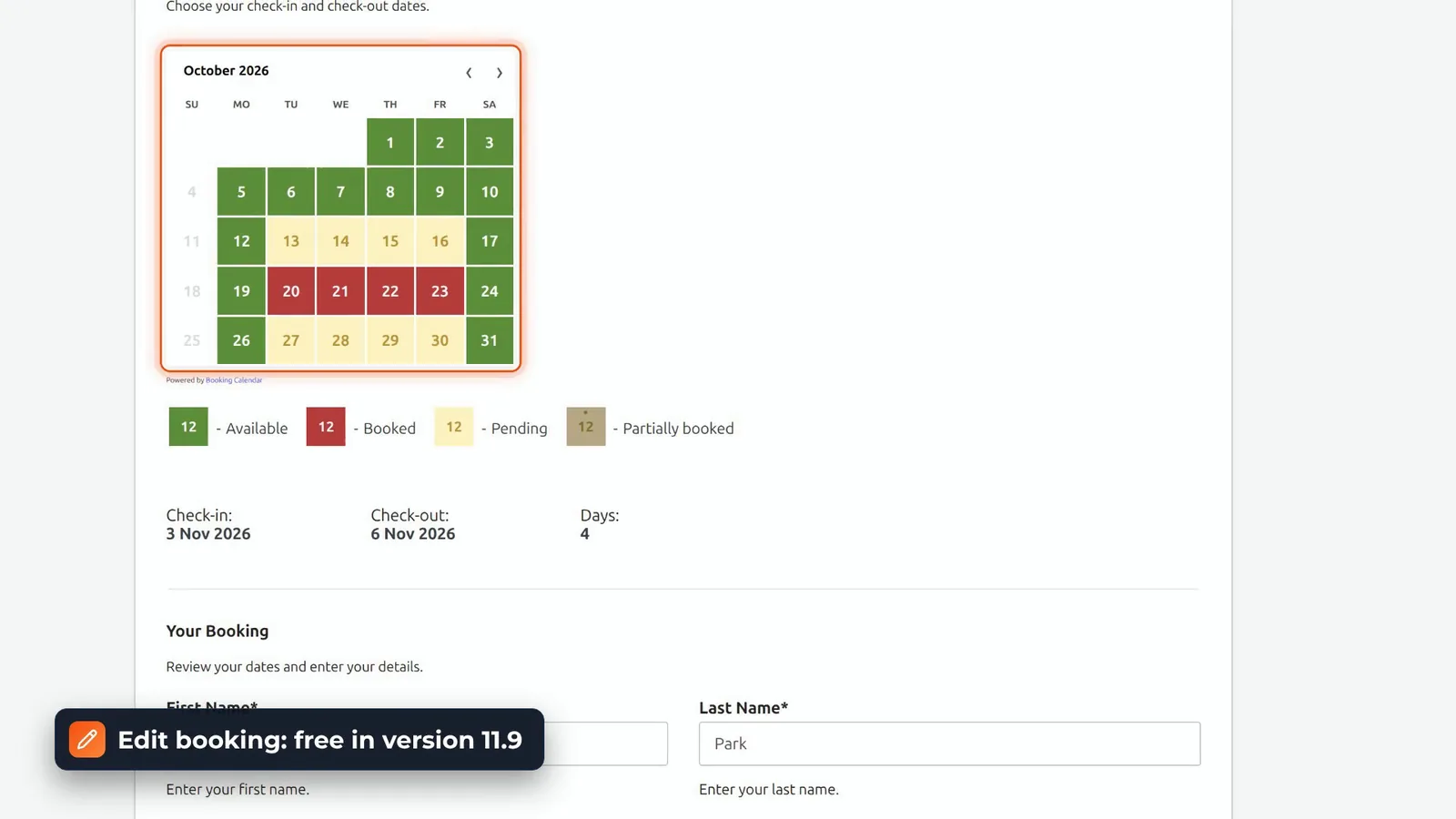
Phone bookings work in the free version too. Add Booking checks the calendar, and Edit booking moves a booking to new dates, with the booked days blocked. There are just no prices.
Verdict and price
It’s ideal for one room, or for appointments. The paid editions are a one-time price, from $79 for Personal to $649 for MultiUser, at list price. A sale was running when we checked.
The scorecard: 7 free rental plugins side by side
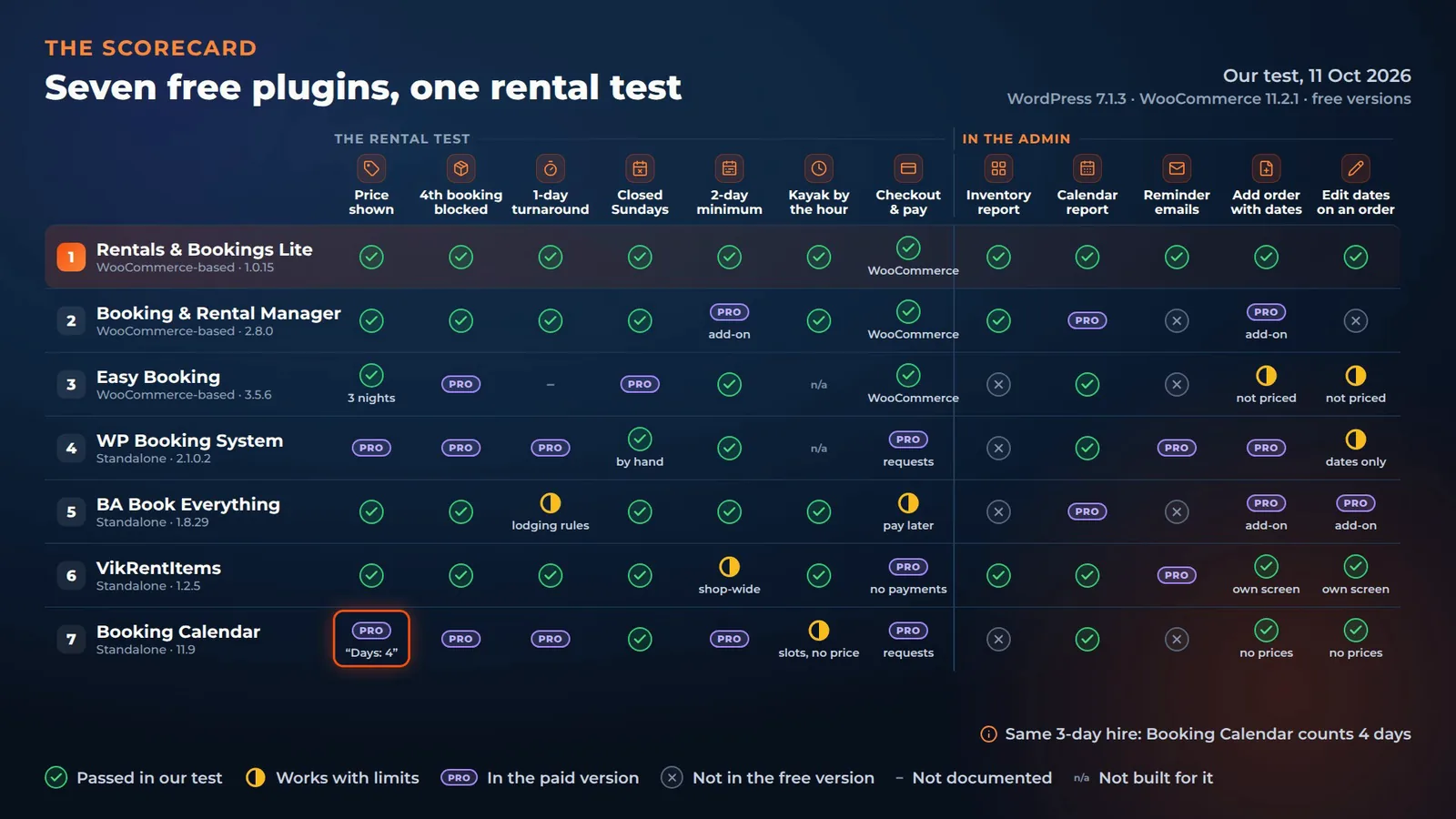
Here’s the full scorecard, from our test on 11 October 2026. A tick is something we saw work in the free version. Pro means the vendor puts it in a paid version, and a half tick works with limits. The last five columns are the admin: an inventory report, a calendar report, reminder emails, and whether you can add an order with dates, and change the dates on an order, in the admin.
| Plugin | The rental test | In the admin | ||||||||||
|---|---|---|---|---|---|---|---|---|---|---|---|---|
| Plugin | Price shown | 4th booking blocked | 1-day turnaround | Closed Sundays | 2-day minimum | Kayak by the hour | Checkout & pay | Inventory report | Calendar report | Reminder emails | Add order with dates | Edit dates on an order |
| Rentals & Bookings LiteWooCommerce · 1.0.15 | Passed | Passed | Passed | Passed | Passed | Passed | PassedWooCommerce | Passed | Passed | Passed | Passed | Passed |
| Booking and Rental ManagerWooCommerce · 2.8.0 | Passed | Passed | Passed | Passed | Proadd-on | Passed | PassedWooCommerce | Passed | Pro | Not in the free version | Proadd-on | Not in the free version |
| Easy BookingWooCommerce · 3.5.6 | Passed3 nights | Pro | Not documented | Pro | Passed | n/a | PassedWooCommerce | Not in the free version | Passed | Not in the free version | Works with limitsnot priced | Works with limitsnot priced |
| WP Booking SystemStandalone · 2.1.0.2 | Pro | Pro | Pro | Passedby hand | Passed | n/a | Prorequests | Not in the free version | Passed | Pro | Pro | Works with limitsdates only |
| BA Book EverythingStandalone · 1.8.29 | Passed | Passed | Works with limitslodging rules | Passed | Passed | Passed | Works with limitspay later | Not in the free version | Pro | Not in the free version | Proadd-on | Proadd-on |
| VikRentItemsStandalone · 1.2.5 | Passed | Passed | Passed | Passed | Works with limitsshop-wide | Passed | Prono payments | Passed | Passed | Pro | Passedown screen | Passedown screen |
| Booking CalendarStandalone · 11.9 | Pro“Days: 4” | Pro | Pro | Passed | Pro | Works with limitsslots, no price | Prorequests | Not in the free version | Passed | Not in the free version | Passedno prices | Passedno prices |
Swipe the table sideways to see every column.
✓ passed in our test · ◐ works with limits · Pro: in the paid version · ✕ not in the free version · – not documented · n/a: not built for it. One note on counting: for the same three-day hire, Booking Calendar counts four days.
Which free WordPress rental plugin should you pick?
It depends what you rent out.
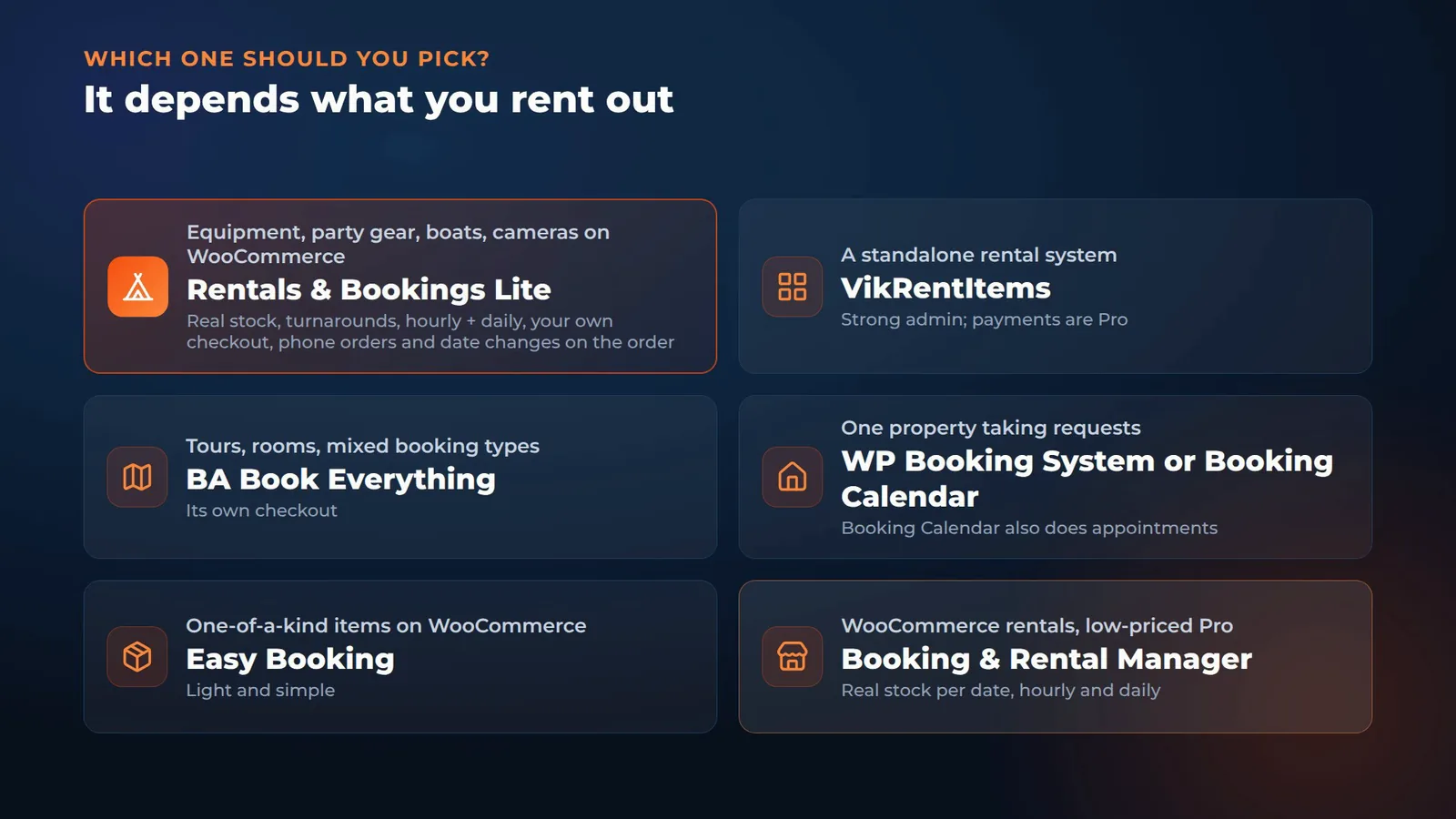
- Rentals & Bookings Lite: renting out equipment, party gear, boats or cameras from a WooCommerce shop, with real stock, turnarounds, hourly and daily rates, your own checkout, and phone orders and date changes right on the WooCommerce order. That’s what we built it for.
- VikRentItems: a standalone rental system with a strong admin, where you’ll pay for payments.
- BA Book Everything: tours, rooms and mixed booking types, with their own checkout.
- WP Booking System or Booking Calendar: one property taking requests. Booking Calendar also does appointments.
- Easy Booking: one-of-a-kind items on WooCommerce.
- Booking and Rental Manager: a capable WooCommerce option with a low-priced Pro.
Try Rentals & Bookings Lite free
Rentals & Bookings Lite is free on WordPress.org, with no time limit and no licence key. Install it, set up one product, and take your first booking today.
Get Lite freeTry the live demo
When you need more, Regular adds serial numbers, a send and return desk, seasonal pricing, reports, text messages and iCal sync, for $199 with code 150regular. Pro includes Regular, plus deposits, contracts, subscriptions and damage waivers, for $299 with code 200pro. Compare every edition or watch more screencasts.
Comparing the paid rental plugins as well? See the WooCommerce rental plugin comparison chart and our review of 10 WooCommerce booking plugins.
Free rental plugin FAQ
It depends what you rent out. In our test of seven free plugins, Rentals & Bookings Lite (which we make) was the only one with a tick in all twelve columns of the scorecard. For a standalone rental system with a strong admin, VikRentItems; for tours, rooms and mixed bookings, BA Book Everything; for one property taking requests, WP Booking System or Booking Calendar.
Yes. With a stock of three tents, Rentals & Bookings Lite and Booking and Rental Manager both blocked the fourth booking in their free versions. Easy Booking’s free version uses the normal WooCommerce stock count, so the tent showed out of stock for every date; stock per date is in Easy Booking Pro. Of the standalone plugins, BA Book Everything and VikRentItems blocked it too.
The three plugins built on WooCommerce (Rentals & Bookings Lite, Booking and Rental Manager and Easy Booking) use the WooCommerce checkout, so your own payment gateways work. BA Book Everything’s own checkout offers Pay Later for free, and PayPal and Stripe are a paid pack, $59 a year. VikRentItems has no payment methods in its free version, and WP Booking System and Booking Calendar have no prices or payments in theirs.
Four free plugins priced the kayak by the hour in our test, at $30: Rentals & Bookings Lite (10:00 to 12:00), Booking and Rental Manager (once you add time slots), BA Book Everything (once you choose the allowed start and end times) and VikRentItems (hourly fares, though its free version has one minimum length for the whole shop, so the two-day minimum blocked the two-hour kayak too). Easy Booking sells hourly hire as a separate plugin, Easy Scheduling, and Booking Calendar has a time slots page without prices.
In the free versions: Rentals & Bookings Lite on the WooCommerce order, with the sold-out days struck through and the new price shown before you apply it; VikRentItems on its own screens, with availability and price re-checked; and Booking Calendar on its own screens, without prices. Easy Booking lets you type dates on an order line, but nothing is checked or re-priced. In WP Booking System adding a booking is premium, and for Booking and Rental Manager and BA Book Everything it is a paid add-on.
RnB Lite, last updated in August 2023; VikRentCar, which is for vehicles only; and MotoPress Hotel Booking, which is for lodging.