
Golf cart rental software for resort weeks and events
Daily and weekly rates, carts delivered to the rental house and collected when guests leave, and every cart tracked by number. Driver age, licence and waiver sorted at checkout. Built for WooCommerce and Magento 2.
Weekly rates, delivery to the rental house, and each cart tracked by number, with the driver checked at checkout.
- Daily and weekly rates
- Delivered to the venue
- Tracked by cart number
Cart hire is resort and event work, not counter work
Booking plugins assume one price per day, identical stock and a customer who collects. A four-seater goes to a beach house for the week, six carts go to a wedding venue for the weekend, and the driver has to be old enough to be on the road.
Multi-day is the normal hire
A vacation week, a tournament weekend or an event from build to breakdown, not a two-hour slot. Weekly and event rates matter more than hourly ones.
Weeks and weekends, not hours.
Delivery is part of the order
Carts go to the rental house, the resort, the fairground or the campus and are collected after, and that address is rarely the billing address.
Delivered and collected.
Seat count is the product
Four, six and eight seats, lifted or street-legal, gas or electric: each with its own stock and its own price.
Each seat count has its own stock.
Driver age and licence come first
Street-legal carts need a licensed driver, and most operators set a minimum age and want to see the licence before handing over the keys.
Licence and age checked first.
Damage is frequent and specific
Windscreens, body panels, batteries and tyres are recorded against a cart number, so each cart is tracked as its own unit.
Every cart has a history.
Seasonal and event-driven
Beach season, tournament weeks and festival dates sell out in advance, and prices need to follow.
Peak weeks priced as peak weeks.
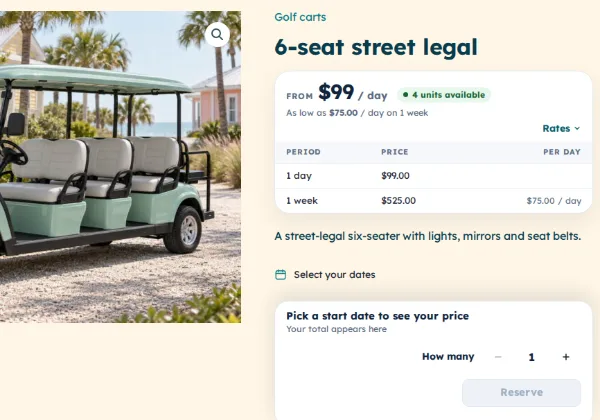
Daily, weekly and event rates on every cart
| Cart | 1 day | 1 week |
|---|---|---|
| 4-seat golf cart | $75.00 | $395.00 |
| 6-seat street legal | $99.00 | $525.00 |
| 8-seat lifted cart | $129.00 | $690.00 |
Each cart type carries daily, weekly and monthly rates at once, and the rate comes from the dates chosen: a three-day weekend by the day, a vacation week at the weekly rate, a season at the monthly one. Fixed lengths such as a Friday-to-Sunday event package or a seven-night resort week can replace an open choice, and a minimum length keeps the six-seaters off the calendar for a single afternoon.
Special pricing by date raises rates for tournament weeks, spring break and holiday weekends. For an event that needs twenty carts from build to breakdown, each cart type is counted per date, so the order goes through only if that many are free for the whole window. Guests who stay longer extend from their own account. See the full rental feature list.
Seat count, lifted and street-legal as real stock
A golf cart can be one product with variations: four, six or eight seats; standard or lifted; gas or electric; street-legal or off-road only. Each variation has its own stock, availability and price, so booking out the last six-seaters for a wedding doesn’t make the four-seaters look taken.
Because variants are stock rather than dropdown text, the calendar answers the question the guest actually has: is a six-seater free for the week of the 14th? A street-legal variant can carry its own damage waiver and stricter terms than a course cart.
Delivered to the venue, tracked by cart number
The order keeps the delivery address, the rental house, resort or festival gate, apart from the billing address, and delivery windows can be offered as time slots in the date picker. Your drivers work from a dated list of drops and collections, and scan each cart out at delivery and back in at collection, which closes the hire and starts the turnaround.
Keep chargers, coolers and beach chairs on quantities, and track premium and street-legal carts by cart number or VIN, each with its own history: who had cart 17 for tournament week and what came back damaged. A buffer per cart type holds a charge and a wash between hires, and one cart can come out of the pool for a battery or body repair without touching the rest.
Driver checks, waivers, deposits and beach gear in one checkout
Beach umbrellas, chairs, wagons and boogie boards ride along with the cart as stock of their own, counted per date. Priced delivery by zone or venue, and season-long beach set-ups sold as subscriptions, come with Pro Pro.
- Beach umbrella
- Beach chairs
- Beach wagon
- Boogie board
- Cooler
- Child seat
- Extra driver
Refundable damage deposits
Take a deposit per cart or per order at checkout and refund it after the cart is checked back in, or keep part of it for a cracked windscreen, with the reason on the order.
Signed rental agreements
The guest signs your rental agreement, rules of the road and liability wording at checkout. A PDF with their signature is attached to the order and emailed. See our free rental contract templates.
Driver age, licence and damage waiver
A licence upload with a minimum age, the number of drivers and the venue’s gate instructions, made required on street-legal carts. A decline-able damage waiver, fixed or a percentage per cart, can stand in for a bigger deposit. About custom fields and ID checks.
Pro included in Rentals & Bookings Pro, or sold on its own. Everything else here comes with Regular.
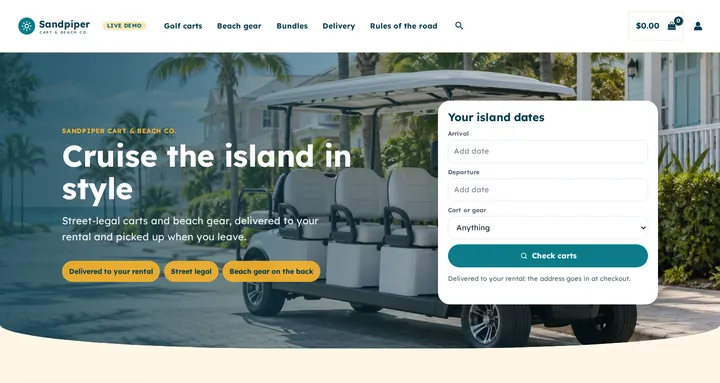
Start from a store that already looks like a beach-town cart shop
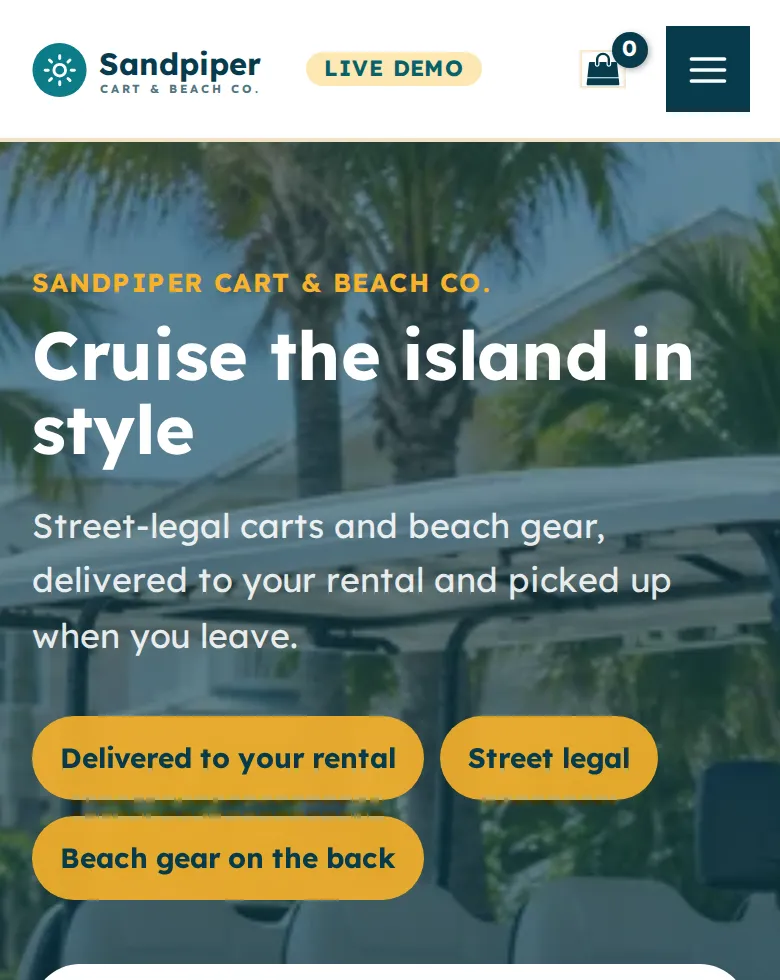
Three carts and four kinds of beach gear with real daily and weekly rates, a Check carts search in your words (Arrival, Departure, Cart or gear), a homepage built from WordPress blocks, and colours and fonts for Astra or a block theme. On the live demo it runs as Sandpiper Cart & Beach Co.
Free with the Rentals & Bookings Lite plugin 1.0.11 or newer, which imports everything except the date search on the homepage. Regular and Pro 1.0.74 or newer add the search widget.
Free with the Lite plugin 1.0.11 or newer. Regular and Pro add the homepage date search.
Run it on WooCommerce or Magento 2
The same rental engine on both. We sell both, so the choice is yours.
WooCommerce golf cart rental plugin
The right fit for most cart rental companies, resort concessions and dealers adding rental. If your site already runs WordPress, it becomes a cart booking system without rebuilding the storefront.
- Sell accessories, parts and used carts alongside the rental carts from one catalogue
- Daily, weekly, monthly and event rates, with peak pricing for tournament and holiday weeks
- Seat count, lifted, gas or electric and street-legal as variations with their own stock
- Each cart tracked by number, with its own hire history and barcode
- Delivery windows as time slots, and a dated list of drops and collections
- Driver age and licence checks, a damage waiver, deposits and a signed agreement Pro
Magento 2 golf cart rental extension
For multi-depot operators, resort groups and event suppliers on Adobe Commerce or Magento Open Source.
- Multi-source inventory holds carts per yard or resort depot
- Customer-group pricing for resorts, venues, event companies and golf clubs
- Request for Quote for tournament, festival and long-term hires (sold separately)
- The same variants, serial tracking, buffers, deposits and signed agreements (Pro)
- Multi-store and multi-language for groups in several resorts or regions
Not sure which platform fits? Our Magento versus WooCommerce comparison sets out the trade-offs, and golf carts are one of the trades in our rental software by industry overview.
From cart barn to first delivery in six steps
Step 1: A product per cart type, with variants
Four, six and eight seats, lifted, electric and street-legal, each with its own stock; premium carts get serial numbers.
Step 2: The calendar on the product page
Arrival and departure dates or a fixed package length, with availability for the variant chosen.
Step 3: Daily, weekly and event rates
Peak pricing by date for tournament weeks and holidays, and a minimum length on the larger carts.
Step 4: Delivery and collection
Delivery windows as time slots, the venue address on the order, and delivery priced by zone or venue.
Step 5: Driver questions, waiver and deposit
Licence upload with a minimum age, the number of drivers, the damage waiver and the deposit, all before the order is placed.
Step 6: Scan out at delivery, in at collection
Scan each cart and note its condition; the hire closes, the turnaround starts and the deposit goes back.
Who this suits
- Beach, island and resort-town cart rental companies
- Wedding, festival and event cart suppliers
- Golf cart dealers running rental beside the showroom
- Golf clubs, resorts and retirement communities
- Campus, hospital and large-site operators
- Street-legal LSV hire where they’re allowed on the road
Golf cart rental software FAQs
Can guests book a cart for a week and have it delivered to their rental house?
Yes. Weekly and monthly rates come from the dates, delivery windows can be offered as time slots, and the delivery address is kept on the order apart from the billing address. Your drivers get a dated list of drops and collections.
How do I handle four-, six- and eight-seaters?
As variations of one product, each with its own stock and price. Booking out the six-seaters doesn’t make the four-seaters look unavailable, and a street-legal variant can carry stricter terms.
Can I require a minimum driver age and see the licence before the hire?
Yes, with the Custom Fields plugin in Pro. The licence upload carries a minimum age and goes to an approval queue, and fields such as the number of drivers can be made required, so the order can’t be placed without them.
Can I track which cart went to which guest?
Yes. Serial numbers are built in: each cart is its own asset by number or VIN with a full hire history, so damage from a particular hire is recorded against the cart that came back with it.
Can I sell a damage waiver instead of taking a large deposit?
Yes. The Custom Fields plugin adds a decline-able damage waiver, fixed or a percentage, per cart or per order, and records the guest’s choice on the order. A refundable deposit can be taken alongside it or on its own with the Security Deposits plugin.
Can I serve several islands or resorts?
Yes, with the Multi Location Inventory plugin: each depot keeps its own carts and hours, and a delivery area by distance or postcode decides which depot serves a guest’s address.
Can I sell a season-long beach set-up?
Yes. The Subscriptions plugin in Pro bills a season-long set-up, such as an umbrella and two chairs for the summer, automatically to a stored card.
Is there a monthly fee or a commission on bookings?
No. It installs on your own WooCommerce or Magento 2 site on a one-time licence, and bookings, driver details and signed agreements stay in your own database. See our self-hosted, open-source rental software overview.
See it running before you buy
Pick your arrival and departure on the live demo and watch the calendar count what’s free, or try the free live rental software demo to follow an order through the admin. We can also set up your carts, delivery zones and rental agreement with a custom build.