
Rentals & Bookings for Shopify and its four add-on apps, screen by screen: what your customers see on your store, what happens in the cart, and how you run rentals from your Shopify admin. The screens show sample products and customers from our demo store. Click any screenshot to see it full size.
New to the apps? See what Rentals & Bookings for Shopify does, or read the Shopify app documentation.
What your customers see
A rental calendar on the product page: customers see what is free, and the price for their dates, before they add to cart.
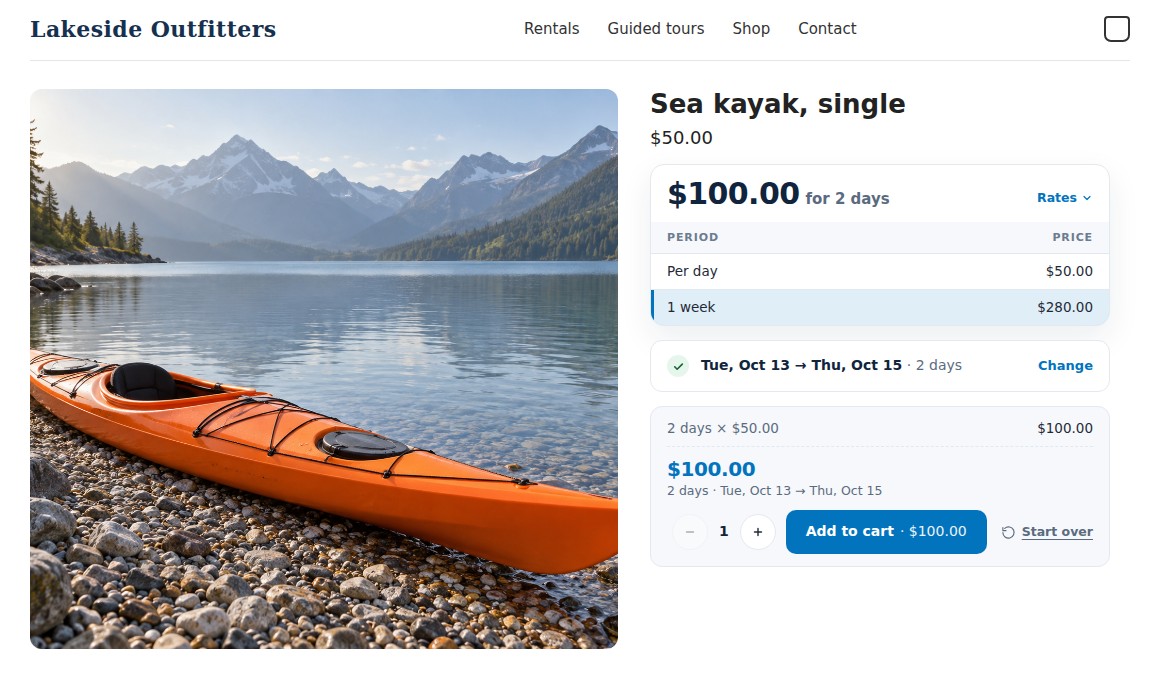
The rental calendar on a product page
Customers pick their dates right on the product page and see the price for those dates before they add to cart. The pricing card lists your rates, and the booking bar keeps the total and the Add to cart button together.
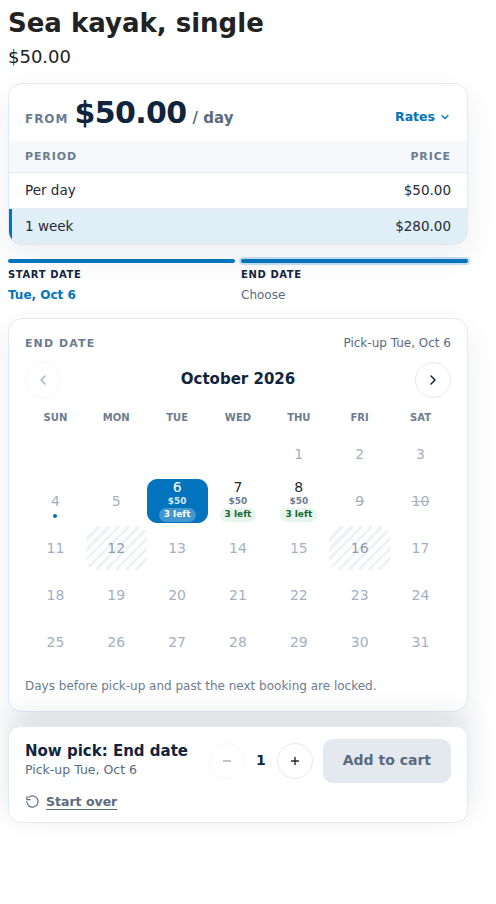
Dates, with units left and prices
Each open day can show the units left and that day’s price. Closed days are hatched, and days a customer can’t book are locked.
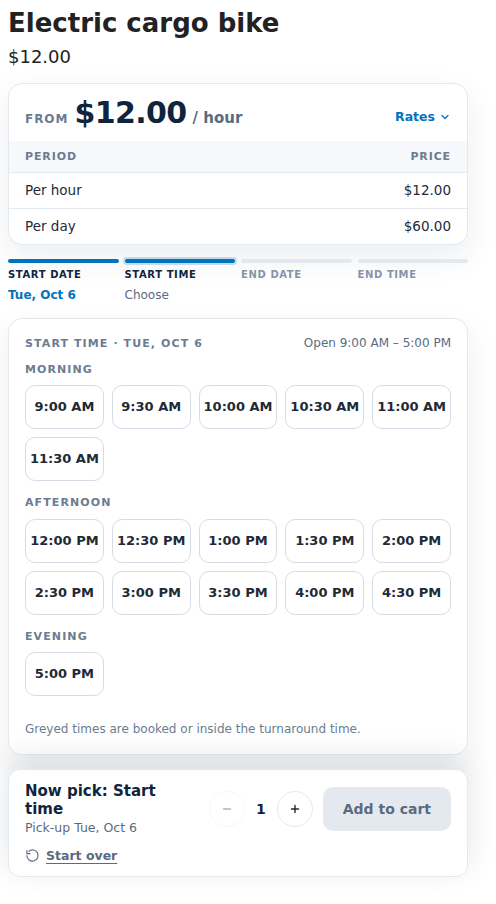
Start times for hourly rentals
Customers pick a start time within your opening hours. Times that are booked, or fall inside the turnaround time, are greyed out.
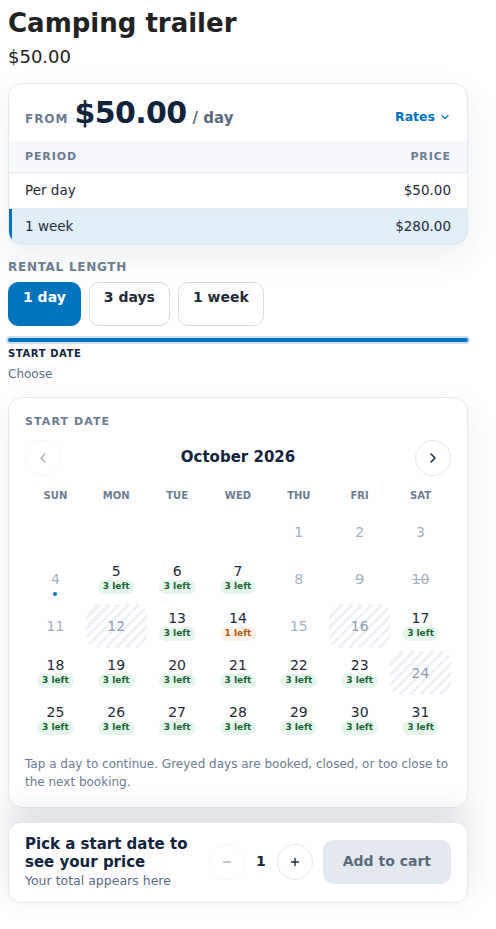
Fixed rental lengths
Sell set lengths like 1 day, 3 days or 1 week. Customers choose a length, then a start date, and the end date follows.
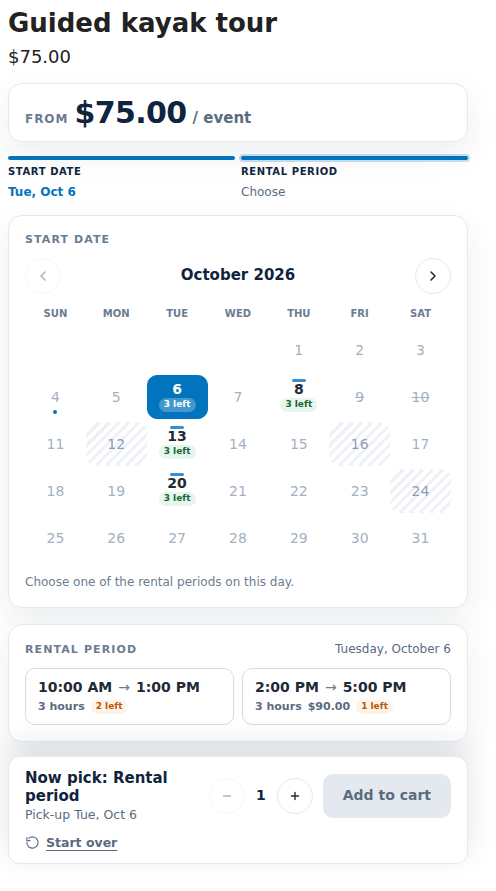
Tours and set departures
Only your departure days can be picked. Each departure shows its times, how many places are left and its price.
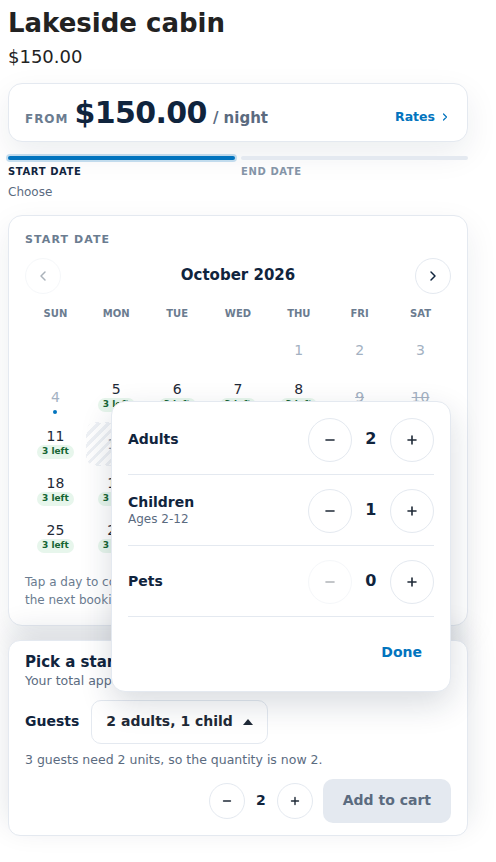
Guests and party size
Customers say how many adults, children or pets are coming. The quantity follows the party, and guest fees are added to the price.
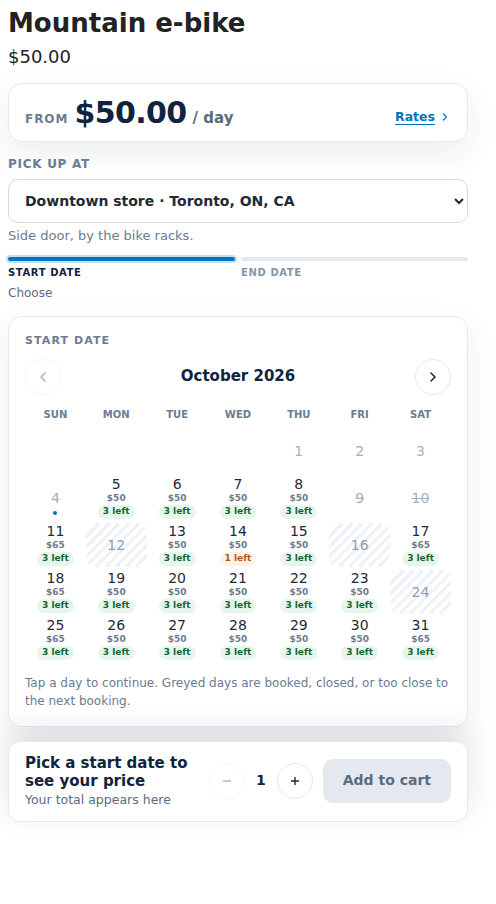
Pick-up location first
Renting from more than one place? Customers choose where they pick up, and the calendar shows the stock at that location.
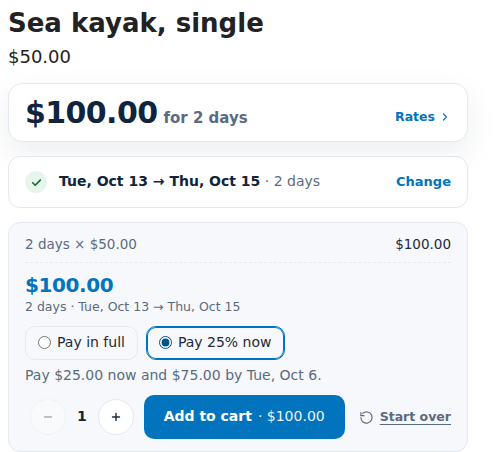
Pay part now, the rest later
Customers can pay part of the rental at checkout, like 25% now, and the rest by a due date before the pick-up.
More in the docs: The rental calendar on your store · Rental types · Guests and party size · Rental locations · Pay part now, rest later
From the cart to Shopify checkout
Rentals go through Shopify’s own cart and checkout. Checkout checks each rental’s dates, quantity and price again, so nothing can be changed on the way.
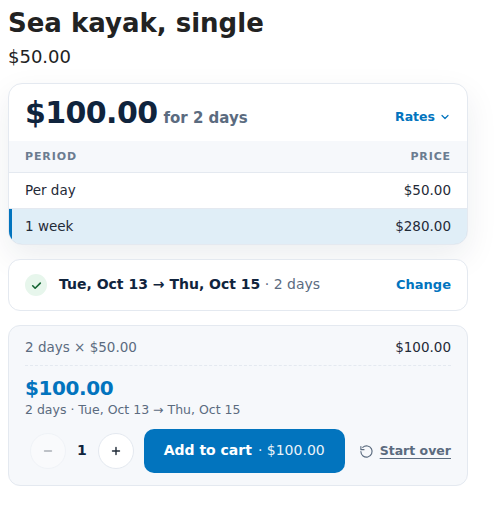
The total for the chosen dates
Once the dates are picked, the booking bar shows the total and how it adds up. When the customer adds the rental to the cart, the units are held while they check out.
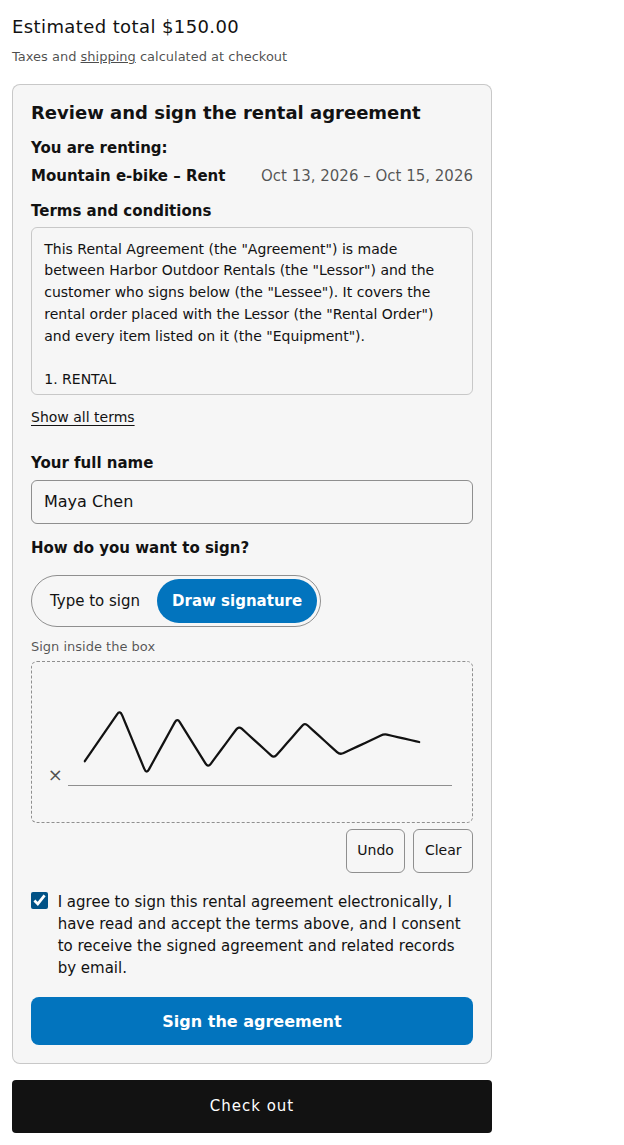
Sign the rental agreement in the cart
Customers read your terms and type their name or draw a signature, right in the cart. Checkout waits until every rental is covered by a signature.
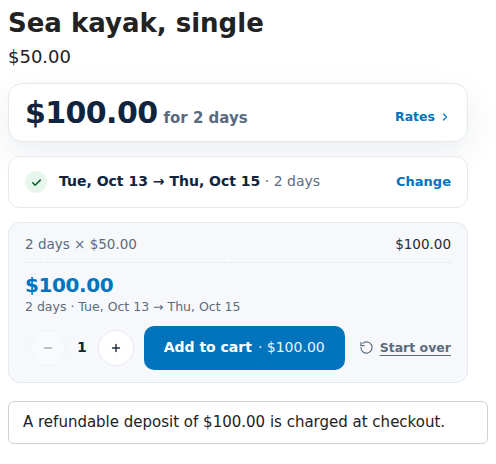
The deposit, shown before checkout
The product page says how much refundable deposit is charged at checkout. It goes in the cart as its own line, never inside the rental price.
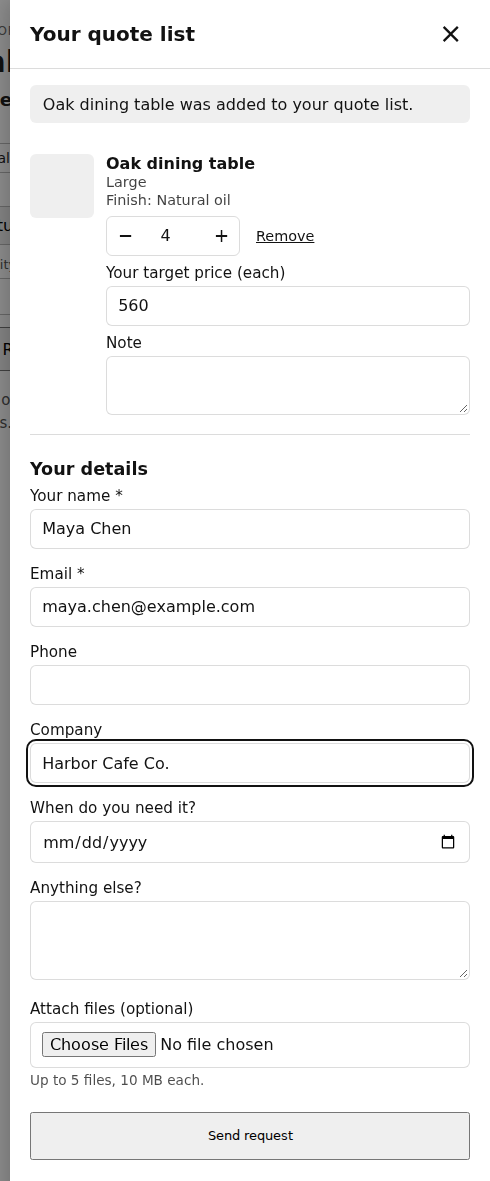
Or ask for a quote
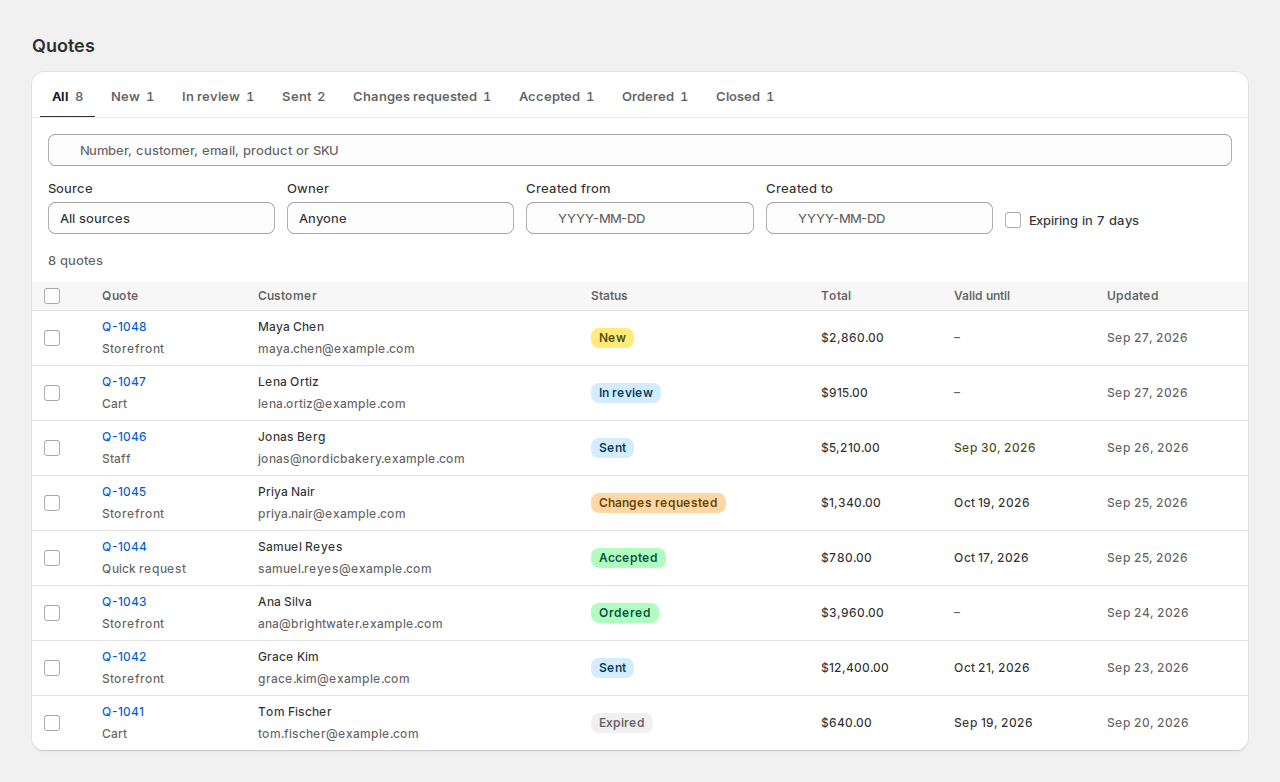
Customers can add products to a quote list, suggest a target price and send a request instead of buying. You reply with a quote they accept and pay at Shopify checkout.
More in the docs: How customers sign in the cart · Deposits in the cart and at checkout · Quote buttons and the quote list
Run the rental counter from Shopify
The app’s pages open inside your Shopify admin, under Apps: today’s work, bookings, stock, returns and reminders, a click away from your orders.
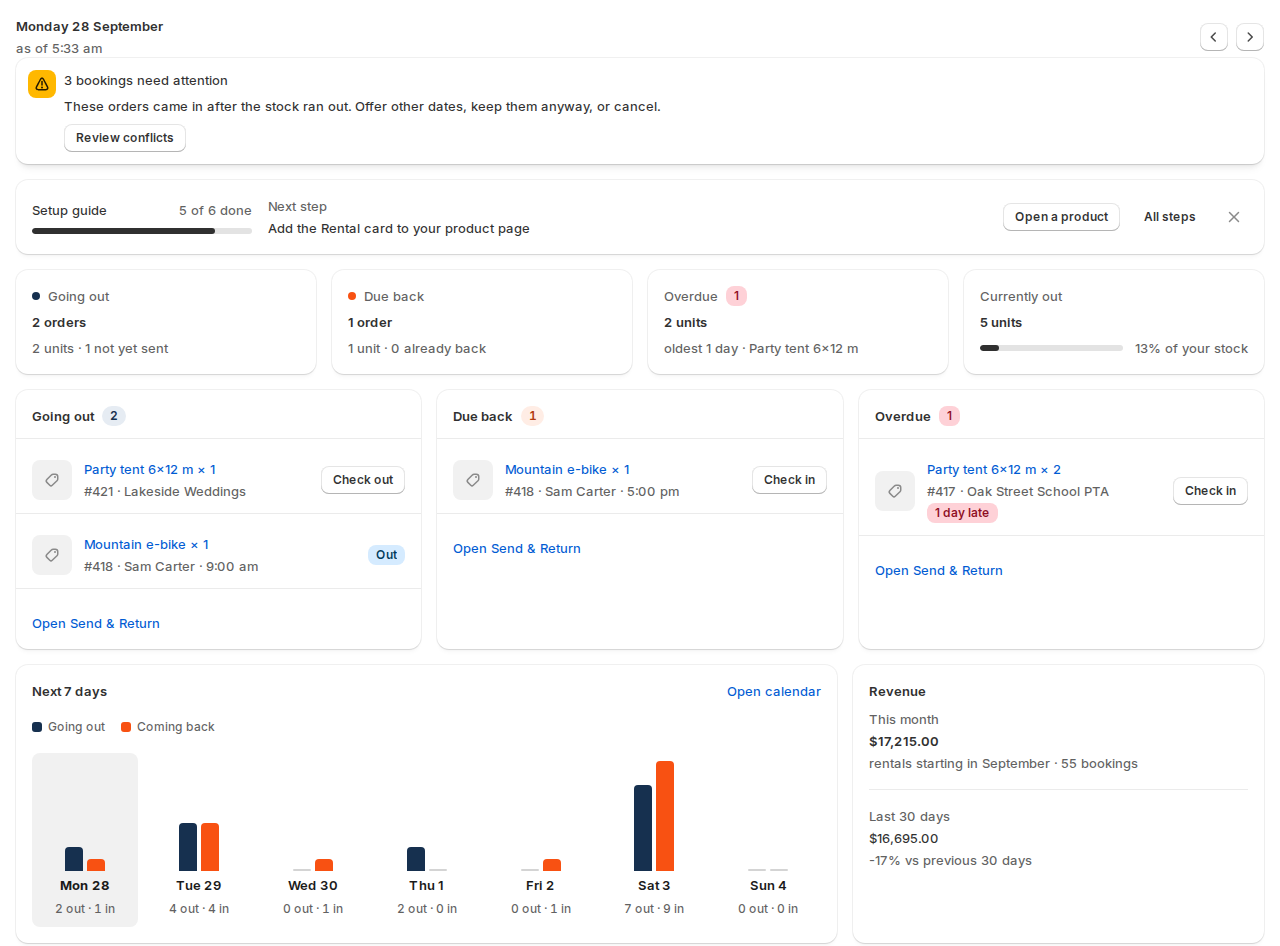
The dashboard
Today at a glance: what goes out, what is due back and what is overdue, with Check out and Check in on every row. Below that, the next 7 days and this month’s rental revenue.
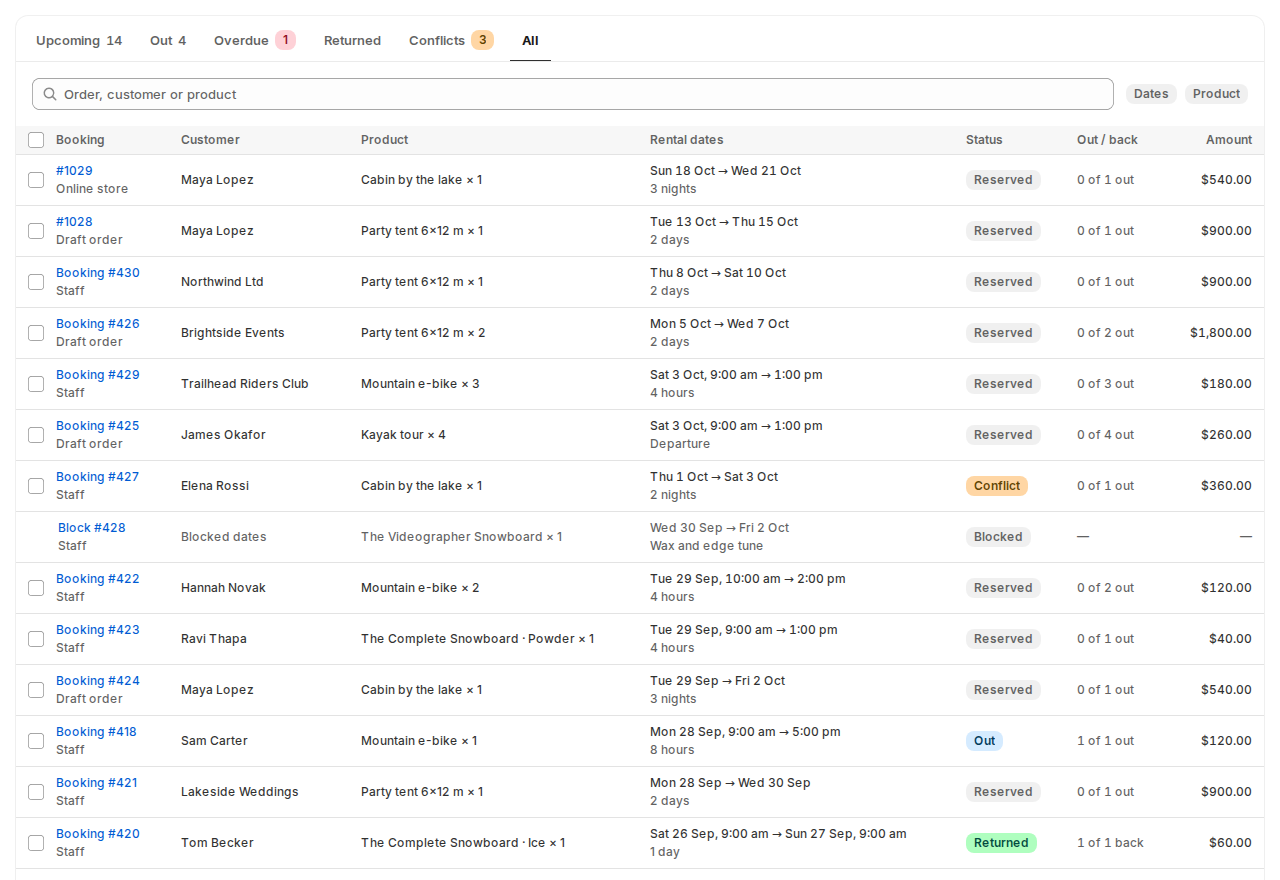
Bookings
Every rental in one list: web orders, draft orders and bookings your staff make for phone or walk-in customers. Tabs show what is upcoming, out, overdue, returned or in conflict.
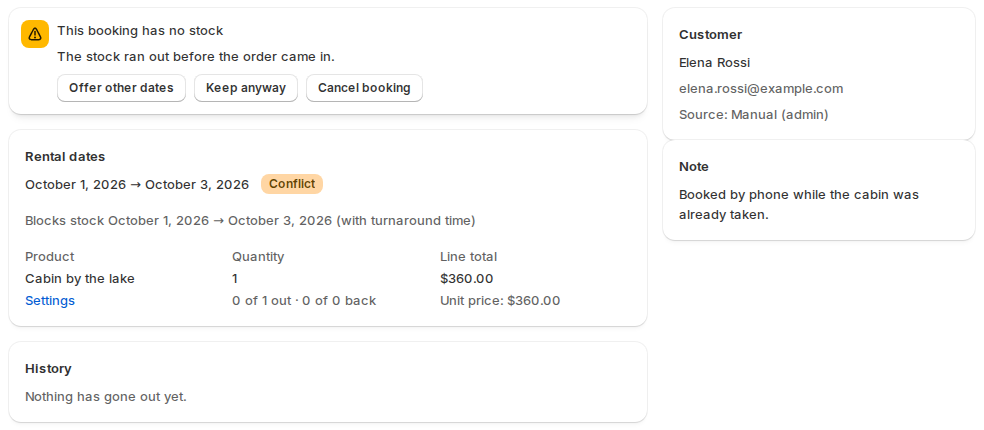
Sorting out a conflict
If an order comes in after the stock ran out, its booking says so. Offer the customer other dates, keep the booking anyway, or cancel it.
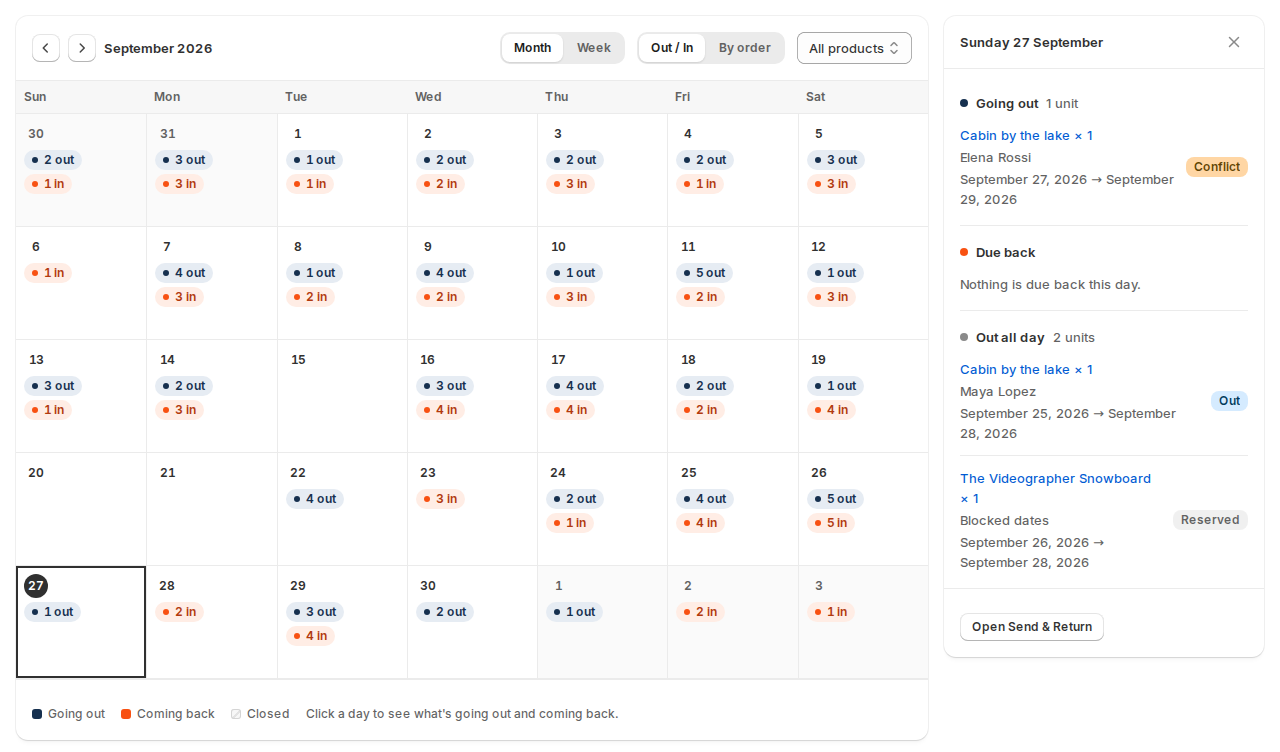
The calendar
A month or week view of the units going out and coming back each day. Click a day to see its rentals and check them out or in.
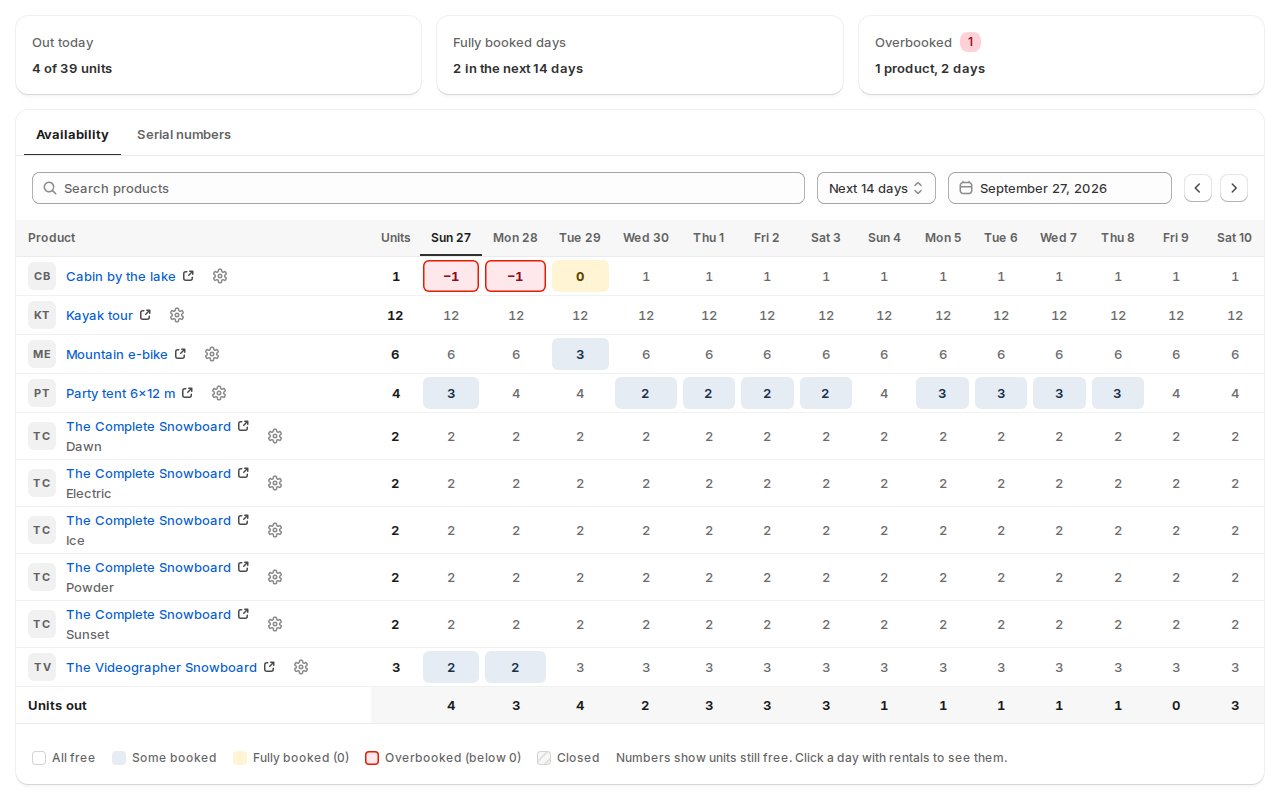
Stock by date
Units still free for every product, day by day. Fully booked days turn amber and overbooked ones get a red outline, so you can sort them out early.
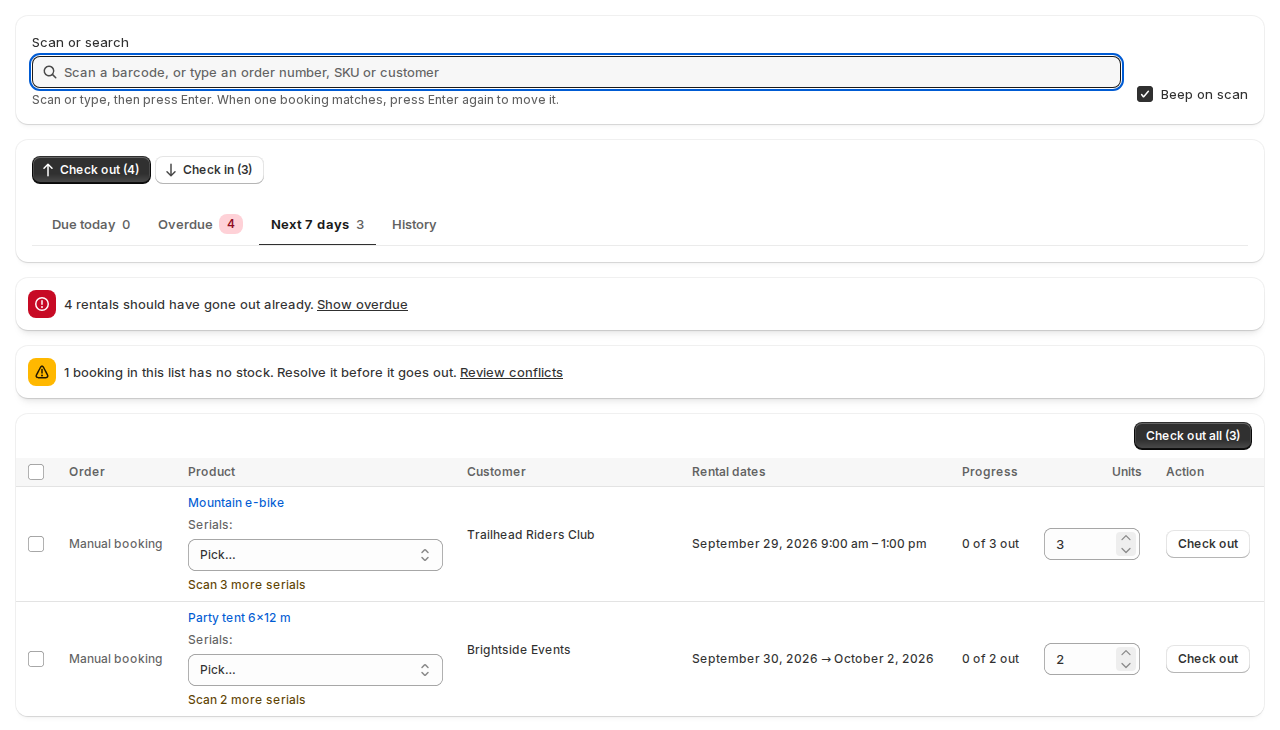
The Send & Return desk
Where staff hand rentals over and take them back. Scan a barcode or type an order number, pick the serial numbers, and check out one booking or all of them.
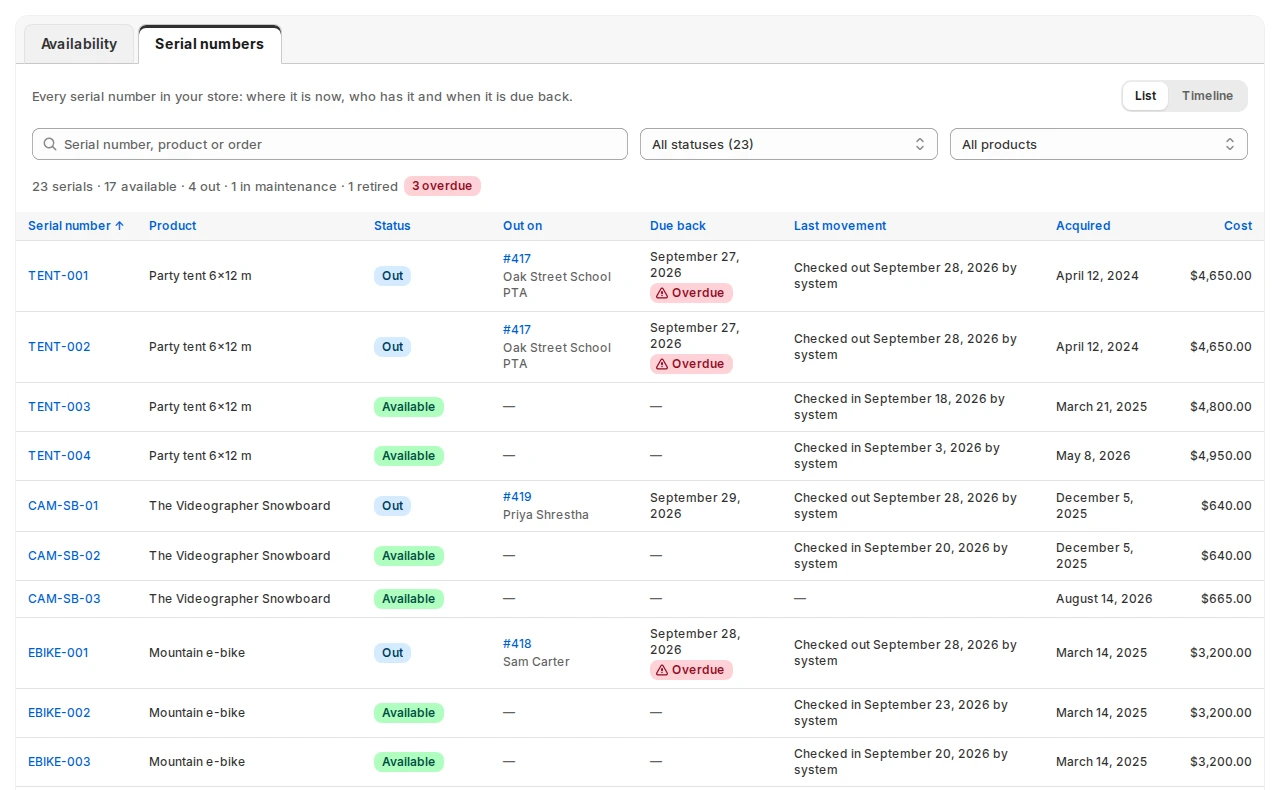
Serial numbers
Each unit gets its own serial number. See which ones are on the shelf, out with a customer or in maintenance, the order each one is out on, and which are overdue.
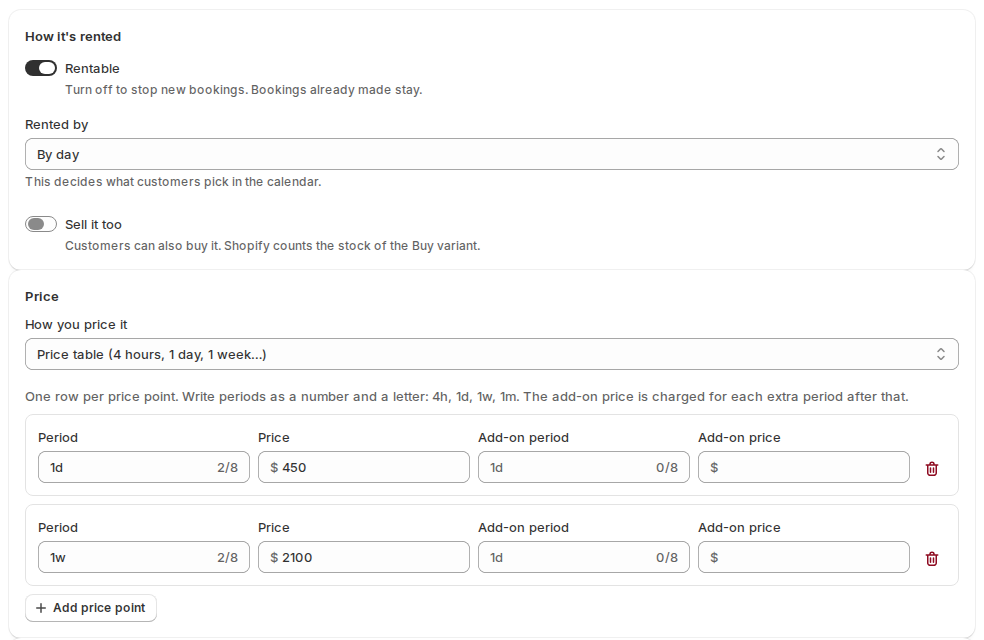
Rental settings for a product
Make a product rentable, choose how customers pick dates, and set a price table. This party tent is $450 a day or $2,100 a week.
Reminders
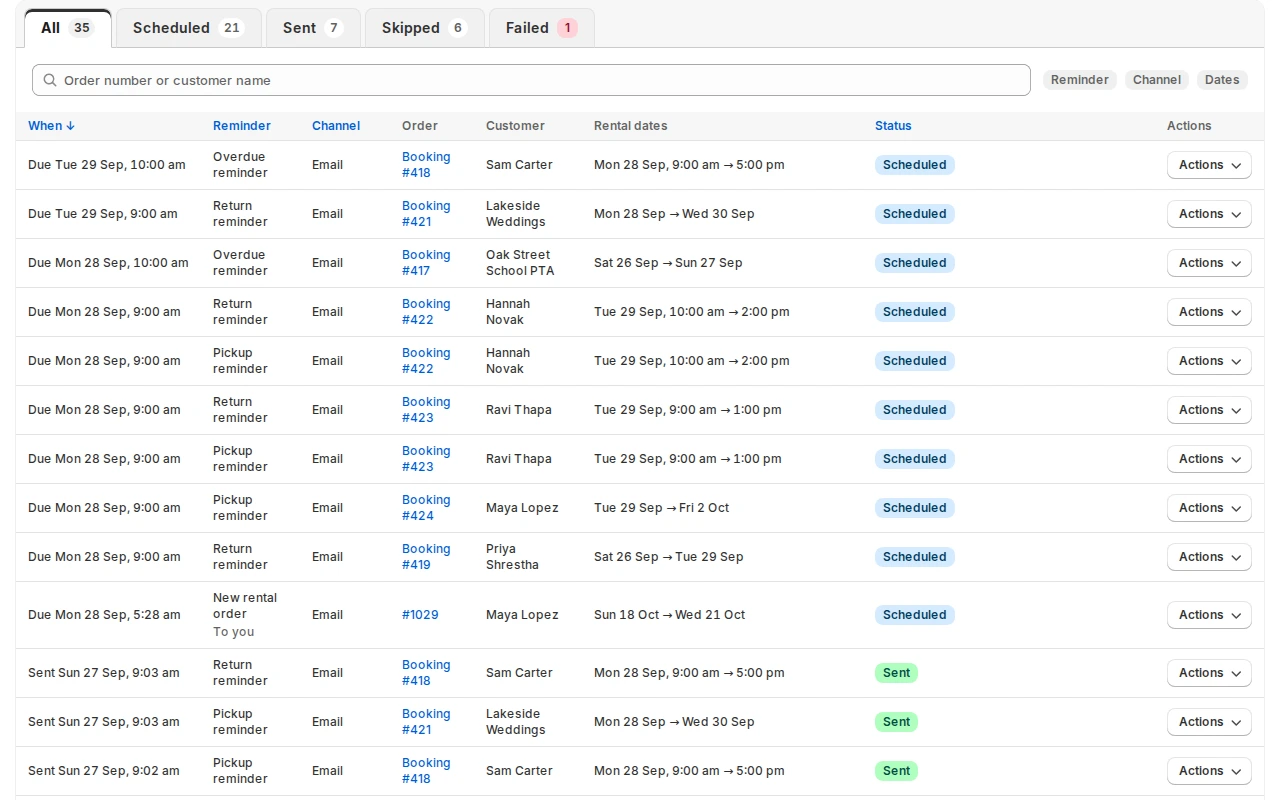
Pickup, return and overdue reminders go out by email on your timings. This page lists every one: scheduled, sent, or skipped with the reason.
Balances
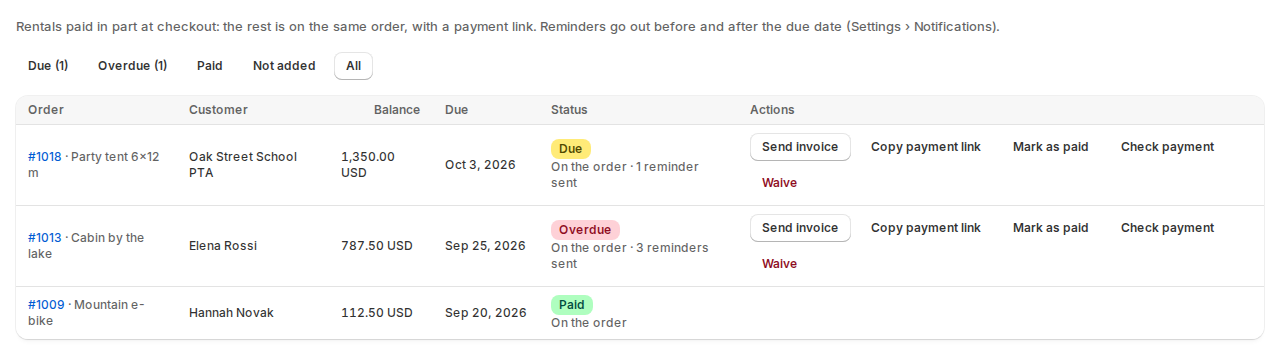
With pay part now switched on, this page lists what customers still owe and when. Send Shopify’s invoice, copy the payment link, mark it paid or waive it.
Usage by product
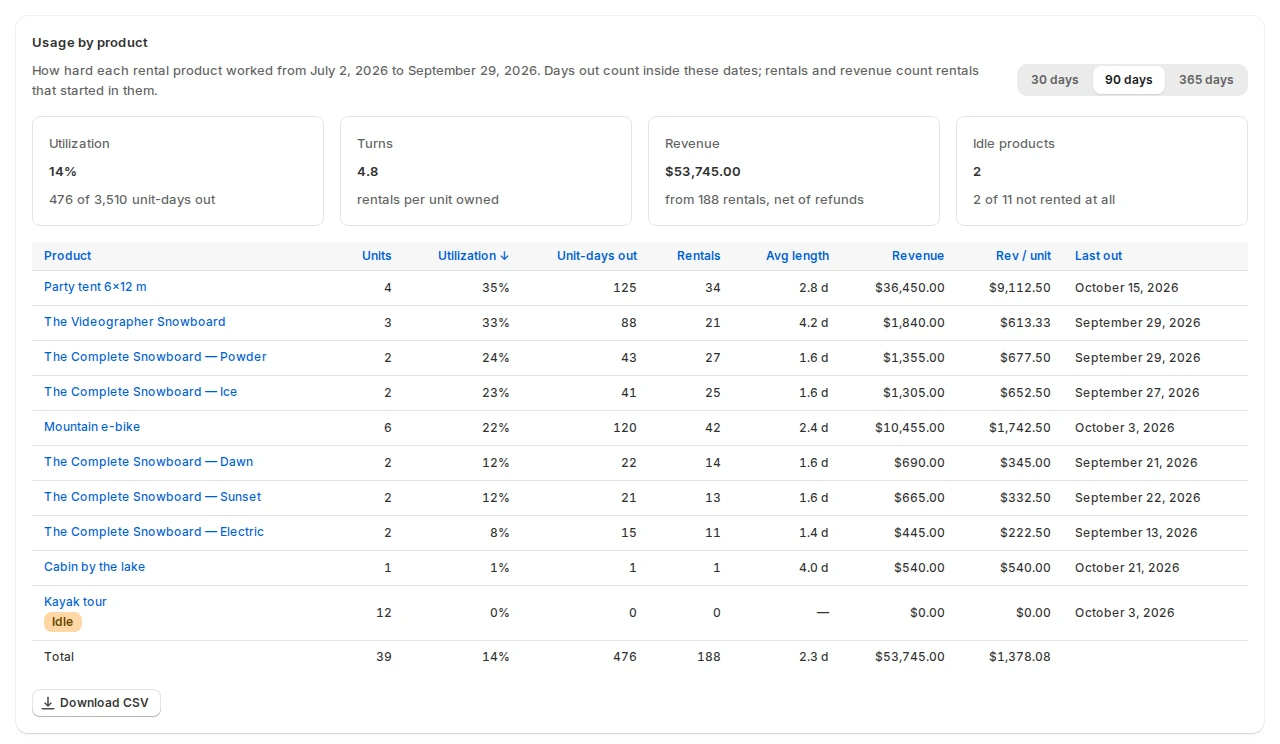
How hard each product worked over 30, 90 or 365 days: utilization, turns, revenue and idle products. Download the table as a CSV.
Settings: the calendar’s look
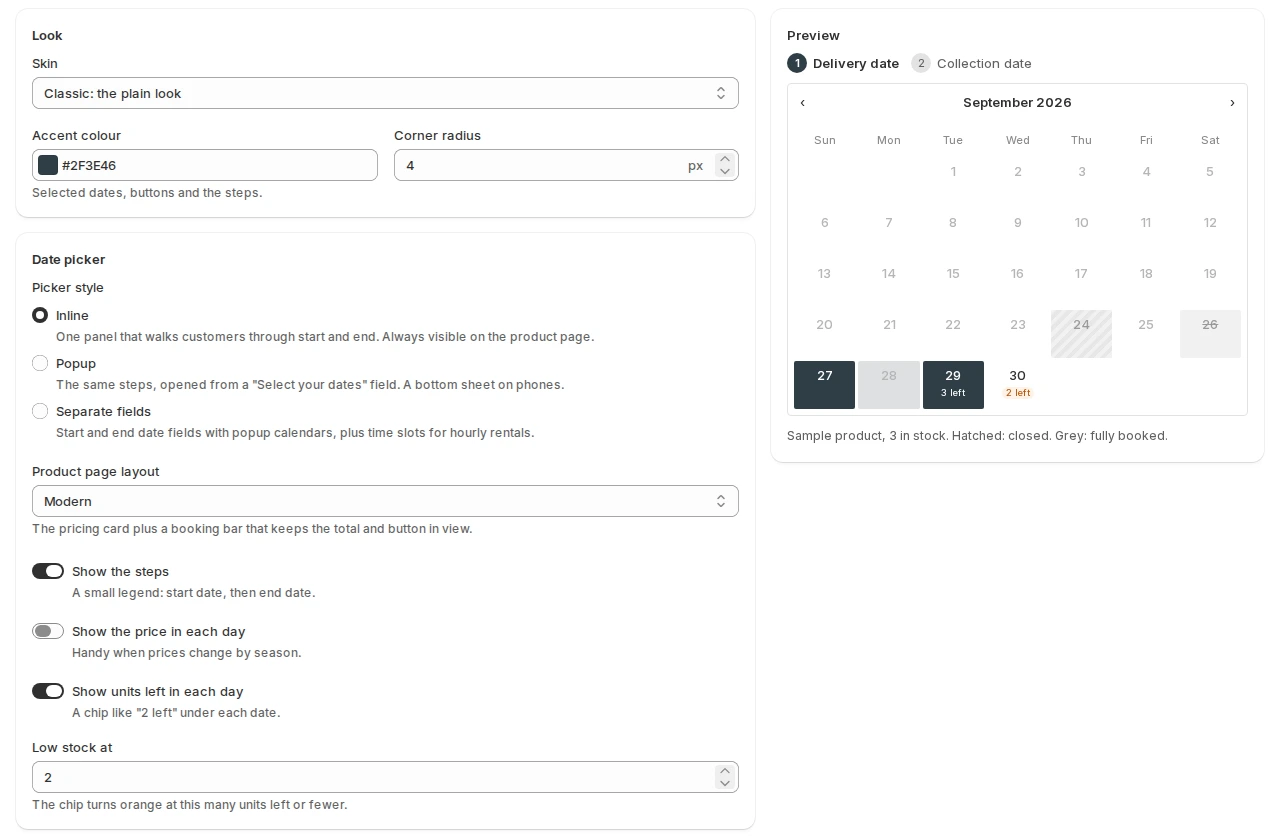
Choose the calendar’s skin, colour, picker style and product page layout, with a live preview beside them. Other settings cover opening hours, closed days, locations, delivery and payments.
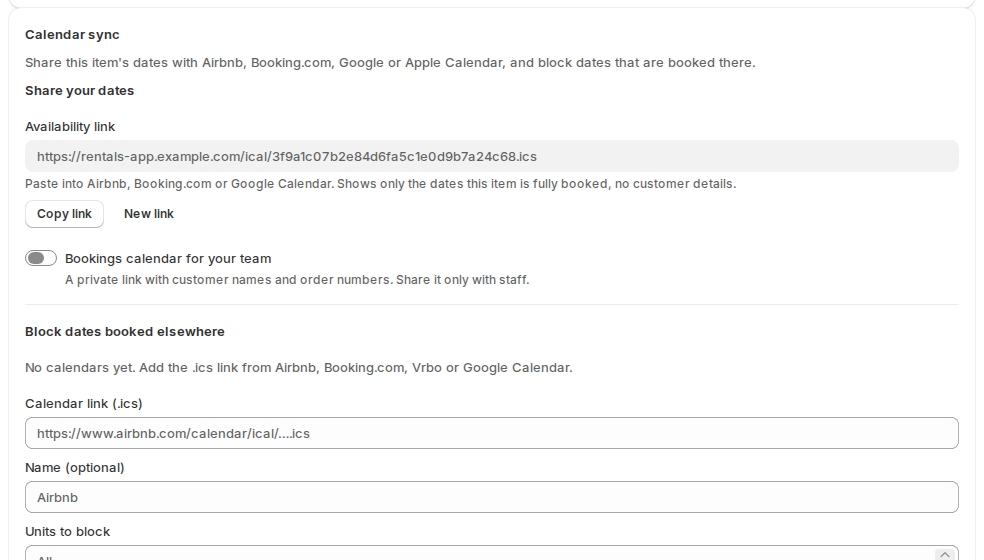
Calendar sync
Share each product’s booked dates with Airbnb, Booking.com, Vrbo or Google Calendar, and block the dates booked there, so nobody books the same days twice.
More in the docs: Dashboard, calendar and reports · Managing bookings · Inventory and stock · The Send & Return desk · Serial numbers · Reminders and emails
Four add-on apps, installed when you need them
Rental Contracts and Security Deposits add to Rentals & Bookings. Custom Fields and Request a Quote also work on their own, on any Shopify store.
Rental Contracts
Customers sign your rental agreement in the cart, and you keep a signed PDF you can verify.
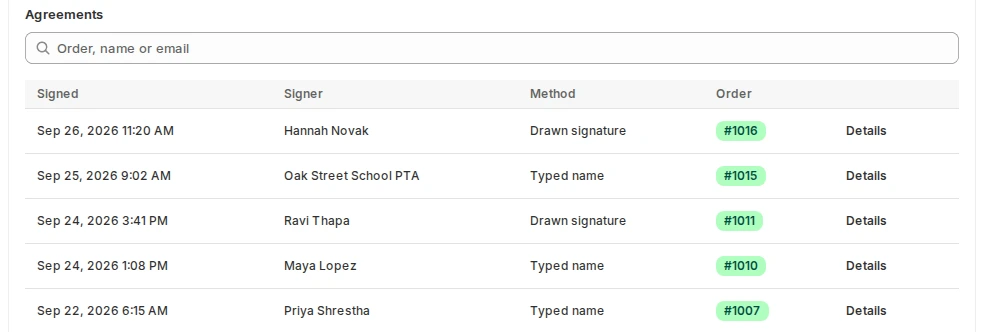
Every signed agreement
The app’s home page lists each agreement: when it was signed, who signed, whether they typed or drew their signature, and the order.
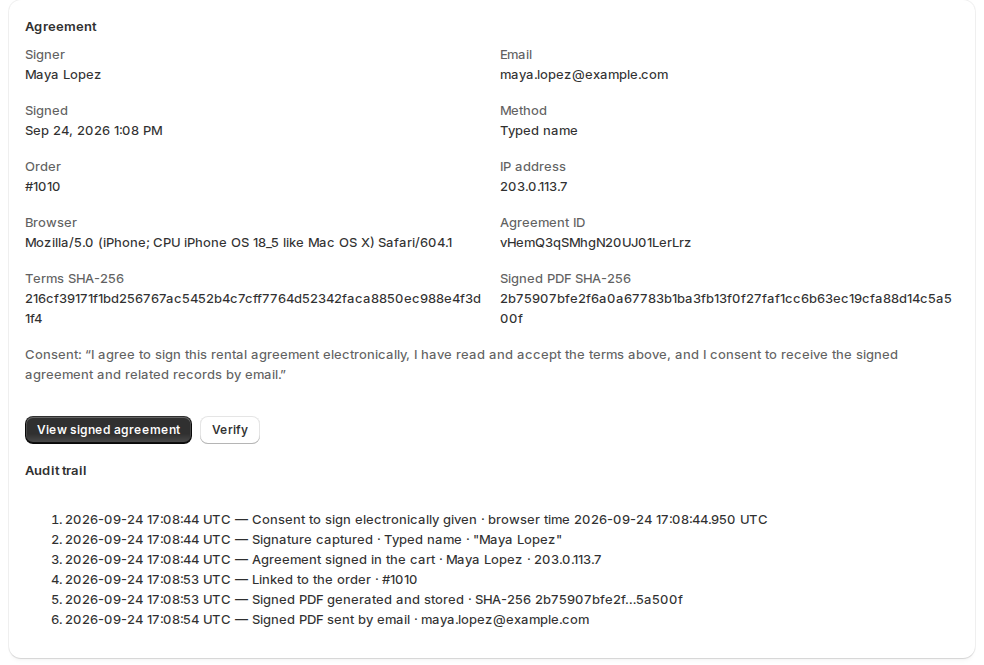
Proof of what was signed
Each agreement keeps the signer’s details, a fingerprint of the exact terms they saw, the signed PDF and an audit trail. Verify checks that nothing has changed.
Security Deposits
A refundable deposit with each rental, refunded in full or in part when it comes back.
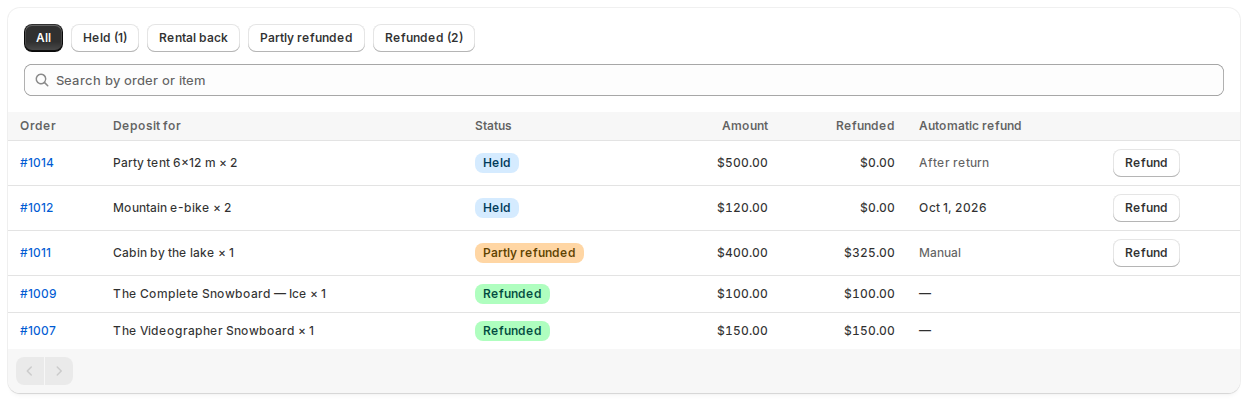
Deposits held and refunded
Every deposit with what was charged, what went back and when it will be refunded: after the return, on a date, or by hand.
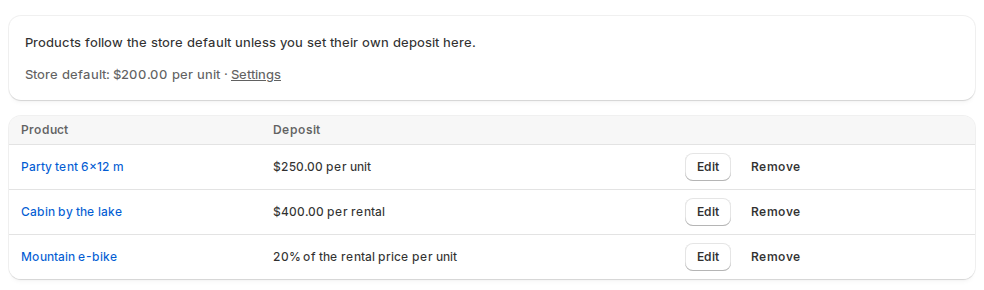
A deposit rule per product
Products follow your store default unless you give them their own rule: a fixed amount per unit or per rental, or a percentage of the rental price.
Custom Fields
Questions, priced options, a damage waiver and ID checks, on rental and regular products.
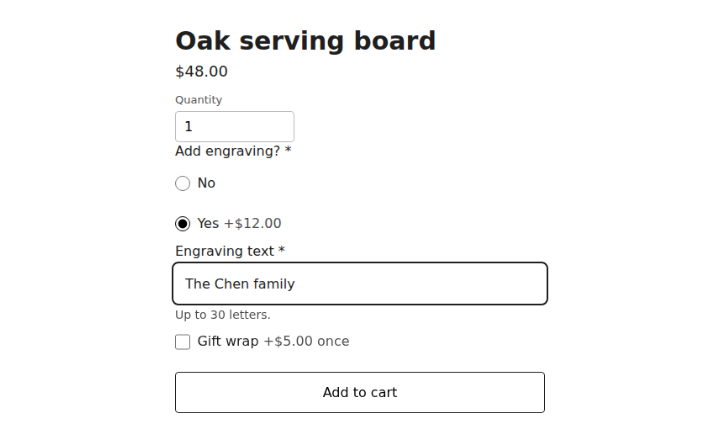
Questions and priced options
Ask what you need to know on the product page, with options that add to the price. Here engraving adds $12 and gift wrap $5.
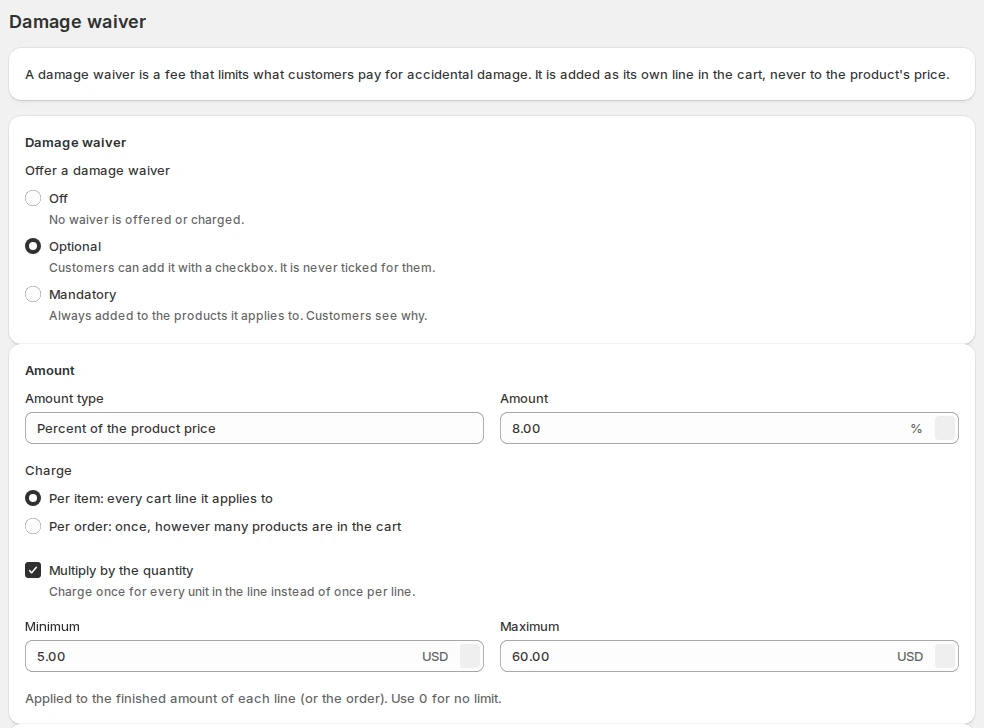
A damage waiver
Charge a damage waiver as its own line in the cart: optional or mandatory, a fixed amount or a percentage, with a minimum and a maximum.
Request a Quote & Hide Price
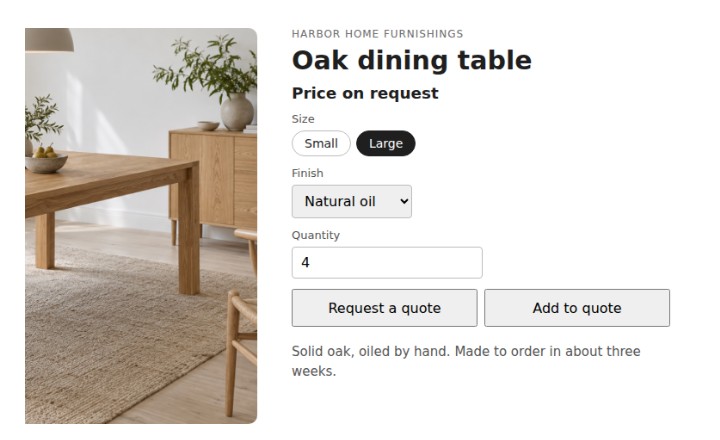
Hide prices where you choose and let customers ask for a quote, then accept it and pay through Shopify checkout.
Be the first to know
Join the waitlist and we will email you when Rentals & Bookings for Shopify is in the Shopify App Store.
Want the details first? See what the Shopify apps do, or read how all five apps work in our documentation.