
Let customers ask for a price, and pay the one you offer
Request for Quote & Hide Price adds Add to Quote to Magento 2. Customers send the products they want and the prices they hope for; you reply from the admin with an offer; they check out at the agreed price. Hide prices by customer group or category, and on rental stores put dates on every quote line.

Big orders don’t fit a fixed price
Trade buyers, event planners and anyone ordering in quantity want to agree a price first. Without a quote step, that conversation leaves your store and comes back as an order you type in by hand.
Without a quote step
- Buyers email a product list and wait, and the thread lives in someone’s inbox
- Trade and custom-work prices are shown to everyone, or to no one
- When they agree, staff re-type the order and the price by hand
- Made-to-order work and large installations can’t be sold online at all
With Request for Quote & Hide Price
- Customers build the quote from your catalogue, with a price they hope for and a note per line
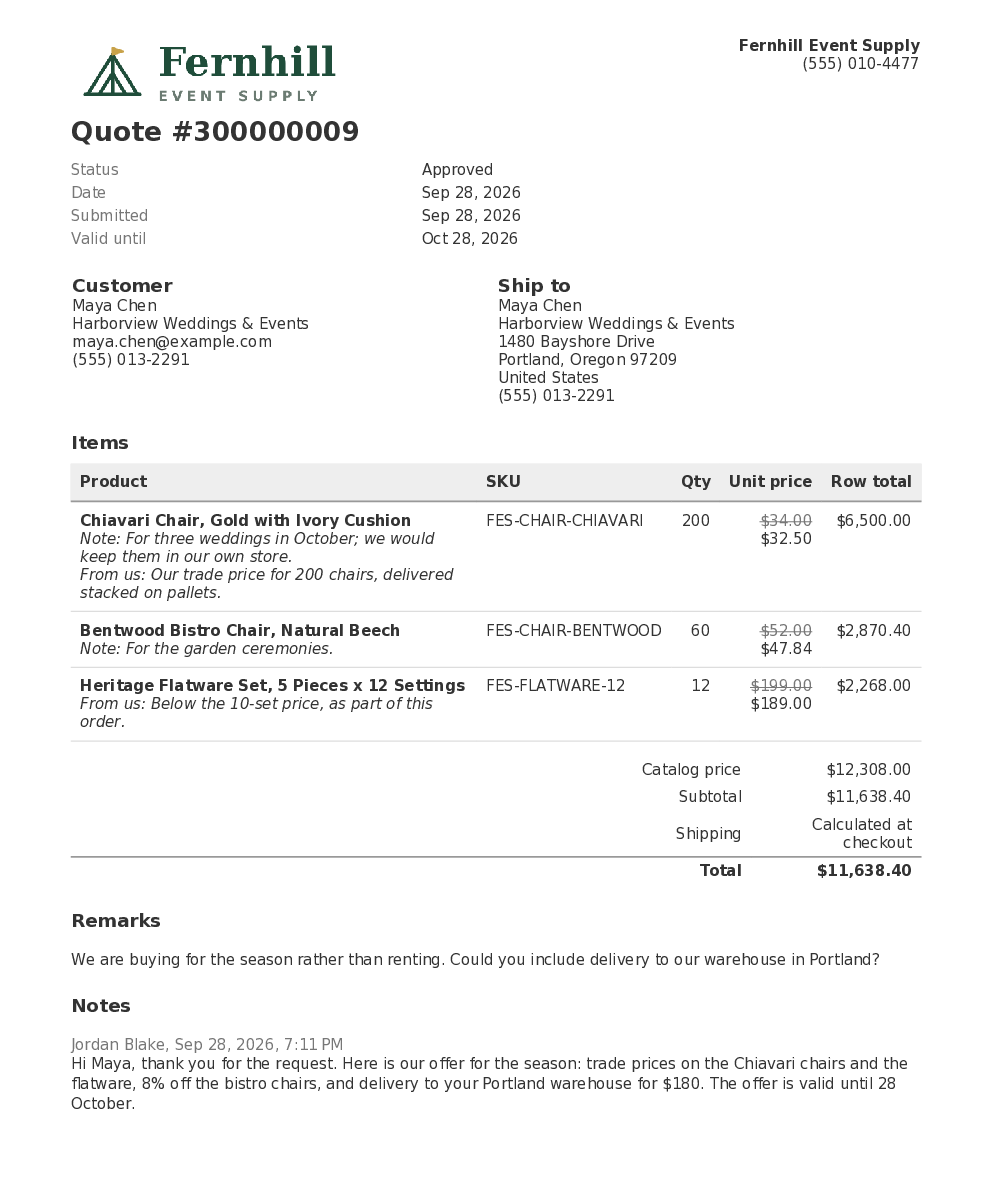
- You answer from Sales › Quote Requests with an offer, a PDF and an expiry date
- They check out at the agreed price; the quoted lines are locked in the cart
- Prices hidden from guests or by category, and products sold by quote only
Request a quote in Magento 2: six steps from Add to Quote to a placed order
The same steps whether the customer is logged in or a guest, and whether the products are sold or rented.
Add to Quote
From product, category and search pages, widgets or the wishlist, or Move to Quote from the cart.
Send the request
Your price per line, notes, your own questions and files. Guests can ask too.
Price it in the editor
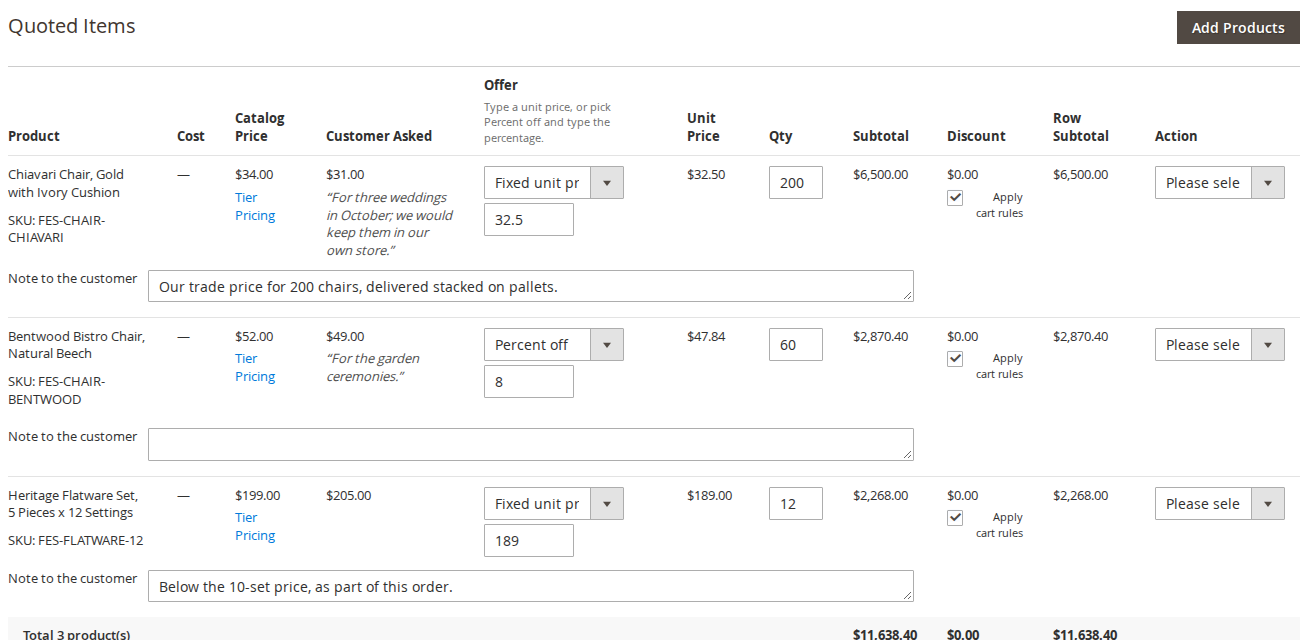
Magento’s own order screen: a price or percent off per line, a quote discount, shipping and expiry.
Send the offer
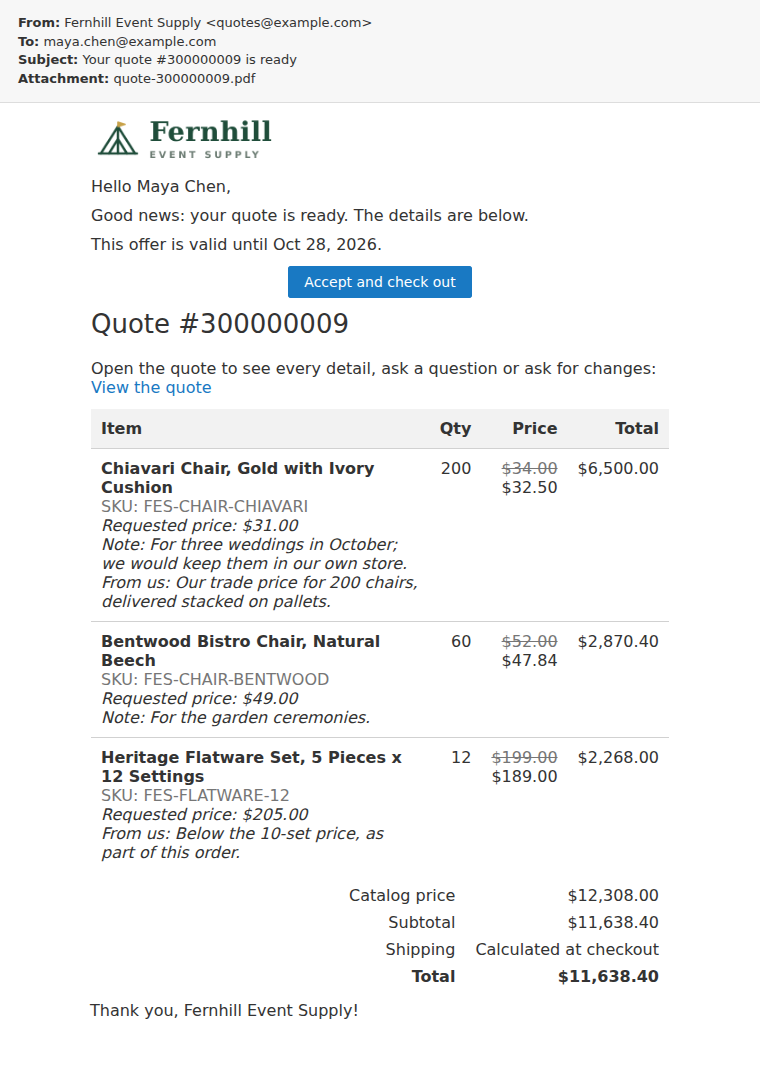
The “Quote ready” email with the PDF and a link to accept and check out.
The customer accepts
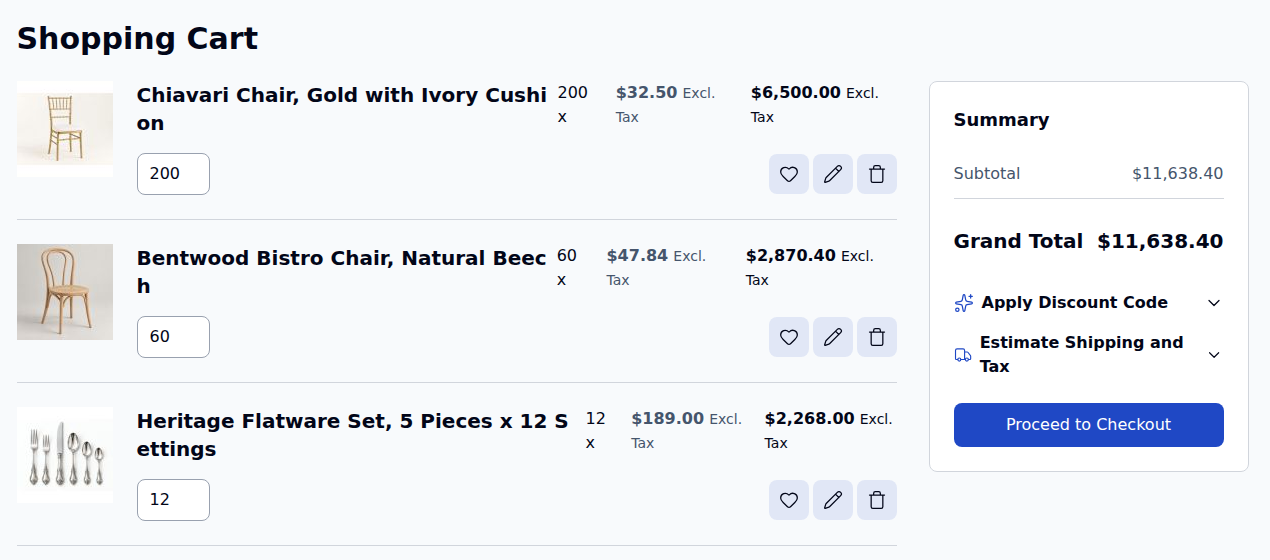
From My Quotes or the email, the lines go into the cart at your prices, locked.
The order is placed
The quote is complete, the order links back to it, and rental holds become the order’s reservations.
It works on any Magento 2 store. Our rental extension is not needed; on a rental store, add the rental connector and quotes carry dates.
Add to Quote wherever customers shop
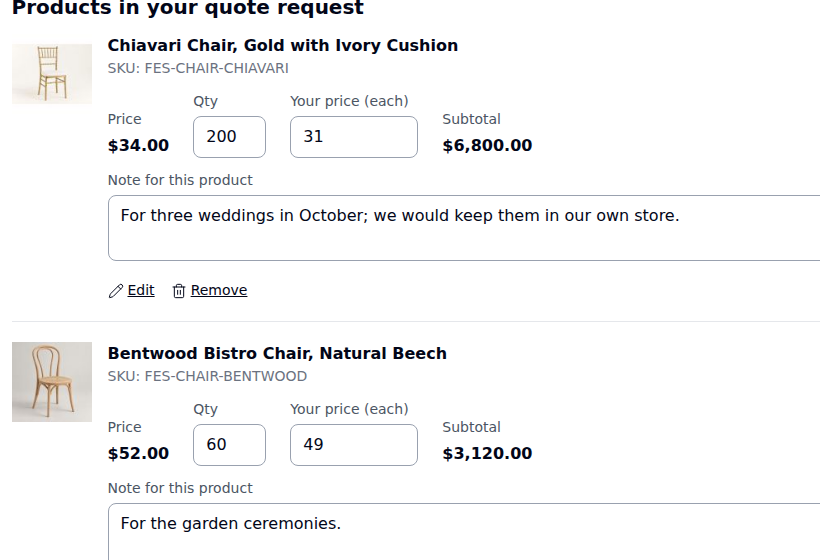
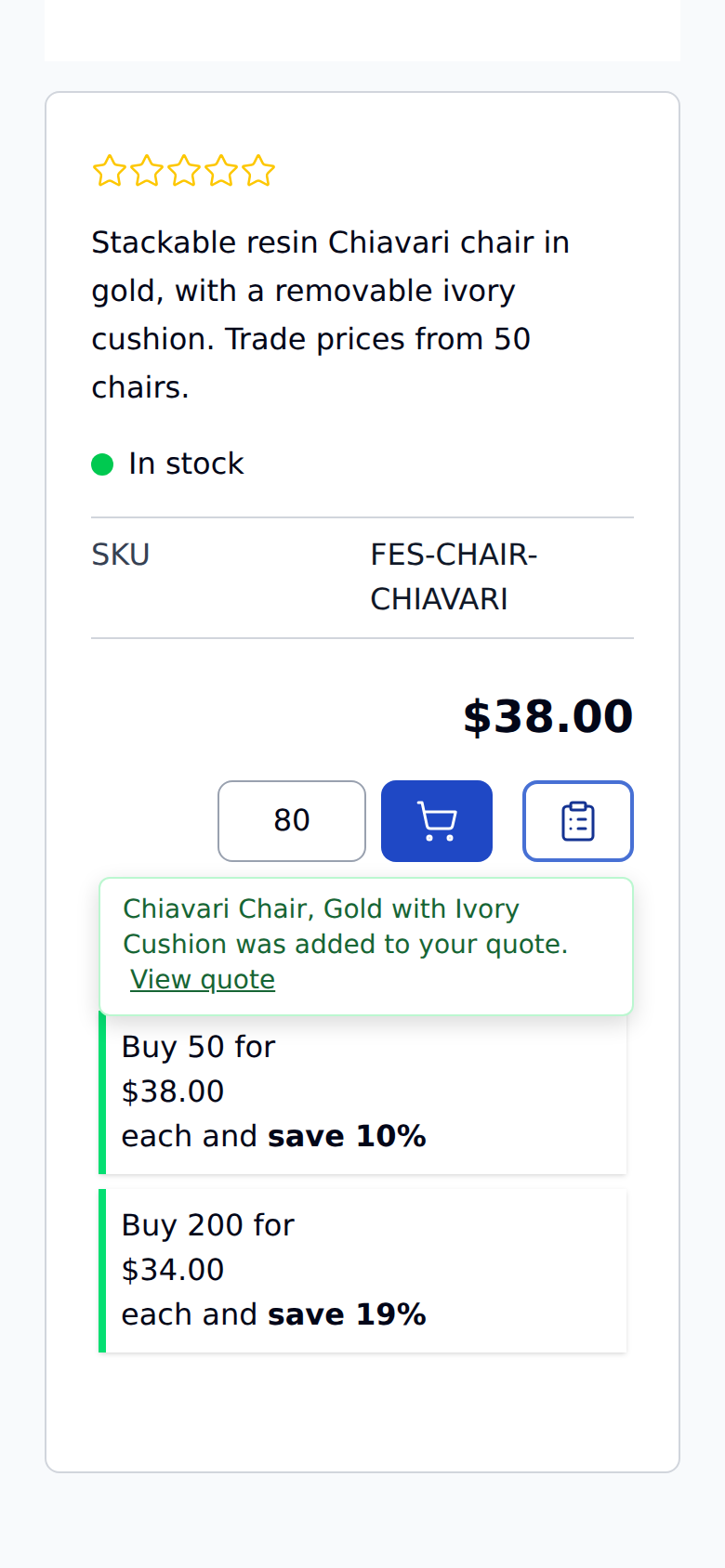
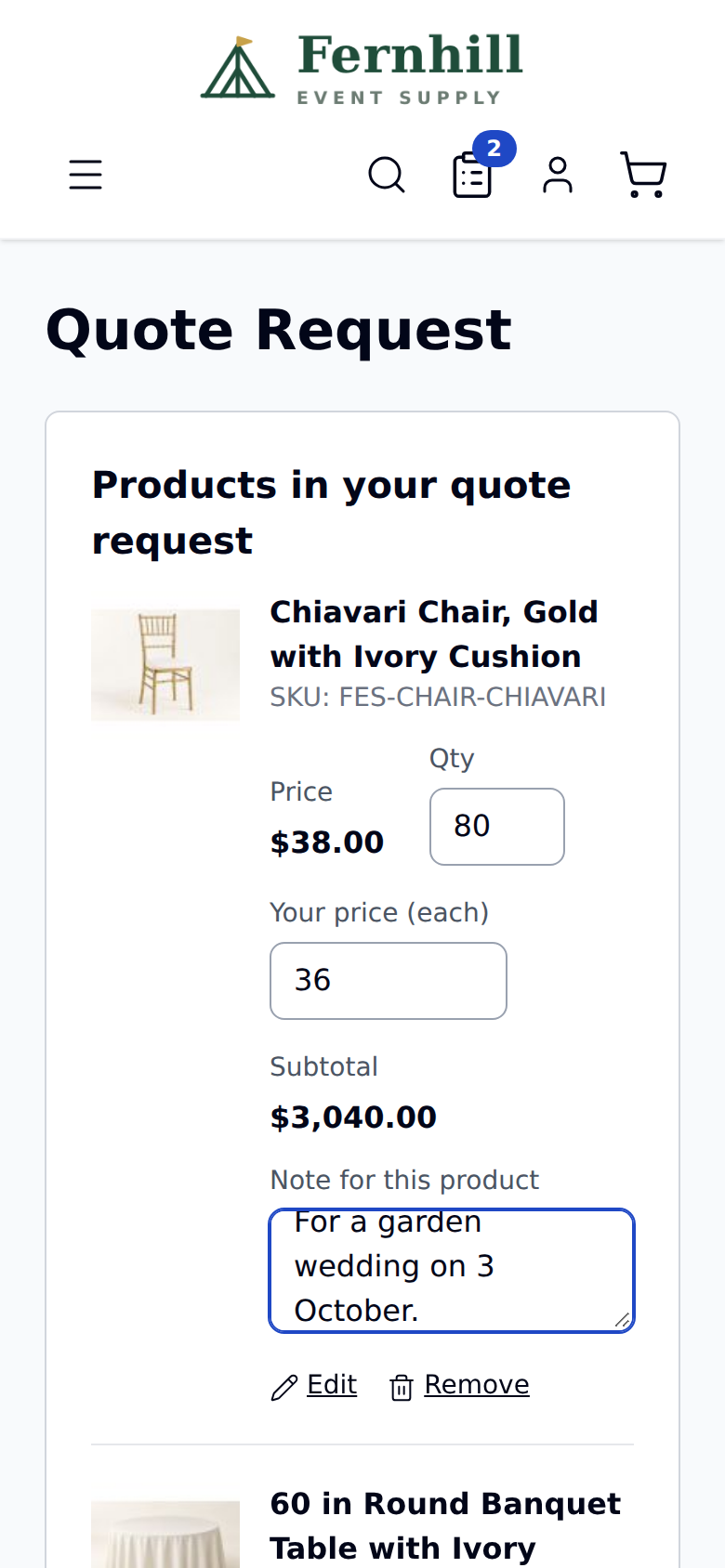
The button follows Add to Cart around the store, and the quote cart works like a cart: quantities, options, a price the customer hopes for and a note on every line.
Product, category and search pages
Add to Quote sits next to Add to Cart. It takes the options, configurable and bundle choices, and rental dates. Widgets and the wishlist can show it too.
Move to Quote from the cart
A customer who filled a cart can turn it into a quote request with one button.
Your price, and tier hints
An optional “Your price” box per line. If a tier price already beats it, the line says so.
Notes, questions and files
A note per line, your own questions such as an event date, and attachments like a floor plan.
Header count and dropdown
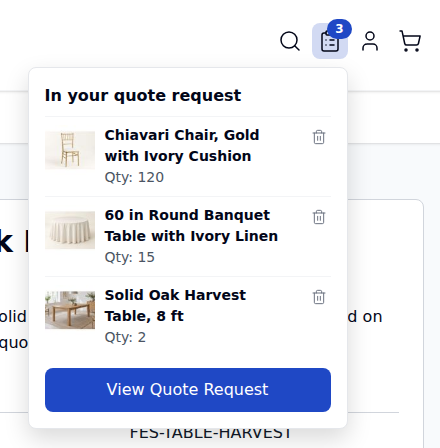
The header shows how many products are in the quote, with a small list to check or remove them.
Hide price in Magento 2, or sell by quote only
One store rule for customer groups and categories, plus each product’s own settings. Hidden prices are hidden on the server: no page, listing, search result, widget or GraphQL response carries them, and the cart refuses the product even if someone posts to it directly.
| You want | Set | Customers see |
|---|---|---|
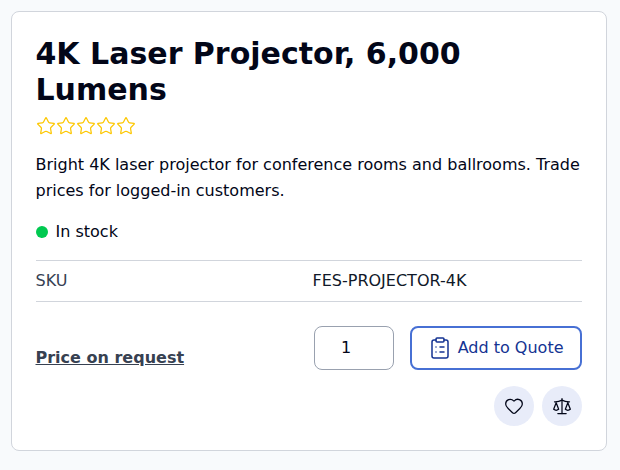
| Trade prices for logged-in customers only | The store rule for NOT LOGGED IN, on the categories you choose | “Price on request” or your own text, and Add to Quote instead of Add to Cart |
| A price for some groups, not others | The store rule, or a product’s own Price setting, for chosen customer groups | The price if their group may see it |
| Made-to-order or site-survey work | Quote only (no Add to Cart) on the product | Add to Quote, and no way to buy it outright |
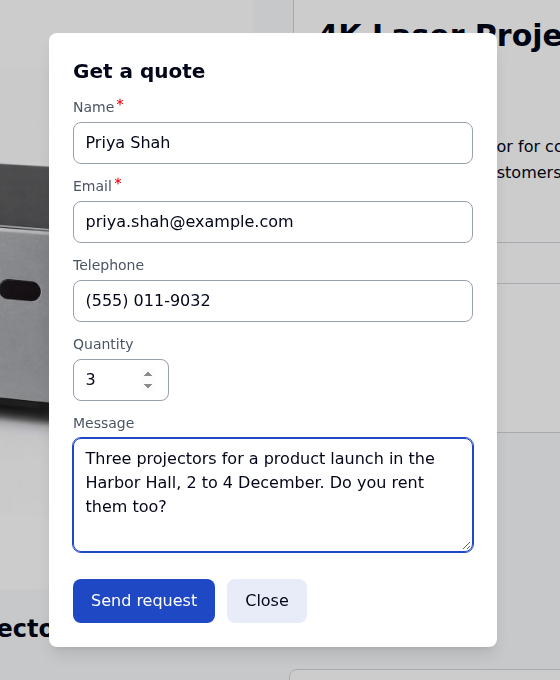
| A quick question instead of a full quote | Clicking the hidden-price text opens the “Get a quote” form | A short form that creates a real quote request |
Enforced on the server
Product pages, listings, search, widgets, Open Graph tags, option price data and GraphQL all leave the price out. GraphQL returns null, never 0.
Per product, on its own
A product set to hide its price stays hidden even when the store rule is off. Saving the product is enough.
Staff still see everything
Prices stay visible in the admin, and quote emails, the PDF and My Quotes show them once you send the offer.
Magento 2 quote management: answer with an offer from the order screen
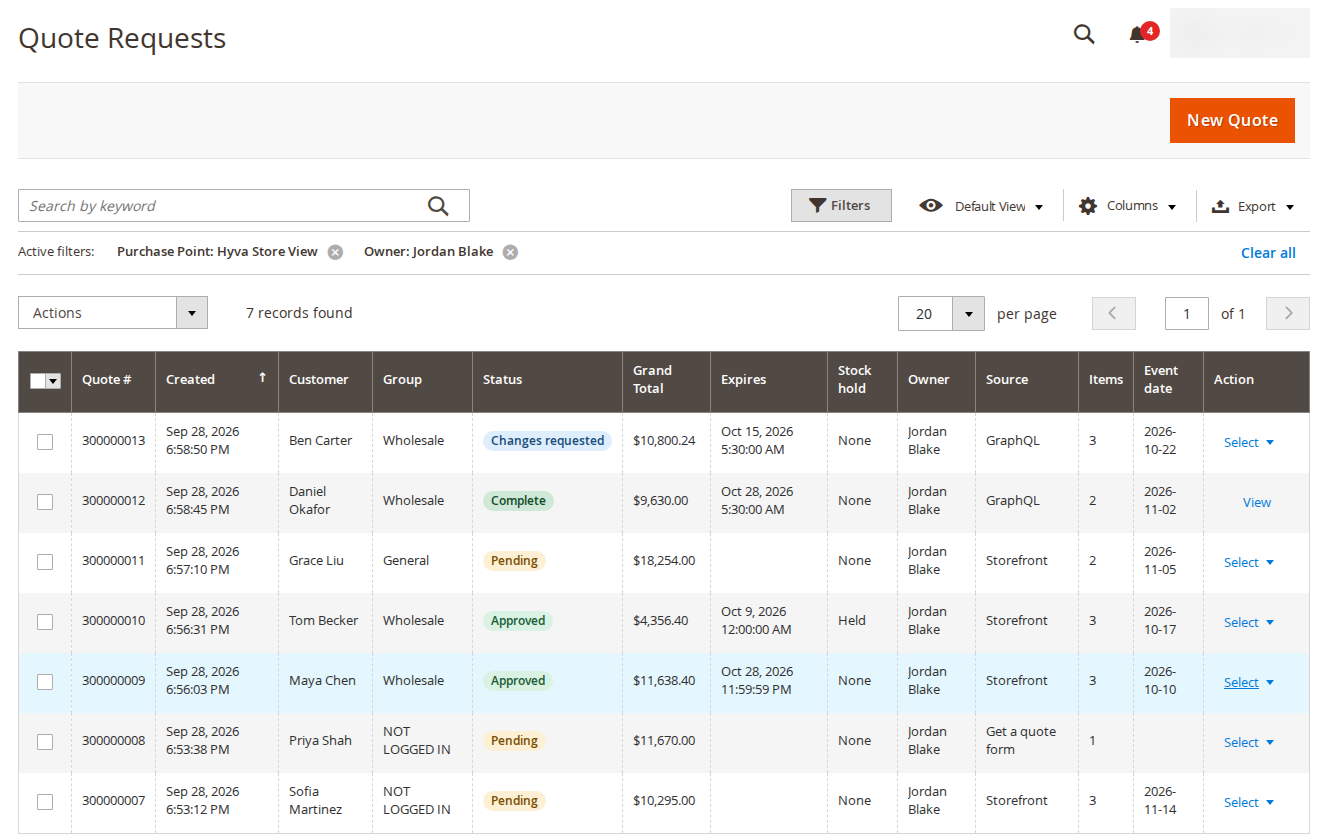
Quote requests live under Sales, next to Orders. The quote editor is Magento’s Create New Order page working on the quote, so product search, options, addresses and shipping methods work as your team already knows them.
A price or percent off per line
Set a fixed unit price or a percentage off each line, with a note to the customer.
One adjustment for the whole quote
A discount %, surcharge %, discount amount or target total, applied once after the line offers.
Shipping and expiry
Agree an address and method, or offer a custom shipping fee. Set the expiry and a reminder date.
Sales reps and permissions
Assign requests to a rep per customer group or round robin. Permissions per action, and staff see their own quotes.
Convert, clone, start from a cart
Convert to Order with the lines locked at the offer, Clone as Quote from an order, or turn a customer’s cart into a quote.
Versions and history
Every version of the offer with what changed, the status history, and the conversation with attachments.
Every step is an email, and every offer is a PDF
Thirteen emails keep customers and your team up to date. Each has its own template, and any customer email can be switched off. The offer goes out as a PDF with your logo.
| When | Customer gets | Your team gets |
|---|---|---|
| A request arrives | Quote received | New quote request, as it arrives or in a daily, weekly or monthly digest |
| You send the offer | Quote ready, with the PDF and a checkout link | — |
| You change it | Quote updated, or a new Quote ready after changes | — |
| The customer writes, edits, asks for changes or cancels | Quote canceled, when they cancel | Customer activity on a quote |
| Time passes | A reminder, then Quote expired | — |
| The order is placed | Order placed from your quote | — |
Customers check out at the price you agreed
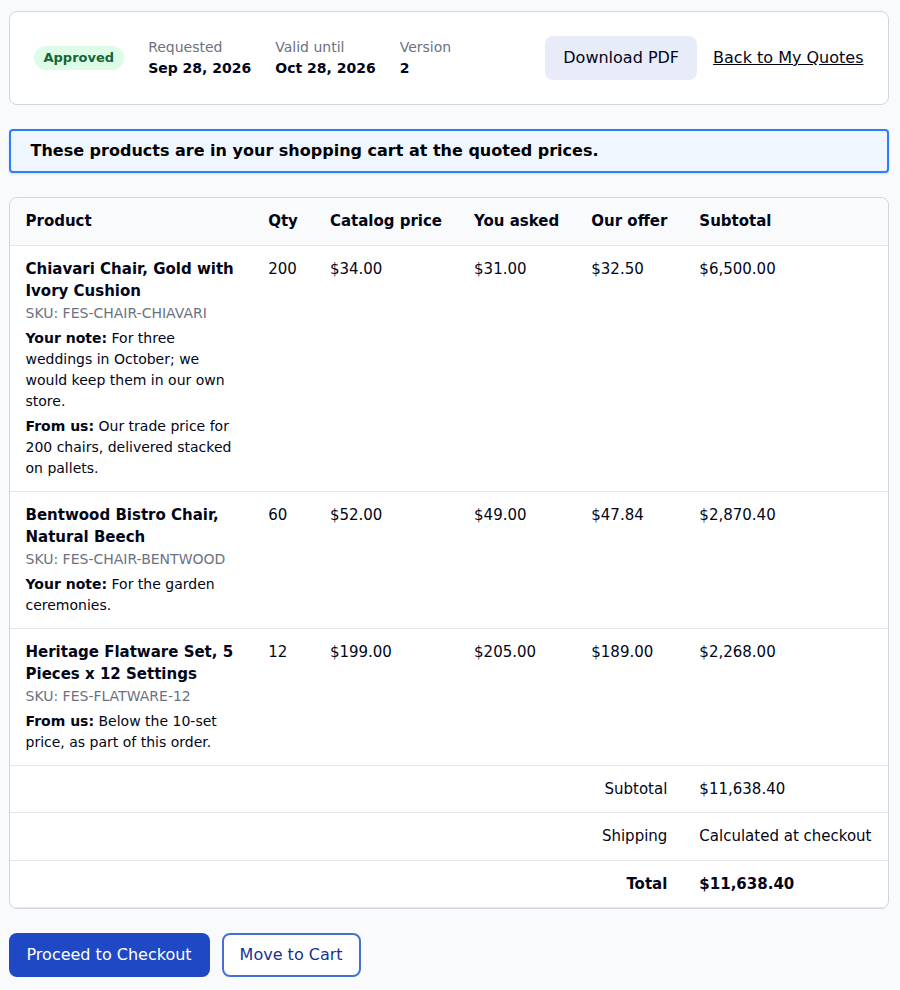
My Quotes lists every request with its status and expiry. An offer goes into the cart with one click, at your prices, and the quoted lines can’t be changed on the way to checkout.
My Quotes
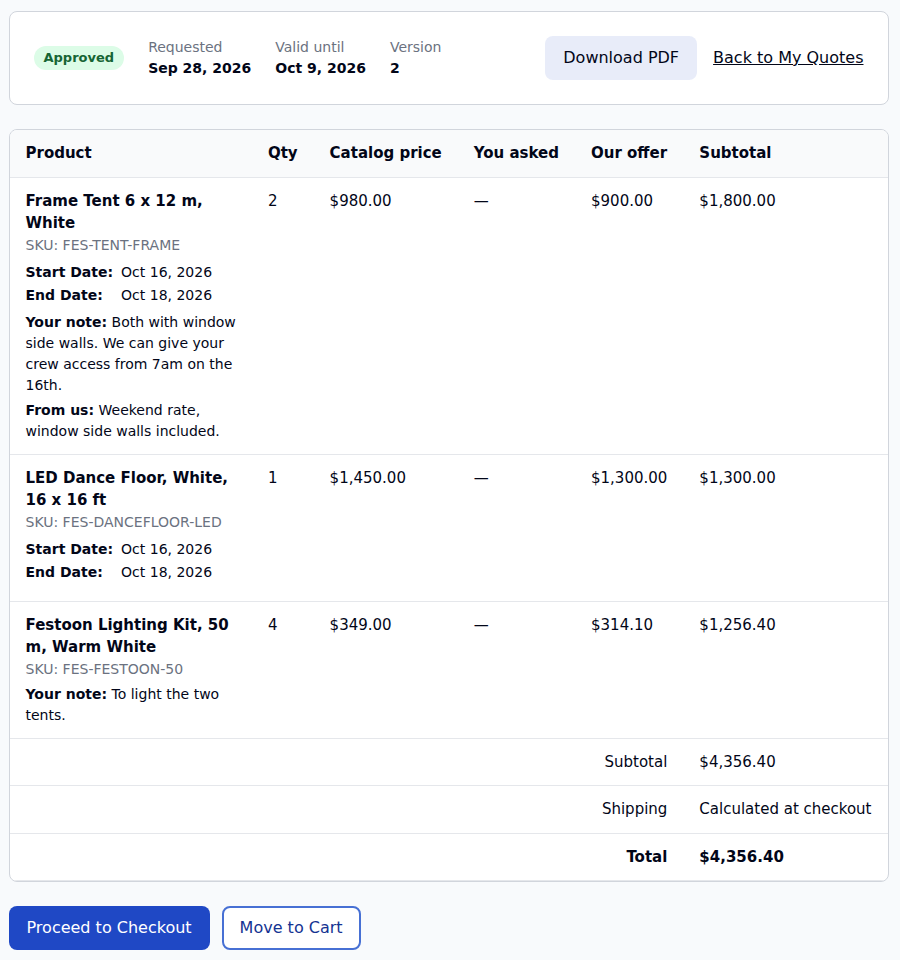
Status tabs, totals and expiry dates, and a page per quote with the prices asked for and offered, the conversation and the PDF.
Locked at the offer
Price, quantity, options and rental dates are locked in the cart. Cart price rules don’t apply unless you allow them.
Request changes
Customers can answer an offer in words; you edit it and send a new version of the same quote.
Guests too
Guests follow their quote through a private link, and can save it to an account with the same email address later.
One quote, one order
When the order is placed, the quote is complete and the order links back to it.
Built for Hyvä and Luma, and for phones
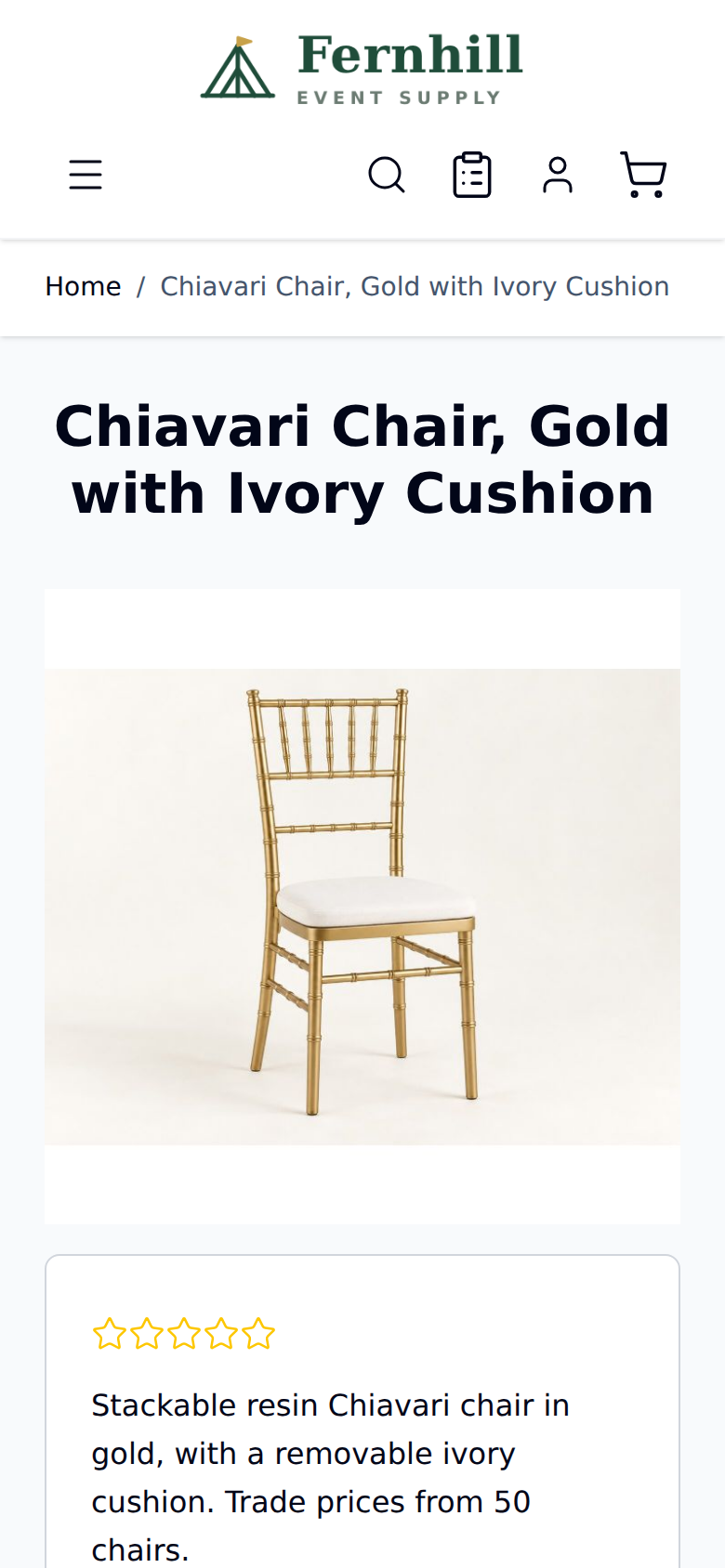
The Hyvä package brings the buttons, the quote cart, My Quotes and the “Get a quote” form to Hyvä with Alpine.js, no RequireJS. Luma stores need nothing extra.

Quotes with rental dates, and stock held while they decide
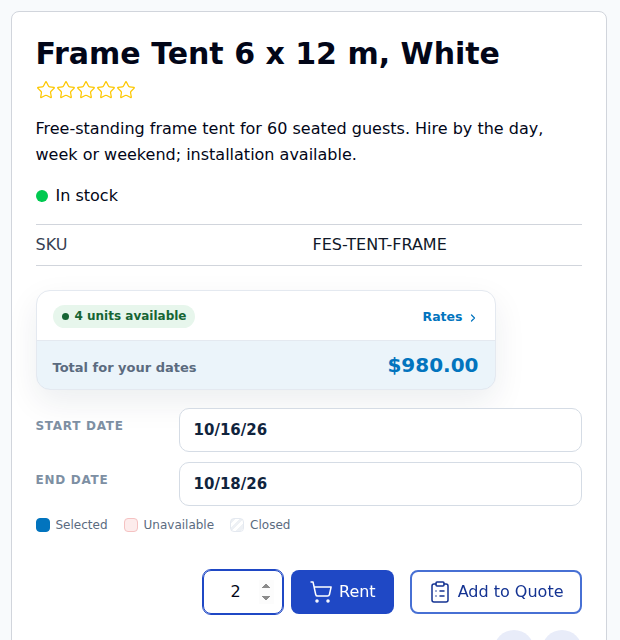
With our rental extension (1.2.209 or later) and the rental connector, customers pick dates in the rental calendar before Add to Quote, and the dates travel with the line to the offer, the PDF and the order.
Dates on every quote line
Availability is checked when a rental is added. Refuse unavailable dates like Add to Cart does, or allow them so customers can ask anyway.
Rental date pickers in the editor
The same calendars as order create, per line or for the whole quote with Change All Dates.
Stock held for the quote
Held when you send the offer (or when the customer submits, for a few hours), and moved onto the order when they check out.
Deposits and damage waivers
Shown per line and in the quote’s totals, the PDF and the emails, and carried into the cart.
| Hold stock | What happens |
|---|---|
| On approval (default) | Stock is held when you send the offer, until the order is placed, the offer expires or it is declined |
| On submission, for a short time | Held when the customer submits, for a number of hours (48 by default), and for good when you approve |
| Only when the order is placed | Never held; the dates are checked at checkout |
| Manually | Only the Hold stock and Release hold buttons on the quote |
A GraphQL API for headless stores and integrations
Everything the storefront does is available on Magento’s own /graphql, and the back office can price, send, decline and extend quotes with an admin or integration token. Nothing to enable.
Storefront
Quote carts for customers and guests, adding products (with rental dates), submitting with custom fields and files, My Quotes, requesting changes and moving an offer to the cart.
Back office, permission-checked
List and read quotes, set line offers and the quote adjustment, send, decline and extend, checked against the same permissions as the admin.
Hidden prices stay hidden
Where a price is hidden, every amount is null, in the quote types and in Magento’s own price_range.
# a guest asks for a quote
mutation { createGuestRfqQuoteCart }

mutation {
  addProductsToRfqQuoteCart(cart_id: "<masked id>", items: [
    { sku: "FES-CHAIR-CHIAVARI", quantity: 120,
      requested_price: 34, note: "Gold" }
    { sku: "FES-TENT-FRAME", quantity: 2,
      rental_dates: { start_date: "2026-10-16",
                      end_date: "2026-10-18" } }
  ]) { quote_cart { total_quantity } }
}

mutation {
  submitRfqQuote(input: { cart_id: "<masked id>",
    email: "[email protected]",
    firstname: "Sofia", lastname: "Martinez" })
  { quote { number status } guest_token }
}B2B quotes for Magento 2 stores that sell by the pallet, the project or the event
Anyone whose best customers want to agree a price before they order, with or without rentals.
B2B and wholesale
Trade prices for logged-in customer groups, quantity quotes and a PDF for the buyer’s purchasing office.
Hide price by groupMade to order
Furniture, signage, printing or anything priced by size and finish: quote only, with notes and files per line.
Quote onlyEvent and party rental
Tents, dance floors and furniture quoted with dates, and stock held while the planner decides.
Rental connectorEquipment hire
Long hires and large orders with a price per project, delivery agreed on the quote and deposits in the totals.
Rental connectorCatering and hospitality supply
Commercial machines quoted with installation and training, next to everyday stock customers simply buy.
Quote and buyStores moving from Amasty
An importer brings Amasty Request a Quote quotes across, and both can run side by side while you switch.
ImporterMagento Open Source on its own, and with Request for Quote
| Capability | Magento Open Source | + Request for Quote & Hide Price |
|---|---|---|
| Asking for a price | Contact form or email | Add to Quote, a quote cart and a request form |
| Answering | By email, then a manual order | An offer from the order editor, with a PDF |
| Accepting | Staff type the order | The customer checks out at the agreed price |
| Hiding prices | Not available | By customer group, category or product, on the server |
| Quote-only products | Not available | Yes, with Add to Quote instead of Add to Cart |
| Rentals | — | Dates on quote lines and stock holds, with our rental extension |
| API | — | GraphQL for the storefront and the back office |
One price, for stores with or without rentals
A one-time purchase with its own licence and its own Composer repository. Magento Pro and Multi Source Inventory Pro licences do not include it.
Magento 2 Request for Quote & Hide Price
Everything on this page, for Luma and Hyvä.
- Add to Quote, the quote cart, guest quotes and My Quotes
- Hide price by customer group, category or product, and quote-only products
- The quote editor, offers, 13 emails, the PDF and the report
- The rental connector and the Hyvä package included
- 1 year of support and updates, then $149/year if you want them
Before you buy
What it needs, and what it doesn’t do yet.
- Magento Open Source or Adobe Commerce 2.4.7 to 2.4.9, PHP 8.2 to 8.4
- Rental stores: our rental extension 1.2.209 or later for the connector
- Installs with Composer from its own repository, shown on the install page
The extension keeps working whether or not you renew; renewing brings new versions and support. Already using Amasty Request a Quote with our Amasty integration? It stays supported, and you can switch when you like. Release notes
Read the guide before you buy
Eight pages walk through setup and every feature, with screenshots from a working store.
Magento 2 request for quote: common questions
Short answers, all covered in the guide.
What is a Magento 2 request for quote extension?
It adds a quote step to your store. Customers put products in a quote cart with the price they hope for, you answer from the admin with an offer and a PDF, and they check out at the price you agreed.
Is it called request for quote or request a quote?
Both mean the same thing. This extension is named Request for Quote and Hide Price, and the button customers see is Add to Quote.
Can guests ask for a quote?
Yes. Guests can send a request, follow it through a private link and save it to an account later with the same email address.
How do I hide prices in Magento 2 for guests?
Use the store rule for NOT LOGGED IN on the categories you choose, or set a product to hide its own price. Customers see Price on request, or your own text, and Add to Quote instead of Add to Cart. The price is left out on the server, including in GraphQL.
Can I sell some products by quote only?
Yes. Set Quote only on the product: it shows Add to Quote and cannot be bought outright.
Do customers pay the price I offered?
Yes. When they accept, the quoted lines go into the cart at your prices and are locked, so price, quantity and options cannot change on the way to checkout. The order links back to the quote.
Which Magento versions and themes does it support?
Magento Open Source or Adobe Commerce 2.4.7 to 2.4.9 with PHP 8.2 to 8.4. It works on Luma, and the Hyvä package covers Hyvä stores.
Do I need your rental extension?
No. It works on any Magento 2 store. On a rental store, the rental connector adds dates to every quote line and holds stock while the customer decides.
Is there a GraphQL API?
Yes. Quote carts, submitting a quote, My Quotes and the back-office actions are all on the standard Magento /graphql endpoint, with nothing to enable.
Can I move from Amasty Request a Quote?
Yes. An importer brings Amasty Request a Quote quotes across, and both can run side by side while you switch.
Ready to take quote requests?
Install it next to your store as it is: nothing changes for customers until you turn on the storefront buttons.