
Customers follow their requests in My Quotes in their account, and guests through the link in the quote emails. When you send an offer, they accept it by checking out at the agreed prices: the quoted lines go into the cart locked, so the price, quantity and options cannot change on the way.
My Quotes #
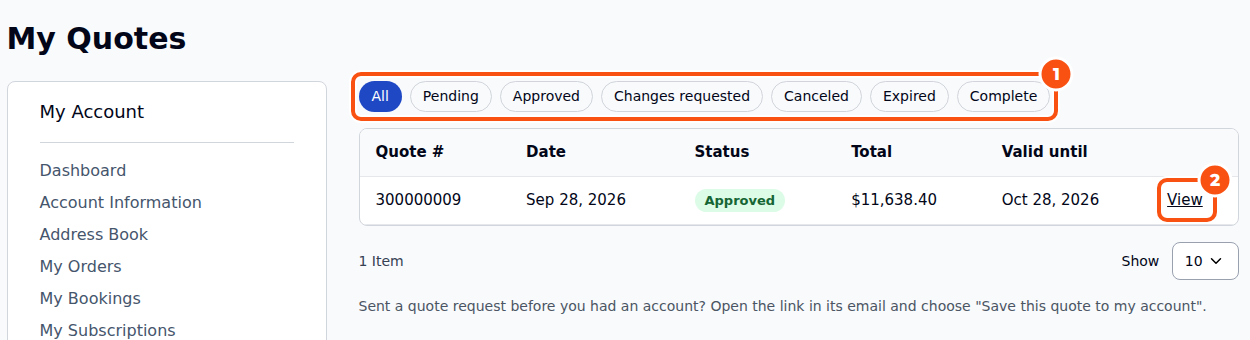
My Quotes is at /quote-request/account/ and in the account menu. It lists every quote with its number, date, status, total and expiry, with tabs to filter by status.
A quote’s page #
The page shows the status, the dates and the version; each line with the catalog price, the price the customer asked for, your offer and the notes both ways; the totals (with deposits and the damage waiver on rental stores); your custom fields; the files; the conversation; and Download PDF.
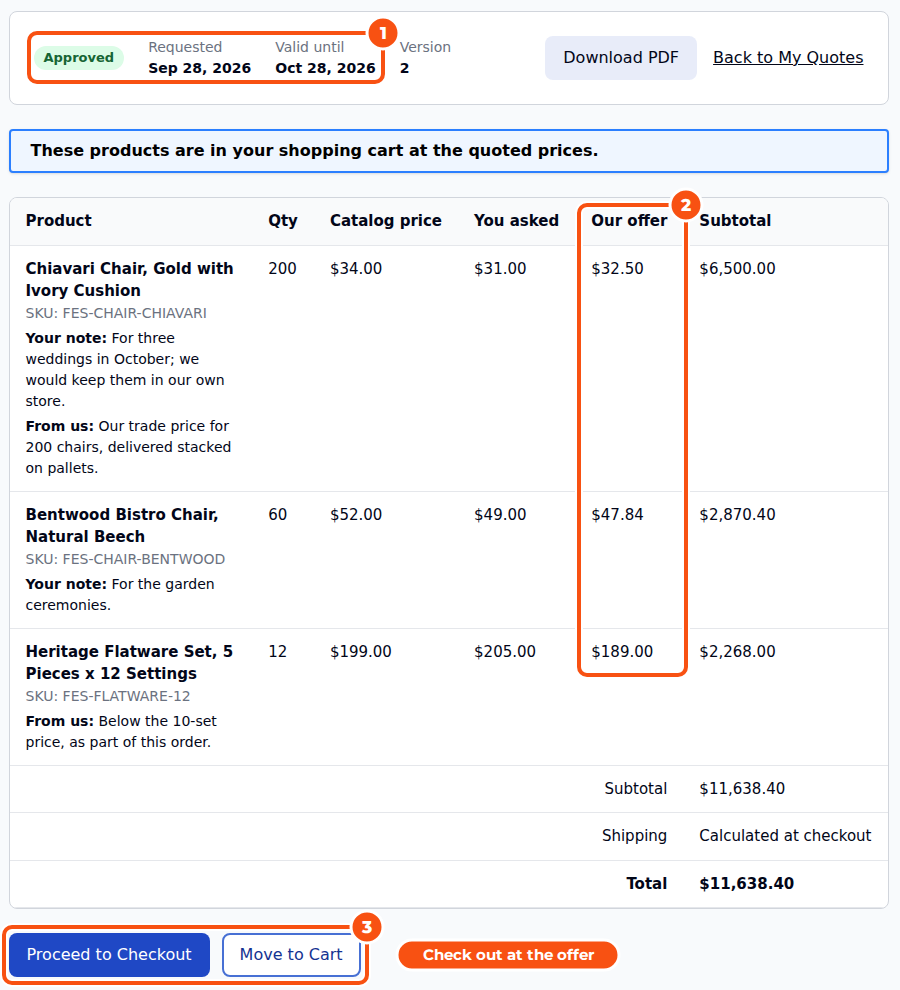
What the customer can do depends on the status:
| Status | Customer actions |
|---|---|
| Pending | Cancel, Edit (if allowed), write a message |
| Approved | Proceed to Checkout, Move to Cart, Request Changes, Cancel, Edit (if allowed), several approved quotes together (if allowed) |
| Changes requested | Cancel, write a message |
| Expired, Canceled, Complete | View only |
- Edit lets the customer change the request. It comes back to you as a new version of the same quote, with the number and the history kept. Which statuses may be edited is a setting (Customers may edit a quote that is, Pending by default).
- Request Changes sends you a message about the offer and sets the quote to Changes requested. You edit it and send it again.
- Several approved quotes together lets a customer check out two or more offers in one order, when Customers may check out several approved quotes together is on.
Checking out at the quoted price #
Move to Cart puts the offer’s lines in the shopping cart at the offered prices; Proceed to Checkout does the same and opens the checkout. The “Quote ready” email’s Accept and check out link does the same for customers and for guests.
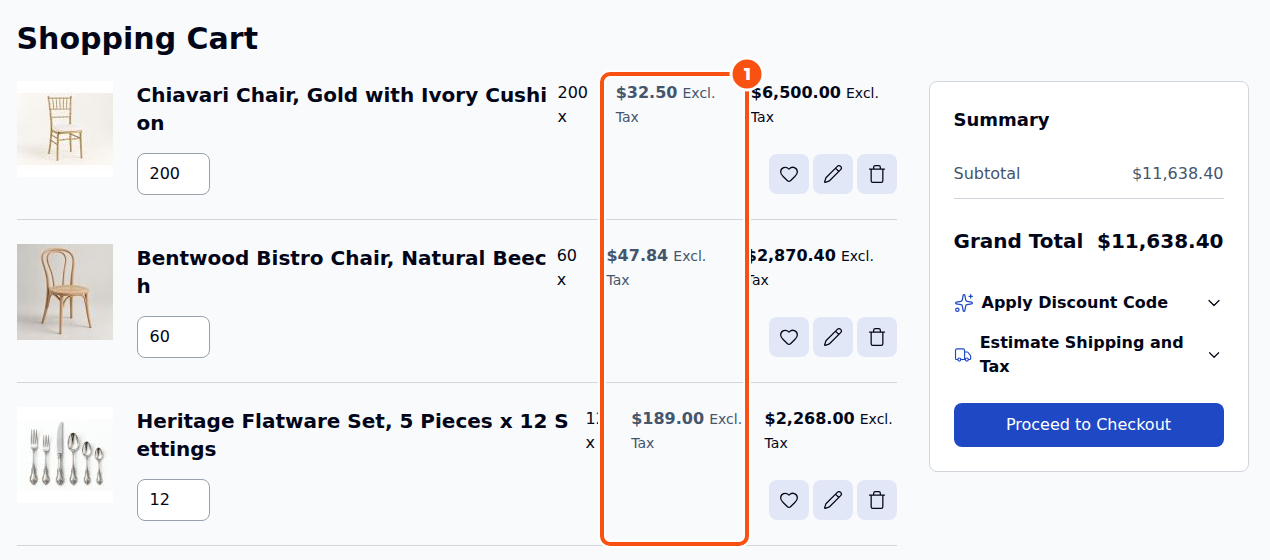
- The quoted lines are locked: the quantity, the options, the price and (for rentals) the dates cannot be changed, only removed.
- Cart price rules do not apply to quoted lines unless you turn on Apply cart price rules to quoted items.
- Shipping agreed on the quote (an address and method, or a custom fee) is applied at checkout.
- One quote becomes one order. When the order is placed the quote is Complete, the customer gets “Order placed from your quote” and the order links back to the quote.
Quote-only customers #
With Quote-only mode (store-wide or for chosen customer groups), customers accept offers but do not check out online: Move to Cart, Proceed to Checkout and the checkout link are hidden, and you invoice them yourself.
Good to know #
- A guest’s quote opened from its link offers Save this quote to my account. See The Request Form and Guest Quotes.
- Headless stores do all of this through GraphQL:
customerRfqQuotes,customerRfqQuote,guestRfqQuote,moveRfqQuoteToCart,requestRfqQuoteChanges,cancelRfqQuoteandaddRfqQuoteNote. See Rentals, the GraphQL API and Moving from Amasty.


