
A subscription is a product that renews on a schedule you choose. You decide which products can be subscribed to, on which billing plans, and what happens on renewal. This page walks through the product settings, the store-wide settings and what the customer sees.
Turn a product into a subscription #
Open a product in Catalog > Products and find the Subscriptions & memberships section.
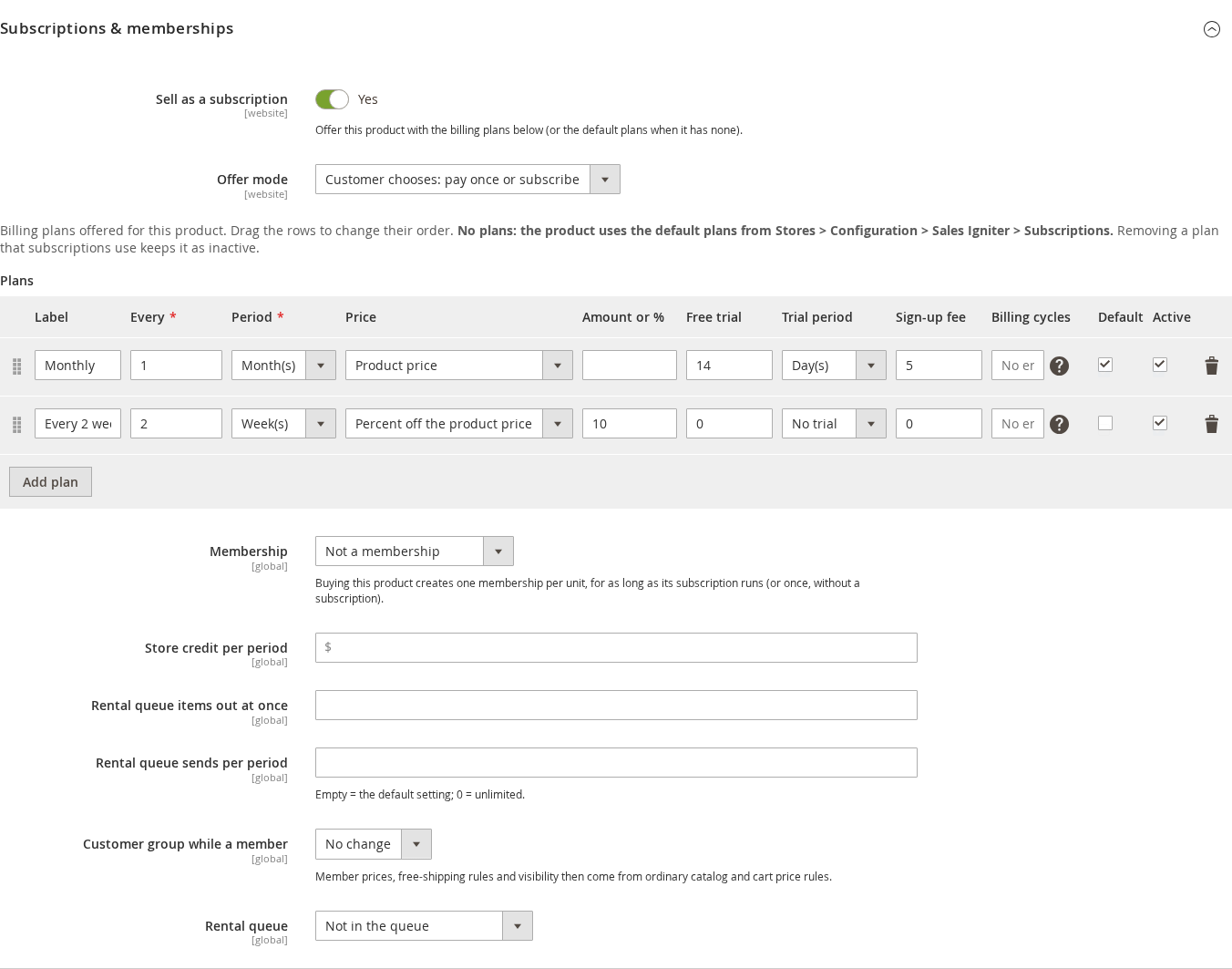
| Setting | What it does |
|---|---|
| — | — |
| Sell as a subscription | Offers this product with billing plans. Off: the product sells normally. |
| Offer mode | Customer chooses: pay once or subscribe shows two choice cards on the product page. Subscription only sells the product only as a subscription. Use the default setting follows the store default. |
| Plans | The billing plans offered for this product. Drag rows to change their order. With no rows, the product uses the store’s default plans. |
Each plan row has these columns:
| Column | Meaning |
|---|---|
| — | — |
| Label | The name the customer sees, such as “Monthly”. |
| Every / Period | The billing interval: every 1 month, every 2 weeks, every 1 year. Days, weeks, months and years are available. |
| Price | Product price charges the catalog price. Fixed price charges the amount you enter. Percent off the product price takes the percentage you enter off the catalog price. |
| Amount or % | The fixed price or the percentage, depending on Price. |
| Free trial / Trial period | A free trial before the first charge, such as 14 days. The card is saved at checkout and charged when the trial ends. |
| Sign-up fee | A one-time amount added to the first order only. |
| Billing cycles | How many payments the subscription lasts before it ends by itself. Empty means no end. |
| Default | The plan selected first on the product page. |
| Active | Untick to stop offering a plan. Existing subscriptions on it keep renewing. |
Removing a plan that subscriptions already use keeps it as inactive instead of deleting it, so those subscriptions are not affected.
You can subscribe to simple, virtual, configurable and dynamic bundle products. Membership products, bundles and rental lines can be subscribed to but not swapped for another product by the customer.
What the customer sees #
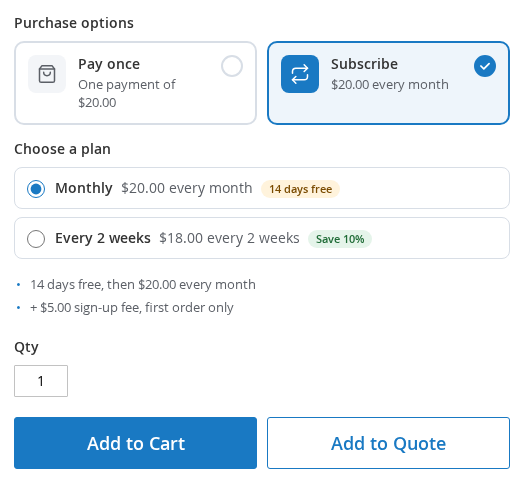
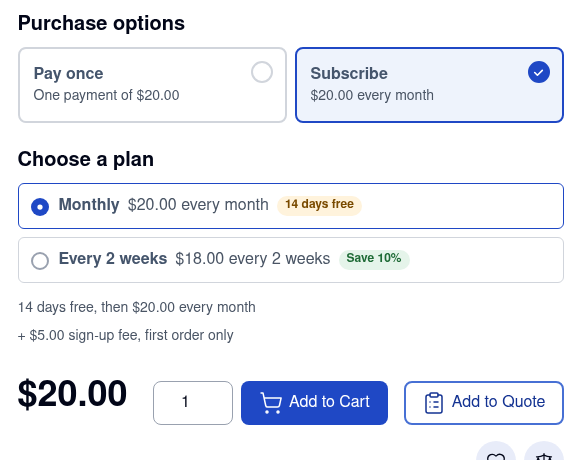
The product page shows Purchase options: “Pay once” and “Subscribe” cards, then Choose a plan with each plan’s price, any free trial (“14 days free”) and any saving (“Save 10%”). Below the plans a short summary says what happens: “14 days free, then $20.00 every month” and “+ $5.00 sign-up fee, first order only”.
In the cart and checkout a Recurring totals line shows what the customer will pay on later renewals, for example “Then $30.00 every month”. A cart can hold several subscription items. By default they are grouped by billing period and start date, and each group becomes its own subscription.
Cards are saved for the next renewal at checkout. A free trial with no sign-up fee has nothing to pay at checkout, so no card is saved: when the trial ends, the customer gets an email asking them to confirm the payment.
Store-wide settings #
Go to Stores > Configuration > Sales Igniter > Subscriptions. Every group has the default scope and most can be set per website.
General and default plans #
| Setting | What it does |
|---|---|
| — | — |
| Enable subscriptions | When off, products show no plan options and nothing new can be subscribed to. Existing subscriptions keep renewing. |
| One subscription per order | No (default): subscription items are grouped by billing period and start date. Yes: every subscription item in the cart must share one plan. |
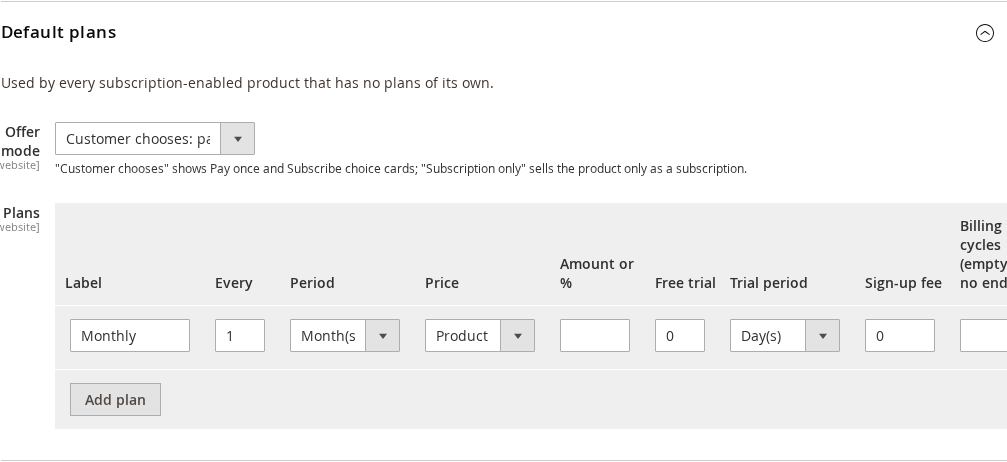
| Offer mode and Plans (Default plans) | The offer mode and plans used by every product that has no plans of its own. |
Renewals #
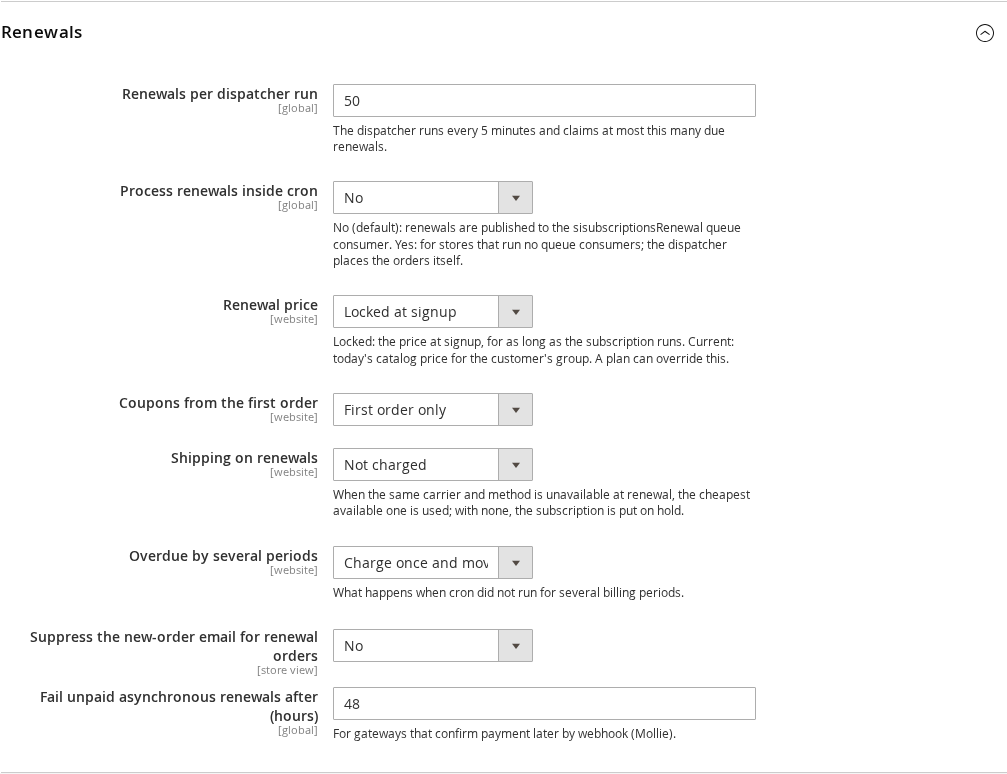
| Setting | What it does |
|---|---|
| — | — |
| Renewals per dispatcher run | The dispatcher runs every 5 minutes and claims at most this many due renewals. |
| Process renewals inside cron | No (default): renewals are published to the sisubscriptionsRenewal queue consumer. Yes: for stores that run no queue consumers. |
| Renewal price | Locked at signup keeps the price the customer agreed to for as long as the subscription runs. Current catalog price uses today’s price for the customer’s group. A plan can override this. |
| Coupons from the first order | First order only, the first N renewals too, or every renewal. |
| Shipping on renewals | Not charged, or the same carrier and method. When the method is unavailable the cheapest available one is used; with none, the subscription is put on hold. |
| Overdue by several periods | When cron missed several periods: charge once and move to the next future date, or charge every missed period. |
| Suppress the new-order email | Stops the standard new-order email for renewal orders. |
Failed payments #
When a renewal is declined the extension retries on a schedule instead of cancelling at once.
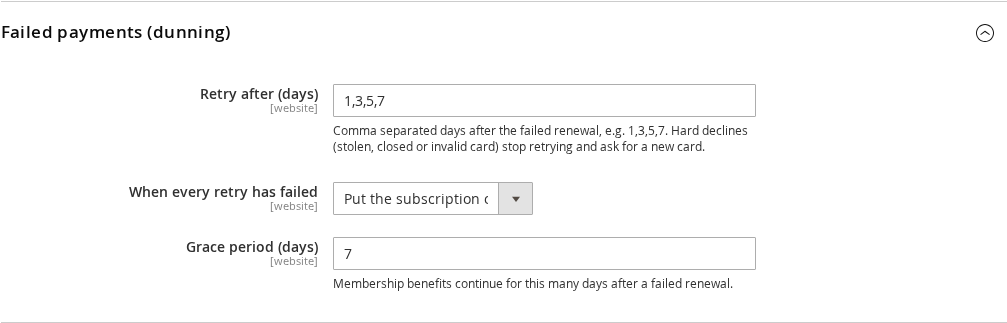
| Setting | What it does |
|---|---|
| — | — |
| Retry after (days) | Days after the failed renewal, comma separated, for example 1,3,5,7. A hard decline (stolen, closed or invalid card) stops the retries and asks the customer for a new card. |
| When every retry has failed | Put the subscription on hold, cancel it, or put it on hold and cancel after a number of days. |
| Grace period (days) | Membership benefits continue this long after a failed renewal. |
The customer is emailed when a payment fails, and can change the saved card or pay from My Account. A payment that needs the customer to confirm it (for example a bank authentication step) is emailed separately as “Payment needs confirming”.
Payments #
Methods allowed for subscriptions limits which payment methods a cart with a subscription item offers. Leave it empty to allow every method that can renew.
Customer self-service #
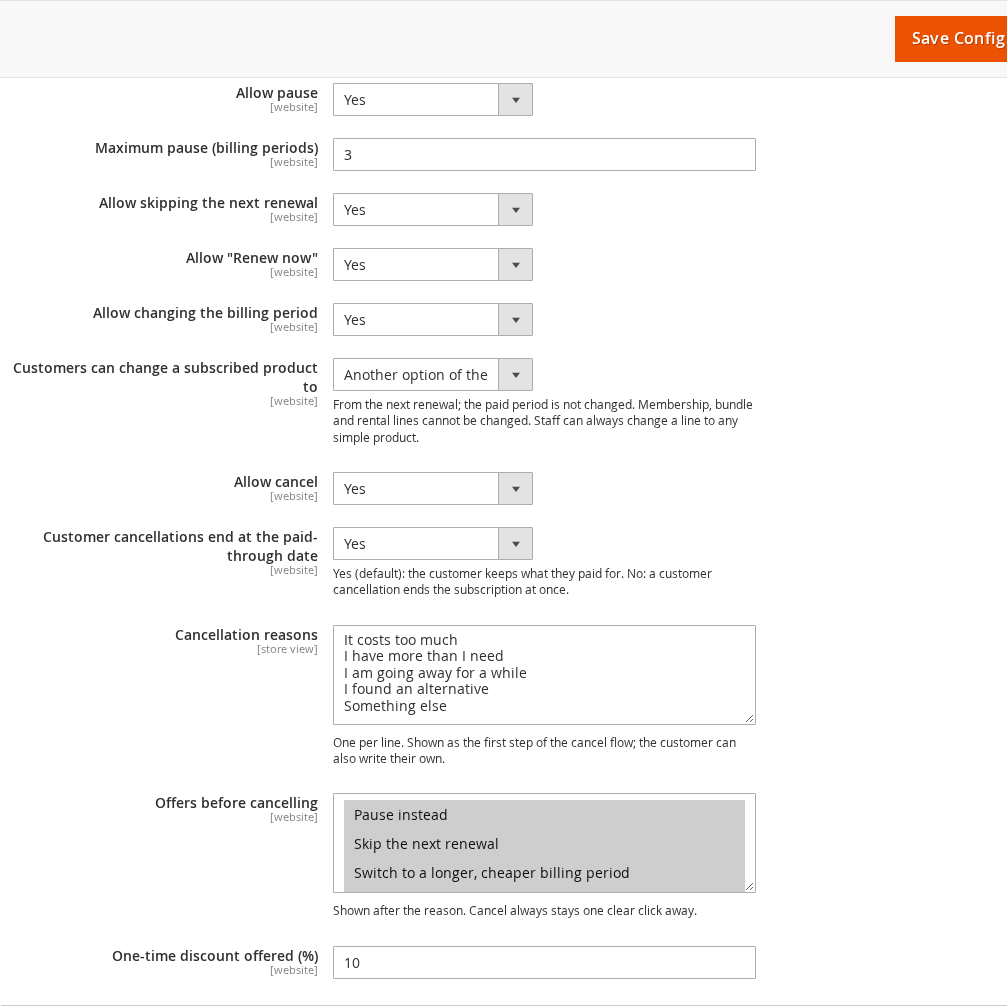
You can allow or forbid pause (with a maximum number of billing periods), skip, renew now, changing the billing period and cancelling. Customer cancellations end at the paid-through date (default Yes) lets the customer keep what they paid for. Cancellation reasons are the choices shown in the first step of the cancel flow. Offers before cancelling adds retention offers after the reason: pause instead, skip the next renewal, switch to a longer cheaper billing period, or a one-time discount (you set the percentage). Cancel always stays one clear click away.
Customers can change a subscribed product to controls product swaps: nothing, another option of the same product (size, colour), or another option or another subscription product in the same category. Staff can always change a line.
Reminders and emails #
Reminders go out before a renewal (days before; 0 turns it off), before a trial ends, and when the saved card expires before the next renewal. Many auto-renewal laws require notice before an annual renewal, so Send renewal reminders for can be limited to yearly plans. Under Emails you choose the sender, an optional copy address and the template for each message: payment failed, payment needs confirming, subscription started, renewal reminder, trial ending, status changed (paused, resumed, cancelled or expired), card expiring, and the membership and queue messages.


