
Memberships are created automatically when a customer buys a membership product, and they follow the subscription that pays for them. This page covers the admin screens for looking after them.
The memberships grid #
Subscriptions > Memberships lists every membership with its customer, type, status, the credit left and the queue slots in use.
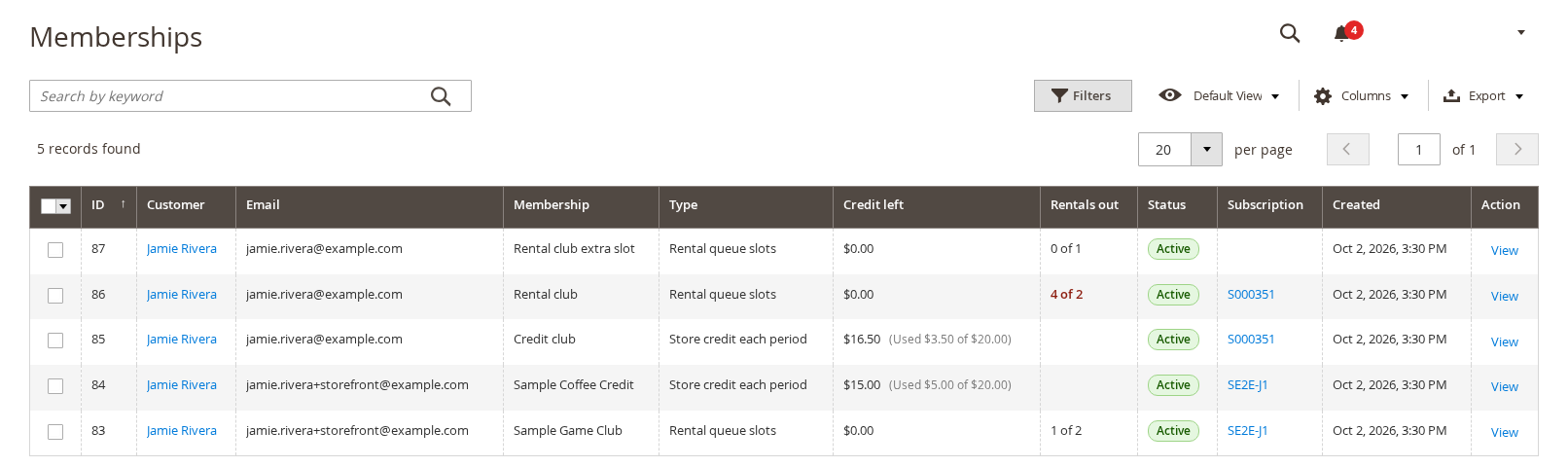
A membership is Active, Suspended (its subscription is paused or on hold and you chose to suspend benefits), Ended or Cancelled.
One membership #
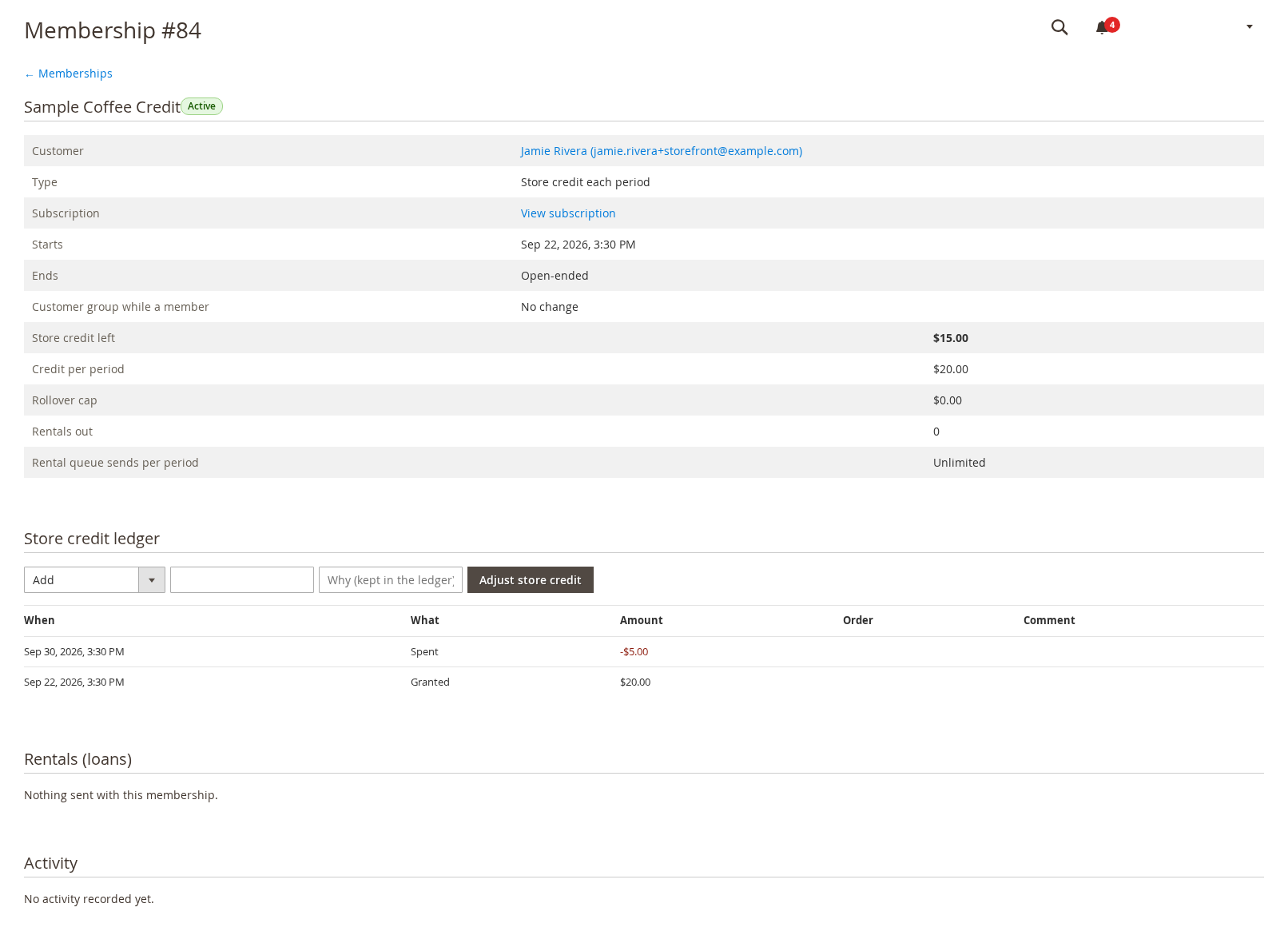
Click a membership to see it in full: the customer, type, the linked subscription, start and end, the customer group it applies and the numbers that matter.
| Field | Meaning |
|---|---|
| — | — |
| Store credit left | What the member can still spend this period. |
| Credit per period | What is granted at signup and at each renewal. |
| Rollover cap | How much unused credit carries over; 0 means none. |
| Rentals out / Rental queue sends per period | Queue titles with the member now, and the sends allowed per billing period (“Unlimited” or a number). |
The store credit ledger #
Every grant, spend, adjustment and expiry of credit is a row in the ledger with its date, type, amount and, for a spend, the order. To correct a balance, use Adjust store credit above the ledger: choose Add, Remove or Set the balance to, enter the amount and a reason. The reason is kept in the ledger, so every change can be explained later.
Rentals (loans) #
For a queue membership this lists the titles sent under it. See Rental queue.
What happens over a membership’s life #
- Signup: the first period’s credit is granted and queue slots open.
- Each renewal: new credit is granted. Unused credit carries over up to the rollover cap and the rest expires.
- Pause or hold: with Suspend benefits while the subscription is paused or on hold, credit, slots and the customer group stop until it is active again. The grace period keeps benefits on for a few days after a failed renewal.
- Cancellation: the membership ends with the subscription (at the period end if the customer cancelled at period end), and the customer group is removed.
- Spending: at checkout the member ticks Use my membership store credit; the spend is recorded against the order. A credit memo on that order gives the credit back.


