
A membership is something a customer holds while they have a subscription, or once without one. It can give them store credit every billing period, slots in the rental queue, a different customer group, or a mix of these. You create a membership by marking an ordinary product as one: buying that product creates one membership per unit.
Make a product a membership #
Open the product, go to Subscriptions & memberships and set Sell as a subscription to Yes with the plans you want (a monthly or yearly plan is typical). Then choose a Membership type.
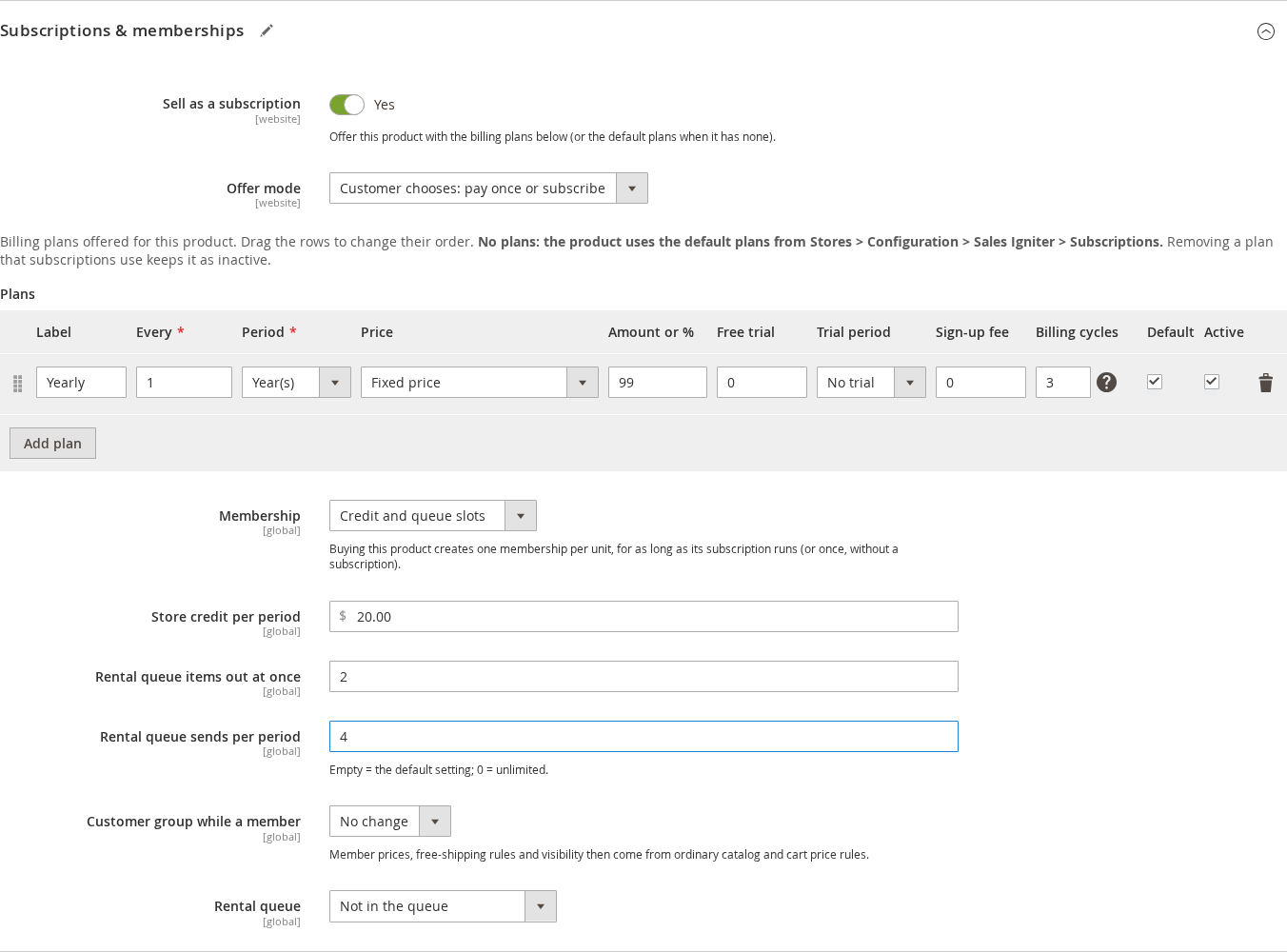
| Membership type | What it grants |
|---|---|
| — | — |
| Not a membership | Nothing: a normal subscription product. |
| Store credit each period | Credit the customer can spend at checkout. |
| Rental queue slots | Titles the member may have out at once. |
| Customer group only | Only a customer group while the membership lasts. |
| Credit and queue slots | Both credit and queue slots. |
| Field | What it does |
|---|---|
| — | — |
| Store credit per period | The amount granted at signup and at every renewal. |
| Rental queue items out at once | How many queue titles the member may hold at the same time. |
| Rental queue sends per period | How many titles can be sent in a billing period. Empty uses the store default; 0 is unlimited. |
| Customer group while a member | Moves the customer into this group while the membership is active. “No change” leaves the group alone. Member prices, free-shipping rules and visibility then come from ordinary catalog and cart price rules. |
The membership lasts as long as its subscription runs. For a membership product bought without a subscription (offer mode “Pay once”), One-time membership length (days) in the settings sets how long it lasts; 0 means no end date.
Store-wide membership settings #
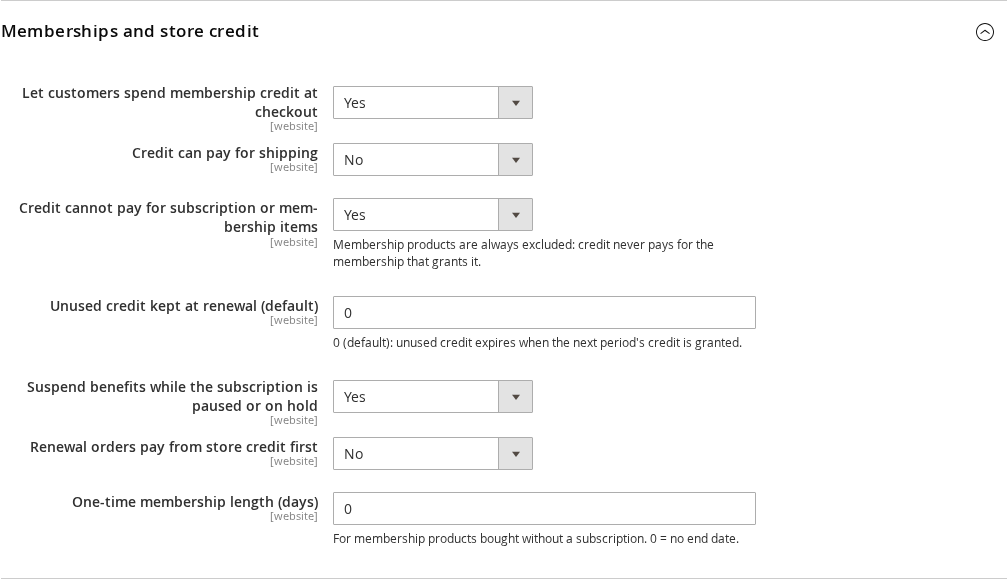
Go to Stores > Configuration > Sales Igniter > Subscriptions > Memberships and store credit.
| Setting | What it does |
|---|---|
| — | — |
| Let customers spend membership credit at checkout | Shows “Use my membership store credit” at checkout. |
| Credit can pay for shipping | Whether shipping can be paid from credit. |
| Credit cannot pay for subscription or membership items | Keeps credit away from other subscriptions. A membership product is always excluded: credit never pays for the membership that grants it. |
| Unused credit kept at renewal (default) | The most unused credit carried into the next period. 0 (default): unused credit expires when the next period’s credit is granted. |
| Suspend benefits while the subscription is paused or on hold | Credit, queue slots and the customer group stop until the subscription is active again. |
| Renewal orders pay from store credit first | Lets a membership’s own renewals draw on its credit. |
| One-time membership length (days) | The length of a membership bought without a subscription. |
One more setting affects members: Failed payments > Grace period (days) keeps benefits running for that many days after a failed renewal.
What members see #
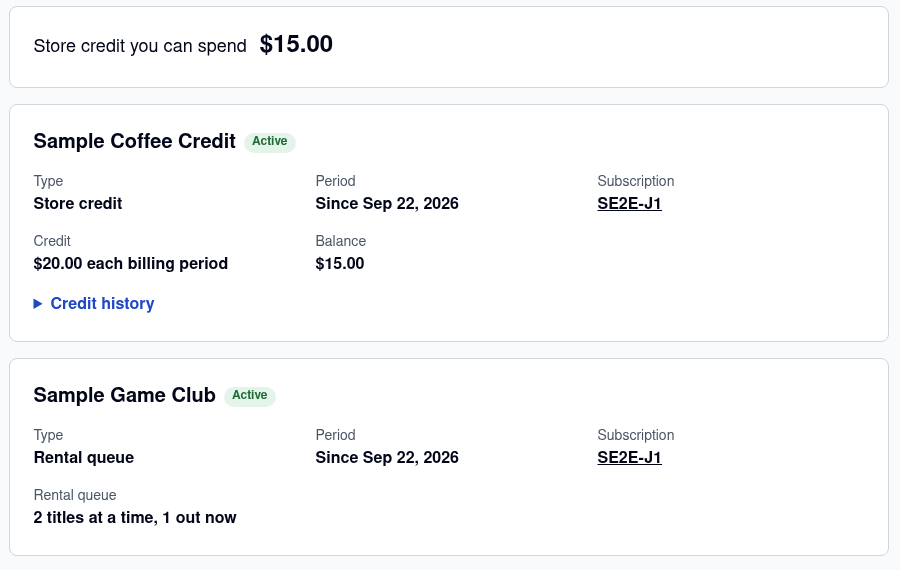
In My Account, My Memberships shows the credit the customer can spend and one card for each membership: its type, since when, the linked subscription, the credit per period and balance, and the queue slots (“2 titles at a time, 1 out now”). A Credit history list shows every grant and spend.
At checkout members who have credit see Use my membership store credit, which takes the balance off the order total.


