
Serials need very little setting up: the Serials grid works as soon as a product has serial numbers, and serial custom fields start once you give a field set to a product. What is left is where photos are stored, how long they are kept, and who on your staff may do what.
Settings #
Go to Stores > Configuration > Sales Igniter Rental > Serials. These settings apply to the whole installation.
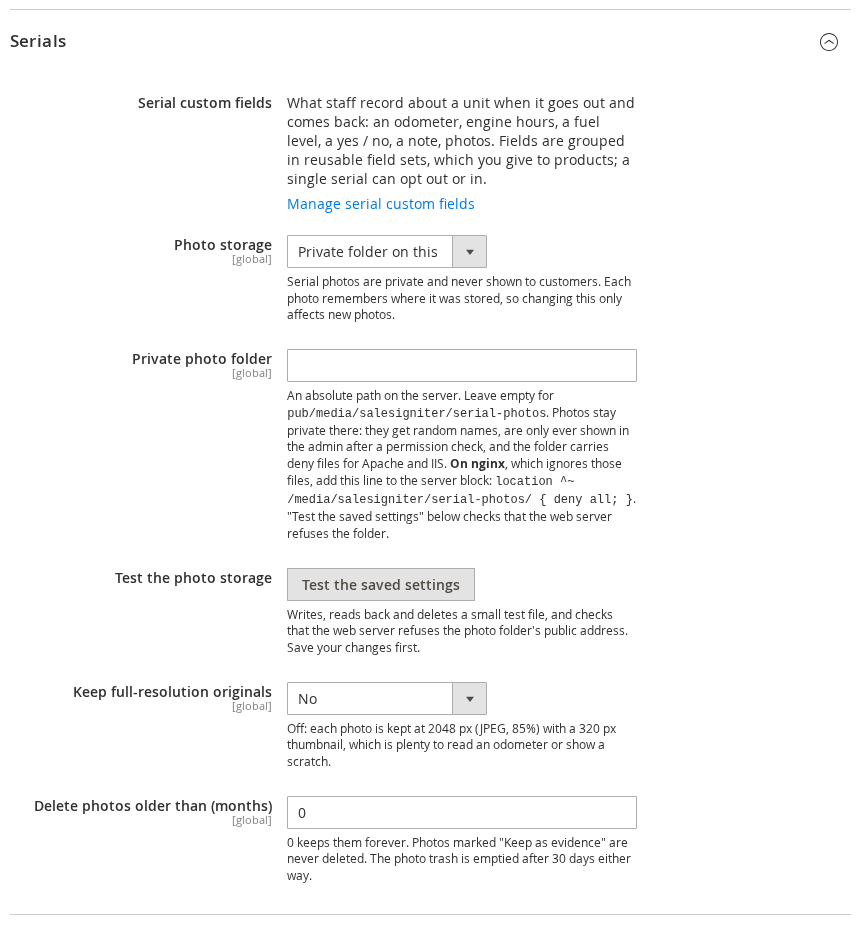
| Setting | What it does |
|---|---|
| Serial custom fields | A link to the field sets page. |
| Photo storage | Private folder on this server (the default) or Amazon S3 or an S3-compatible service. Each photo remembers where it was stored, so changing this only affects new photos. |
| Private photo folder | For the private folder: an absolute path on the server. Leave it empty for pub/media/salesigniter/serial-photos, which every Magento deployment keeps. Photos stay private there (see below). |
| Bucket, Region, Access key, Secret key | For S3. The secret key is stored encrypted and never shown again. Cloudflare R2 uses the region auto. |
| Endpoint (S3-compatible services) | Leave empty for Amazon S3. For Cloudflare R2, Backblaze B2, Wasabi, DigitalOcean Spaces or MinIO, the service’s S3 endpoint URL. |
| Bucket in the path (path-style URLs) | Turn on if your service needs the bucket name in the URL path. |
| Folder in the bucket | An optional folder for the photos inside the bucket. |
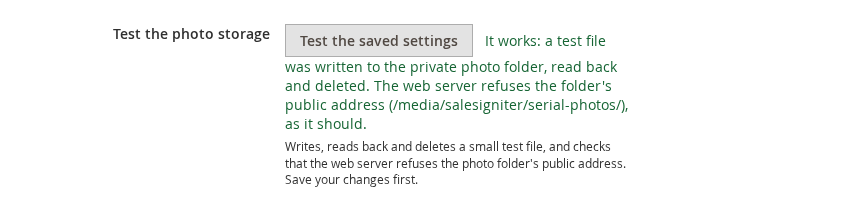
| Test the photo storage | Writes, reads back and deletes a small test file, so you know the settings work before staff rely on them. For the private folder it also asks your web server for a test file at its public address, and warns if the web server hands it out. Save your changes first. |
| Keep full-resolution originals | Off: each photo is kept at 2048 pixels (JPEG, 85% quality) with a 320-pixel thumbnail, which is plenty to read an odometer or show a scratch. On: the original file is kept as well, which takes much more space. |
| Delete photos older than (months) | 0 keeps photos forever. Photos marked Keep as evidence are never deleted this way. Trashed photos are emptied after 30 days whatever this says. |
Photos are never public. They are shown only to logged-in staff with the photo permission, through links that expire; no page and no API ever gives out a photo’s own address. In the private folder every photo also gets a long random file name, and the folder carries files that tell Apache and IIS web servers to refuse it. Photos stored on S3 are handed out through short-lived links too, so the bucket can stay private.
On nginx, add one line. nginx ignores those files, so a store on nginx needs this line in its server block, followed by an nginx reload, before staff start taking photos:
location ^~ /media/salesigniter/serial-photos/ { deny all; }If you chose a different folder under pub/media, use its path after /media/. Test the photo storage tells you whether the web server refuses the folder, and gives you the line to add if it does not.
Permissions #
Each part of the feature has its own permission, so you can decide, role by role, who designs field sets, who records readings and who may delete photos. Go to System > Permissions > User Roles, open a role and choose Role Resources. They are under Rentals.
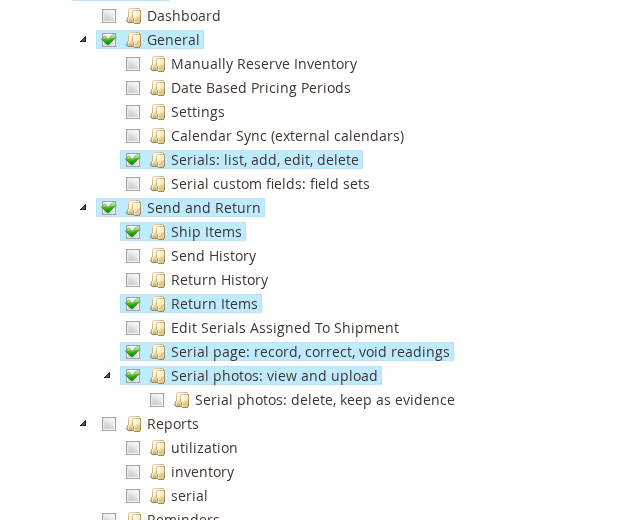
| Permission | What it allows |
|---|---|
| General > Serials: list, add, edit, delete | The Serials grid, adding serials, editing a serial’s details, printing labels and deleting serials. |
| General > Serial custom fields: field sets | The Serial Custom Fields page: creating, editing, archiving and deleting field sets, and giving them to products. |
| Send and Return > Serial page: record, correct, void readings | Recording readings on a serial’s page, correcting and voiding them, a serial’s own field sets (also from the Serials grid), and the Rental usage and photos section on orders. |
| Send and Return > Serial photos: view and upload | Seeing photos and adding them; trashing your own. |
| Send and Return > Serial photos: delete, keep as evidence | Deleting photos permanently, marking them as evidence, and trashing anyone’s photos. |
| Send and Return > Ship Items and Return Items | As before, the Send Rentals and Return Rentals screens. They now include the Custom fields dialogs, and Return Items includes Scan Returns with its custom fields. |
A serial’s page opens for anyone with either the Serials or the Serial page permission. With Serials alone, the custom fields and the history are not shown; with Serial page alone, the serial’s details are shown but cannot be changed. Photos appear with Serial photos: view and upload.
After upgrading #
So that nobody loses a screen they could reach before, the upgrade gives these permissions to every existing role that already had access to part of the rental extension. It never overrides a permission someone deliberately denied. Afterwards, review the roles of staff who should not have every power, especially Serial photos: delete, keep as evidence.


