
This page covers three things: quotes on rental stores (dates on every line, stock held while the customer decides), the GraphQL API for headless stores and integrations, and moving from Amasty Request a Quote.
Rentals: dates on quote lines #
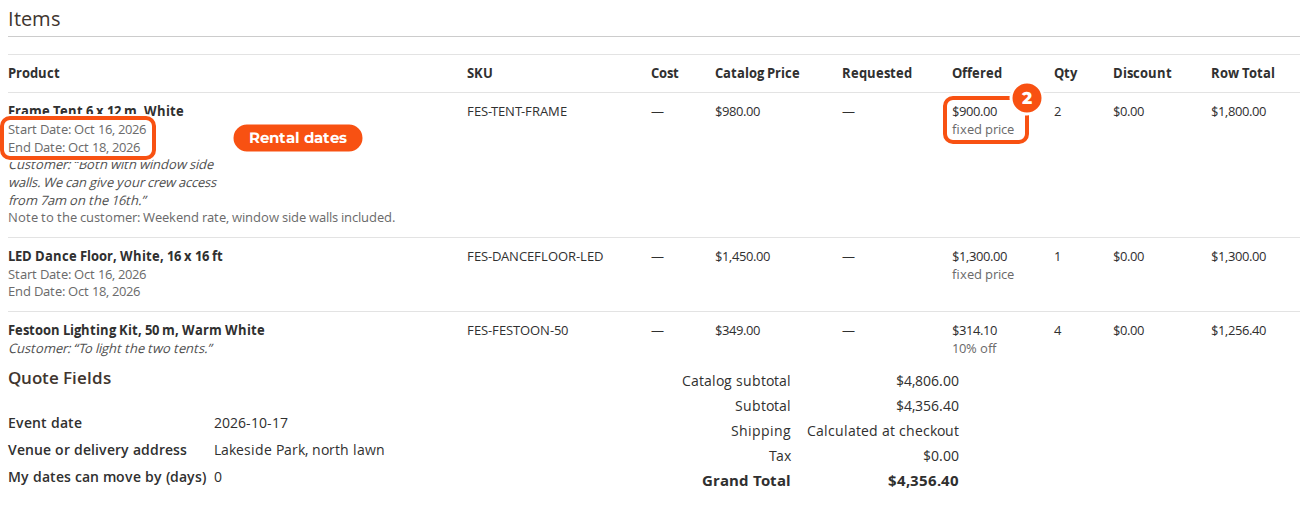
On a store that runs Sales Igniter Rental, install the rental connector, salesigniter/releaserfqrental2 (it needs the rental extension 1.2.209 or later). Customers then pick their dates in the rental calendar before Add to Quote, exactly as for Add to Cart, and the dates travel with the line to the quote, the offer, the PDF and the order.
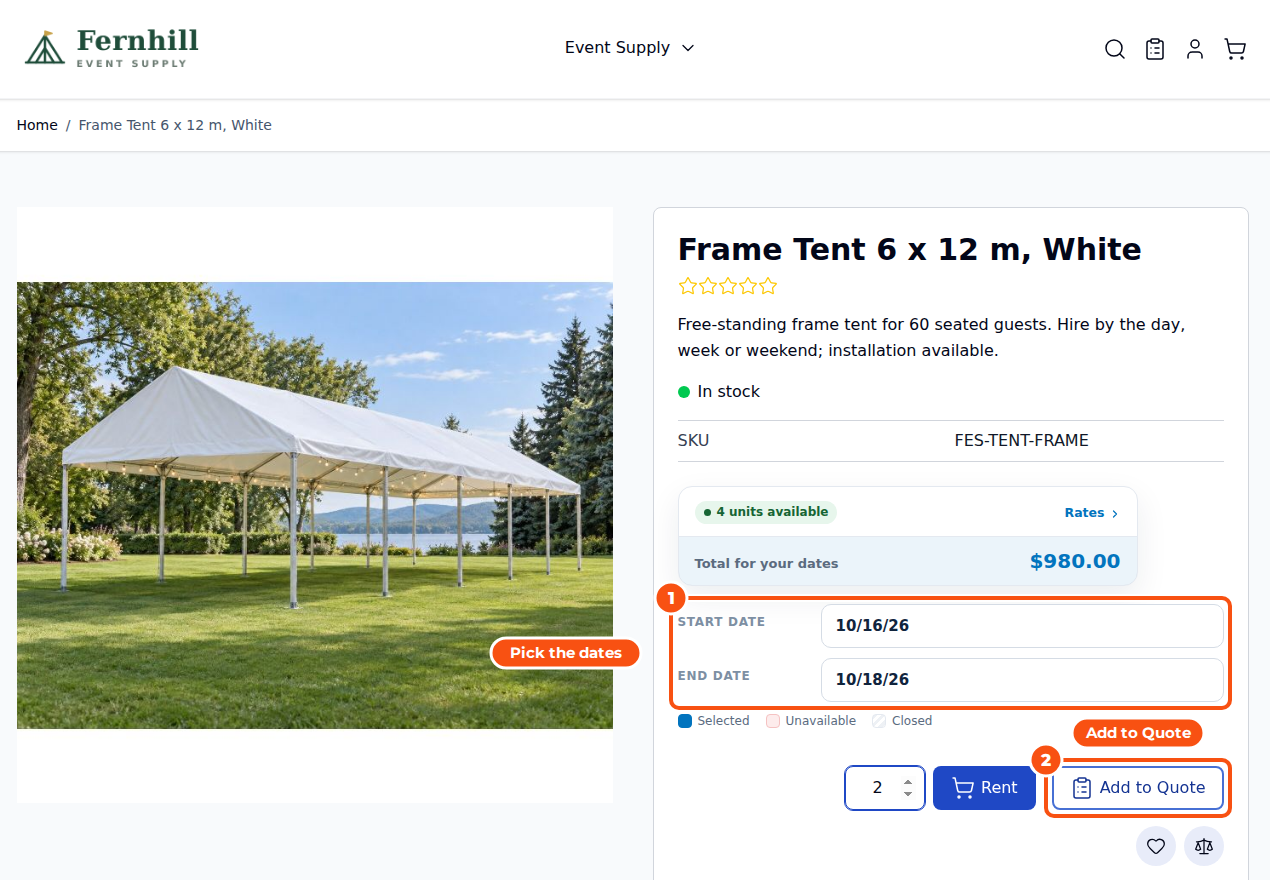
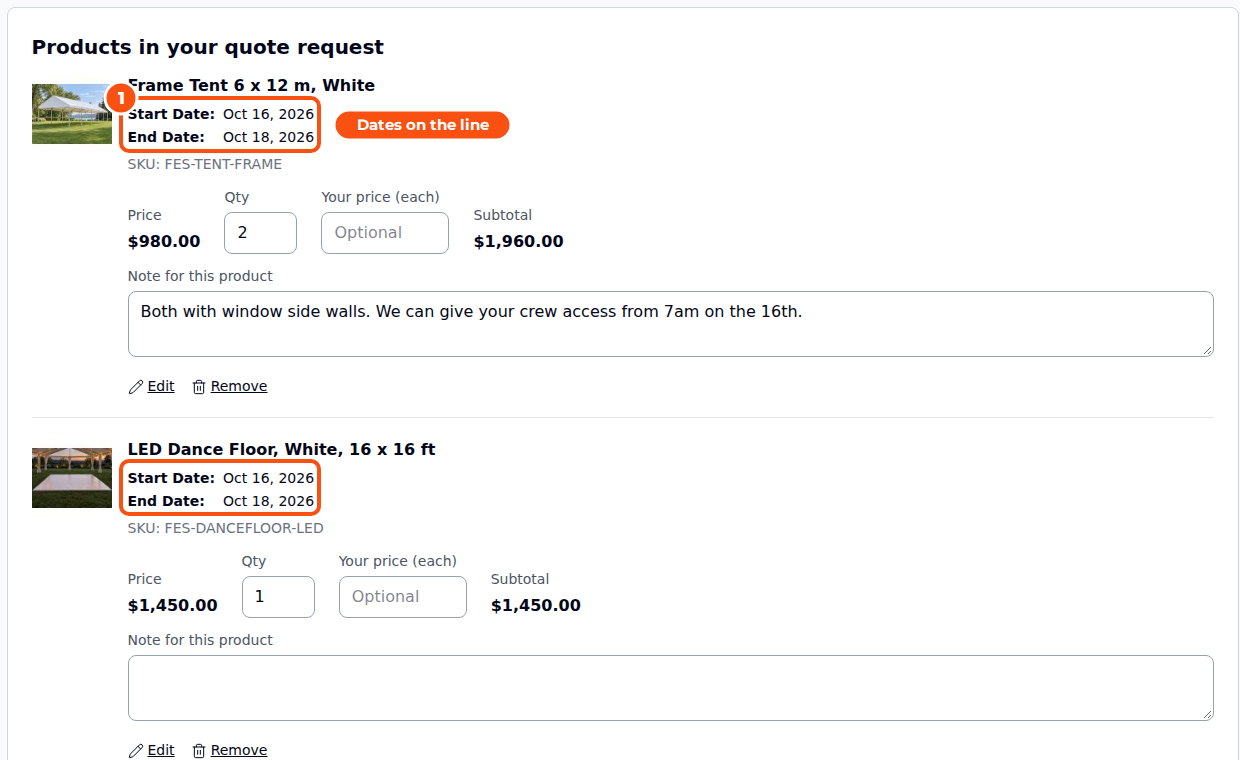
- Availability is checked when a rental is added. Rental not available when added to the quote (Settings > Rental): Refuse, like Add to Cart, or Allow, so customers can ask for dates you do not have yet; you then see the availability in the quote editor.
- In the admin editor staff get the same date pickers as order create: calendars per line with availability, global dates with Go, and Change All Dates (bundles included). A percent-off offer follows new dates; a fixed price offered for other dates is flagged until the quote is sent again.
Rentals: holding stock for a quote #
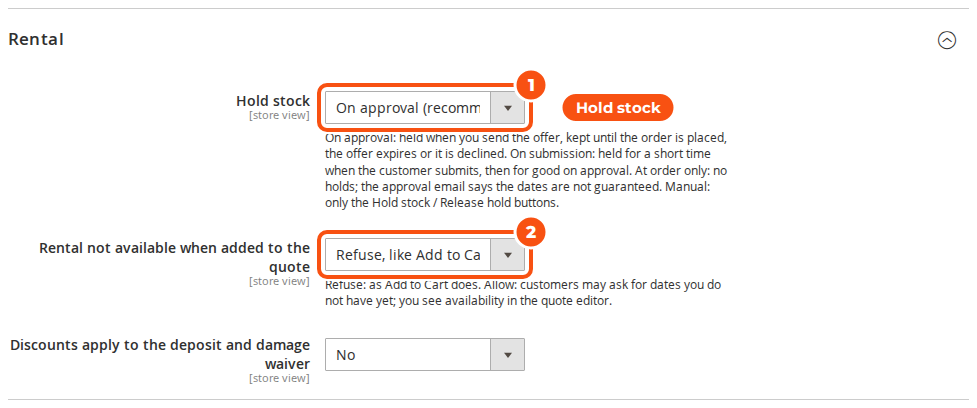
Settings > Rental > Hold stock decides when stock is set aside for a quote:
| Setting | What happens |
|---|---|
| On approval (default) | Stock is held when you send the offer, until the order is placed, the offer expires or it is declined |
| On submission, for a short time | Held when the customer submits, for N hours (default 48), and for good when you approve |
| Only when the order is placed | Never held; the dates are checked at checkout, and the approval email says the dates are not guaranteed |
| Manually | Only the Hold stock now / Release hold buttons |
- Holds are ordinary reservations, so they show in the Inventory report (linked to the quote) and in availability everywhere. A customer’s own holds never block their checkout.
- When the order is placed, the holds become the order’s reservations in one step. Expired and declined quotes release theirs every 15 minutes.
- The quote’s page has a Rental panel with the stock hold and the buttons Hold stock now (or Hold stock again), Release hold and Skip the stock check at checkout, for a quote you have promised whatever the availability. The grid has a Stock hold column.

- Deposits and damage waivers (from our waiverdamage module) show per line and in the totals of the quote, the PDF and the emails, and carry into the cart. By default discounts do not reduce them (Discounts apply to the deposit and damage waiver).
- The connector adds a custom field, My dates can move by (days), so customers can tell you how flexible they are.
The GraphQL API #
The API is GraphQL only, on Magento’s own /graphql; there is nothing to enable. Every name starts with rfq or Rfq, so it never collides with another quote extension’s schema. Where a price is hidden, every Money.value is null (never 0), in the quote types and in Magento’s price_range.
Storefront calls use a customer token, or a guest’s masked quote cart id:
mutation { createGuestRfqQuoteCart }

mutation {
  addProductsToRfqQuoteCart(cart_id: "<masked id>", items: [
    { sku: "FES-CHAIR-CHIAVARI", quantity: 120, requested_price: 34, note: "Gold, with the ivory cushions" }
    { sku: "FES-TENT-FRAME", quantity: 2, rental_dates: { start_date: "2026-10-16", end_date: "2026-10-18" } }
  ]) { quote_cart { id total_quantity items { uid sku quantity } } user_errors { code message } }
}

mutation {
  submitRfqQuote(input: { cart_id: "<masked id>", email: "[email protected]",
    firstname: "Sofia", lastname: "Martinez", company: "Brightside Conference Centre",
    remarks: "Awards dinner for 120 guests",
    custom_fields: [{ code: "event_date", value: "2026-11-14" }] })
  { quote { number status } guest_token }
}

query { guestRfqQuote(number: "300000007", token: "<guest_token>") { status items { name approved_price { value currency } } } }
query { customerRfqQuotes(pageSize: 10) { total_count items { number status expires_at available_actions } } }
mutation { moveRfqQuoteToCart(numbers: ["300000009"]) { id items { uid quantity } } }
Also: rfqQuoteCart, updateRfqQuoteCartItems, removeRfqQuoteCartItem, clearRfqQuoteCart, moveCartToRfqQuote (Move to Quote), mergeGuestRfqQuoteCart, saveGuestRfqQuoteToAccount, uploadRfqAttachment (base64; pass the returned ids and upload_token to submitRfqQuote), cancelRfqQuote, addRfqQuoteNote, requestRfqQuoteChanges, customerRfqQuote, storeConfig { rfq_* }, and on every product rfq { can_add_to_quote price_hidden add_to_cart_hidden quote_only hidden_price_text replacement }. On rental stores: rental_dates when adding to a quote cart, rental on each line and rental_hold on the quote.
Back office calls use an admin or integration bearer token and are checked against the same permissions as the admin: rfqQuotes, rfqQuote, setRfqQuoteItemPrices (line offers and the whole-quote adjustment), sendRfqQuote, declineRfqQuote and extendRfqQuote. A customer token is refused, and staff without “See quotes owned by other staff” see their own and unassigned quotes.
mutation {
  setRfqQuoteItemPrices(id: 257, items: [
    { item_uid: "<uid from rfqQuote>", type: FIXED, value: 5850, admin_note: "Includes installation and training" }
    { item_uid: "<uid>", type: PERCENT, value: 5 }
  ], adjustment: { mode: DISCOUNT_AMOUNT, value: 100 }) { number status prices { grand_total { value } } }
}
mutation { sendRfqQuote(id: 257, input: { expires_at: "2026-10-28", message: "Here is our offer." }) { number status expires_at } }
Moving from Amasty Request a Quote #
Switching is optional: our Amasty integration (salesigniter/releaserfqintegration2 1.3) remains a supported product. Both extensions can be installed at the same time, and our storefront stays off while Amasty’s module is enabled until you turn on Show on the storefront yourself.
- Install Request for Quote next to Amasty and run
setup:upgrade. - Dry run:
bin/magento salesigniter:rfq:import-amasty --dry-run. It prints the tables and columns it recognised, how Amasty’s statuses map to ours, how many quotes it would import, Amasty’s settings next to ours, customised Amasty email templates, and Amasty’s hide-price product attributes. Unmapped statuses go in a CSV passed with--status-map=file.csv; a column it did not find is mapped with--map expires_at=<column>. - Import:
bin/magento salesigniter:rfq:import-amasty. It can run again later: imported quotes are skipped, new ones added. - Set our settings, turn Show on the storefront on, check a few imported quotes, then disable
Amasty_RequestQuoteandSalesIgniter_Rfqintegration. Amasty’s tables are left alone.
Each Amasty quote comes across with its number, status, dates, remarks, admin notes and negotiated prices; converted quotes point at their order; on rental stores the stock reserved for Amasty quotes is adopted as holds. Old links in emails Amasty sent open the imported quote (Redirect old Amasty quote links). Customised email templates and Amasty’s settings do not come across; re-create them from ours. The importer reads Amasty’s data only and uses none of Amasty’s code.


