
Heavy equipment rental software that tracks every machine
4-hour, day, week and 4-week rates on each machine. One serial per excavator, with its hours and hire history, and a service buffer before it goes out again. Built for WooCommerce and Magento 2.
Day, week and 4-week rates, one serial per machine, and a service buffer after every hire.
- Day to 4-week rates
- One serial per machine
- Service buffers
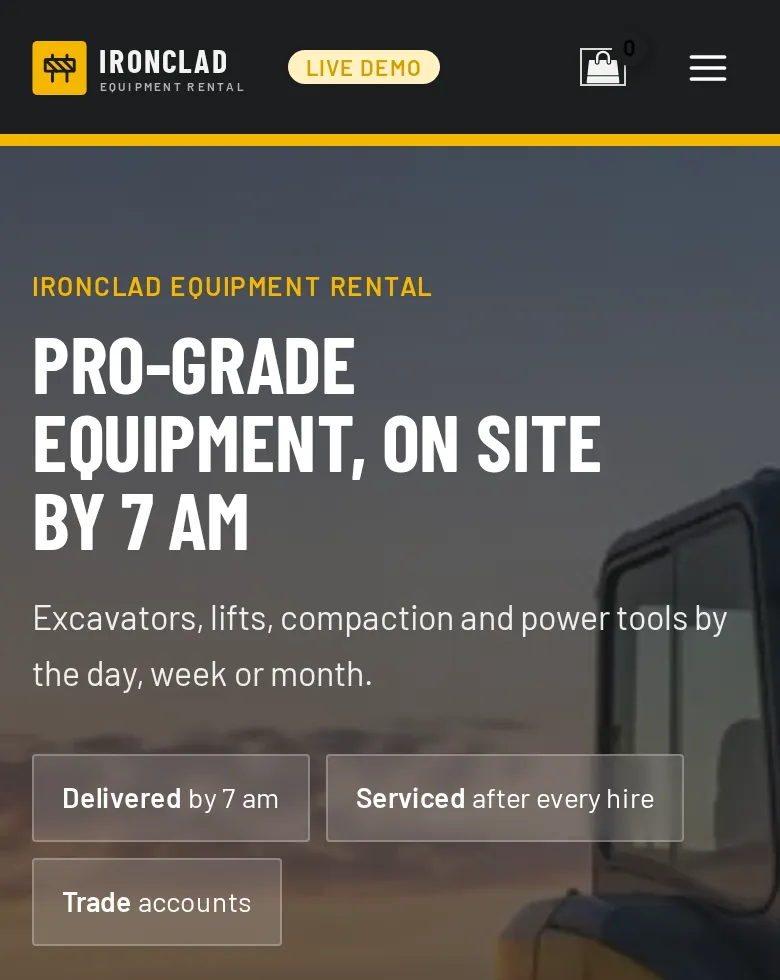
An excavator is an asset, not a stock level
Plant hire breaks generic booking software faster than almost any other kind of rental: the unit has an identity and a service history, it rarely leaves on the customer’s van, and hires run for weeks.
Assets, not stock levels
Each machine has its own asset number, acquisition date, cost and hire history, and a customer will ask which one they had last month.
One record per machine.
Service between hires
A machine back from a six-week job needs washing, refuelling, a service check and often a thorough examination before it goes out again.
A service buffer after every hire.
Transport, not collection
Most plant goes out on a low-loader to a site with a gate, a contact and a delivery window it will accept.
Delivery windows and site details on the order.
Weeks and months, not days
Construction hire is priced by the week and the month, and jobs overrun.
Day to 4-week rates, and online extensions.
Several yards
Each machine lives at a yard, and the site manager wants the one nearest the job.
Stock by yard.
Operator tickets and theft risk
The operator’s ticket decides whether the machine can be used, and a new cash account is where plant theft happens.
Tickets and ID checked before it leaves.
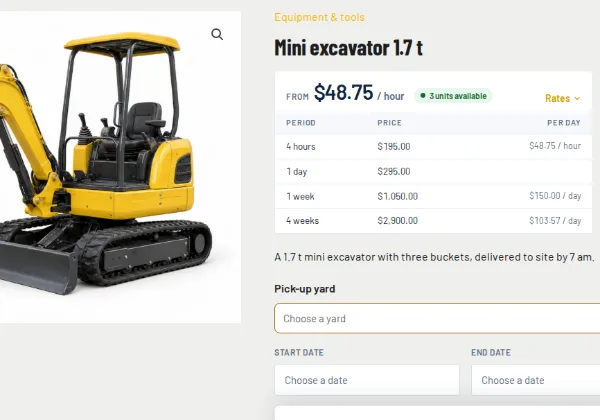
4-hour, day, week and 4-week rates on each machine
| Period | Price | Works out |
|---|---|---|
| 4 hours | $195.00 | $48.75 / hour |
| 1 day | $295.00 | $295.00 / day |
| 1 week | $1,050.00 | $150.00 / day |
| 4 weeks | $2,900.00 | $103.57 / day |
Rates are entered by hour, day, week, month or year, and the engine prices the hire from the dates chosen, so a four-week hire is priced the way your rate card works rather than as 28 day rates. Weekend and bank-holiday pricing attaches to dates, and coupons cover discounts for special customers.
Jobs overrun: customers extend a hire from My Account and the extra time is priced from your rates, and long hires can be billed period after period through the Subscriptions plugin Pro. New and used machines for sale sit in the same catalogue. See the full rental feature list.
One serial per machine, with its hours and hire history
Each excavator, lift or generator is a serial by asset number, with its acquisition date and cost and its own hire history: which customer, which dates and what came back damaged. Staff send and return machines on the Send & Return desk with a barcode scan, and can record the hour meter, fuel, condition and photos each time. Hand tools can stay on simple quantities in the same catalogue.
Mark a machine damaged or not available and it comes off sale while the rest keep hiring. The Usage Report shows utilisation, turns and revenue per machine and per serial, so replacing one is a decision, not a guess, and the REST API passes bookings, availability and serials to your accounting or ERP system.
A service buffer after every hire, at every yard
A buffer before or after each hire, in hours or days, holds the machine out of availability for washing, refuelling and a service check or thorough examination, so a unit due back on Friday is never promised to another site for Monday morning while it’s still on the ramp.
Each yard keeps its own machines and the search asks for the pick-up yard Multi Location Inventory plugin. On the demo, Ironclad runs three yards, and each machine goes back to the yard it came from. Delivery windows go on the order, and each day’s pick list comes off as a CSV or PDF for the yard.
Tickets, site details, waivers and deposits in one checkout
Buckets, attachments and fuel policy are chosen against the machine, delivery and collection are priced options, and the fields sit on each cart line, so three machines going to two sites carry three sets of site details.
- Buckets
- Pallet forks
- Breaker
- Delivery
- Collection
- Fuel
- Operator
Refundable security deposits
Charge the deposit at checkout and refund it on return, or store the customer’s card as a secure token and charge it only if a machine comes back damaged, short or late.
Hire agreement signed as a PDF
Generated from the booking with your terms, signed online before the machine leaves and filed with the order. Start from our free equipment rental contract template.
Damage waiver and extra charges
A damage waiver as a percentage of the hire, required or offered as an opt-in and recorded on the order, and extra charges such as an environmental fee or operated hire as line items.
Operator tickets
CPCS, NPORS or equivalent card number and expiry, with a photo of the card uploaded and approved from a queue before the machine goes out.
Site and access details
Site address, contact and mobile, the delivery window the site accepts, and access: gate width, headroom, overhead cables, slope and ground. Required fields block add-to-cart. About custom fields.
ID before a new account hires
Identity documents collected and approved before a machine leaves on a new cash account, kept out of the media library and purged on a schedule.
Pro included in Rentals & Bookings Pro, or sold on its own. Everything else here comes with Regular.
Start from a store that looks like a plant hire yard
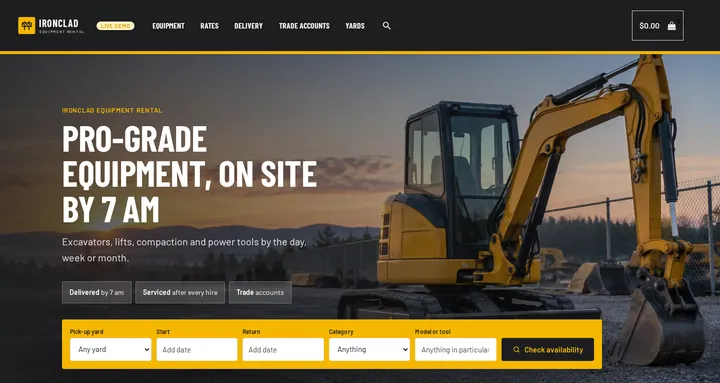
Seven sample machines and tools, from a 1.7 t mini excavator and a skid steer to a scissor lift, a generator and a wet tile saw, with real 4-hour, day, week and 4-week rates; a search in your words (Start, Return, Category, Model or tool); a homepage built from WordPress blocks; and colours and fonts for Astra or a block theme. On the live demo it runs as Ironclad Equipment Rental, with three pick-up yards through the Multi Location Inventory plugin.
Free with the Rentals & Bookings Lite plugin 1.0.11 or newer, which imports everything except the date search on the homepage. Regular and Pro 1.0.74 or newer add the search widget.
Free with the Lite plugin 1.0.11 or newer. Regular and Pro add the homepage date search.
Run it on WooCommerce or Magento 2
The same rental engine on both. We sell both, so the choice is yours.
WooCommerce heavy equipment rental plugin
Right for single-yard hirers and tool-hire shops that want online booking and proper asset records on the WordPress site they already run, without enterprise cost.
- One serial per machine, with hour-meter readings and a hire history
- 4-hour to 4-week rates, and extensions from My Account
- Service buffers, pick lists and a Send & Return desk with barcode scans
- Usage Report per machine and per serial, and a REST API for accounting
- Deposits, damage waiver, operator tickets and signed contracts Pro
- Machines at several yards, with stock by yard Multi Location Inventory plugin
Magento 2 heavy equipment rental extension
For multi-depot plant hire, national accounts and businesses whose catalogue has outgrown a simple site, on Adobe Commerce or Magento Open Source.
- Stock per yard with Multi Source Inventory Pro, and inventory reports filtered by source
- Customer-group pricing for account customers
- Request for Quote for long hires and tenders (sold separately)
- Maintenance tickets that take a machine out of stock, with the cost recorded (Pro)
- The same serials, buffers, deposits, damage waiver and signed contracts (Pro)
Not sure which platform fits? Our Magento versus WooCommerce comparison sets out the trade-offs, and plant hire is one of the trades in our rental software by industry overview.
From yard list to first hire in six steps
Step 1: A product per machine type
Excavators, loaders, lifts and tools, each with its full specification and data sheet.
Step 2: Serials or quantities
Machines by asset number, hand tools on quantities.
Step 3: The calendar on the machine page
Start and return dates, with live availability a site manager can check at 6 am.
Step 4: Rates and the service buffer
4-hour to 4-week prices, holiday pricing and a buffer after every hire.
Step 5: Site details, tickets and waiver
Asked on the product page and required before checkout.
Step 6: Deliver, scan back and service
Pick list for the yard, a barcode scan at send and return, readings recorded, deposit released.
Who this suits
- Plant hire and construction equipment rental
- Tool hire shops and builders’ merchants
- Access equipment: scissor lifts and booms
- Generator, lighting and site power hire
- Landscaping and groundworks equipment rental
- Multi-yard hire businesses with account customers
Heavy equipment and plant hire software questions
Can I track each machine by asset or serial number?
Yes. Products can be tracked by quantity or by serial, and each serialised machine carries its own hire history, acquisition date and cost, with hour-meter readings recorded at send and return. Hand tools can stay on quantities, so you’re not forced to serialise a hundred shovels.
Does it handle service and inspection time between hires?
Yes. Set a buffer before or after the hire on each machine, in hours or days, and that window is held out of availability automatically, so a unit that needs washing, refuelling and a thorough examination is never offered to the next site before it’s ready.
Can I price by week and by month rather than by day?
Yes. Rates are entered by hour, day, week, month or year, so a four-week hire prices the way your rate card works, and special pricing can be attached to date ranges for peak season.
Can I schedule delivery and collection?
Yes. Delivery and collection windows go on the order, and the pick list comes off the orders as a CSV or PDF for the yard, so transport and the hire calendar stay in step.
How do I cover damage and loss on high-value plant?
With the Security Deposits plugin in Pro: charge the deposit at checkout and refund it on return, or store the card as a token and charge it only if a machine comes back damaged, short or late. The hire agreement is signed online before the machine leaves.
Can I run more than one yard?
Yes, with the Multi Location Inventory plugin: each yard keeps its own machines and the search asks for the pick-up yard. On the demo, each machine goes back to the yard it came from.
Is there free plant hire software?
Yes: Rentals & Bookings Lite is free, with the booking calendar and quantity inventory. Serial tracking, the Send & Return desk and the Usage Report come with Regular, on a one-time licence rather than a subscription.
Do you take a percentage of each hire, or charge per user?
No. There is no booking fee, no commission and no per-user fee: unlimited staff logins, and you pay only your payment gateway’s normal card rate. See how we compare with EZRentOut and Point of Rental.
See it running before you buy
Pick a machine, a yard and a four-week hire on the live demo and see it priced from the rate card, or try the free live rental software demo to follow an order through the admin. We can also set up your machines, rates and contracts with a custom build.