
Turnaround time is the gap between an item coming back and being fit to go out again — cleaning, drying, inspection, servicing, laundering. It is the single most commonly missed setting in a WooCommerce rental store, and the one that produces the most awkward phone calls. This guide explains what it does, how to set it, and how to pick the right number for your kit.
What turnaround time actually does
Turnaround padding holds an item out of the availability calendar for a set period around the booked dates, without charging the customer for those days. The customer sees and pays for the days they booked; your calendar knows the item is genuinely unavailable for longer.
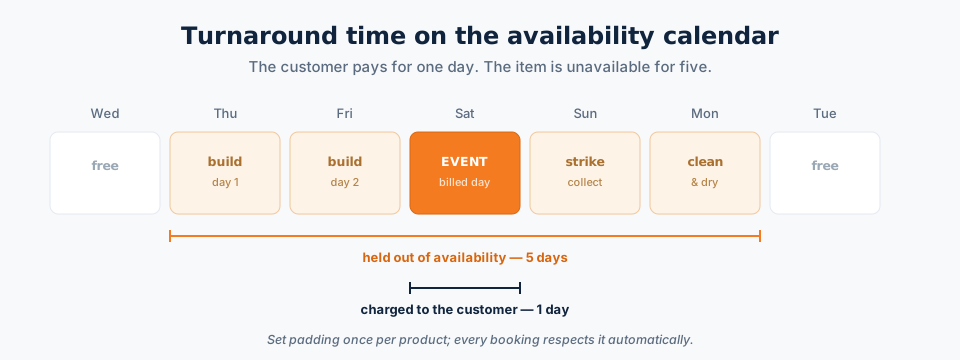
Padding can apply before the hire, after it, or both. Before is for items that need preparing or delivering ahead of the event; after is for cleaning, drying and inspection.
How to set it up
- Edit the product and open the rental settings in the Product data panel.
- Find the padding or buffer fields — typically days before and days after the rental period.
- Enter the number of days (or hours, if you rent hourly) the item is genuinely unavailable either side of the hire.
- Save. Every future booking of that product respects the padding automatically — on the storefront calendar, in the inventory report, and in the admin bookings calendar.
Set it per product, not globally. A folding chair needs none; a 40×80 frame tent needs four days.
Choosing the right number
| Item | Typical padding | Why |
|---|---|---|
| Folding chairs, tables, crockery | 0–1 day after | Washing and counting back in |
| Wetsuits, ski gear, costumes | 1–2 days after | Laundering and drying |
| Inflatables and bounce houses | 1 day after | Cleaning, disinfecting and full drying |
| Marquees and large tents | 2 before, 2 after | Build, strike, drying and inspection |
| Camera and AV kit | 0–1 day after | Function check, sensor clean, battery charge |
| Plant and construction equipment | 1–3 days after | Wash-down, service interval, damage inspection |
| Vehicles | 1 day after | Valet, fuel, damage check |
Checking it works
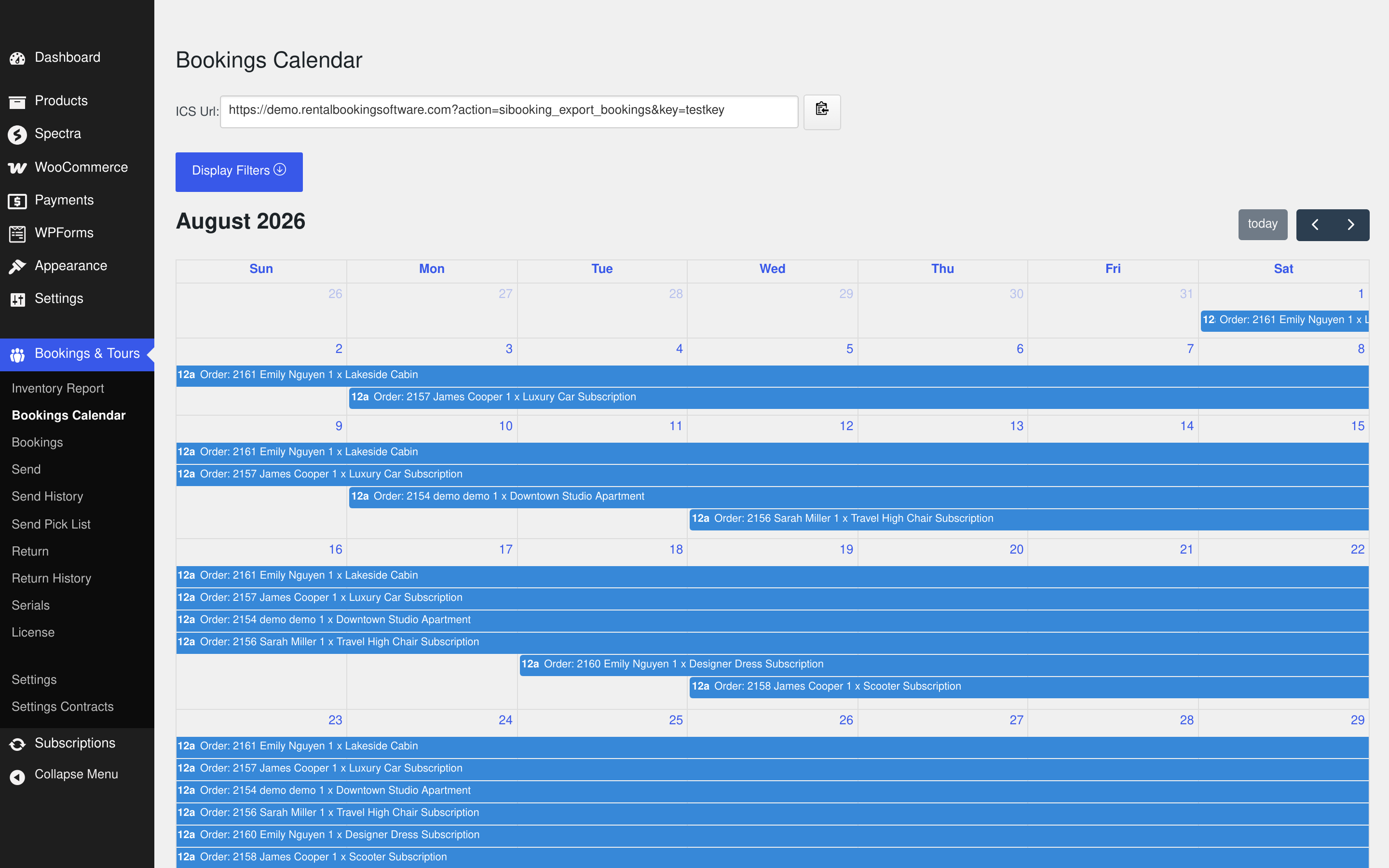
After setting padding, book the product on the storefront for a single day and then try to book it for the following day. If the second attempt is refused, padding is applied. You can also see the effect across the whole month in the admin bookings calendar, where each hire occupies its real footprint rather than just the billed days:
Common mistakes
- Padding the price instead of the calendar. Charging the customer for cleaning days makes you look expensive next to a competitor who does the same thing invisibly. Pad the availability, not the invoice.
- One global setting for everything. A blanket two-day buffer across the catalogue quietly destroys utilisation on the items that need none.
- Optimistic numbers. If cleaning genuinely takes two days in peak season, setting one day means you oversell exactly when you can least afford to.
- Forgetting delivery and collection. If your van collects the day after the hire ends, the item is not back on the shelf that evening.
See it working
The free live demo has products with padding configured — book one, then try the following day and watch it refuse. If you are still setting the store up, start with how to add equipment rentals to your WooCommerce store, or see the full WooCommerce rental plugin feature list.