
Charge for every delivery by how far it goes
Delivery by Distance prices each WooCommerce delivery from your store, or your nearest warehouse, to the customer’s door. Set your price bands once: shoppers see the delivery price on the product page, checkout charges the right fee for the address, and addresses that are too far are turned down. It works out the distance itself with no map account, or uses the map service you choose for road distances and drive times.
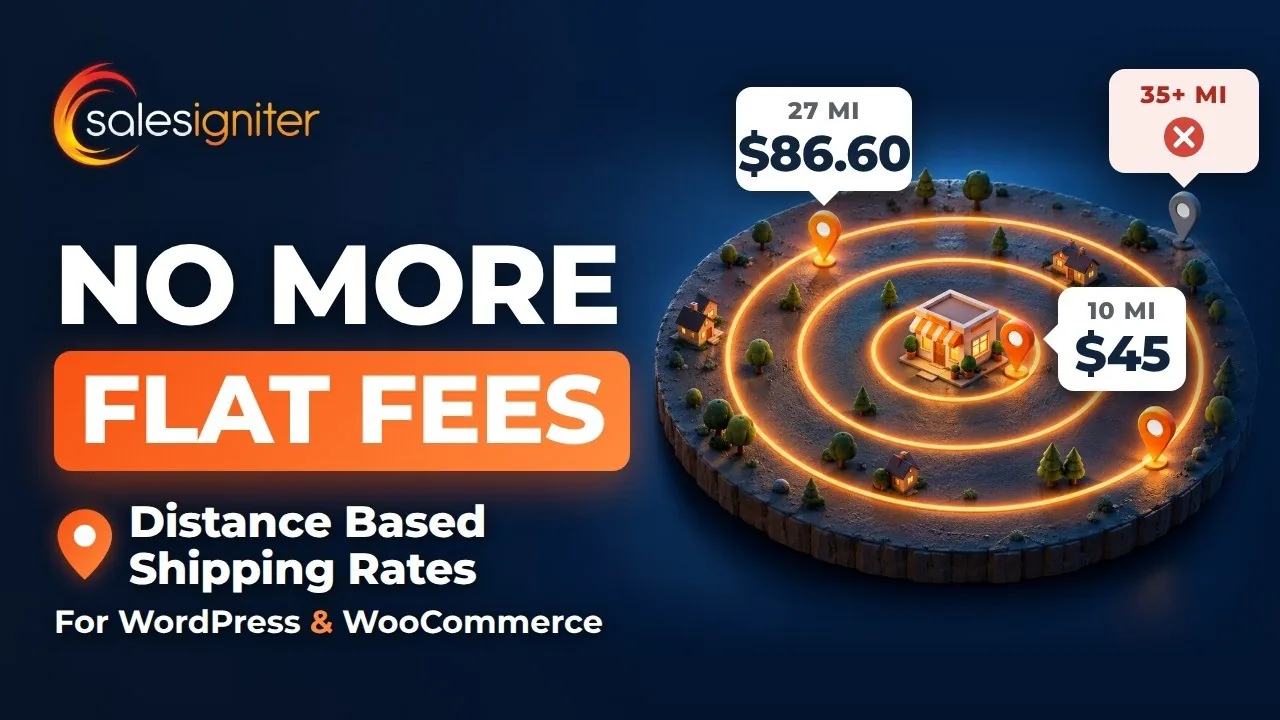
Stop charging one delivery fee for every address
A flat fee loses money on the long trips and looks expensive to the customer around the corner. Shipping zones by postcode mean long lists to keep up, and they still don’t know how far each address is.
A flat fee, or zones by hand
- The customer 3 miles away pays the same as the one 30 miles away
- Long trips eat the margin; short ones look overpriced
- Postcode lists to type in and keep up for every zone
- Shoppers find out what delivery costs only at checkout
With Delivery by Distance
- Each address priced from its own distance, band by band
- Free delivery nearby or over an order total, a lowest and a highest fee
- One price table for the whole area, and a limit past which delivery isn’t offered
- The delivery price on the product page, before they order
Set up once, priced on every order
A checklist at the top of the settings shows what is left to do.
Put your store on the map
Find it on OpenStreetMap, use its postcode point, or type its coordinates. Add warehouses and branches too.
Make a price table
Bands by distance or drive time, limits, free delivery and extra charges, with a preview as you type.
Add it to a shipping zone
Delivery by Distance is a WooCommerce shipping method: add it to a zone and pick its price table.
Customers see the price
On the product page, at checkout and on the order, with the distance and the drive time.
The delivery price before they order
Shoppers type a postcode on the product page and see what delivery will cost. At checkout, the fee follows the address.
Delivery to my postcode
A checker on the product pages that ship, or anywhere else with a shortcode or a block. It uses your own calculation: no map service is asked, and nothing about the visitor is kept.
The right fee at checkout
A WooCommerce shipping option priced for the address, on the classic and the block checkout. Show the distance in its name if you like: “Delivery (27.2 mi)”.
Check the pin on the map
Customers move the pin to their door or gate on an OpenStreetMap map, within a distance you set, so the price can’t be lowered by moving it.
Too far? They’re told why
Past your limit, delivery isn’t offered and the customer reads the reason. When you offer pick up, it says so.
On the order
The order screen shows the distance, the drive time and the price table used, for whoever delivers.
No map account needed, or the map service you choose
Start with its own calculation, free. Add a map service later for road distances and drive times; own calculation stays as the fallback.
| Measured by | What it needs | What it measures | What is sent |
|---|---|---|---|
| Own calculation | Nothing: no account, no key, no cost | The straight line from your store to the address, times a road factor (1.00 to 2.50); drive time from an average speed | Nothing leaves your store |
| A map service | Your own key from Geoapify, openrouteservice, LocationIQ, TomTom, HERE or Google | Road distances and drive times, with own calculation as the fallback | The delivery address, to the service you chose |
Work it out from real trips
Enter a few trips you have driven, with the driving distance, and it suggests your road factor: “Suggested road factor: 1.15 (from 5 trips)”.
Postcode points for your country
Download a country’s postcode points from the Sales Igniter mirror (checksum verified) or GeoNames, so an address is placed without any map service.
A checkout never waits
A daily cap per service, usage counts and Test the connection. If a service doesn’t answer, the next step does, and finally own calculation.
Your prices, band by band
A price table turns a distance into a delivery fee. Make one for each kind of delivery, and try any address before you save.
Distance, drive time, or whichever costs more
In miles or kilometres; one way, there and back, or delivery and collection for rentals.
Distance bands
Each band charges its fee up to its distance, plus an amount for every mile past the band’s start if you like.
Limits and free delivery
Not offered beyond a distance, free on orders over an amount or within a distance, a smallest order, and a lowest and a highest fee.
Extra charges and rounding
A base fee, a rate per mile or per drive minute, handling, weight, per item and per shipping class; round the distance and the fee.
Preview and Test an address
The preview prices four distances as you type. Test an address works out a real one step by step, the way checkout will.
Copy a table to another site
Every table can be copied out and pasted in as JSON.
For stores that sell, rent, or both
Delivery by Distance is a standard WooCommerce shipping method, so it works on any WooCommerce store. Next to our other plugins it does more.
Stores that sell
Anything you deliver yourself: price each delivery by distance on a plain WooCommerce store. No rental plugin needed.
WooCommerceRental stores
Price your rental delivery areas by distance, for the delivery and the collection, and give posted rentals their days in transport by distance. One postcode box on the rental product page gives the delivery price.
With Rentals & Bookings RegularDelivery routes
Smart Routing plans each day’s runs with road travel times from your map service, and prices its delivery areas by distance, with or without Rentals & Bookings.
With Smart RoutingMore than one location
Each delivery is priced from the nearest store, warehouse or branch, including your Multi Location Inventory locations that deliver.
With Multi Location InventoryEverything the add-on does
| Area | What you get |
|---|---|
| Shipping method | A WooCommerce shipping method for any shipping zone, on the classic and block checkouts; the distance in its name if you like |
| Price tables | By distance, drive time or whichever costs more; miles or kilometres; one way, there and back, or delivery and collection; distance bands with an amount per unit beyond the start; preview; Test an address; copy as JSON |
| Limits | Not offered beyond, a margin for straight-line distances, free on orders of, free within, smallest order, lowest and highest fee; when a distance can’t be measured, charge the last band or don’t offer delivery |
| Extra charges | Base fee, rate per mile or kilometre, per drive minute, handling, weight, per item and per shipping class; rounding |
| Distance | Own calculation (the straight line × a road factor you can work out from real trips), or road distances and drive times from Geoapify, openrouteservice, LocationIQ, TomTom, HERE or Google, with a daily cap, usage counts and own calculation as the fallback |
| Postcode data | Postcode points per country from the Sales Igniter mirror or GeoNames, refreshed monthly if you like |
| Origins | Your store, warehouses and branches; the nearest one prices each delivery; Multi Location Inventory’s delivering locations |
| Storefront | “Delivery to my postcode” on product pages, as a shortcode and as a block; address suggestions as customers type (with a map service); “Check the pin on the map” at checkout; the reason when an address is too far |
| Orders | A Delivery by Distance box on the order with the distance, the drive time and the price table used |
| Privacy | Suggested privacy-policy text, personal data export and erasure; map-service keys are never shown again once saved |
| With Rentals & Bookings Regular | Rental delivery areas priced by distance; posted days by distance; one postcode box on rental product pages; the store’s address lookups through your map service |
| With Smart Routing | Road travel times for planning the day, and delivery areas priced by distance, with or without Regular |
Questions about Delivery by Distance
Do I need Rentals & Bookings?
No. Delivery by Distance is a standard WooCommerce shipping method and works on any WooCommerce store, for the products you sell. With Rentals & Bookings for WooCommerce Regular it also prices rental deliveries and collections by distance.
Do I need a map account or an API key?
No. Own calculation measures the straight line from your store to the address’s postcode point and multiplies it by a road factor, at no cost and with nothing sent anywhere. A map service is optional, for road distances and drive times: you use your own key and set a daily cap.
How close is own calculation to the real drive?
It is an estimate: the straight line times your road factor. Enter a few trips you have driven and it suggests the factor for your roads. A margin keeps addresses just past your limit on offer. For road distances, add a map service.
What does the customer see when an address is too far?
Delivery isn’t offered at checkout, and they read the reason, for example “We deliver up to 35 mi from The Event Collection.” When you offer pick up, it adds “Choose pick up.”
Does it work with the block checkout?
Yes. It works on the classic checkout and on the block checkout.
I have more than one store or warehouse.
Add each as an origin, and every delivery is priced from the nearest one. With Multi Location Inventory, its locations that deliver are added as origins.
Is it included in my package?
Yes, if you have Rentals & Bookings for WooCommerce Regular, Pro or Ultimate: it comes with them at no extra cost, and your main licence key covers its updates. On its own it is $49 for the first year, then $25 a year. If you stop renewing, it keeps working; only the updates stop.
Delivery by Distance for WooCommerce
On its own, or included with Rentals & Bookings for WooCommerce Regular, Pro and Ultimate.
Delivery by Distance
Everything on this page.
The first year is $25 plus a one-time $24 sign-up fee.
- Delivery fees by distance or drive time, in miles or kilometres
- Own calculation with no map account, or your map service
- Delivery to my postcode on product pages
- Check the pin on the map at checkout
- Your store, warehouses and branches as origins
- Updates and support for 1 year
Before you buy
What it needs.
- WooCommerce 8.0 or newer, on WordPress 6.6 and PHP 8.1 or newer
- A WooCommerce shipping zone to add it to
- Optional: a map service account, for road distances and drive times
- Optional: Rentals & Bookings Regular, for rental delivery areas priced by distance
- Optional: Smart Routing, for road travel times when you plan routes
Already on Rentals & Bookings for WooCommerce Regular, Pro or Ultimate? Delivery by Distance is included: download it from your account. See WooCommerce pricing
Read the guide before you buy
Set-up and every feature, step by step.
Price every delivery by how far it goes
Install it next to WooCommerce, put your store on the map, make a price table and add it to a shipping zone.