
Most of what a rental business does happens after the order: knowing what is going out this morning, what should have come back yesterday, which serial number is in which customer’s van, and how many units are free on the 14th. Sales Igniter Bookings & Tours 1.0.60 rebuilds every admin screen around exactly those questions, so the WooCommerce rental plugin now doubles as rental inventory tracking software inside the WordPress admin you already use. The plugin menu is simply called Rentals, and everything under it shares one layout: a summary strip, filters with counts, and a bulk-action bar.
A dashboard for the rental day, not the shop
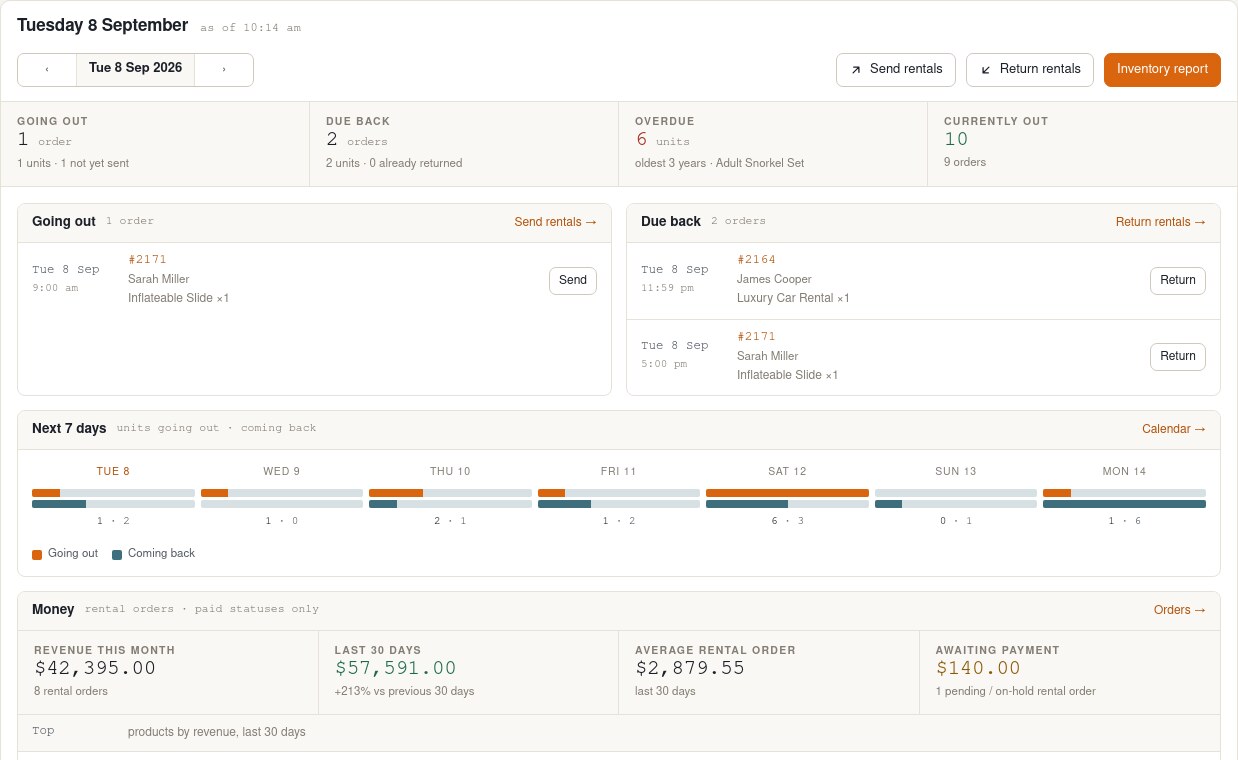
The Rentals dashboard opens on today. Four tiles show what is going out, what is due back, what is overdue and what is currently out, each with the order count behind it. Below them are the orders for the day with one-click Send and Return, then a seven-day strip of units going out and coming back, so a busy weekend is visible on Tuesday. A money section covers revenue this month, the last 30 days against the previous 30, average rental order, orders awaiting payment, and top products by revenue. It also registers as a WordPress dashboard widget, so it can be the first thing you see when you log in.
Rental inventory tracking, one day per column
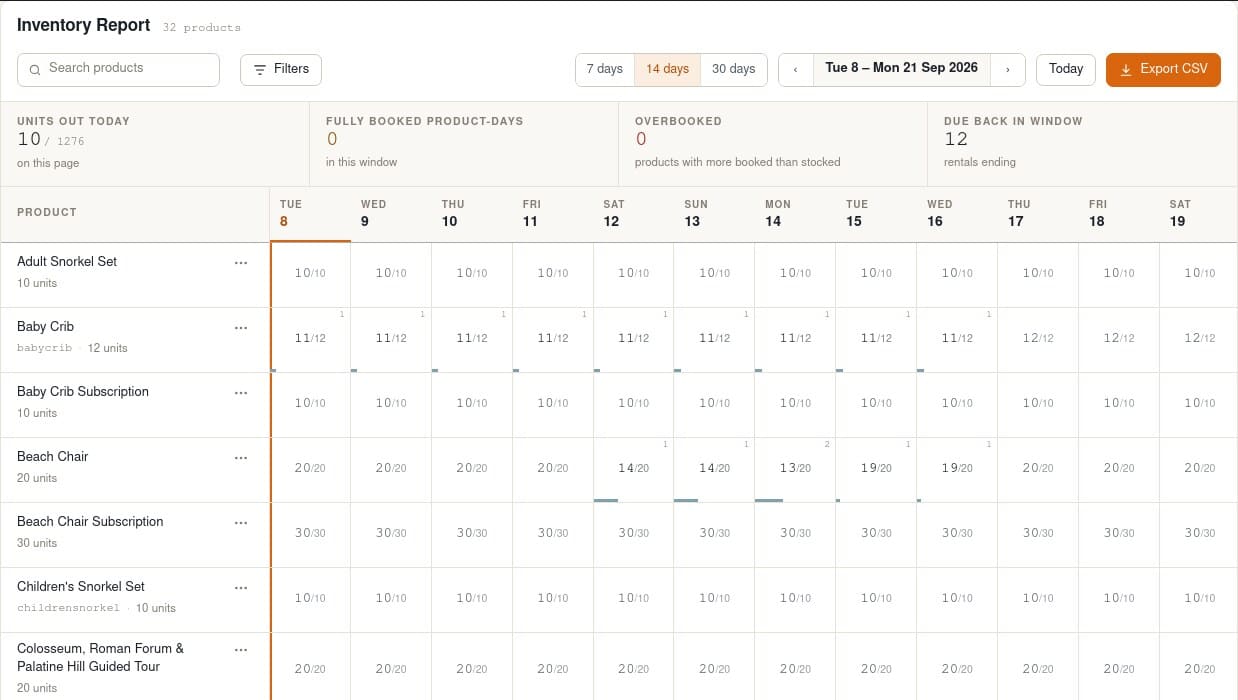
The inventory report is the screen that answers “how many mixers are free on the 14th”. Pick a 7, 14 or 30-day window and every product is a row, every day a column, every cell the units booked over the units you own. Fully booked days are tinted, overbooked days are red, store-closed days are shaded, and a superscript shows how many rentals touch that day; click it to list them. A summary strip adds units out today, fully booked product-days, overbooked products and rentals due back in the window, and the whole thing exports to CSV for the warehouse or the accountant.
Calendar counts: Out, In and Overdue per day
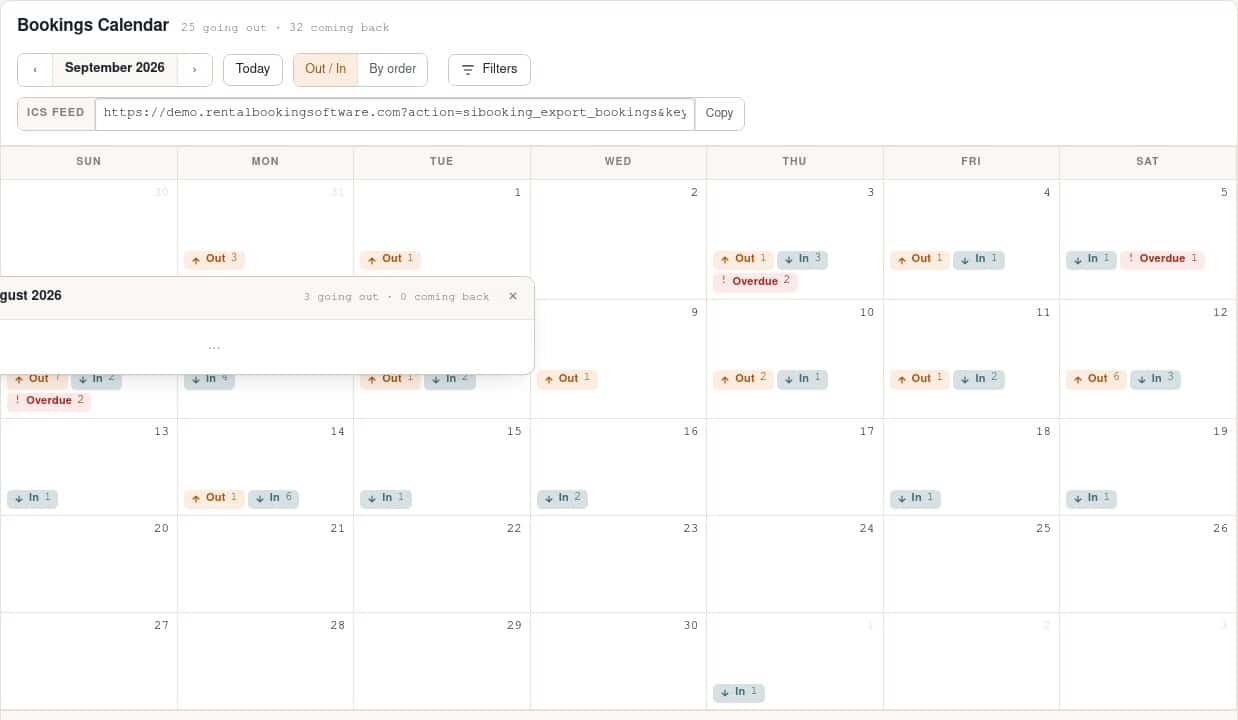
The bookings calendar used to draw one bar per order, which stops being readable at about twenty rentals a month. The default view now shows three numbers per day: units going Out, coming In, and Overdue. Clicking a day opens the list of orders behind those numbers with customer, items and times. The classic bar view is still one click away as “By order”, and the ICS feed for Google, Apple or Outlook calendars is on the same screen.
Bookings, Send and Return, filtered by what needs doing
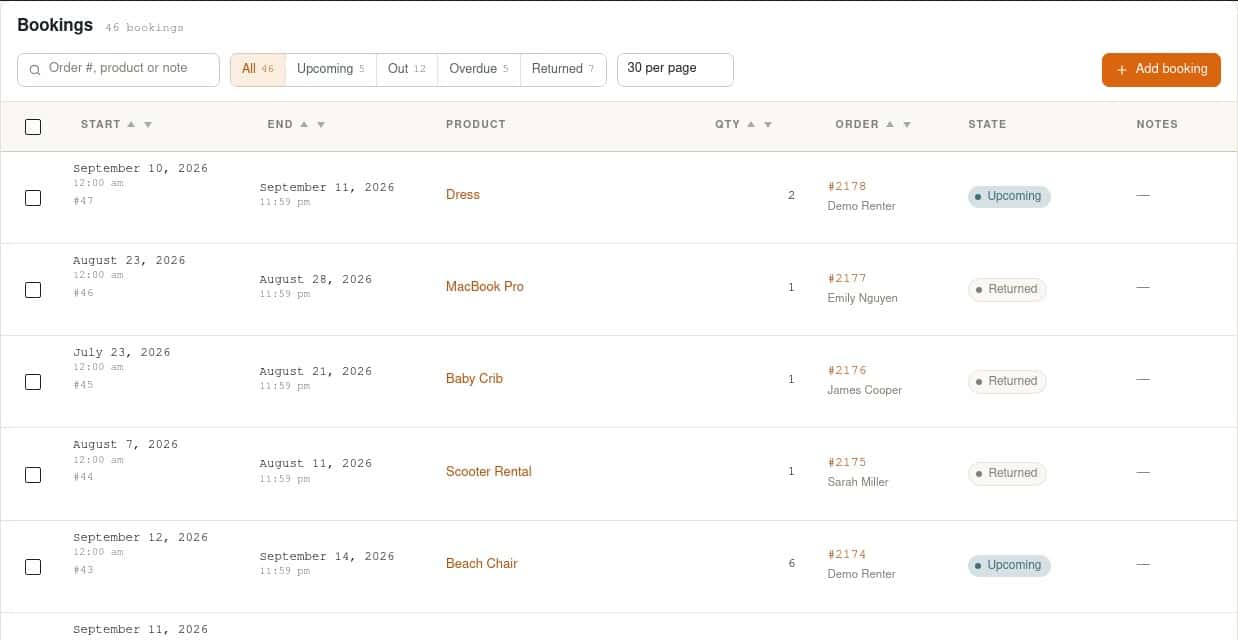
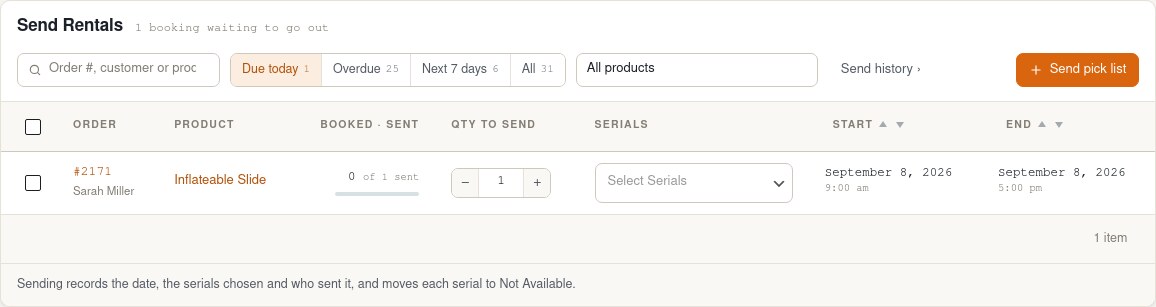
The bookings list gains Upcoming, Out, Overdue and Returned filters, each with a live count, and a search across order number, product and notes. Send and Return get the same treatment with Due today, Overdue and Next 7 days tabs, a sent-of-booked progress indicator on every row, quantity steppers that are clamped to what is left, and an overdue rail down the side. The pick list and the send and return history moved from separate menu items to buttons on these pages, where you actually need them. History rows now record who sent or returned each item.
Serial numbers where you edit the product
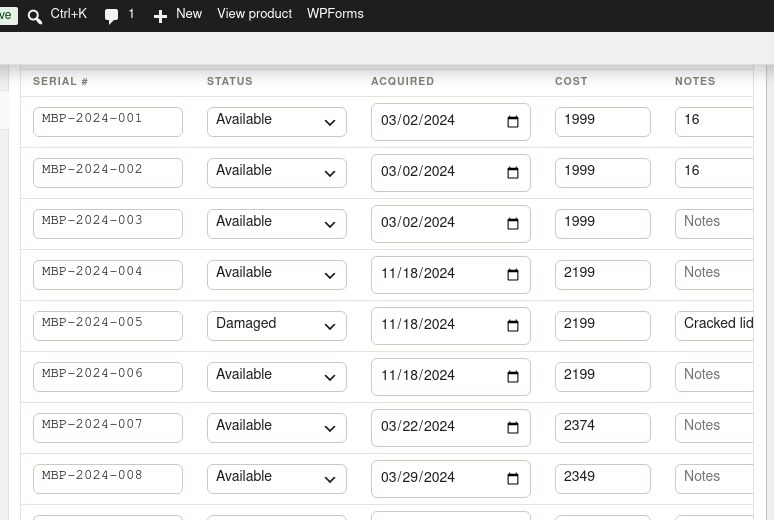
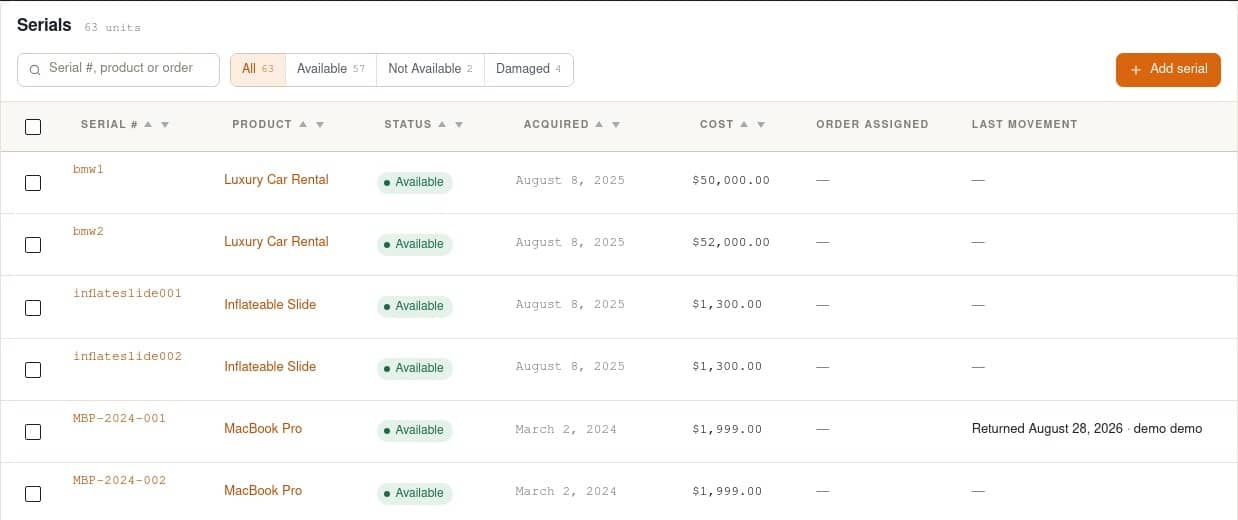
Serial tracking is how you know which camera body went out and which one came back scratched. Serials now have their own editor directly under the “Use Serial Tracking?” toggle on the product edit page: code, status, acquired date, cost and notes, saving as you type, with codes kept unique per product. The Serials list itself gains cost and last-movement columns and proper paging.
Settings as tabs, help as tooltips
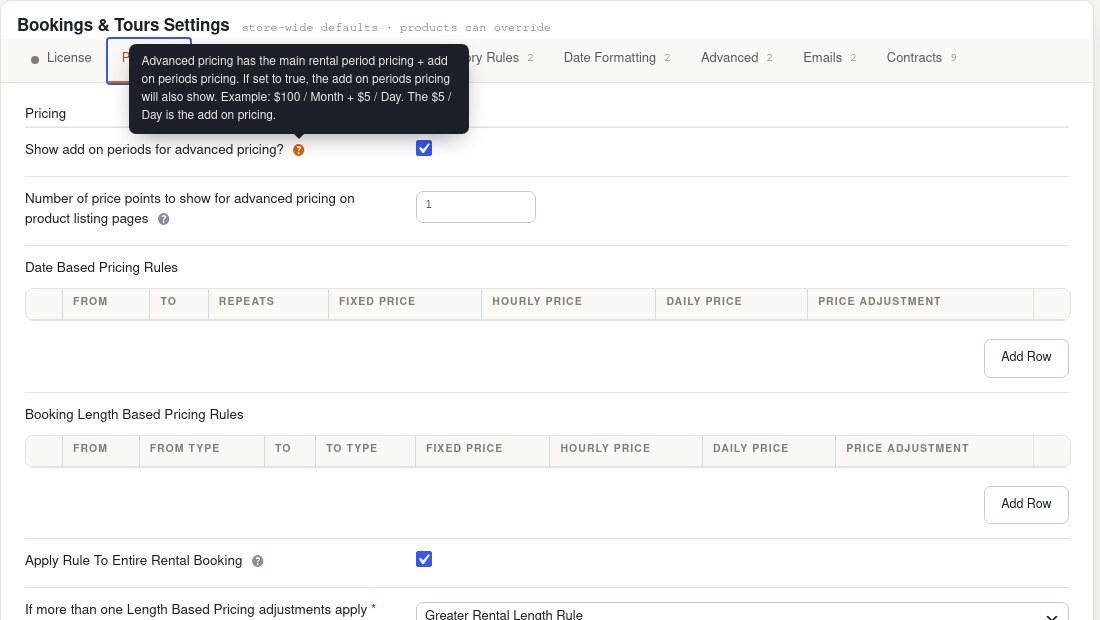
Settings are organised as tabs across the top with a sticky save bar, so a long page no longer means scrolling back up to find Update. The licence is the first tab and turns green when it is active. Field help moved out of the long descriptions under every field and into tooltips, including inside repeater tables where there was never room for it.
Prefer the classic look?
Every screen has a Modern / Classic switch in the admin bar. Classic gives you the plain WordPress list tables you had before, per user, so a colleague who prefers the old layout keeps it while you use the new one.
Fixes in this release
- The inventory report skipped the first product.
- The “update start date on early send” setting was reading the early-return option, so toggling it did nothing.
- The Send and Return pages could error when a booked product had been deleted.
- The Serials list ignored paging.
Upgrading
1.0.60 is a free update for every licence with active support and updates; it appears under Plugins › Updates in the usual way, and the full list is in the changelog. There is nothing to migrate: your products, bookings and serials are unchanged, only the screens around them. If you want to see the new admin before updating, it is open on the free live demo, and the feature list has the complete inventory of what the plugin does. Not a customer yet? Pricing for the Regular and Pro licences is on the WooCommerce Bookings & Tours page.