

Two date fields and a dropdown of times. That is how most WooCommerce rental plugins, ours included until now, asked a customer when they wanted the kit. It works, but it makes the customer do the thinking: which field first, is that day actually available, why is the time list forty items long. Sales Igniter Bookings & Tours 1.0.61 replaces it with a guided range picker, and adds a Calendar Styler so the calendar looks like part of your store rather than a plugin bolted onto it.
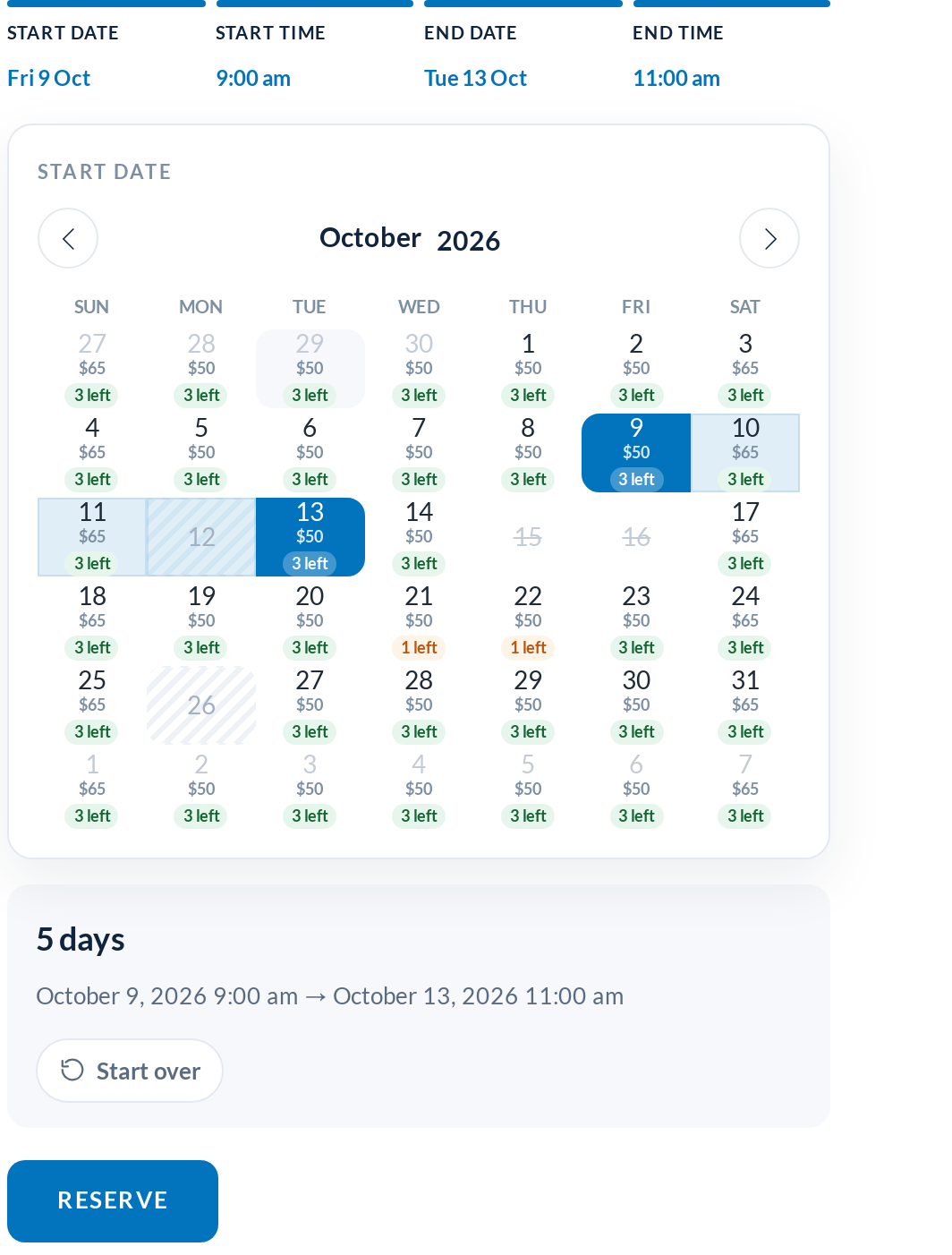
One panel: start date, start time, end date, end time
The new default, the In Line Range Picker, is one panel that walks the customer through the booking in order. Tap a day and the time slots for that day appear. Tap a time and the calendar comes back for the return date, with the pick-up day marked and everything the rental cannot cover locked. Tap the return time and the summary appears with the length of the hire and the total. Four taps, no Next buttons.
A progress legend across the top shows where you are, and every finished step shows its value. Click one to change it: changing the start date clears the return date and both times, because they no longer apply. A Start over button in the summary bar clears the lot.
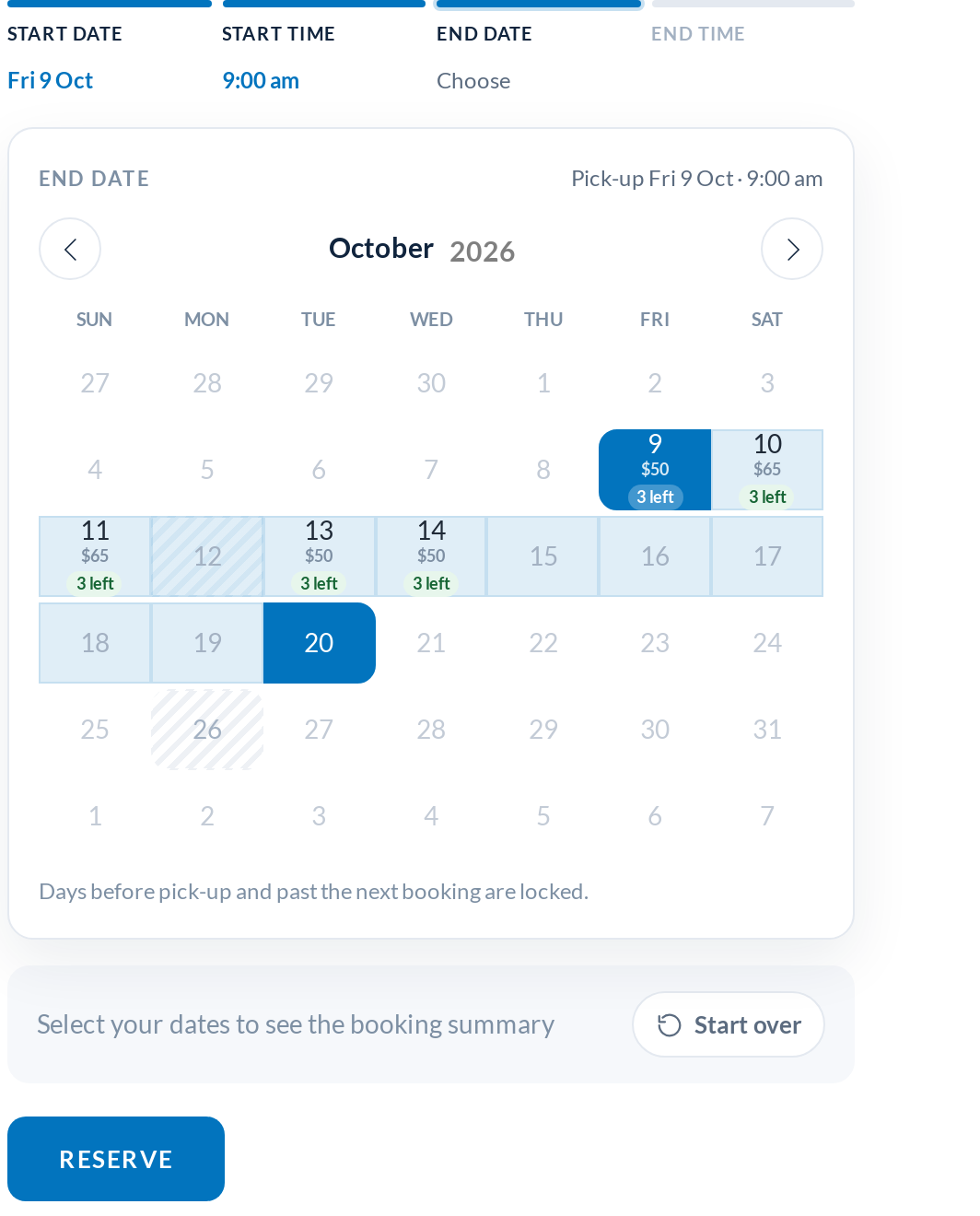
Closed days you can rent through, sold-out days you cannot
This is the rule the old picker had to patch its calendar library to keep, and it still holds. A rental can run through a store holiday or a day you have blocked out, it just cannot start or end on one. A day with no stock left is different: nothing can cross it, so the return calendar stops there. Blocked days now carry a reason too: the closed-days table in your settings has an optional Reason column, and customers see it when they hover the day. Leave it empty and the day simply says “Disabled”.
Time of day, as a grid that shows what is taken
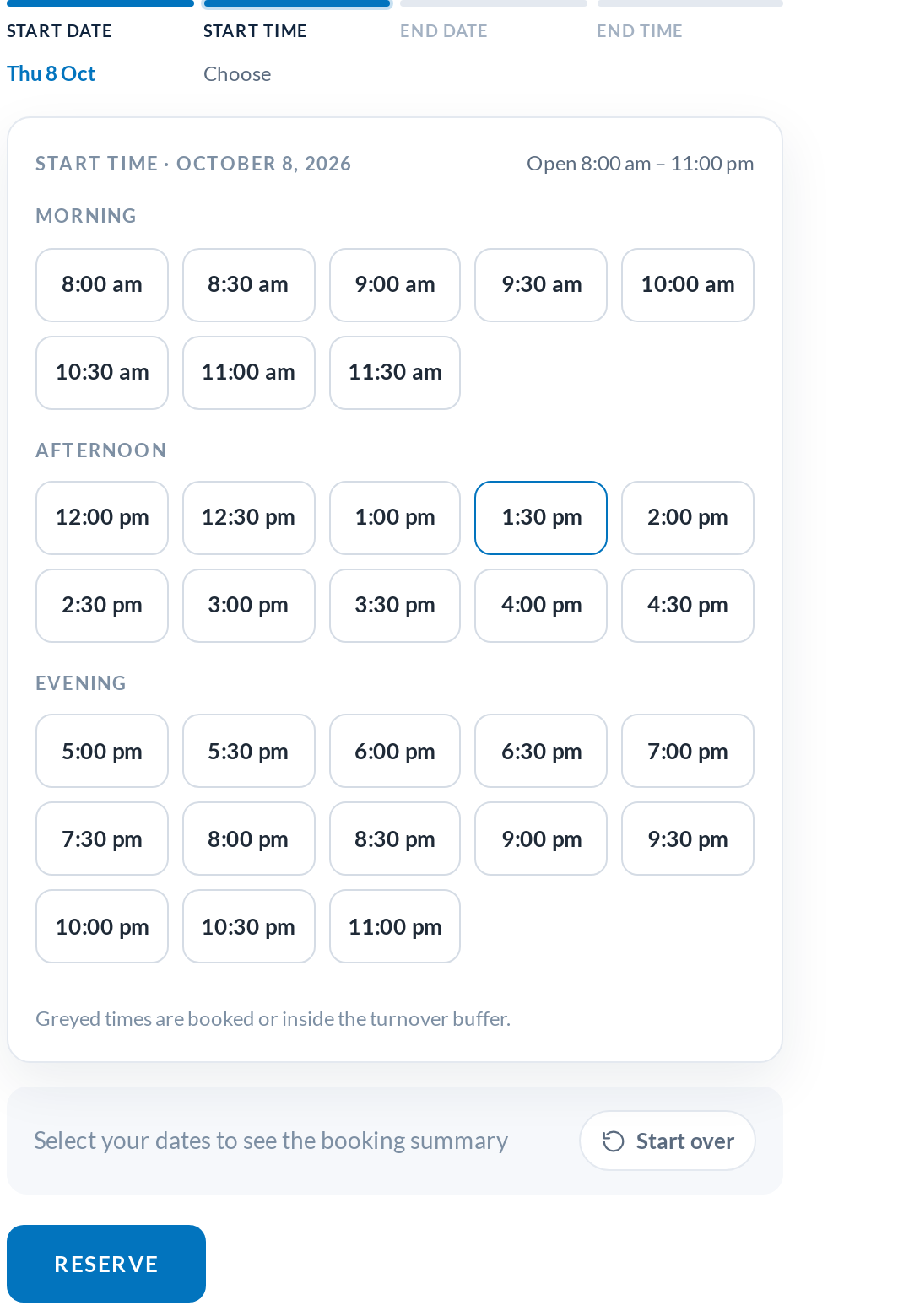
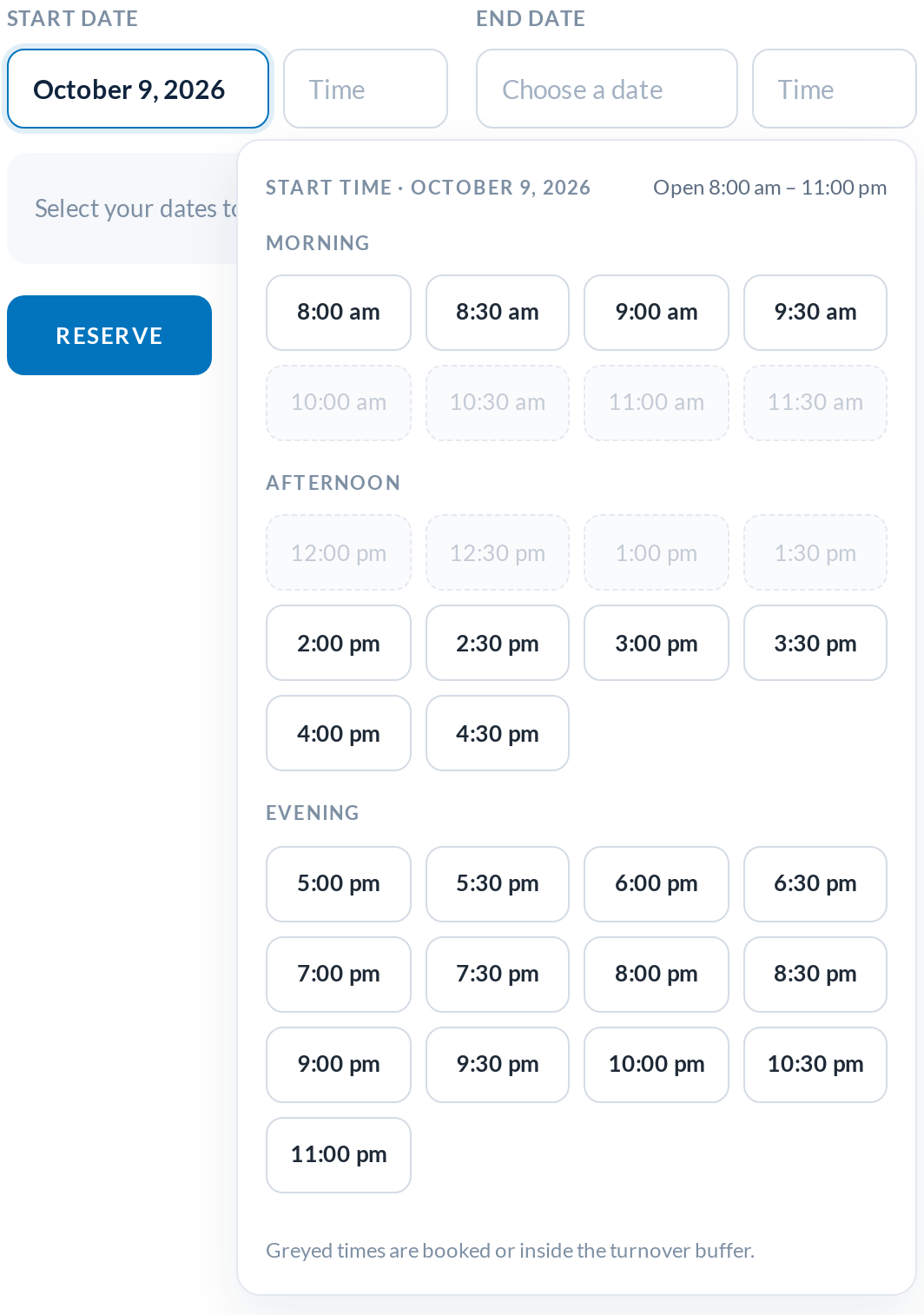
Time-of-day products get a slot grid instead of a dropdown, grouped into morning, afternoon and evening at the interval you choose in the settings (30 minutes by default). Hours inside an existing booking or its turnover buffer are greyed out, and on a same-day return the slots up to the pick-up time are too. The old dropdown hid all of that until you scrolled.
Popup, separate fields, or the classic picker
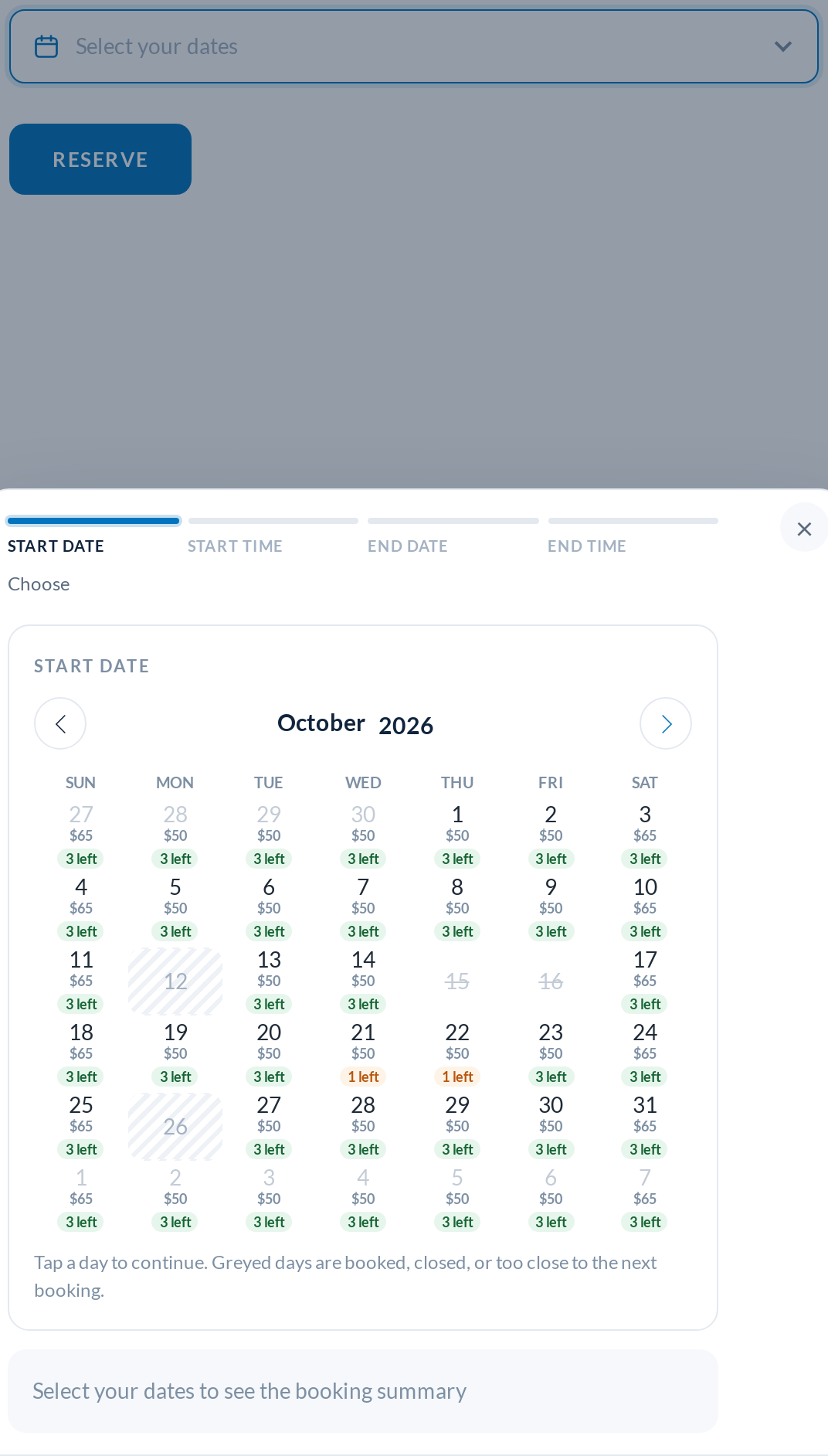
Not every product page wants a calendar open all the time. The Popup Range Picker runs the same four steps from a single “Select your dates” field: a floating card on desktop, a bottom sheet on phones, closing itself when the last step is done. Separate Date Pickers keeps the familiar start and end fields, each opening a calendar, with the time grid opening automatically after a date is chosen. And the Previous Date Picker, the calendar that shipped before 1.0.61, is still there unchanged, so if anything on your theme misbehaves you can switch back in one click while we look at it.
Calendar Styler: match your theme without writing CSS
 Settings: picker cards, style cards, colour, options and a live preview” class=”wp-image-38573″/>
The new Calendar Styler tab under Rentals › Settings puts all of this in one place. Pick the date picker from four preview cards, pick a style (Airy, Card, Bold or Classic), set the main colour with a colour picker, the corner radius and the time slot interval, and decide whether each day shows its price and how many units are left. The labels are editable too, and they register with WPML String Translation and Polylang for multilingual stores.
The preview beside the controls is not a mock-up. It is the real calendar rendered with a sample product that has sold-out days, a “1 left” day, a same-day booking and two closed days, so you can see exactly how your choices will look before you save.
Smaller things in this release
- The rental total for the chosen dates fades in under the price on the product page as soon as the last step is done
- The Contracts settings for the rental agreement add-on now live in Rentals › Settings as their own tab
- The global calendar widget is always an open start / end picker, whatever product the category page happens to show
- Faster on busy products: closed-day rules are computed once, where a weekly closure used to slow every click
Upgrading
Update the plugin as usual from Plugins › Updates. The In Line Range Picker is the default after the update; open Rentals › Settings › Calendar Styler to pick a different picker, style or colour. Your product settings, bookings and closed days are unchanged, and the form fields the checkout reads are the same as before, so add-ons and custom code keep working. The full list of changes is in the changelog.
You can try the new picker on the live WooCommerce rental demo, see what is included on the WooCommerce rental plugin pricing and features page, or tell us what to build next on the feature requests and roadmap page.