
An industry starter pack fills your store with a working example for your kind of rental business: sample products with photos, descriptions, prices and rental settings, collections, and the words and photos for your homepage. You change the samples into your own, or remove them again.
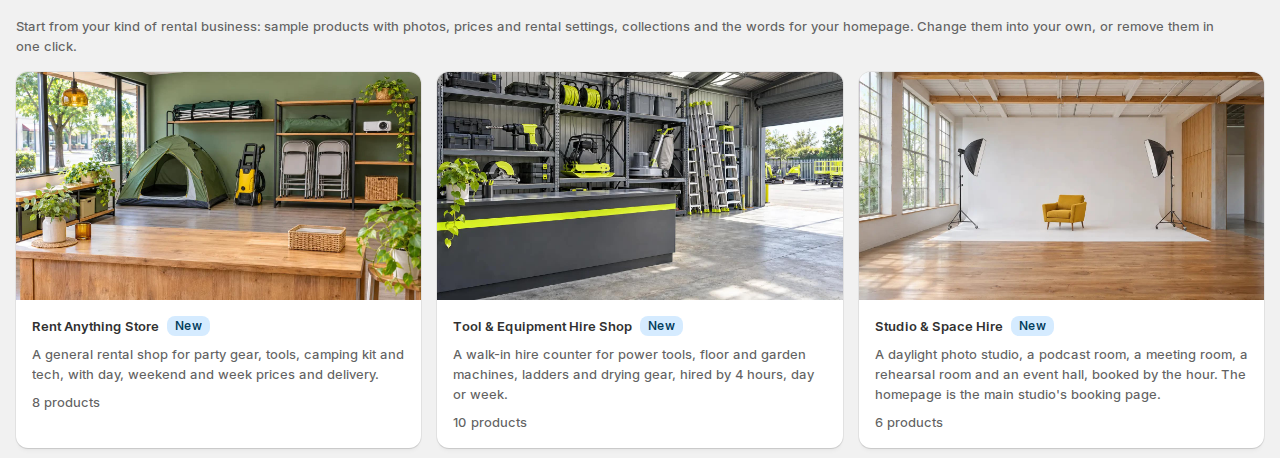
Starter packs are free on every plan of SI Rentals & Bookings, the Free plan included. Your theme stays the one you have: the homepage is an app block you add in the theme editor. There are 20 starter packs; see them all with pictures.
What a starter pack adds #
- Sample products, each with its photos, description, price and rental settings: how it is rented (by the hour, day, night, fixed length or set departure), its units and, where the pack has it, the time kept free between rentals. Tours come with their departures, adult and child prices and pickup points.
- Collections: one for each category in the pack, plus one with every product of the pack.
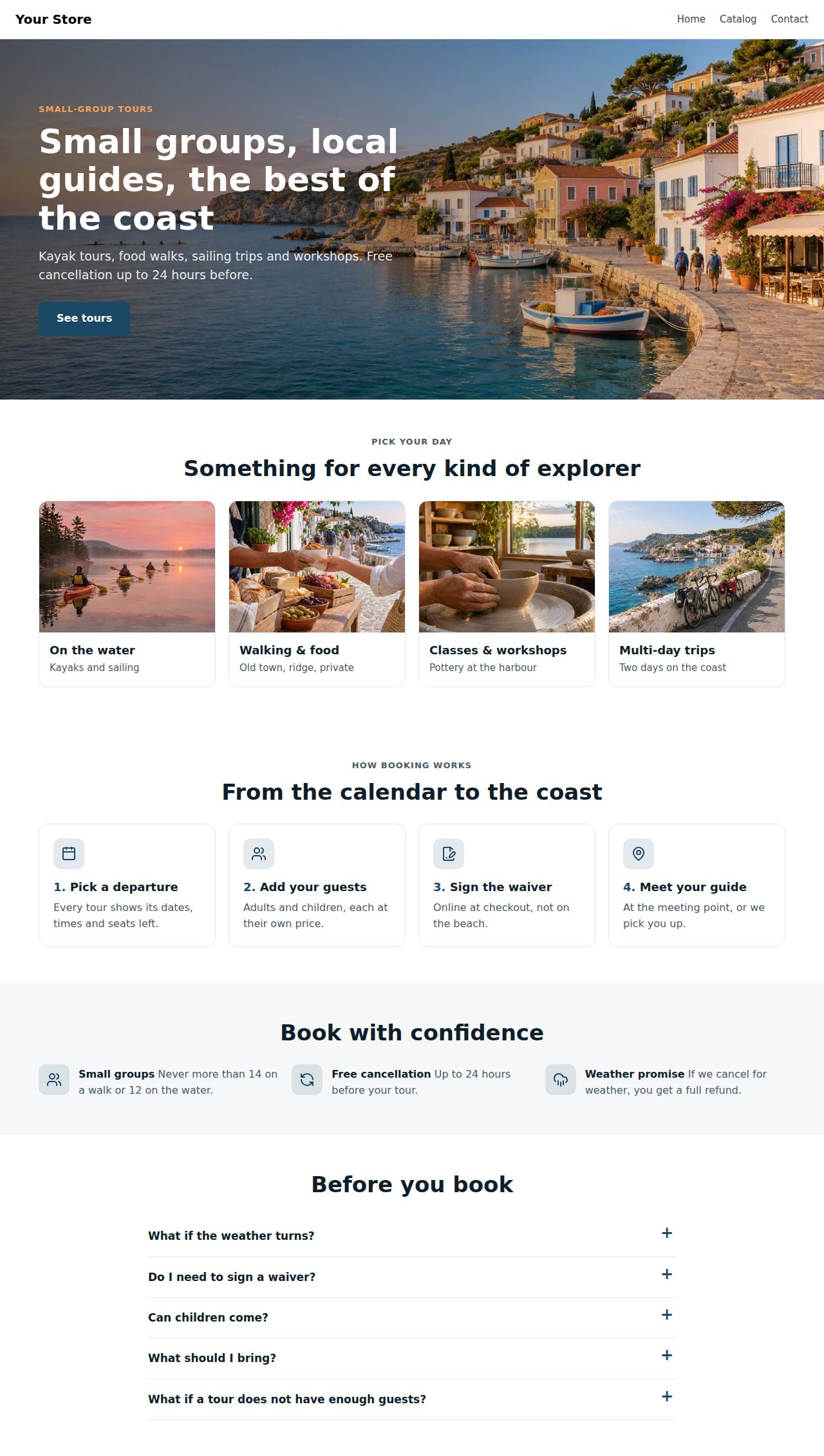
- Homepage words and photos for the Rental homepage block: a banner, categories, how it works, highlights and questions, in the pack’s colours.
- The pack’s calendar look, only if you tick it.
Every product gets two tags: si-pack:<pack> (for example si-pack:tours) and si-pack-sample, so you can find them in Shopify’s product list.
What it doesn’t add #
Set these up yourself. The preview lists most of them under Not included, and the import report under To do by hand.
- Pages such as About, Contact and your policies.
- Menus: add the new collections to your store’s menus.
- Opening hours and closed days (Settings).
- Delivery options, if you deliver: a pack’s words may talk about delivery, but it changes no delivery settings.
- Deposit, waiver, custom field and quote settings.
Add a starter pack #
- In Rentals & Bookings, open Stock › Products and click Start from an industry. The See starter packs link under “New to renting online?” on Home and in Settings opens the same page.
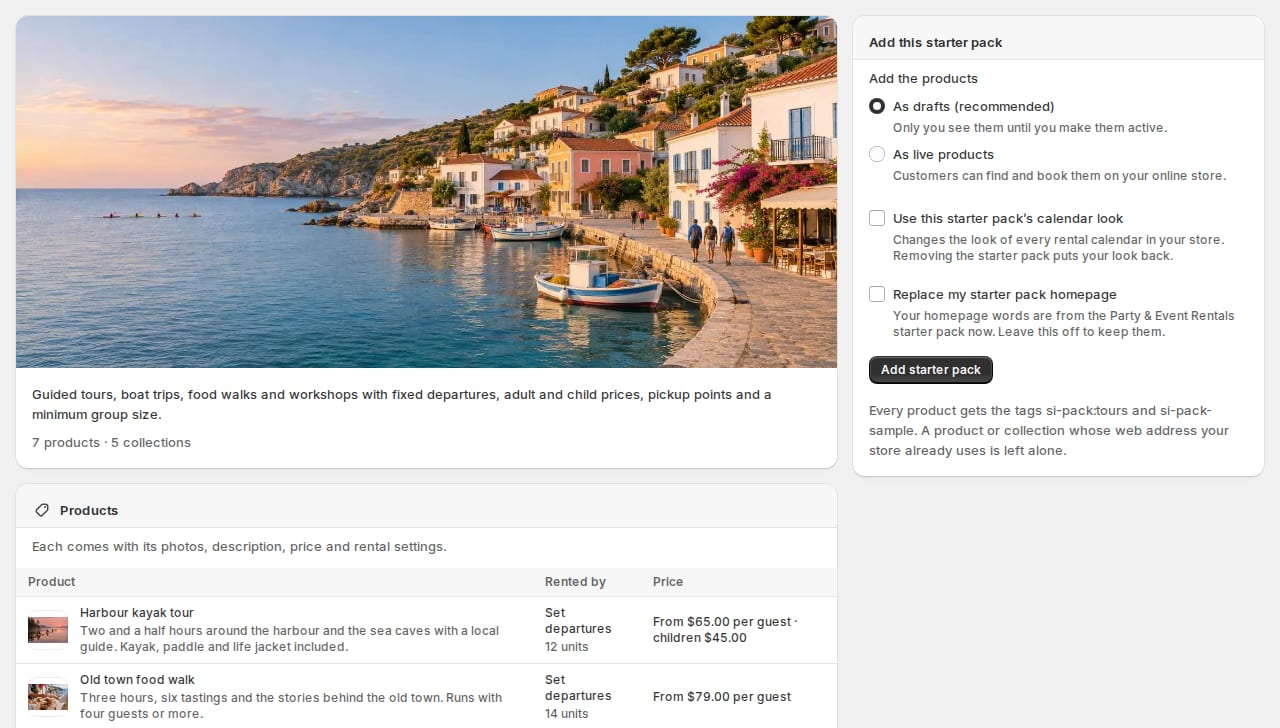
- Click a starter pack. The preview shows each product with how it is rented, its units and its price, then the collections, the homepage words and what isn’t included.
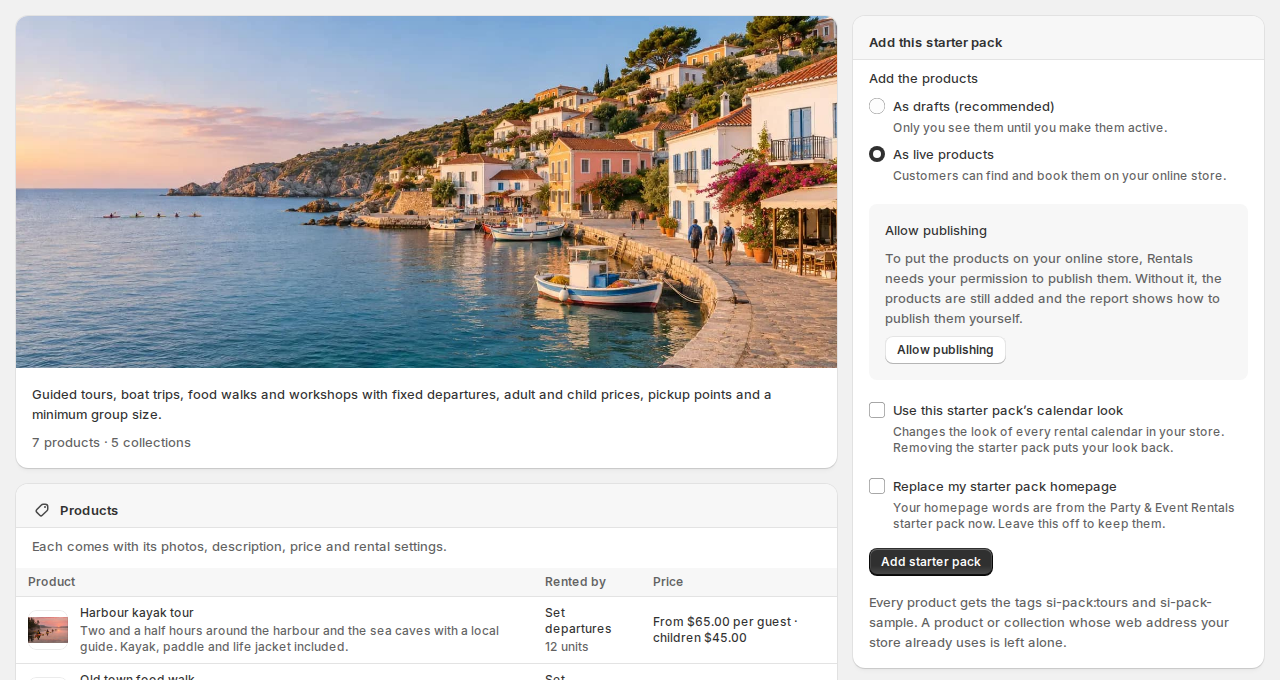
- Under Add the products, choose As drafts (recommended): only you see the products until you make them active; or As live products: customers can find and book them on your online store. If your store already has orders, the products are always added as drafts, and the form says so.
- If you chose live products and Rentals may not publish to your online store yet, an Allow publishing box shows. Click Allow publishing and accept Shopify’s prompt. You can also skip it: the products are still added, and the report shows how to publish them yourself.
- Optional: tick Use this starter pack’s calendar look. It changes the look of every rental calendar in your store; removing the starter pack puts your own look back.
- If another starter pack’s homepage words are on your store, Replace my starter pack homepage shows. Tick it to use this pack’s words instead; leave it off to keep the ones you have.
- Click Add starter pack.
The Start from an industry button and the See starter packs link show until your store has its first rental product, so a store that already rents keeps its screens as they were. Already renting? The starter packs page is still there: open https://admin.shopify.com/store/your-store/apps/bf917c833b577601677b359c69bb1778/stock/products/starter-packs with your store’s name in place of your-store.
A product or collection whose web address your store already uses is left alone, so nothing of yours is overwritten. The report lists what was left alone.
While it is being added #
A progress bar shows which product is being added and how many steps are done. You can leave the page: the import carries on. Open the starter pack again later to see where it is, or its report once it is done.
One starter pack is added or removed at a time. A starter pack that is already in your store can’t be added twice: remove it first.

The import report #
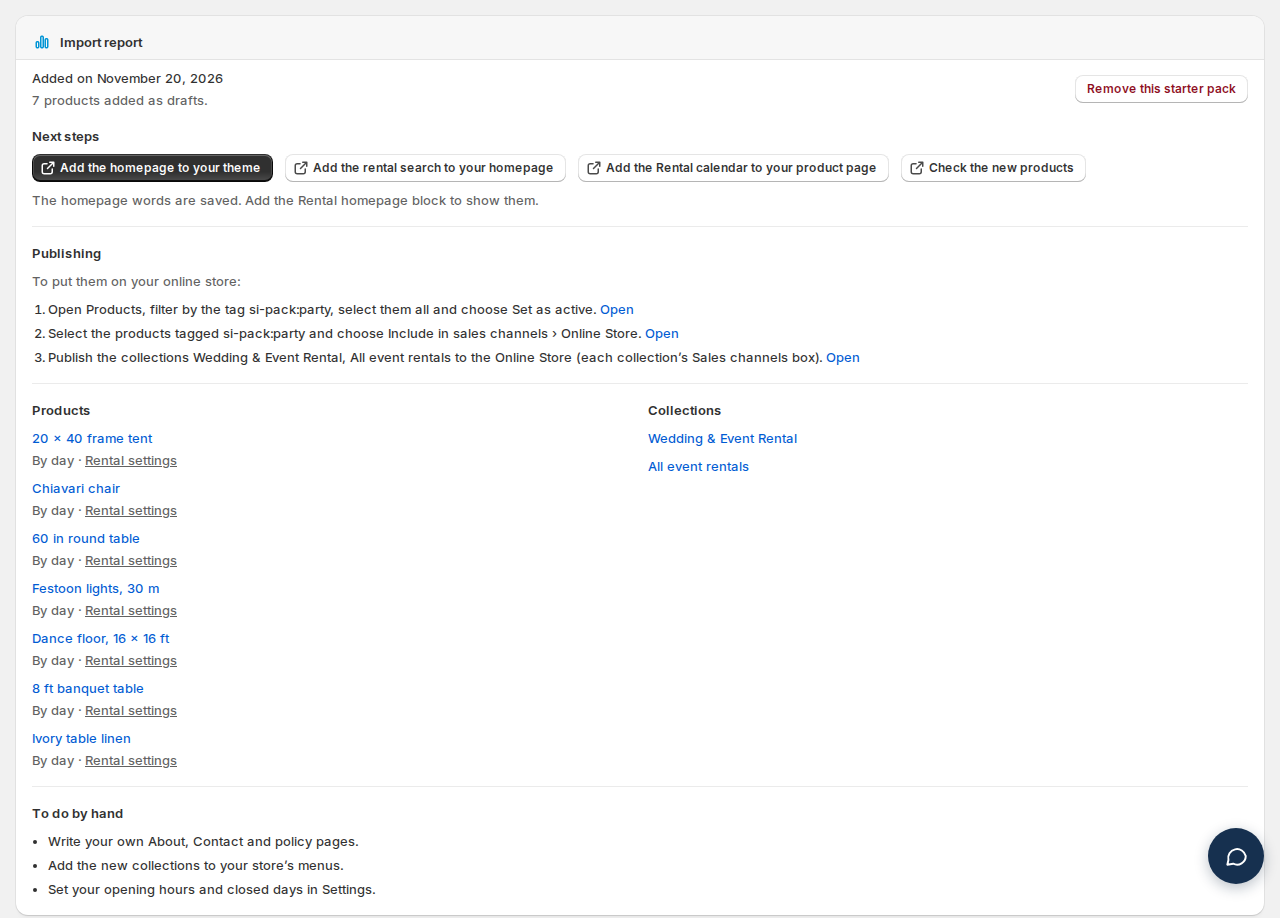
The report opens when the import ends. It shows:
- Added on and how many products were added, as drafts or live.
- Next steps: Add the homepage to your theme, Add the rental search to your homepage, Add the Rental calendar to your product page (only while it isn’t on your product page yet) and Check the new products. Each opens in a new tab.
- Publishing: if the products couldn’t be published for you, the steps to do it in Shopify, each with a link.
- Products and Collections, each product with a link to its Rental settings.
- Left alone, Didn’t work and Not carried over, each with the reason.
- To do by hand: your own pages, menus, opening hours and closed days.
Put the homepage on your theme #
- In the report, click Add the homepage to your theme. Your theme editor opens with the Rental homepage block added to your homepage.
- Click Save.
The block’s Show setting picks what it shows: Whole homepage (the default), or one part: Banner, Categories, How it works, Highlights or FAQ. To put parts between your own sections, add the block more than once, each showing one part.
- The block uses your theme’s fonts and the starter pack’s colours. The banner button and the category tiles open the collections and products the import made.
- The block can be added only while a starter pack’s homepage words are on your store.
- The words are the starter pack’s. To use your own words for a part, show only the parts you want and use your theme’s own sections for the rest.
- Vintage themes: the products and the booking calendar work, but the homepage block needs an Online Store 2.0 theme.
Change the samples into your own #
- The samples are normal Shopify products. Change the title, description, photos, price and variants in Shopify, and the rental settings in Rentals (the Rental settings link in the report, or the product’s Rental card).
- Swap the sample photos for your own before you go live.
- Make draft products active when they are ready: in Products, filter by the tag
si-pack:<pack>, select them and choose Set as active. - A product you changed is never removed by Remove this starter pack.
Remove a starter pack #
- Open the starter pack (it shows Imported in the list) and click Remove this starter pack in its import report.
- Click Remove.
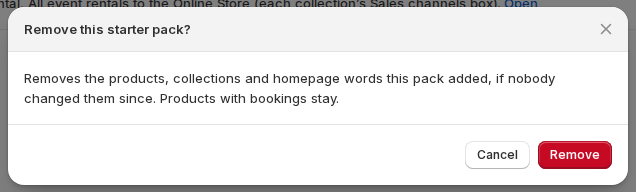
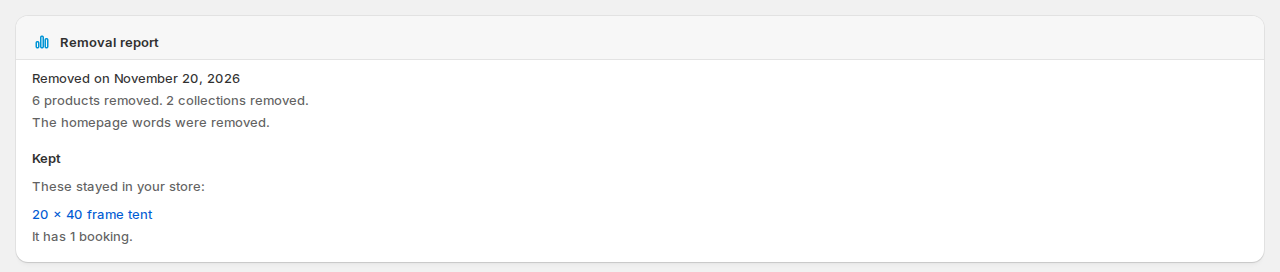
The removal report lists what was removed and what stayed, each with its reason and a link. These stay in your store:
- A product changed since the import (title, description, photos, prices, variants, tags and so on).
- A product with a booking, on an order, or on an open draft order. Orders are checked as far back as the app can read them (about the last 60 days).
- A product that no longer has its
si-pack:<pack>tag. - A collection that also holds products the starter pack didn’t add, or whose title or web address changed.
- The calendar look, if it was changed after the import.
- The homepage words, if they are another starter pack’s now.
After a removal you can add the starter pack again. If an import didn’t finish, Remove cleans up what it added; then add it again.
Good to know #
- A newer version of a starter pack shows a note in its report. To get it, remove the starter pack and add it again.
- You can have more than one starter pack in your store. Only one pack’s homepage words are on at a time.
- Staff with limited access don’t see the starter packs.
The starter packs #
In the order the app lists them, the newest first.
| Starter pack | What’s in it |
|---|---|
| Rent Anything Store (New) 8 sample products | A general rental shop for party gear, tools, camping kit and tech, with day, weekend and week prices and delivery. |
| Tool & Equipment Hire Shop (New) 10 sample products | A walk-in hire counter for power tools, floor and garden machines, ladders and drying gear, hired by 4 hours, day or week. |
| Studio & Space Hire (New) 6 sample products | A daylight photo studio, a podcast room, a meeting room, a rehearsal room and an event hall, booked by the hour. |
| Tours & Activities (New) 7 sample products | Guided tours, boat trips, food walks and workshops with fixed departures, adult and child prices, pickup points and a minimum group size. |
| Photo Booth & Event Services (New) 7 sample products | Photo booths, a 360 video booth, a selfie mirror, a guestbook phone, a flower wall and a wedding package, booked by date and time with set-up time built in. |
| AV & Camera Rental 7 sample products | Camera, lens, lighting, audio and VR hire, with a dark studio look. |
| Baby Gear Rental 7 sample products | Baby gear rental for travelling families: car seats, high chairs, monitors, play yards and strollers, delivered to the hotel or holiday rental. |
| Bike Rentals 7 sample products | Bike and e-bike hire by the hour, half day or day, with guided tours at fixed departure times. |
| Boat Rentals 7 sample products | Boat rental by the hour, half day or full day on a lake or coast, with captained charters priced per person. |
| Bounce House Rentals 7 sample products | Bounce house, water slide and party machine rental by the party, with delivery windows. |
| Car & Motorcycle Hire 7 sample products | Car and motorcycle hire by vehicle class, with pick-up and return dates and times and prices per day. |
| Dress & Wardrobe Rental 7 sample products | Designer dress, suit, bag and jewellery rental for 4 or 8 days, with cleaning and a backup size included. |
| Dumpster Rental 6 sample products | Roll-off dumpster rental at a flat 7-day price by size, with delivery and pick-up dates. |
| Equipment Rental 7 sample products | Construction equipment and tool hire by the day, week or 4 weeks, delivered to site. |
| Golf Cart & Beach Rentals 7 sample products | Golf cart and beach gear rental by the day or week, delivered to the guest's holiday rental. |
| Mobility Equipment Rental 6 sample products | Wheelchair, scooter and home hospital bed rental by the week or month. |
| Party & Event Rentals 7 sample products | Tent, table, chair, linen and lighting rental for weddings and events, delivered and set up. |
| Ski & Outdoor Gear Rental 6 sample products | Ski, snowboard and outdoor gear rental by the day, reserved online and fitted at the shop. |
| Trailer & Campervan Hire 6 sample products | Trailer, camper and campervan hire by the day or the week, with pick-up and return times. |
| Vacation Stays 6 sample products | Holiday stays booked by the night: a beach cottage, an A-frame, a garden suite, a treehouse, a farm barn and a lake cabin, each with a photo gallery. |


