
A damage waiver is a charge that limits what a customer owes if hired equipment comes back damaged. The customer accepts or declines it on the product page, and the decision is recorded against the order.
It is revenue, and it behaves like revenue: taxable by default, invoiced with the order, and non-refundable unless you deliberately allow refunds. That is what makes it a different thing from a refundable security deposit, which is the customer’s own money held against damage and given back. A shop can use either, or both.
A damage waiver is not insurance. It limits liability under your hire contract, the default wording on the product page says so, and selling insurance is a regulated activity in most countries.
Both charges come from the Deposits & Damage Waiver extension, which is included with Rental Booking Pro. See the Pro installation instructions for the Composer command, and the release notes for what has changed.
Setting it up #
Go to Stores > Configuration > Sales Igniter > Rental > Damage Waiver. Every field is set per store view, so a shop running several store views can charge differently in each.
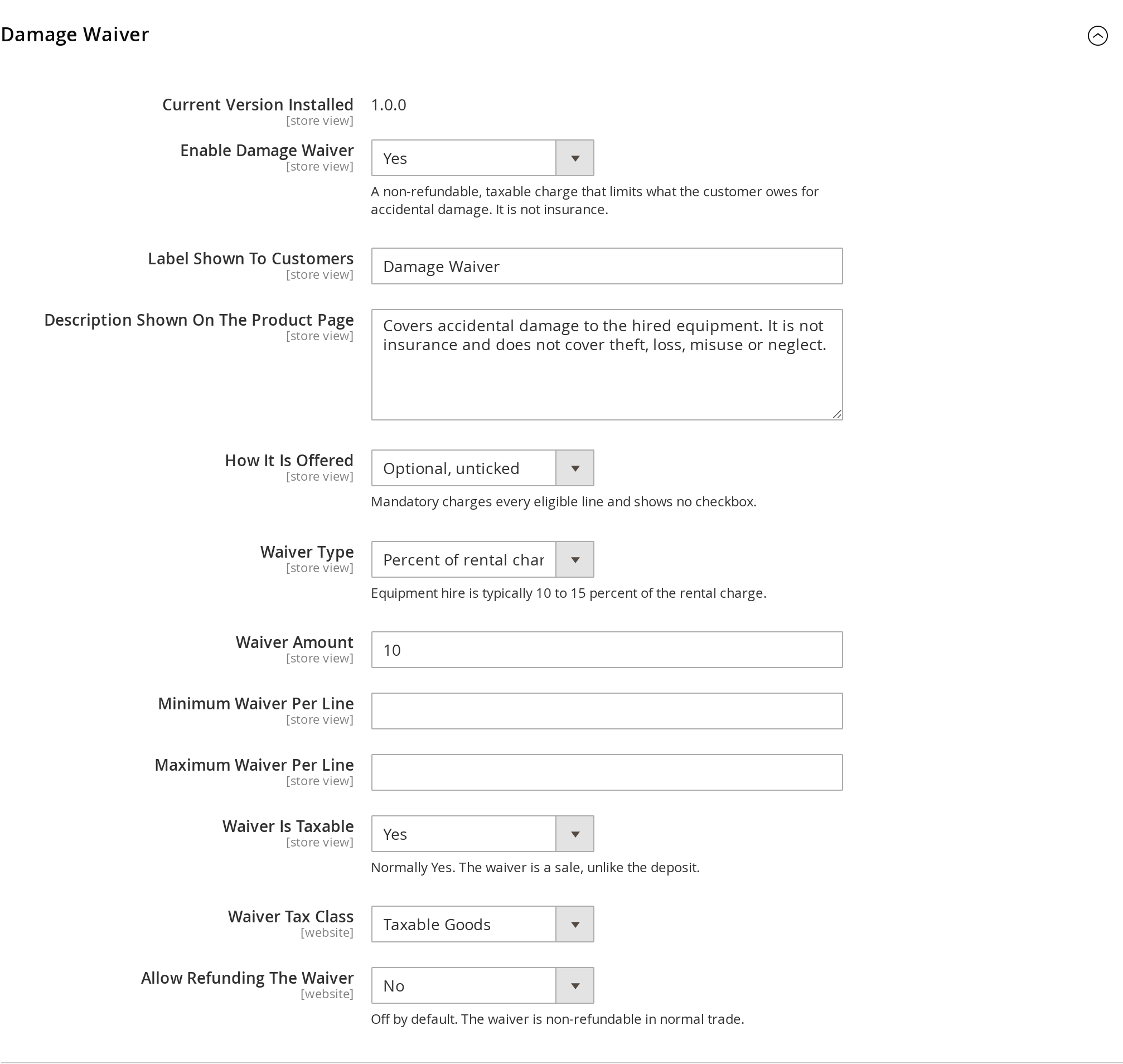
| Setting | Default | What it does |
|---|---|---|
| Enable Damage Waiver | No | Turns the feature on for the store view. |
| Label Shown To Customers | Damage Waiver | The text beside the checkbox and on every total row. |
| Description Shown On The Product Page | Supplied | Rendered under the checkbox. The default says plainly that it is not insurance and does not cover theft, loss, misuse or neglect. |
| How It Is Offered | Optional, pre-ticked | Four values — see below. |
| Waiver Type | Percent | A percent of the rental charge, or a flat amount per item, per day or per order. Ten to fifteen percent of the hire is the equipment-rental norm. |
| Waiver Amount | 10 | The figure the type is applied to. |
| Minimum / Maximum Waiver Per Line | empty | A floor and a ceiling per line. Useful on a percentage waiver, where a long hire of an expensive item can otherwise produce a very large number. |
| Waiver Is Taxable | Yes | Normally Yes. The waiver is a sale. |
| Waiver Tax Class | — | Shown only when the waiver is taxable. |
| Allow Refunding The Waiver | No | Off by default. The waiver is non-refundable in normal trade; turn this on only if you intend to give it back with the hire charge. |
The four ways it can be offered #
- Not offered — no waiver is shown or charged, without turning the feature off for the whole store. This is what makes it useful as a per-product override.
- Optional, unticked — opt-in. A checkbox the customer has to tick. Always safe.
- Optional, pre-ticked — opt-out. Take-up is much higher, and it is the shipped default, but read the warning below.
- Mandatory — charged on every eligible line, with no checkbox at all. The product page says the waiver is included on the hire and shows the pricing rule.
Check your local law before using “Optional, pre-ticked”. A pre-ticked box for an additional payment is prohibited for consumer sales in the EU under the Consumer Rights Directive, and restricted in the UK. It is offered because hire businesses selling to trade customers use it, not because it is safe everywhere.
Mandatory really is mandatory. A control the customer cannot untick is still one they can delete from the page, so acceptance is applied on the server rather than trusted from the browser.
Overriding it on a single product #
Open the product and find Rental > Damage Waiver. Both settings default to Use config.
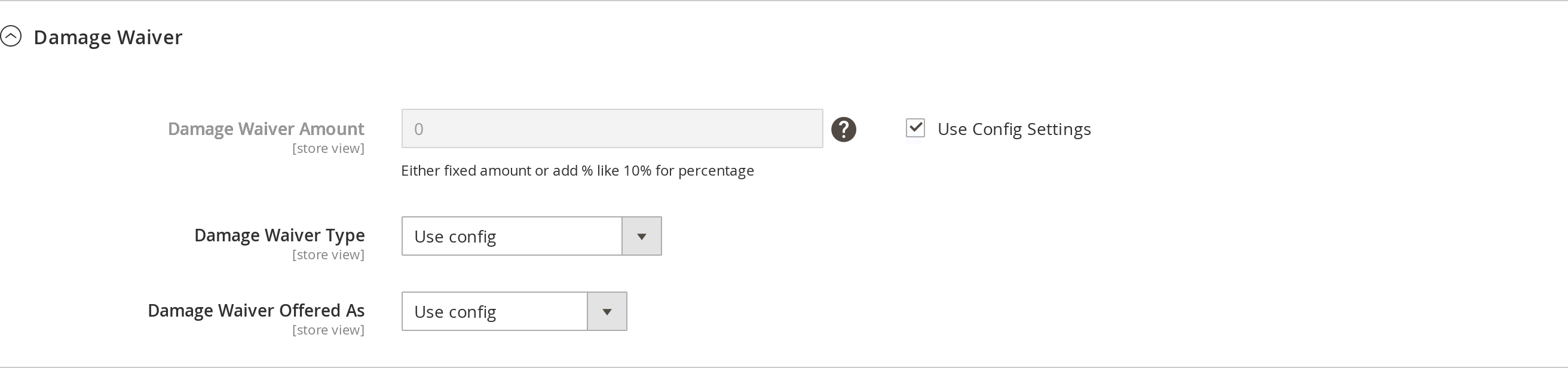
- Damage Waiver Amount — the figure for this product. A flat amount, or a percentage written as
10%. - Damage Waiver Type — how this product’s waiver is priced.
- Damage Waiver Offered As — how the waiver is offered for this product.
“Use config” and “None” are not the same thing. A product left on Use config is silent: the store setting decides, and the product follows any later change to it. A product set to None or Not offered actively refuses and does not fall back — which is how a hire whose damage risk is covered another way, such as operator-driven plant or anything that never leaves your yard, escapes a charge you apply everywhere else.
One value is deliberately missing from the per-product list: per order. A once-per-order charge has no coherent meaning as a per-product setting, so it is available store-wide only.
If your store used the older Use Global Config for Damage Waiver Amount switch, every product is migrated to the new setting once, automatically, on upgrade. The migration only fills in products that had no value of their own, so a deliberate choice is never overwritten.
What the customer sees #
The waiver is a row inside the add-to-cart form, under the calendar — dates first, then the decision about the waiver.
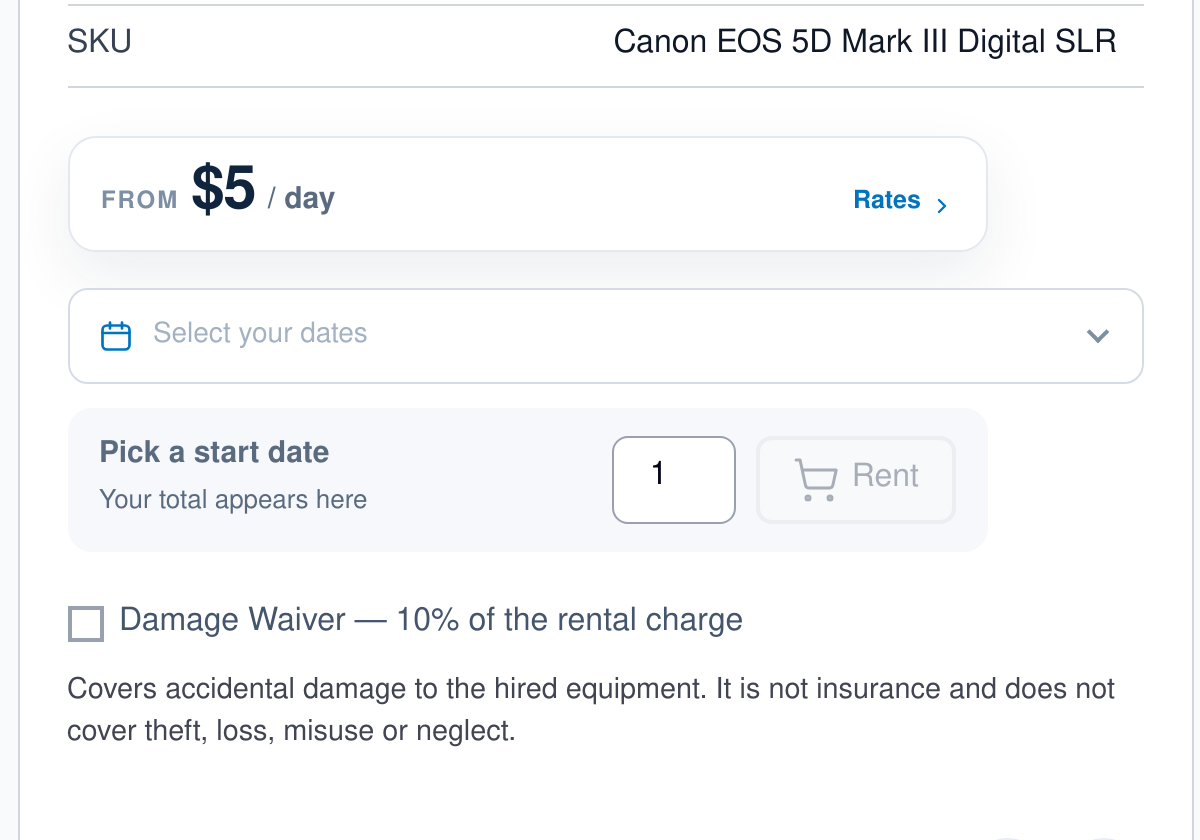
Notice that the page states the rule — “10% of the rental charge” — and not a figure. On a percentage waiver the real amount cannot be known until the hire dates are picked, and quoting a number before that would be a number the customer is not going to be charged. The amount appears as soon as the dates do.
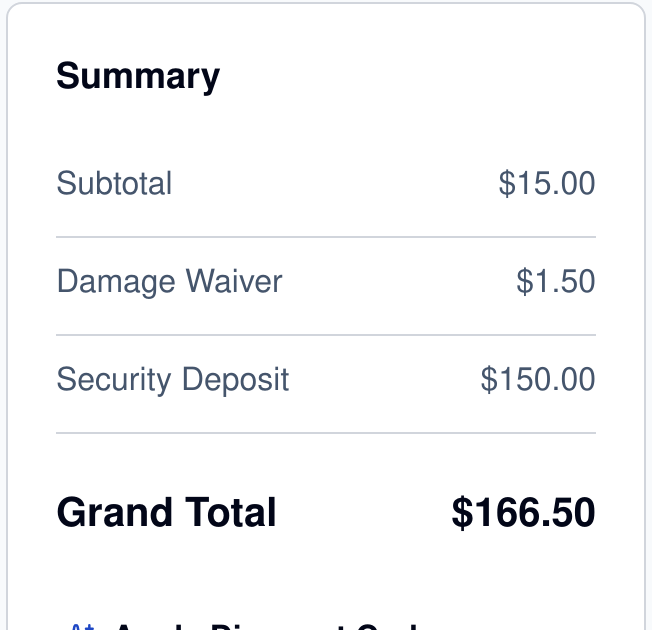
From the basket onwards the waiver is its own line — in the cart, at checkout, on the order, the invoice and the order emails.
On the order afterwards #
The customer’s decision is recorded on the order as Accepted or Declined, and it survives everything that rebuilds an order later — admin order edit, reorder, a request for quote, and extending a live hire. So an order placed six months ago still says whether the waiver was taken, whatever the store settings say today.
There is nothing else to process. Unlike a deposit, a waiver has no lifecycle: it is invoiced with the order and that is the end of it. If you do need to give one back, turn on Allow Refunding The Waiver and it becomes available on a credit memo like any other line.


