
For anything you hand over to a customer — a vehicle, expensive equipment, a venue — you may need to see identification. This feature collects a document at the checkout, holds it securely, and gives you a queue to approve or reject it.
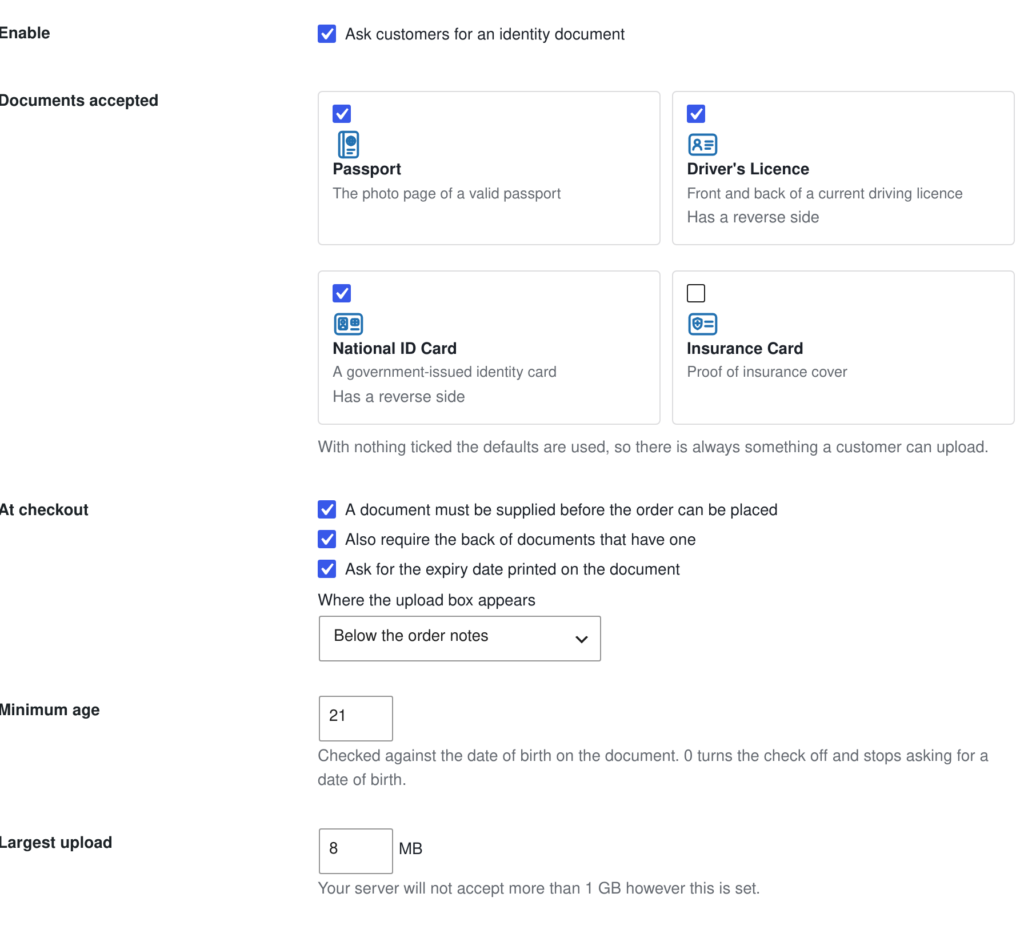
What you can ask for #
Passport, driving licence, national ID card or insurance card. Each can be required or optional, and the licence and ID card can ask for the reverse side as well. You can also collect an expiry date and enforce a minimum age.
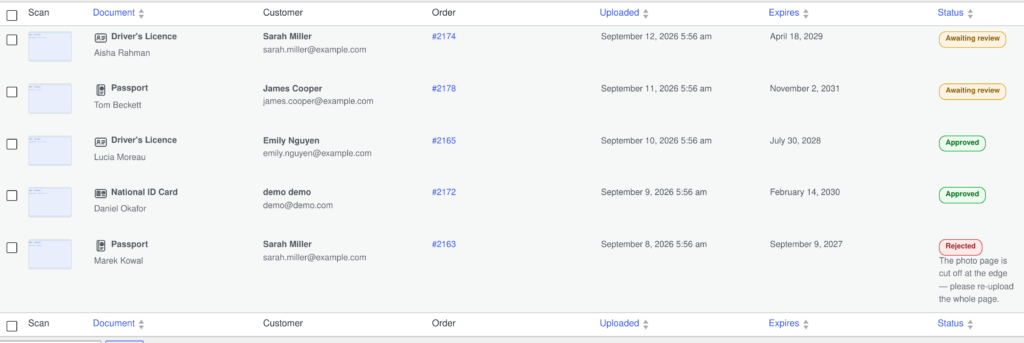
Reviewing what comes in #
Uploads land in Rentals › ID Verification. Approve or reject each one; a rejection asks for a reason, which is emailed to the customer so they know what to send instead. Approvals can be automatic if you would rather check them by eye later.
How the documents are stored #
Identity documents are deliberately not Media Library attachments. An attachment would get a predictable URL, appear in the Media Library and in search, and be exposed through the REST API. Instead:
- Files are written to a directory whose name carries 32 random characters, so it cannot be guessed.
- Every file is renamed to random characters plus its real extension — the customer’s own filename never reaches your disk.
- The file type is verified by inspecting the contents, not by trusting the extension or what the browser claimed.
- Reading a document is only possible through a link that checks both a one-time token and that you are allowed to see it.
- Optional retention: documents can be purged automatically a set number of days after the order completes.
Note: On nginx, the protection that applies is the unguessable directory plus PHP-mediated delivery, because nginx ignores .htaccess. For a hardened install, ask your host to deny direct access to the sicf-secure-* upload directory.


