
Memberships are created automatically when a customer buys a membership product (see Setting up Memberships). This page covers the admin screens for keeping an eye on them, adjusting store credit, and how credit periods work.
The Memberships list #
Go to Subscriptions > Memberships:
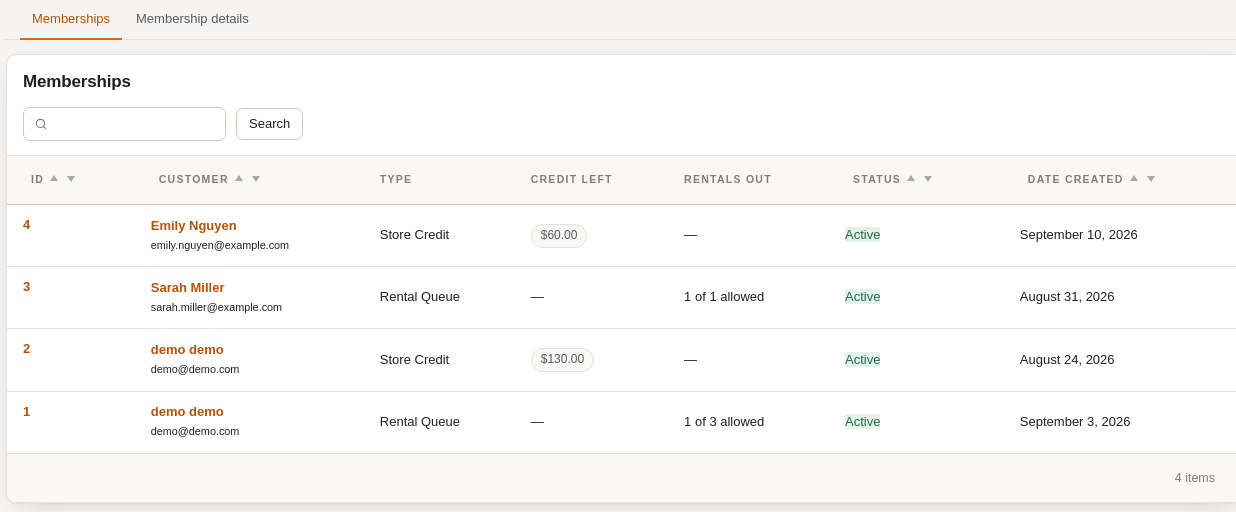
| Column | Meaning |
|---|---|
| ID | The membership number; click it (or View) to open the membership details page. |
| Customer | The member, linking to their user profile. |
| Type | Store Credit or Rental Queue. |
| Credit Left | Store credit memberships only: credit still available in the current billing period. |
| Rentals Out | Rental queue memberships only: items currently checked out versus the number allowed (for example 4 of 5 allowed). |
| Status | Follows the subscription that pays for the membership: Active while the subscription is active (or for one-time purchases), otherwise the subscription’s status (paused, cancelled, expired). |
| Date Created | When the membership was purchased. |
The search box matches the membership number and the customer’s name, email or username.
Membership details #
The details page shows a summary at the top – customer, type, status, credit or rentals out, the linked subscription with its billing interval and next payment date – followed by two tabs.
Credit Ledger (store credit memberships) #
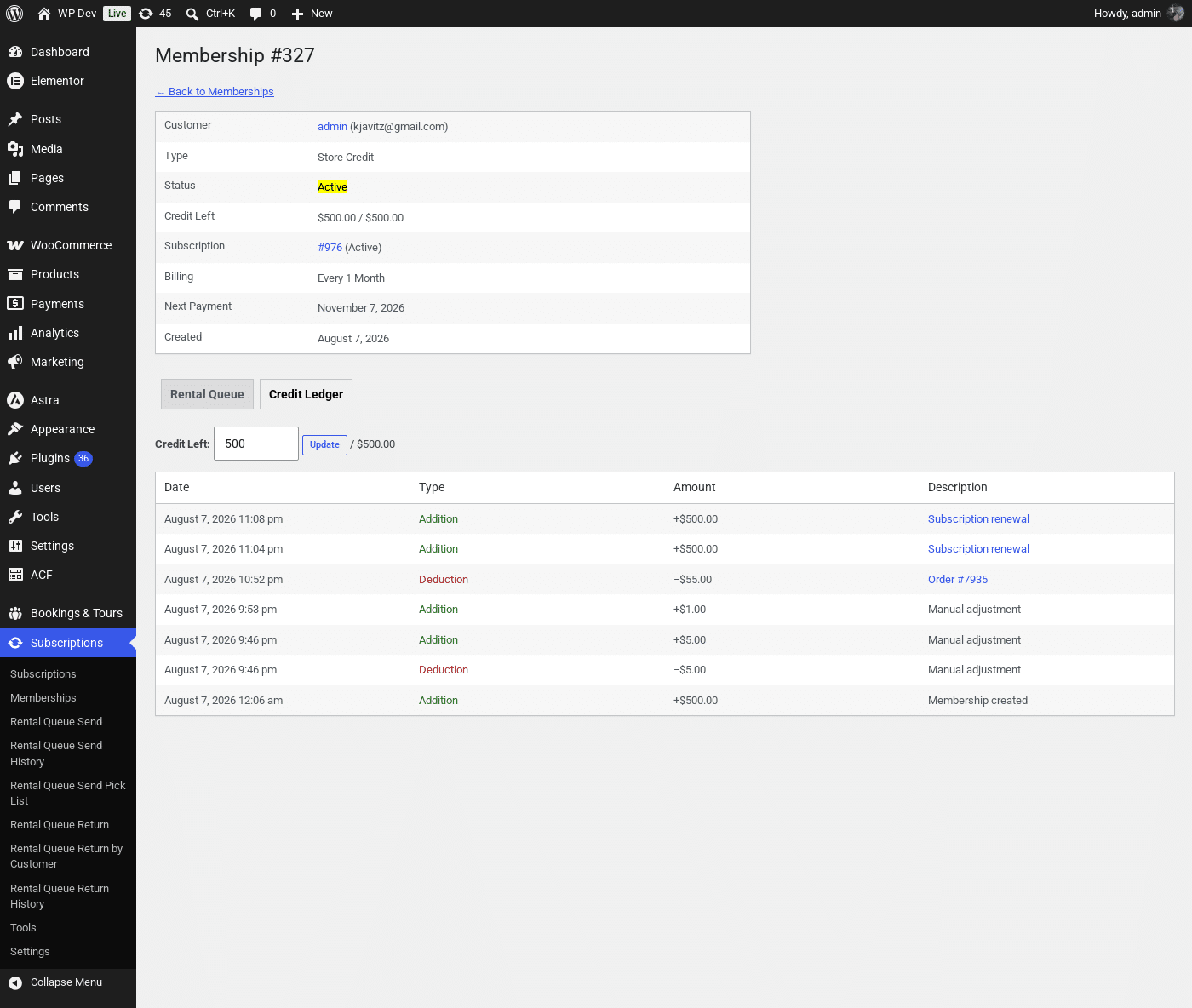
The ledger lists every credit movement: the initial grant when the membership was created, the top-up on each subscription renewal, deductions for orders the credit was applied to (linking to the order), and manual adjustments.
To change how much credit the customer has right now, type the new amount into Credit Left and click Update. The difference is recorded as a Manual adjustment row in the ledger – it changes only the current period’s balance, not the amount granted on future renewals (that is set on the membership product).
How credit periods work #
- The credit period starts on the subscription’s last successful payment (for a one-time membership, the purchase date) and runs until the next payment.
- Available credit = the product’s Store Credit Amount Per Billing Cycle minus what has been spent (or manually deducted) since the period started.
- A successful renewal starts a new period, so the balance is back to the full amount. Unused credit from the previous period is not carried over.
- Credit is only available while the membership is Active.
Rental Queue (rental queue memberships) #
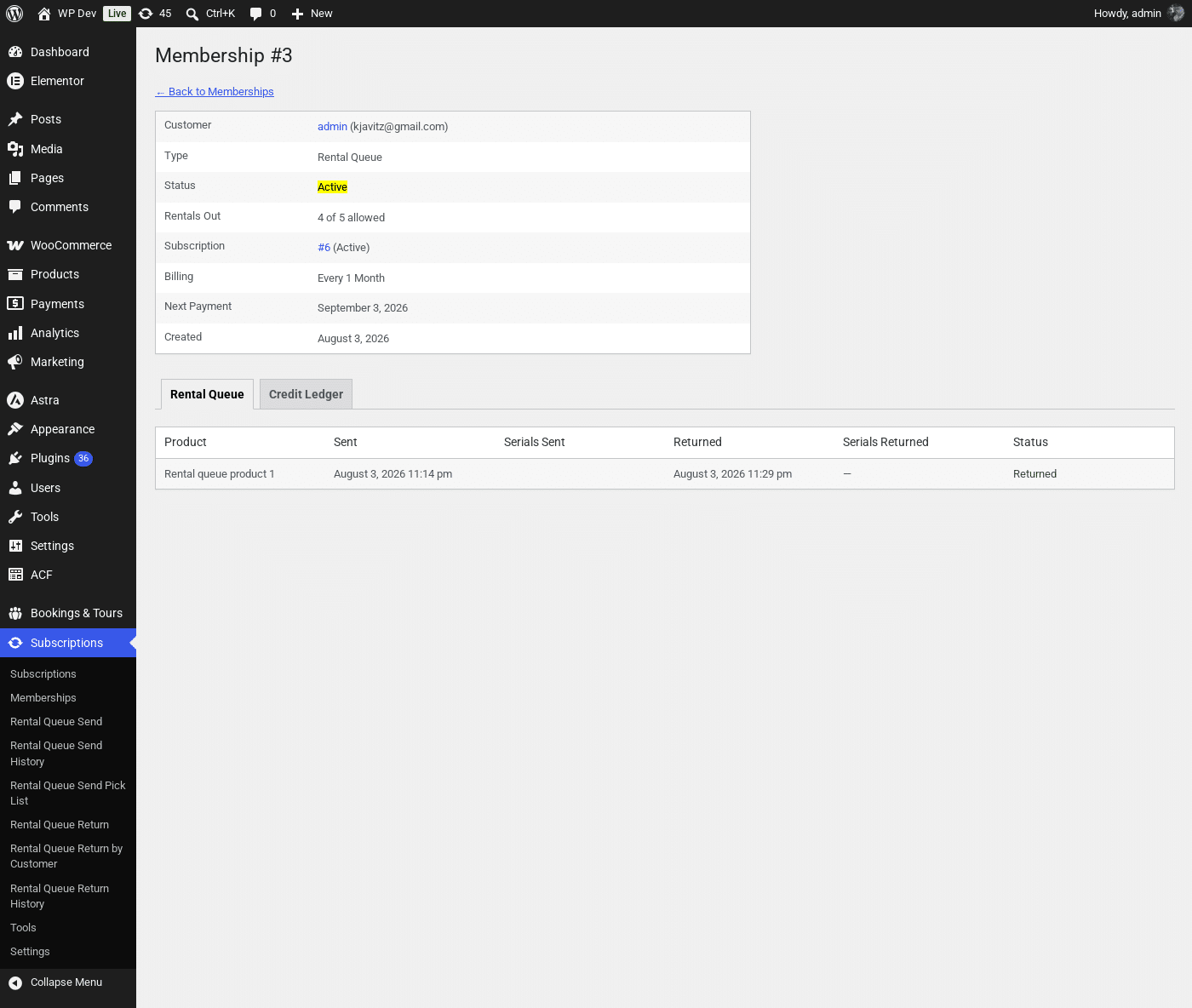
Every product that has been sent against this membership, with the date and serial numbers sent, the date and serials returned, and whether it is still Out or has been Returned. Sending and returning itself is done from the Rental Queue pages – see Managing Rental Queues.
Store credit at checkout #
When a member with credit left reaches checkout, a checkbox to apply their store credit appears above the payment methods. Ticking it adds a negative line to the order totals for the smaller of the credit available and the cost of the eligible items. Membership and subscription products in the cart are never eligible, so credit cannot pay for the membership that grants it. Shipping is eligible only when Allow membership store credit to be applied to shipping charges is enabled under Subscriptions > Settings.
After the order is placed, the amount used is deducted from the membership and appears in its Credit Ledger with a link to the order.
Pausing or cancelling a membership #
A membership has no status of its own – it follows its subscription. To pause or cancel one, change the subscription’s status from the parent order’s Subscription Management box (see Managing Subscriptions), or let the customer do it from My Account. While paused or cancelled the customer keeps any rental queue items they already have out until you return them, but cannot be sent new ones and cannot spend credit.
What the customer sees #
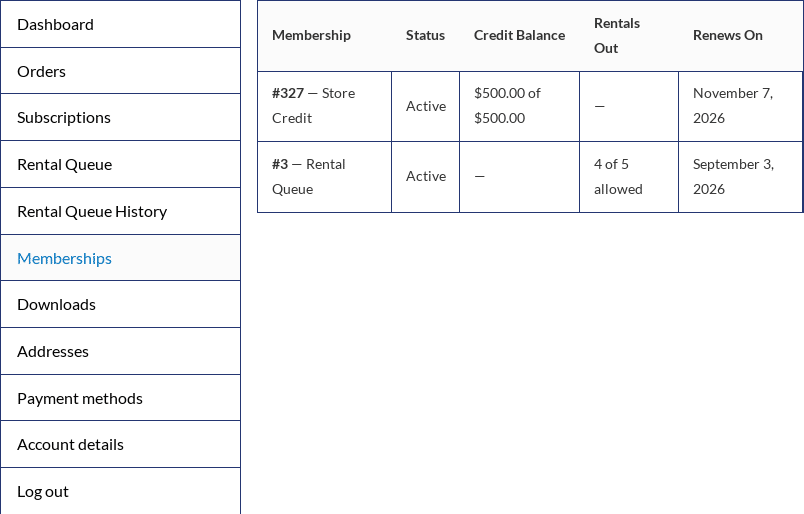
My Account > Memberships lists each membership with its status, credit balance for the current period ($500.00 of $500.00), rentals out against the allowance and the date it renews. The same table can be shown on any page with the [sisubscriptions_customer_memberships] shortcode.


