
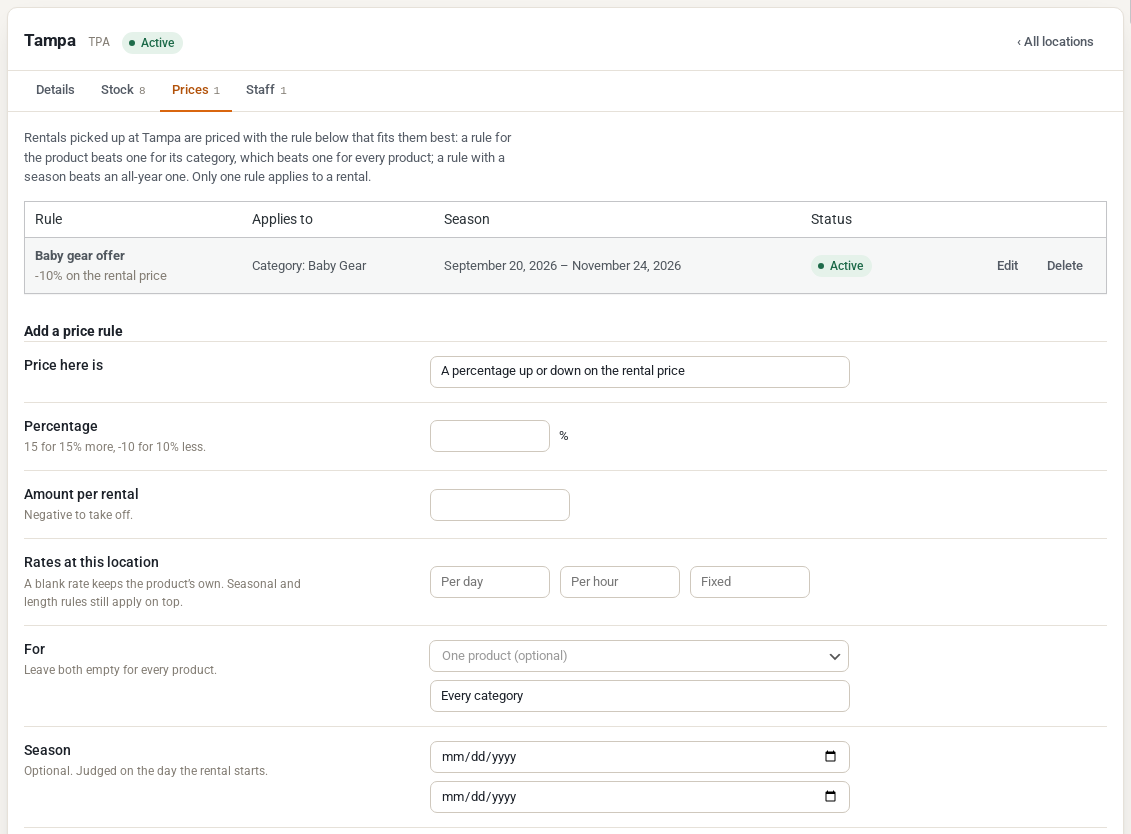
Each location can charge its own prices: a percentage more or less, an amount added to each rental, or its own daily, hourly and fixed rates. A rule can cover every product, one category or one product, all year or for a season. Rules are set on the location’s Prices tab.
Add a price rule #
- Go to Locations > Locations and open the location.
- Click the Prices tab.
- Under Add a price rule, choose what the Price here is (see below) and fill in the matching field.
- Under For, choose one product or one category, or leave both empty for every product.
- Optionally set a Season, a Name on the bill and a Priority.
- Click Add rule.
The three kinds of rule #
| Price here is | Fill in | Example |
|---|---|---|
| A percentage up or down on the rental price | Percentage: 15 for 15% more, -10 for 10% less | A beachfront store charges 15% more |
| An amount added to each rental | Amount per rental: negative to take something off | A $5 charging fee on scooters |
| Its own rates instead of the product’s | Rates at this location: per day, per hour and fixed | An airport desk with its own day rate |
With Its own rates, a rate left blank keeps the product’s own. Your seasonal and length-based pricing from Rentals & Bookings Regular still applies on top of the location’s rates. A percentage or an amount is applied last, to the full rental price.
Which rule applies #
Only one rule applies to a rental. When several could apply, the most specific wins:
- A rule for the product beats a rule for its category, which beats a rule for every product.
- A rule with a season beats an all-year rule.
- Between two equally specific rules, the higher Priority wins.
The season is judged on the day the rental starts. A rental is always priced by its pick-up location, including a one-way rental returned somewhere else.
Set a rule’s Status to Off to pause it without deleting it.
What customers see #
The price on the product page follows the chosen location as soon as the customer picks dates. The rule shows as its own line in the price breakdown, under the Name on the bill you gave it (or a name made from the rule).
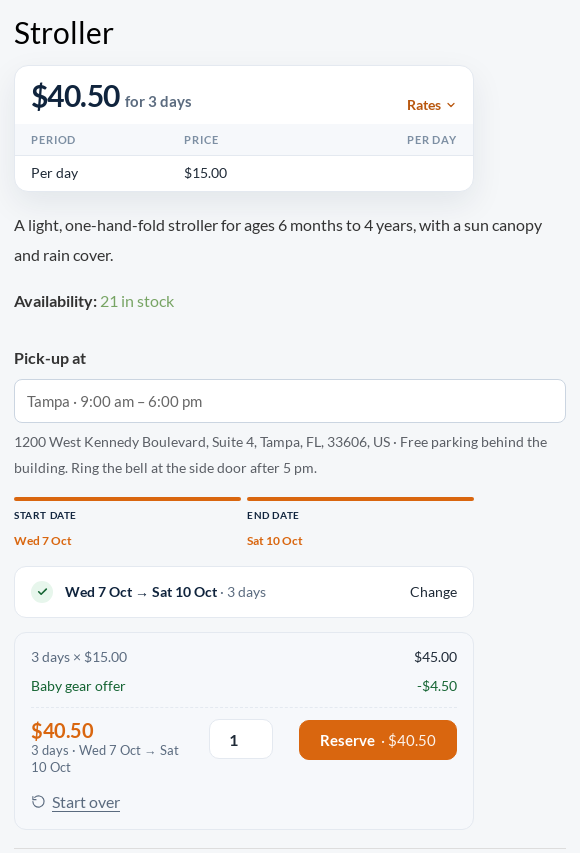
The same price goes into the cart, the order and the price quote in the REST API.
Shortest rental at a location #
Below the price rules, Shortest rental here sets a minimum length for rentals picked up at this location, such as at least 2 days at an airport desk. It can cover every product, one category or one product, and a season.
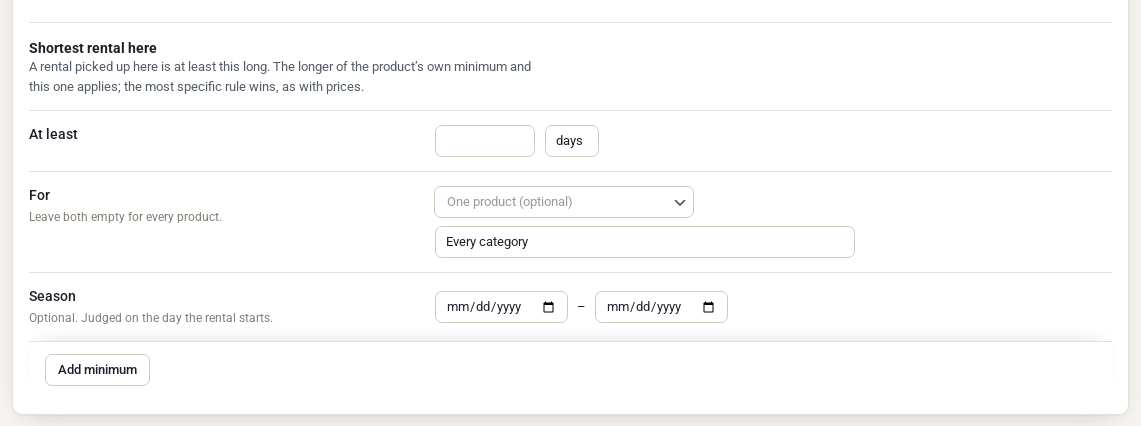
The longer of the product’s own minimum and the location’s applies. The date pickers show the minimum in force today; adding to the cart and checkout check it against the rental’s own start date.
Things to know #
- The “from” price on the product page’s pricing card and in the shop listings is the product’s own base price, not a location’s. The booking total, the cart and the order are the location’s.
- Extending a rental (Regular’s Extend rental) prices the extra days with the booking’s location.
- Subscription renewals are not priced by location. They use the product’s price.
- Products you sell outright are not affected by location price rules. They sell at the product’s price everywhere.


