
When a unit comes back damaged, dirty or not working, you send it to maintenance in the same step as the check-in. There is no second screen and no second save: the unit comes back In maintenance, never Available first, so nobody can rent it out in between.
Needs service on the Return screen #
- Go to Rentals › Return and open the booking that is coming back (or tick several bookings for a bulk return).
- Turn on Needs service on the line of the item that needs work.
- With serial numbers, tick the units that need service. Units you leave unticked are returned as usual. Without serial numbers, enter how many units need service.
- Pick the Problem from your problem list and add a Note if it helps the technician (for example “cracked lance”).
- Click Add photo to attach photos of the damage. They go on the ticket as check-in photos.
- Leave Keep out of stock until fixed on (the default comes from the settings), and tick Customer may be charged if the customer caused the damage.
- Return the booking as usual.
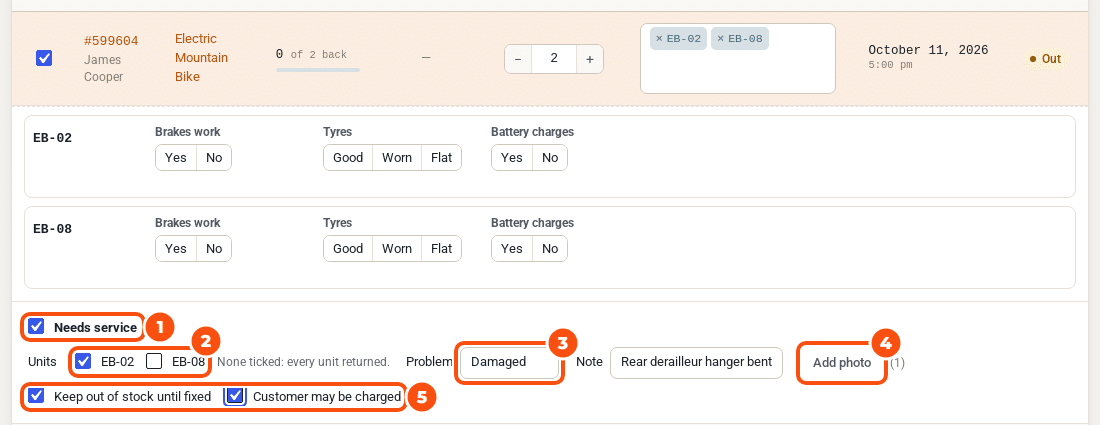
The return opens a ticket at once, with a High priority, linked to the booking and its order. The return’s notice names the ticket (for example “MT-1042 opened for PW-04”), and the managers get the email “New ticket from a check-in” (you can switch it off under Maintenance › Settings › Check-in tickets).
If a unit is already on an open ticket, no second ticket is opened: the check-in is added to that ticket’s timeline.
What the customer sees #
Nothing changes for the customer at check-in. If you ticked Customer may be charged, you decide on the ticket later whether to charge them: see Damage charges. While that is undecided, a held security deposit is not refunded automatically.
Other ways in #
- Scans and the REST return. A scan on the Return screen picks the row, so Needs service works the same way. The REST return takes a
maintenancefield: see Settings, emails and developer notes. - Send to maintenance on a serial. On a serial’s page in Rentals › Serials, Send to maintenance opens a new ticket for that unit (or the ticket it is already on).
- Send to maintenance on an order. On the order screen, under a rental line whose units came back, Send to maintenance opens New ticket with the rental’s order and customer kept on the ticket and Customer may be charged ticked.
- By hand. New ticket on the board, for a unit at your shop or a service you plan.
- A customer report from My Account: see Customer problem reports.
- A failed checklist at check-out or check-in: see Checklists and the check-out guard.
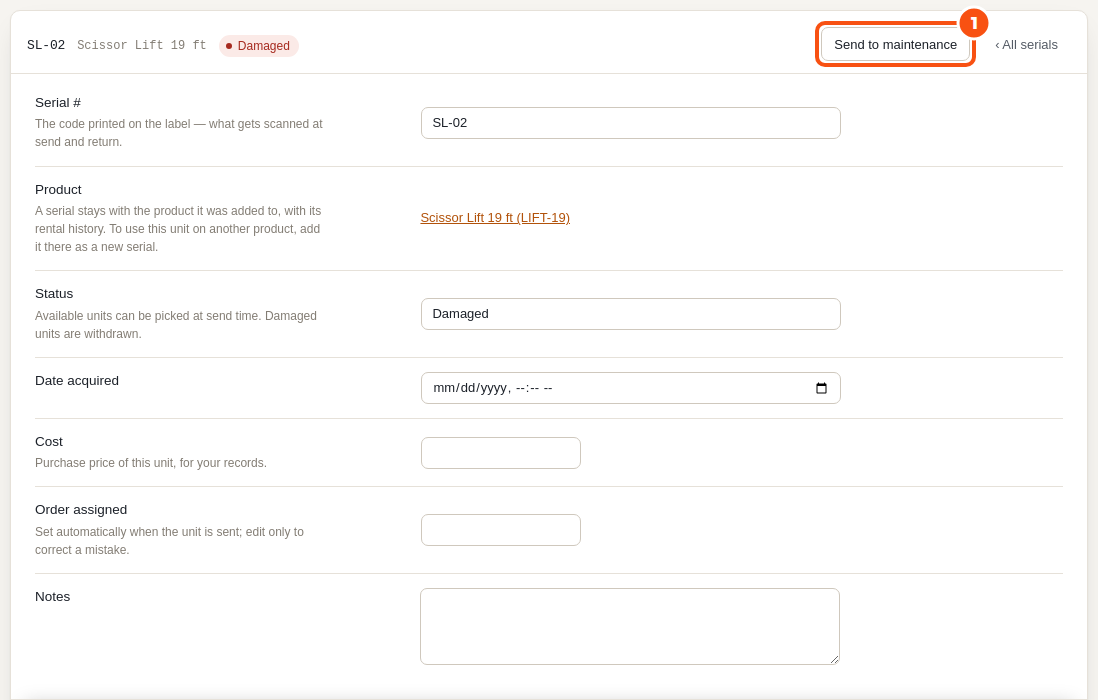
Units marked Damaged by hand #
A serial you set to Damaged by hand is not off the calendar until a ticket holds it. The board lists such units as Marked damaged, no ticket, with Open ticket, so none is forgotten.


