
Everything on this page switches on by itself when our rental plugins are active. A store without them sees none of it. It reads each order’s own details, so an old order still posts right if the plugin that made it has since been switched off.
Rental lines #
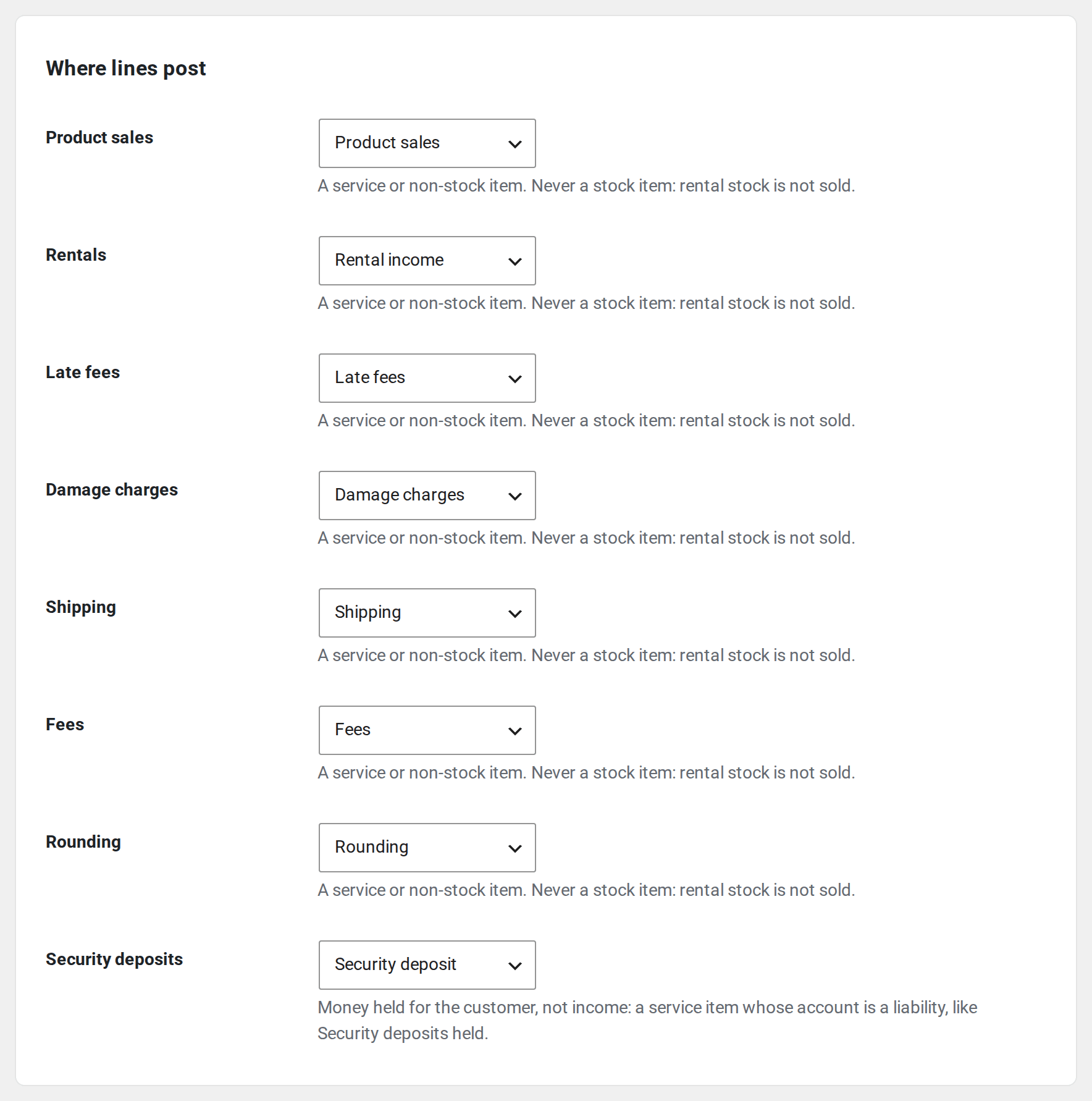
With Rentals & Bookings, invoice lines carry the rental dates, such as “Tent 6×6 · 20 Nov 2026 → 22 Nov 2026 (2 days)”. Where lines post gets extra rows, each posting like Product sales until you choose an item for it:
- Rentals, with Rentals & Bookings.
- Late fees, with Rentals & Bookings Regular.
- Damage charges, with Maintenance & Inspections.
A booking’s extra orders #
Our rental plugins make extra orders for one booking: a balance payment, a late fee, an extension. A plain sync would post each as a new sale and book the same income twice. QuickBooks Sync knows what each one is:
- A balance paid later is a second payment on the booking’s invoice. If the booking isn’t in QuickBooks yet, the payment waits and follows it.
- A balance nobody will pay, once you waive it, comes off the booking’s invoice.
- A late fee, a damage charge or an extension posts as its own document that names the booking, such as “Late fee on order 1042”.
- A subscription renewal and an order made from a quote post as sales that name the subscription or the quote. The quote itself doesn’t become a QuickBooks estimate: only the order made from it posts.
Changes to a booking #
A change to a booking that’s part paid, with the balance due later, waits under Needs attention: change its invoice in QuickBooks by hand. A paid or part-paid booking cancelled with no refund waits there too, asking you to refund it in WooCommerce.
Security deposits #
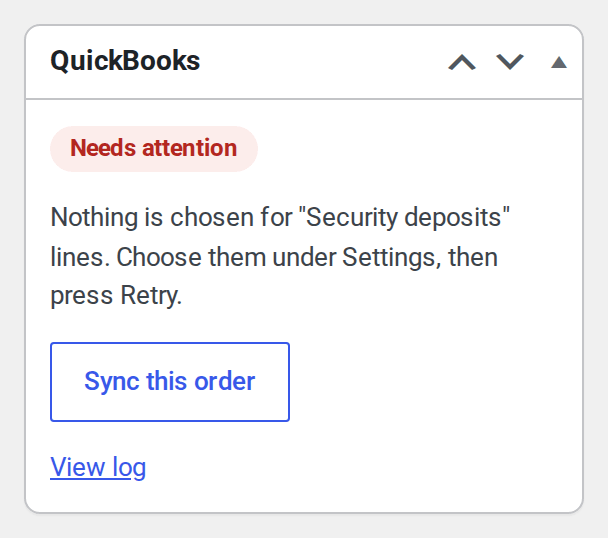
With Refundable Security Deposits, a deposit is money held for the customer, not income. Choose where it posts under Security deposits in Where lines post: a service item whose account is a liability, such as Security deposits held. Until you choose, orders with a deposit wait.
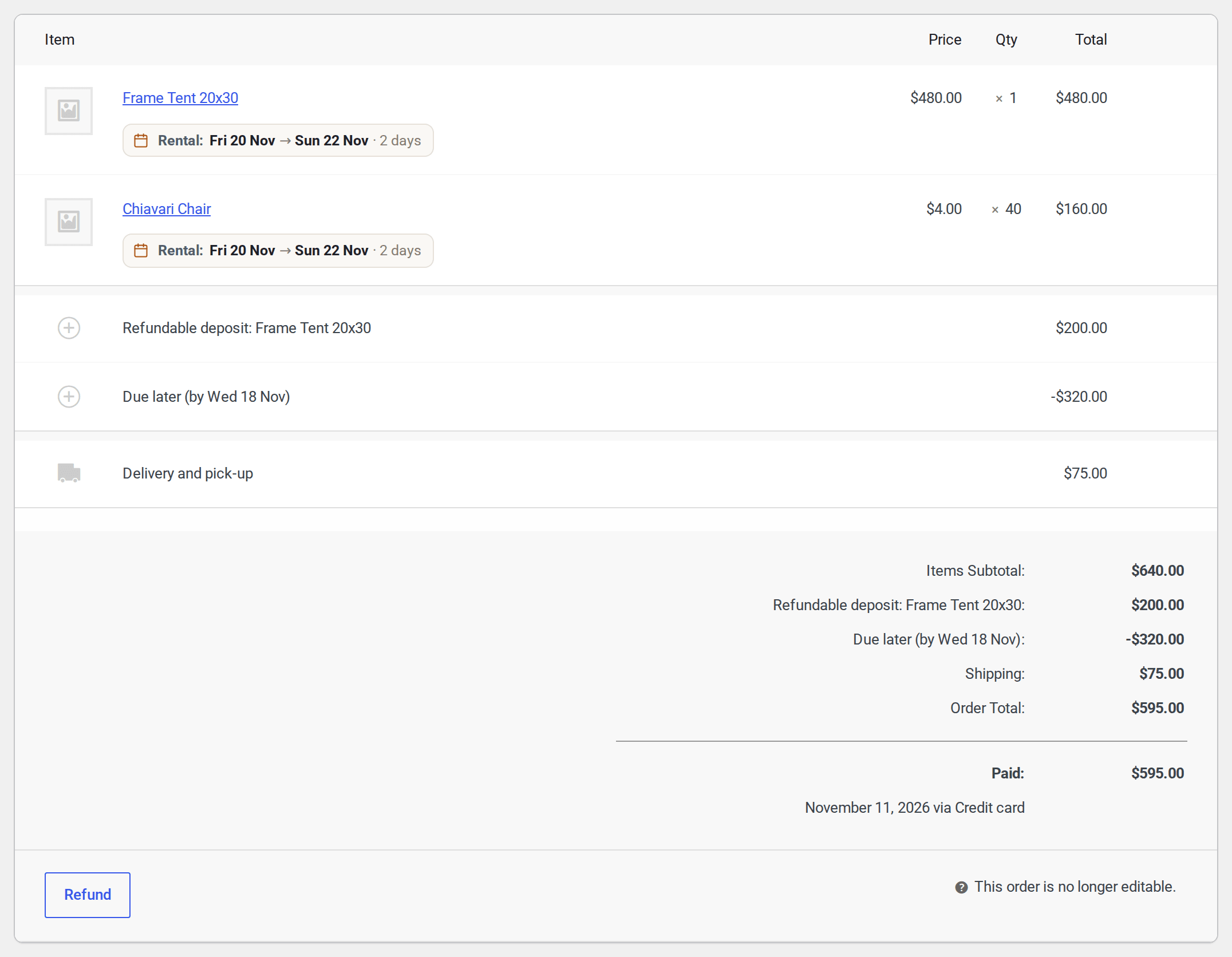
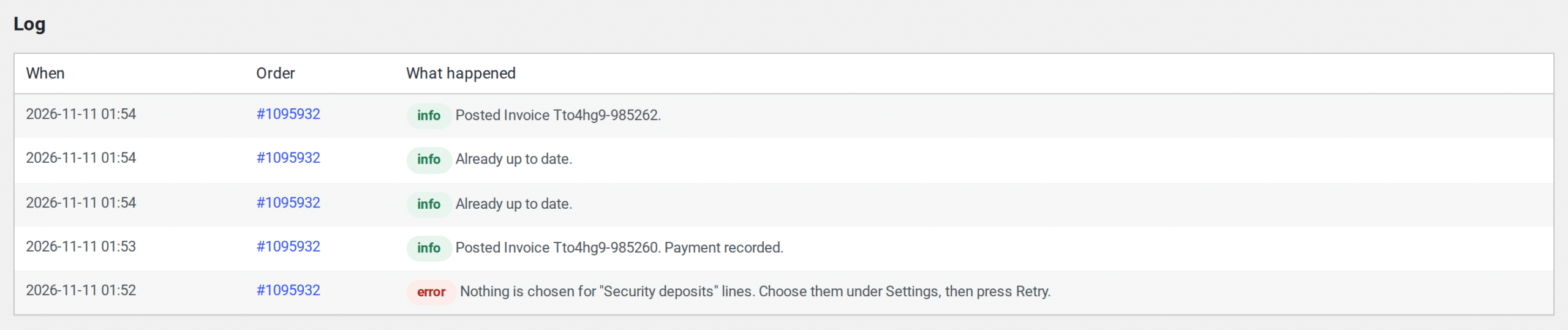
- A deposit given back is recorded as money going back, “Given back from the security deposit on order 1042”.
- Part of a deposit kept for a charge books the charge as income and takes it off the liability on one document, “Kept from the security deposit on order 1042”. No journal entries.
Payments at the counter #
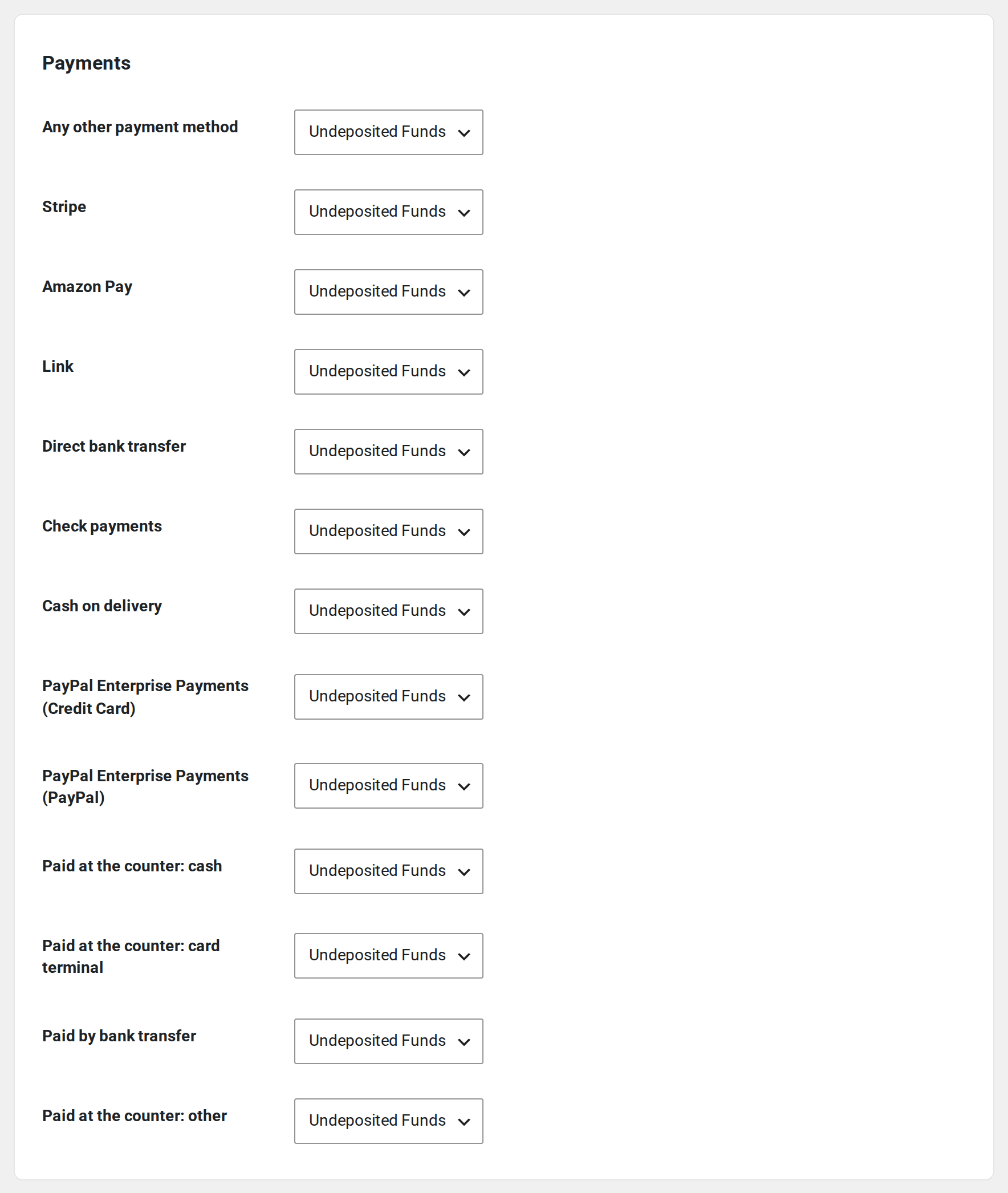
With Rentals & Bookings Regular, a balance can be paid at the counter. Payments then gets a row each for cash, card terminal, bank transfer and other, so each goes to the right account.
Bundles and kits #
A bundle posts as one line at its price, such as “Includes: 2 × Chair, 1 × Table”. Parts with no price of their own come off the invoice; parts priced on their own stay as their own lines. This works with our Bundles & Composites plugin, WooCommerce Product Bundles and Composite Products.
Locations #
With Multi Location Inventory, choose Send each rental’s pick-up location under Locations on the Settings tab. Then turn on Track locations or Track classes in QuickBooks, under Account and settings, Advanced, Categories. We add the location names there the first time each one is used.
- With locations tracked, the pick-up location goes on the invoice.
- With classes tracked, each line gets its location’s class, or the whole transaction does, as your QuickBooks company is set. Classes need QuickBooks Plus or Advanced.
An order’s location is where its first rental line is picked up. The name sent is the one on the order, so renaming a location later never rewrites an old order.
Not handled yet #
- Damage waiver fees post on the Fees row with your other fees. They have no row of their own.
- Invoicing when a rental starts. A booking posts when it’s paid, or when it’s completed, as set under Post when.
- Store credit.


