
How a bundle’s price is worked out, what the shop shows, and how discounts and tax work.
The bundle price #
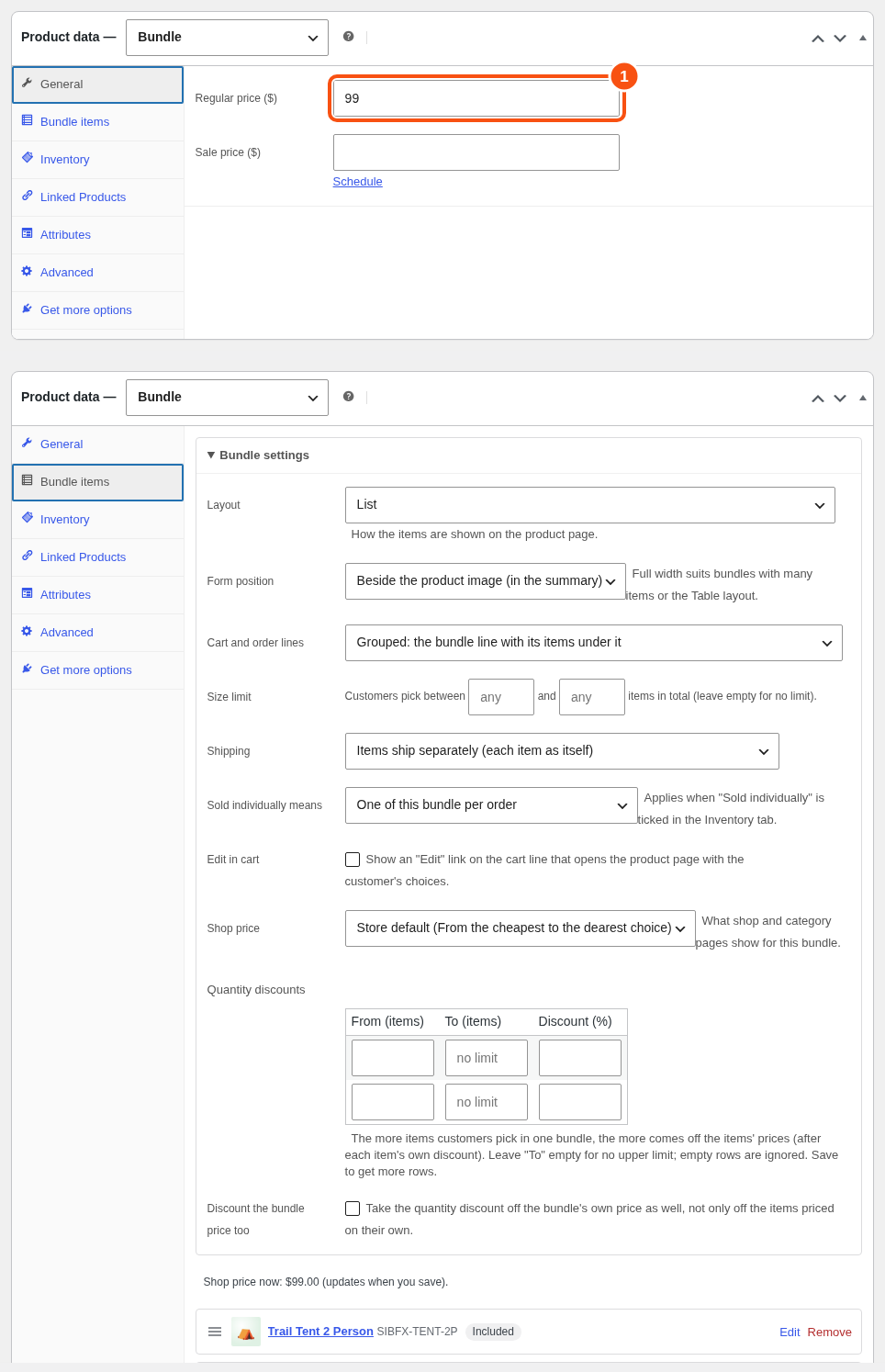
The bundle price is:
- the bundle’s own price (General tab; empty counts as 0), plus
- every item charged on its own: its price times its quantity, less its discount.
Examples:
- Own price $99, every item “Included in the bundle price”. The customer pays $99.
- No own price, three items “Charged at its own price minus 10%”. The customer pays 90% of the three items’ prices.
A bundle with no own price and every item included has nothing to charge.
Item discounts #
On an item’s Price & shipping tab, choose “Charged at its own price minus [ ]%”. The discount comes off the item’s current price (the sale price when the item is on sale). You can switch it to the regular price on the same tab.
The product page shows a You save line under the total when items are discounted or on sale. Turn it on or off under WooCommerce > Bundles > Settings.
Quantity discounts #
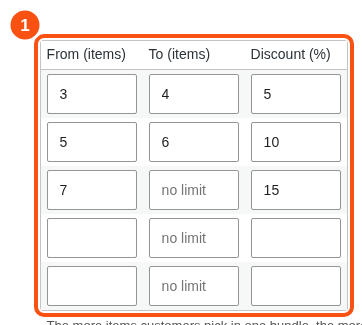
The more items a customer picks in one bundle, the more comes off.
- In Bundle settings, find Quantity discounts.
- Add rows: From (items), To (items), Discount (%). Leave To empty for no upper limit.
- Tick Discount the bundle price too if the discount should also come off the bundle’s own price.
The discount comes off each item charged on its own, after its own discount. The product page lists the tiers and marks the one the customer earns. If no item is charged on its own and the box is not ticked, the card shows a note: the discount has nothing to come off.
The price shops show #
Under Shop price, choose what shop and category pages show:
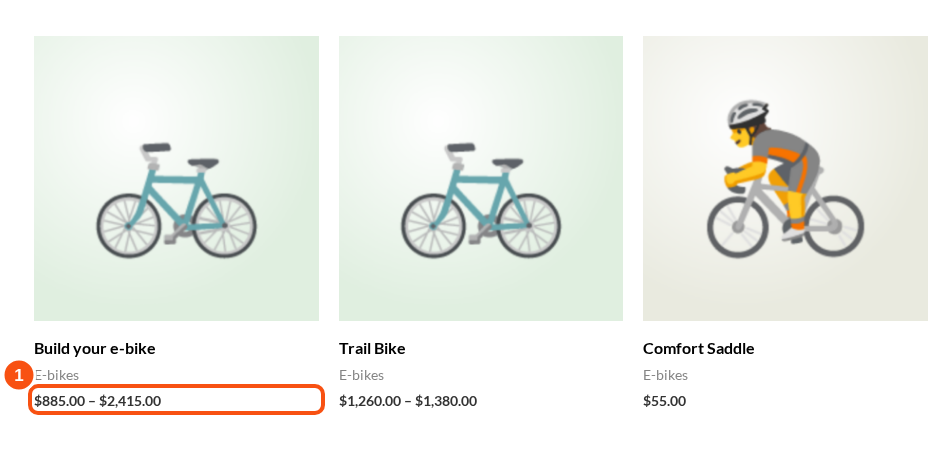
- From the cheapest to the dearest choice: a price range.
- The price of the default selection.
- Hidden: the product page shows the total.
Set the store default under WooCommerce > Bundles > Settings. A bundle can use its own.
The range follows the rules while the picks give at most 2,000 combinations. Price filters and sorting use the stored range.
Tax #
Each item line is taxed by its own tax class. Prices display with or without tax as the store is set.
Coupons #
Product-restricted coupons apply to the bundle and its items. Excluding the bundle excludes its items.
Rental bundles #
A bundle that rents has two price modes. See “Rental bundles”.


