
With one-way rentals, a customer picks up at one location and returns at another: a scooter taken on the beach and dropped off downtown, a van collected at the airport and returned in the city. Multi Location Inventory works out whether each location can spare the unit, and charges a fee per route.
Switch one-way rentals on #
Go to Locations > Locations > Settings and choose how Returning to another location works:

| Choice | When a one-way rental is allowed |
|---|---|
| Off | Never. Rentals come back where they left. |
| Strict | When the pick-up location can spare the unit: it never lets a unit go that a later booking there needs. |
| Pooled | Within a pool of locations that share their stock (set Shares stock with on each location). The pick-up location must have the unit at pick-up, and the pool must have it for the whole rental. Staff move units back between the pool’s locations. |
| Accept and rebalance | When total stock covers it and a transfer can bring the pick-up location back in time. The pick-up location keeps the unit for the Protect hours after it leaves, and a later shortage there must be at least the Transfer lead time away. The shortage then shows on Stock by location for someone to fix. |
When one-way rentals are on, units are counted where they physically are: a rental that goes out from Miami Beach and comes back to Orlando leaves Miami Beach with one fewer and Orlando with one more. So recording hand-overs matters: use Send and Return, or set Hand-overs to automatic.
Which locations take returns #
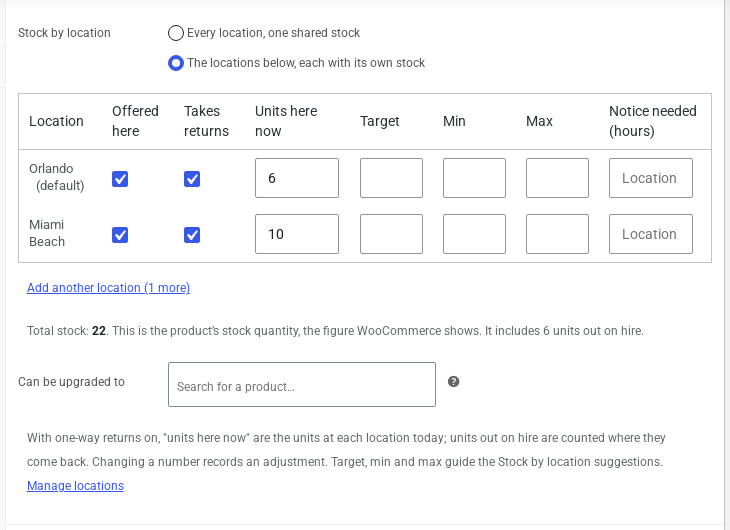
Each product’s Stock by location grid gets a Takes returns column. Untick it for a location that should not receive this product back.
One-way fees #
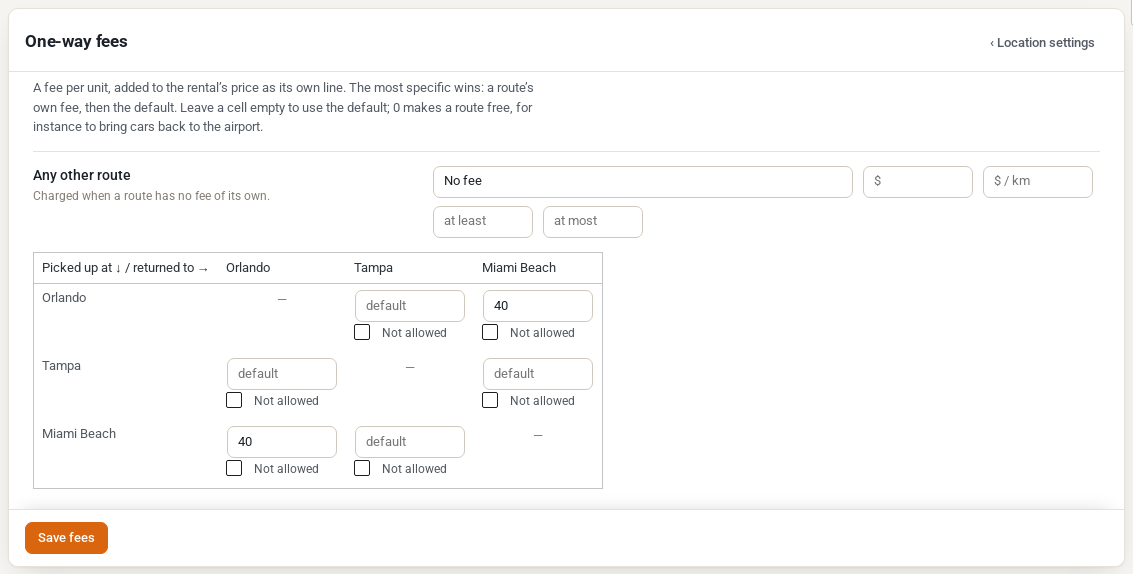
Click One-way fees next to the setting. The grid sets a fee per unit for each route, from the pick-up location (rows) to the return location (columns):
- enter an amount for a route’s own fee, or leave it empty to use Any other route;
- enter 0 to make a route free, for example to bring cars back to the airport;
- tick Not allowed to refuse a route.
Any other route can be no fee, a flat fee or a fee per kilometre (measured between the two locations’ map pins), with an optional minimum and maximum.
Below the grid, Fees for a product, a category or a season adds more specific rules, for example a fee per kilometre on one route, a different fee for one product, or a summer fee.
 .50 per km from Tampa to Miami Beach and a form to add a rule” class=”wp-image-39452″ style=”width:560px;height:auto”/>
The rule that fits a rental best applies: first the route (this exact route, then from its pick-up location, then to its return location, then any route), then the product (its own rule, its category’s, every product’s), then a season over all year.
What customers see #
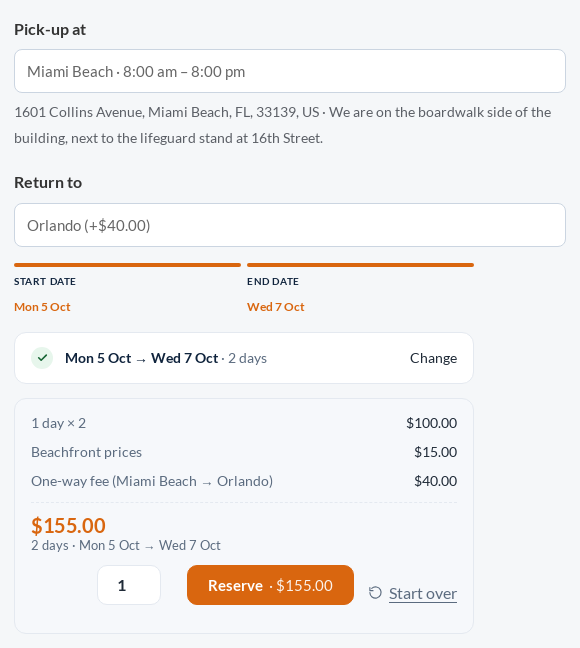
The product page asks Return to under Pick-up at, with the fee beside each location. The fee is added to the rental’s price as its own line.
The calendar greys out start days on which the pick-up location cannot spare a unit. The return location must take returns of that product and be open on the return day. The cart and checkout check all of this again.
Returned to the wrong place #
If a customer brings a rental back to a location other than the one booked, staff record the return at the location where it really came back. Depending on Returned to the wrong location in Location Settings, the order gets a note for a manager to decide what to charge, or the return is simply recorded. Nothing is charged automatically.
Reports #
Locations > Reports > One-way flows shows where rentals are picked up and returned. See Location Reports and the Stock Journal.


