
With Rentals & Bookings Regular (and Pro), the guest count can be split into adults, children, infants and pets. Each type can have its own limit, and the price can include an extra-guest fee, a pet fee and a child price. The free Lite plugin has a single guest count; start with Guests and party size if guests are new to you.
Store defaults: Rentals > Settings > Guests #
These settings are the defaults for every product whose Guests tab is not Off. A product can choose its own guest types instead.
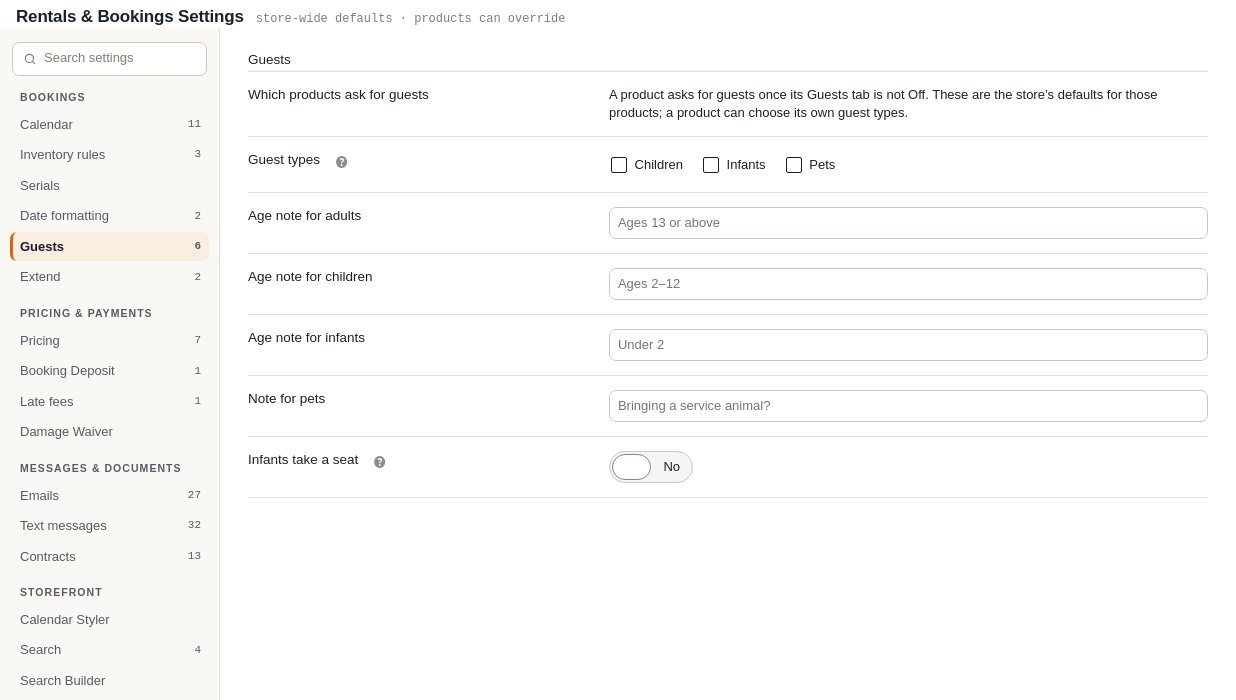
| Setting | What it does |
|---|---|
| Guest types | Children, Infants and Pets. Adults are always asked for. Tick none to keep a single guest count, as in Lite. |
| Age notes | The small line under each type, for adults, children and infants, plus a note for pets. Empty boxes use “Ages 13 or above”, “Ages 2–12” and “Under 2”. Pets show no note unless you write one. |
| Infants take a seat | Only for products whose guests each take a place (seats). On: an infant takes a place of their own, free of charge. Off (the default): infants sit on a lap and take no place. |
Per product: the Guests tab #
Edit the product and open the Guests tab. Below the guest settings from Lite you get these.
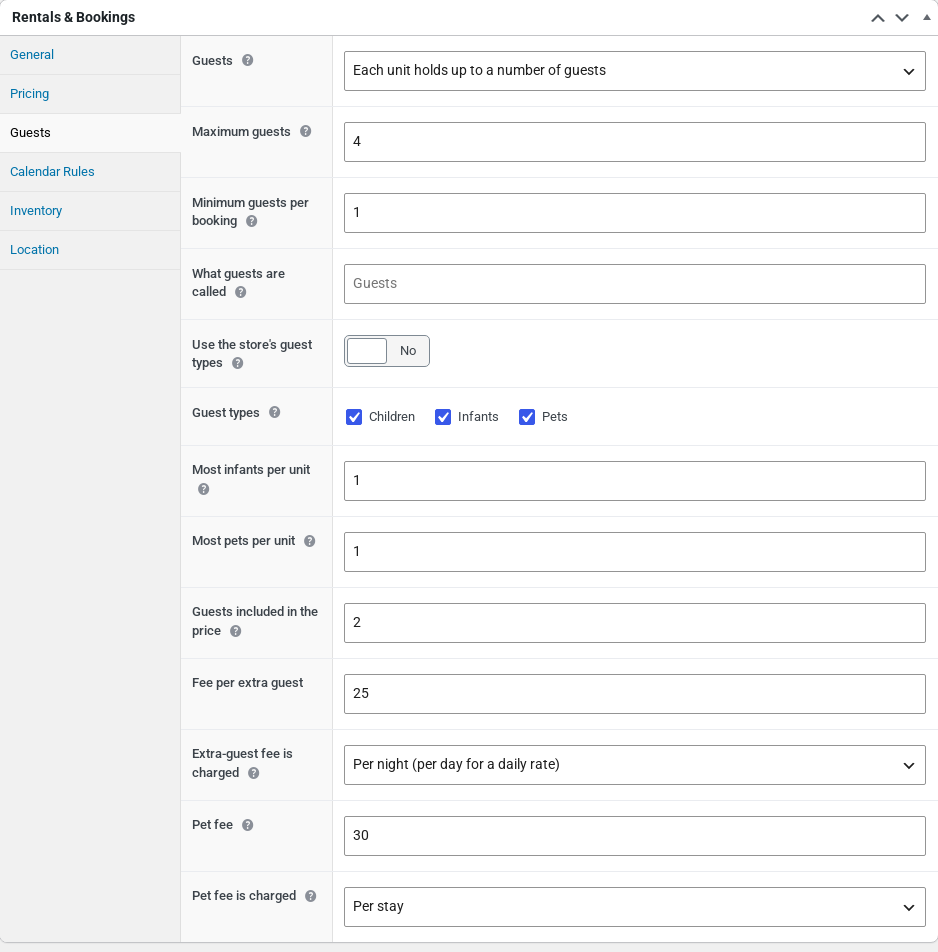
| Setting | What it does |
|---|---|
| Use the store’s guest types | On by default. Turn it off to choose the types for this product only. |
| Guest types | Children, Infants and Pets for this product. Tick none for a single guest count. |
| Most infants per unit | On top of Maximum guests. Empty: no limit. 0: this rental does not take infants (steep stairs, a boat). |
| Most pets per unit | On top of Maximum guests. Empty: no limit. 0: no pets. |
| Guests included in the price | Units only. How many guests the rate covers, per unit. Every guest above this pays the extra-guest fee. Empty: every guest is included. |
| Fee per extra guest | Units only. The fee for each guest above the number included. |
| Extra-guest fee is charged | Units only. Per night or Per stay on a product booked by Nights. On a product booked by Days it reads Per day or Per stay. |
| Pet fee and Pet fee is charged | Units only. The fee per pet, per stay by default. Empty or 0: pets stay free. |
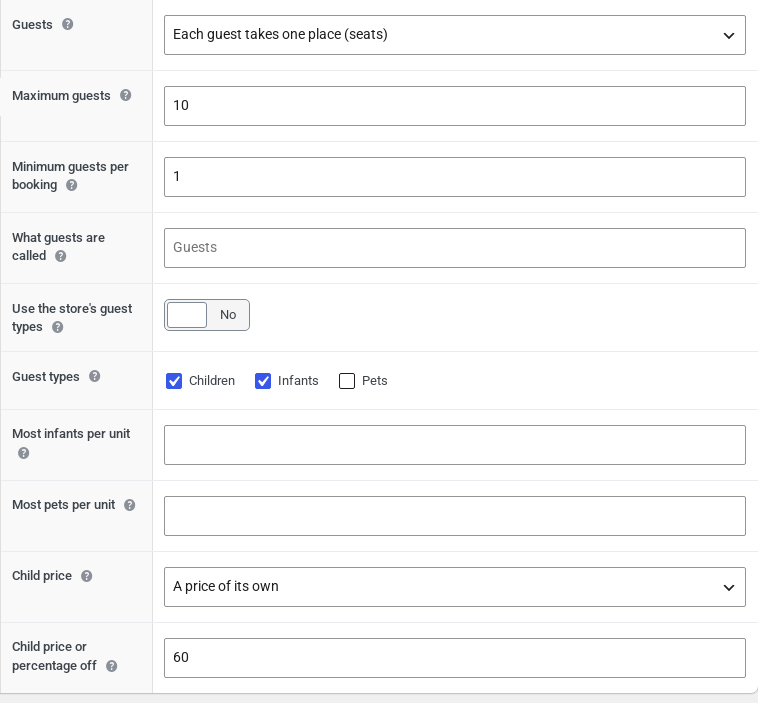
| Child price | Seats only. Same as an adult, A percentage off, or A price of its own. |
| Child price or percentage off | A percentage off the adult price (50 = half price), or what a child pays for the booking. |
How the types and limits work #
- Adults and children count toward Maximum guests. Infants and pets do not; they have their own limits.
- Limits “per unit” grow with the units booked. Two cabins that each take one pet can take two pets.
- A type a product does not take at all (limit 0) is not shown on that product.
- The Adults count never goes below 1.
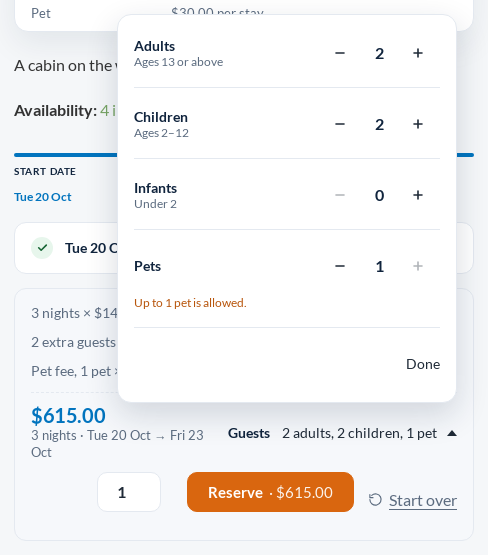
- With a single row the product page shows one count. With more rows, customers click a button such as “2 adults, 1 child” and a small window opens with a row for each type and its age note. On a phone it opens from the bottom of the screen.
- At a limit the plus button stops and says why: “Up to 1 pet is allowed.”
The same rules are checked again when the item is added to the cart. These are the messages a customer can see:
| Message | When it appears |
|---|---|
| Pets aren’t allowed here. | Pets on a product that does not take them. |
| Up to 2 pets are allowed. | More pets than the limit for the units booked. |
| This rental does not take infants. | Infants on a product that does not take them. |
| Up to 2 infants are allowed. | More infants than the limit. |
| Please add at least one adult. | Children or infants with no adult (from an app or the API). |
The price with guest fees #
The pricing card shows the fees before any dates are chosen: a line such as “Price for up to 2 guests · $25.00 per extra guest per night”, and rows for Extra guest, Pet and Child under Rates. The headline price and “As low as” stay on the base rate.
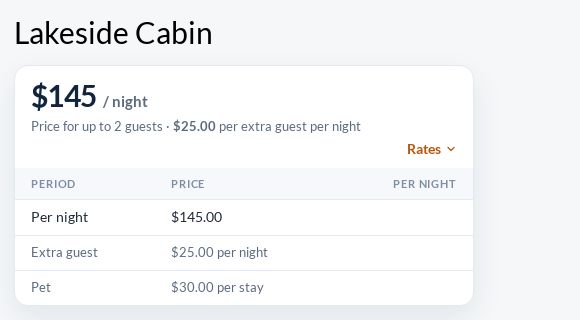
Each unit holds up to a number of guests #
The price is the rate for the dates times the units, plus:
- the extra-guest fee for every guest above Guests included in the price times the units booked, per night or per stay (per day on a product booked by Days);
- the pet fee for every pet, per night or per stay (per day on a product booked by Days).
A product booked by the hour has no nights to count, so its fees are always per stay. The fee wording follows the product’s Booked by (Calendar Rules tab): “per night” when it is booked by Nights, “per day” otherwise.
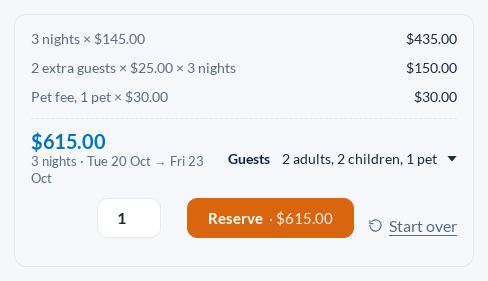
| Example: Lakeside Cabin, 3 nights, 2 adults, 2 children, 1 pet | Amount |
|---|---|
| 3 nights × $145.00 | $435.00 |
| 2 extra guests × $25.00 × 3 nights (4 guests, 2 included) | $150.00 |
| Pet fee, 1 pet × $30.00 (per stay) | $30.00 |
| Total | $615.00 |
Each guest takes one place (seats) #
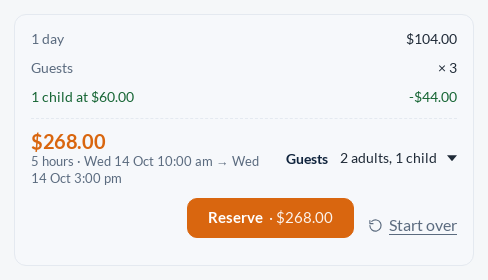
Each adult pays the price for the dates. Each child pays the child price, which shows as its own line with the difference taken off. Infants travel free. A child’s own price is never more than an adult’s.
In the cart and after the booking #
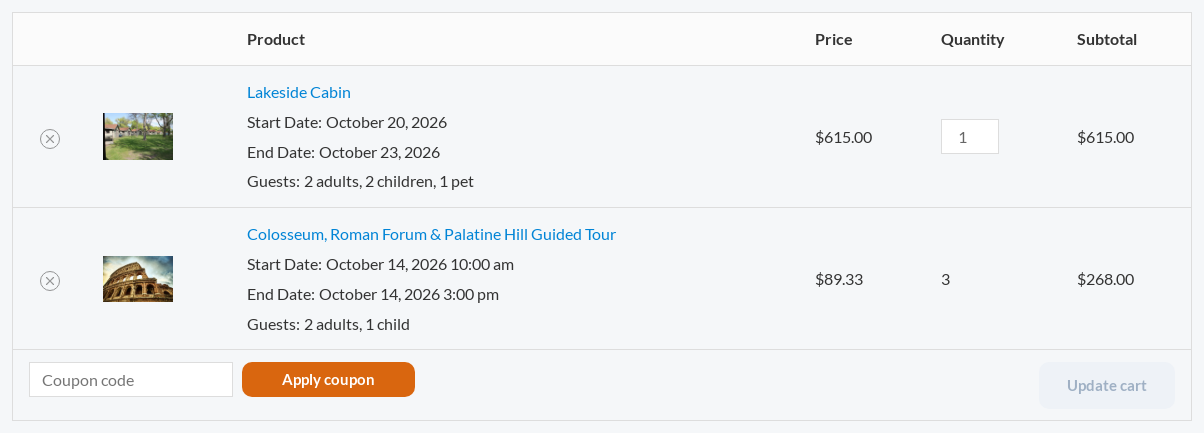
- The cart line shows the party and its total includes the fees.
- On a seats line with a child price, the Price column shows the average price per place: $268.00 for 3 places reads $89.33.
- When a customer extends a rental, the extra nights include the guest fees.
- When you change the party with Edit dates on an order, the new price includes the fees.
- The Send and Return lists get a Guests column once a product counts guests, so staff know how many life jackets or helmets to hand out.
- Text message reminders can use the
{guests}merge tag, like the email reminders. - The operational calendar feed (not the availability feed) adds a “Guests: …” line to each booking. See Calendar sync (iCal).
For developers. The REST API takes the party too. GET /availability accepts guests, adults, children, infants and pets, and answers with the units needed, the guests and any guest_errors. /pricing/quote prices the party and lists the fees as extra_lines. Bookings include their guests. See Bookings, Availability & Serials Endpoints and Pricing & Orders Endpoints.


