
The queue #
Every order, refund and cancellation goes into a queue and posts from there, a moment later, in the background. Your checkout never waits for Xero.
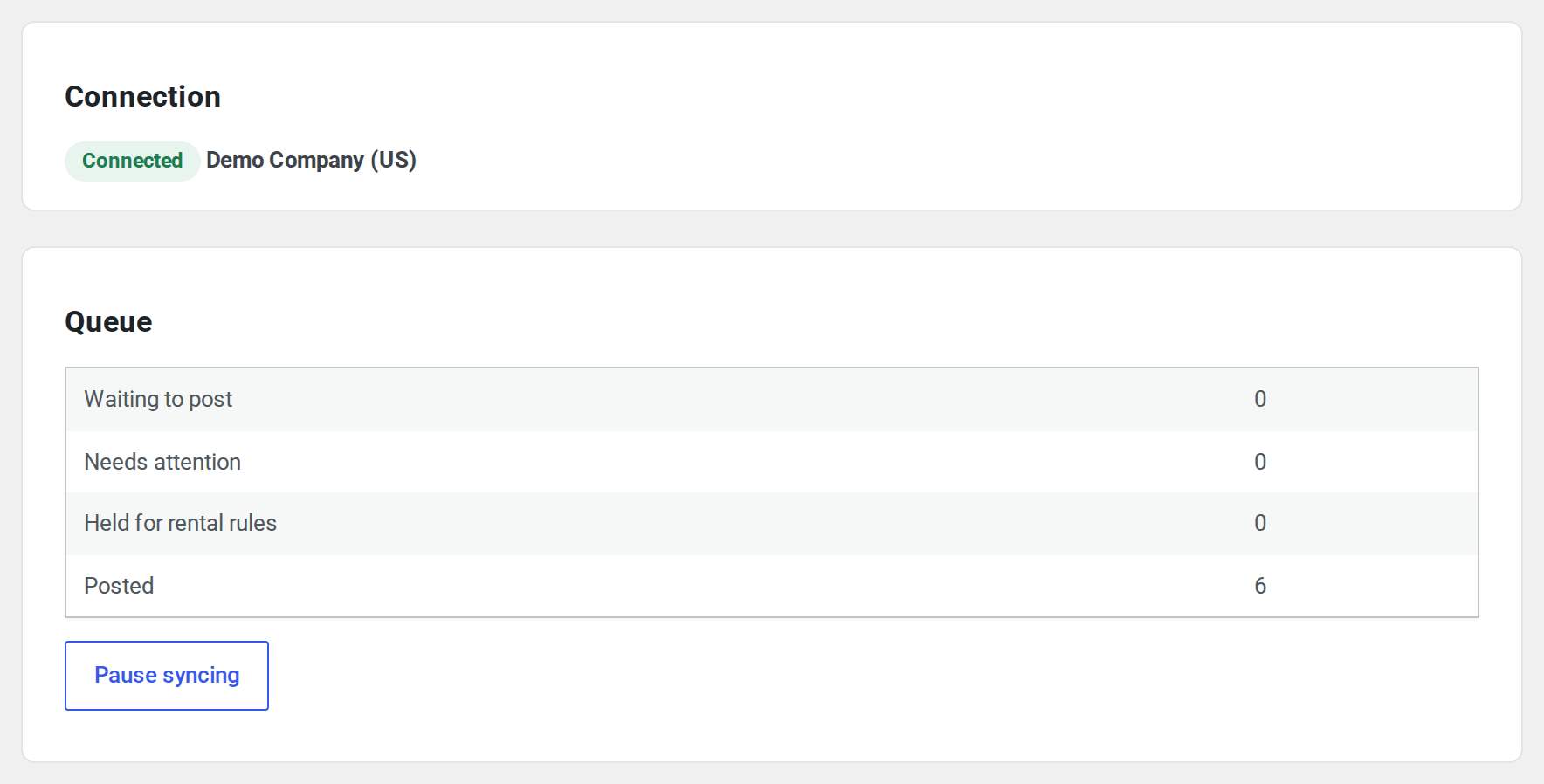
The Overview tab shows the connection and how many items are Waiting to post, Need attention and Posted. Pause syncing stops posting until you press Resume syncing; orders keep queuing meanwhile.
When Xero doesn’t answer, an item tries again by itself after 1 minute, 5 minutes, 30 minutes, 2 hours and 12 hours, then moves to Needs attention. When the problem is one only you can fix, such as a missing setting, it goes there straight away. When the connection is lost, the whole queue pauses until you reconnect. An answer lost on the way never posts an order twice: a document sent on its own carries a key Xero recognises, and before orders sent together go again, Xero is checked for them by invoice number.
Xero allows each organisation 60 calls a minute. A day’s allowance depends on your Xero app’s tier: 1,000 calls a day on the free Starter tier, 5,000 on Xero’s paid tiers (developer.xero.com/pricing, checked 9 November 2026). The queue keeps under the minute limit. New orders go up to 50 to a call, which keeps the count of calls low. Refunds, changes and voids go one at a time. If Xero says to wait, such as when a big import has used up the day’s calls, items wait as long as Xero asks and then carry on by themselves. Nothing is lost.
The Activity tab #
Needs attention lists each order that couldn’t post, with what to do. Fix it in Xero or under Settings, then press Retry, or Retry all. Post again sends an invoice you deleted or voided in Xero once more.

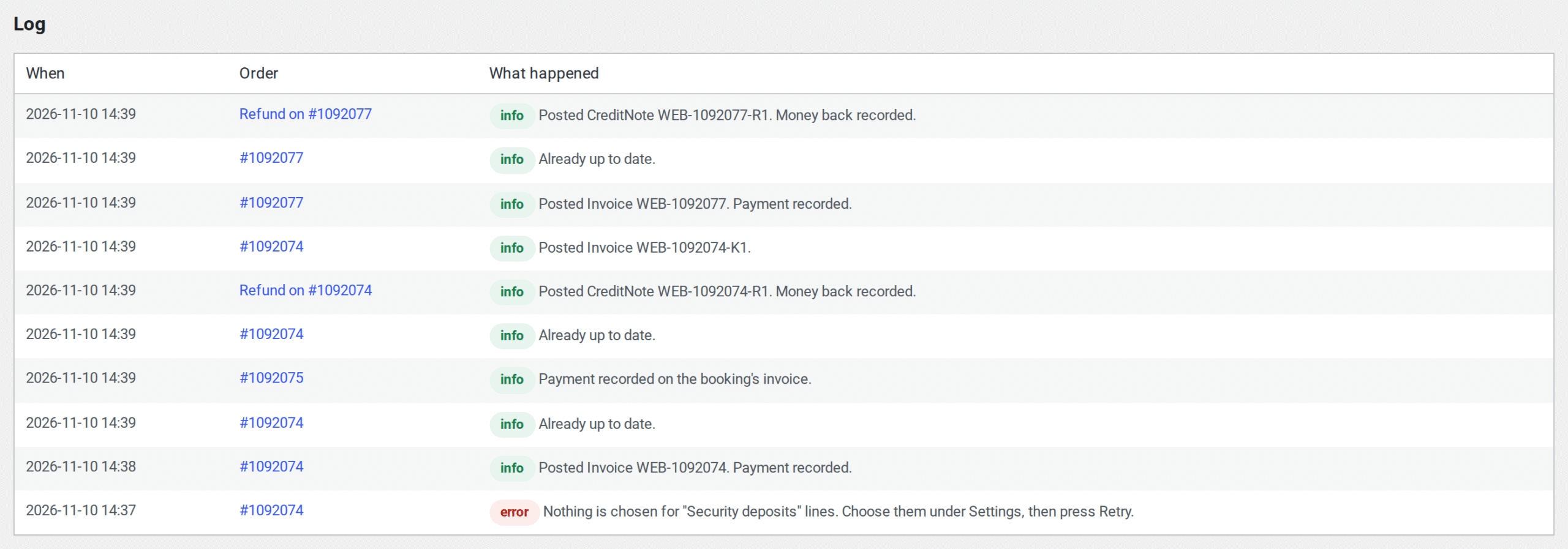
The Log below says what happened to each order, refund and payment, when, with the details.
On the order screen #
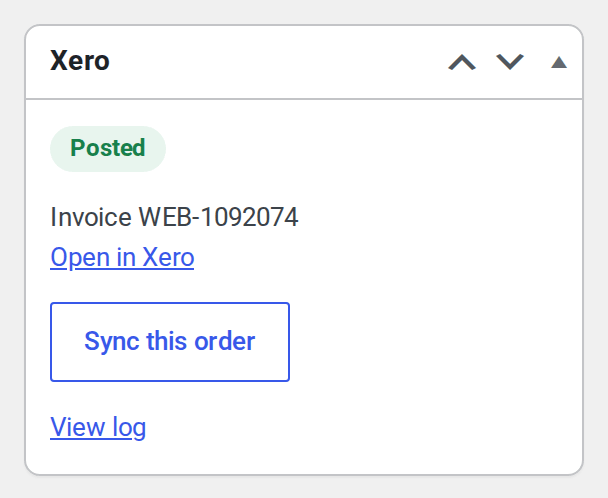
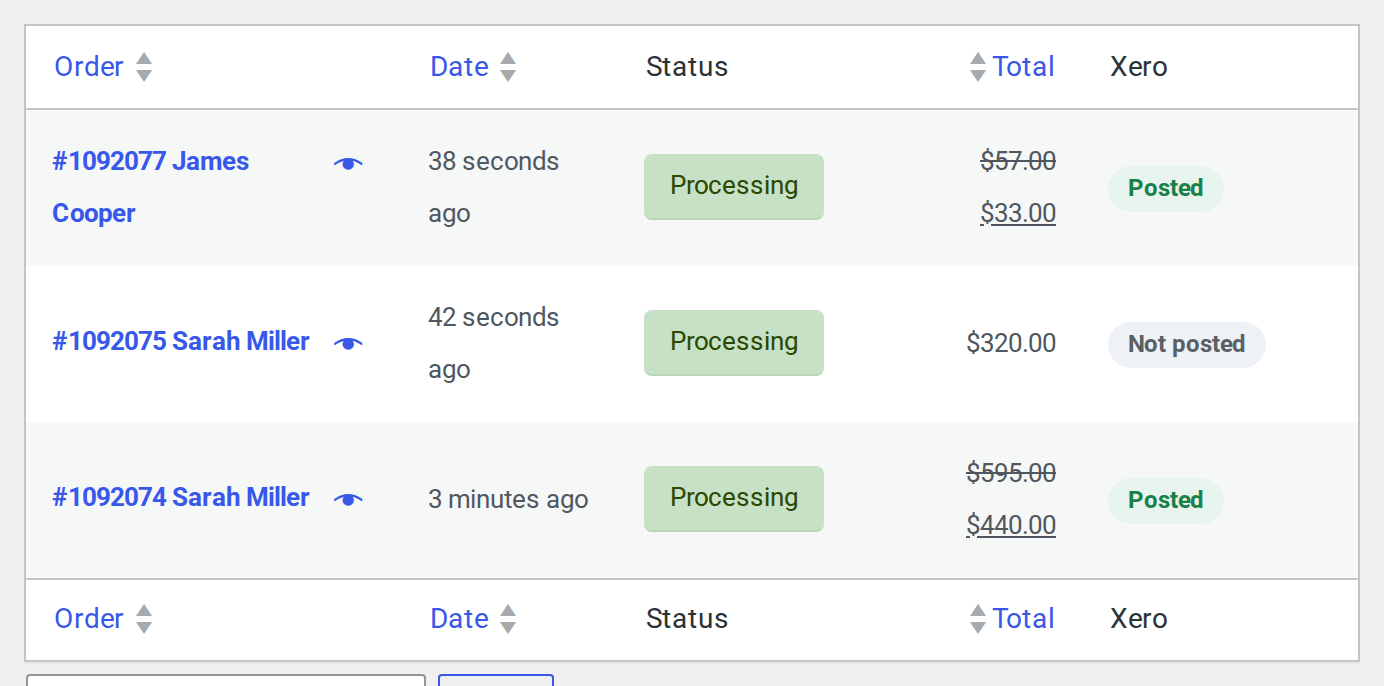
Each order has a Xero box: its state (Posted, Waiting, Needs attention, Voided, Removed in the books or Not posted), Open in Xero, Sync this order and View log. The orders list has a Xero column with the same state, and the bulk menu has Send to Xero for the orders you select.
Past orders #
Orders from before you connected never post on their own. They only post from the Import tab, and only when you press Start.
- Choose a From and To date.
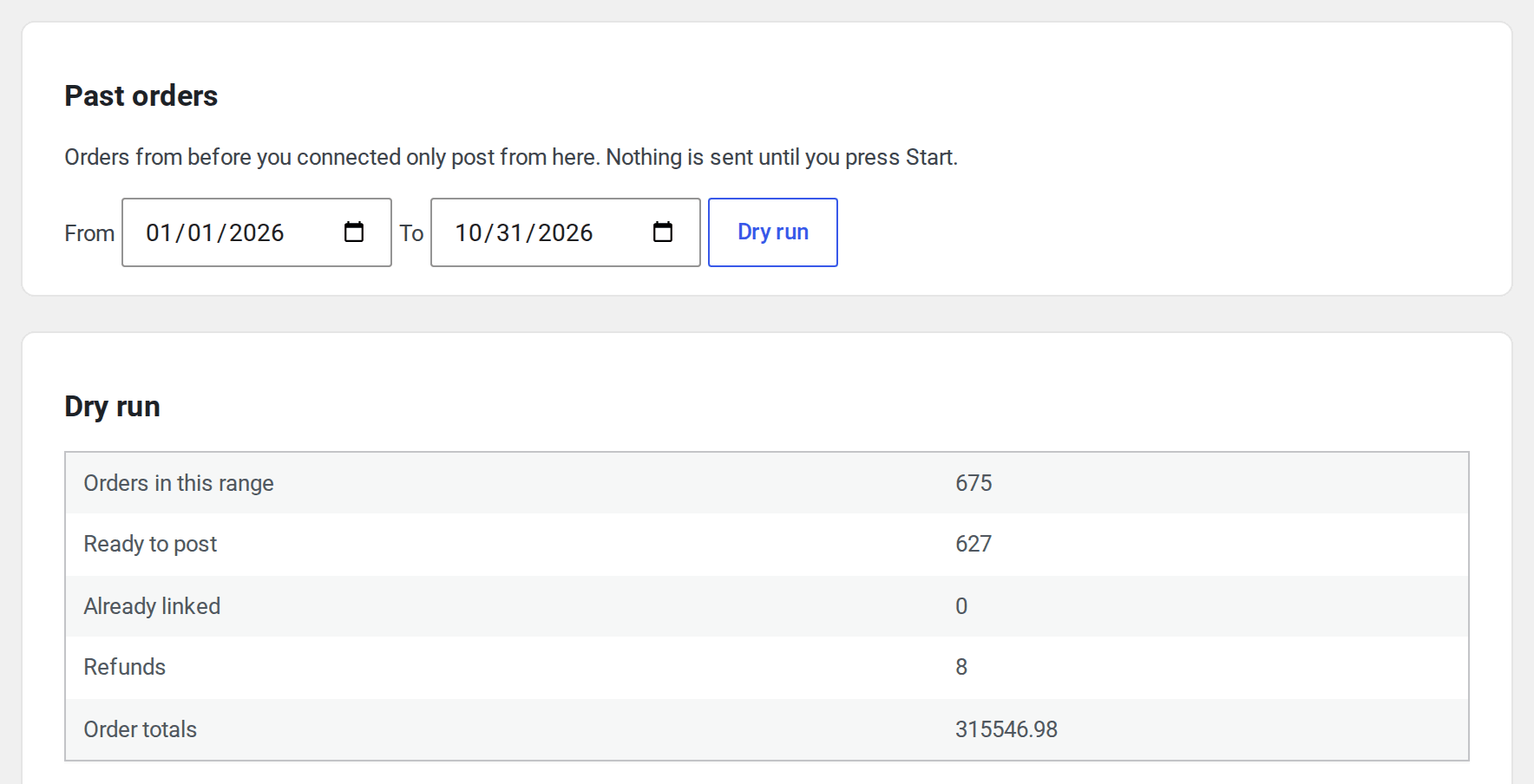
- Press Dry run. Nothing is sent. You see how many orders are in the range, how many are ready to post, how many are already linked, the refunds and the order totals.
- Press Start posting. Past orders post oldest first, behind new orders, with progress on the screen. Pause import and Resume import stop and carry on.
If those orders are already in your books, entered by hand or by another tool, press These are already in my books: link only. Each order is matched to its Xero invoice by number and linked, and nothing is posted. An order whose number isn’t found isn’t linked, and the log says so, so you can post it instead.
The dry run on the screen reads up to 2,000 orders of a range. WP-CLI reads them all.
WP-CLI #
wp siaccountingx statusshows the connection and the queue.wp siaccountingx sync <order id>posts one order now.wp siaccountingx drainruns the queue once.wp siaccountingx import --from=2026-01-01 --to=2026-03-31queues past orders. Add--dry-runto check only, or--link-onlyto link orders already in your books.


