
This page says what the importer moves over from RnB (WooCommerce Booking & Rental System by RedQ) and what you set up by hand. How to run a dry run, an import and a rollback is in Import from another plugin.
The importer reads RnB’s rental products, their inventories and the rental dates on your orders straight from the database, so RnB may be active or deactivated. It was tested with RnB 18.0.8.
What moves over #
Products of the type “Rental Product” become simple products with the rental switched on. They keep their name, photos, description, categories, reviews and orders. In RnB the prices and the number of units live on the product’s inventories; the importer reads them from there.
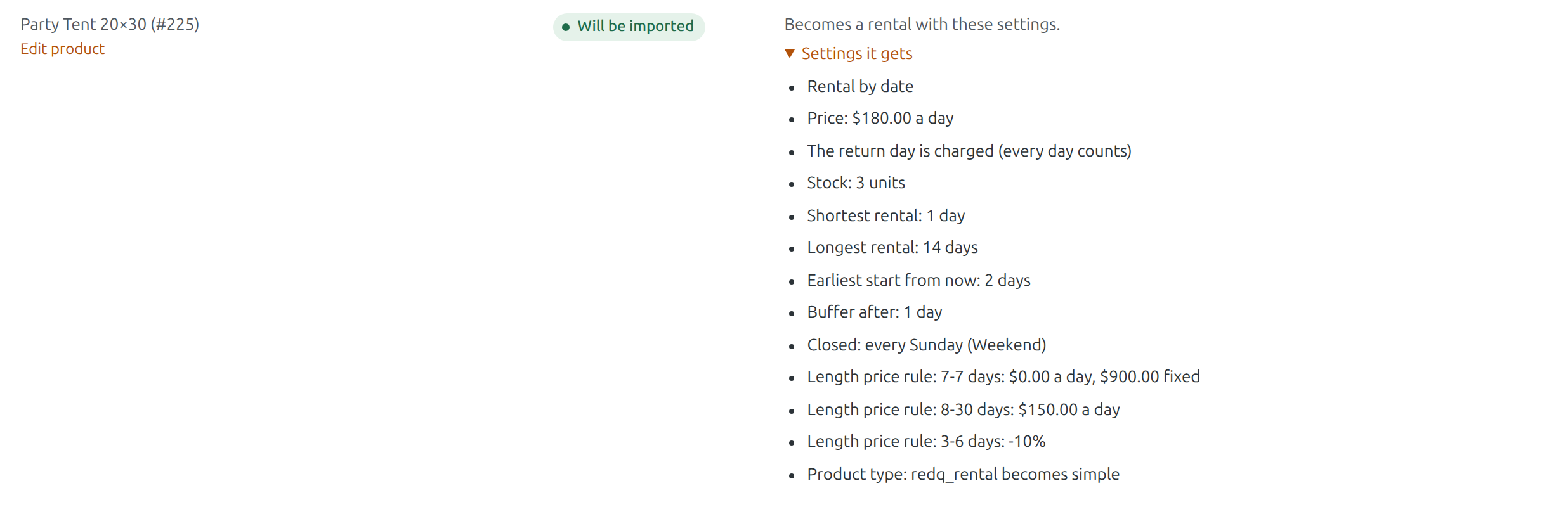
| In RnB | In Rentals & Bookings |
|---|---|
| Inventory quantity (all the product’s inventories added up) | Stock |
| General Pricing | Price per day |
| Daily Pricing (a price per weekday) | Price per day, with date price rules for the weekdays that cost more or less |
| Monthly Pricing | Price per day, with yearly date price rules for the other months |
| Days Range Pricing | Length price rules (a range with a fixed price becomes a fixed price for that length) |
| Flat Hour Pricing and the hourly price | Rental by date and time, priced by the hour |
| Discounts by number of days | Length price rules |
| The return day counted as a rental day | The return day is charged (every day counts) |
| Min and Max Booking Days or Hours | Shortest and longest rental |
| Days blocked before a rental | Earliest start from now |
| Days or hours blocked after a rental | Buffer after |
| Weekends (days off) | Closed weekdays on the product |
| Holidays in RnB’s settings | Closed days under Rentals › Settings (when “Also import its store-wide closed days” is ticked) |
| A security deposit every customer pays | Security Deposits on the product, when Security Deposits is active (Pro) |
Bookings #
- The pick-up and return dates on your order lines become bookings, with the same times for products rented by the hour.
- Dates you blocked by hand on an RnB inventory become bookings without an order that hold those units, with a note.
- Cancelled and refunded orders are skipped. Past rentals stay plain orders.
- An open order whose dates RnB had released (for example on its order screen) is still imported, and the report says so.
Needs Pro: security deposits #
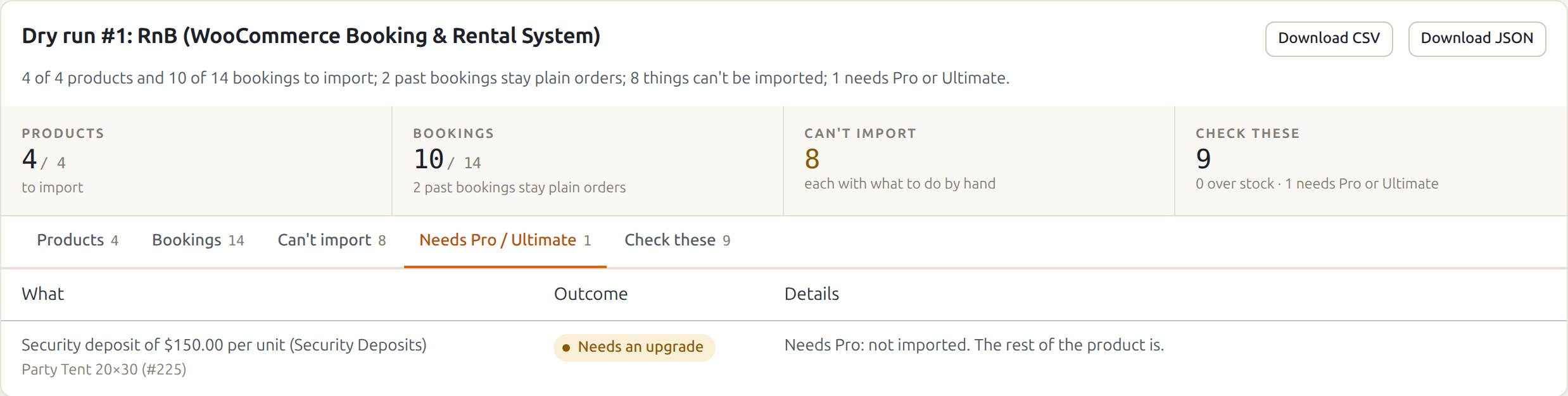
A security deposit that every customer pays is imported only when the Security Deposits plugin is active (it comes with Pro and Ultimate). Without it, the deposit is listed on the Needs Pro / Ultimate tab and the rest of the product is imported.
What you set up by hand #
These show on the Can’t import tab of the report, each with what to do. The rest of the product is still imported.
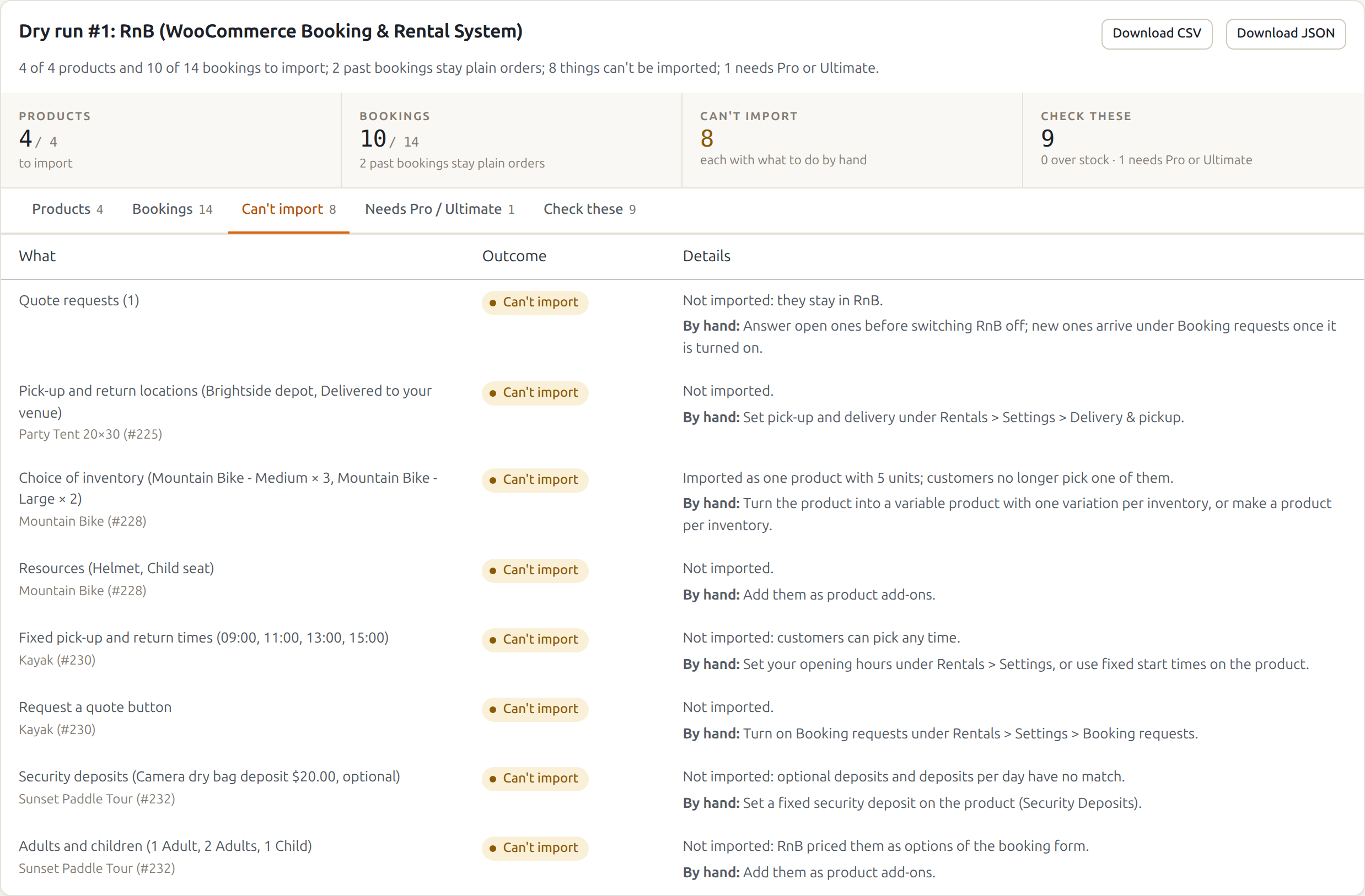
- A choice of inventory (for example Medium × 3 and Large × 2): imported as one product with all the units. Turn the product into a variable product with one variation per inventory, or make a product per inventory.
- Different prices per inventory: imported with the first inventory’s prices. Make a product per inventory, or a variable product with a price per variation.
- Resources, priced categories and adults and children priced as options of the booking form: add them as product add-ons.
- Attributes and features RnB showed in tabs on the product page: add them as product attributes or to the description.
- Pick-up and return locations and price per distance: set pick-up, delivery and delivery by distance under Rentals › Settings › Delivery & pickup.
- Optional deposits and deposits per day: set a fixed security deposit on the product (Security Deposits).
- Fixed pick-up and return times and opening hours: set your opening hours under Rentals › Settings, or use fixed start times on the product.
- Late return grace time (RnB charged another day only after it): not imported.
- Part payment at booking: turn on booking deposits under Rentals › Settings › Booking Deposit.
- Request a quote button and the quote requests RnB holds: answer the open ones before you switch RnB off, and turn on Booking requests under Rentals › Settings › Booking requests for new ones.
While RnB stays active #
The imported products are simple products now, so RnB no longer shows its booking form on them: customers see only the Rentals & Bookings calendar. When you are happy with the import, deactivate RnB.
Rolling back makes them “Rental Product” again, with RnB’s own settings and inventories, which were never changed.


