
An option of a product page question can add a real product to the cart. “Add a helmet” then adds your Helmet product as its own cart line, at its own price, so its stock, SKU and reports work as for any other sale. A linked rental product is booked for the same dates as the main rental. Requires Custom Fields 1.0.10 or later.
Link an option to a product #
- Edit a question that asks on the Product page and has options (radio buttons, a dropdown or checkboxes).
- Under the option, click Choose beside Linked product and search for the product, or one variation of it.
- Choose the quantity: Same quantity as the item, or Always 1.
- Choose what happens When the linked product is sold out: Hide when sold out, or Show as sold out so customers see it but can’t pick it.
- Save the field.
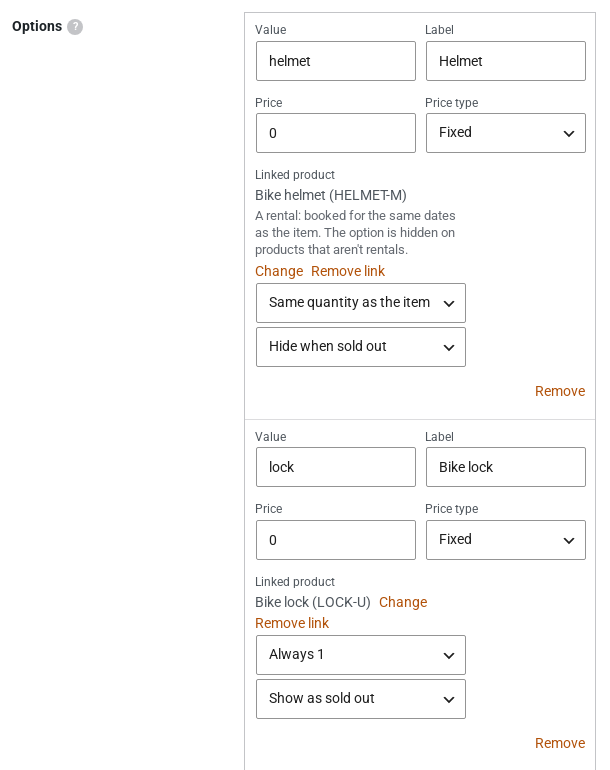
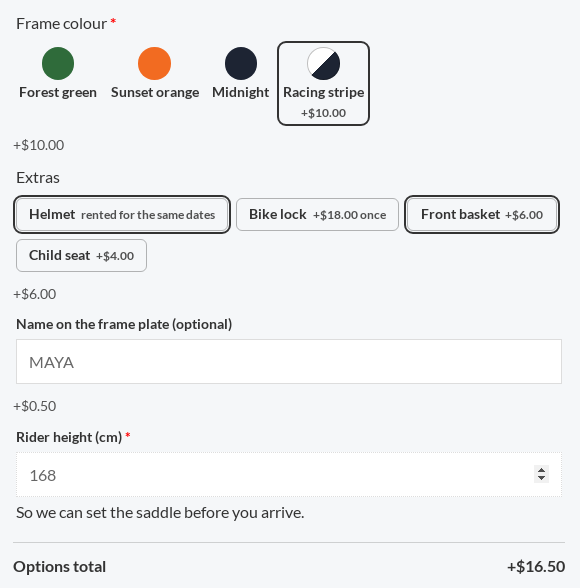
The option’s own price is not used. Beside the option, customers see the linked product’s price (“+$18.00 once” for Always 1), or “rented for the same dates” for a rental product. Only product page questions can add products.
In the cart and on the order #
- The linked product is its own cart line. Removing the main item removes it, and changing the main item’s quantity changes it when it follows the main item.
- An option whose product is deleted, unpublished, a variable product (link one of its variations instead) or can’t be bought is left out.
- The add to cart is refused when the stock can’t cover the quantity.
- The order shows each linked product as “Added with” its main item.
- The Options total on the product page leaves linked products out, because they are their own lines with their own price.
Linked rental products #
With Sales Igniter Rentals & Bookings, an option can add another rental product, such as a helmet with a bike or a lantern with a tent:
- It is booked for the same dates as the main rental, and priced and booked by the rentals plugin like any rental line.
- When it isn’t available for those dates, the item can’t be added and the customer is told why.
- On products that aren’t rentals, such an option is hidden.
- It takes the main rental’s dates only: not its own times, pick-up place or party.
Changing answers from the cart #
Customers can change their answers after adding an item to the cart. An Edit link under each cart line with answers (on the classic cart and the Cart block) opens the product page with the answers filled in. Update cart checks the answers, changes the line, its prices and its linked products, and goes back to the cart.
- The quantity and the rental dates stay as they are.
- A file question keeps its file unless a new one is picked.
- The edited line doesn’t merge with an identical line already in the cart.


