
Under the quote cart is the form that sends the request: contact details for guests, your own questions, files, and a message to you. After sending, the customer sees the quote number, gets a “Quote received” email, and your team gets a “New quote request” alert.
The request form #
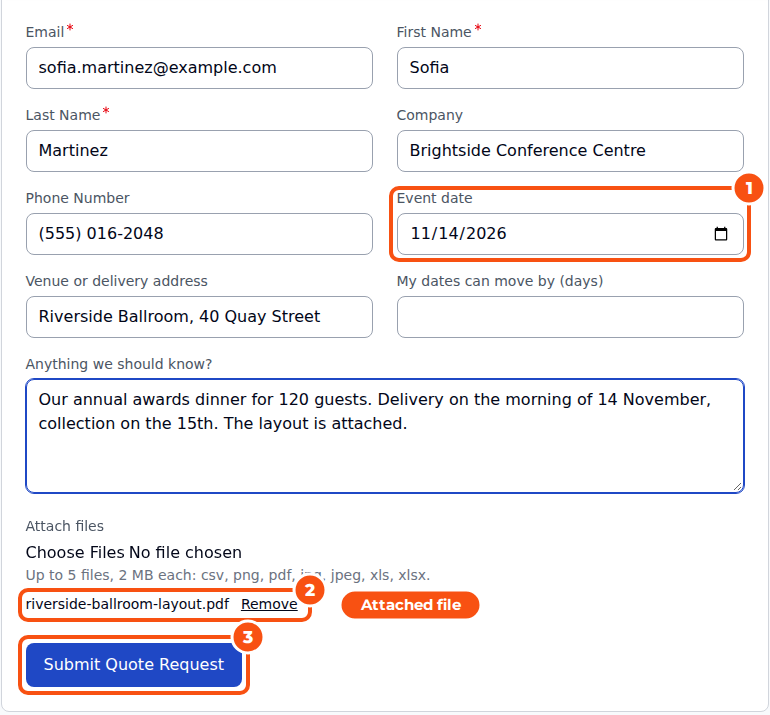
- Guests give their email, first and last name, and optionally their company and telephone. A guest whose email belongs to an existing customer is asked to log in.
- Logged-in customers skip the name and email; they can add a company and a telephone number.
- Your own questions (custom fields), such as an event date or a delivery address.
- Anything we should know? A message to you. It becomes the first message in the quote’s conversation.
- Attach files: a floor plan, a drawing or a spreadsheet.
- Consent (GDPR), when you turn it on, and reCAPTCHA when enabled for the quote request form.
Your own questions #
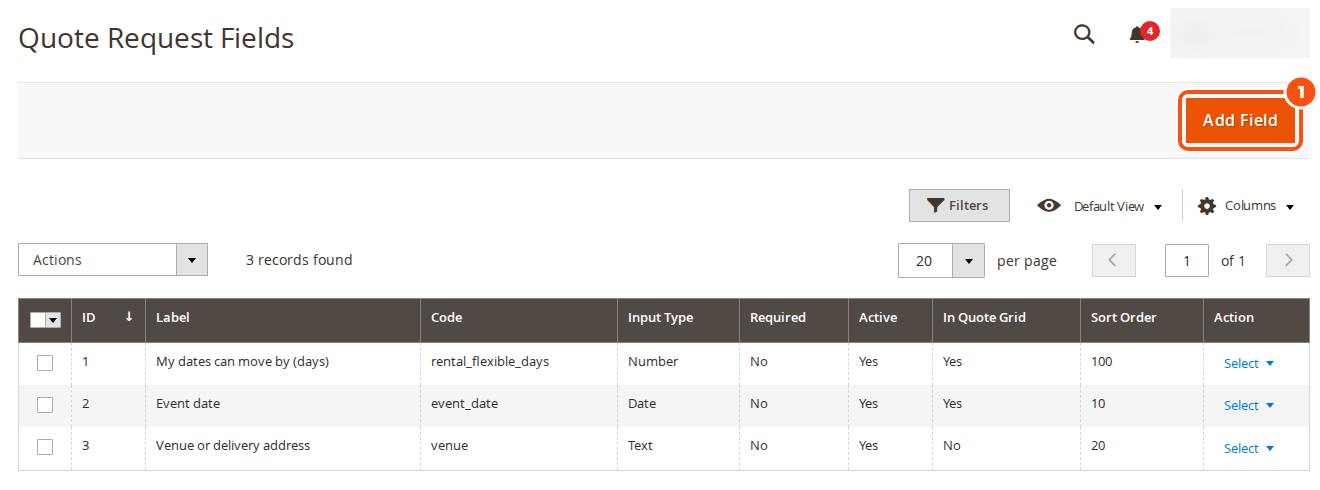
Add them under Sales > Quote Request Fields with Add Field. A field has a label, a code, an input type (text, text area, drop-down, multiple choice, date, checkbox, email or number), whether it is required, whether it shows as a column in the quote grid, its store views and a sort order. The answers show on the quote page, in My Quotes, in the emails and in the grid.
The Submission settings #
Stores > Configuration > Sales Igniter > Request for Quote > Submission:
| Setting | What it does |
|---|---|
| Custom quote fields | Show your fields on the form |
| Customers may attach files | With the allowed file types, the largest file (MB) and the most files per quote |
| Ask for consent (GDPR) | A required checkbox with your own text |
| Minimum quote value per customer group | One group id:amount per line, for example 0:250 |
| Minimum quantity per customer group | One group id:quantity per line, for example 1:10 |
| Most requests per hour | Per IP address, per customer and per guest email. 0 means no limit |
| Keep unsubmitted quote carts for (days) | How long a quote cart nobody sent is kept |
Guest quotes #
Guests can send requests when Guests may request quotes is on (General settings). If it is off, guests see “Log in to request a quote” instead of the button. Create an account for guests turns a guest’s request into a new account; the guest gets the account email and the quote is then in their My Quotes.
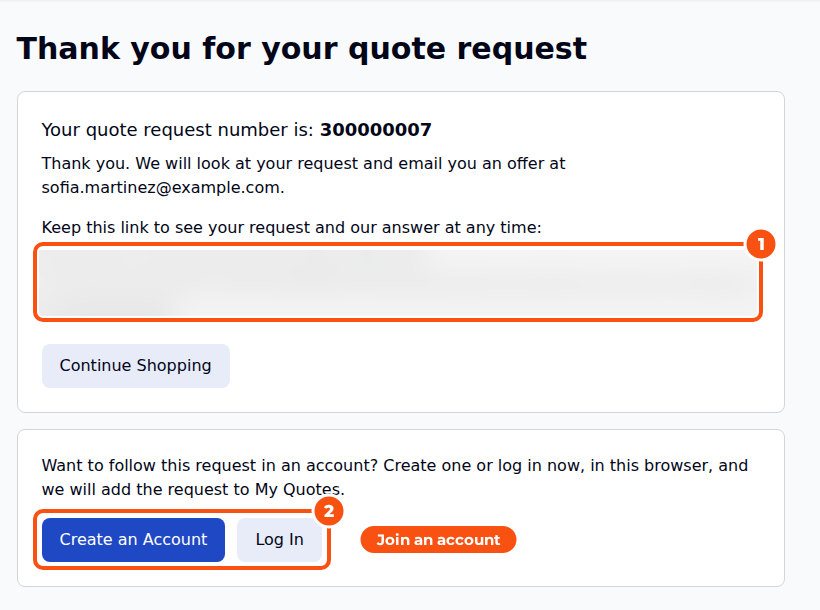
After sending, a guest sees the quote number and a link that opens the quote without an account. The same link is in the quote emails.
A guest request and a later account #
A request sent as a guest joins a customer account only when the customer shows it is theirs. The email address alone is never enough, because anyone can register with somebody else’s address:
- Same browser session. Creating an account (the success page offers it) or logging in, in the browser that sent the request, adds it to that account’s My Quotes.
- Confirmed address. With Customers > Customer Configuration > Create New Account Options > Require Emails Confirmation on, confirming the account adds every guest request sent from that address.
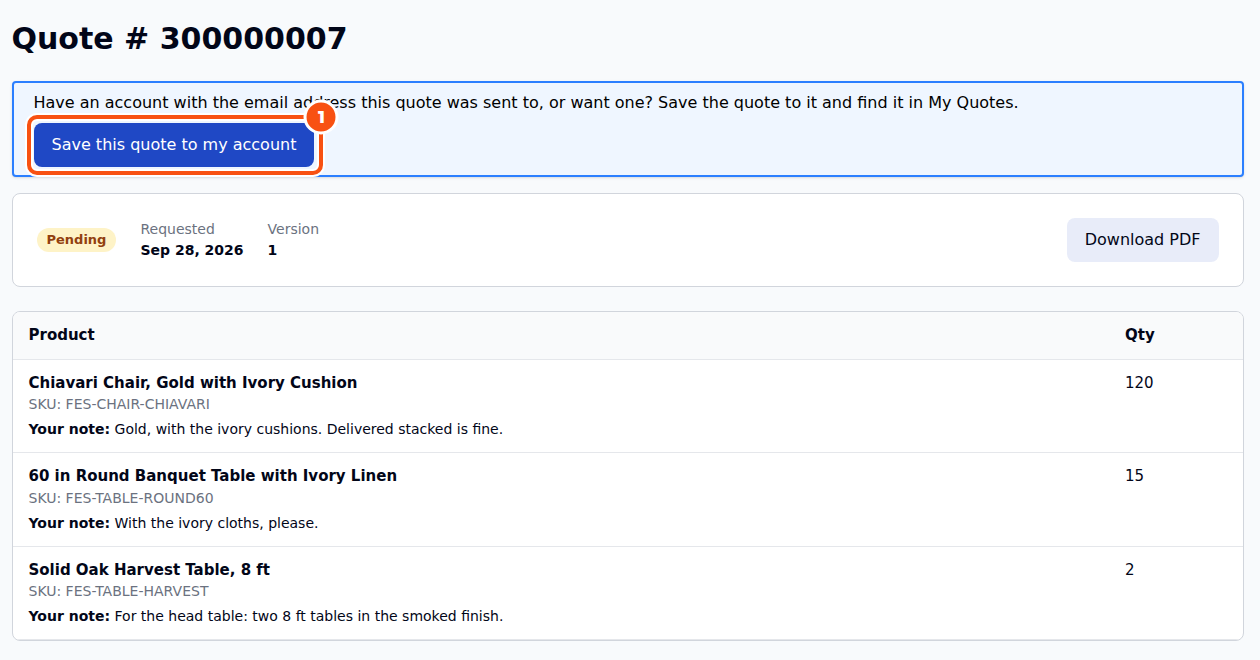
- The quote’s link. The link in the quote emails offers Save this quote to my account. Logged in with the address the quote was sent to, it adds the quote at once; logged out, it asks the customer to log in or create an account with that address first. Another address is refused.
- Checkout. A guest who checks out through the quote’s checkout link and then creates an account (or logs in) with the quote’s address gets the quote in My Quotes the same way.
A quote that already belongs to an account is never moved. Each addition is written to the quote’s status history. Headless stores use the GraphQL mutation saveGuestRfqQuoteToAccount.
Good to know #
- The “Get a quote” form on a hidden-price product creates a request too, without the quote cart. See Hiding Prices and Quote-Only Products.
- Approve automatically (General settings) sends the offer at once when every line has a price, nothing is out of stock, rentals are available for their dates and the discount asked for is within Largest discount approved automatically (%).
- Customers can edit a request that is Pending (and, if you allow it, Approved). The edit re-opens the same quote as a new version; the number and the history are kept.


