
The rental queue is for “send me the next title” businesses: a game or book club, a camera lens library, a film rental by post. Members line up the titles they want. When a member has a free slot and a title is in stock, you send it. When they return it, the next one goes out. It needs a membership with queue slots, and it can work with or without the Rental Booking extension.
Put products in the queue #
Open a product and, in Subscriptions & memberships, set Rental queue:
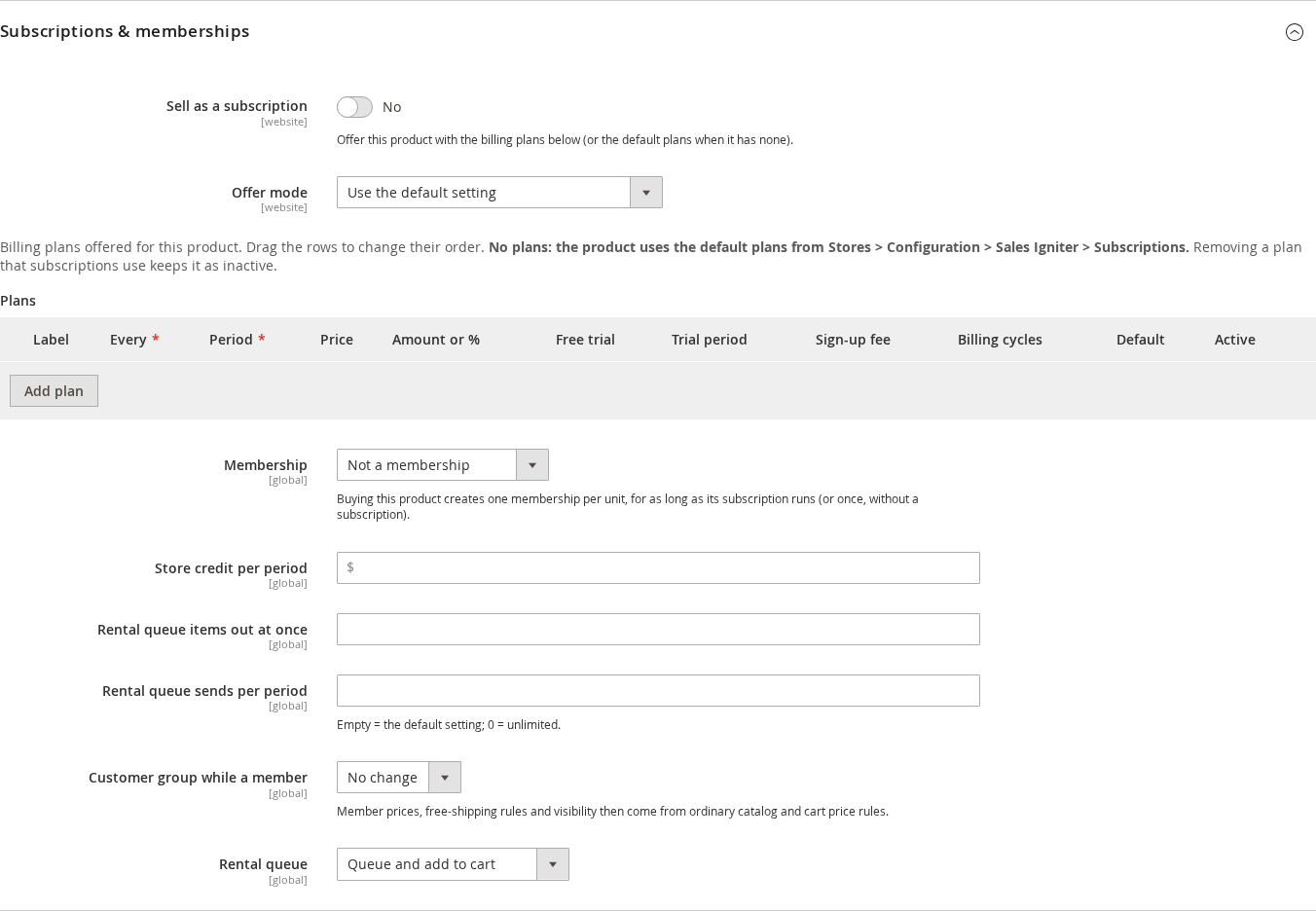
| Value | Effect |
|---|---|
| — | — |
| Not in the queue | A normal product. |
| Queue only (no add to cart) | The product can only be queued. The add to cart button is hidden and the server also refuses it. |
| Queue and add to cart | The customer can queue it or buy it. |
Give members queue slots with a membership product: see Setting up memberships. Rental queue items out at once is how many titles a member may hold, and Rental queue sends per period limits how many can be sent per billing period.
What the customer does #
On the product page a signed in member sees Add to my queue. By default only members with queue slots can add titles (Only members with queue slots can add to the queue).
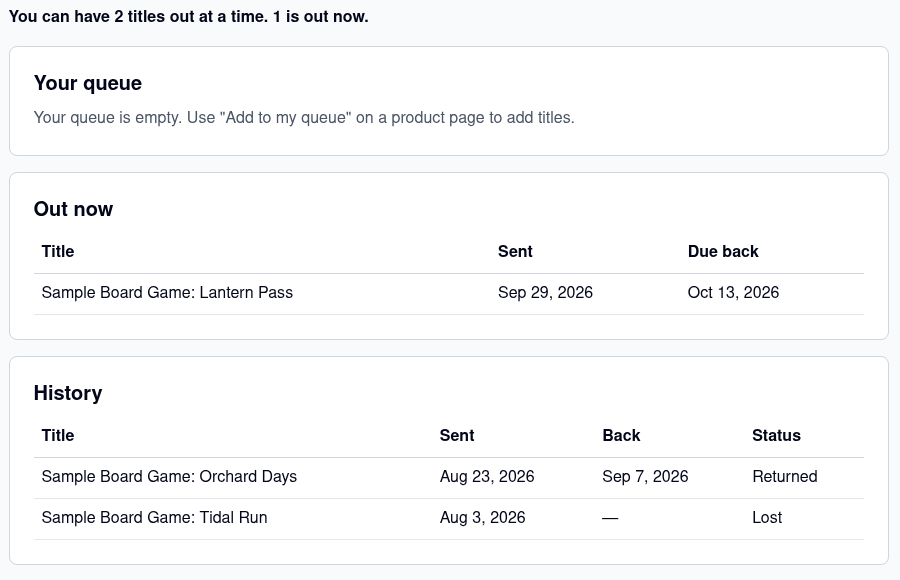
In My Account, My Rental Queue shows how many titles the member may have out (“You can have 2 titles out at a time. 1 is out now.”), the queue in order, what is Out now with the due-back date, and the History of titles returned or lost. The member can reorder or remove titles.
What you do #
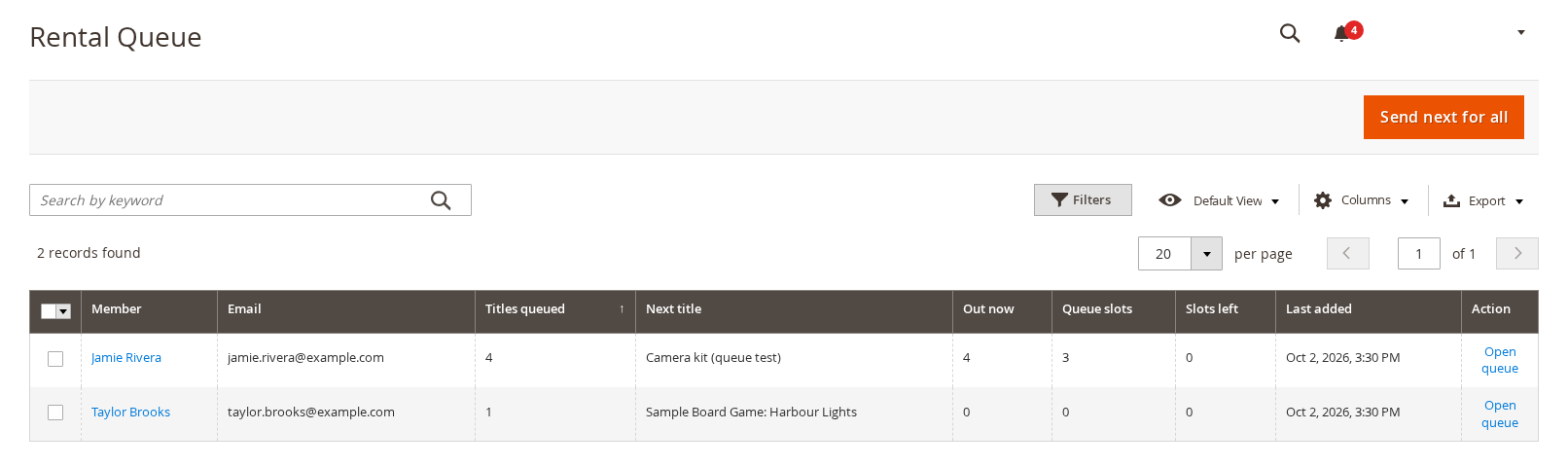
Subscriptions > Rental Queue lists every member with something queued: how many titles, the next title, how many are out now, their queue slots and how many are free.
Open a member’s queue to work on it:
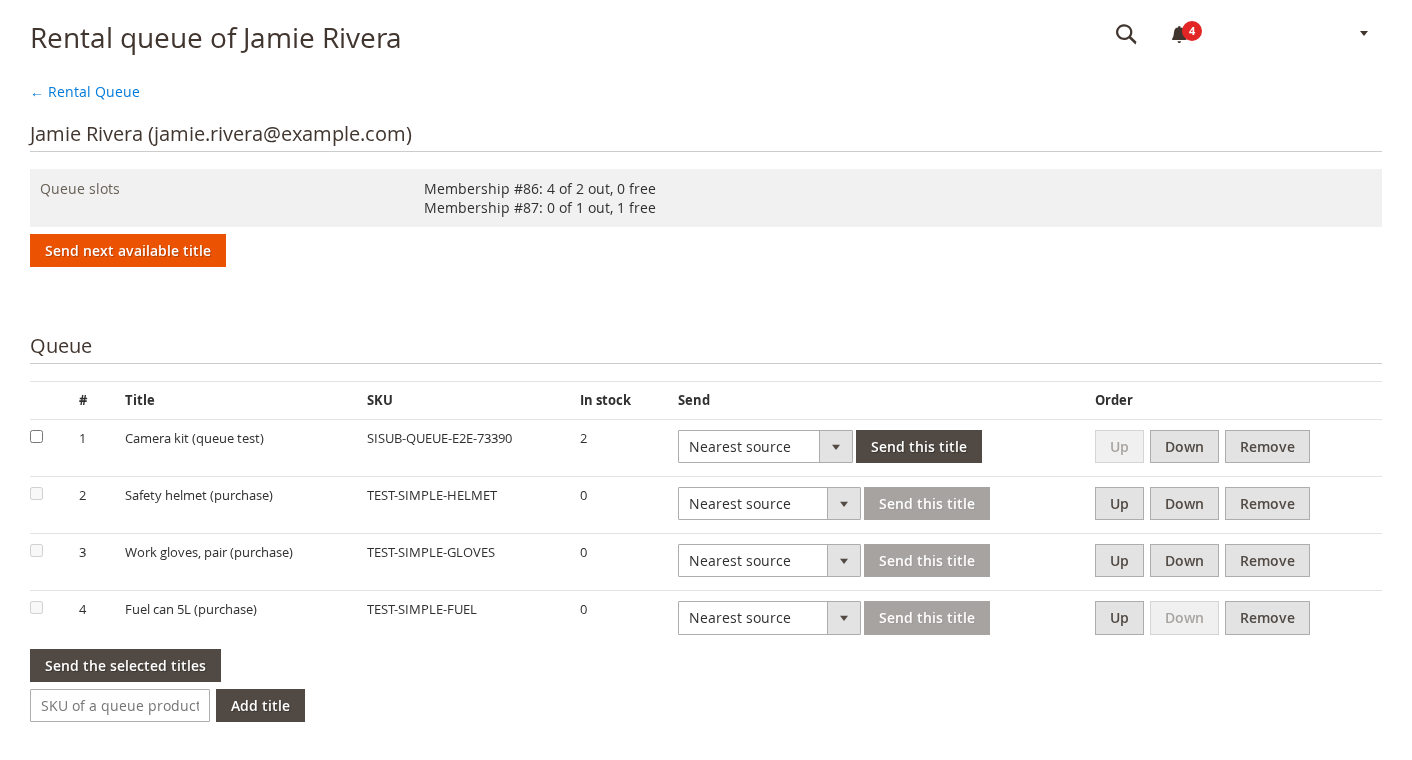
- Send next available title sends the first title in the queue that is in stock now.
- Send this title sends a chosen title. With the rental bridge you can pick the source (location); “Nearest source” is the default.
- Up, Down and Remove change the order. Add title adds a product by SKU.
- Under Out now, Return records the title back. Tick Charge the replacement to the next renewal and use Mark lost if it will not come back; the title then no longer counts as out and is not returned to stock.
The screens for the whole queue #
| Screen | What it is for |
|---|---|
| — | — |
| Send next for all | On the Rental Queue grid: sends every member with a free slot the next title in their queue that is in stock. Check the pick list first. |
| Pick list | The titles ready to send right now, one row per member, to pick and pack. It can be exported. |
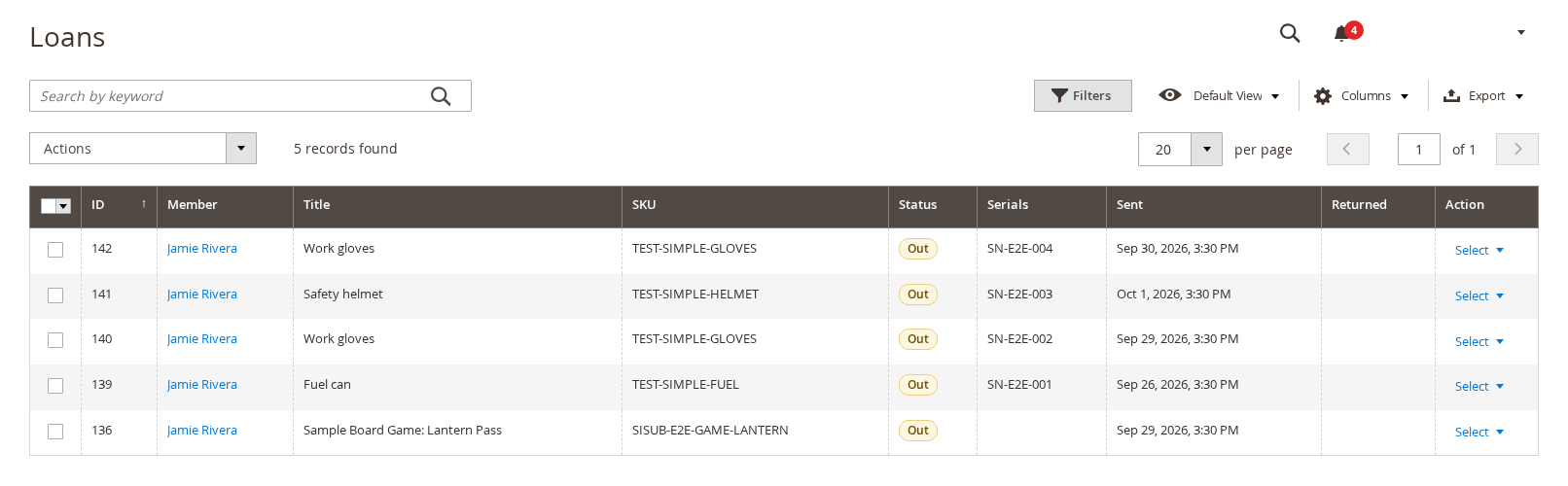
| Loans | Every title out, with its serials and sent date. Select rows for bulk actions. |
| History | Everything that was returned, lost or cancelled. |
| Scan returns | Scan each serial, or paste a list (one per line), to return titles in bulk. |
Settings #
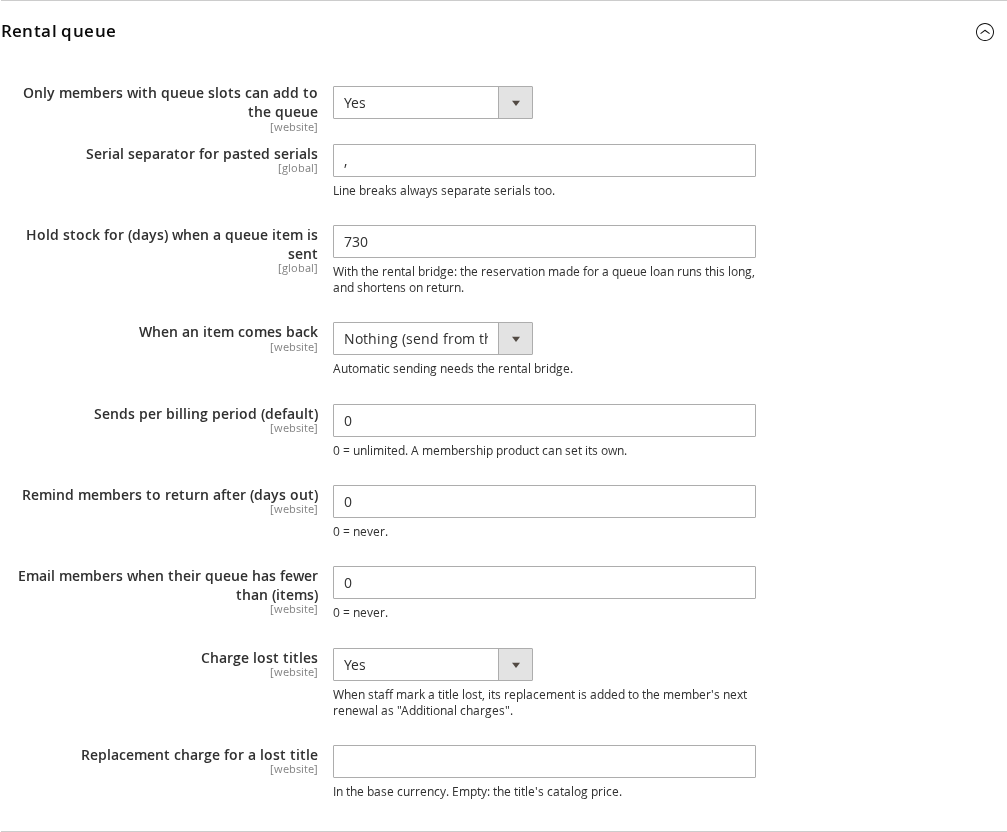
Under Stores > Configuration > Sales Igniter > Subscriptions > Rental queue:
| Setting | What it does |
|---|---|
| — | — |
| Only members with queue slots can add to the queue | Turn off to let any signed in customer queue. |
| Serial separator for pasted serials | The character that separates serials when you paste a list. Line breaks always separate too. |
| Hold stock for (days) when a queue item is sent | With the rental bridge, how long the reservation for a loan runs. It shortens when the title is returned. |
| When an item comes back | Nothing: you send from the Send screen. Put the member at the top of the Send screen, with a daily “ready to send” message. Send the next available title automatically, with a daily pass for members with a free slot. Automatic sending needs the rental bridge. |
| Sends per billing period (default) | The default when a membership product sets none. 0 is unlimited. |
| Remind members to return after (days out) | 0 = never. |
| Charge lost titles / Replacement charge | When you mark a title lost, its replacement is added to the member’s next renewal as “Additional charges”. Empty amount: the title’s catalog price. |
| Email members when their queue has fewer than (items) | A nudge to add more titles. 0 = never. |
With and without Rental Booking #
On its own the queue records who has what, in what order, and moves titles through sent, returned and lost. When salesigniter/releasesubscriptionsrental2 and Rental Booking are installed, a send reserves a real unit (and its serial numbers) in your rental stock, a return frees it, and the queue can choose the source. See Installing.


