
A transfer moves units of a rental from one location to another, and keeps the stock right while they are on the way. It is the right tool when the harbour depot runs low and the main store has spare. Transfers need two or more locations with Stock at each location: see Rental locations.
Plan a transfer #
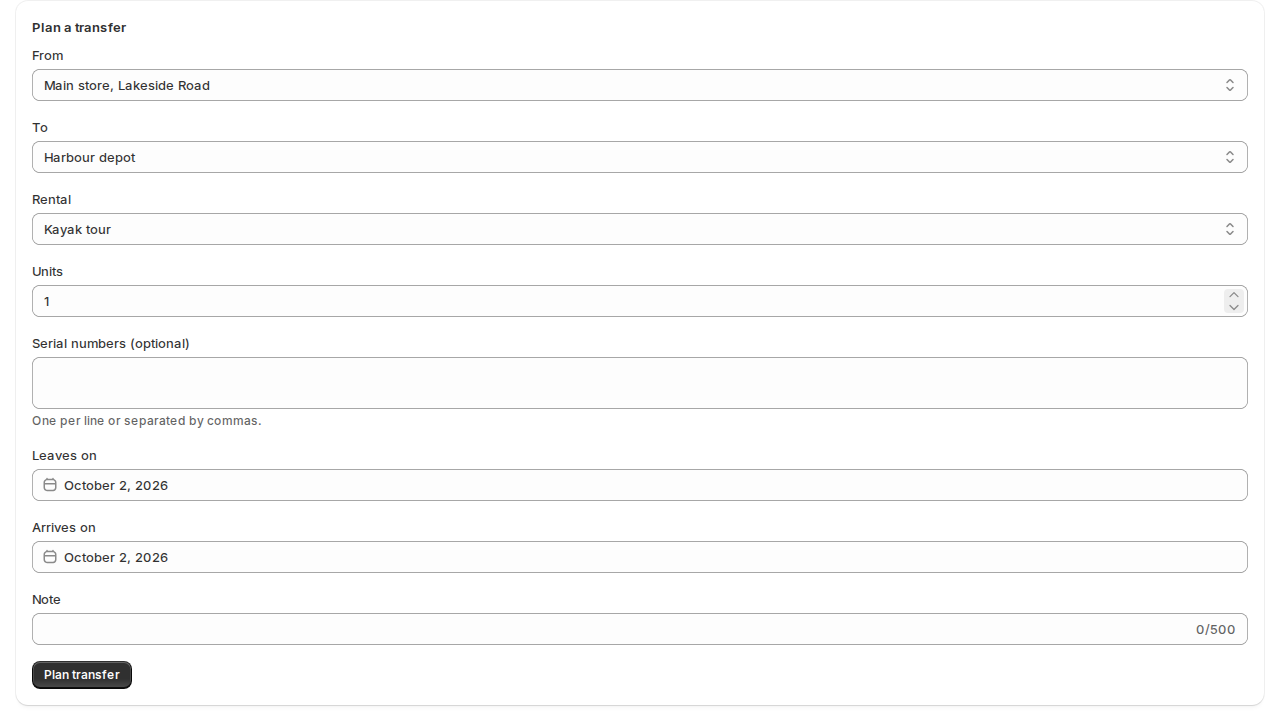
- Open Inventory and click Stock by location, then the Transfers tab. The Plan a transfer form is on that tab.
- Choose From and To, and the Rental and how many Units.
- For a rental with serial numbers, type the Serial numbers that go, one per line or separated by commas.
- Set Leaves on and Arrives on, and add a Note if you like.
- Click Plan transfer.
The place it leaves from must stay covered for its own bookings. If it wouldn’t, you can still plan the transfer, with a reason, and the shortage is flagged (see Location rules, prices and shortage alerts).
The life of a transfer #
| Step | What happens |
|---|---|
| Planned | The units count at the destination from the day the transfer is planned. |
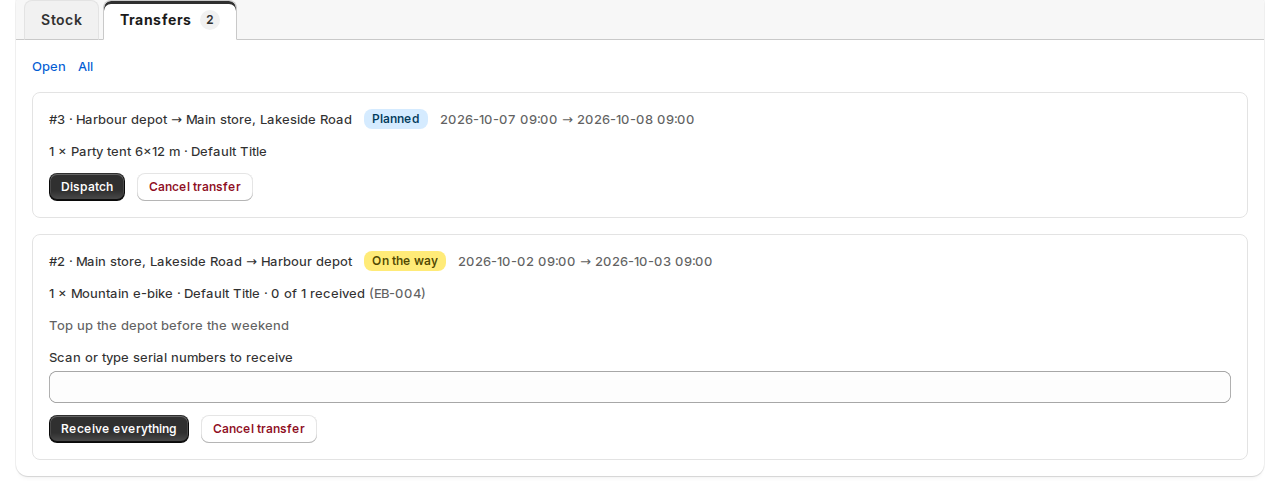
| Dispatch | The units leave. For serials, the serials go on the transfer and can’t be rented out. |
| On the way | The board shows an On the way chip. A transfer past its arrival day and not received counts nowhere until it is received. |
| Receive | Click Receive everything, or scan or type the serial numbers that arrived. At the POS, use the desk’s Today › On the way here. |
| Cancel transfer | A planned one is dropped. A dispatched one goes back. |
The tabs Open and All switch between transfers still in progress and the full list.
Keep at least, keep at most #
On a rental’s Stock by location card, each location has Keep at least and Keep at most. When a location drops below its minimum, or another sits above its maximum, the Transfers tab suggests a move. Nothing moves by itself; you plan the suggestion with a click.
Good to know #
- A one-way rental, where a customer picks up at one location and returns at another, moves a unit without a transfer: see Rental locations.
- Every transfer is also a line in the stock journal of each rental.


