
Stores that sell to companies with Shopify B2B can quote a company location, show the company’s own prices next to your list prices, add payment terms like Net 30, and quote in another currency. Contacts at the company see their colleagues’ quotes in their customer account.
Quote a company #
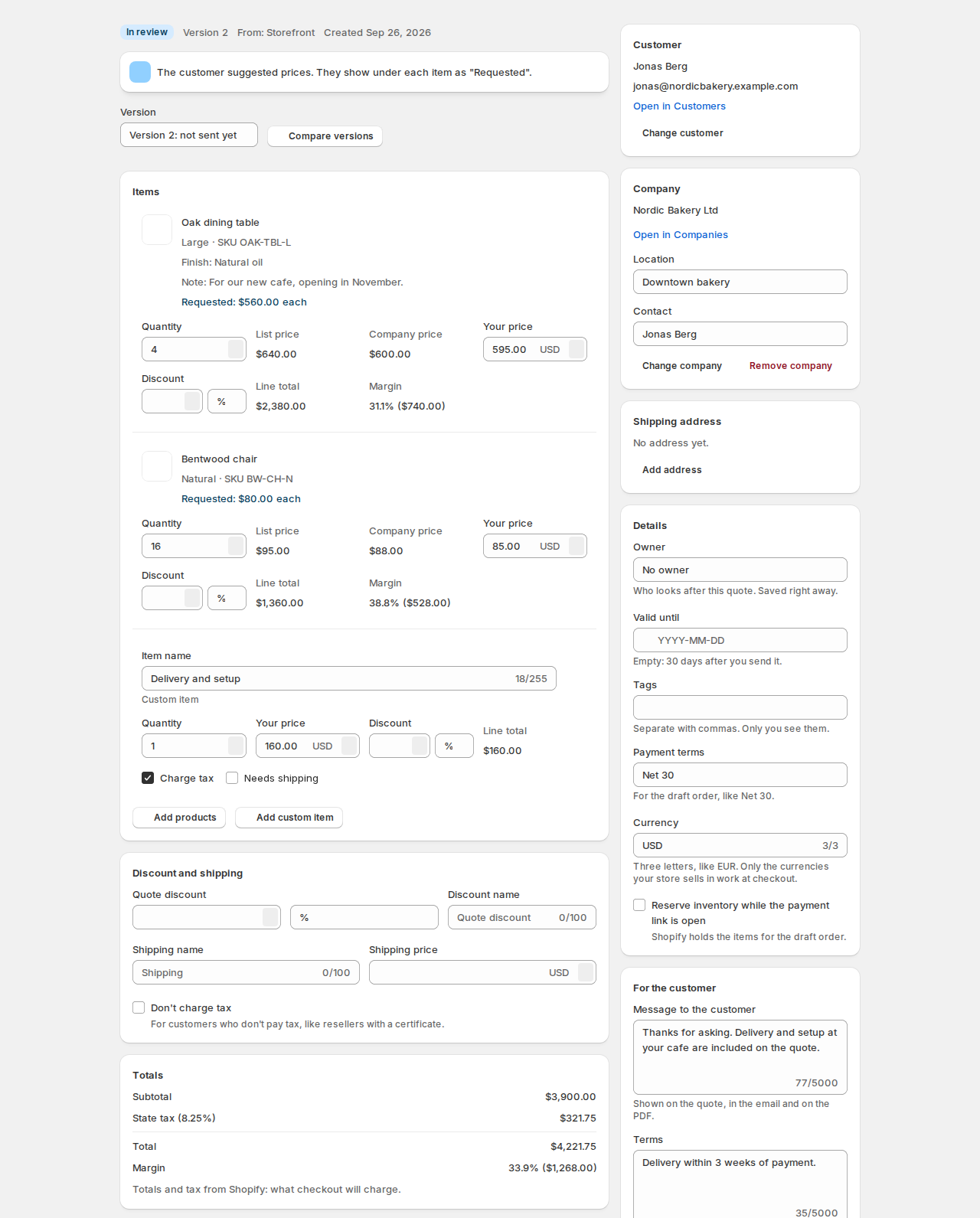
In the quote editor’s side panel, under Company:
- Click Find a company and type the company name.
- Pick the company’s Location. It is required: the draft order is made for the company’s location.
- Pick the Contact. The contact becomes the quote’s customer when none is set.
The company’s price for each item (from the location’s catalog in Shopify) shows as Company price next to the list price. Change company or Remove company undoes it.
Starting from a company page in Shopify, the Quotes card has Create quote for this company, which opens a new quote with the company, its first location and contact filled in.
Payment terms #
Payment terms lists your store’s payment terms from Shopify, like Net 30, or Pay at checkout. The terms go on the draft order when the quote is accepted or converted, so the customer can order now and pay later.
Quotes in another currency #
Currency takes three letters, like EUR. The quote’s prices, the draft order and the checkout are then in that currency. Only the currencies your store sells in work at checkout.
Margin #
Each line and the quote as a whole show your Margin, worked out from the cost of each variant in Shopify. Customers never see it.
Rules for company buyers #
A hide or quote-only rule can be for B2B company buyers: shoppers who buy for a company you set up in Shopify. For example, hide list prices from company buyers so they ask for their company price. See Hide prices and quote-only products.
Company quotes in the customer account #
A contact who is Location admin sees the quotes of that location in their customer account, and the company’s main contact sees every quote of the company, each with who asked for it. Contacts with ordering permission only see their own quotes. See What your customers see.
Good to know #
- Company prices, payment terms and company locations come from Shopify B2B. Set them up in Shopify first.
- The customer still pays through Shopify’s checkout, with the terms you set on the quote.


