
Customers sign the rental agreement in the cart, before checkout. This page walks through what they see, from the panel to the signed copy in their inbox.
The panel on the cart page #
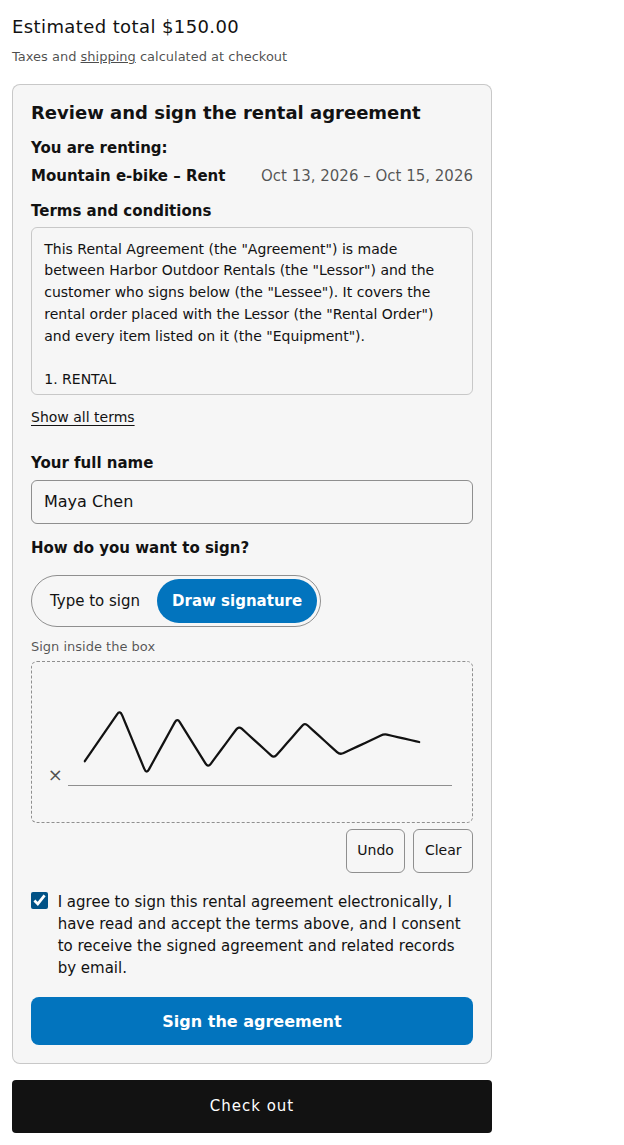
The Review and sign the rental agreement panel shows:
- You are renting: each rental in the cart with its dates (when Include the list of rental items is on);
- Terms and conditions, in a scrolling box with Show all terms;
- Your full name;
- How do you want to sign? Type to sign or Draw signature, depending on your setting;
- the consent box, then Sign the agreement.
With Type to sign, the name they type becomes their signature, with a preview under the field. With Draw signature, they sign inside the box with a mouse, finger or pen, with Undo and Clear.
With No signature (tick a consent box only), the panel shows the terms and the consent box only.
If something is missing, the panel says what, next to the field: “Enter your full name.”, “Tick the box to agree.” or “Draw your signature in the box.”
Once signed #
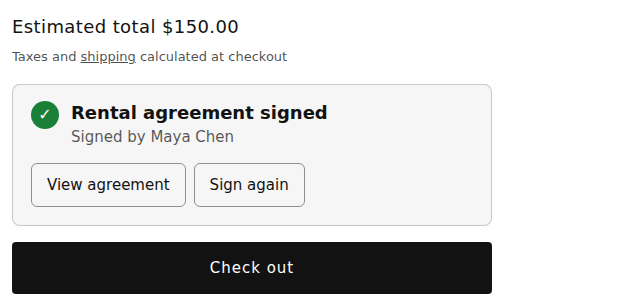
The panel shows Rental agreement signed and Signed by the name. View agreement opens the terms again. Sign again starts over; Keep my signature goes back.
The customer is asked to sign again when:
- their rentals changed: “Your rentals changed. Please sign the agreement again.”;
- the signature is older than the number of days you allow: “Your signature has expired. Please sign the agreement again.”;
- you changed the terms while they had the panel open.
At checkout #
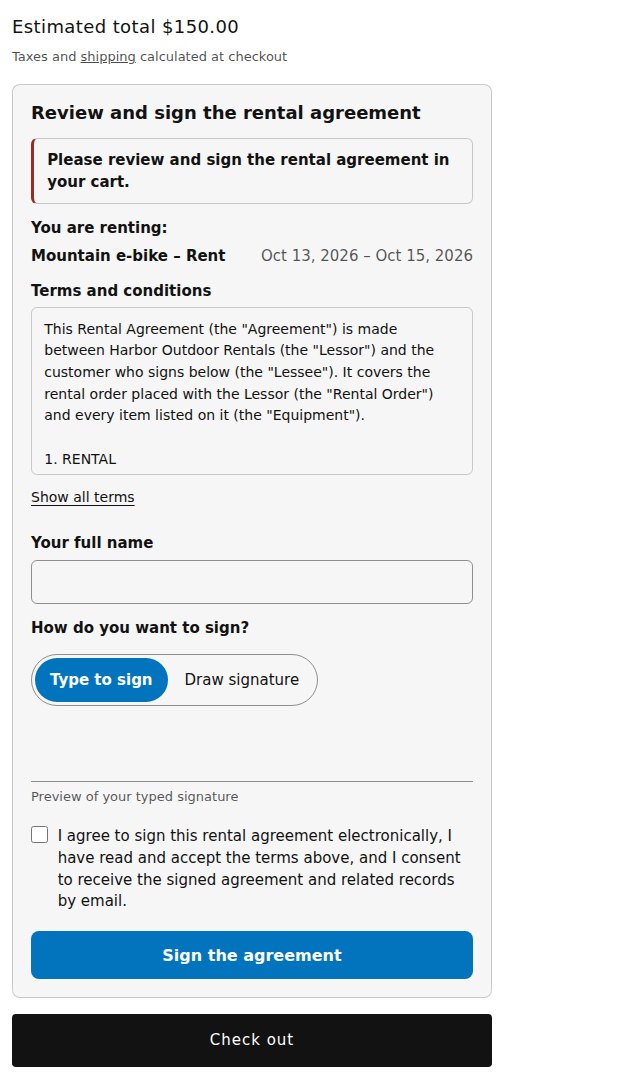
A cart with rentals can’t be paid until every rental is covered by a signature. Customers who click Check out too early stay in the cart and see “Please review and sign the rental agreement in your cart.” The same check runs in Shopify’s checkout, so Buy it now and express checkout buttons can’t skip it.
In a cart drawer #
With the Rental agreement app embed on, themes with a cart drawer show a short notice in the drawer, Rental agreement required, with Review and sign. It opens the same panel in a window. After signing, the notice reads Rental agreement signed.
After the order #
- The customer gets an email, “Your signed rental agreement for order …”, with the signed PDF attached and the file’s fingerprint (SHA-256), so they can check their copy is unchanged.
- The Thank-you page and the order status page offer the signed agreement as a download. It can take a minute to be ready; until then the page says it will be emailed.
To show the download there, open Shopify › Settings › Checkout › Customize and add the app’s block to the Thank you page and to Customer accounts › Order status.
Good to know #
- The panel adds nothing to your theme’s cart form, so it doesn’t change how your cart works.
- A drawn signature is only accepted as a real image; the app keeps the pen strokes as evidence too.


