
Three pages in the app show how your rentals are doing. The Dashboard is today: what goes out, what comes back and what is late. The Calendar is the month or week ahead. Reports shows how hard each product worked and lets you export your bookings.
The dashboard #
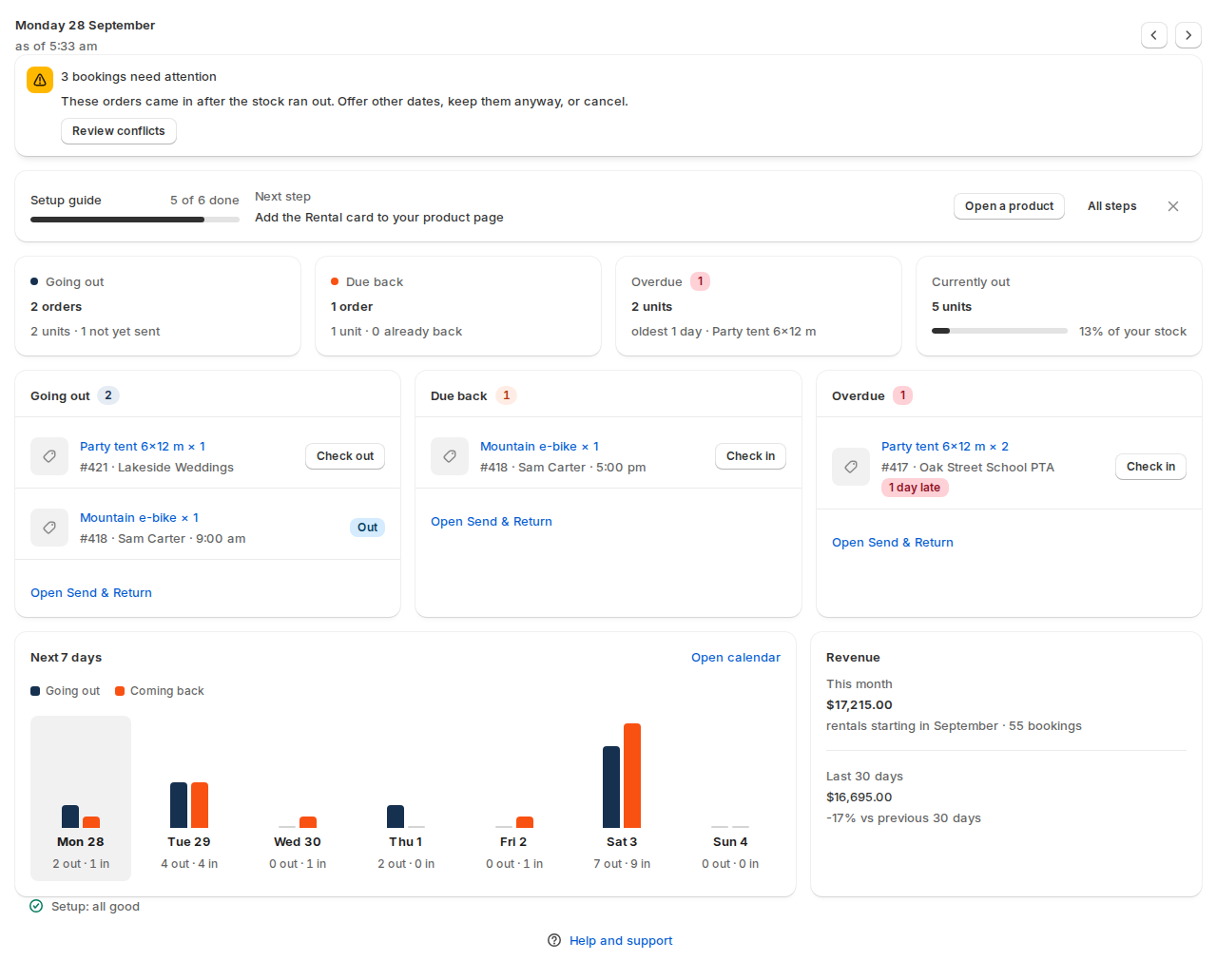
| Part | What it shows |
|---|---|
| The day | Today, with arrows to look at the day before or after. |
| Conflicts banner | Bookings that need attention, with Review conflicts. See Managing bookings. |
| Going out | Orders and units that start today, and how many are not yet sent. |
| Due back | Orders and units that end today, and how many are already back. |
| Overdue | Units still out after their rental ended, with the oldest one. |
| Currently out | Units out right now, and their share of your stock. |
| The three lists | Each rental going out, due back or overdue, with one action per row (Check out or Check in) and Open Send & Return at the foot. |
| Next 7 days | Units going out and coming back each day, with Open calendar. |
| Revenue | This month (rentals starting this month) and the last 30 days, compared with the 30 days before. |
| Setup line | Setup: all good, or what needs fixing. |
With pay part now switched on, a Balances due this week tile is added. Blocked dates and synced calendar dates take stock but never show as going out or coming back.
The calendar #
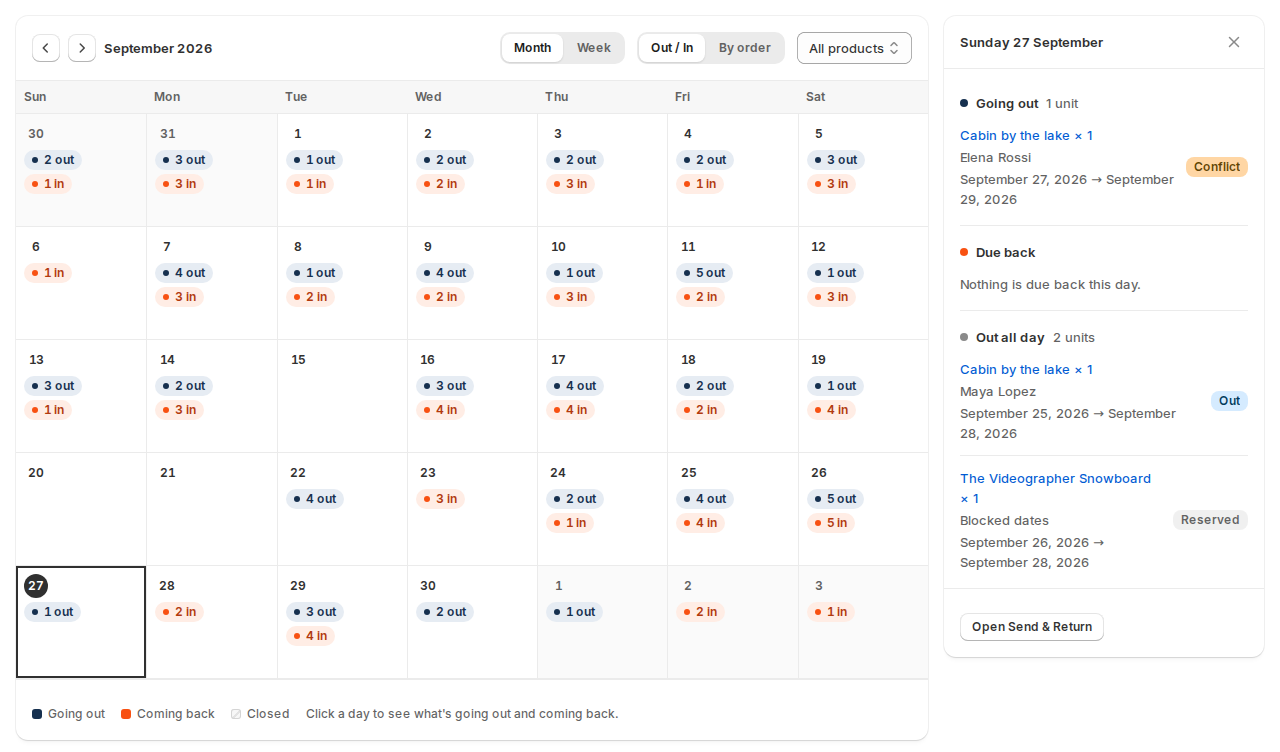
- Month or Week, and Out / In (how many units go out and come in each day) or By order (a bar per booking, tinted by its status).
- All products narrows it to one product.
- Closed days are hatched.
- Click a day to see its rentals: Going out, Due back and Out all day, each with Check out or Check in, and Open Send & Return for this day. On a wide screen the day shows in a panel beside the calendar; on a narrow one it opens in a window.
- Click a booking bar to open the booking.
Reports #
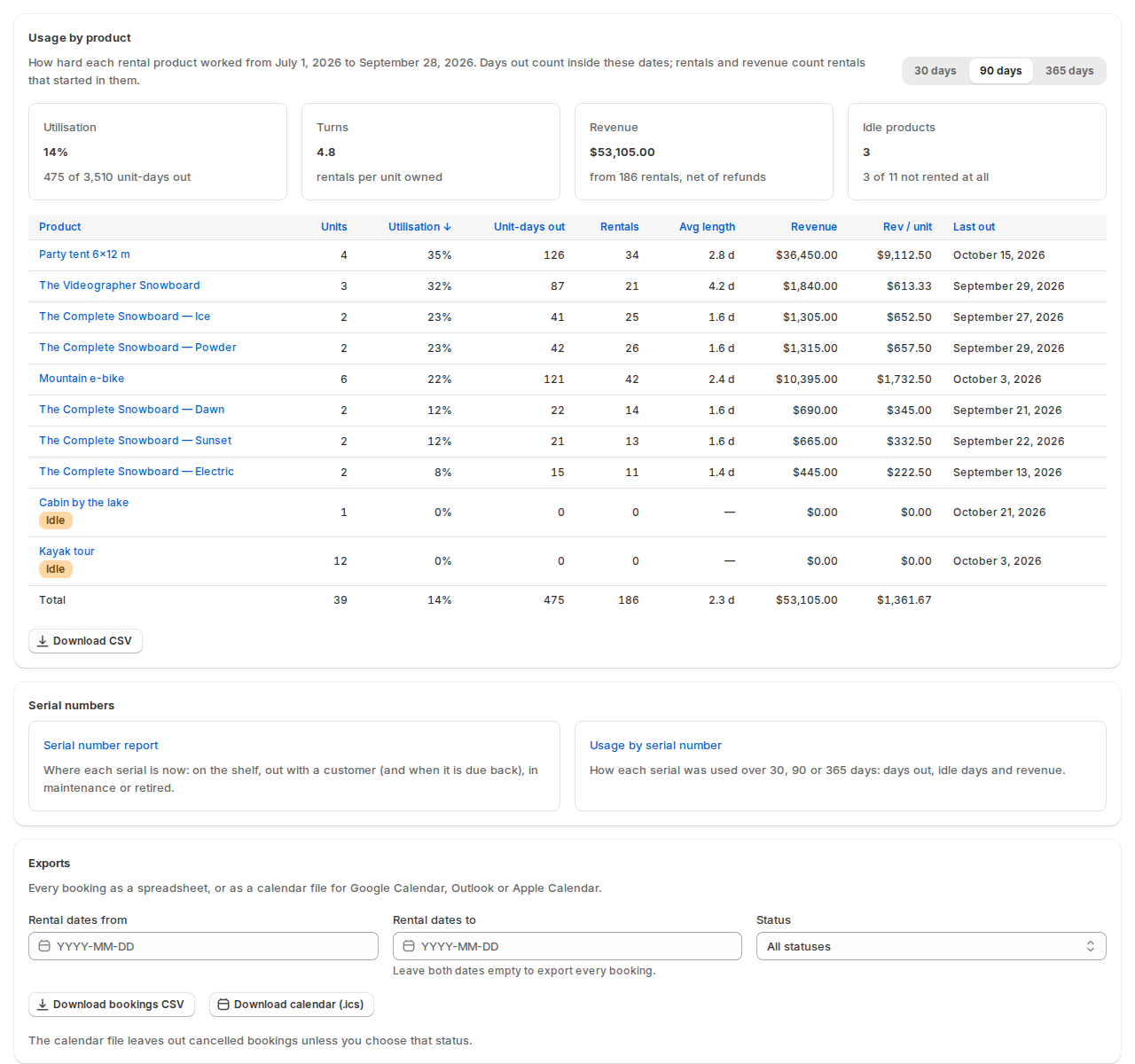
Usage by product #
Choose 30 days, 90 days or 365 days.
| Tile or column | What it means |
|---|---|
| Utilisation | The share of unit-days your stock was out. |
| Turns | Rentals per unit owned. |
| Revenue | From rentals that started in the period, net of refunds. |
| Idle products | Products not rented at all in the period. They get an Idle badge in the table. |
| Unit-days out, Rentals, Avg length, Rev / unit, Last out | Per product. Click a column to sort. |
Days out count inside the chosen dates; rentals and revenue count rentals that started in them. Turnaround time isn’t counted as use, and cancelled bookings and blocked dates are left out. Download CSV saves the table.
Products that track serial numbers also have Usage by serial number. See Serial numbers.
Exports #
| Field | What it does |
|---|---|
| Rental dates from and Rental dates to | Leave both empty to export every booking. |
| Status | All statuses, or one. |
| Download bookings CSV | Every booking as a spreadsheet: booking, order, customer, product, variant, SKU, quantity, dates, status, units sent and returned, prices and source. |
| Download calendar (.ics) | Every booking as a calendar file for Google Calendar, Outlook or Apple Calendar. It leaves out cancelled bookings unless you choose that status. |
For a calendar that updates by itself, use the product’s calendar feeds instead. See Calendar sync (iCal).
Good to know #
- Revenue counts the rental price of bookings that start in the period, without cancelled bookings and net of refunded units. It doesn’t include shipping, taxes or other products on the order.
- The inventory grid is on its own page. See Inventory and stock.


