
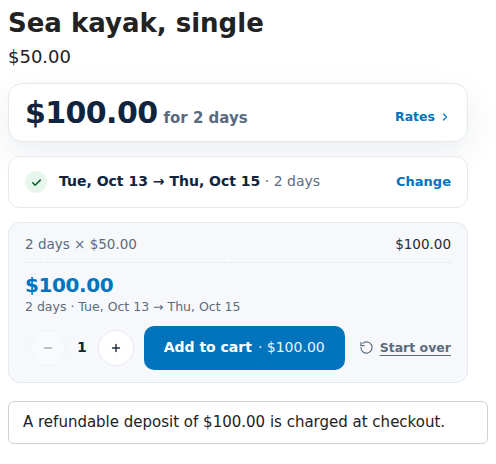
The Security Deposits app charges a refundable security deposit with each rental and refunds it when the rental comes back. Customers see the deposit on the product page before they add the rental, it is added to the cart as its own line, and checkout checks it is there and correct. You refund it in full or keep part from the order page, or let the app refund it by itself a set number of days after the rental is checked in.
It works with rentals from the Rentals & Bookings app: install that first. The deposit is its own line and never changes the rental’s price.
Set it up #
- Install the Security Deposits app. Without the Rentals & Bookings app it shows one sentence and an install link.
- Open the app. Setup runs by itself: it creates a hidden Security deposit product that carries the deposit lines, and turns on the deposit price and checkout check. “Finishing setup. Refresh in a minute.” shows until it is done.
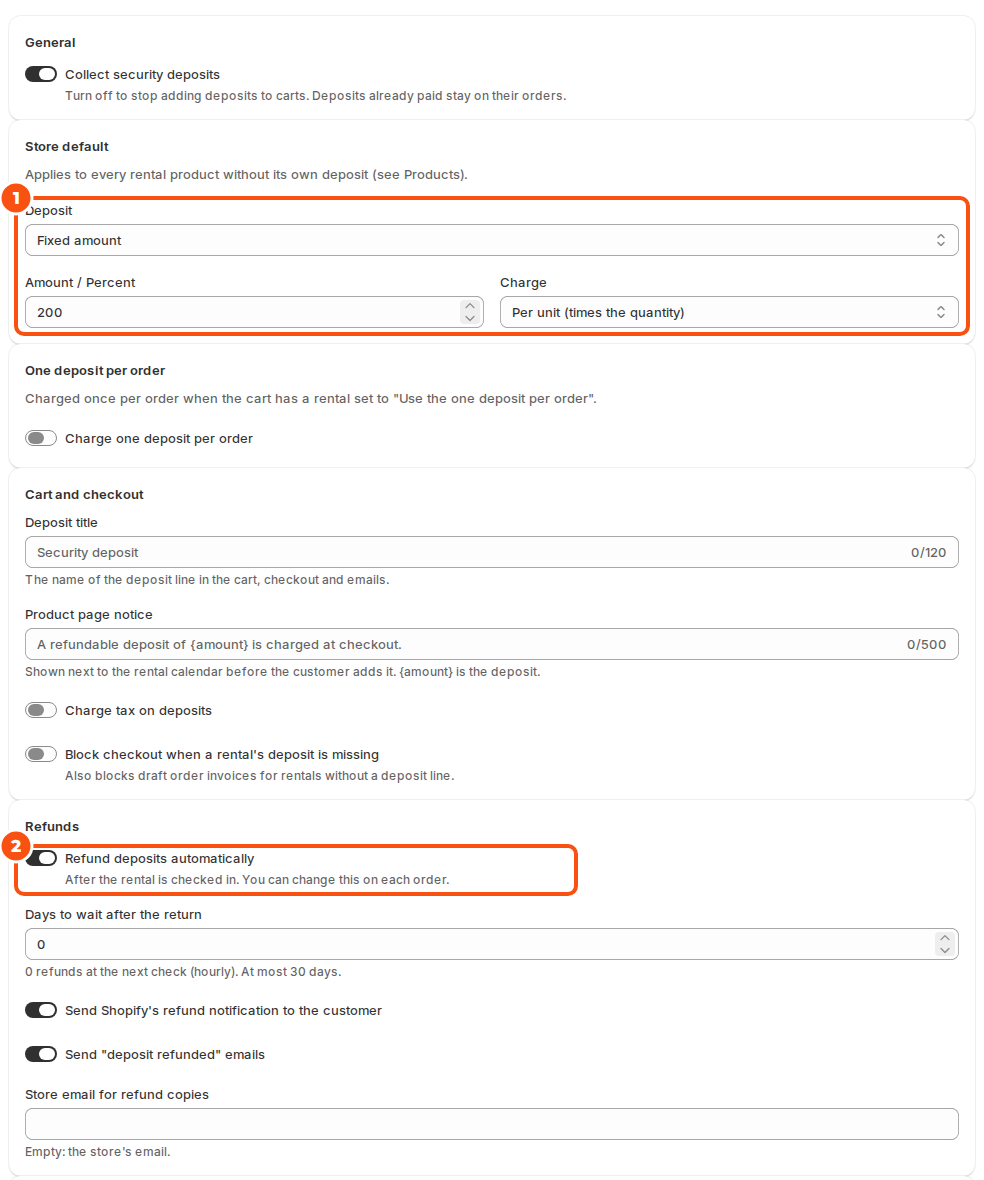
- Open Settings and set the Store default, for example a fixed amount per unit. See Deposit rules.
- Click Open theme editor and turn on the Security deposits app embed, then save your theme. The embed shows the notice and keeps deposits in step with rentals in the cart.
- Book a rental on your store: the deposit line is added with it. Check out with a test order.
The hidden Security deposit product #
The app creates one product to carry deposit lines. It is published to your online store so it can go in the cart, but it is hidden from your store’s search and sitemap. Don’t delete it or change its price; the app prices each deposit line itself. Its title is the Deposit title you set, “Security deposit” by default.
The app’s pages #
| Page | What it’s for |
|---|---|
| Deposits | Every deposit, with what is held, refunded and when it is refunded automatically. See Refunding deposits. |
| Products | Products with their own deposit instead of the store default. |
| Settings | The store default, the one deposit per order, the cart and checkout options, and refunds. |
On Shopify’s order page, the Security deposit card shows the order’s deposit with Refund and Keep part. Add it once: open an order, click + Block in the Blocks section, choose the card and pin it.
Good to know #
- Turning off Collect security deposits stops adding deposits to carts. Deposits already paid stay on their orders.
- If setup reports a problem, Run setup again on the home page tries again.
- Deposit amounts and refunds can also be read and made through the API, with an API key from the Rentals & Bookings app (Settings › API).


