
The Custom Fields app asks customers what you need to know: questions on the product page or once per order in the cart, with options that can add a price. It can also charge a damage waiver and collect a photo ID. Answers, fees, the waiver choice and the ID status all show on the order.
It works on any product. With the Rentals & Bookings app installed, questions can also go on rental products, next to the rental calendar.
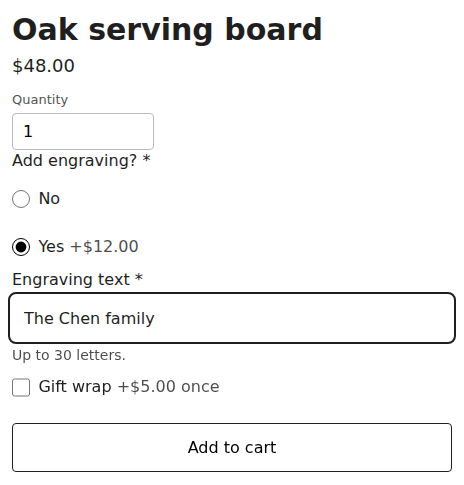
How it reaches the cart #
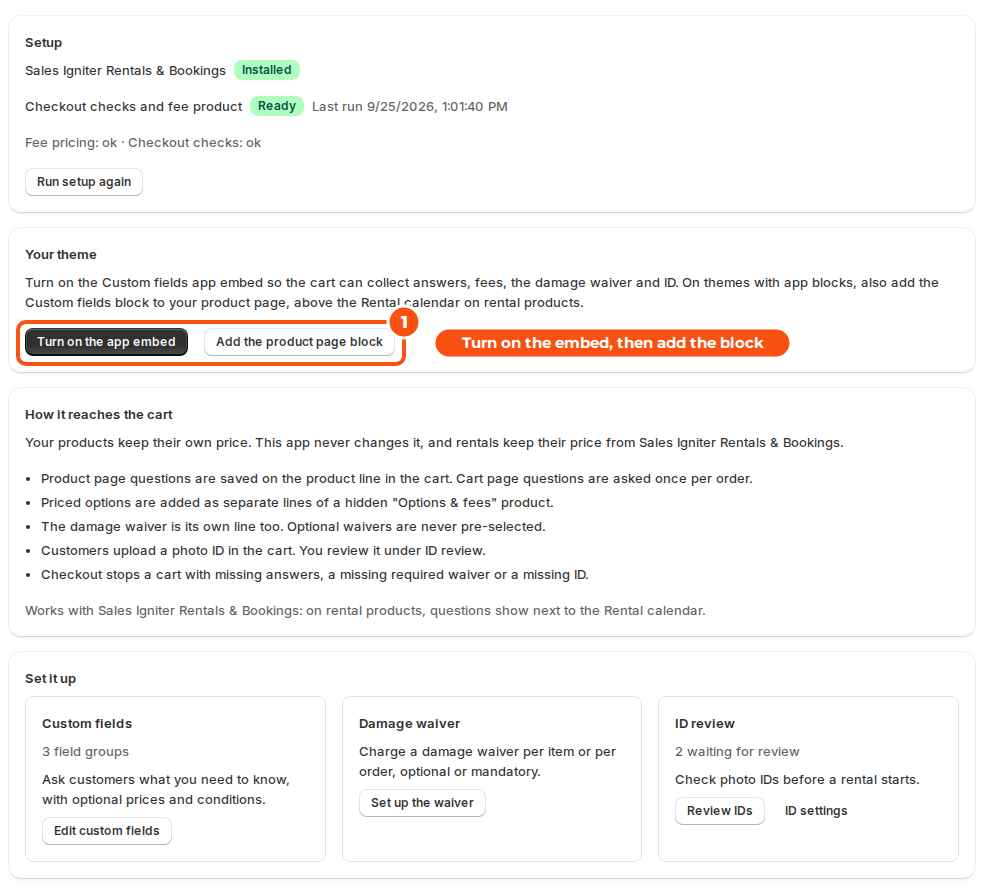
- Your products keep their own price. The app never changes it, and rentals keep their price from the Rentals & Bookings app.
- Product page answers are saved on the product’s line in the cart. Cart page questions are asked once per order.
- Priced options are added as separate lines of a hidden “Options & fees” product.
- The damage waiver is its own line too. Optional waivers are never pre-selected.
- Customers upload a photo ID in the cart. You review it under ID review.
- Checkout stops a cart with missing answers, a missing required waiver or a missing ID.
Set it up #
- Install the Custom Fields app and open it. Setup runs by itself: it creates the hidden Options & fees product and turns on the fee pricing and checkout checks. The home page shows Ready when it is done, or Run setup again if something needs another try.
- Under Your theme, click Turn on the app embed and save your theme. The Custom fields embed lets the cart collect answers, fees, the damage waiver and ID.
- On themes with app blocks, click Add the product page block and place the Custom fields block on your product template. On rental products, put it above the Rental calendar.
- Build your questions under Custom fields. See Field groups and questions.
- Optional: set up the damage waiver and ID checks.
The app’s menu #
| Page | What it’s for |
|---|---|
| Custom fields | Your field groups and their questions. |
| Import and export | Copy questions to another store, edit them in a spreadsheet, and export the answers on orders. See Import and export. |
| Damage waiver | The waiver fee, when it applies, and product rules. |
| ID review | Every photo ID customers uploaded, to approve or reject. |
| ID settings | When to ask for an ID and which documents you accept. |
| API access | API keys for your own systems. |
On the order #
The Custom fields card on a Shopify order page shows the answers for each line (with their priced options), the order questions, the options total, the waiver choice and amount, and the ID status with Review ID. Add the card once: open an order, click + Block in the Blocks section, choose the card and pin it.
The waiver decision and the ID status are also written in the order note, and orders are tagged id-needed or id-verified when ID checks are on.
Good to know #
- The hidden Options & fees product carries the priced options, the waiver and other fees. Don’t delete it or change its price.
- Without the Rentals & Bookings app, every product is a regular product: questions, priced options, the waiver and ID checks all work on them. The home page says rental products need Sales Igniter Rentals & Bookings.
- Answers on orders can be exported as a spreadsheet from Import and export. See Import and export.


