
If you rent from more than one place, each product can have its own units at each of your Shopify locations. Customers choose where they pick up, the calendar shows the stock at that location, and the booking, the order and the desk all know which location it belongs to.
With one location nothing changes: every rental is picked up at your default location.
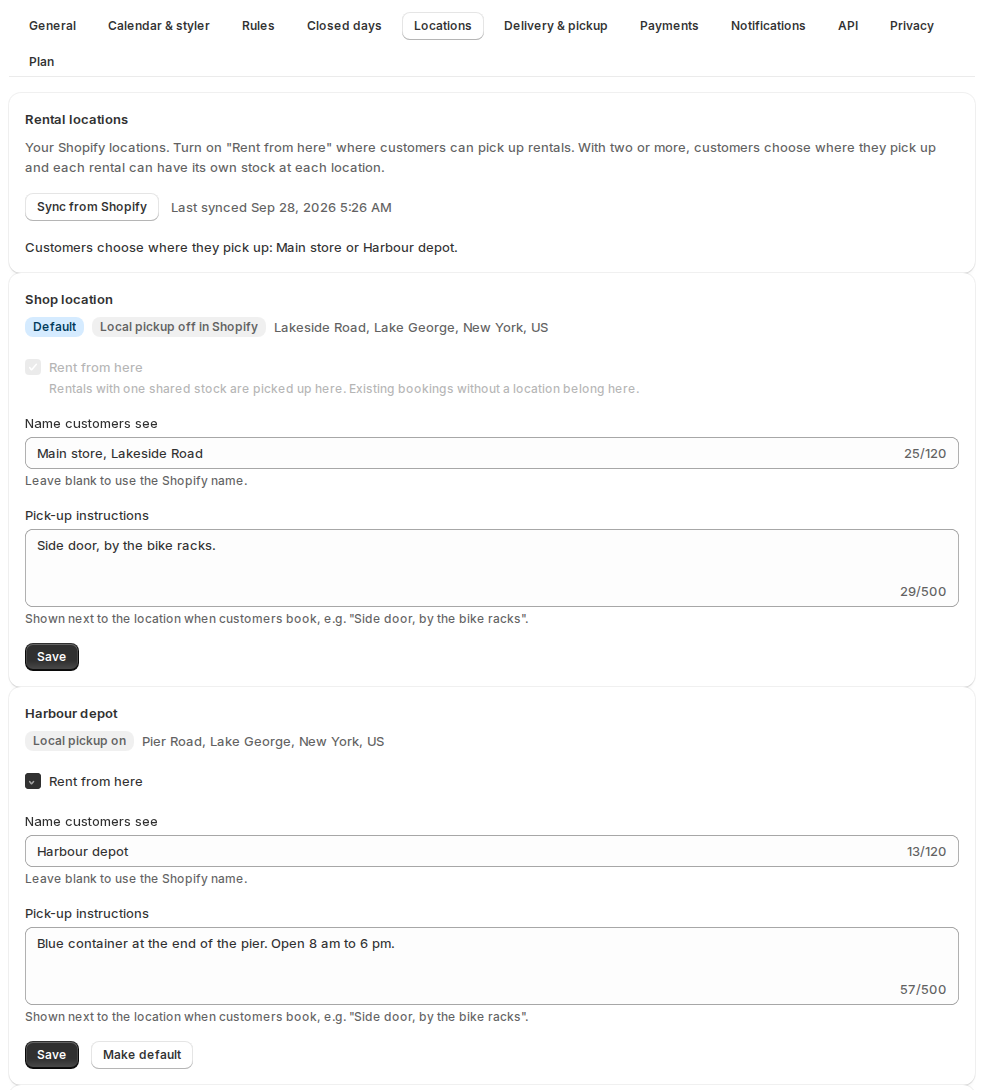
Set up your locations: Settings › Locations #
The list shows your Shopify locations. Add locations in Shopify › Settings › Locations; they appear here. Sync from Shopify reads them again.
| Setting | What it does |
|---|---|
| Rent from here | Turn it on where customers can pick up rentals. With two or more, customers choose where they pick up and each rental can have its own stock at each location. |
| Default / Make default | Rentals with one shared stock are picked up at the default location. Existing bookings without a location belong here. |
| Name customers see | Leave blank to use the Shopify name. |
| Pick-up instructions | Shown next to the location when customers book, like “Side door, by the bike racks”. |
| One pick-up location per order | Customers check out rentals from one location at a time. |
Each row also shows whether Shopify’s Local pickup is on for that location. Turn it on in Shopify › Settings › Shipping and delivery › Local pickup, and exclude rental products from store transfers there, so Shopify only offers pickup where the rental is.
Give a product stock at each location #
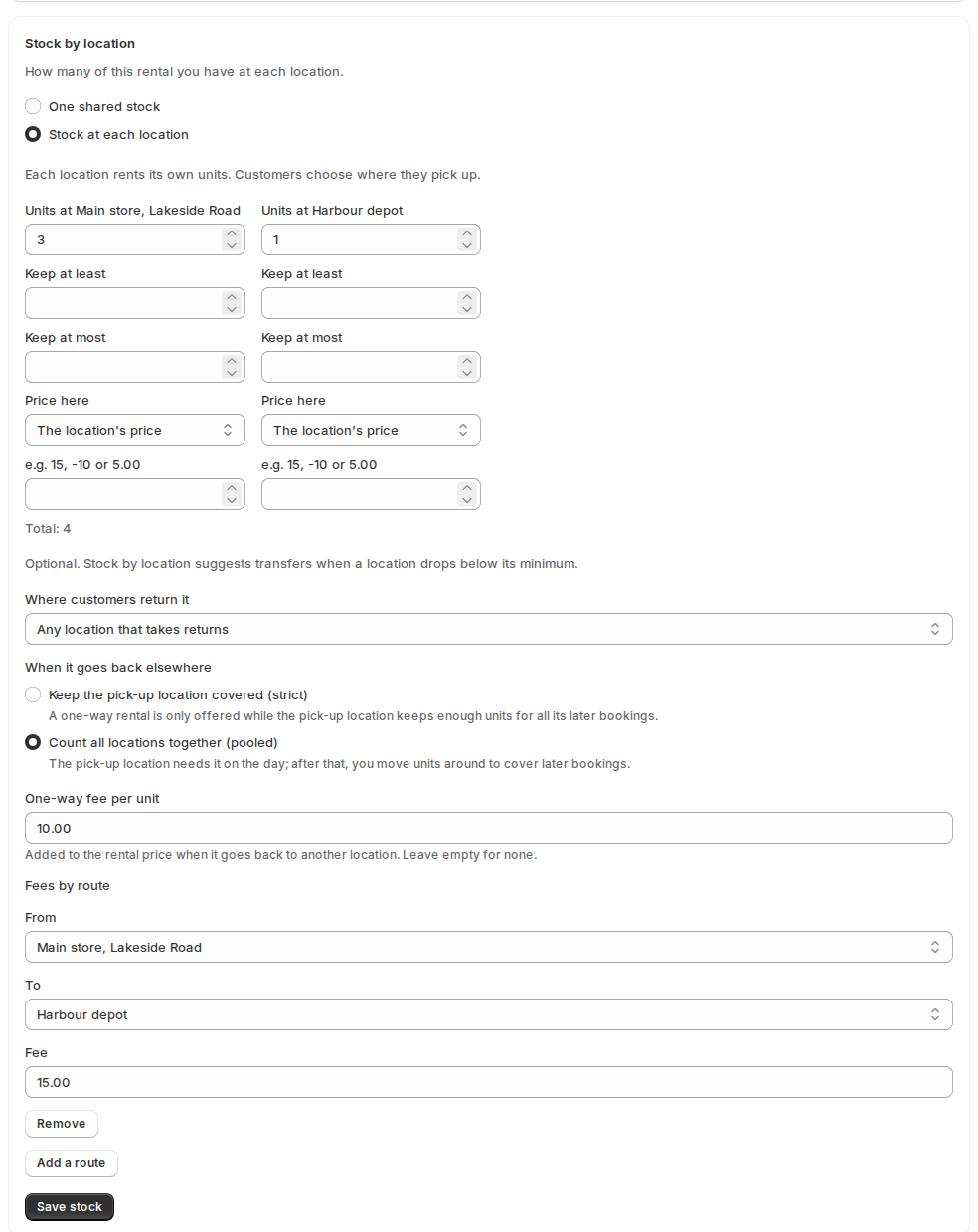
Open the product’s Rental Settings page. The Stock by location card below the form has two choices:
- One shared stock: all units are picked up at the default location.
- Stock at each location: each location rents its own units. Enter Units at each location; the card shows the total. Click Save stock.
If future bookings would no longer fit, the card lists them (“Some bookings would no longer fit”, with the order, the dates and how many units are short at which location). Change the numbers, or click Save anyway.
Where customers return it (one-way rentals) #
On a product with stock at each location, the Stock by location card also decides where the rental may come back. Open Where customers return it:
- Where they picked it up (the default).
- Any location that takes returns: turn on Customers can return here on each location in Settings › Locations.
- One of a list you choose.
Then choose When it goes elsewhere:
- Keep the pick-up location covered (strict): a one-way rental is only offered while the pick-up location keeps enough units for all its later bookings, because the unit won’t come back there.
- Count all locations together (pooled): the pick-up location needs the unit on the day, then all locations together must cover the rental, and you move units around yourself.
Set a One-way fee per unit, and Fees by route for a particular pair of locations, using Add a route (from, to, fee). Customers see Return to under Pick up at, with the fee next to each choice, like “Harbour depot (+$10.00)”. The fee is its own line in the rental price (“One-way return to Harbour depot”), and the cart line says Return: Harbour depot.
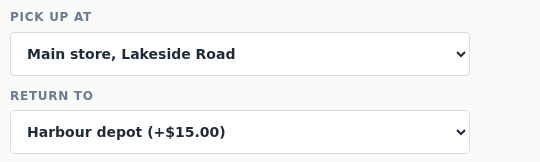
A rental checked in at another location than it was picked up is based there from then on. If that isn’t where it was sold to go back, the booking says “Came back to Harbour depot instead of Main store”. It is flagged, never refused, and Utilization › One-way rentals by route counts it.
Every unit and every move: the board and the journal #
Open Inventory and click Stock by location. The board shows each rental at each location: how many are here, free today, out, On the way, and a Below 3 chip when a location is under the minimum you set.
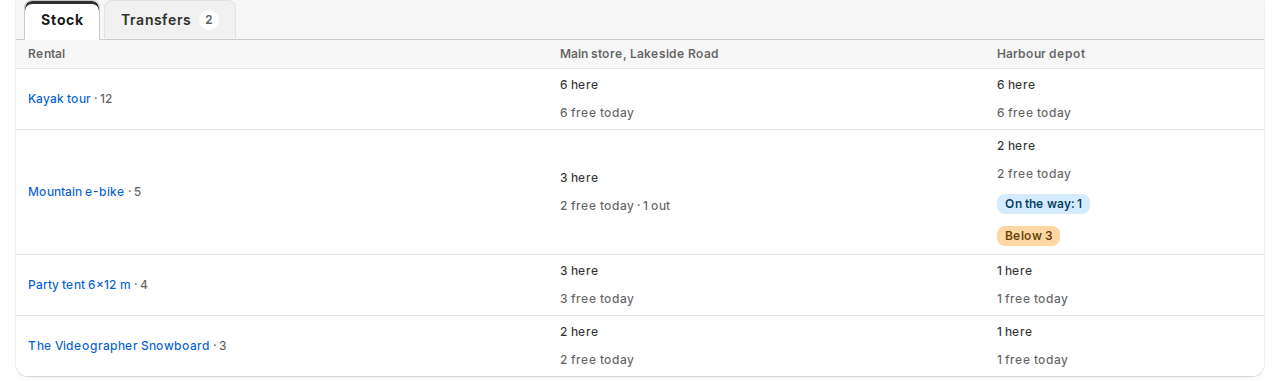
Every change to the units at a location is a line in a journal: the stock card, a transfer, a rental that comes back somewhere else. The card, the board and every availability answer read the same numbers.
Moving units between locations, and suggestions for when to do it, are on Moving stock between locations.
Serial numbers at each location #
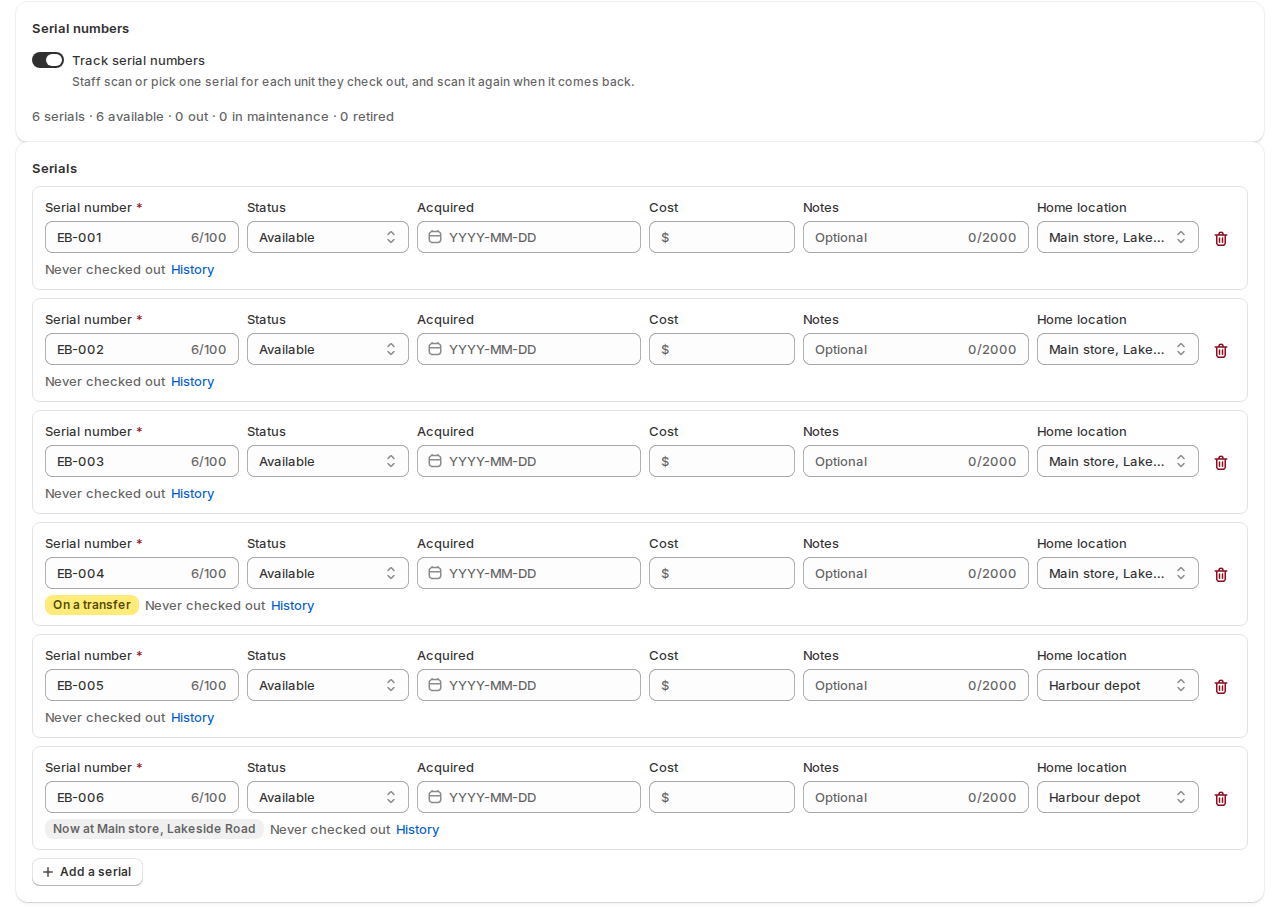
With serial numbers on, each serial has a Home location, set in the serials editor and printed on its label, and a current location, where it was last checked in or received.
- The desk offers its own location’s serials first. One from another location needs a confirmation.
- A serial on a transfer can’t go out.
What customers see #
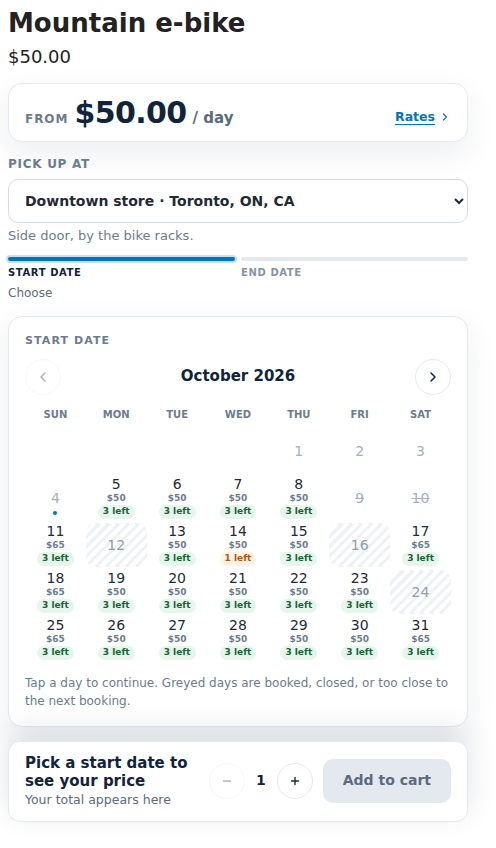
- A Pick up at choice above the calendar, with the location’s area and pick-up instructions.
- The calendar, units left and prices for that location’s stock.
- The cart line shows the pick-up location, and checkout fulfils the rental from that location.
Rules, prices and alerts for each location #
Each location can have its own hours, closed days, turnaround, lead time and price. They are on Location rules, prices and shortage alerts.
In the app #
- Bookings gets a Location filter, and a booking shows “Pick-up:” with the location.
- The order’s Rental card shows the pick-up location.
- The serial number report gets a Location column.
- Utilization gets a Location filter and a Rentals by location table (see the rules page above).
- A location you close or remove in Shopify is marked on the list; its bookings stay as they are.
Good to know #
- Stock at each location is counted by the app, per date, like all rental stock. Shopify is only told where each rental is stocked.
- A product’s own place for maps and the “Where” search is a different thing: see Search by date, availability in product lists and maps.
- Rental kits can be kept at a location too: a kit is free at a location when every item is free there. See Rental kits.
- Delivered and transported rentals are covered in Delivery & pickup.


