
When you rent from two or more locations, each location can have its own opening hours, closed days, turnaround, lead time and price. You can also get an email when a location is about to run short, and see how each location is doing. These settings need two or more locations with Rent from here on: see Rental locations.
Rules for a location #
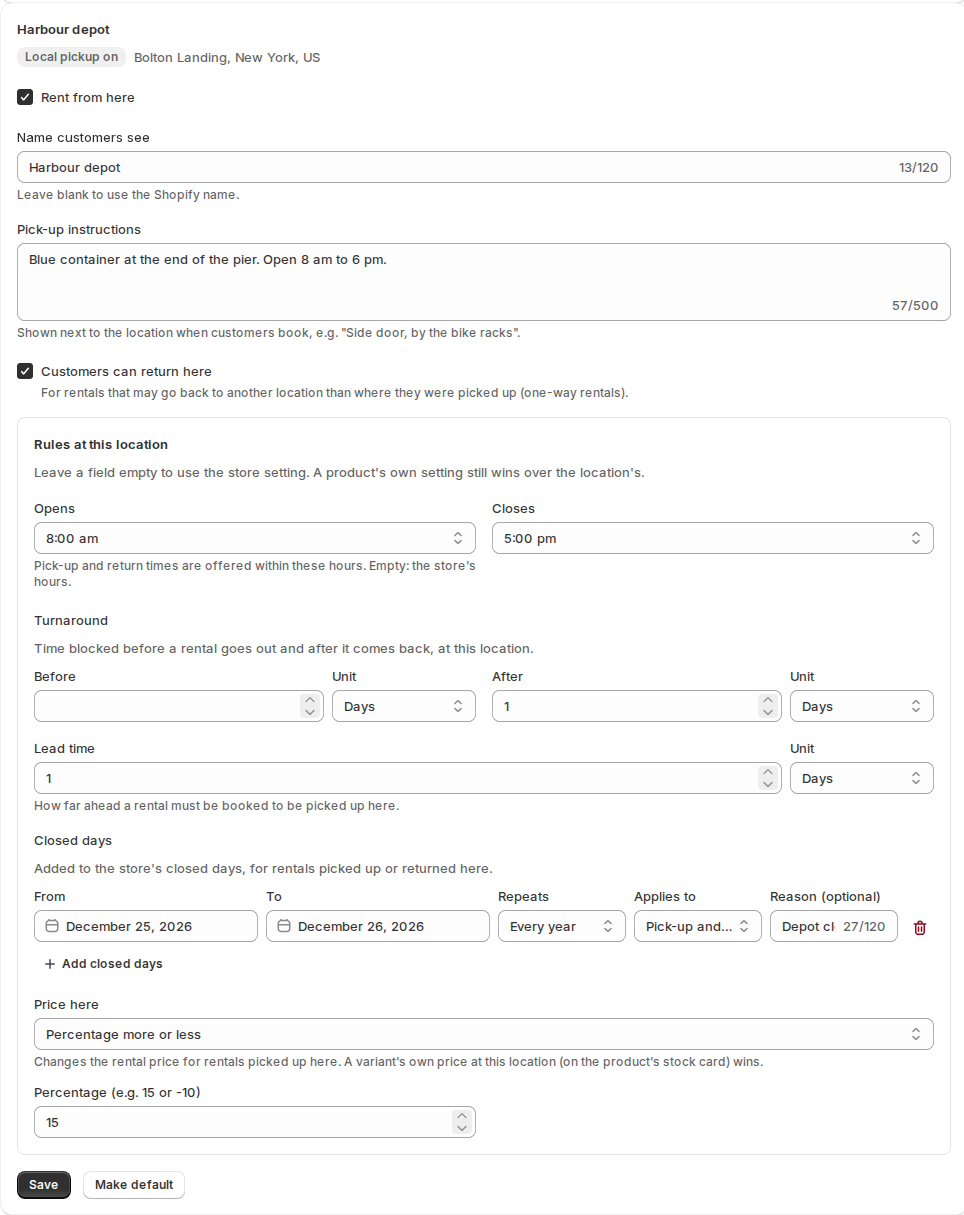
Open Settings › Locations and find the location. Under Rules at this location:
| Setting | What it does |
|---|---|
| Opens and Closes | Pick-up and return times are offered within these hours. |
| Turnaround Before and After | Time blocked before a rental goes out and after it comes back, at this location. |
| Lead time | How far ahead a rental must be booked to be picked up here. |
| Closed days | Dates the location is closed. Each has a From and To, Repeats (never, or every year), Applies to (pick-up, return, or both) and a reason. They are added to the store’s closed days. |
Leave a field empty to use the store’s setting. A product’s own setting still wins over the location’s. The rules apply to rentals picked up at that location. For a rental that goes back to another location, the return location’s closed days and its turnaround after the rental apply to the end.
A different price at a location #
Under Price here choose how the location’s price differs:
- Percentage more or less, for example 15 or -10.
- An amount added.
- The location’s own day and hour rates.
A variant can have its own price at a location on the product’s Stock by location card, and that wins. The rental price shows the difference as its own line, for example “Harbour depot price (+15%)”. A one-way rental is priced where it is picked up.
My locations #
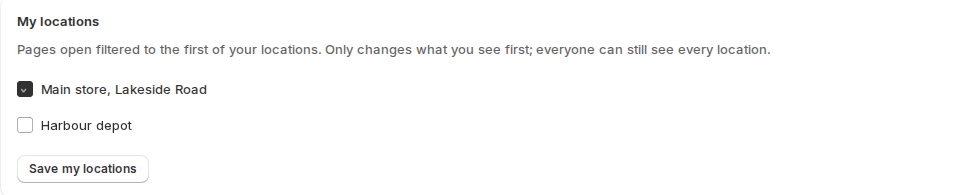
Each staff member can tick where they work in My locations (Settings › Locations, near the bottom). Bookings, Calendar, Inventory, Send & Return and Utilization then open filtered to the first of those locations. All locations still shows everything. It is a starting point, not a permission.
Shortage alerts #
A booking is short when its location won’t have enough units for it. That can happen when you lower the stock with Save anyway, plan a transfer anyway, a return is late or cancelled, or a one-way rental hasn’t come back. Then:
- Your staff get one email, “Stock shortage at a location”. You can edit it under Settings › Emails.
- Shopify Flow gets the trigger Rental stock shortage.
- The booking page says, for example, “Short of 1 at Harbour depot”, until it is covered.
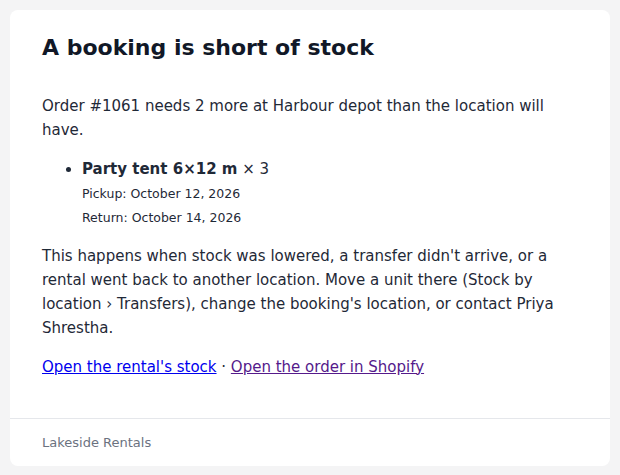
The email says which order is short, at which location, by how many, and what to do about it. Its subject reads like “Stock shortage at Harbour depot: order #1061”.
The board on Inventory › Stock by location and the report below also show how many units are short.
Rentals by location #
On Utilization, Rentals by location lists, for the period, the rentals, units and revenue for each pick-up location, the units it has today and its bookings that are short now.

Calendar sync for each location #
A product with stock at each location gets an availability link per location, showing busy when that location has none free. While its bookings calendar is on, it also gets a bookings link per location. See Calendar sync.


