
Table of Contents
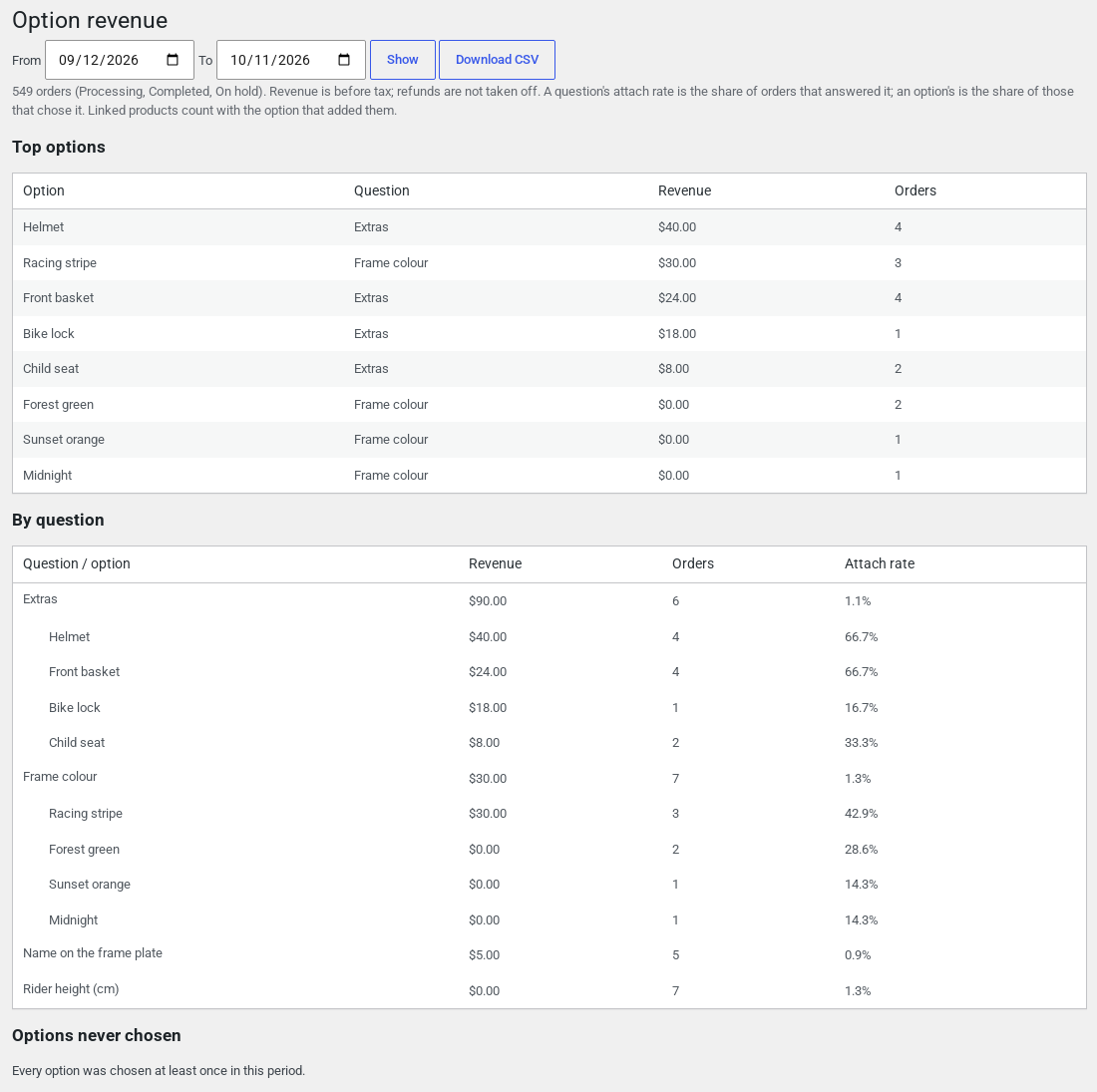
WooCommerce › Option revenue shows what your priced questions and options earned: per question and per option, for a date range, with a CSV download. Use it to see which extras sell, and which nobody picks. Requires Custom Fields 1.0.10 or later.
What the report shows #
- Revenue, orders and attach rate for each question and each of its options. The attach rate is the share of orders with answers that chose it.
- The top options by revenue.
- The options nobody chose in the range.
- A CSV download of the same figures.
How it is worked out #
- Revenue is before tax, and refunds are not taken off.
- Orders count when paid (processing or completed) or on hold.
- A fee for several options is split by what each option costs on its own.
- Linked products count with the option that added them.
- Orders placed from 1.0.10 record which option each fee is for. Older orders are matched by the fee’s name.
- The report reads every order of the range each time it opens, so very long ranges are slow.


