
Visitors leave before you answer. With email continuity a reply they have not read goes to them by email after a short wait, and when they answer that email, the answer comes back into the same conversation. One conversation, chat and email, with no ticket system on the side. It is set up under Live chat › Settings › Email.
How it works #
- The visitor leaves the site with a reply they have not read.
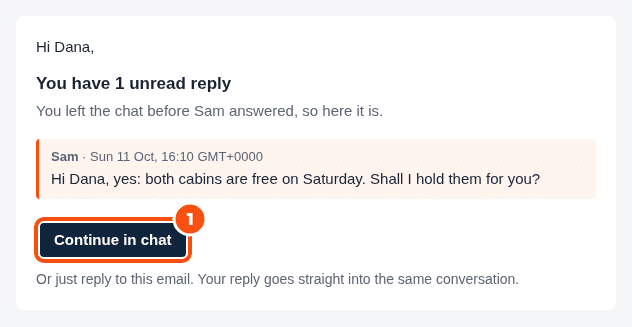
- After Email unread replies after (minutes) (10 by default), the unread replies go to them in one email: “You have 1 unread reply”, with Continue in chat and “Or just reply to this email”.
- Continue in chat opens the conversation in their browser, on any device. A reply to the email lands in the same conversation in your inbox, and in the widget when they come back.
An email sent straight to your mailbox address starts a conversation in the inbox, under Email. In the reply box, Send as: Auto sends by email when the visitor has left (see The inbox).
The settings #
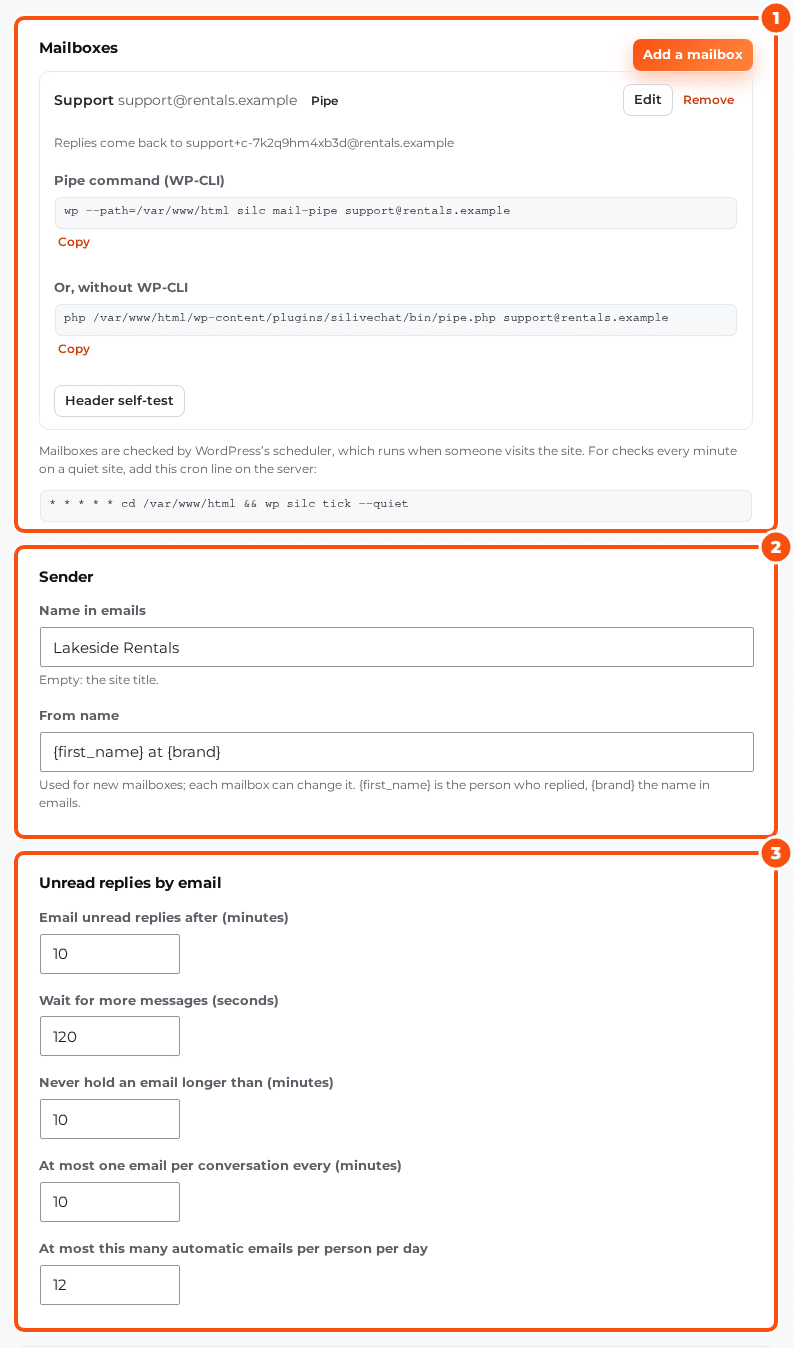
| Setting | Default | What it does |
|---|---|---|
| Name in emails | The site title | The brand name in emails |
| From name | {first_name} at {brand} | {first_name} is the person who replied. Each mailbox can change it |
| Email unread replies after (minutes) | 10 | How long a reply waits unread before it goes by email |
| Wait for more messages (seconds) | 120 | Several replies in a row go in one email |
| Never hold an email longer than (minutes) | 10 | The longest that wait can be |
| At most one email per conversation every (minutes) | 10 | Spacing between emails |
| At most this many automatic emails per person per day | 12 | A daily cap per person |
| Email a transcript after the chat | On | A copy of the conversation by email |
| Send it this long after the last message (minutes) | 60 | When the transcript goes |
| Trust WordPress account emails as verified | Off | Shops create accounts at checkout without confirming the address, so by default an account’s email does not prove who someone is |
Emails go out through WordPress’s own mail, so any SMTP plugin you use works.
Mailboxes: how replies come back #
Each email’s reply address is your mailbox address with a token, for example [email protected], so the mailbox must accept plus addresses (most do). Click Add a mailbox and choose how its email reaches WordPress:
- IMAP: the host, port, SSL or STARTTLS, the username and the password (or an app password). The mailbox is checked every minute. Test connection checks it.
- Pipe: point your mail server at the command shown,
wp silc mail-pipe <mailbox>(or thebin/pipe.phpline, without WP-CLI). It reads the email from standard input and answers with the exit codes mail servers expect. - Webhook: your email provider posts each email to
/wp-json/silc/v1/inbound/<mailbox>?token=…, as raw MIME, JSON, or Brevo’s inbound parsing format.
Header self-test sends a test email and checks that the reply headers survive your mail setup, so replies thread into the right conversation.
Good manners #
- Every email has a Stop emailing me link for that conversation. Other conversations are not affected.
- No tracking pixel, ever.
- Incoming email is limited per sender (20 an hour, 100 a day) and per mailbox (300 an hour), and loops from auto-replies are caught.
- Raw emails are kept 30 days and the email logs 90 days (incoming) and a year (outgoing); see Privacy, consent and GDPR.


