
See who is on your site right now and start the conversation yourself: Live visitors shows the people browsing, on a list and a world map, and proactive messages open the chat by themselves on the pages and moments you choose, such as the pricing page after 30 seconds or a cart above a value.
Live visitors #
Open Live chat › Live visitors.
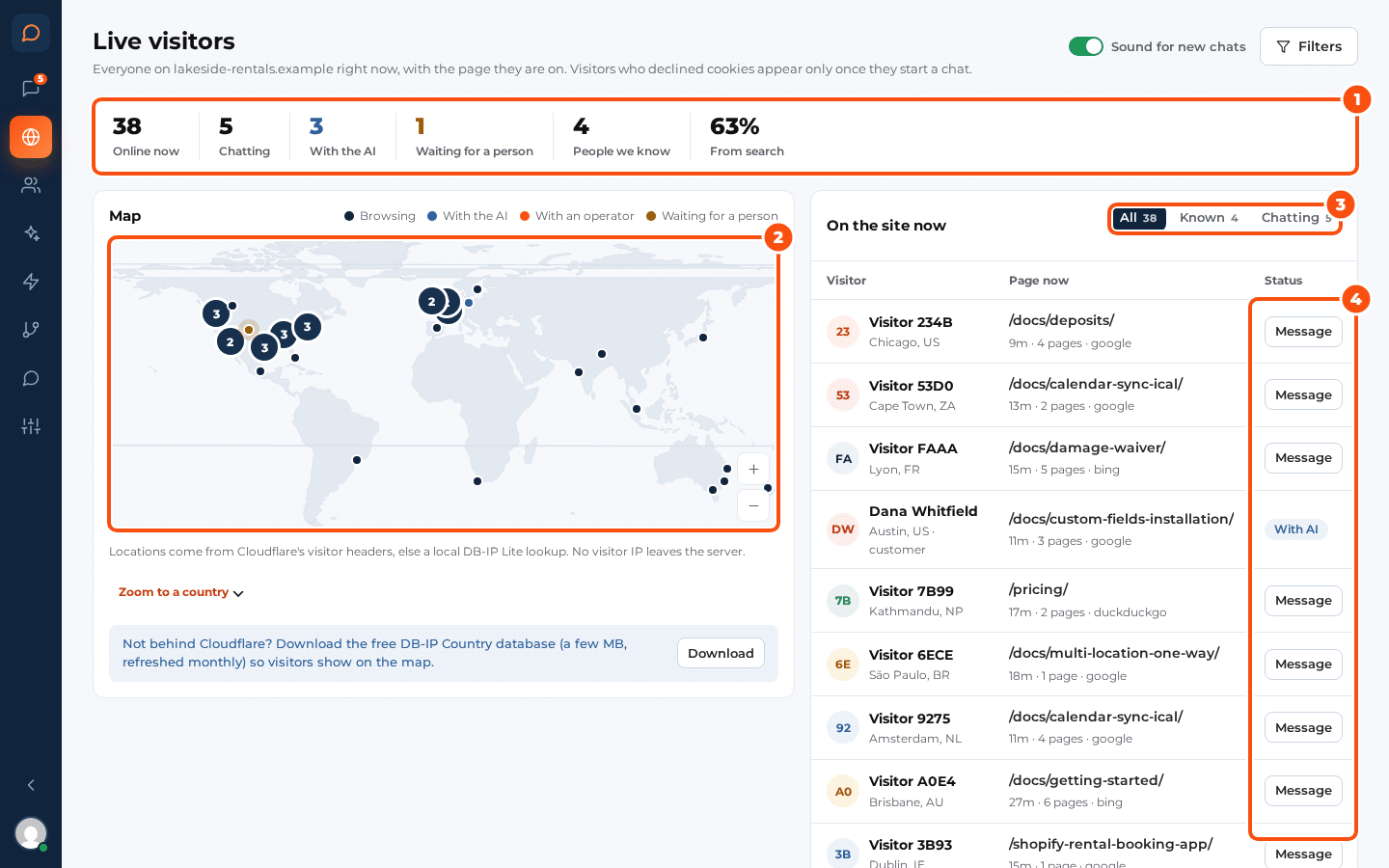
- The counts: online now, chatting, with the AI, waiting for a person, people you know and visitors from search.
- The map groups visitors into clusters and zooms with the wheel or by dragging; Zoom to a country jumps to one. It is drawn by the plugin itself: no map service, no key, nothing leaves your browser.
- The list shows each visitor’s location, current page and status. The filters narrow it by country, device and where they came from (search, other sites and links).
- Message starts a chat with a visitor. It shows above their chat button as a preview, from you.
- Sound for new chats plays a sound while the screen is open.
Visitors show here only with their consent (see Privacy, consent and GDPR). A visitor who declined cookies appears once they start a chat. With tracking switched off, only people chatting appear.
Where visitors are #
Locations come from Cloudflare’s country headers when your site is behind Cloudflare. If it is not, the screen offers to download the free DB-IP Country database (a few MB, refreshed monthly), which stays on your server. No outside location service is ever called, coordinates are rounded, and IP addresses are never stored. Choose the source under Settings › Privacy › Location.
Proactive messages #
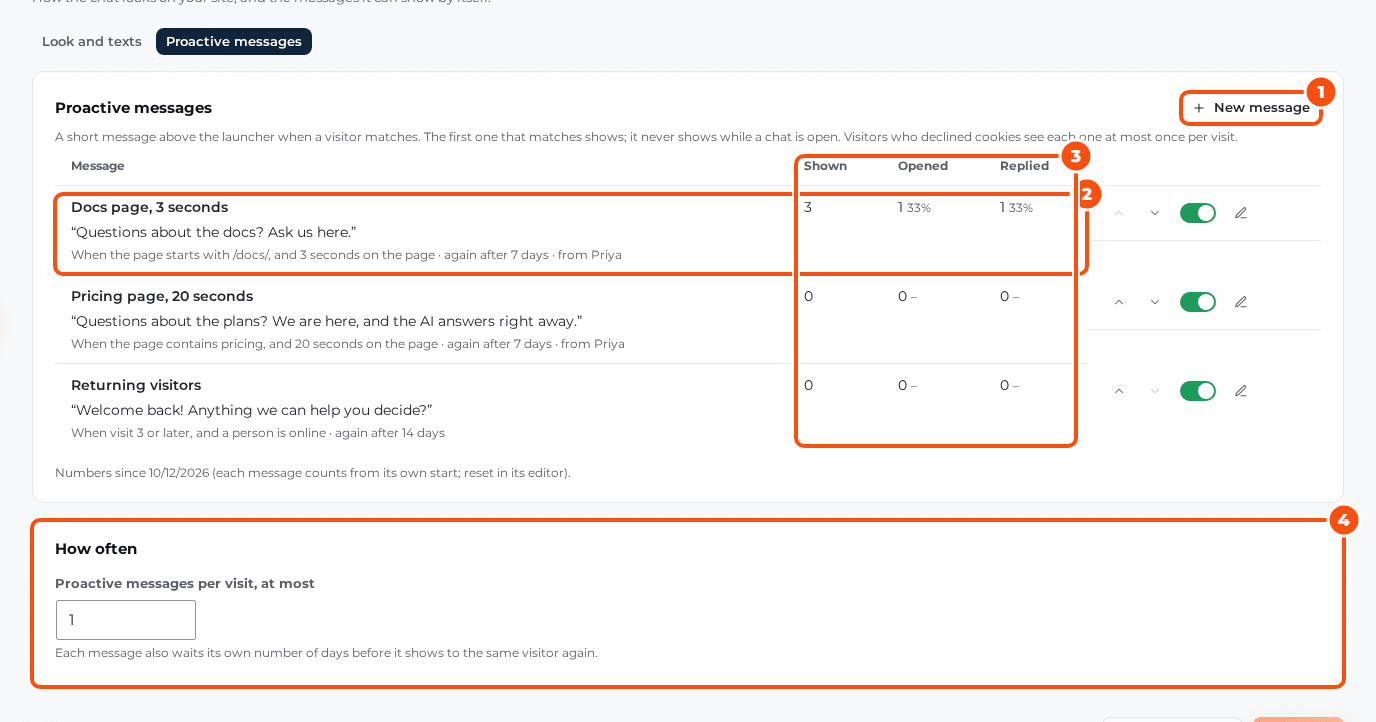
A proactive message opens the chat by itself with a message of yours. They are under Live chat › Widget › Proactive messages; click New proactive message.
For each message, set:
- Name (only you see it) and the Message.
- From: a person on your team (first name and initials, never a photo), The team (no name) or The AI assistant.
- When it shows, from these conditions (all must match):
| Condition | Example |
|---|---|
| Page address | contains, starts with, is exactly, or does not contain /pricing/ |
| Seconds on the page | 30 |
| Visit number, at least | 2 (a returning visitor) |
| Cart value, at least | 100 (needs WooCommerce or Easy Digital Downloads) |
| Device | Computer or Phone |
| Logged in | Yes or No |
| Who can answer | A person is online, or a person or the AI |
- Show again after (days): how long the same visitor waits before seeing this message again.
Under How often, Proactive messages per visit, at most (1 by default, up to 5) caps how many a visitor sees in one visit. Move a message up or down to set the order in which they are checked.
The counts next to each message show how many visitors saw it, opened it and replied, so you can see which ones bring chats.


