
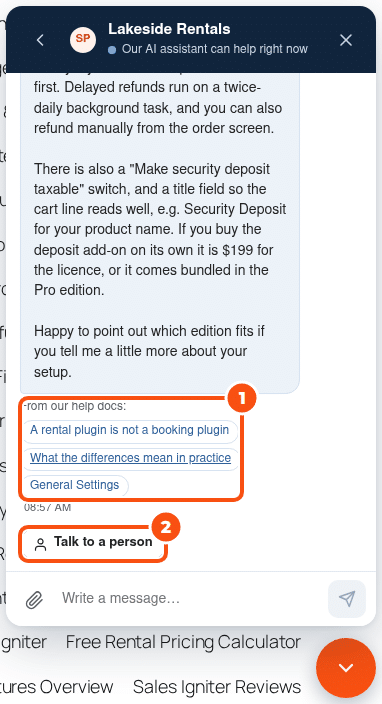
The AI agent answers visitors around the clock from your own help docs, pages and products. It cites the docs it used, quotes only the prices your store holds, and hands the chat to a person when it should: for refunds and billing, licence or account changes, discounts, a bug, an upset visitor, a request for a person, or anything your knowledge does not answer. You bring your own AI key and pay the provider directly, at their token price; there is no per-chat fee from us.
Switch it on #
- Get an API key from OpenRouter (one key reaches many models), or use Anthropic, OpenAI, Google or any OpenAI-compatible URL.
- Open Live chat › AI agent. Under Keys, paste the key. It is stored encrypted and never shown again.
- Under Agent, switch AI agent on.
- Open Knowledge, choose what the AI may read and click Re-index now (see below).
- Ask a few questions in Try it, at the top of the AI agent tab.
Who answers first is set on Routing and hours: by default A person if one is online, else the AI, else email. Choose The AI first; a person when asked to let the AI take every chat. Each routing rule can choose too, with its own instructions for the AI (see Routing, office hours and ratings).
When someone is online but does not answer in time, the AI steps in: after 1 minute by default (Let the AI step in when nobody replies within, on Routing and hours), it helps the visitor and says a person can still join. The operator’s first reply takes over.
The models #
| Setting | Default | What it is for |
|---|---|---|
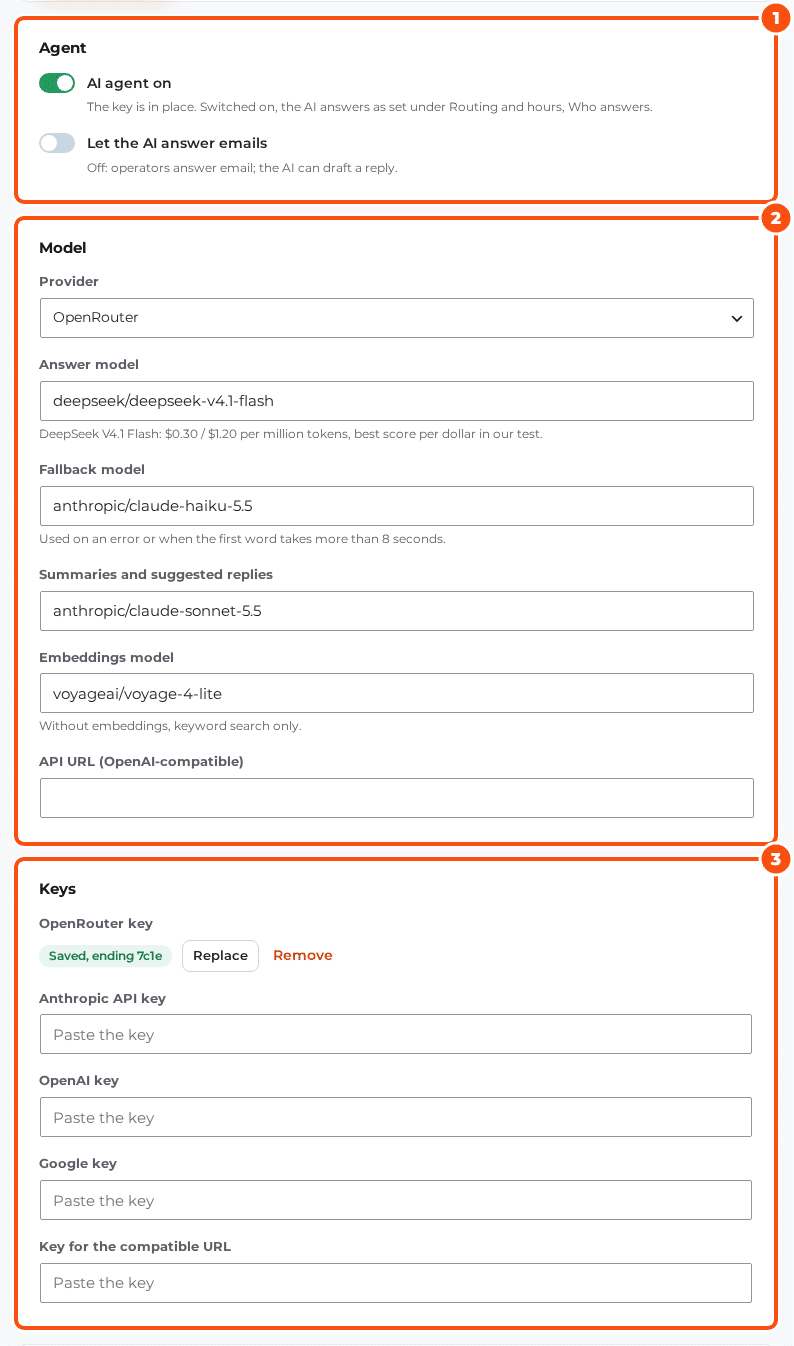
| Answer model | DeepSeek V4.1 Flash | Answers visitors. $0.30 per million tokens in, $1.20 out |
| Fallback model | Claude Haiku 5.5 | Used on an error, or when the first word takes more than 8 seconds |
| Summaries and suggested replies | Claude Sonnet 5.5 | Summaries, suggested replies and facts for your team |
| Embeddings model | Voyage 4 Lite | Meaning search in your knowledge. Without it, keyword search only |
Let the AI answer emails (off by default) lets the AI answer replies that arrive by email too; with it off, operators answer email and the AI can draft a reply.
Privacy, budget and tone #
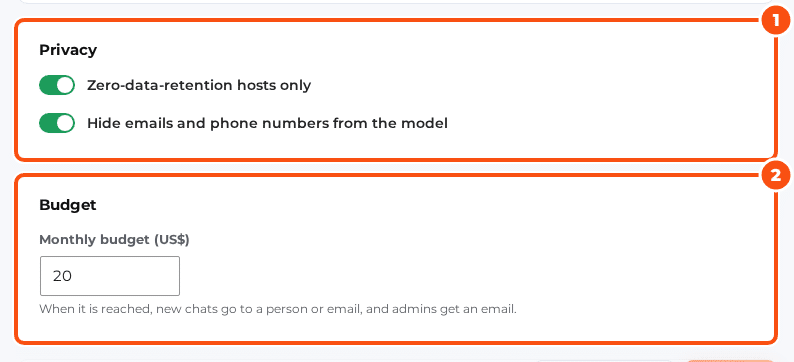
- Zero-data-retention hosts only (on by default): requests go only to model hosts that keep no data. Every request also asks the provider not to collect it.
- Hide emails and phone numbers from the model (on by default): email addresses, phone numbers and card-like numbers are replaced before the conversation leaves your site.
- Monthly budget (US$), 20 by default: when it is reached, new chats go to a person or email, and administrators get an email.
- Tone: Friendly and brief, Neutral or Formal. Reply language: the visitor’s or the site’s. Extra instructions: anything the AI should know, up to 4,000 characters.
When the AI hands over #
The AI hands over for refunds, billing, licence or account changes, discounts, a bug, an upset visitor, a request for a person, or a question your knowledge does not answer. It never promises what your team will decide, and it tells the team in a few words why it handed over. Questions before buying (prices, editions, what is included) are not billing: the AI answers them from your docs and prices. After Offer a person after this many AI replies (6 by default) answers in one chat without solving it, the AI offers a person. When it hands over, it tells the visitor the team will reply in the chat, or by email if they leave.
In the inbox, a handed-over chat shows Needs a person. Replying takes over; Hand back to the AI gives it back.
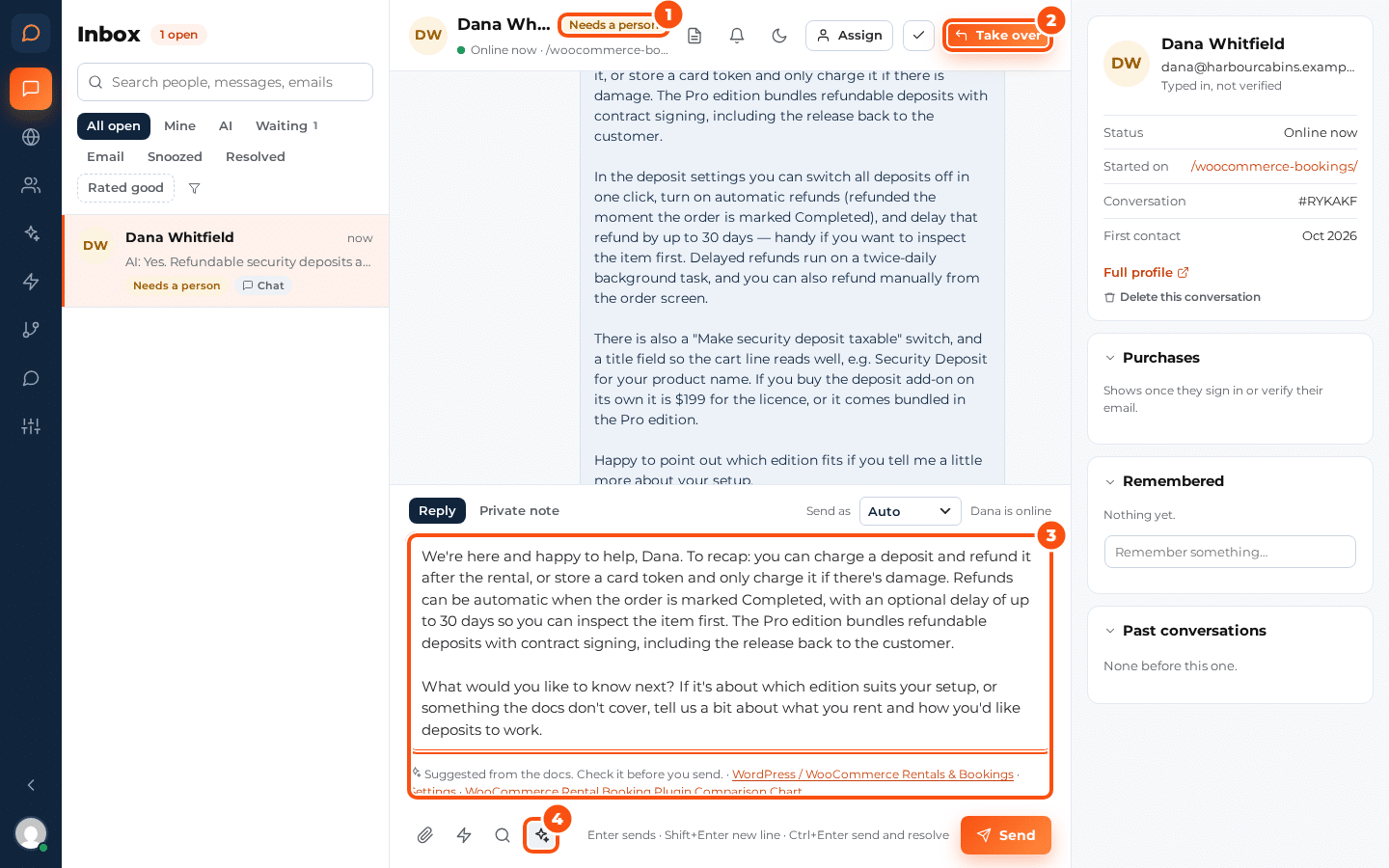
Suggest a reply (the sparkle button) drafts an answer from your docs for the operator to check and send. Summarise for the team posts a short summary of a long chat as a private line.
Prices and what the AI knows about a visitor #
The AI never states a price, discount, date or promise that is not in your docs or your store. Prices come live from the store: your WooCommerce products and your Easy Digital Downloads downloads (with variable prices and the licence renewal discount). The AI agent tab lists them under Live prices the AI may quote.
Under Memory:
- Use what we know about logged-in people (on): for a visitor who is logged in or proved their email address, the AI sees their name, licences with renewal dates, subscriptions, recent orders and the facts your team kept, for that visitor only. Licence keys stay masked.
- Suggest facts to remember (on): the AI suggests facts about a person, and an operator keeps or dismisses each one.
- Show past conversations to the AI (off): with it off, the AI gets only a short summary of the last chat.
An anonymous visitor who asks about an order or a licence is asked to log in, or handed over.
Knowledge: what the AI may read #
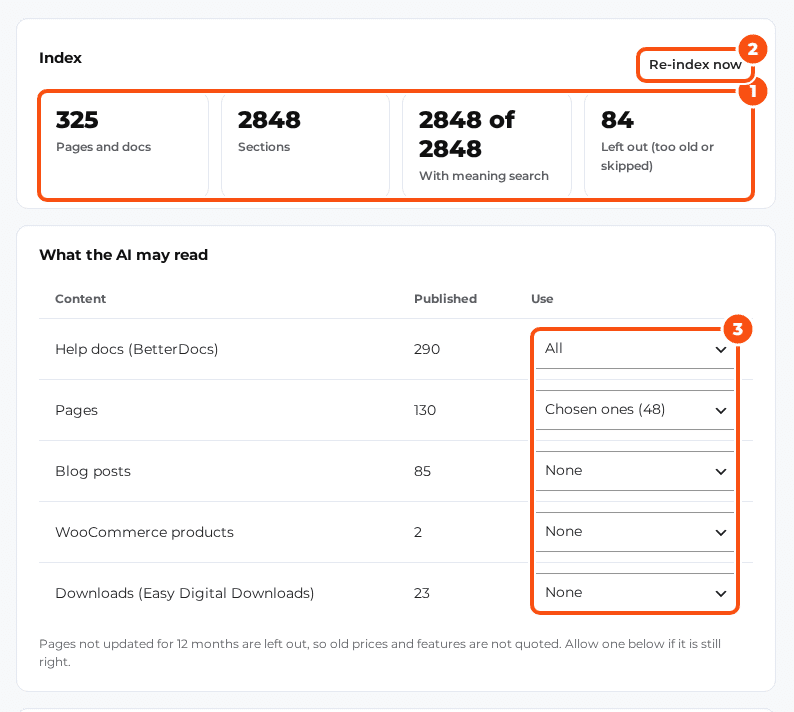
- For each kind of content, choose All, Chosen ones or None: help docs (BetterDocs), pages, blog posts, WooCommerce products and downloads (EDD). With Chosen ones, tick the pages the AI may read.
- Re-index a page when it is updated (on): edits reach the AI by themselves.
- Flag pages older than (months), 12 by default: pages not updated for that long are left out, so old prices and features are not quoted. Allow anyway lets one back in.
- Re-index now rebuilds the index in the background. From the command line:
wp silc kb index,wp silc kb statusandwp silc kb search "<question>".
Status, spend and Try it #
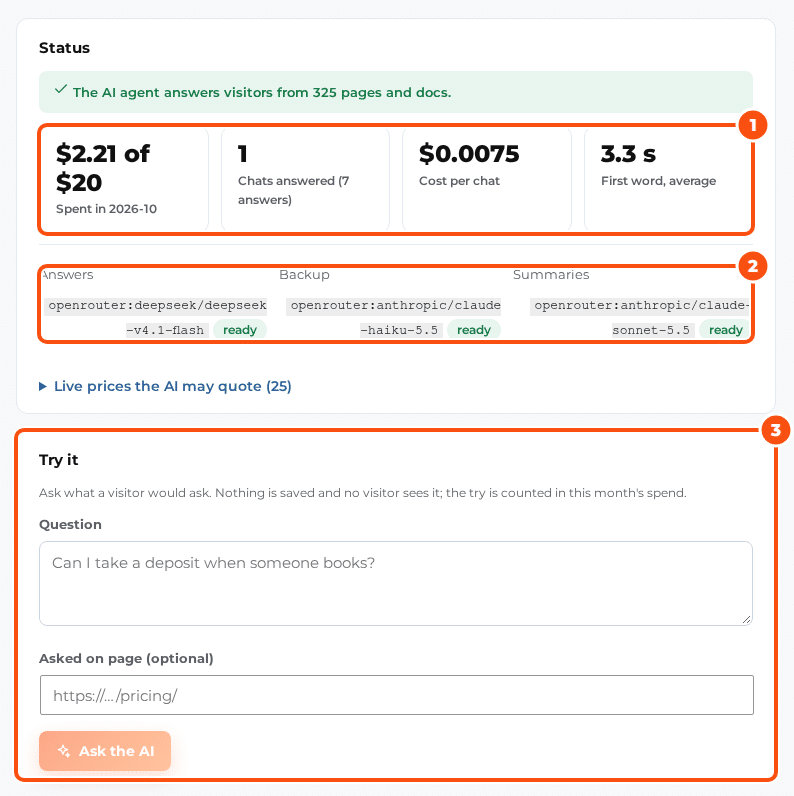
Try it answers a question the way a visitor would get it, with its sources. Nothing is saved and no visitor sees it; the try counts in this month’s spend. wp silc ai usage prints this month’s spend and calls.


