
Customers can tell you about a problem with something they rented straight from their account: a flat tyre, a part that is missing, a machine that stopped. The report becomes a ticket on your board, and the customer gets a reference to quote.
What the customer sees #
On a rental order’s page in My Account › Orders, below the order details, the customer finds Report a problem with this rental. It works with classic and block themes.
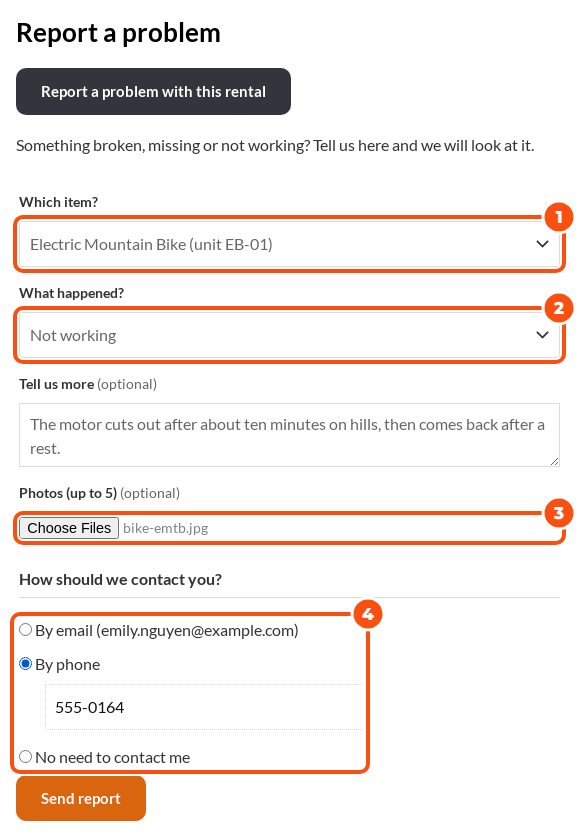
- Which item? The customer picks the item, or the exact unit when the rental sent serial numbers.
- What happened? One of your problems from the problem list.
- Tell us more (optional), and up to five photos (you choose how many).
- How should we contact you? By email, by phone (with a number) or no need to contact them.
- Send report. The page answers “Thanks, your reference is MT-1043. We have emailed you a copy and will look at it soon.”
The customer gets the email “We received your report” with the reference. Below the form they see the state of their earlier reports: Received, Being looked at or Closed.
What you see #
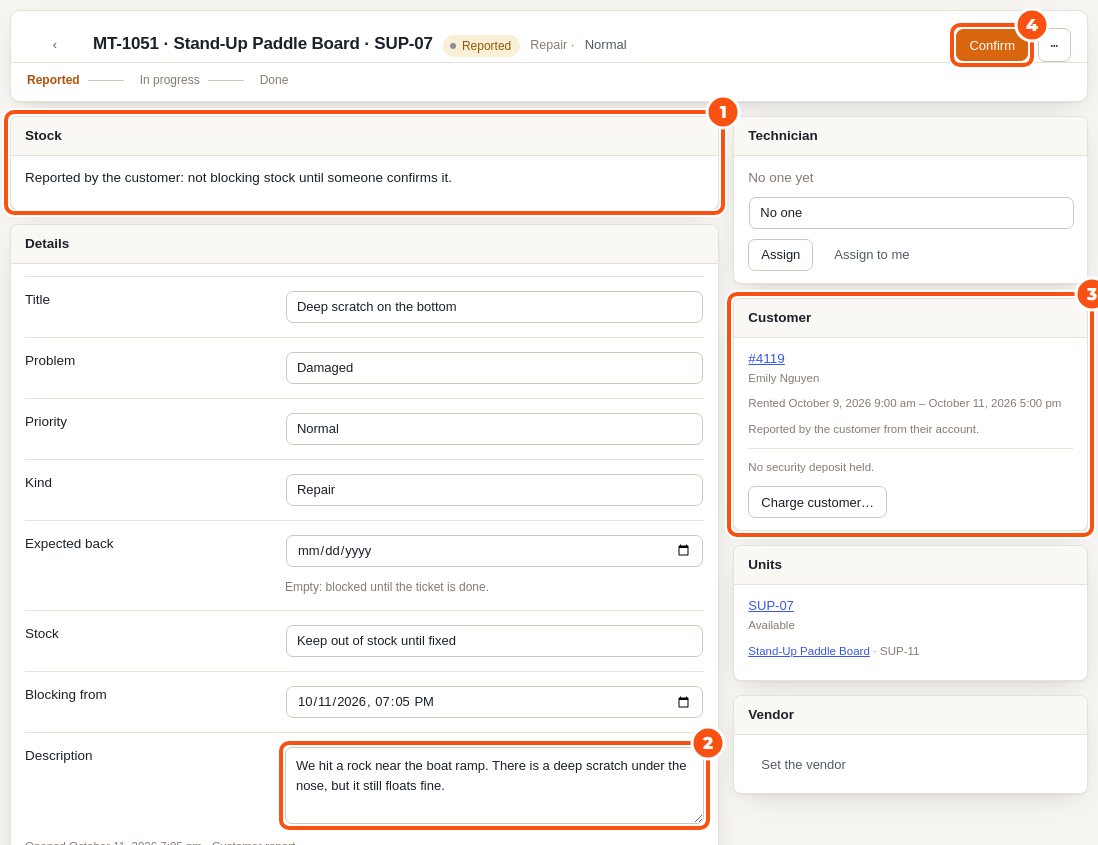
The report opens a ticket in status Reported, from the source “Customer report”. The managers get the email “New customer report”.
A reported ticket does not keep stock out until someone confirms it, so a report never takes a unit off the calendar on its own. Click Confirm on the board when you have checked it: the ticket becomes New and starts to block. While the unit is still out on the rental, the block starts at the rental’s end.
If the unit is already on an open ticket, the report is added to that ticket as a customer comment instead.
Settings #
Under Maintenance › Settings (General tab), Customer reports:
- Customers can report a problem from their order in My Account: on or off.
- Photos allowed: 0 to 10 (0 hides the photo field).
- Email the managers when a customer reports a problem.
The problems the customer can choose from are your Problem list.
Privacy #
Tools › Export Personal Data includes a customer’s reports and photos, and Tools › Erase Personal Data removes their name, words, contact details and photos from the tickets. The tickets themselves stay as your record of the item’s repairs. The plugin adds a paragraph to the privacy policy guide that you can copy into your own policy.


