
Install Sales Igniter Bundles & Composites and sell your first bundle in about five minutes.
What you need #
- WordPress 6.8 or later and PHP 7.4 or later.
- WooCommerce 10.6 or later.
- Nothing else. Bundles work on a plain store. If you also use Sales Igniter Rentals & Bookings, a bundle can rent as one kit (see “Rental bundles”).
Install and activate #
- Go to Plugins > Add New > Upload Plugin.
- Choose the zip and click Install Now.
- Click Activate.
The plugin works with the classic cart and the Cart and Checkout blocks, and with high-performance order storage.
Make your first bundle #
- Go to Products > Add New and give the product a name.
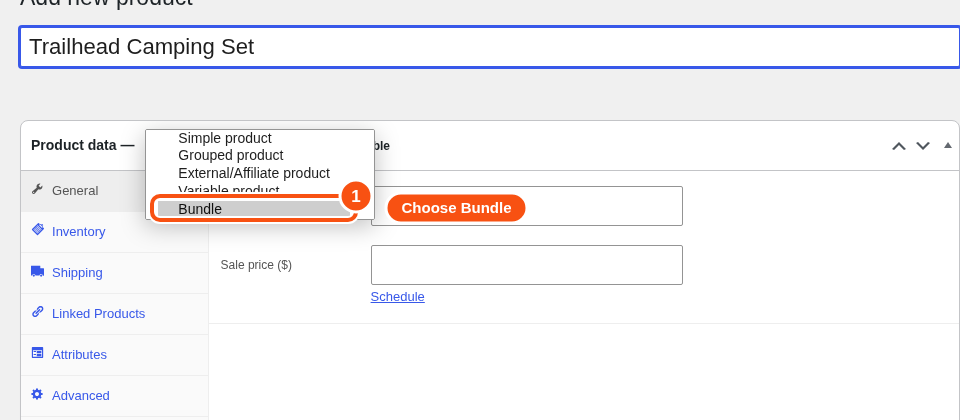
- In Product data, choose Bundle from the product type menu.
- Open the Bundle items tab. A new bundle asks how customers buy it. Choose a starting point:
- Fixed bundle: every customer gets the same set of products.
- Build your own: customers choose a product at each step.
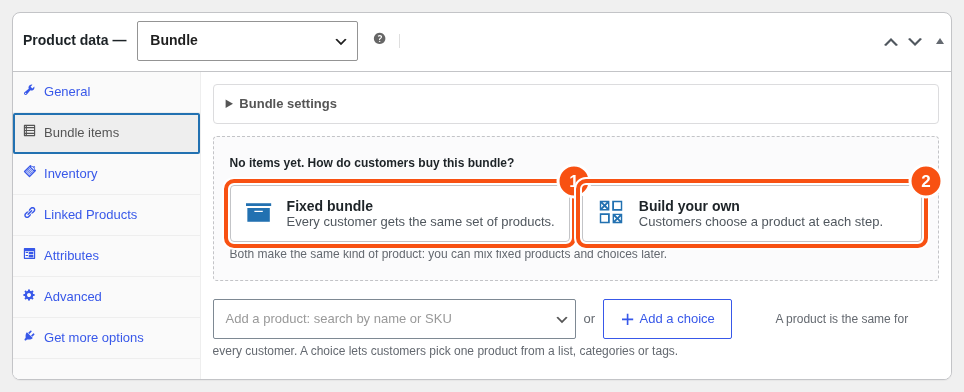
- For a fixed bundle, type a product name or SKU in “Add a product: search by name or SKU” and pick it. Repeat for each product.
- Set the bundle’s price on the General tab. Leave it empty if you only charge the items (see “Pricing”).
- Click Publish and open the product page.
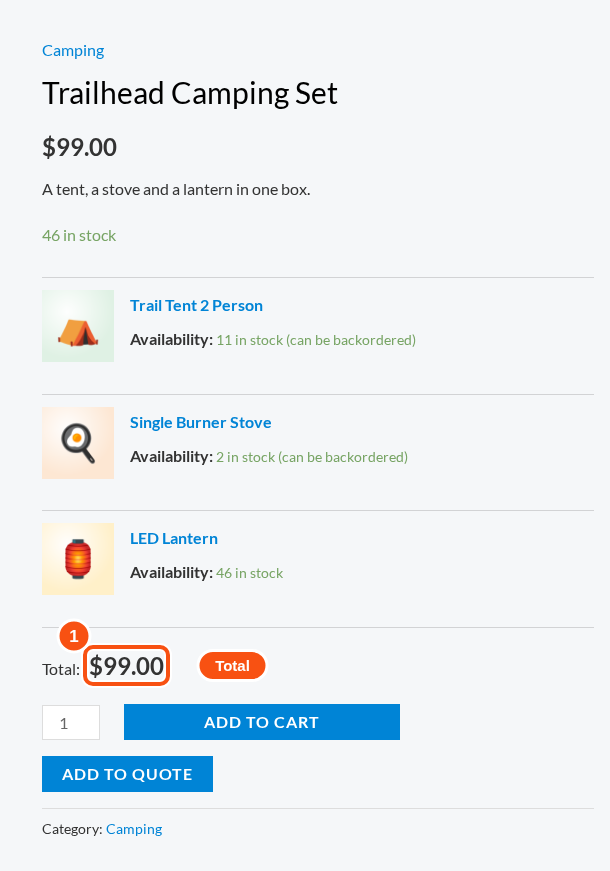
Both starting points make the same kind of product. You can mix fixed products and choices in one bundle at any time.
Where things are #
| What | Where |
|---|---|
| Create and edit a bundle | Products, product type Bundle |
| Store-wide defaults | WooCommerce > Bundles > Settings |
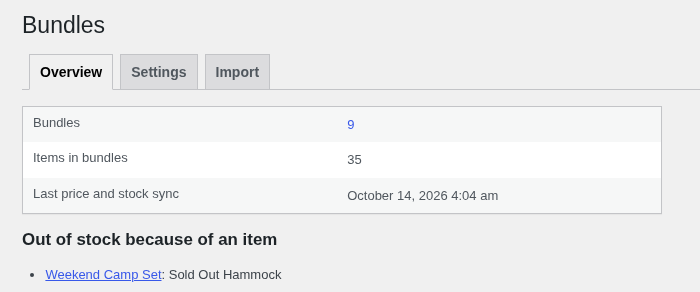
| Overview of bundles that need attention | WooCommerce > Bundles > Overview |
| Import from another bundle plugin | WooCommerce > Bundles > Import |
| Sales reports | Analytics > Bundles |
Next steps #
- Creating a bundle: items, quantities, optional items and prices.
- Bundles and choices: when to use a choice.
- Pricing and stock.


