
How a rental bundle works with Booking deposits, Security deposits, Multi Location Inventory, Subscriptions & Memberships, Custom Fields and Request a Quote.
Each add-on works with bundles as soon as both plugins are active; there is nothing to switch on. Booking deposits need the full rental plugin; the other sections need the add-on named in the heading.
Booking deposits #
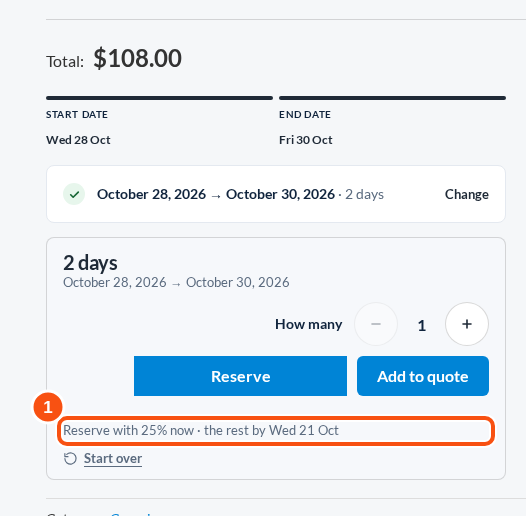
With the full rental plugin’s booking deposits (“Reserve with 25% now”), a rental bundle’s deposit covers the bundle’s own price and every item priced on its own. The product page’s deposit line follows the items the customer picks, and the checkout takes the same split.
Security deposits #
Each item that collects a security deposit is charged its deposit on its own cart line, per unit when the item says so. A bundle with its own deposit set charges that too, on the bundle’s line. A bundle collects a deposit as soon as one of its items does, and its product page notice adds up the items’ deposits for the default picks.
A percentage deposit on an item included in the bundle’s price is worked out from that item’s price in the bundle, which is 0.
Multi Location Inventory #
For bundles sold outright, the bundle takes one location and every item comes from that location. If one item is short there, the whole bundle is refused with that item’s name. A location’s listing shows the bundle in stock by the complete bundles its items make there: the lowest across the required items.
A rental bundle follows the rule Multi Location Inventory uses for every rental kit: the product page has no location choice yet, and each rented item is placed by its own product’s location rule.
Subscriptions & Memberships #
A bundle sold as a subscription is billed as the bundle: its cart line says how it is billed, and its items don’t repeat it.
Custom Fields #
Product fields that apply to the bundle are asked once, on the bundle’s page, and the answers stay on the bundle’s line. The items don’t copy them, so a priced field is charged once.
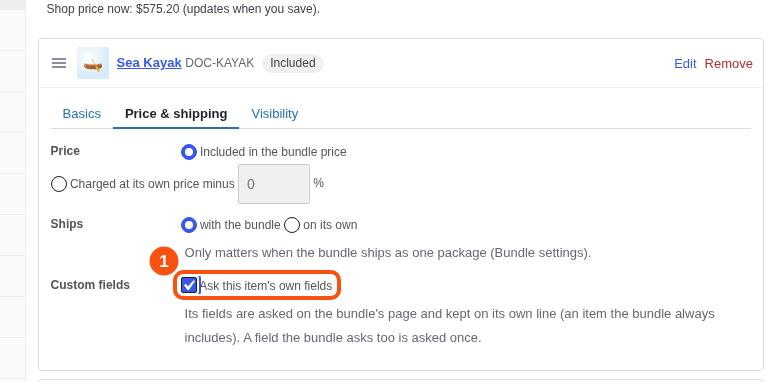
An item’s own fields are off by default. On an item the bundle always includes, tick Custom fields: Ask this item’s own fields (in its card, under Price & shipping). Its fields then show on the bundle’s page under the item’s name, they are checked when the bundle is added, and the answers are kept on the item’s own line. A field the bundle asks too is shown once. Choices and optional items can’t ask their own fields.
Request a Quote #
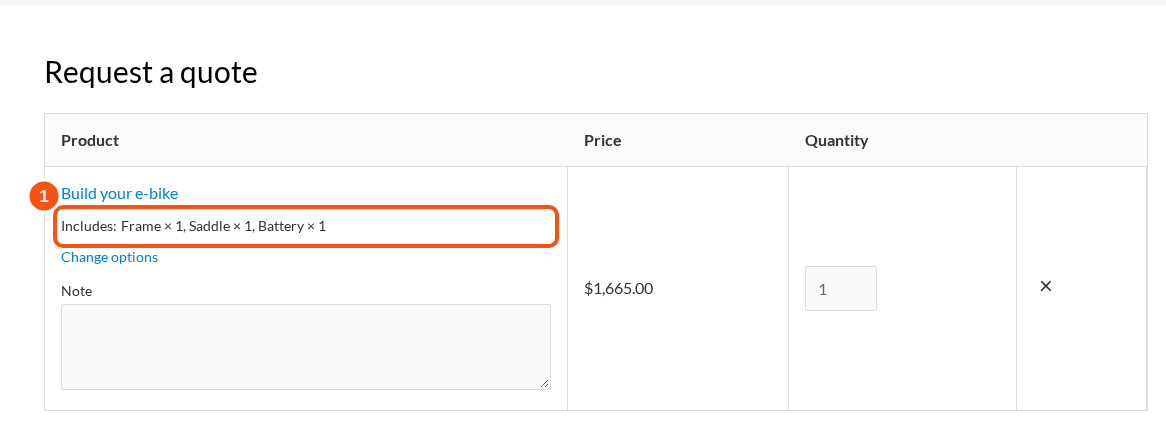
With Request a Quote 1.0.4 or later, a customer can add a bundle to a quote from its product page, with their picks. The quote holds one line for the bundle with its items listed under it. When the quote is accepted, the bundle and its items go into the cart, or onto an order with “Create order”, at the quoted price, shared across the bundle and its items.
Other plugins #
These switch on by themselves when the other plugin is active: Stripe, WooPayments and PayPal express buttons (hidden on bundle pages), ShipStation (a one-package bundle exports as one line), invoice and packing slip plugins, Min/Max Quantities, AutomateWoo, Name Your Price, Subscriptions (simple subscription items), Product Add-Ons and Elementor.


