
Table of Contents
If you collect guests from hotels or meeting points, list them on the tour. Customers choose one when they book, and everyone (the guest, the manifest and your driver) knows where and when.
Add pickup points #
- Edit the tour product. Below the date rows, find Pickup points.
- Click Add a pickup point and fill in:
- Name: “Hotel Plaza”;
- Address (for the map);
- Minutes before: how long before the departure you pick up there, for example 45.
- Add each point, then click Update.
Leave Pickup points empty to meet at the start.
What customers see #
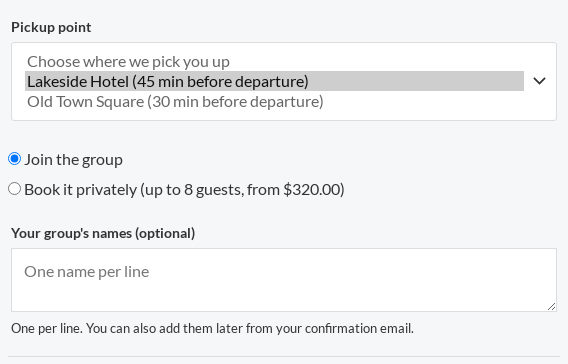
With any point listed, the product page asks for a Pickup point: “Choose where we pick you up”, each listed as “Hotel Plaza (45 min before departure)”. A customer can’t add the tour to the cart without choosing one: “Please choose a pickup point.”
The chosen point and its time (“Hotel Plaza, 9:15”) show on the order line as Pickup, on the ticket and in the emails.
What staff see #
- The manifest shows each booking’s pickup and is sorted by pickup time. The CSV has a Pickup column.
- On My Account › My schedule, the departure’s Manifest & check-in starts with the Pickups in time order, each with the guests to collect there and a Map link.
If you change a point’s minutes later, bookings already made keep the point as it was when they booked.


