
Table of Contents
With Rental Contracts PDF Signing, the person who books signs your terms at checkout. On a tour you often need every guest to sign a waiver. Turn on Each guest signs and each guest gets their own link to sign; staff can also let a guest sign on their phone at check-in.
What you need #
- Rentals & Bookings Regular 1.0.80 or newer.
- Rental Contracts PDF Signing 1.1.5 or newer, set up as usual.
- A tour that asks for guests’ names (Ask for each guest’s name on Optional or Required; see Guest names).
Turn it on #
- Open Rentals › Settings › Contracts.
- Turn on Each guest signs (tours).
- Click Save.
How guests sign #
- The booker signs at checkout, as before.
- The booker gets an email, Your group signs the terms, with a Signing link to share for each other guest. They send each guest their own link by message or email. The same links are on the order in My Account.
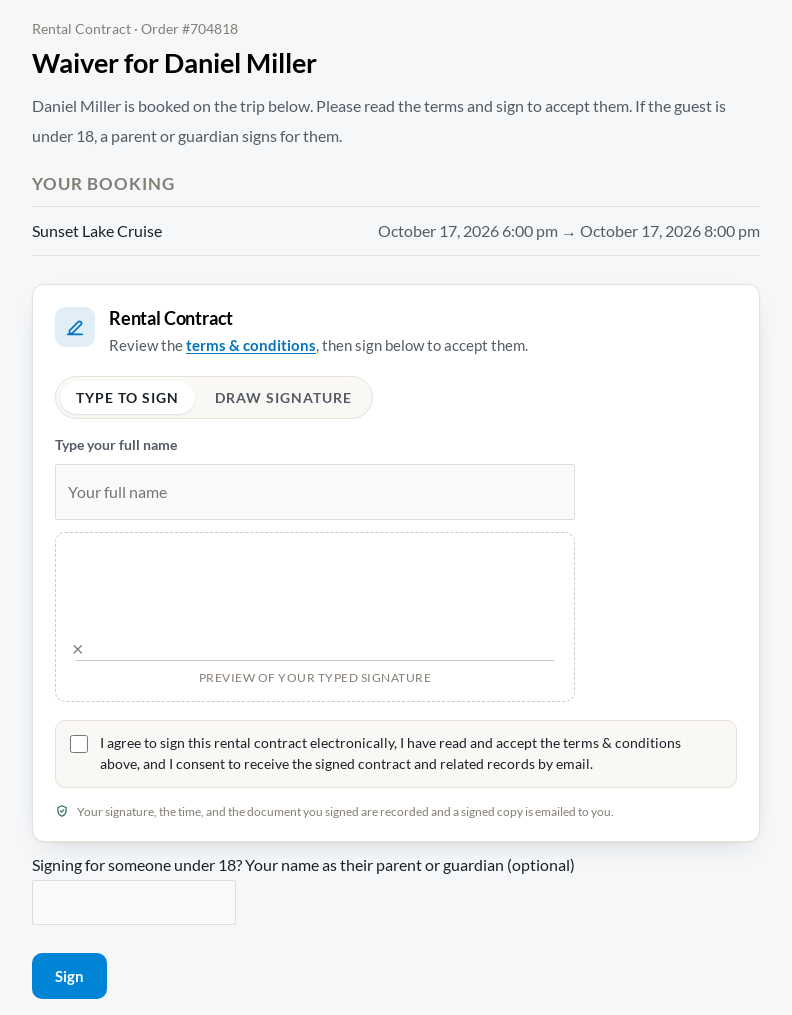
- The guest opens the link: “Waiver for Jamie Lee”. No account is needed. They read the terms and click Sign. For someone under 18, a parent or guardian signs and gives their name.
- At check-in, staff can open Sign on this phone next to a guest on My Account › My schedule. The guest signs on the staff member’s phone, and the staff member is recorded as the witness.
What you see #
- The manifest shows each guest as Signed, Not signed or Declined.
- Each signed waiver is kept on the order, with who signed it and when (“Waiver of Jamie Lee, signed on Oct 15, 2026 by Pat Lee (guardian).”).


