
Teams (Help Desk › Teams) #
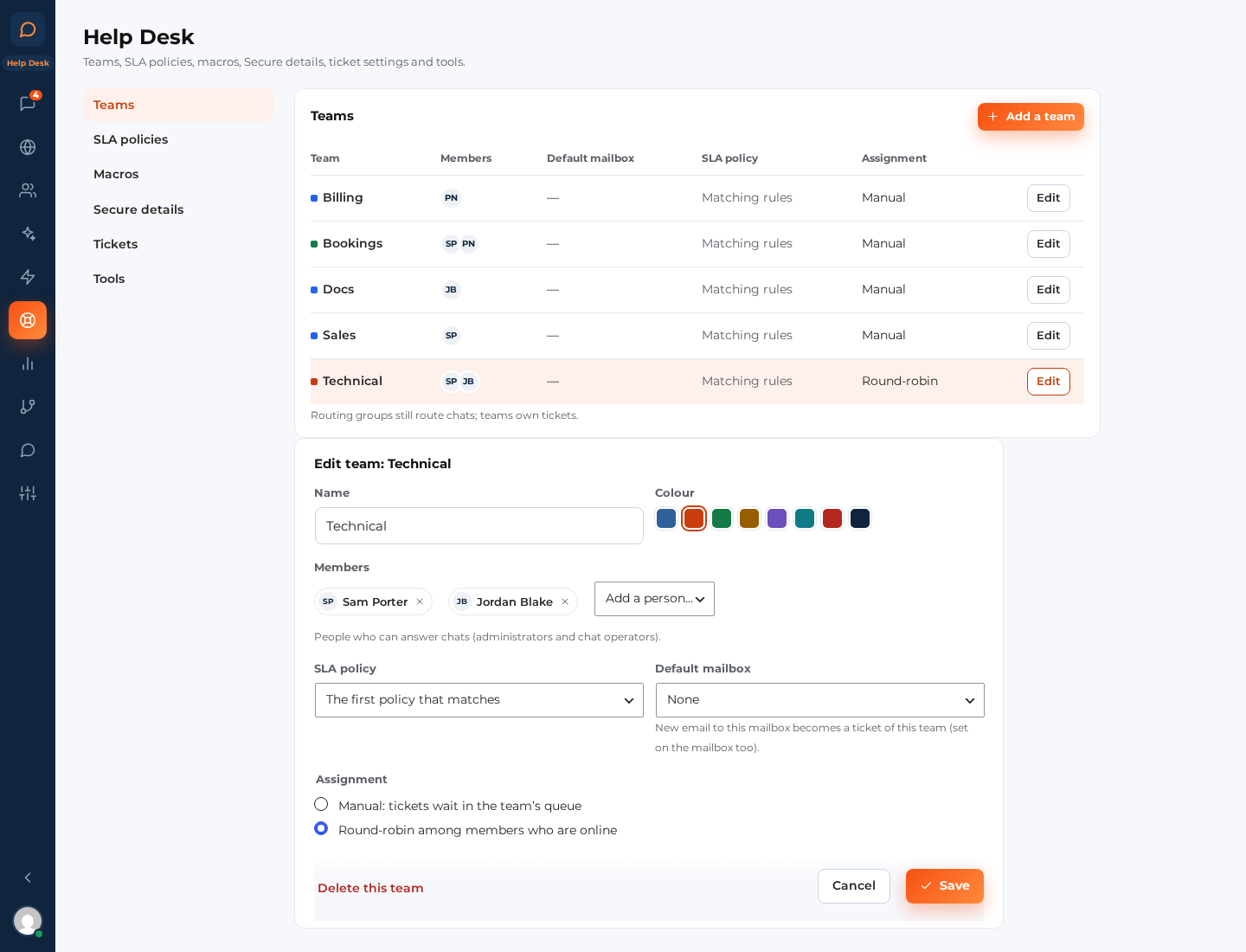
A team owns tickets: Sales, Support, Billing, a team per location. Each team has:
- Members: the people on your team who answer its tickets. One person can be in several teams.
- A colour, shown on ticket rows and the views column.
- A default mailbox: replies to the team’s tickets go out from this address when the ticket didn’t arrive by email.
- An SLA policy, or “The first policy that matches” (see below).
- Assignment: Manual (tickets wait in the team’s queue until someone takes one) or Round-robin among members who are online (each new ticket goes to the next member who is online; when nobody is, it waits in the queue).
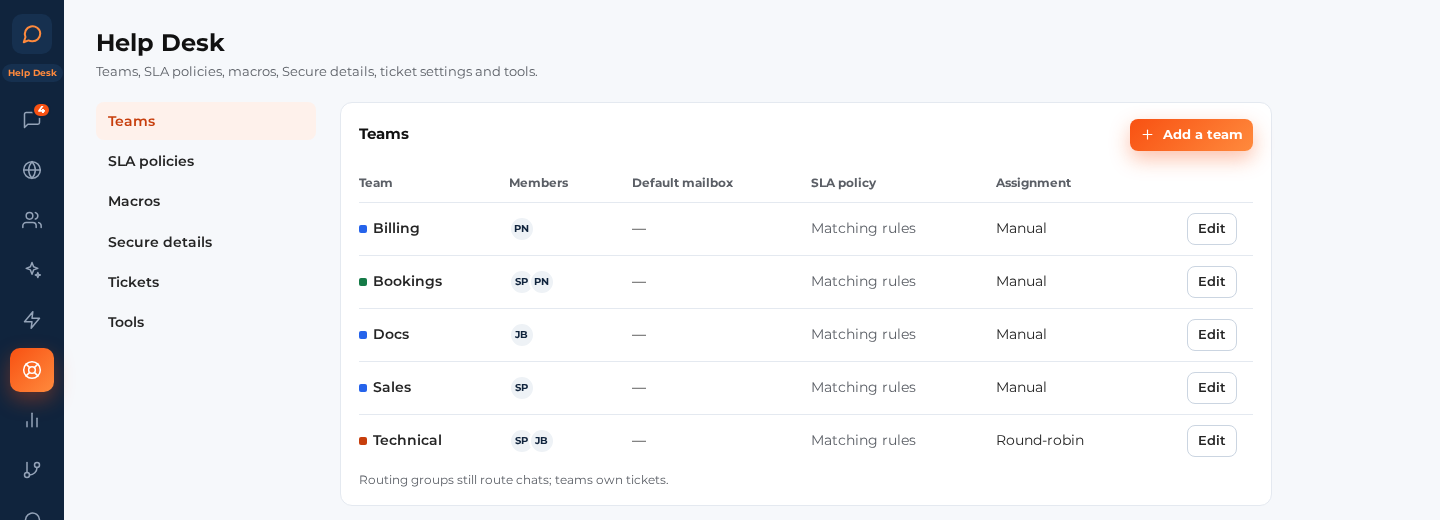
When Help Desk switches on, your routing groups are copied into teams once. Routing groups keep routing chats; teams own tickets. A mailbox, the ticket form and a chat rule can each send new tickets to a team. A new ticket with no team, or in a team nobody is in yet, alerts everyone who works the inbox (see “Ticket alerts” in AI for tickets).
SLA policies (Help Desk › SLA policies) #
An SLA policy is a promise: how fast you reply the first time, how fast you answer each new message, and how soon a ticket is solved. Each ticket shows its timers in the ticket bar and in its row in the list.
The standard targets #
The standard targets apply to every ticket no other policy covers. Set a first reply, next reply and resolution time for each priority (Low, Normal, High, Urgent). 0 means no target.
Policies of your own #
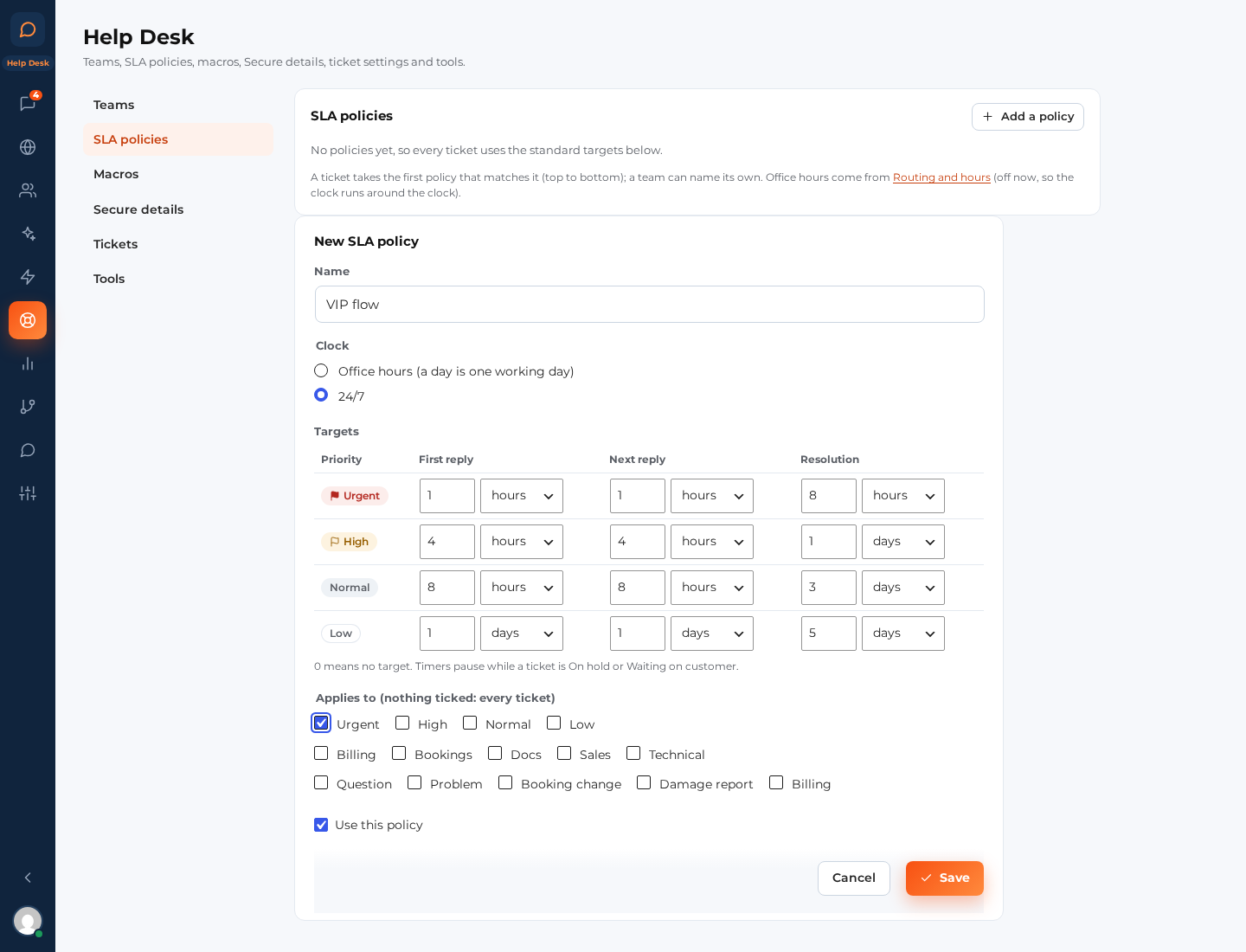
Add a policy when some tickets need other targets: urgent tickets, a VIP team, billing questions.
- Clock: Office hours (only your opening hours count, and a day is one working day) or 24/7.
- Targets: first reply, next reply and resolution, per priority.
- Applies to: tick priorities, teams and ticket types. Nothing ticked means every ticket.
- Use this policy: switch a policy off without deleting it.
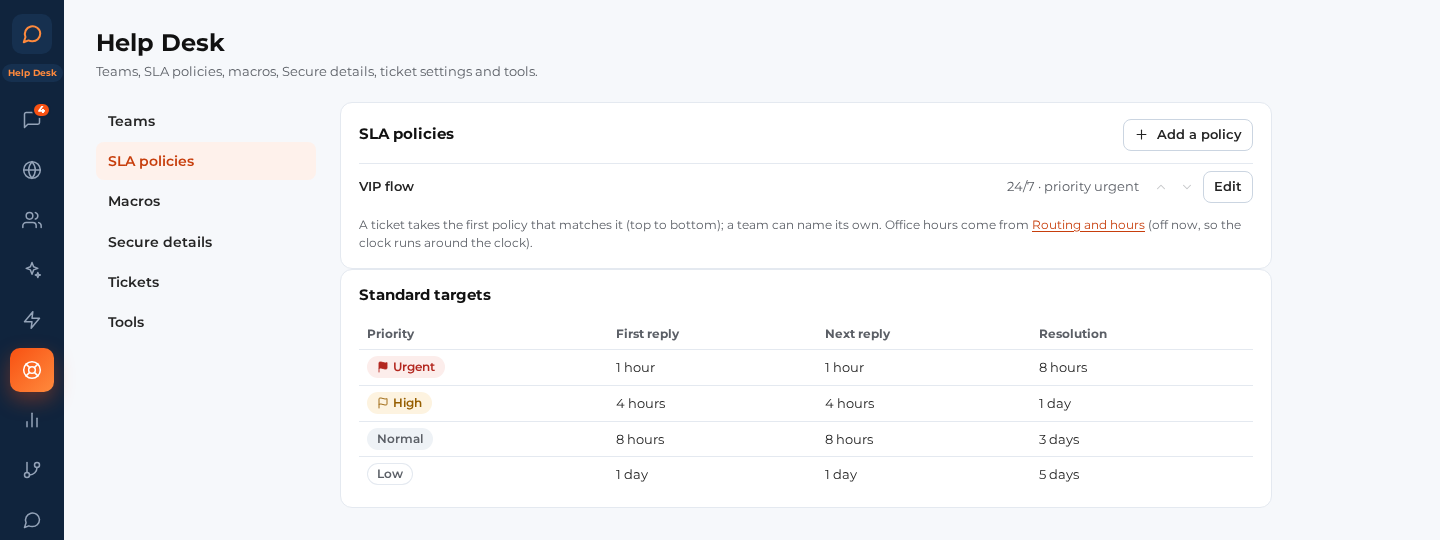
The order of the list matters: a ticket takes the first policy that matches it. Use the up and down arrows next to a policy to change the order. A team can also name its own policy, which then wins over the list.
How timers count #
- They count from when the customer wrote, in your office hours when the policy says so.
- They pause while a ticket is On hold or Waiting on customer, and carry on where they stopped when it opens again.
- A timer shows “Due in 40 min” and turns amber when three quarters of the time has gone; “Overdue 15 min” shows in red.
- The Due today and Overdue views list the tickets that need you first.
Office hours are the ones you already set for the chat (Settings › Routing and hours), with your holidays.


