
Email reminders tell your customer when to collect a rental and when to bring it back. They are the channel that needs no account, no provider and no payment method — your store already sends email, so these work the moment you switch them on. Text reminders are off by default and take a Twilio or Meta account behind them; email takes neither.
For the text side of the same reminders, and for how the three text routes compare, see SMS and WhatsApp rental reminders.
The three emails #
There are three, and they match the three text reminders exactly:
- Before pickup — the rental is coming up.
- Before return — it is due back.
- Overdue — it was due back and has not come. Regular edition only, for the reason just below.
When each one fires is not set on the email itself. It comes from the reminder timing rules at the top of the Emails section — the same rules that drive the text messages, so a change to the timing moves both at once. There is deliberately no second set of timings anywhere.
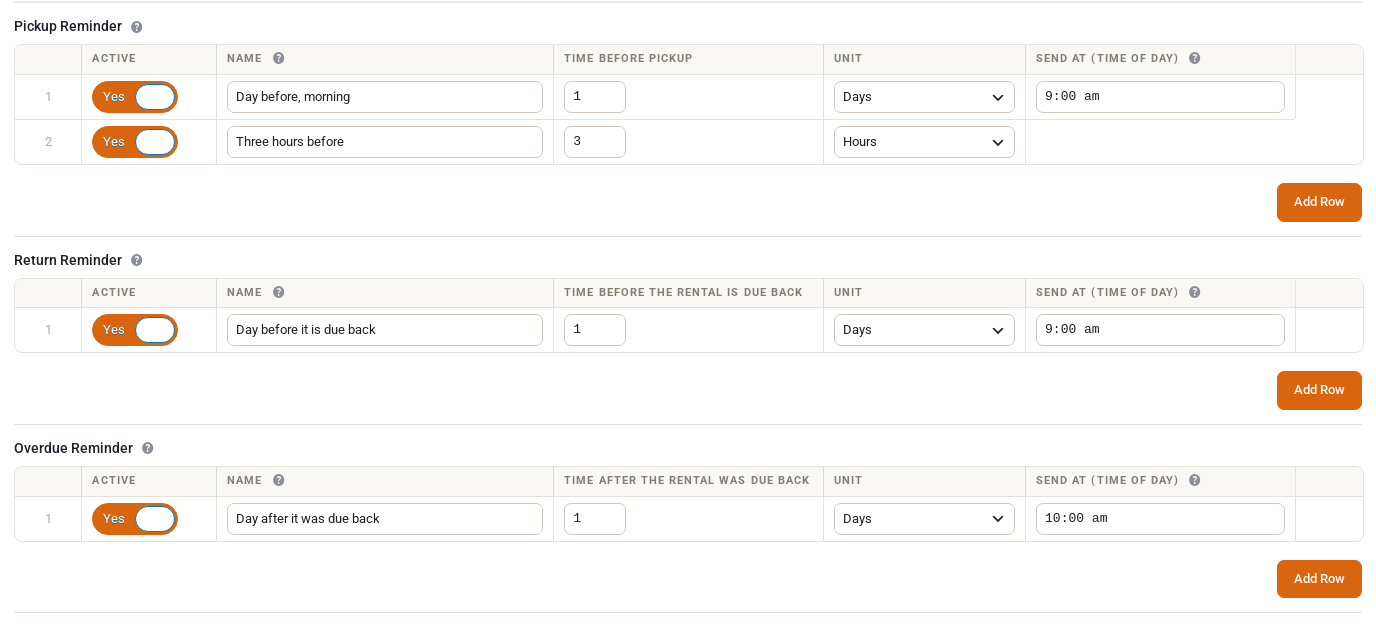
The overdue reminder needs Sales Igniter Rentals & Bookings Regular, and the reason is worth reading. Telling a customer their rental is late means knowing it has not already come back — and the thing that records a rental coming back is Send & Return, the screen where you check rentals out and back in, which is part of Regular. The free edition keeps no record of a return, so it cannot know a rental is overdue: it would chase the customer who brought the kayak back last Tuesday exactly as it chases the one who still has it. Sending that email to the wrong half of your customers is worse than not sending it at all, so on the free edition the overdue timings are shown but locked. Before pickup and before return are unaffected and work on every edition. And if you set overdue timings on Regular and later run the free plugin on its own, nothing is deleted — your timings sit there exactly as you left them and start working again the moment Regular is back.
Editing them #
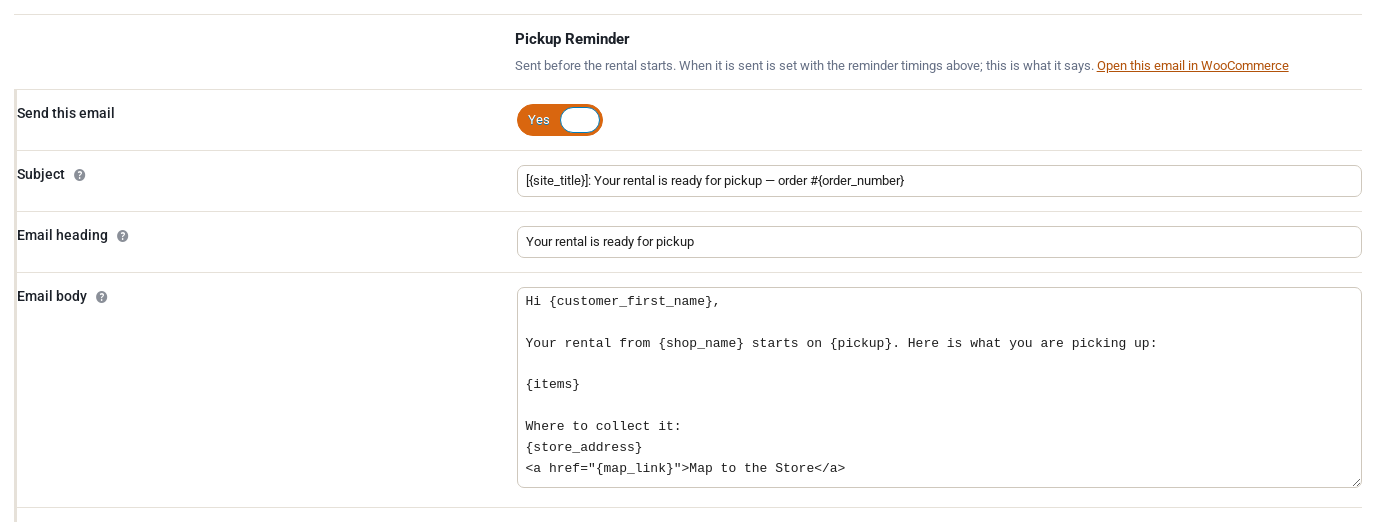
Everything is in Rentals › Settings › Emails, edited in place. Each of the three has its own:
- whether it sends at all
- subject
- email heading
- the body
- other languages
- additional content
- BCC admin recipients
- email type
These are the same values WooCommerce keeps in its own email settings. There is one stored value, not two, so edit whichever screen you prefer and the other follows.
The body arrives with our wording already in it rather than empty, and you can rewrite it. The merge tags are listed underneath the box.
Languages, and the one thing that surprises people #
We ship all three emails in nineteen languages besides English — French, German, Spanish, Italian, Dutch, both Portuguese variants, Arabic, Simplified Chinese, Hindi, Japanese, Korean, Polish, Romanian, Russian, Turkish, and Swiss variants of German, French and Italian. How that behaves depends entirely on whether you have touched the wording:
- Leave our wording alone and every customer is emailed in their own language, automatically. Nothing to configure.
- Rewrite the English and every customer gets that English — your French customers included — until you add a row for their language under Other languages. This catches people out, so it is worth saying plainly: editing the English box switches the automatic translation off for everyone.
- Clear the box and the translated wording comes back.
Merge tags #
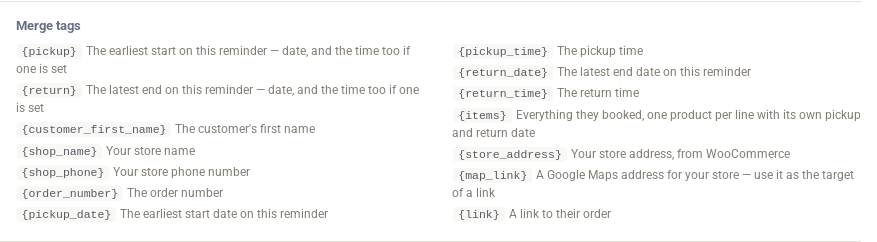
These are filled in for you, and are listed under each body box as well:
| Tag | What it becomes |
|---|---|
{customer_first_name} | The customer’s first name |
{shop_name} / {shop_phone} | Your store name and phone number |
{order_number} | The order number |
{pickup} | When the rental starts — one value, see below |
{return} | When it is due back — one value, see below |
{items} | What they booked, e.g. 2 x Sea Kayak |
{link} | A link to their booking page |
{store_address} | Your store address, as WooCommerce formats it |
{map_link} | A Google Maps link to that address, to put behind a “Get directions” link |
{pickup} and {return} are single values, not a date and a time to be assembled by hand. They follow the format you set in Rentals › Settings › Date Formatting, and the time is added only when the booking actually has one — so a date-only rental reads as a plain date rather than a date with a dangling "at" after it. The separate {pickup_date}, {pickup_time}, {return_date} and {return_time} tags are still there if you want the parts on their own.
Orders with several items #
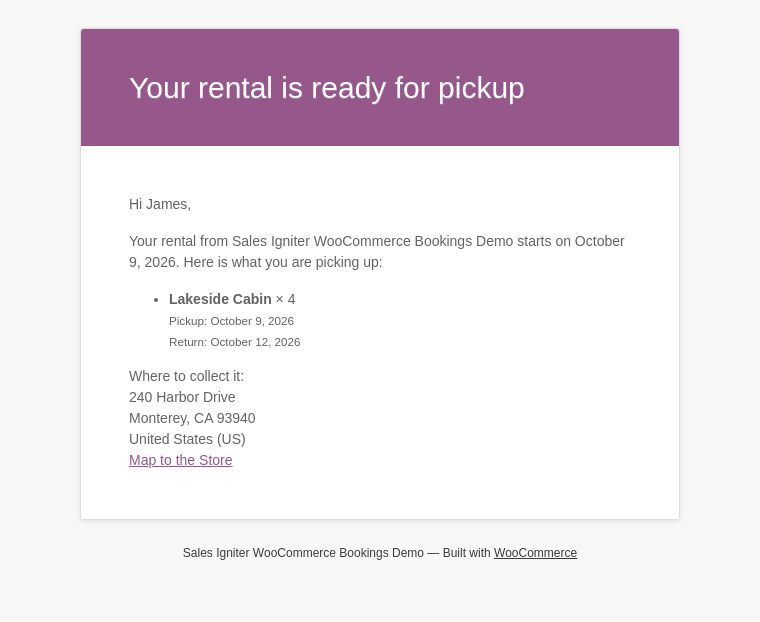
The before return and overdue emails list each product with its own pickup and return lines, because different items in one order can run on different dates. A customer who took a kayak for the weekend and a roof rack for the week sees both, each with its own dates, rather than one set of dates that is wrong for one of them.
How the emails look #
The header image, the base, background and body colours and the footer text are shared by every email your store sends — order confirmations, invoices and these reminders alike — so they stay where WooCommerce keeps them, in WooCommerce › Settings › Emails. Change them there and the reminders follow along with everything else.
One thing this page cannot tell you: Rentals › Reminders currently lists text messages only. It is not a record of emails sent.
Related pages #
- SMS and WhatsApp rental reminders — the same three reminders sent as a text, the reminder timing rules, and how the three text routes compare.
- Twilio, and WhatsApp via Twilio — setting up the text routes that run through Twilio.
- WhatsApp via Meta — sending WhatsApp direct from your own Meta app.


